Lead Intelligence Tools in 2026: What Actually Works
Lead intelligence tools promise to tell you who to call and when. Most just sell you stale contact records. Here's how the categories differ, what each layer actually costs, and how to build a stack that pays for itself.
TL;DR
- "Lead intelligence" is four separate layers — identity data, contact data, firmographic/technographic context, and behavioral signals. Most vendors sell one layer and market it as all four.
- The expensive layer is signals (intent, visitor identification, job-change alerts). The layer that actually breaks your campaigns when it's wrong is contact data.
- Buy contact accuracy first. A perfect intent signal routed to a bounced email address is worth zero.
- Typical stack cost for a 5-person outbound team: $150–$400/month if you assemble it yourself, $1,500–$4,000/month if you buy an all-in-one platform.
- Start with a verified email finder and a CRM field for signal source. Add intent data only after your reply rate proves the basics work.
What are lead intelligence tools?#
Lead intelligence tools collect, verify, and enrich information about companies and people so your sales team knows who to contact, why now, and how to reach them. That's the honest one-sentence definition. The marketing version — "AI-powered revenue intelligence that surfaces your next best action" — describes maybe three products on the market and none of them at the price you were quoted.
Think of it like weather forecasting. Raw observations (temperature, pressure) are data. The forecast is intelligence. Most tools sold as "lead intelligence" are actually selling you thermometers and letting you guess at the forecast yourself.
The category splits into four distinct layers that behave differently, cost differently, and decay at different speeds:
- Identity data — who the person is: name, title, seniority, department, LinkedIn URL. Decays at roughly 25–30% per year as people change jobs.
- Contact data — how to reach them: work email, direct dial, mobile. This is the layer that produces hard bounces and wasted dials when it's stale. Verification matters more than volume here.
- Firmographic and technographic context — company size, revenue band, industry, funding stage, tech stack. Slow-moving, relatively cheap, widely available.
- Behavioral signals — intent topics, website visits, hiring activity, job changes, funding events. The most expensive and the least reliable layer, but the one that determines timing.
A complete stack touches all four. A complete stack does not require four vendors, and it definitely doesn't require the platform that bundles all four at $30,000 a year.
Why does contact data accuracy matter more than intent signals?#
Because bad contact data fails loudly and bad intent data fails silently.
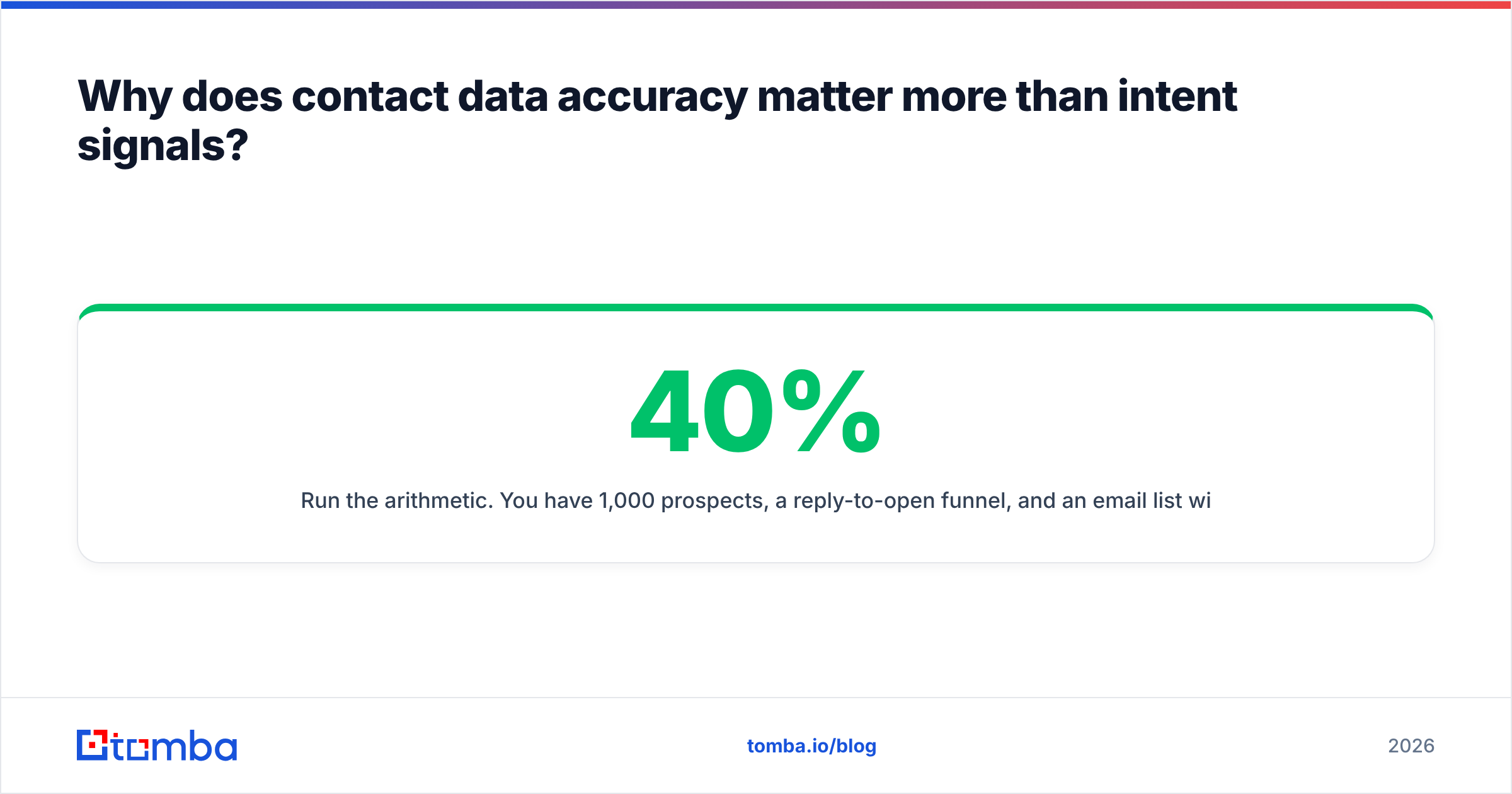
Run the arithmetic. You have 1,000 prospects, a 40% reply-to-open funnel, and an email list with 12% invalid addresses — a normal rate for unverified scraped data. Those 120 bounces don't just disappear. They push your bounce rate past the 2% threshold that Google and Microsoft treat as a spam signal, which degrades email deliverability for the other 880 contacts too. One bad list poisons the sends that follow it.
Now flip it. Your intent data says 200 of those accounts are "in-market." Suppose half of that is noise — an intern researching a school project, a competitor doing pricing research, a bot. You wasted prioritization effort, but nothing broke. You still sent to real inboxes and still got replies from the accounts that happened to be ready.

This is why the sequencing matters. Fix the layer that breaks things, then buy the layer that optimizes things. Teams that do it backwards end up with a beautiful intent dashboard feeding a domain that's already in the spam folder.
If you want to see how far apart vendors actually sit on this dimension, run the same 200-contact list through two providers and compare verified-deliverable counts, not "found" counts. "Found" includes guesses. A proper email verifier separates the two.
How do the categories of lead intelligence tools compare?#
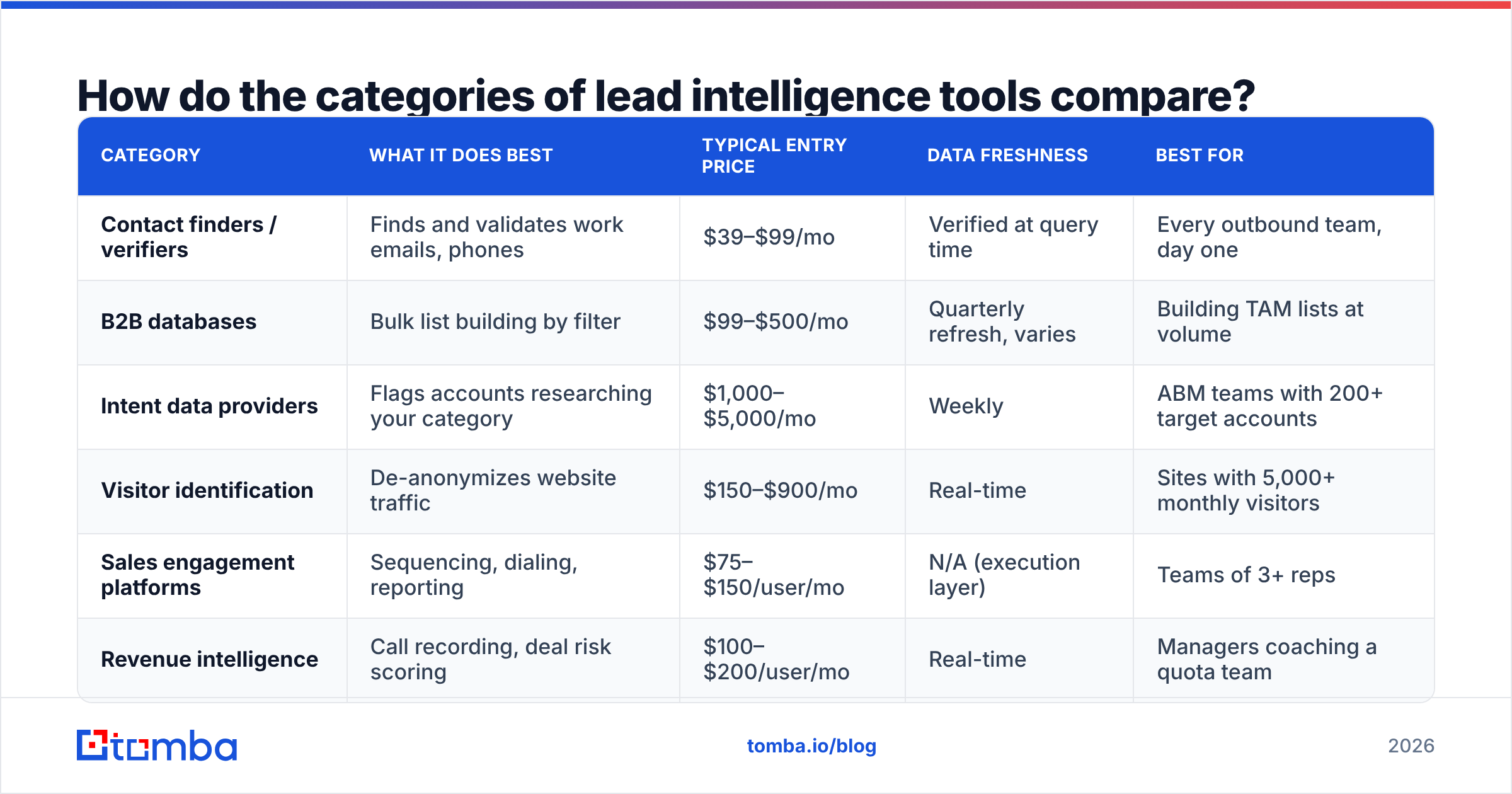
Here's the map. Categories overlap at the edges, but buying decisions get much cleaner once you know which box a vendor actually lives in.
| Category | What it does best | Typical entry price | Data freshness | Best for |
|---|---|---|---|---|
| Contact finders / verifiers | Finds and validates work emails, phones | $39–$99/mo | Verified at query time | Every outbound team, day one |
| B2B databases | Bulk list building by filter | $99–$500/mo | Quarterly refresh, varies | Building TAM lists at volume |
| Intent data providers | Flags accounts researching your category | $1,000–$5,000/mo | Weekly | ABM teams with 200+ target accounts |
| Visitor identification | De-anonymizes website traffic | $150–$900/mo | Real-time | Sites with 5,000+ monthly visitors |
| Sales engagement platforms | Sequencing, dialing, reporting | $75–$150/user/mo | N/A (execution layer) | Teams of 3+ reps |
| Revenue intelligence | Call recording, deal risk scoring | $100–$200/user/mo | Real-time | Managers coaching a quota team |
The mistake almost everyone makes is buying from row 3 or row 6 before row 1 is solid. Intent data and call coaching are optimization layers. They multiply whatever your baseline is. Multiply zero and you get zero.
A second mistake: assuming "B2B database" and "contact finder" are the same product. A database sells you a snapshot — a copy of records collected at some point in the past. A finder resolves and verifies at the moment you ask. For a list of 50,000 you want a B2B database. For the 40 accounts your AE is working this week, you want live verification, because those are the records where a bounce costs you a real conversation.
What should a lead intelligence stack actually cost?#
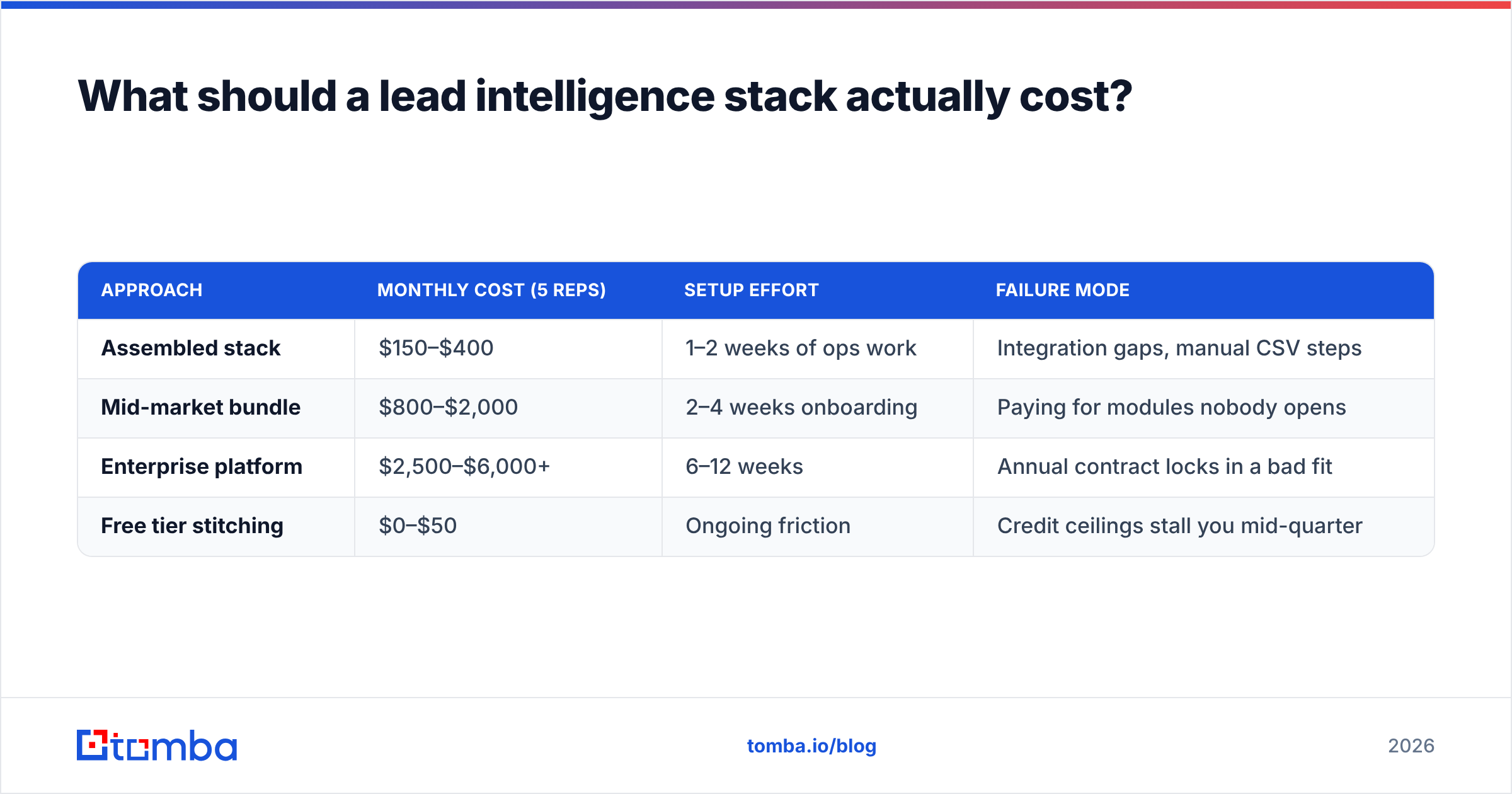
Depends entirely on whether you assemble or buy the bundle. Both are defensible; they fail in different ways.
| Approach | Monthly cost (5 reps) | Setup effort | Failure mode |
|---|---|---|---|
| Assembled stack | $150–$400 | 1–2 weeks of ops work | Integration gaps, manual CSV steps |
| Mid-market bundle | $800–$2,000 | 2–4 weeks onboarding | Paying for modules nobody opens |
| Enterprise platform | $2,500–$6,000+ | 6–12 weeks | Annual contract locks in a bad fit |
| Free tier stitching | $0–$50 | Ongoing friction | Credit ceilings stall you mid-quarter |
A concrete assembled stack that works for most teams under 20 people:
- Contact layer — a verified finder with API access. Tomba pricing starts free at 25 searches/month, then $49/mo for Starter, $99/mo for Growth, and $249/mo for Pro. The API and bulk tools are included rather than upsold, which matters if you plan to enrich inside your CRM.
- List-building layer — either a database subscription or domain search run against a target-account list you build from public sources. For ICPs defined by industry and size, BookYourData is a solid pay-as-you-go option when you'd rather buy a clean list outright than rent a seat.
- CRM — HubSpot's free tier is genuinely usable up to around 1,000 contacts; see their CRM documentation for limits.
- Signals — skip for the first quarter. Use free proxies instead: LinkedIn job-change notifications, funding announcements, and hiring pages. They're 70% as useful as paid intent at 0% of the cost.
- Enrichment glue — data enrichment or a Zapier flow that fills missing fields on CRM record creation.
That's roughly $150/month all in, and it covers three of the four intelligence layers. The fourth layer, behavioral signals, is where budget should go after you have a working baseline reply rate to compare against.
How do you evaluate a lead intelligence vendor honestly?#
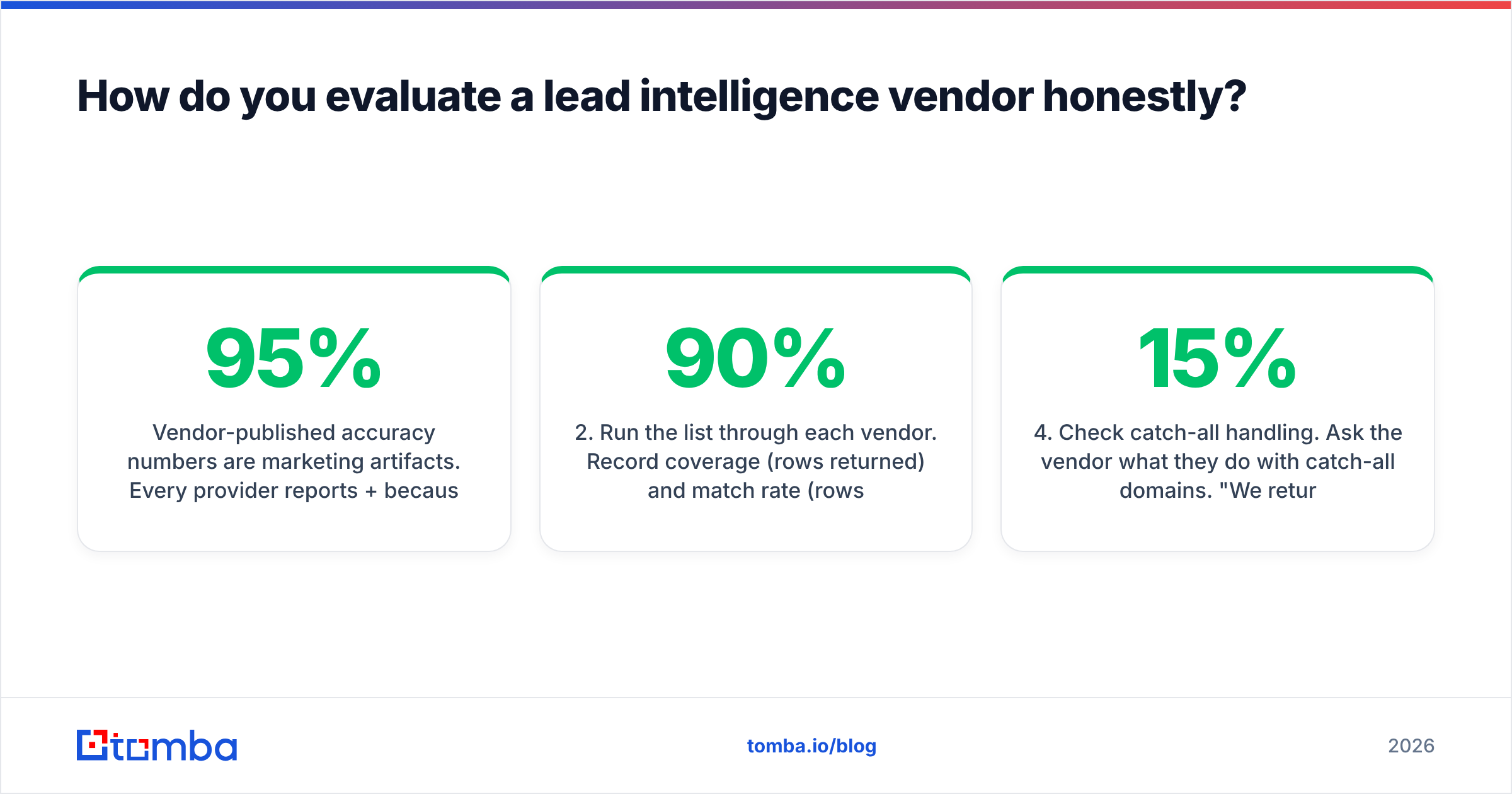
Vendor-published accuracy numbers are marketing artifacts. Every provider reports 95%+ because every provider measures differently — some count catch-all domains as valid, some exclude records they declined to return, some measure syntax validity rather than actual deliverability.
Run your own test instead. It takes an afternoon:
- Build a 200-row ground-truth list. Pull contacts you've already emailed successfully — you know those addresses work. Strip the email column.
- Run the list through each vendor. Record coverage (rows returned) and match rate (rows matching your known-good email) separately. A vendor returning 90% coverage at 60% match is worse than one returning 60% coverage at 95% match.
- Send a real campaign to the unknown remainder. Bounce rate is the only accuracy metric that pays your bills.
- Check catch-all handling. Ask the vendor what they do with catch-all domains. "We return them as valid" is a red flag — around 15% of B2B domains are catch-all, and a tool that silently marks them deliverable is inflating its own score. A dedicated catch-all verifier at least tells you which bucket you're in.
- Test the API, not just the UI. Most real usage ends up automated. If the Tomba API or a competitor's requires 3 calls to do what the dashboard does in one, your ops cost is higher than the sticker price.
- Read the refund policy on credits. Some vendors charge a credit for a failed lookup. Over a year that's a meaningful hidden cost.

On the signals side, the evaluation is different and harder. Ask any intent vendor for their source mix — publisher co-op, bidstream, or first-party. Bidstream data is cheap and noisy. Co-op data (the model G2 and similar review sites use) is narrower but far more actionable, because someone comparing two vendors on a review page is demonstrably further along than someone who loaded a page with an ad tag on it.
When is intent data worth the money?#
Three conditions, all of which have to be true:
- Your target list is bigger than your team can cover. If you have 150 accounts and 3 reps, you don't need prioritization — you need everyone called twice. Intent data earns its keep starting around 500+ target accounts.
- Your sales cycle is long enough that timing matters. For a 14-day transactional cycle, by the time intent surfaces the deal is already decided. For a 6-month enterprise cycle, catching a research phase early is worth a lot.
- You have a baseline to measure against. Without a control group, you'll attribute every closed deal to the intent signal and renew a tool that did nothing.
A cheaper intermediate step: website visitor identification. It's first-party, it's unambiguous (someone actually visited your pricing page), and it costs a fraction of syndicated intent. Pair it with visitor identification and a same-day outreach rule and you'll often beat a full intent subscription on pure conversion.
What does a working lead intelligence workflow look like?#
The tooling matters less than the loop. Here's the sequence that consistently produces results, in the order the work actually happens:
- Define the ICP as filters, not adjectives. "Mid-market SaaS" is useless. "50–500 employees, US or UK, HubSpot or Salesforce in the stack, raised a Series A or B in the last 24 months" is a query you can run.
- Build the account list before the contact list. Accounts are stable; contacts churn. Getting this order wrong means re-enriching people at companies you never should have targeted.
- Enrich contacts at the moment of use. Don't bulk-enrich 10,000 records in January and email them in June — 15% will have moved. Enrich in batches sized to what you'll actually send this week.
- Verify immediately before send. Not at import. Verification has a shelf life measured in weeks, not quarters.
- Log the signal that triggered the touch. One CRM field:
signal_source. Funding round, job change, site visit, cold. In 90 days you'll know which signal types convert and you can stop paying for the ones that don't. - Review conversion by signal source quarterly. This is the step everyone skips, and it's the only one that tells you whether your intelligence spend is real or theatrical.
Step 5 is the highest-leverage line in this entire post. Most teams cannot answer "which data source produced our closed-won deals last quarter" — which means every renewal conversation is based on vibes. Forrester and Gartner both publish research on attribution discipline in B2B; the short version from Gartner's sales research is that buying groups have grown to 6–10 stakeholders, which makes single-signal attribution unreliable unless you're tracking it deliberately from the start.
What are the common failure modes?#
Buying volume over accuracy. A 200-million-record database sounds impressive until you filter to your actual ICP and find 4,000 records, half of them three years old. Ask for coverage within your segment, not total database size.
Treating enrichment as a one-time import. Data decays continuously. A stack with no refresh cadence is a stack that gets worse every day you own it.
Over-indexing on the platform demo. Demos use curated accounts. Insist on a trial with your own list.
Ignoring compliance. GDPR and CCPA obligations follow the data, not the vendor. Ask where records come from — a vendor that can't explain its sourcing is a vendor whose liability becomes yours. Reviewing data sources should be part of any procurement check, for any vendor.
Stacking overlapping tools. Three products that each claim contact enrichment means you're paying three times for the same field. Audit overlap annually; most teams find 20–30% redundant spend.
Which lead intelligence tool should you start with?#
Start with the layer that fails loudly: contact accuracy. Everything else in your stack — sequencers, intent scores, dialers, CRM automations — is downstream of whether the address you send to actually exists.
Tomba's Email Finder is built for exactly that first layer: find the address by name and domain, verify it before it enters your sequence, and pull the same result through the API, Chrome extension, Google Sheets, or your CRM rather than a CSV round-trip. The free tier gives you 25 searches a month to run the 200-row ground-truth test described above on your own data, and Starter at $49/mo covers most teams until volume justifies Growth at $99/mo.
Run the test. Compare match rates, not marketing claims. Then decide what the signals layer is worth on top of a foundation you've actually verified.
Related guides#
// get started
Find, verify and enrich your first contacts today
Start on the free plan with 25 searches a month, then scale when your team is ready.
Free plan · No credit card required · GDPR & CCPA
// about the author