Lead Kahuna vs Salesbot: Scraper or AI Prospecting Platform?
Lead Kahuna scrapes and automates. Salesbot researches and verifies. We compare data quality, outreach, pricing, and fit, so you can pick the right tool for your pipeline in 2026.
TL;DR
- Lead Kahuna is an automated lead-scraping and marketing toolkit. It pulls contact data from websites and open sources, validates it, and pushes it into campaigns. It suits agencies and local-business marketers who want volume on a small budget.
- Salesbot is an AI-first outbound prospecting platform. It does lead research, list building, and personalized outreach on top of verified emails and mobile numbers. It suits B2B sales teams that care about connect rates and rep time.
- Salesbot's listed pricing starts at $49/mo (Basic), then $99/user/mo (Professional), then custom Enterprise. Lead Kahuna has mostly been sold through launch-style licensing, so check the current offer on its site before you budget.
- Neither tool is a dedicated email finder. If deliverability matters to you, run a specialist finder and verifier before anything goes into a sequence.
- Our pick: Salesbot for B2B sales teams, Lead Kahuna for agencies prospecting SMBs and local businesses. Both work better with a clean email-finding and verification layer underneath.
What is Lead Kahuna?#
Lead Kahuna calls itself a fully automated lead generation software. In practice it's a scraper plus a light marketing suite. You point it at a niche and a location, and it pulls business contact details from websites and other public online sources. It then combines them into lead profiles and hands them to its built-in email marketing tool or to your integrations.
Recent versions say they aggregate 80+ data points per lead through APIs and open data, with engagement signals attached to each profile. It also includes a contact validation step that checks email addresses and phone numbers before you use them.
It's popular with a specific group of buyers: digital agencies, freelancers, and consultants who sell to local and small businesses. Think a web design shop hunting for dentists in Phoenix with outdated websites. For that job, a scraper that returns hundreds of businesses with a phone number, a website, and a generic inbox is exactly what you want.
It's weaker when you need a named decision-maker at a 500-person SaaS company. Scraped public data leans toward info@ and contact@ addresses. Those addresses convert poorly in B2B outbound and hurt your reply rates.
What is Salesbot?#
Salesbot is an AI-driven outbound prospecting tool built for sales teams and agencies. Its listing on Capterra describes it as covering lead research, list building, and personalized outreach, with access to verified contact data that includes emails and phone numbers.
Its main pitch is that it's "AI-native" rather than a static database. It doesn't sell you a snapshot of records that were accurate 18 months ago. Instead it builds and validates prospect data when you search, so bad records get filtered out before a rep sees them. Salesbot's demos focus on your ICP, samples of your current lists, and connect-rate baselines. They want to show the difference in mobile accuracy on the exact records your team would dial.
That positioning puts it closer to the AI SDR category than to lead scrapers. It's built for a revenue team that measures meetings booked per rep. It's not built for a marketer who measures leads exported per dollar.
How do Lead Kahuna and Salesbot actually differ?#
The two tools start from different ideas about where good leads come from. Lead Kahuna assumes more is better: gather broadly, then filter. Salesbot assumes quality comes first: verify at the source, then personalize. Everything else follows from that.
Here's what each philosophy means in day-to-day use:
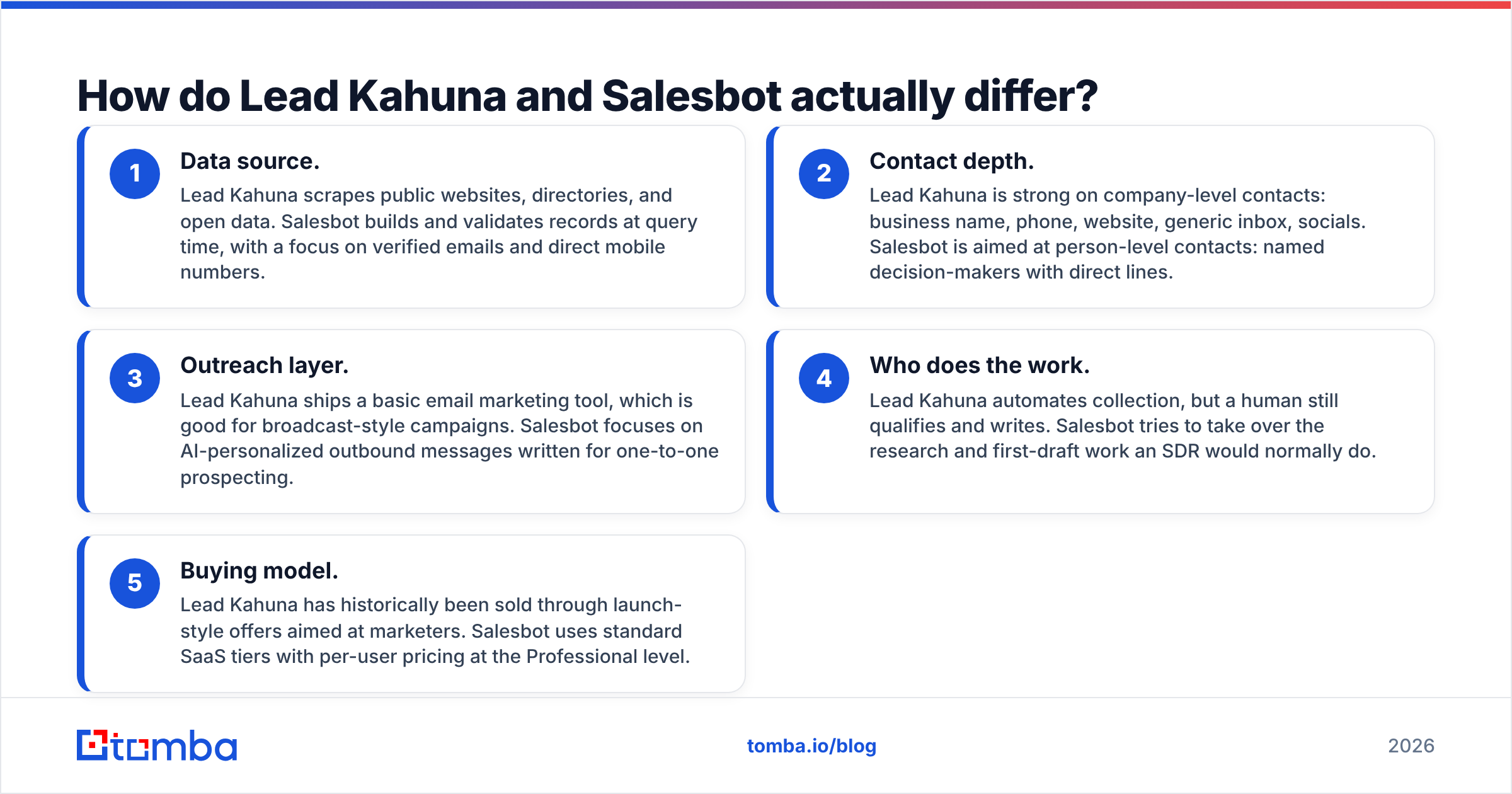
- Data source. Lead Kahuna scrapes public websites, directories, and open data. Salesbot builds and validates records at query time, with a focus on verified emails and direct mobile numbers.
- Contact depth. Lead Kahuna is strong on company-level contacts: business name, phone, website, generic inbox, socials. Salesbot is aimed at person-level contacts: named decision-makers with direct lines.
- Outreach layer. Lead Kahuna ships a basic email marketing tool, which is good for broadcast-style campaigns. Salesbot focuses on AI-personalized outbound messages written for one-to-one prospecting.
- Who does the work. Lead Kahuna automates collection, but a human still qualifies and writes. Salesbot tries to take over the research and first-draft work an SDR would normally do.
- Buying model. Lead Kahuna has historically been sold through launch-style offers aimed at marketers. Salesbot uses standard SaaS tiers with per-user pricing at the Professional level.
If you only remember one line: Lead Kahuna finds businesses, Salesbot finds buyers.
Lead Kahuna vs Salesbot: how do they compare feature by feature?#
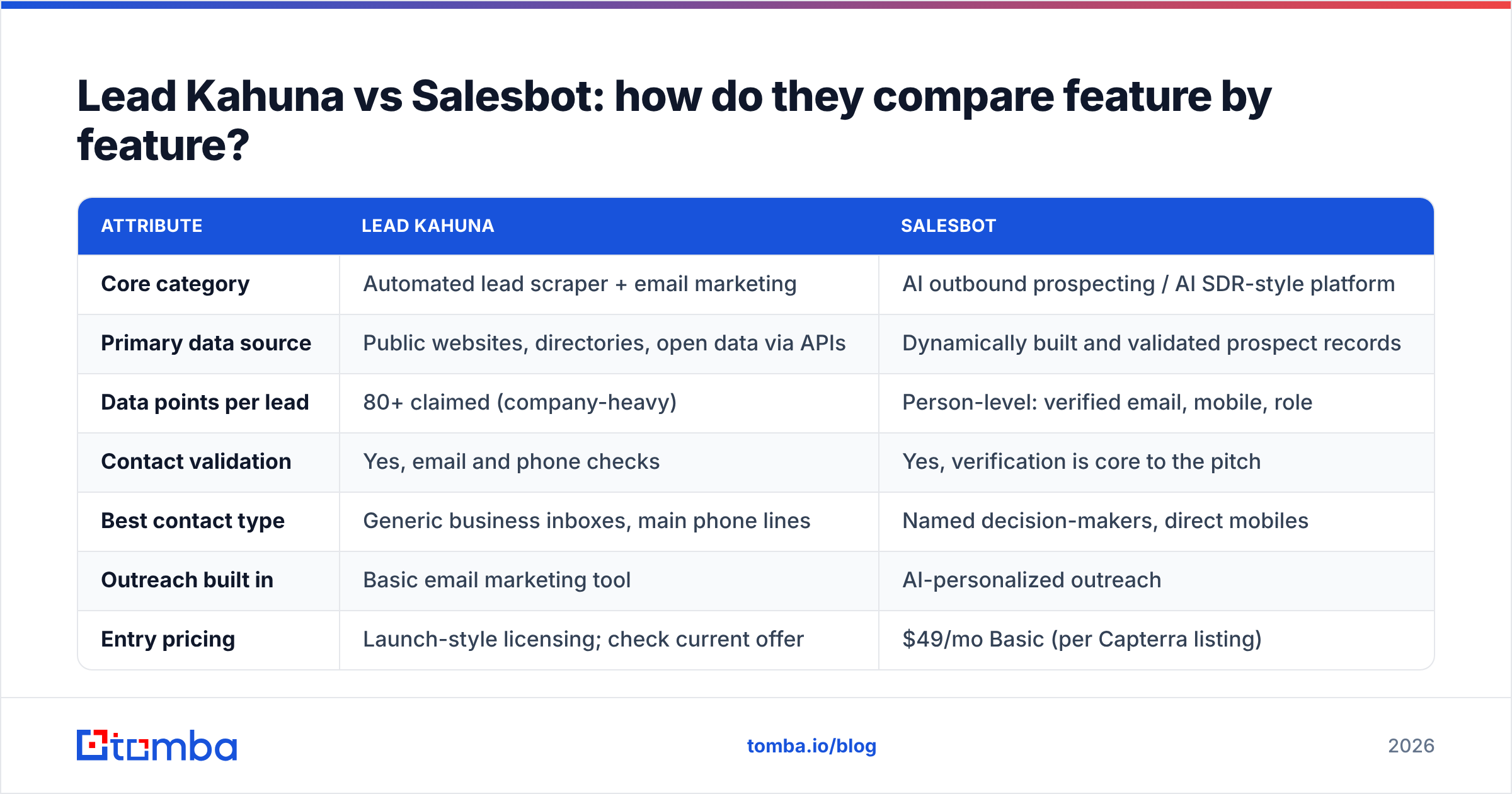
| Attribute | Lead Kahuna | Salesbot |
|---|---|---|
| Core category | Automated lead scraper + email marketing | AI outbound prospecting / AI SDR-style platform |
| Primary data source | Public websites, directories, open data via APIs | Dynamically built and validated prospect records |
| Data points per lead | 80+ claimed (company-heavy) | Person-level: verified email, mobile, role |
| Contact validation | Yes, email and phone checks | Yes, verification is core to the pitch |
| Best contact type | Generic business inboxes, main phone lines | Named decision-makers, direct mobiles |
| Outreach built in | Basic email marketing tool | AI-personalized outreach |
| Entry pricing | Launch-style licensing; check current offer | $49/mo Basic (per Capterra listing) |
| Team pricing | Not seat-based in most offers | $99/user/mo Professional; Enterprise custom |
| Ideal buyer | Agencies, freelancers, local-SMB marketers | B2B sales teams, outbound agencies |
| Main risk | Low-quality generic emails, compliance exposure | Per-seat cost scales fast with team size |
Pricing and feature sets in this category change often. Treat the numbers above as a starting point and confirm them on each vendor's site before you sign.
Which tool has better data quality?#
For B2B outbound, Salesbot comes out ahead, and the reason is structural rather than about which vendor tries harder.
Scraped data has a ceiling. If a decision-maker's email isn't published anywhere public, a scraper can't find it. What it can find is whatever the company chose to publish, which is usually a shared inbox. Lead Kahuna's validation step helps by removing addresses that are dead. But a valid hello@company.com is still a poor cold-email target. It goes to a receptionist or a helpdesk queue, not to the VP you want.
Salesbot starts from the person, so the records it returns are the ones a rep actually wants to call or email. Its emphasis on mobile accuracy matters too: for teams that do phone outreach, a bad direct dial wastes rep time on every call.
Both tools share a blind spot: catch-all domains. Many companies set their mail servers to accept every address. A basic SMTP check then reports "valid" whether or not the mailbox exists. Neither tool is built mainly as a verifier. If your list includes a lot of mid-market and enterprise domains, run it through a dedicated email verifier that handles catch-all logic before you launch. Skip that step and a bounce rate of 5% or more can quietly damage your sending domain in a couple of weeks.
Which is better for outreach and automation?#
The answer depends on what "outreach" means for your team.
Lead Kahuna treats outreach as marketing. You collect a list and load it into the built-in email tool or send it to your CRM through integrations. Then you run campaigns. That works for offers that can go out to many recipients: "We noticed your site isn't mobile-friendly, here's a free audit." The automation is in the collection. The messaging is still up to you.
Salesbot treats outreach as selling. It researches each prospect and writes personalized messages, so the email can mention a real trigger instead of a template merge field. For outbound where you're booking demos with named accounts, that personalization is the main thing you're paying for.
The trade-off is control. With Lead Kahuna you own every step and can connect it to any sender you like. With Salesbot you depend more on its workflow and AI output quality. Plan on having a human review AI-written first touches for at least the first few hundred sends.
How much do Lead Kahuna and Salesbot cost?#
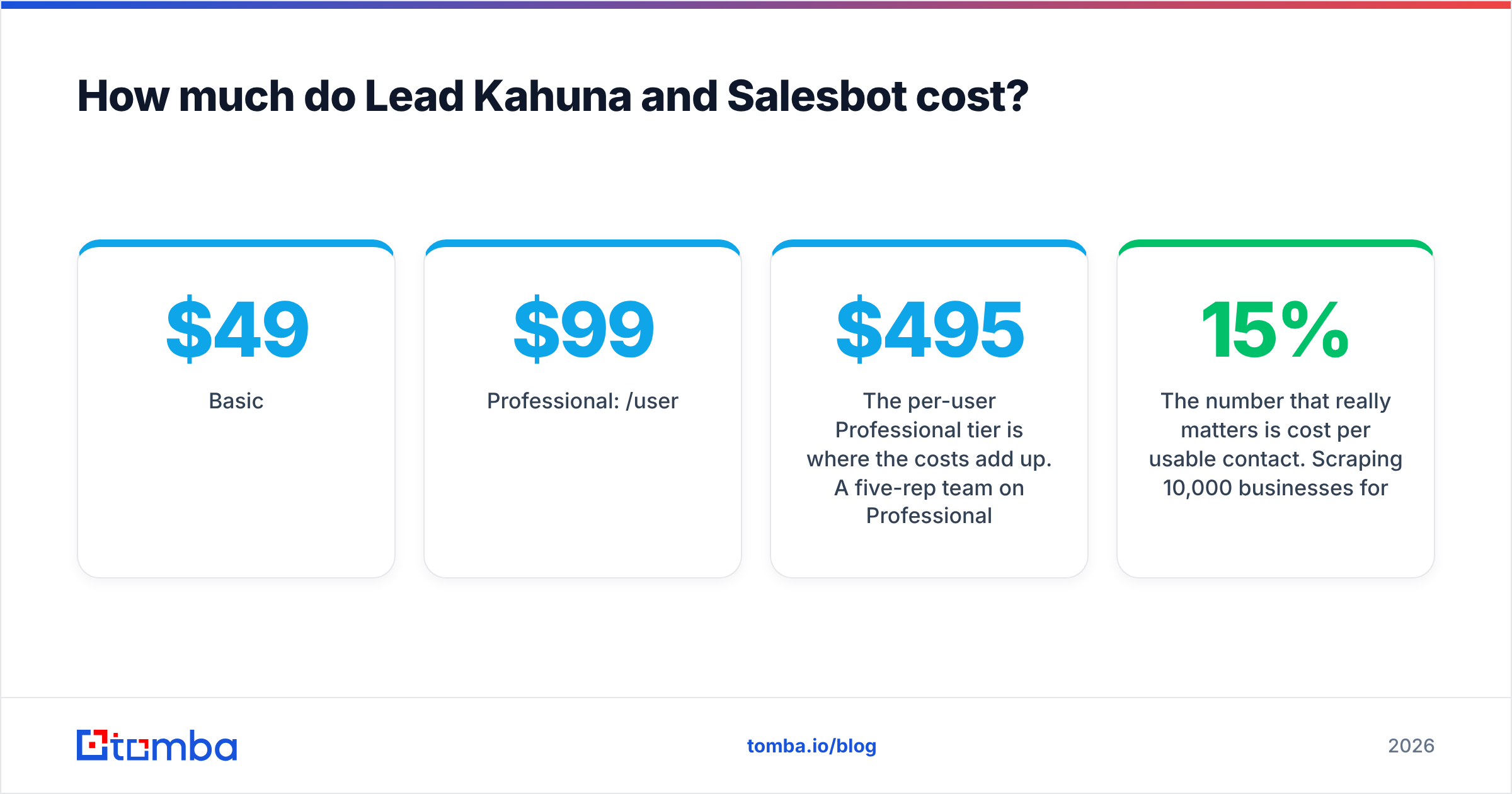
Salesbot lists three tiers on its Capterra profile:
- Basic: $49/month
- Professional: $99/user/month
- Enterprise: custom pricing
The per-user Professional tier is where the costs add up. A five-rep team on Professional pays about $495/month, or close to $6,000/year, before any add-ons.
Lead Kahuna has mostly been sold through launch-style offers aimed at marketers, with front-end licenses and upgrade tiers, instead of a standard per-seat SaaS price list. The offers change between versions, so we won't quote a number that could be out of date by the time you read this. Check the current offer on leadkahuna.com and read what's included in the base license and what requires an upgrade.
The number that really matters is cost per usable contact. Scraping 10,000 businesses for less than one Salesbot seat looks cheap. But if only 15% of those contacts are people you'd actually email, and some of the rest bounce, the math changes fast. Before you commit to either tool, export 200 records from a trial and count how many are named decision-makers at in-ICP companies.
What are the pros and cons of each tool?#
Lead Kahuna pros
- Fast, high-volume collection for local and SMB niches
- Company-level data (phones, websites, socials) that agencies can act on right away
- Built-in email marketing, so you don't need extra tools to get started
- Budget-friendly entry point for solo operators
Lead Kahuna cons
- Leans toward generic inboxes instead of decision-makers
- Scraped data raises more questions under privacy rules such as the GDPR, especially if you prospect in the EU
- The launch-style sales model makes long-term pricing and support harder to predict
Salesbot pros
- Person-level, verified contact data aimed at connect rates
- AI research and personalization cut SDR prep time
- Standard SaaS tiers with an Enterprise option for larger teams
Salesbot cons
- Per-seat pricing gets expensive as the team grows
- AI-written outreach still needs human QA to avoid generic or wrong personalization
- Less useful if your market is local businesses without a clear buying committee

Is there a better option than either for finding emails?#
It depends on which part of the workflow is failing.
If your problem is finding the right person's email at a known company, neither tool is the most efficient answer. Lead Kahuna is too broad and Salesbot is too bundled. A dedicated email finder does that one job directly: you enter a name and a domain and get a scored, verified address. It's cheaper per lookup and you can use it with any sequencer. If you're building account lists, a domain search returns every publicly associated address at a company, along with sources. That's the named-contact depth scrapers lack, without paying per seat.
Many teams end up with a layered stack:
- Lead Kahuna or a similar scraper to discover businesses in a niche
- An email finder + verifier to turn company names into named, verified decision-maker emails
- Salesbot or your sequencer of choice for personalized outreach at scale
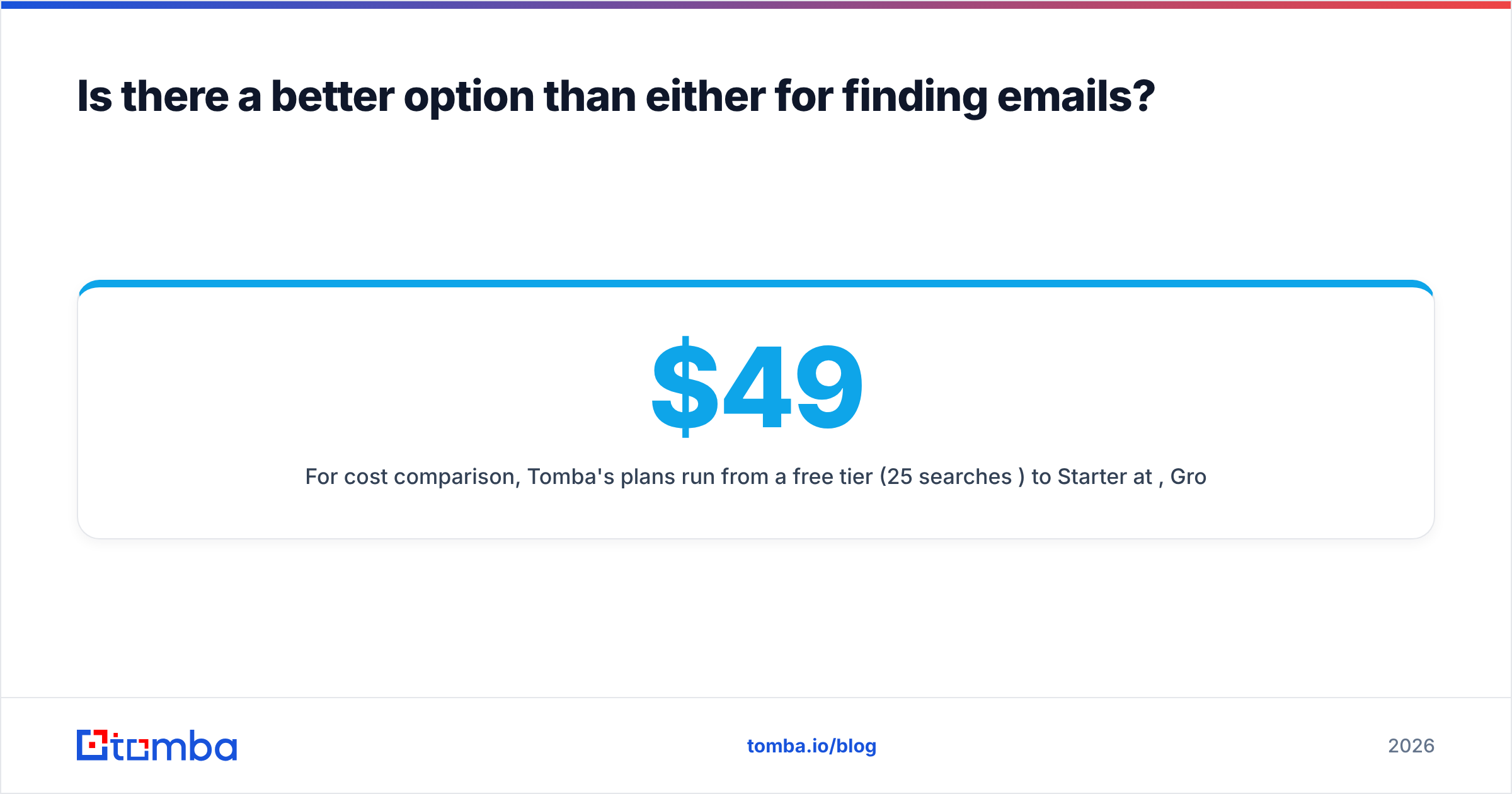
For cost comparison, Tomba's plans run from a free tier (25 searches/month) to Starter at $49/mo, Growth at $99/mo, and Pro at $249/mo, with Enterprise custom. These are account plans, not per-seat plans. See the pricing details if you're modeling cost per verified contact across tools.
Lead Kahuna vs Salesbot: which should you choose?#
Base the decision on who you sell to, not on feature count.
Choose Lead Kahuna if:
- You're an agency or freelancer selling to local businesses or SMBs
- Company-level contacts (main line, website, generic inbox) are enough to start a conversation
- You want volume at a low entry cost and you're comfortable doing your own qualification
- Most of your prospecting is outside strict privacy jurisdictions, or you have a clear lawful-basis process
Choose Salesbot if:
- You run a B2B sales team that measures meetings booked and connect rates
- You need named decision-makers with direct mobiles, not shared inboxes
- You want AI to handle prospect research and first-draft personalization
- The per-seat budget is justified by rep time saved
Choose neither as your only data source if:
- Your target accounts sit on catch-all domains and bounce rates matter to you
- You already have a sequencer and only need accurate emails for a target list
- You want predictable, non-seat-based costs for contact data
Our view: Salesbot is the stronger product for B2B outbound, and Lead Kahuna is the more practical choice for agencies prospecting local SMBs. They solve different problems, so comparing them head to head only makes sense once you've decided which problem you have.
Get verified decision-maker emails, whichever tool you pick#
Both tools work better when the contact data going in is clean. That's true whether you're filling Lead Kahuna campaigns or giving Salesbot a target account list. Tomba Email Finder finds professional email addresses by name, domain, or company, with confidence scores and public sources for every result. It verifies addresses before they reach your sender, so your bounce rate stays low and your domain stays healthy. Start on the free tier with 25 searches a month and see how many more of your leads turn into real, reachable people.
Related guides#
// get started
Find, verify and enrich your first contacts today
Start on the free plan with 25 searches a month, then scale when your team is ready.
Free plan · No credit card required · GDPR & CCPA
// about the author