Lead List Guide: How to Build, Buy, and Clean B2B Leads in 2026
Most lead lists fail before the first email goes out. They're too broad, out of date, or unverified. Here's how to build, buy, or scrape a lead list that actually turns into pipeline in 2026.
TL;DR
- A lead list is a filtered set of contacts that match your ideal customer profile (ICP), with enough data attached to reach them: name, role, company, verified email, and ideally a phone number and a trigger signal.
- There are four ways to get one: buy a pre-built list, export from a B2B database, build it yourself with an email finder, or scrape. Each one trades off cost, freshness, and control.
- The list itself is rarely the problem. Most lists fail because of bad targeting, stale data, and emails nobody verified.
- Keep hard bounces under roughly 2% by verifying every address before you send, and re-verify anything older than 90 days.
- For most small and mid-sized teams, the best mix is targeted database pulls plus a domain-level email finder, with verification as a required step before anything goes out.
What is a lead list?#
A lead list is a structured file of prospects who fit your target market, with the contact details and context your sales team needs to reach them. In B2B, that usually means one row per person with fields like:
- First and last name
- Job title and seniority
- Company name, domain, industry, and headcount
- Work email (verified)
- Direct dial or mobile number (optional but valuable)
- LinkedIn URL
- A reason to reach out now: a funding round, a new hire, a tech-stack change, an open job posting
A lead list is not a random dump of email addresses. Think of it like a guest list rather than a phone book. A phone book covers everyone. A guest list covers the people who belong in the room. If your file can't tell you why each person is on it, you have a contact database, not a lead list.
The term overlaps with lead generation generally, but the list is the operational piece: the thing you load into a sequencer, a dialer, or a CRM on Monday morning.
What makes a lead list actually good?#
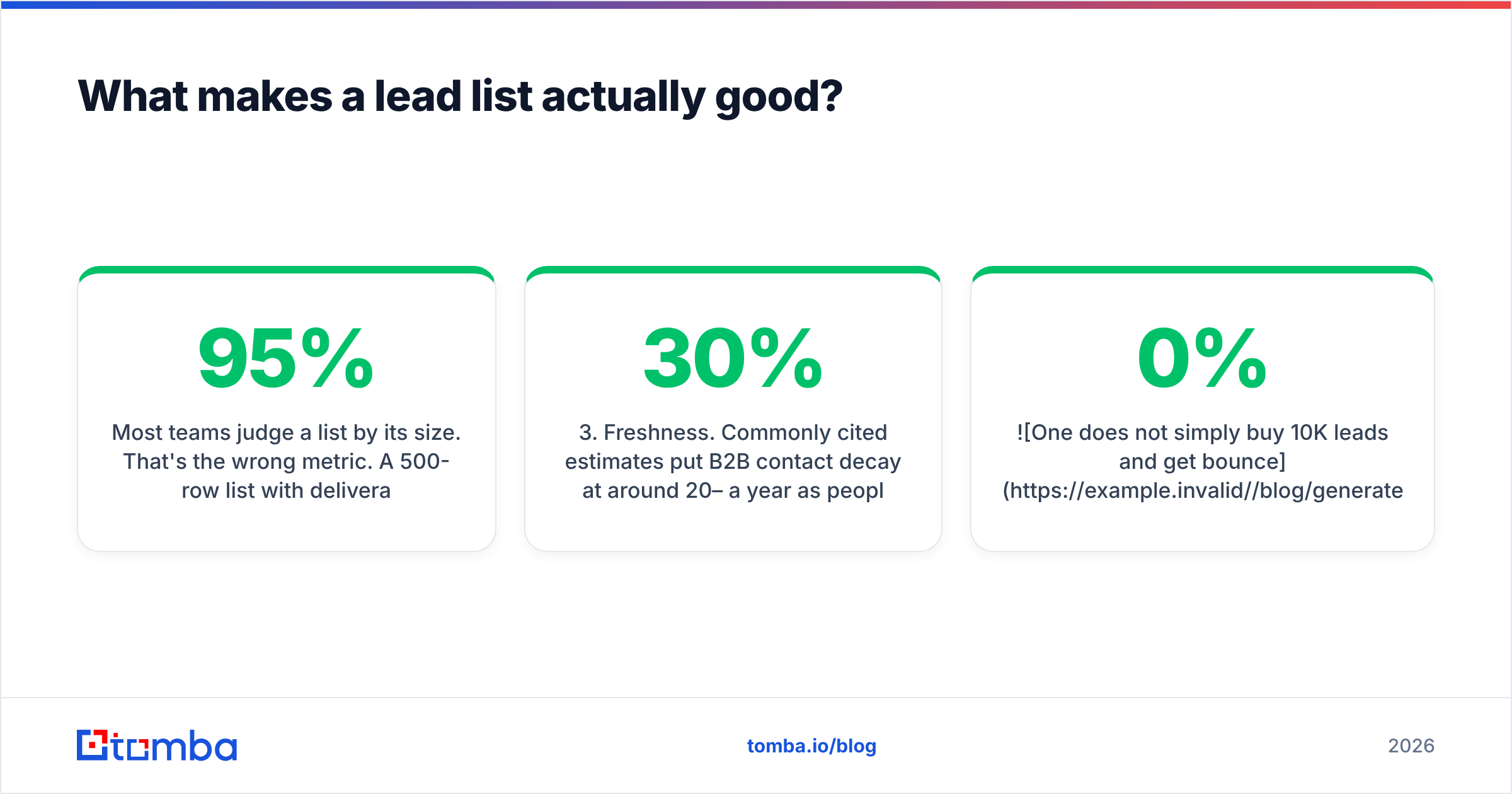
Most teams judge a list by its size. That's the wrong metric. A 500-row list with 95% deliverable emails and a clear trigger for every account will beat a 10,000-row export almost every time. It will also protect your sending domain.
Here are the five qualities that separate a working lead list from a spreadsheet that burns your domain:
- ICP fit. Every row matches firmographic filters (industry, size, geography) and persona filters (role, seniority, department). If a row doesn't fit, it doesn't belong, however cheap it was.
- Verified contact data. Every email is checked for deliverability before it's sent to. Catch-all domains are flagged separately rather than treated as valid.
- Freshness. Commonly cited estimates put B2B contact decay at around 20–30% a year as people change jobs, get promoted, or companies rebrand. A list pulled last spring is already partly wrong.
- Context signals. At least one reason to contact each account now. Signals make personalization possible and response rates climb when you use them.
- Clean structure. Consistent columns, no duplicates, normalized job titles, and a source field so you know where each record came from, which matters for compliance.
If you're missing any of these, fix it before adding more rows.

Should you build, buy, or scrape a lead list?#
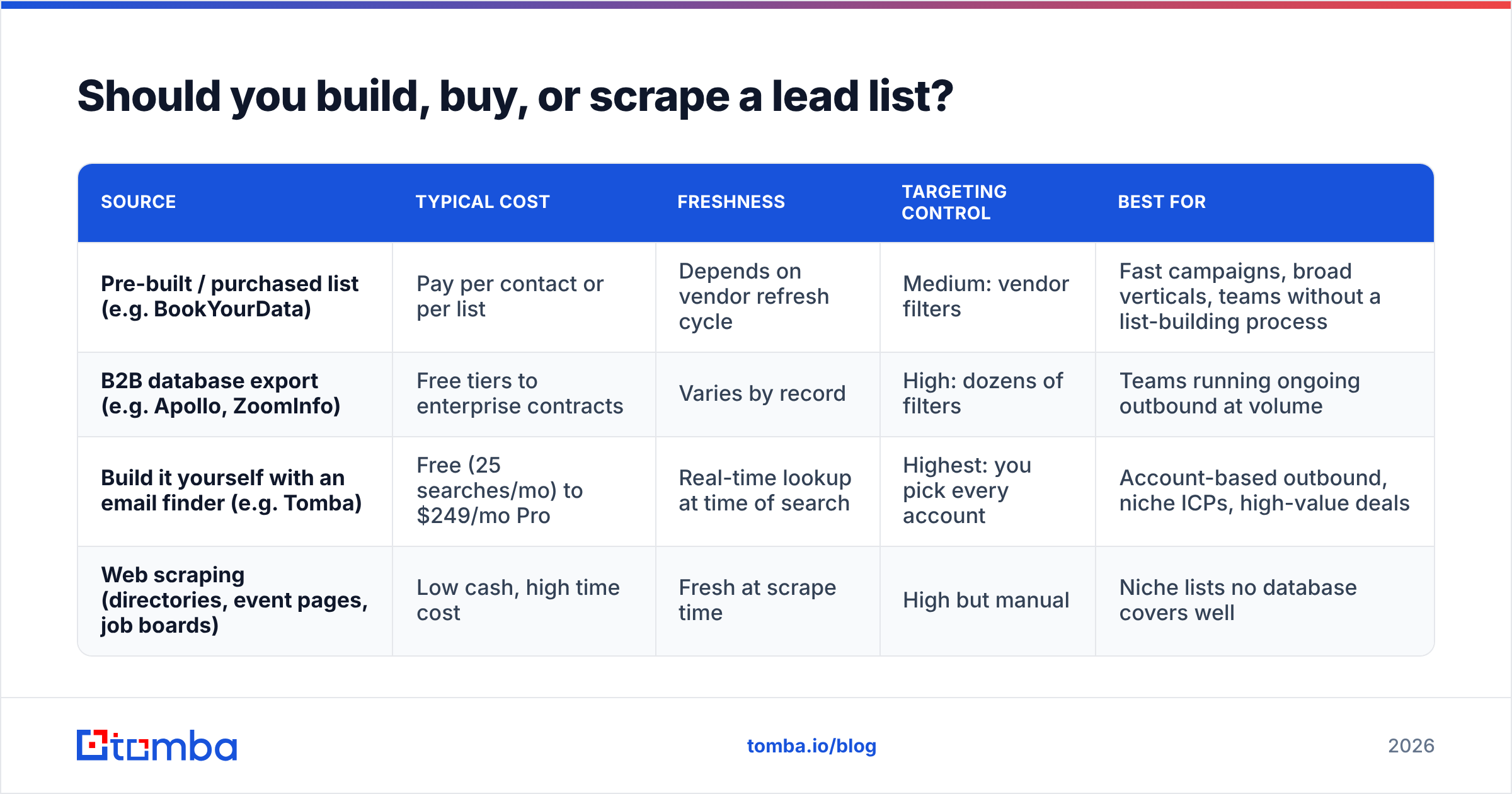
This is the question most teams actually have. There are four realistic sources, and none of them wins on every dimension.
| Source | Typical cost | Freshness | Targeting control | Best for |
|---|---|---|---|---|
| Pre-built / purchased list (e.g. BookYourData) | Pay per contact or per list | Depends on vendor refresh cycle | Medium: vendor filters | Fast campaigns, broad verticals, teams without a list-building process |
| B2B database export (e.g. Apollo, ZoomInfo) | Free tiers to enterprise contracts | Varies by record | High: dozens of filters | Teams running ongoing outbound at volume |
| Build it yourself with an email finder (e.g. Tomba) | Free (25 searches/mo) to $249/mo Pro | Real-time lookup at time of search | Highest: you pick every account | Account-based outbound, niche ICPs, high-value deals |
| Web scraping (directories, event pages, job boards) | Low cash, high time cost | Fresh at scrape time | High but manual | Niche lists no database covers well |
Buying a pre-built lead list#
Buying is the fastest route. Vendors such as BookYourData let you filter by industry, title, and geography, then pay for the records you download. For teams that need a campaign running this week and don't have an in-house list-building process, that speed is a real advantage. Established vendors often offer accuracy guarantees or credits for bounced records, which is worth checking before you buy.
Before you buy, check:
- When was the data last verified?
- Is there a replacement or refund policy for bounces?
- Can you filter narrowly enough to match your ICP, or are you paying for padding?
- How was the data sourced, and can the vendor document it for GDPR purposes?
Exporting from a B2B database#
Platforms like Apollo and ZoomInfo give you a searchable universe of contacts with rich filters. This is the backbone of most SDR teams. The catch: everyone else is pulling from the same pool, so the most obvious personas at the most obvious companies get hit by dozens of sequences a week. You'll need sharper targeting or better signals to stand out.
Building your own list with an email finder#
This is the account-first approach. Start with a list of target companies you picked for a reason, such as a tech stack, recent funding, or hiring for a relevant role. Then find the right people and their emails at each one. A domain search returns known email addresses at a company, and a name-plus-domain lookup finds a specific person's address.
It's slower per row than a bulk export. But every account is on the list for a reason you can explain in the first line of your email.
Scraping#
Scraping conference speaker pages, association directories, marketplace listings, or job boards can surface niche audiences no database covers well. The trade-offs are time, maintenance, and compliance. Check each site's terms of service, and remember that a scraped name still needs an email found and verified before it's usable.
How do you build a lead list step by step?#
Here's a seven-step process that works whether you start from a database export, a purchased file, or a blank sheet.
1. Write down your ICP in one sentence#
Example: "Series A–C B2B SaaS companies in North America, 50–500 employees, using HubSpot, with a RevOps or Sales Ops leader on staff." If you can't write it in one sentence, your list will be too broad.
2. Build the account list first#
Pull companies, not people. Use firmographic filters, technographic data, or intent signals. Aim for a few hundred well-matched accounts rather than thousands of loose ones.
3. Map two or three personas per account#
Pick a primary decision-maker, a champion, and an optional influencer. For a RevOps tool, that might be the VP Sales, the RevOps manager, and the CRM admin. Multi-threading from day one makes your outreach much less dependent on one person reading one email.
4. Find contact data#
Run domain searches and name-based lookups to fill in emails. Add phone numbers for accounts where you'll call. Save the LinkedIn URL for social touches.
5. Verify every email#
Don't skip this step. Run the whole list through an email verifier and sort results into valid, invalid, catch-all, and unknown. Drop invalids. Put catch-alls in a separate, smaller-volume segment. High bounce rates are one of the fastest ways to damage sender reputation, and mailbox providers like Google and Yahoo have tightened sender requirements for bulk mail since 2024.
6. Enrich with context#
Add the fields that make personalization possible: recent funding, headcount growth, tech stack, open roles, recent content. Data enrichment tools can fill these columns automatically from an email or domain, so reps don't spend time on manual research.
7. Deduplicate, tag, and load#
Remove duplicates against your CRM so you don't email current customers or open opportunities. Tag every row with source and date. Load the list into your sequencer with a clear segment name, for example saas-revops-na-2026-09, so you can track results by list.
How much does a lead list cost?#
Cost depends on the source, but the price of the data is only part of the bill. The larger cost is wasted rep time and deliverability damage from bad data.
A rough way to compare options is cost per verified, ICP-fit contact, not cost per record:
- A cheap list at a few cents per record can end up expensive once you remove bounces, wrong-fit titles, and duplicates.
- A database seat looks pricey per month but gets cheaper per contact as volume grows.
- An email finder on a monthly plan, for example Tomba's Starter at $49/mo or Growth at $99/mo, costs more per lookup than a bulk file. But almost every lookup lands on an account you chose on purpose.
Do this math once per quarter. Take what you spent on data, divide by the number of contacts who were verified, matched your ICP, and actually got sequenced. That number tells you more than any vendor's headline price.
Is it legal to use a B2B lead list?#
Usually yes, with conditions. The rules depend on where your recipients are, not where you are.
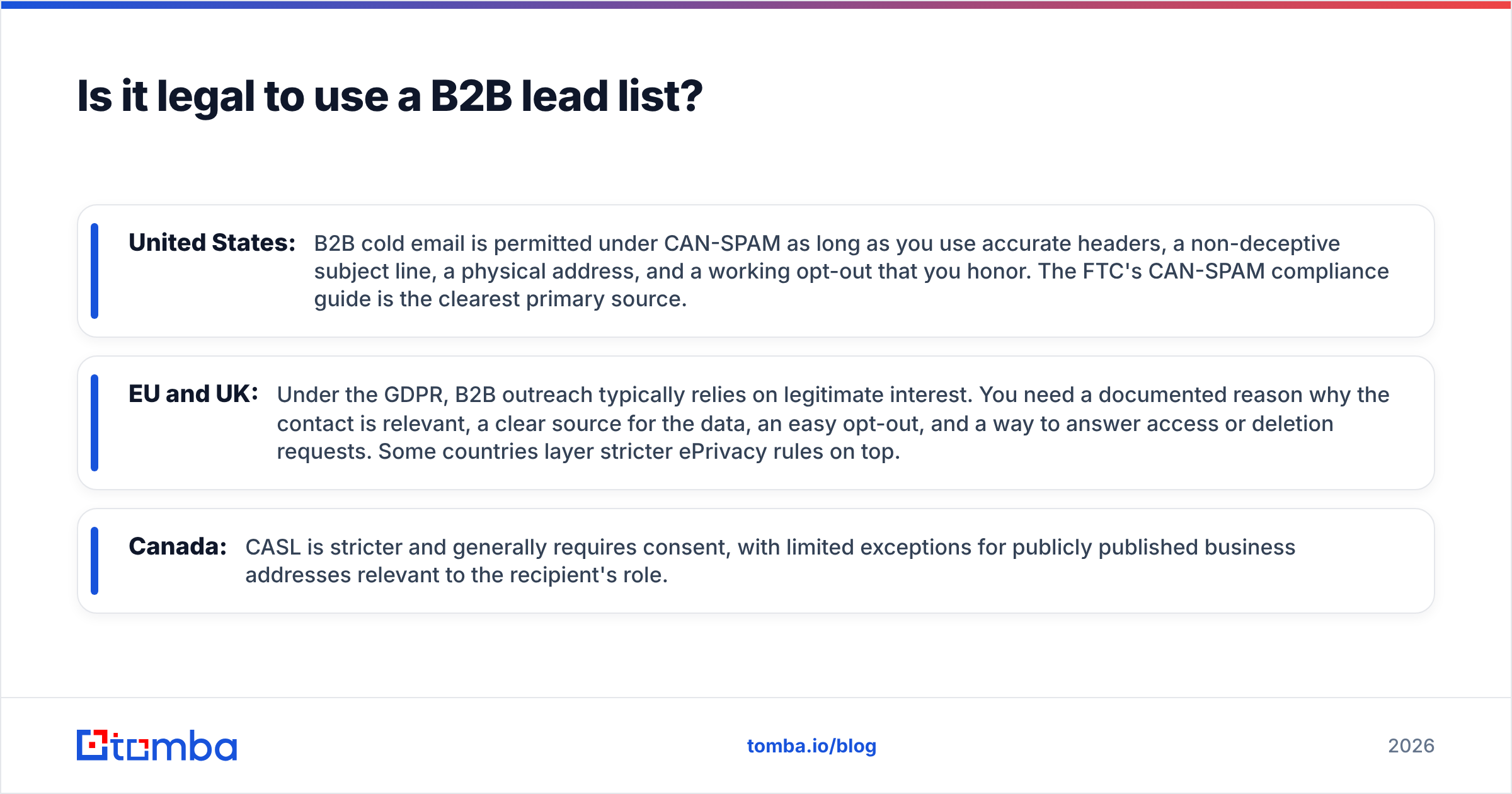
- United States: B2B cold email is permitted under CAN-SPAM as long as you use accurate headers, a non-deceptive subject line, a physical address, and a working opt-out that you honor. The FTC's CAN-SPAM compliance guide is the clearest primary source.
- EU and UK: Under the GDPR, B2B outreach typically relies on legitimate interest. You need a documented reason why the contact is relevant, a clear source for the data, an easy opt-out, and a way to answer access or deletion requests. Some countries layer stricter ePrivacy rules on top.
- Canada: CASL is stricter and generally requires consent, with limited exceptions for publicly published business addresses relevant to the recipient's role.
This is not legal advice. The practical point is that a well-targeted list with a documented source is easier to defend than a mass download.
What are the most common lead list mistakes?#
Even experienced teams make these:
- Optimizing for volume. Bigger lists mean more sends, more bounces, more spam complaints, and lower reply rates. Shrink the list and sharpen the message.
- Skipping verification on "trusted" data. Even a well-maintained list decays. Verify right before sending, not when you bought or exported it.
- Treating catch-all addresses as valid. A catch-all domain accepts mail for any address at SMTP level, so a basic check can't confirm the mailbox exists. Send to these in small batches and watch bounces.
- One contact per account. If your single contact ignores you or leaves, the account goes cold. Map at least two personas.
- No source tracking. Without a source column you can't tell which vendor or method produces meetings, and you can't answer a GDPR data-source request.
- Never refreshing. A list is perishable. Re-verify anything older than about 90 days and re-enrich titles quarterly.
Which tools help you build a lead list?#
You don't need a large stack. Most effective teams run some version of this:
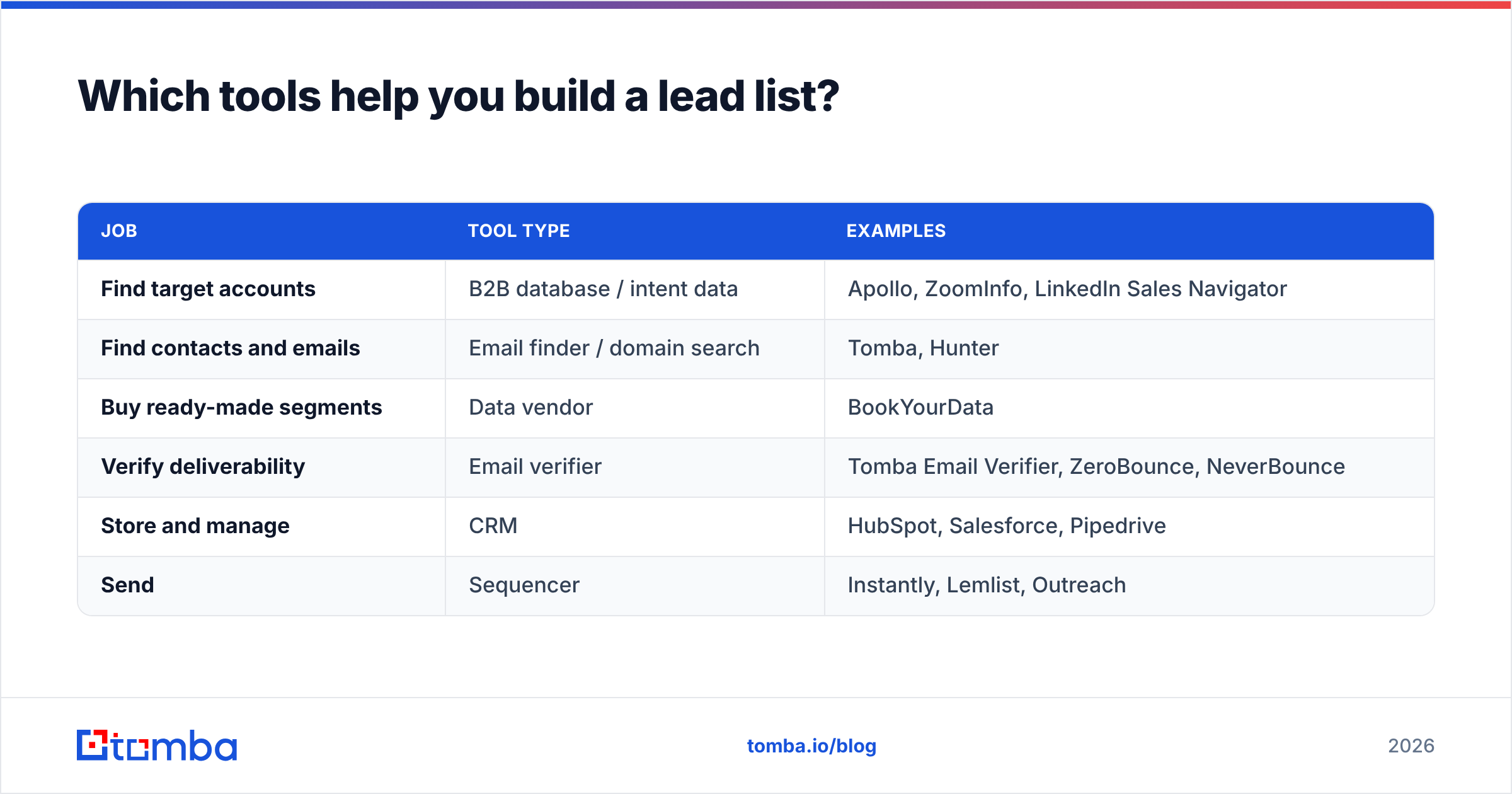
| Job | Tool type | Examples |
|---|---|---|
| Find target accounts | B2B database / intent data | Apollo, ZoomInfo, LinkedIn Sales Navigator |
| Find contacts and emails | Email finder / domain search | Tomba, Hunter |
| Buy ready-made segments | Data vendor | BookYourData |
| Verify deliverability | Email verifier | Tomba Email Verifier, ZeroBounce, NeverBounce |
| Store and manage | CRM | HubSpot, Salesforce, Pipedrive |
| Send | Sequencer | Instantly, Lemlist, Outreach |
Match the tool to where your process breaks. If you have great accounts but no contacts, you need an email finder. If you have contacts but high bounces, you need verification. If you have clean data but low replies, the problem is targeting or copy, and more data won't fix it.
How often should you refresh a lead list?#
Use these cadences as a baseline:
- Before every send: verify emails on any segment that hasn't been checked in the last 30–90 days.
- Monthly: add net-new accounts that match fresh signals, such as new funding, new hires, or new tech installs.
- Quarterly: re-enrich titles and company data, remove people who changed jobs, and look at which list sources produced meetings.
- Annually: revisit the ICP itself. Your best customers from last year should reshape next year's list.
Contacts who changed jobs aren't just dead rows. They're often warm leads at their new company. Track job changes and follow your champions.
So what's the best way to build a lead list in 2026?#
For most B2B teams, the approach with the best return is a hybrid:
- Pull or buy a broad account universe that matches your ICP.
- Narrow it with timing signals to a few hundred accounts that have a reason to talk now.
- Use an email finder to reach the right two or three people at each account.
- Verify every address, segment catch-alls, and enrich for personalization.
- Measure cost per meeting by list source, and cut whatever doesn't perform.
A pre-built list from a vendor like BookYourData can get a campaign started quickly. A database gives you scale. A domain-level email finder gives you precision. The teams that book the most meetings use each one for what it does best and verify everything before it's sent.
If your bottleneck is turning a target account list into verified, reachable contacts, try the Tomba Email Finder. Enter a company domain or a name plus company to get professional email addresses with confidence scores and sources. Verification, bulk processing, and enrichment are in the same workspace. The free tier includes 25 searches a month, which is enough to test it on your next ten target accounts before you commit to a plan.
Related guides#
// get started
Find, verify and enrich your first contacts today
Start on the free plan with 25 searches a month, then scale when your team is ready.
Free plan · No credit card required · GDPR & CCPA
// about the author