Lead Management Software in 2026: How to Choose and What to Skip
Most lead management software does the same five jobs. What sets the right tool apart is fit, pricing per seat, and whether you feed it clean data. Here's how to choose without overbuying.
TL;DR
- Lead management software captures, enriches, scores, routes, and tracks leads until they become pipeline or get disqualified. Almost every modern CRM does all five to some degree.
- For most small and mid-sized B2B teams, the short list is HubSpot, Pipedrive, Zoho CRM, Freshsales, and Salesforce. LeadSquared and Salesmate are worth a look for specific high-volume or inside-sales setups.
- Per-seat pricing is the number that surprises people. Tools that look cheap at 3 users can triple in cost at 15, and features like automation and scoring often sit one tier up.
- Most rollouts fail on data, not software. If 20–40% of imported emails bounce, your scoring, routing, and sequences all run on bad inputs.
- Pick the tool that fits how your team already sells, then put an enrichment and verification layer in front of it.
What is lead management software?#
Lead management software is the system that takes a raw lead (a form fill, a trade-show badge scan, a prospect list, an inbound demo request) and moves it through a defined process until it becomes a sales opportunity or gets disqualified.
In practice the line between "lead management software" and a CRM is blurry. Standalone lead management platforms were common ten years ago. Now most teams do lead management inside their CRM, sometimes with a marketing automation tool or an enrichment tool bolted on.
What makes a tool good at lead management specifically is how well it handles the part before the deal stage. That means capture, qualification, assignment, and follow-up speed. Pipeline forecasting matters more later.
What does lead management software actually do?#
Strip away the marketing pages and every serious tool covers the same core jobs. When you evaluate vendors, score them on these five, in this order:
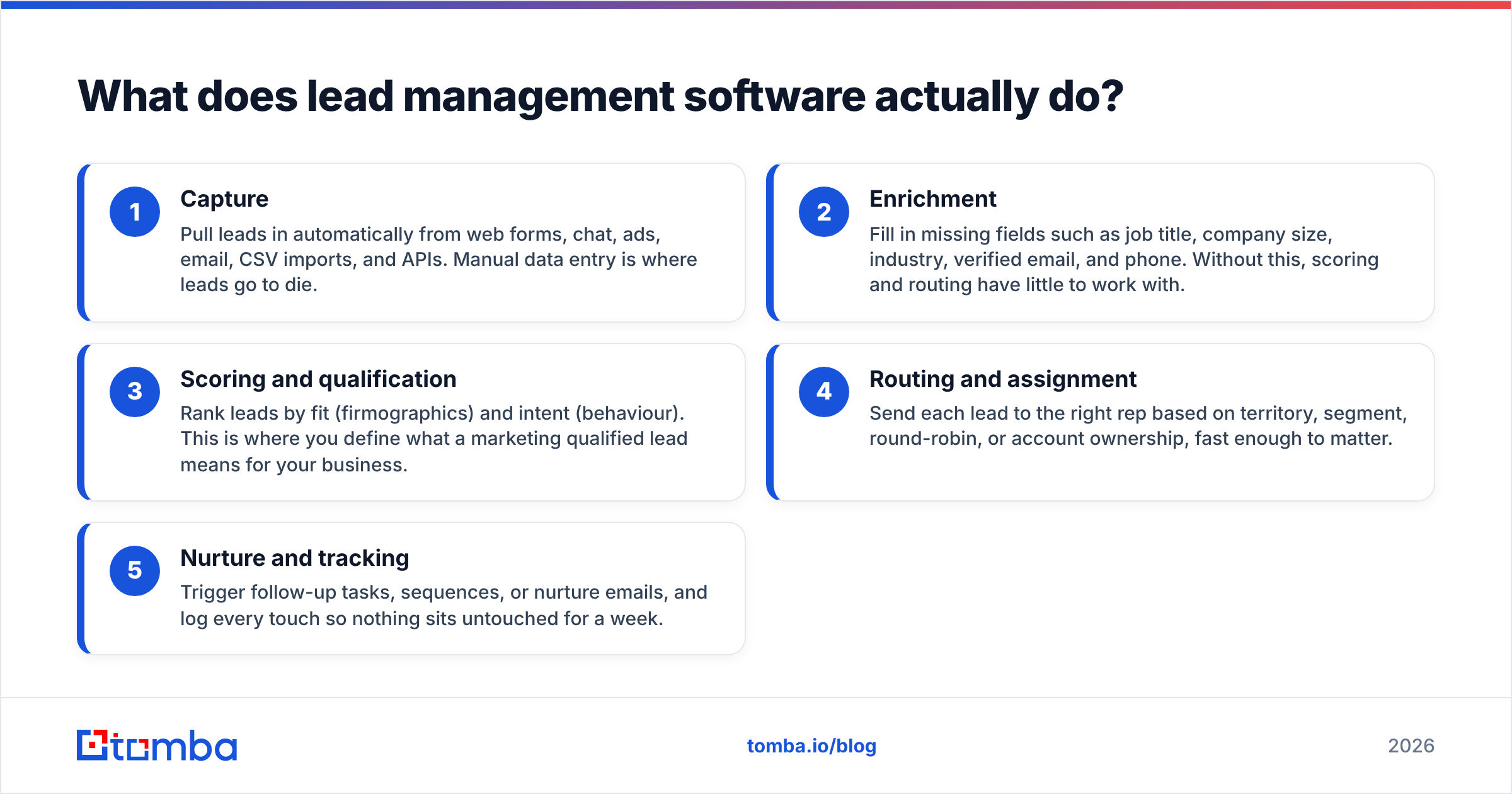
- Capture: Pull leads in automatically from web forms, chat, ads, email, CSV imports, and APIs. Manual data entry is where leads go to die.
- Enrichment: Fill in missing fields such as job title, company size, industry, verified email, and phone. Without this, scoring and routing have little to work with.
- Scoring and qualification: Rank leads by fit (firmographics) and intent (behaviour). This is where you define what a marketing qualified lead means for your business.
- Routing and assignment: Send each lead to the right rep based on territory, segment, round-robin, or account ownership, fast enough to matter.
- Nurture and tracking: Trigger follow-up tasks, sequences, or nurture emails, and log every touch so nothing sits untouched for a week.
A sixth job, reporting, sits across all five. You need to see conversion rates between stages, speed-to-lead, and which sources produce revenue rather than just volume.
Most vendors are strong on capture, tracking, and reporting. They differ on routing sophistication, native scoring, and above all on enrichment. Many CRMs either don't enrich natively or charge extra credits for it.
Which lead management software tools are worth shortlisting in 2026?#
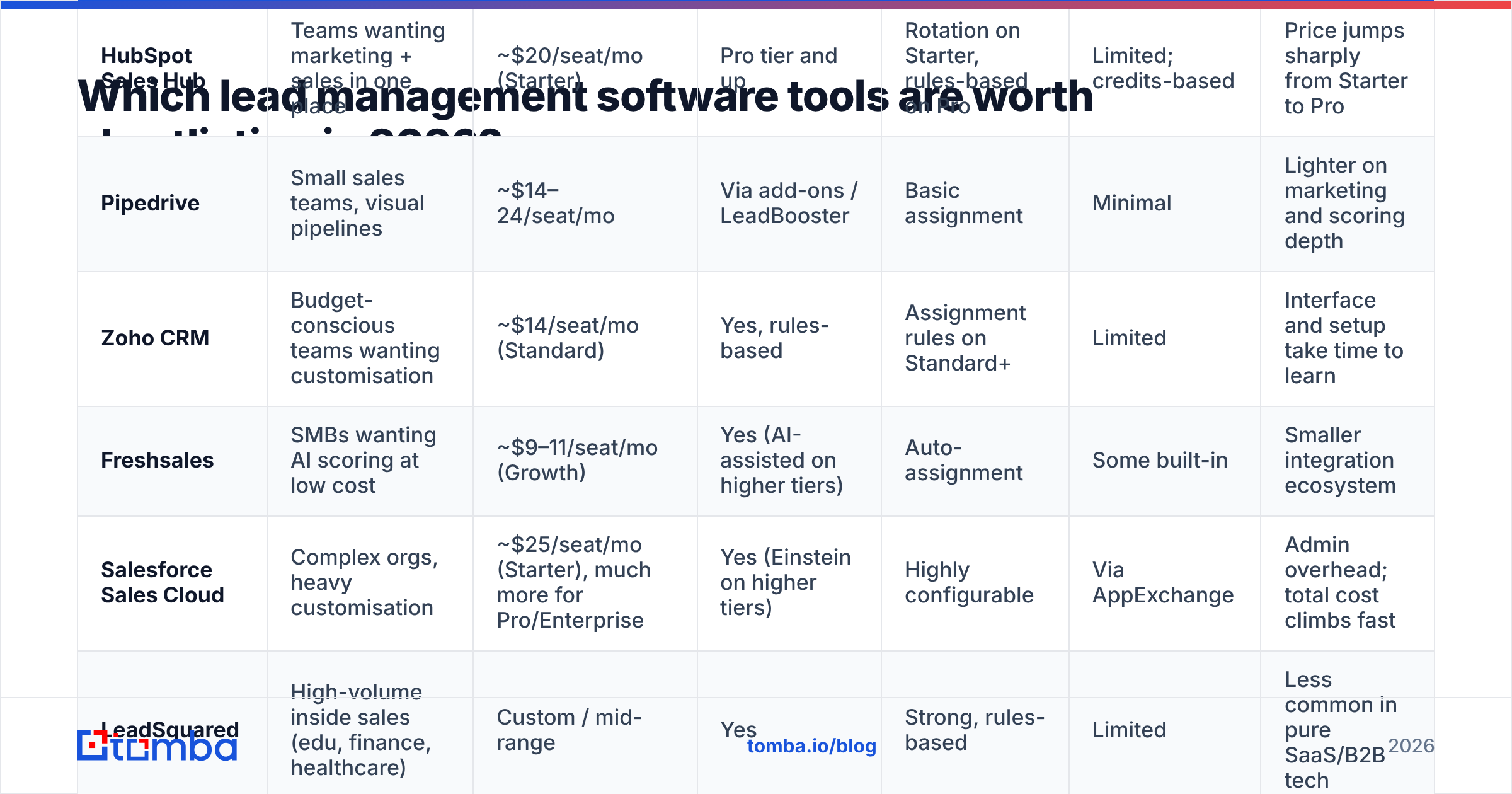
Here's a side-by-side of the tools most B2B teams end up comparing. Prices are approximate entry points for plans that include meaningful lead management features. Vendors change pricing often and many show annual-billing rates by default, so confirm on each vendor's pricing page before you commit.
| Tool | Best for | Entry price (approx.) | Native lead scoring | Routing / assignment | Native enrichment | Main trade-off |
|---|---|---|---|---|---|---|
| HubSpot Sales Hub | Teams wanting marketing + sales in one place | ~$20/seat/mo (Starter) | Pro tier and up | Rotation on Starter, rules-based on Pro | Limited; credits-based | Price jumps sharply from Starter to Pro |
| Pipedrive | Small sales teams, visual pipelines | ~$14–24/seat/mo | Via add-ons / LeadBooster | Basic assignment | Minimal | Lighter on marketing and scoring depth |
| Zoho CRM | Budget-conscious teams wanting customisation | ~$14/seat/mo (Standard) | Yes, rules-based | Assignment rules on Standard+ | Limited | Interface and setup take time to learn |
| Freshsales | SMBs wanting AI scoring at low cost | ~$9–11/seat/mo (Growth) | Yes (AI-assisted on higher tiers) | Auto-assignment | Some built-in | Smaller integration ecosystem |
| Salesforce Sales Cloud | Complex orgs, heavy customisation | ~$25/seat/mo (Starter), much more for Pro/Enterprise | Yes (Einstein on higher tiers) | Highly configurable | Via AppExchange | Admin overhead; total cost climbs fast |
| LeadSquared | High-volume inside sales (edu, finance, healthcare) | Custom / mid-range | Yes | Strong, rules-based | Limited | Less common in pure SaaS/B2B tech |
| Salesmate | Small teams wanting calling + sequences built in | ~$23+/seat/mo | Yes on mid tiers | Round-robin | Minimal | Smaller community and ecosystem |
If you want peer reviews to cross-check any of these, G2 and Capterra are both useful, but read the 2- and 3-star reviews. That's where the real complaints about setup time and hidden costs show up.
How do the leading options compare in practice?#
HubSpot: strongest all-rounder, expensive once you scale#
HubSpot Sales Hub is the default choice for teams that want marketing forms, email nurture, and the sales pipeline sharing one contact record. The free CRM is generous for capture and tracking.
The catch is structural. Custom lead scoring, advanced workflows, and rules-based routing mostly sit in the Professional tier, and that tier has a large per-seat jump plus an onboarding fee. Teams often start on Starter, hit a wall around 5–10 reps, and face a budget conversation. If you're already on HubSpot, connecting an enrichment layer through a HubSpot integration is usually cheaper than upgrading purely for data features.
Pipedrive: fast to adopt, lighter on automation#
Pipedrive wins on usability. Reps actually use it, and adoption is half the battle in lead management. The visual pipeline makes it obvious which leads are stuck.
Where it's thinner: native scoring, complex routing, and marketing automation. You'll lean on add-ons (LeadBooster, Campaigns) or integrations. For a 3–15 person sales team doing mostly outbound, that's often fine.
Zoho CRM: most configurable for the money#
Zoho CRM gives you assignment rules, scoring rules, blueprints (process enforcement), and a lot of customisation at a low per-seat price. If you have someone willing to spend a few days configuring it, it punches well above its cost.
The trade-off is time. Out of the box it feels busy, and teams without an ops owner often underuse it.
Freshsales: cheap, with decent AI scoring#
Freshsales is a strong value pick for SMBs. Contact scoring, auto-assignment, built-in phone and email, and sequences come at a price that undercuts most rivals. The integration marketplace is smaller than HubSpot's or Salesforce's, so check your must-have connectors first.
Salesforce: the ceiling is highest, so is the floor#
Salesforce can model almost any lead process: territory management, complex assignment rules, lead-to-account matching, multi-touch attribution. It's also the tool most likely to need a dedicated admin. For teams under 20 reps without an ops function, it's usually more platform than you need.

Why do most lead management rollouts underdeliver?#
The pattern is predictable. A team picks a CRM, imports three years of spreadsheets, event lists, and purchased contacts, builds scoring rules and sequences, and launches. Two weeks later:
- A large share of sequence emails bounce, and sender reputation takes the hit.
- Lead scores are wrong because half the records have no job title or company size.
- Routing sends enterprise leads to the SMB rep because the employee-count field is empty.
- Reps stop trusting the system and go back to their own spreadsheets.
None of that is the software's fault. Lead management software is a set of rules running on data. Every capability in the table above (scoring, routing, nurture) assumes the fields it reads are filled in and correct.
That's why the most useful thing you can do before or during a CRM rollout is clean the data going in:
- Verify every email before import. Run lists through an email verifier and suppress invalid and risky addresses. This protects deliverability from day one and stops your bounce rate from undermining sequences.
- Enrich missing firmographics. Job title, seniority, company size, and industry drive most scoring and routing rules. Data enrichment fills those gaps so your rules actually fire.
- Find the missing contact, not just the missing field. Inbound leads often come in as company-only (a chat, a visitor, a partner referral). An email finder turns "someone at Acme" into the right person.
- Re-verify on a schedule. B2B contact data decays steadily as people change jobs. A quarterly re-verification of active leads keeps scoring honest.
How should you choose lead management software for your team?#
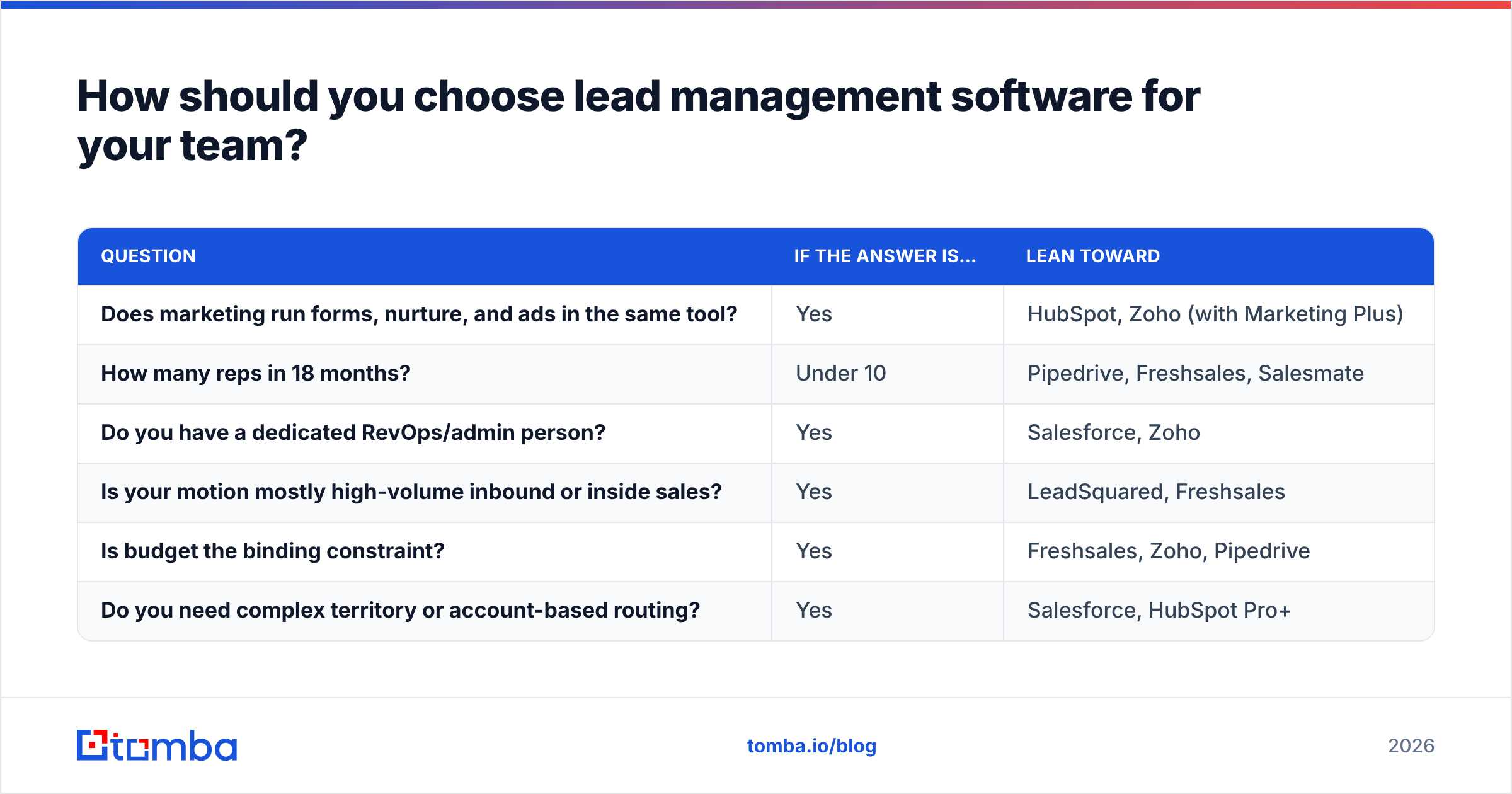
Skip the feature-count comparison. Almost every tool on the list "has lead scoring." Answer these questions instead:
| Question | If the answer is… | Lean toward |
|---|---|---|
| Does marketing run forms, nurture, and ads in the same tool? | Yes | HubSpot, Zoho (with Marketing Plus) |
| How many reps in 18 months? | Under 10 | Pipedrive, Freshsales, Salesmate |
| Do you have a dedicated RevOps/admin person? | Yes | Salesforce, Zoho |
| Is your motion mostly high-volume inbound or inside sales? | Yes | LeadSquared, Freshsales |
| Is budget the binding constraint? | Yes | Freshsales, Zoho, Pipedrive |
| Do you need complex territory or account-based routing? | Yes | Salesforce, HubSpot Pro+ |
Then run a two-week trial with real data, not demo data. Import 500 actual leads, build your real scoring model, and route them to real reps. You'll learn more in that fortnight than from any number of feature matrices.
What should you ask on the sales call?#
- Which features in the demo are on the tier we're quoting? Scoring and advanced workflows are the usual gap.
- What does the price look like at 2x our current seat count?
- Are there onboarding fees, contact-tier limits, or API call caps?
- How are enrichment credits priced, and what's the match rate on our segment?
- How do we export everything if we leave?
Do you need a separate lead management tool if you already have a CRM?#
Usually not. For most B2B teams under 50 reps, a CRM configured properly is your lead management software. Standalone lead management platforms make sense in narrower cases: very high inbound volume with strict SLAs, regulated industries with complex routing, or franchise and multi-location businesses.
What you often do need alongside the CRM is a data layer. CRMs are good at storing and moving records. Few of them are good at finding and verifying contact data in the first place. That's why enrichment and verification tools sit next to the CRM in most mature stacks rather than being replaced by it. Teams that buy contact data in bulk from list providers such as BookYourData often pair those lists with the same verification step before import. Any list, however good at purchase, ages once it's in your CRM.

What does a clean lead management workflow look like?#
Here's a practical, tool-agnostic flow that works in HubSpot, Pipedrive, Zoho, Freshsales, or Salesforce:
- Capture: Forms, chat, and imports write to a single "New lead" stage. Nothing enters the system by hand if it can be automated.
- Enrich and verify on entry: An integration (native, Zapier, Make, or API) fills firmographics, finds the decision-maker's email where only a company is known, and verifies the address. Invalid emails are flagged before any sequence touches them.
- Score: Fit score (title, company size, industry) plus engagement score (pages viewed, emails opened, demo requested). Keep the first version simple, with five to eight rules.
- Route: Leads above your MQL threshold go to the right rep within minutes, by territory or round-robin. Everything else goes to nurture.
- Follow up with SLAs: Reps get a task with a deadline. Missed SLAs trigger reassignment or a manager alert.
- Review monthly: Compare lead score against actual conversion. If high-scoring leads aren't converting, your rules are wrong, so adjust them.
This is also where your email response rate becomes a useful health check. If response rates are dropping while volume holds steady, the problem is usually list quality or targeting rather than copy.
How much should you budget for lead management software?#
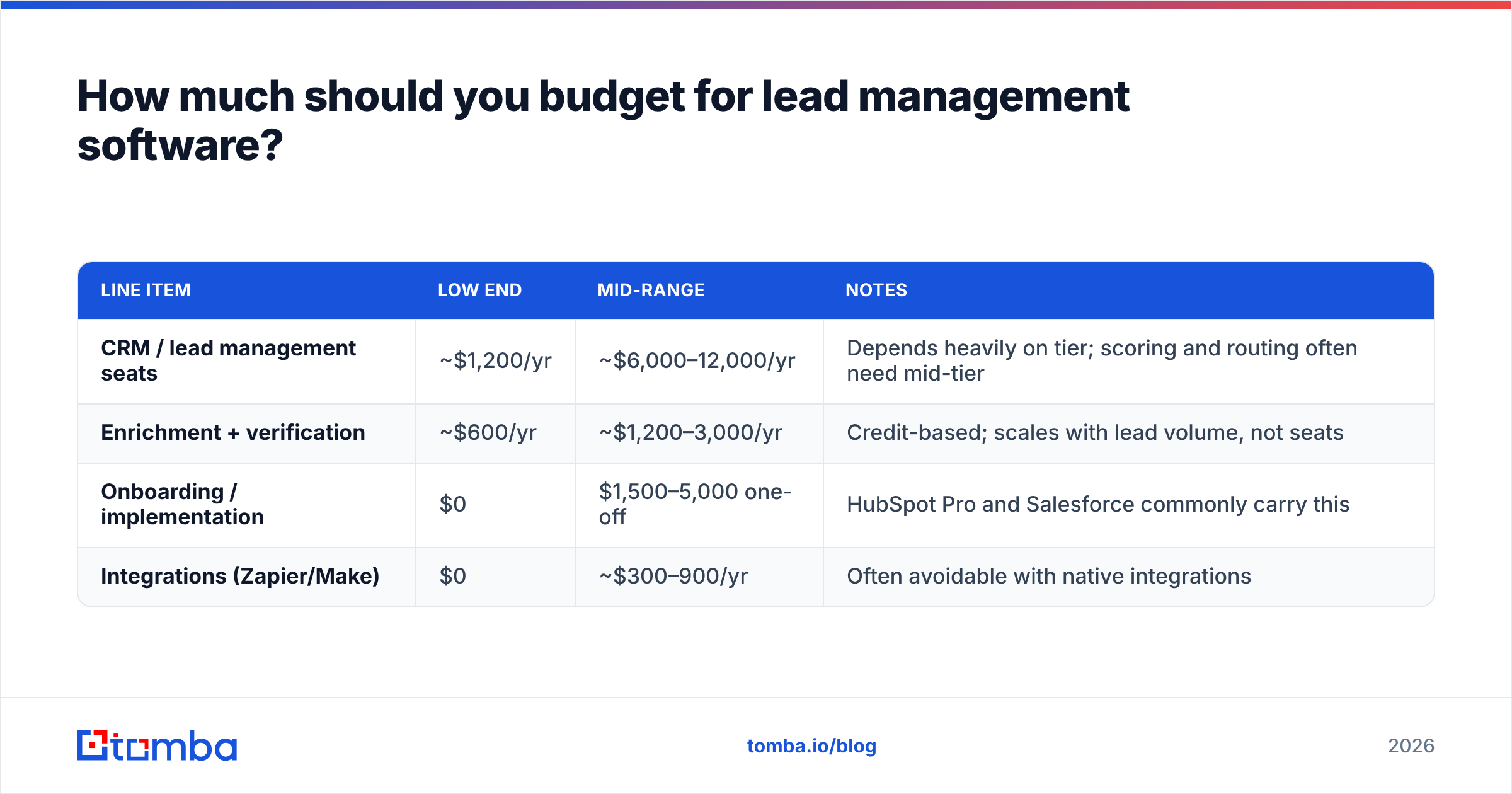
A realistic 2026 budget for a 10-rep B2B team:
| Line item | Low end | Mid-range | Notes |
|---|---|---|---|
| CRM / lead management seats | ~$1,200/yr | ~$6,000–12,000/yr | Depends heavily on tier; scoring and routing often need mid-tier |
| Enrichment + verification | ~$600/yr | ~$1,200–3,000/yr | Credit-based; scales with lead volume, not seats |
| Onboarding / implementation | $0 | $1,500–5,000 one-off | HubSpot Pro and Salesforce commonly carry this |
| Integrations (Zapier/Make) | $0 | ~$300–900/yr | Often avoidable with native integrations |
Two patterns stand out. First, the CRM tier decision drives most of the cost, so don't upgrade tiers just to get data features you can get cheaper elsewhere. Second, enrichment and verification scale with leads, not seats, which makes them predictable even as the team grows.
What's the bottom line?#
The best lead management software is the one your reps will actually use, at a tier that includes the scoring and routing you need, priced sensibly for where your headcount will be in 18 months. For most SMB and mid-market B2B teams that means HubSpot, Pipedrive, Zoho, or Freshsales. Salesforce makes sense once you have the ops capacity to run it.
The software choice matters less than people think. The data choice matters more. A mid-range CRM running on verified, enriched leads will outperform an enterprise platform full of stale contacts every time.
If you're setting up or cleaning a lead management workflow, start with the contacts themselves. Tomba Email Finder finds verified professional emails by name, company, or domain, and plugs into HubSpot, Salesforce, Pipedrive, Zapier, and Make, so leads reach your CRM complete and ready to score. You can start on the free plan with 25 searches a month and move to paid plans from $49/month when volume grows. See Tomba pricing for the full breakdown.
Related guides#
// get started
Find, verify and enrich your first contacts today
Start on the free plan with 25 searches a month, then scale when your team is ready.
Free plan · No credit card required · GDPR & CCPA
// about the author