Lead Management Software for Small Business: 2026 Buyer's Guide
Most small teams don't lose deals because their CRM is bad. They lose them to slow follow-up and messy data. Here are 7 lead management tools compared on price, automation and fit, plus how to choose one without overbuying.
TL;DR
- For a small business, lead management software needs to do four things well: capture leads, route them, remind you to follow up, and show you where each deal stands. Paying for anything beyond that is usually wasted money.
- HubSpot's free CRM and Zoho CRM's free tier are the safest places to start at $0. Pipedrive is the best fit for teams that live in a visual pipeline. Freshsales gives you built-in phone and email for a low price per seat.
- Budget roughly $15–$50 per user per month for a real paid tier. The price jump usually comes from automation, not from contact limits.
- Bad contact data hurts small teams more than the wrong CRM does. Verify and enrich leads before they go into your pipeline, or your automations will fire at dead inboxes.
- Choose the tool your reps will actually update every day. A tool nobody updates only gives you an expensive record of leads you already lost.
What is lead management software for small business?#
Lead management software is the system that tracks a potential customer from the moment you first learn about them (a form fill, a trade-show badge scan, a cold prospect list) to the point where they buy or drop out. For a small business, it's usually part of a lightweight CRM and not a separate product.
Enterprise suites add territory management, forecasting models, and many layers of permissions. You don't need most of that when you have 2–30 people touching deals. What you need:
- One place where every lead lives, with its source attached
- A clear owner for each lead
- Tasks and reminders so nobody goes quiet after the first email
- A pipeline view that shows what's stuck
- Enough reporting to answer "which channel actually produces customers?"
If a tool covers those five things and your team enjoys opening it, you've mostly solved lead management. The rest of this guide helps you pick that tool without spending on features you won't use for three years.
How does the lead management process actually work?#
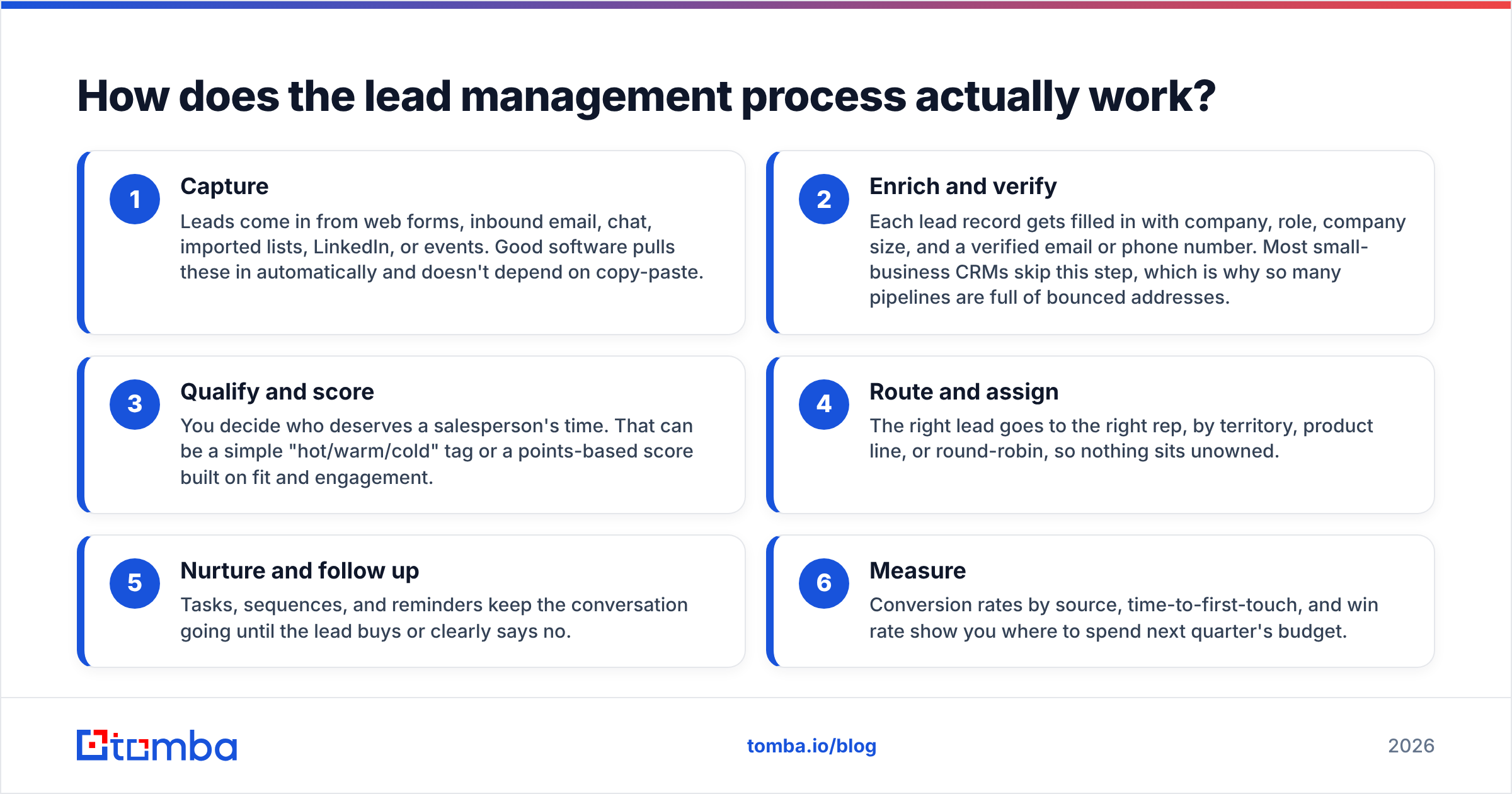
Every tool in this guide follows the same basic flow. Knowing the stages makes it easier to see which features matter to you and which are marketing filler.
- Capture: Leads come in from web forms, inbound email, chat, imported lists, LinkedIn, or events. Good software pulls these in automatically and doesn't depend on copy-paste.
- Enrich and verify: Each lead record gets filled in with company, role, company size, and a verified email or phone number. Most small-business CRMs skip this step, which is why so many pipelines are full of bounced addresses.
- Qualify and score: You decide who deserves a salesperson's time. That can be a simple "hot/warm/cold" tag or a points-based score built on fit and engagement.
- Route and assign: The right lead goes to the right rep, by territory, product line, or round-robin, so nothing sits unowned.
- Nurture and follow up: Tasks, sequences, and reminders keep the conversation going until the lead buys or clearly says no.
- Measure: Conversion rates by source, time-to-first-touch, and win rate show you where to spend next quarter's budget.
Most small teams put all their effort into stages 1 and 5 and neglect stage 2. That's the stage that decides whether stages 3–6 work at all.
Which lead management tools are best for small businesses in 2026?#
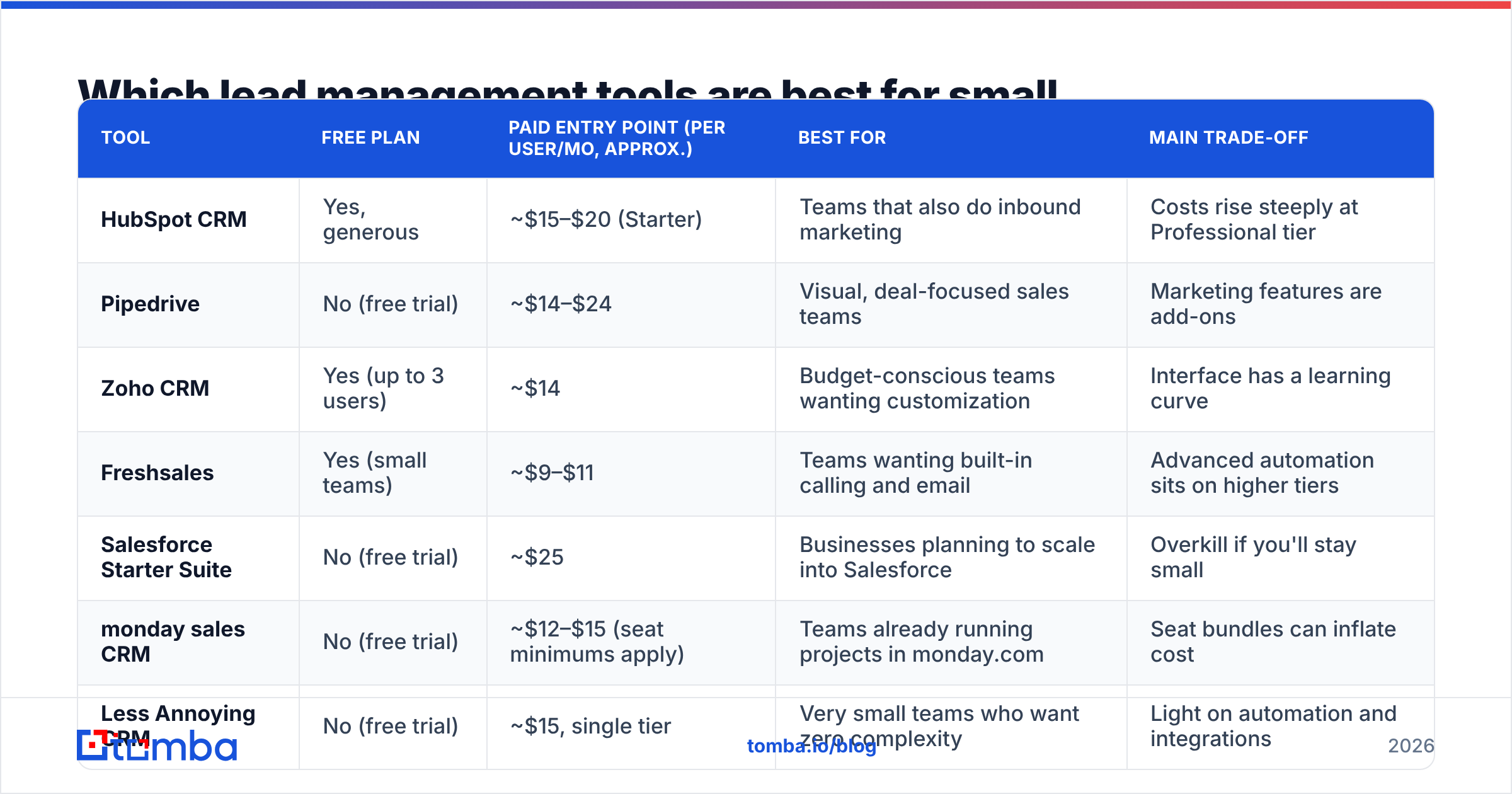
These seven tools come up most often for teams under 50 people. Prices are approximate entry points for paid tiers billed annually as of 2026. Vendors change pricing often, so check each vendor's pricing page before you commit.
| Tool | Free plan | Paid entry point (per user/mo, approx.) | Best for | Main trade-off |
|---|---|---|---|---|
| HubSpot CRM | Yes, generous | ~$15–$20 (Starter) | Teams that also do inbound marketing | Costs rise steeply at Professional tier |
| Pipedrive | No (free trial) | ~$14–$24 | Visual, deal-focused sales teams | Marketing features are add-ons |
| Zoho CRM | Yes (up to 3 users) | ~$14 | Budget-conscious teams wanting customization | Interface has a learning curve |
| Freshsales | Yes (small teams) | ~$9–$11 | Teams wanting built-in calling and email | Advanced automation sits on higher tiers |
| Salesforce Starter Suite | No (free trial) | ~$25 | Businesses planning to scale into Salesforce | Overkill if you'll stay small |
| monday sales CRM | No (free trial) | ~$12–$15 (seat minimums apply) | Teams already running projects in monday.com | Seat bundles can inflate cost |
| Less Annoying CRM | No (free trial) | ~$15, single tier | Very small teams who want zero complexity | Light on automation and integrations |
HubSpot CRM#
HubSpot is the default recommendation for a reason. The free CRM gives you unlimited users, contact records, deal pipelines, forms, and email tracking, so a two-person team can run lead management on it for a long time without paying. Starter adds basic sequences and removes HubSpot branding at a low per-seat price.
The catch shows up when you need real automation, such as workflows, lead scoring, and custom reporting. Those live mostly in the Professional tier, and the price difference between Starter and Professional is large. Plan for that step before you build your whole process around features you can't afford yet.
Pipedrive#
Pipedrive was built around the pipeline board, and it shows. Reps drag deals between stages, activities are front and center, and the "rotting" indicator flags deals that have gone untouched. For small sales teams focused on closing deals rather than running campaigns, it's one of the easiest tools to get adopted.
Lead management is solid: a dedicated Leads Inbox separates unqualified leads from deals, and web forms and chatbots are available as add-ons. Watch out for add-on sprawl. Campaigns, LeadBooster, and Projects each cost extra, so the real monthly price can end up well above the entry price.
Zoho CRM#
Zoho CRM gives you the most customization per dollar. The free edition covers up to three users, and the Standard tier adds scoring rules, workflows, and custom modules at a price most competitors reserve for their most basic plans. If you already use Zoho Books or Zoho Mail, the ecosystem fit is a real advantage.
The trade-off is usability. Zoho has many settings, and a small team without an admin can spend weeks configuring things. It suits teams with one detail-oriented person who likes building systems.
Freshsales#
Freshworks' CRM bundles built-in phone, email, and chat at a low starting price, which matters if your reps split their day between calls and email. The free plan works for very small teams, and Growth adds contact scoring (including AI-assisted scoring through Freddy AI on higher tiers).
It's a strong option for phone-heavy sales motions. Like HubSpot, the more useful automation and forecasting sit a couple of tiers up.
Salesforce Starter Suite#
Salesforce's Starter Suite is a simplified entry point into the platform: lead and opportunity management, email integration, and basic marketing in one package. Pick it if you're fairly sure you'll grow into a full Salesforce org, since you won't have to migrate later.
If you expect to stay at 5–10 people, the platform's weight (admin overhead, AppExchange complexity) is more than you need.
monday sales CRM and Less Annoying CRM#
These two sit at opposite ends of the flexibility scale. monday sales CRM works well if your ops already run on monday boards, because leads, projects, and onboarding can share one workspace. Watch the seat minimums, though, because you often pay for more users than you have.
Less Annoying CRM does what the name promises: one plan, one price, contacts, pipelines, and tasks, and very little else. It's a good fit for owner-operators and small agencies who want to stop tracking leads in a spreadsheet and don't want a second job managing a CRM.
Is a free CRM enough for small business lead management?#
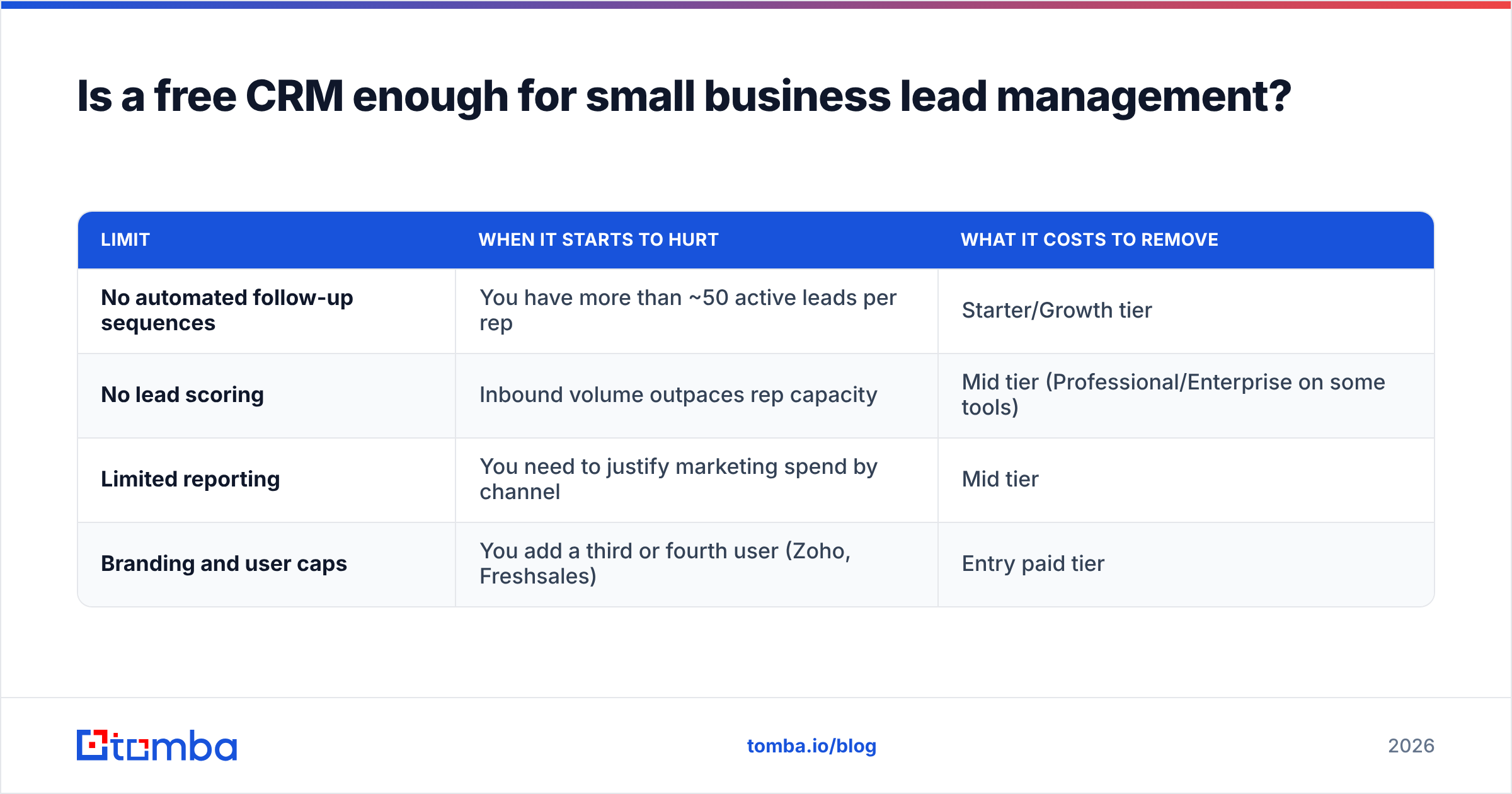
Often, yes, at least for the first year. HubSpot Free, Zoho Free, and Freshsales Free all handle capture, pipeline tracking, and basic tasks. The limits you'll hit are predictable:
| Limit | When it starts to hurt | What it costs to remove |
|---|---|---|
| No automated follow-up sequences | You have more than ~50 active leads per rep | Starter/Growth tier |
| No lead scoring | Inbound volume outpaces rep capacity | Mid tier (Professional/Enterprise on some tools) |
| Limited reporting | You need to justify marketing spend by channel | Mid tier |
| Branding and user caps | You add a third or fourth user (Zoho, Freshsales) | Entry paid tier |
A good rule: stay free until a missing feature is costing you deals you can name. "We lost the Acme deal because nobody followed up for 12 days" justifies an upgrade. "The enterprise tier has predictive AI" doesn't.
What features actually matter when you're small?#
Skip the 40-row feature matrix. For a small business, these are the features that change outcomes.
Automatic lead capture. Web forms, email parsing, and native integrations mean leads show up in the system without anyone typing them in. Every manual step is a place where leads get lost.
Task reminders tied to leads. Speed matters. Following up within hours instead of days is one of the most consistent predictors of a higher response rate, and reminders are how small teams make that happen without a dedicated SDR.
Simple scoring or tagging. You don't need machine-learning scoring. You need a way to separate a 200-person SaaS company that booked a demo from a student downloading your ebook. Even two or three rules (company size, job title, key page visits) will change how your team spends its time.
Integrations with your data and outreach tools. Your CRM should connect to your email, calendar, and whatever you use to find and enrich contacts. Check the vendor's integration marketplace before you buy, and check review sites like G2's CRM category for complaints about specific integrations breaking.
Mobile access. If you or your reps sell in the field, a clunky mobile app means the CRM gets updated on Friday afternoon from memory, which is the same as not getting updated.
Why does lead data quality matter more than the tool?#
This is the part most "best CRM" roundups leave out. A pipeline only works as well as the records inside it. When 15–20% of the emails in your CRM bounce, three things go wrong:
- Automations run against nothing. Your nurture sequence "runs" on a thousand leads, but a large share of those emails never arrive.
- Sender reputation drops. High bounce rates hurt your email deliverability, so even your good leads start receiving your emails in spam.
- Reports lie. Conversion rates by source look worse than they are because dead records sit in the denominator.
The fix is cheap compared with the CRM itself. Run new leads through an email verifier before import, and use data enrichment to fill in company, role, and company size, the fields your scoring rules depend on. Most of the CRMs above connect to enrichment tools directly or through Zapier and Make. Tomba, for example, has a native HubSpot integration that pushes verified contacts straight into your records.
The workflow for a small team looks like this: capture the lead, enrich and verify it automatically, then let your CRM's scoring and routing take over. If you skip the middle step, your lead management software ends up managing a lot of dead records.
How do you choose the right lead management software for your team?#
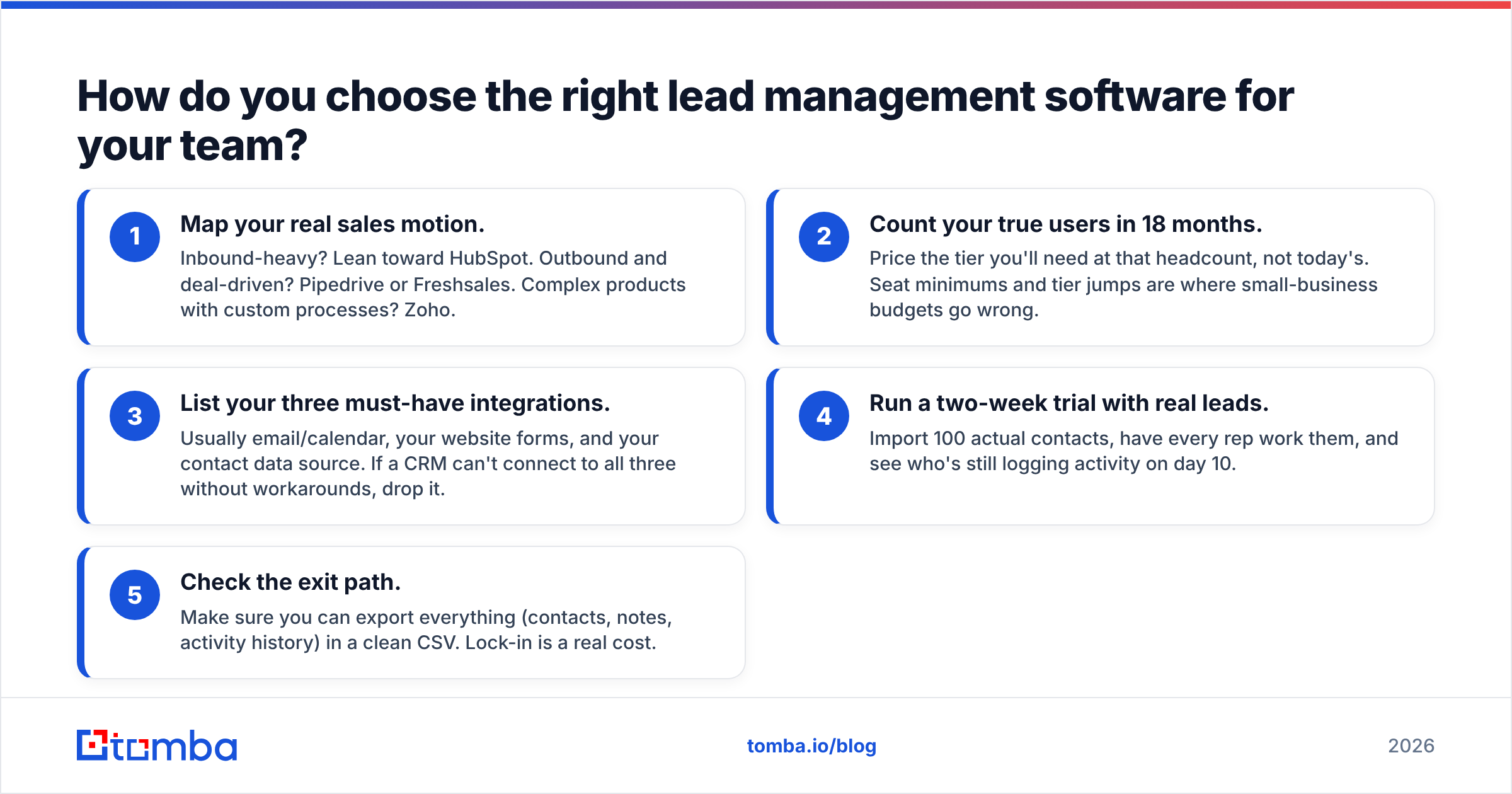
Use this five-step filter instead of watching demo videos until you're exhausted.
- Map your real sales motion. Inbound-heavy? Lean toward HubSpot. Outbound and deal-driven? Pipedrive or Freshsales. Complex products with custom processes? Zoho.
- Count your true users in 18 months. Price the tier you'll need at that headcount, not today's. Seat minimums and tier jumps are where small-business budgets go wrong.
- List your three must-have integrations. Usually email/calendar, your website forms, and your contact data source. If a CRM can't connect to all three without workarounds, drop it.
- Run a two-week trial with real leads. Import 100 actual contacts, have every rep work them, and see who's still logging activity on day 10.
- Check the exit path. Make sure you can export everything (contacts, notes, activity history) in a clean CSV. Lock-in is a real cost.
For a broader view of how analysts break down the category, Gartner's CRM research is useful, though it's aimed at larger buyers.
What mistakes do small businesses make with lead management software?#
Buying for the company you hope to become. A 6-person team on an enterprise tier pays for complexity that slows adoption. Buy for the next 12–18 months.
Over-building the pipeline. Eleven deal stages with required fields at each step means reps stop updating. Start with 4–6 stages and add more only when a report actually needs them.
Treating imports as "done". Importing a 5,000-row spreadsheet from 2023 without verifying it is the fastest way to damage your sending domain in week one.
No owner for the system. Someone needs 30 minutes a week to clean duplicates, fix broken forms, and check that routing still works. Without that, every CRM drifts into chaos.
Ignoring speed-to-lead. The best scoring model in the world doesn't help if a hot lead waits three days. Set a first-touch target (for example, same business day) and report on it.
Frequently asked questions#
What is the cheapest lead management software for a small business?#
HubSpot CRM Free and Zoho CRM Free both cost $0 and cover core lead tracking. Among paid options, Freshsales and Zoho have some of the lowest per-user entry prices. Factor in add-ons and seat minimums before you compare numbers.
Do I need a CRM or dedicated lead management software?#
For most small businesses, a CRM with good lead features is enough. Standalone lead management tools make sense mostly for high-volume inbound businesses (insurance, home services, education) that need heavy lead distribution before a sales conversation starts.
Can I just use a spreadsheet?#
Up to roughly 50 active leads with one person selling, yes. After that, missed follow-ups and version-control problems cost more than a $15/month seat.
How do I keep lead data accurate over time?#
Verify emails on import, enrich records automatically when they're created, and re-verify older segments before any large campaign. Contact data decays steadily as people change jobs, so treat cleaning as a recurring task, not a one-time project.
Ready to fill your pipeline with leads that actually reply?#
Whichever lead management software you choose, it will only perform as well as the contacts you put into it. The Tomba Email Finder finds professional email addresses by name, domain, or company and checks them before they reach your CRM, so your sequences reach real inboxes and your pipeline reports reflect what's actually happening. Start on the free tier with 25 searches a month, or see Tomba pricing for plans from $49/mo that scale with your team.
Related guides#
// get started
Find, verify and enrich your first contacts today
Start on the free plan with 25 searches a month, then scale when your team is ready.
Free plan · No credit card required · GDPR & CCPA
// about the author