Lead Manager: What the Role and Software Actually Do in 2026
"Lead manager" can mean a job title or a piece of software. This guide covers both: what the work involves, which tools are worth paying for, and the data problems that quietly ruin most setups.

TL;DR
- "Lead manager" means two things: a person who owns the flow of leads from capture to handoff, and software that tracks, scores, and routes those leads. Most teams need both.
- The work breaks into five parts: capture, enrichment, qualification, routing, and follow-up tracking. Software can automate the mechanics, but someone still has to own the rules.
- Most lead managers fail because of bad data, not missing features. A CRM full of invalid emails and blank job titles will produce bad scores and bad routing no matter which tool you buy.
- For small teams, a CRM with built-in lead management (HubSpot, Pipedrive, Zoho) is usually enough. Dedicated lead routing tools start paying off at about 10+ reps or several inbound channels.
- Before a lead enters your pipeline, verify and enrich it. That one habit does more for conversion than any scoring model.
What is a lead manager?#
A lead manager is whoever, or whatever, makes sure no potential customer gets lost between "showed interest" and "talked to sales." The term covers two related things.
The role. A lead manager, sometimes called a lead generation manager or demand operations manager, owns the lead lifecycle. They define what counts as a qualified lead, set up routing rules, monitor response times, and push back when marketing sends sales junk. In smaller companies this is often part of a RevOps or marketing ops job instead of a separate hire.
The software. Lead manager software, or lead management software, is the system that stores leads, records every interaction, scores leads by fit and intent, and assigns them to reps. It's usually a module inside a CRM, though standalone routing and scoring tools exist too.
Think of it like an airport. The software is the baggage system: conveyor belts, scanners, sorting rules. The lead manager is the operations lead who decides which bags go to which gate and steps in when the belt jams. The belts are useless without good routing rules, and the operations lead can't hand-sort thousands of bags.
What does a lead manager actually do day to day?#
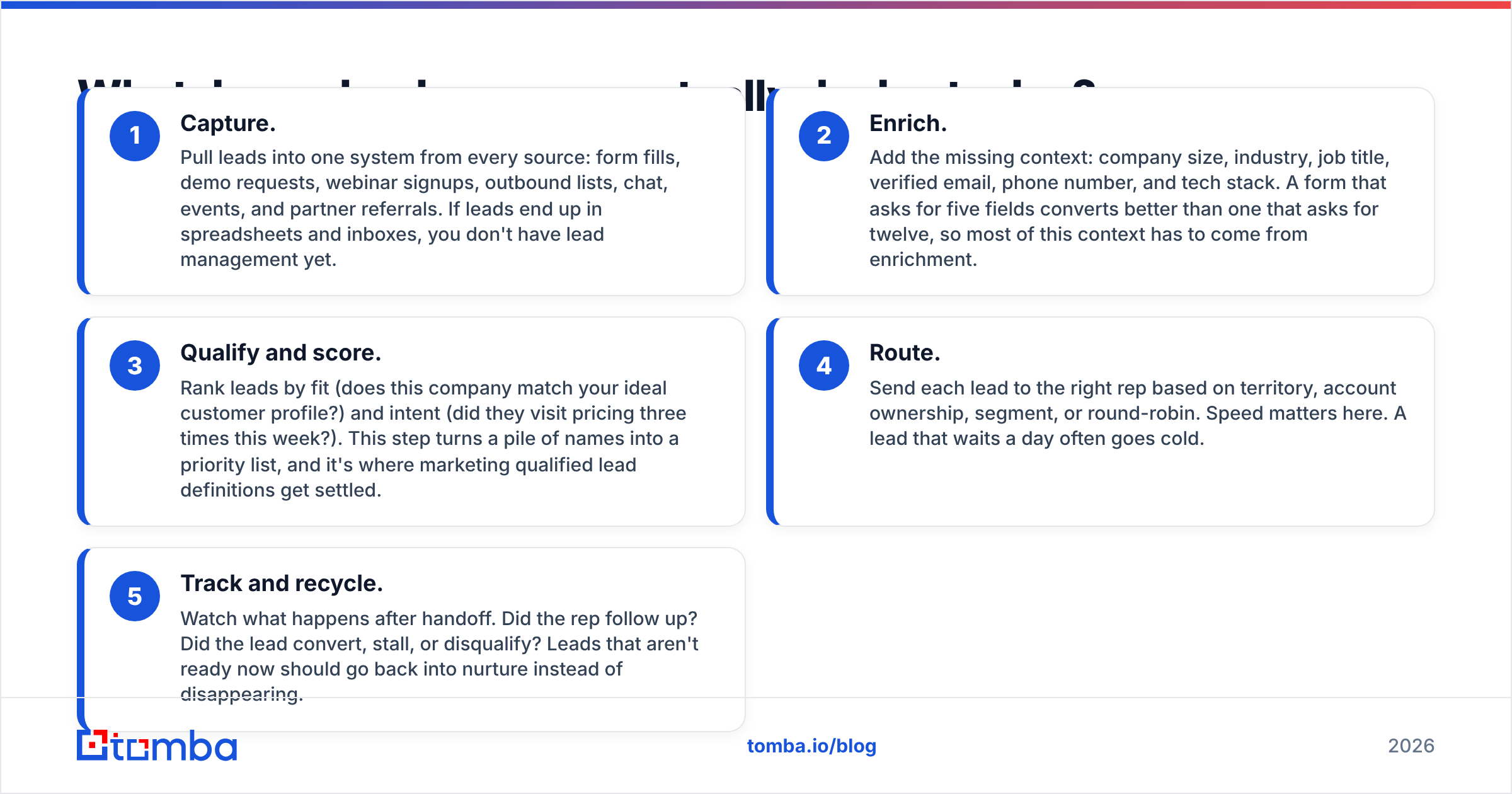
Whether you're hiring for the role or setting up a tool, the work falls into the same five parts. Use this as your checklist:
- Capture. Pull leads into one system from every source: form fills, demo requests, webinar signups, outbound lists, chat, events, and partner referrals. If leads end up in spreadsheets and inboxes, you don't have lead management yet.
- Enrich. Add the missing context: company size, industry, job title, verified email, phone number, and tech stack. A form that asks for five fields converts better than one that asks for twelve, so most of this context has to come from enrichment.
- Qualify and score. Rank leads by fit (does this company match your ideal customer profile?) and intent (did they visit pricing three times this week?). This step turns a pile of names into a priority list, and it's where marketing qualified lead definitions get settled.
- Route. Send each lead to the right rep based on territory, account ownership, segment, or round-robin. Speed matters here. A lead that waits a day often goes cold.
- Track and recycle. Watch what happens after handoff. Did the rep follow up? Did the lead convert, stall, or disqualify? Leads that aren't ready now should go back into nurture instead of disappearing.
A good human lead manager spends most of their time on steps 3 and 5: tuning the scoring model and auditing what happens after routing. Software handles most of steps 1, 2, and 4.

What features should lead manager software have?#
Lead management demos all look the same: a colorful pipeline board, drag-and-drop stages, a score next to each name. What separates tools is what happens underneath. Check for these:
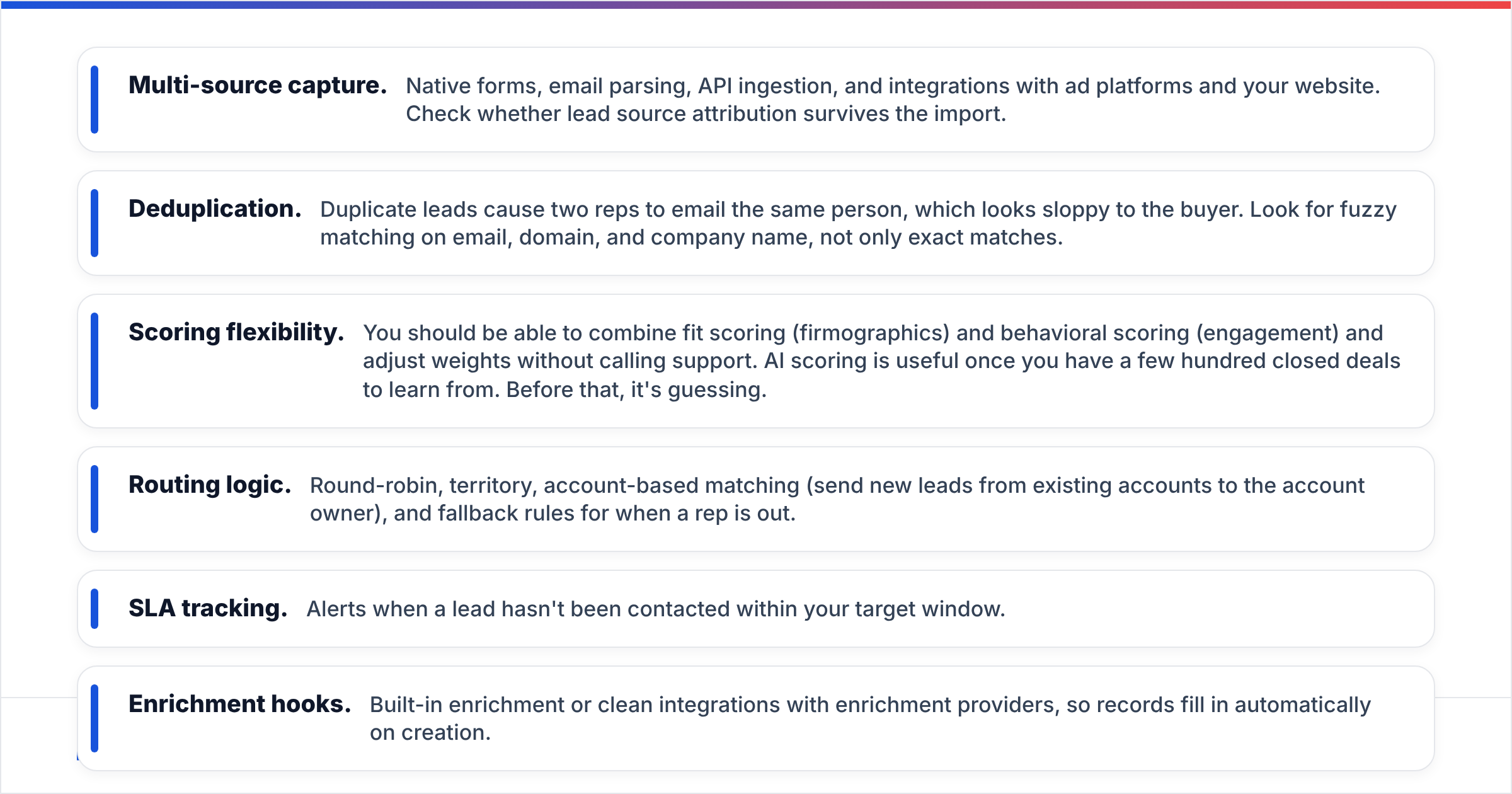
- Multi-source capture. Native forms, email parsing, API ingestion, and integrations with ad platforms and your website. Check whether lead source attribution survives the import.
- Deduplication. Duplicate leads cause two reps to email the same person, which looks sloppy to the buyer. Look for fuzzy matching on email, domain, and company name, not only exact matches.
- Scoring flexibility. You should be able to combine fit scoring (firmographics) and behavioral scoring (engagement) and adjust weights without calling support. AI scoring is useful once you have a few hundred closed deals to learn from. Before that, it's guessing.
- Routing logic. Round-robin, territory, account-based matching (send new leads from existing accounts to the account owner), and fallback rules for when a rep is out.
- SLA tracking. Alerts when a lead hasn't been contacted within your target window.
- Enrichment hooks. Built-in enrichment or clean integrations with enrichment providers, so records fill in automatically on creation.
- Reporting. Conversion by source, stage velocity, and rep response time. If you can't answer "which channel produces leads that close?", the tool isn't doing its job.
Which lead manager tools are worth comparing in 2026?#
Most teams choose between CRMs with strong lead management built in and specialist tools layered on top. Here's how the common options compare. Prices change often and depend on seat count and billing cycle, so treat them as rough entry points and confirm on each vendor's site.
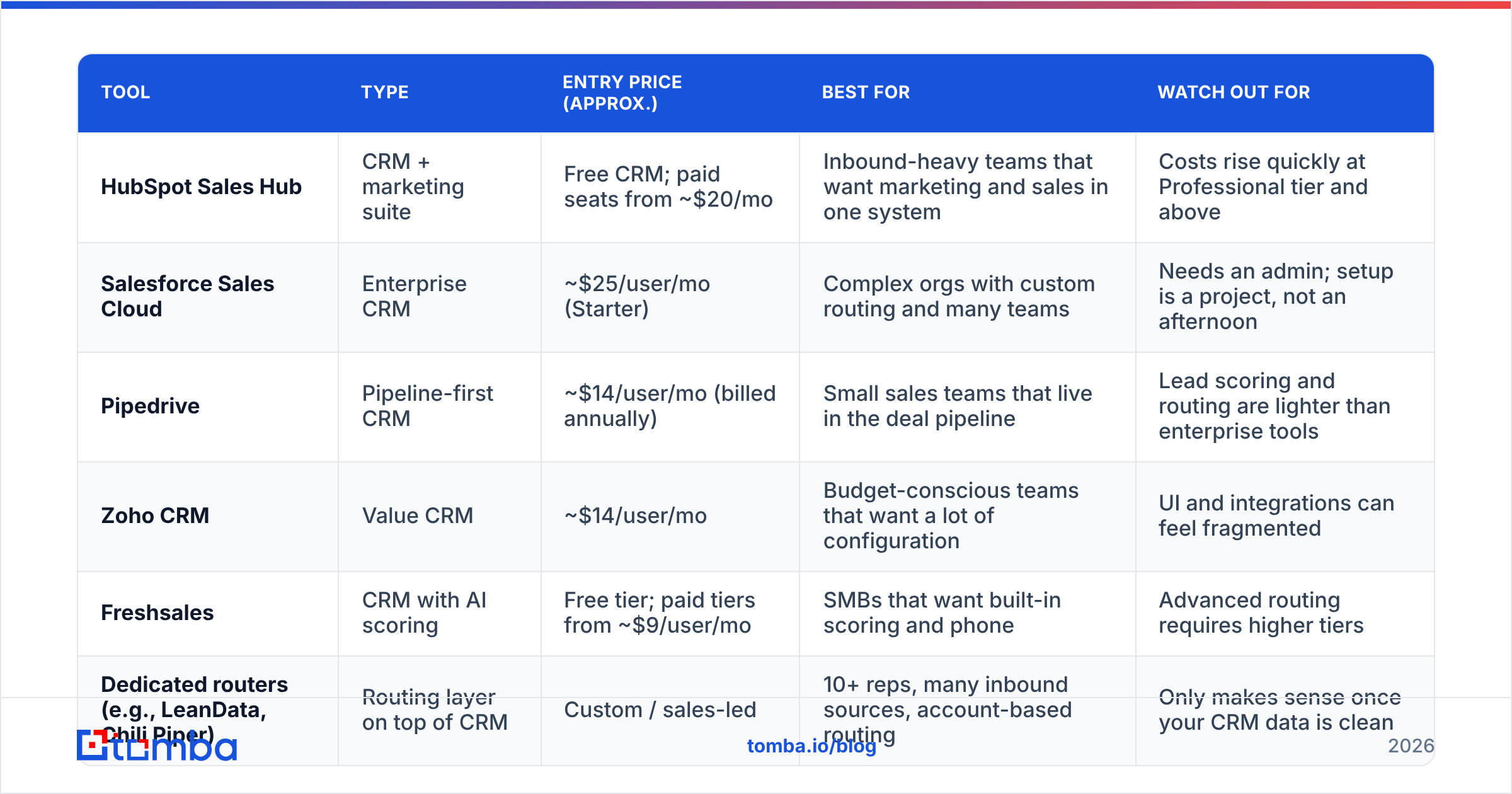
| Tool | Type | Entry price (approx.) | Best for | Watch out for |
|---|---|---|---|---|
| HubSpot Sales Hub | CRM + marketing suite | Free CRM; paid seats from ~$20/mo | Inbound-heavy teams that want marketing and sales in one system | Costs rise quickly at Professional tier and above |
| Salesforce Sales Cloud | Enterprise CRM | ~$25/user/mo (Starter) | Complex orgs with custom routing and many teams | Needs an admin; setup is a project, not an afternoon |
| Pipedrive | Pipeline-first CRM | ~$14/user/mo (billed annually) | Small sales teams that live in the deal pipeline | Lead scoring and routing are lighter than enterprise tools |
| Zoho CRM | Value CRM | ~$14/user/mo | Budget-conscious teams that want a lot of configuration | UI and integrations can feel fragmented |
| Freshsales | CRM with AI scoring | Free tier; paid tiers from ~$9/user/mo | SMBs that want built-in scoring and phone | Advanced routing requires higher tiers |
| Dedicated routers (e.g., LeanData, Chili Piper) | Routing layer on top of CRM | Custom / sales-led | 10+ reps, many inbound sources, account-based routing | Only makes sense once your CRM data is clean |
How to read this table: if you have fewer than 10 reps and one or two lead sources, pick a CRM and use its native lead management. Add a dedicated router only when routing rules become too complex to maintain inside the CRM, for example territory plus segment plus account ownership plus rep availability.
Aggregated reviews on sites like G2 and Capterra are useful for spotting common complaints (slow support, surprise price increases), but test with your own data during a trial. Most demos use perfect sample data.
Why do most lead manager setups fail?#
Most setups fail because the data going in is bad. Teams spend weeks configuring scoring models and routing rules, then feed the system leads with typos, personal Gmail addresses, abandoned inboxes, and blank job titles. The system faithfully scores and routes garbage.
Here's what that looks like in practice:
- Scoring breaks. A lead with no job title and no company size can't be scored on fit, so it lands in the middle, where nobody prioritizes it.
- Routing misfires. Territory rules depend on company location. If location is missing, the lead falls to a catch-all queue or the wrong rep.
- Outreach bounces. Reps email addresses that don't exist. High bounce rates hurt your sender reputation, which means good leads stop seeing your emails too.
- Reports mislead. If 20% of "leads" were never reachable, your conversion math is wrong, and you'll cut channels that actually work.
B2B contact data also decays constantly as people change jobs, companies rebrand, and domains lapse. A list that was accurate at import slowly gets worse every month.

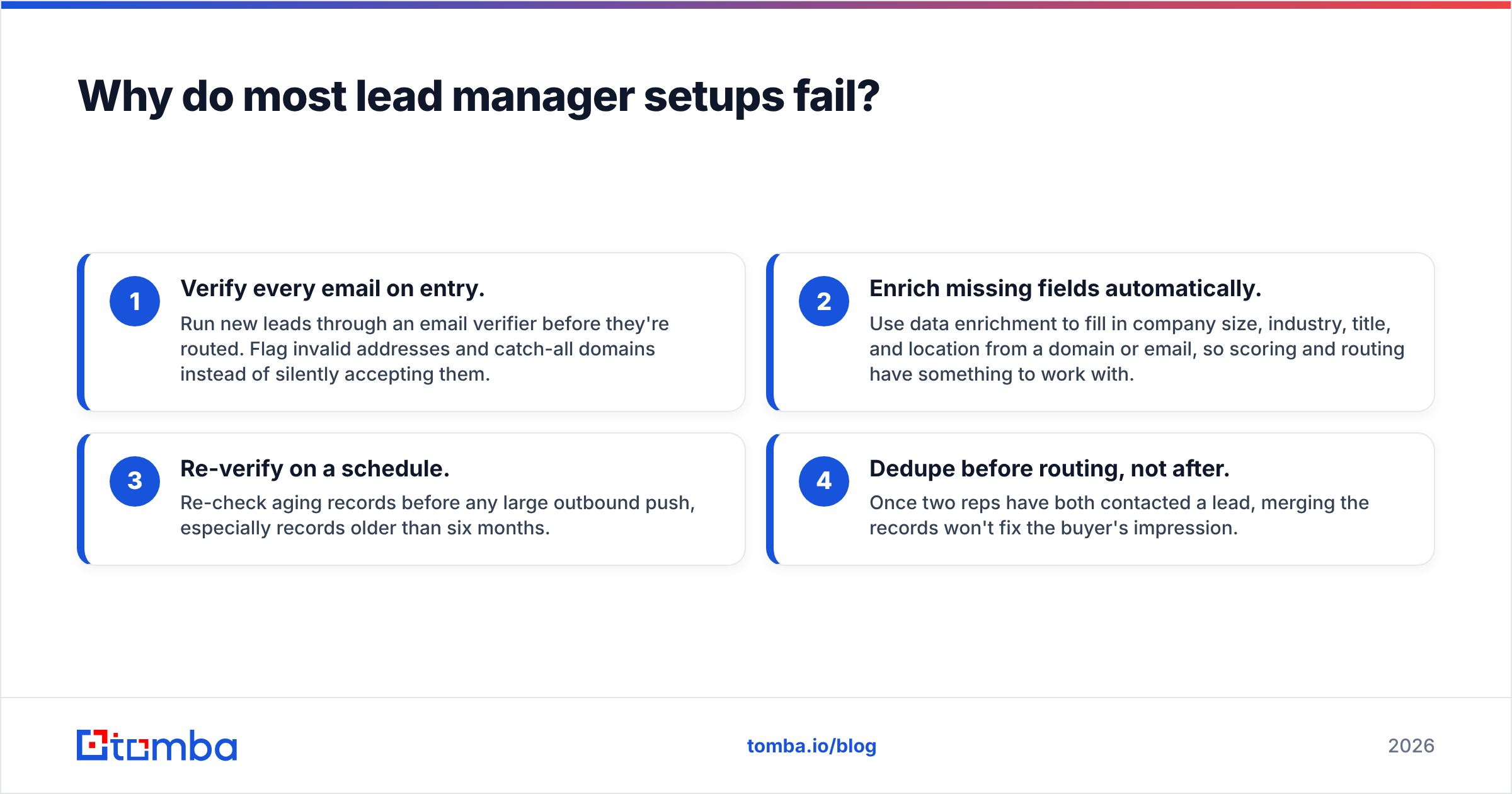
The fix isn't glamorous. Put a data quality gate in front of your lead manager:
- Verify every email on entry. Run new leads through an email verifier before they're routed. Flag invalid addresses and catch-all domains instead of silently accepting them.
- Enrich missing fields automatically. Use data enrichment to fill in company size, industry, title, and location from a domain or email, so scoring and routing have something to work with.
- Re-verify on a schedule. Re-check aging records before any large outbound push, especially records older than six months.
- Dedupe before routing, not after. Once two reps have both contacted a lead, merging the records won't fix the buyer's impression.
How do you set up a lead manager workflow step by step?#
If you're starting from scratch, or from a messy CRM, build in this order. Each step depends on the one before it.
Step 1: Define your stages and your qualified-lead criteria. Put in writing what makes a lead an MQL, an SQL, and an opportunity. Get sales and marketing to agree before you touch any software. Most lead management fights come from undefined terms.
Step 2: Consolidate sources. List every place leads come from and connect each one to your CRM. Tag each lead with its source at creation.
Step 3: Add the data quality gate. Verification and enrichment run automatically when a lead is created. If you use HubSpot, Salesforce, or Pipedrive, connect your enrichment provider natively or through Zapier or Make so this happens without manual exports.
Step 4: Build a simple scoring model. Start with 5–8 criteria: 3–4 fit signals (industry, company size, title seniority, geography) and 2–4 intent signals (pricing page visits, demo request, email replies). Keep the model simple enough that a rep can understand why a lead scored 80.
Step 5: Set routing rules and SLAs. Decide who gets what and how fast they must respond. A common benchmark is contacting high-intent inbound leads within an hour. Set alerts for breaches.
Step 6: Close the loop. Every month, compare scores to outcomes. If high-scoring leads don't convert more often than low-scoring ones, the model is wrong. Adjust the weights.
Step 7: Recycle. Leads marked "not now" go back into nurture with a date to revisit, not into a dead folder.
Do you need a dedicated lead manager role or just software?#
It depends on volume and complexity. Here's a practical rule of thumb:
| Situation | What you need |
|---|---|
| Founder-led sales, under 100 leads/month | A CRM and a clear qualification checklist. No dedicated role. |
| 2–10 reps, a few lead sources | CRM lead management plus part of an ops person's time to own rules and reporting |
| 10+ reps, multiple segments or regions | A dedicated lead manager or RevOps owner, plus a routing layer |
| Enterprise, account-based motion | A RevOps team, dedicated routing and scoring tools, and formal SLAs between marketing and sales |
The mistake at every stage is assuming software replaces ownership. Tools execute rules, but someone has to write them, check whether they're working, and change them when the market shifts. If nobody owns lead management, scoring models go stale, routing rules pile up exceptions, and reps quietly stop trusting the system.
What metrics should a lead manager track?#
Keep the dashboard short. These metrics show whether the system is healthy:
- Speed to lead: median time from lead creation to first rep touch.
- Lead-to-opportunity rate by source: tells you which channels actually produce pipeline.
- Data completeness: percentage of new leads with a verified email, job title, and company size. If this is below about 80%, fix it before tuning anything else.
- Bounce rate on first touch: a direct measure of data quality at intake.
- Score-to-outcome correlation: do high-scoring leads convert at clearly higher rates?
- Recycle rate: how many nurtured leads come back and convert later.
FAQ#
Is a lead manager the same as a CRM? Not exactly. A CRM manages the whole customer relationship, including accounts, deals, support, and renewals. Lead management is the part focused on pre-opportunity leads. Most modern CRMs include lead management, but not every lead management tool is a full CRM.
What's the difference between a lead manager and a sales manager? A sales manager coaches reps and owns quota. A lead manager owns the process that gets qualified leads to those reps. The roles work together, and in smaller teams one person may do both.
Can I use a spreadsheet as a lead manager? Only for very low volume. Spreadsheets have no routing, no SLA alerts, no activity history, and no protection against duplicates. Once more than one person is working leads, move to a CRM.
How often should I clean my lead database? Verify on entry, and re-verify aging segments before any major campaign. A full audit every quarter is a reasonable minimum for most B2B teams.
Where does Tomba fit in your lead manager stack?#
Your lead manager can only score, route, and convert the leads you give it. Put accurate contact data at the start of the process. Tomba Email Finder finds professional email addresses by name, domain, or company, and verifies them, so leads enter your CRM with reachable addresses instead of guesses. Pair it with Tomba's verification and enrichment through native CRM integrations, and your scoring model gets complete records to work with. You can start on the free tier (25 searches a month) to test it against your current lead flow, and paid plans start at $49/month when you're ready to scale.
Related guides#
// get started
Find, verify and enrich your first contacts today
Start on the free plan with 25 searches a month, then scale when your team is ready.
Free plan · No credit card required · GDPR & CCPA
// about the author