Lead Nurturing Drip Campaign: How to Build One That Converts
Most leads aren't ready to buy when they first raise their hand. Here's how to build a lead nurturing drip campaign that keeps them warm, with the right triggers, timing, content, and exit rules, so they convert when they're ready.
TL;DR
- A lead nurturing drip campaign is a set of automated emails that starts when a lead does something (a signup, a download, a stalled deal) and teaches them over days or weeks until they're ready to talk to sales.
- The best drips are triggered by what a lead does, split into segments, and have a clear exit rule. Sending every contact the same blast on a calendar is not nurturing.
- Five to seven emails over three to five weeks is a good default for most B2B nurture tracks. Space them further apart as the sequence goes on.
- Bad data kills more drip campaigns than bad copy does. Verify every address before it enters a sequence, or your bounces will hurt your sender reputation.
- Measure the drip by how many leads become sales conversations. Open rates don't tell you much.
What is a lead nurturing drip campaign?#
A lead nurturing drip campaign is a series of pre-written emails that go out automatically, one at a time, after a lead does something specific. It's meant for people who have shown interest but aren't ready to buy. Examples are a webinar attendee, an ebook download, a free-trial signup, or a prospect who went quiet after a demo.
Think of it like a good bookshop clerk. They don't follow you around the store pitching a bestseller. They notice which shelf you're browsing, hand you one relevant recommendation, and check back a few days later. A drip campaign does the same thing with email: one useful message at a time, timed to what the lead has already shown interest in.
The underlying concept, drip marketing, has been around since direct mail. What's changed is precision. Modern marketing automation and CRM platforms can branch a sequence on clicks, page visits, lead score, or deal stage. So "drip" no longer means "same email to everyone every Tuesday."
What makes it lead nurturing, and not just automated email, is intent. Every email should move the lead one step closer to a buying decision. That can mean answering an objection, showing proof, or making the next step easier.
How is a drip campaign different from a cold sequence or a newsletter?#
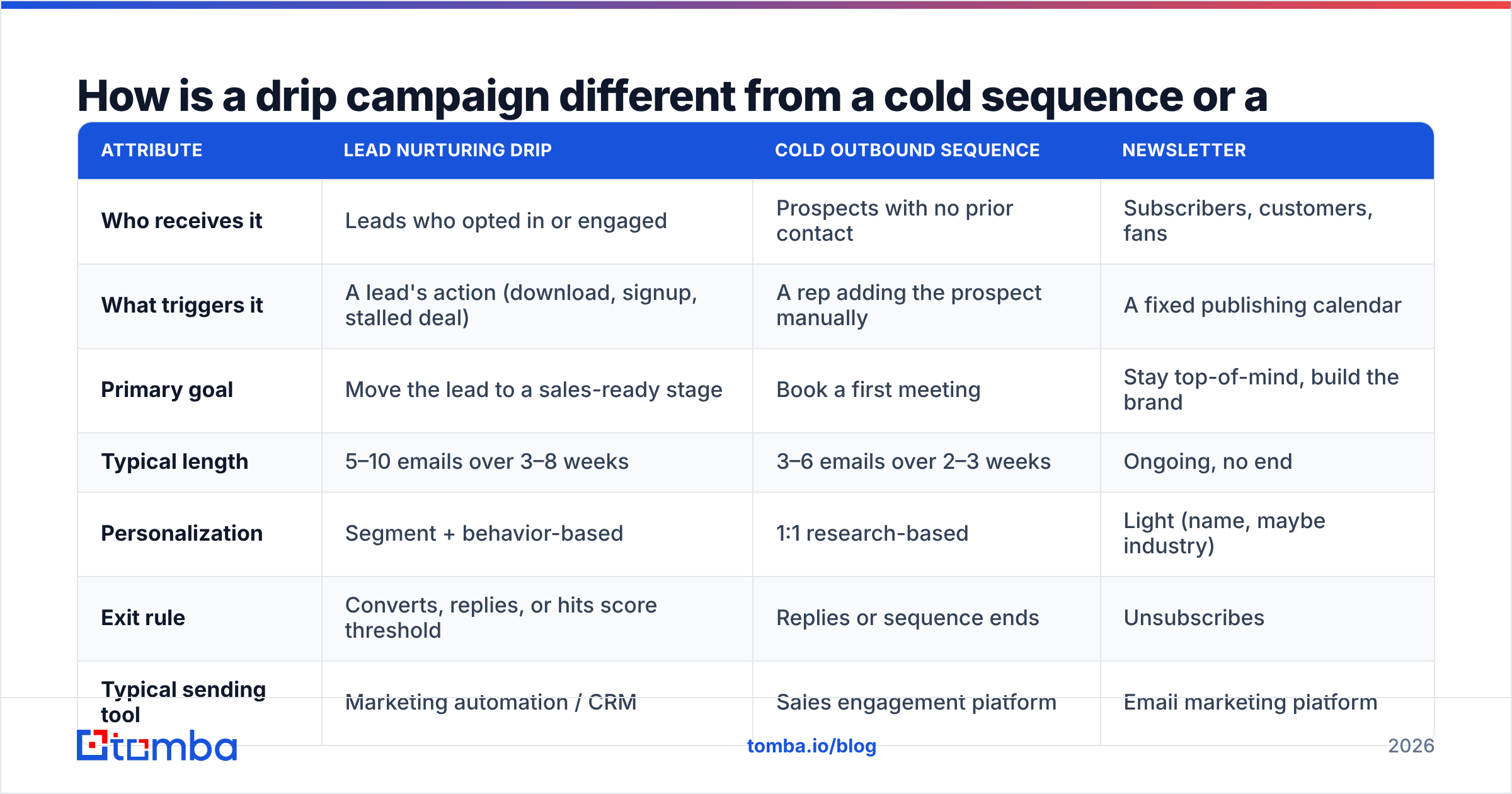
People mix these three up all the time. That's how a list of cold prospects ends up in a nurture flow, or warm leads end up getting a generic monthly newsletter. They look alike in your email tool, but they do different jobs.
| Attribute | Lead nurturing drip | Cold outbound sequence | Newsletter |
|---|---|---|---|
| Who receives it | Leads who opted in or engaged | Prospects with no prior contact | Subscribers, customers, fans |
| What triggers it | A lead's action (download, signup, stalled deal) | A rep adding the prospect manually | A fixed publishing calendar |
| Primary goal | Move the lead to a sales-ready stage | Book a first meeting | Stay top-of-mind, build the brand |
| Typical length | 5–10 emails over 3–8 weeks | 3–6 emails over 2–3 weeks | Ongoing, no end |
| Personalization | Segment + behavior-based | 1:1 research-based | Light (name, maybe industry) |
| Exit rule | Converts, replies, or hits score threshold | Replies or sequence ends | Unsubscribes |
| Typical sending tool | Marketing automation / CRM | Sales engagement platform | Email marketing platform |
| Consent basis | Opt-in or clear legitimate interest | Legitimate interest (varies by region) | Opt-in |
The main thing to take away is that a nurture drip has an entry trigger and an exit rule. A newsletter has neither, and a cold sequence has an exit rule but its entry is a rep adding a name by hand. If you can't say what starts your drip and what stops it, you've built a newsletter.
What are the core building blocks of a drip campaign?#
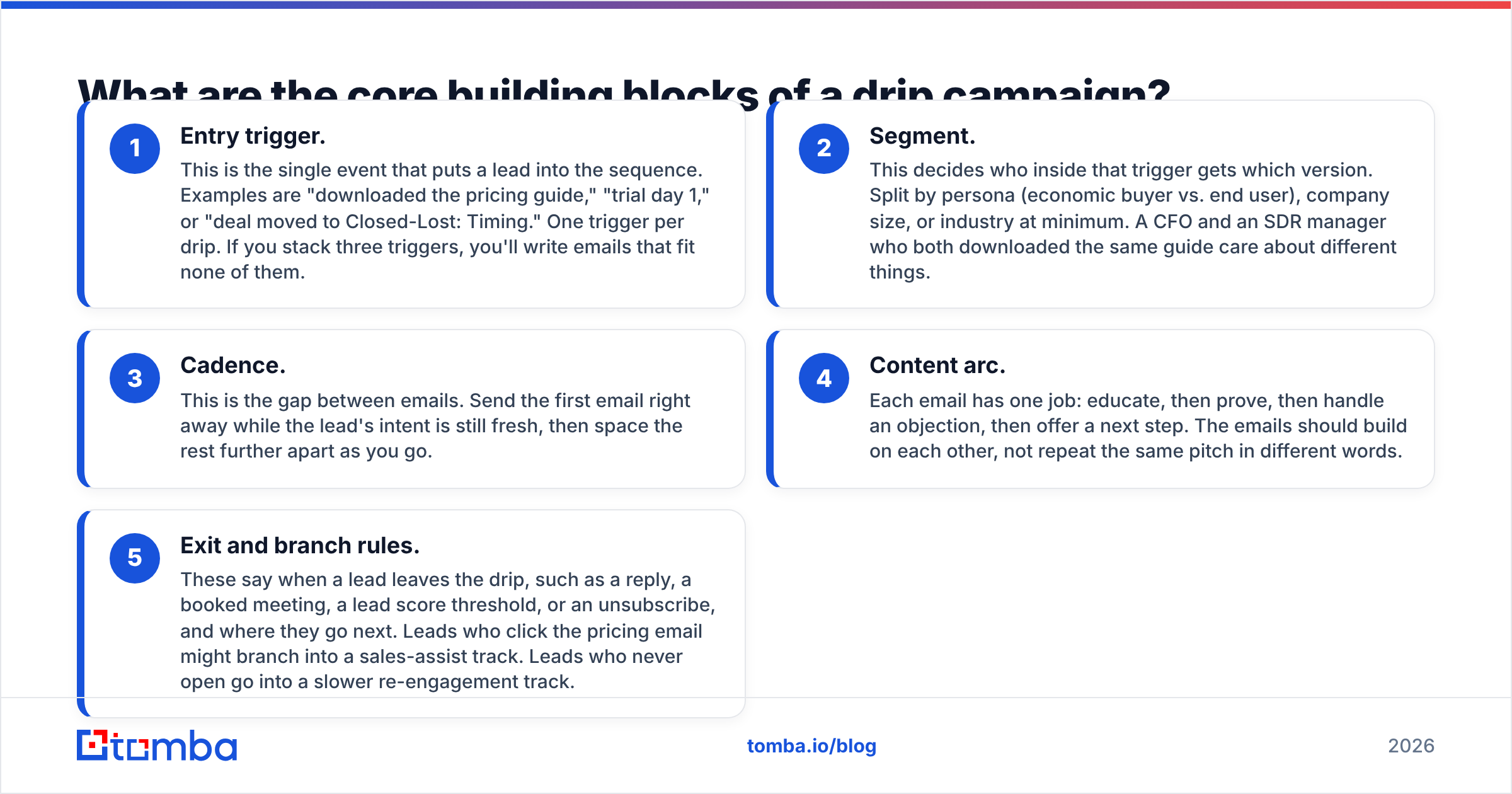
Every drip that works is built from the same five parts. Get these clear before you write any copy.
- Entry trigger. This is the single event that puts a lead into the sequence. Examples are "downloaded the pricing guide," "trial day 1," or "deal moved to Closed-Lost: Timing." One trigger per drip. If you stack three triggers, you'll write emails that fit none of them.
- Segment. This decides who inside that trigger gets which version. Split by persona (economic buyer vs. end user), company size, or industry at minimum. A CFO and an SDR manager who both downloaded the same guide care about different things.
- Cadence. This is the gap between emails. Send the first email right away while the lead's intent is still fresh, then space the rest further apart as you go.
- Content arc. Each email has one job: educate, then prove, then handle an objection, then offer a next step. The emails should build on each other, not repeat the same pitch in different words.
- Exit and branch rules. These say when a lead leaves the drip, such as a reply, a booked meeting, a lead score threshold, or an unsubscribe, and where they go next. Leads who click the pricing email might branch into a sales-assist track. Leads who never open go into a slower re-engagement track.
Most weak drip campaigns are missing number five. The lead books a demo on Tuesday and still gets "Just checking in, still interested?" on Thursday. That's the fastest way to look automated in the worst way.
How many emails should a nurture drip have, and how far apart?#
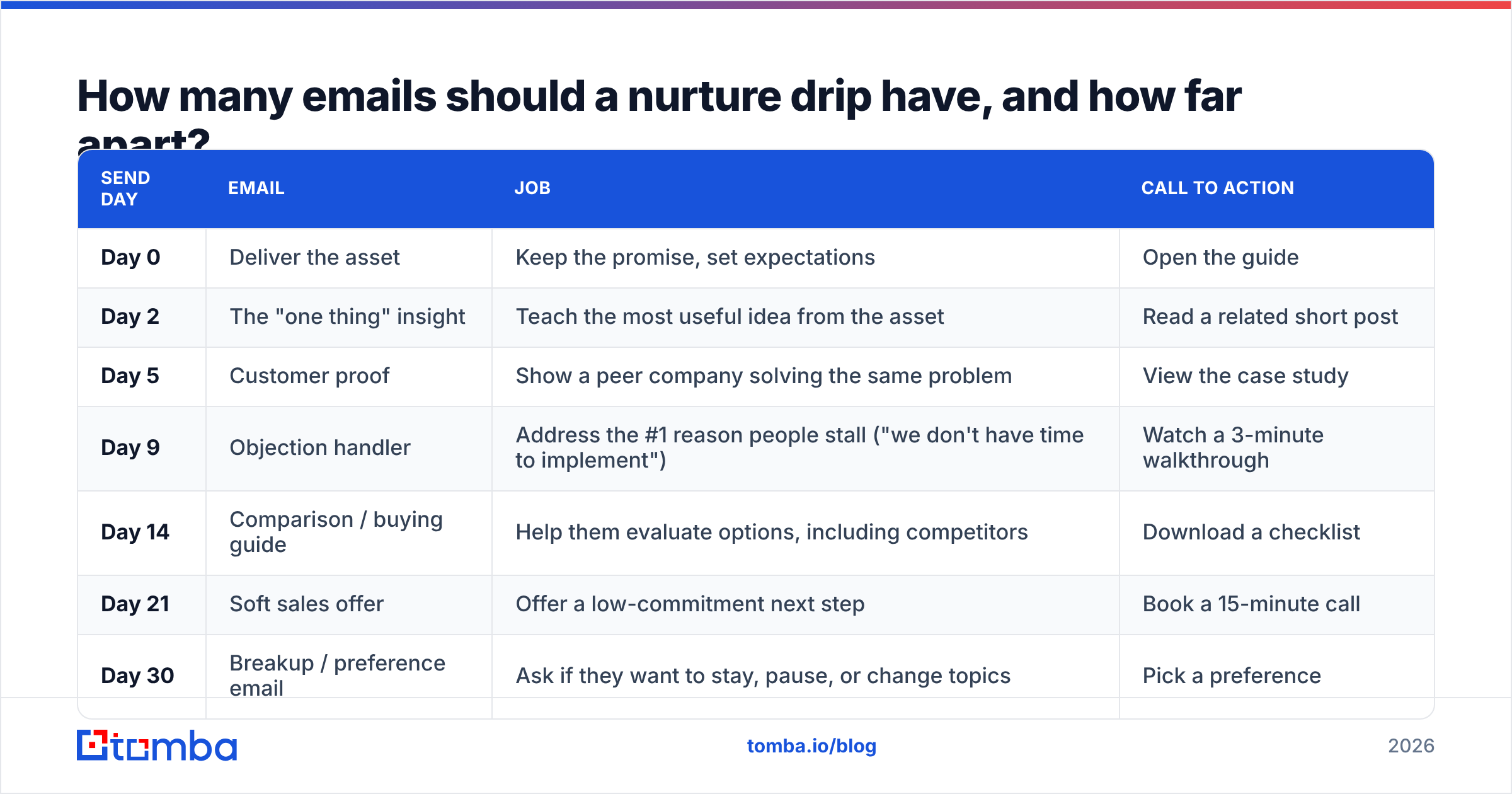
There's no universal number. Five to seven emails over three to five weeks is a sensible default for a B2B nurture track, then adjust based on your data. Shorter sales cycles, like low-ticket SaaS or self-serve trials, can compress that. Enterprise deals with six-month cycles need longer tracks, with bigger gaps between emails and more proof-heavy content.
Here's a starting template for a content-download nurture drip:
| Send day | Job | Call to action | |
|---|---|---|---|
| Day 0 | Deliver the asset | Keep the promise, set expectations | Open the guide |
| Day 2 | The "one thing" insight | Teach the most useful idea from the asset | Read a related short post |
| Day 5 | Customer proof | Show a peer company solving the same problem | View the case study |
| Day 9 | Objection handler | Address the #1 reason people stall ("we don't have time to implement") | Watch a 3-minute walkthrough |
| Day 14 | Comparison / buying guide | Help them evaluate options, including competitors | Download a checklist |
| Day 21 | Soft sales offer | Offer a low-commitment next step | Book a 15-minute call |
| Day 30 | Breakup / preference email | Ask if they want to stay, pause, or change topics | Pick a preference |
A few rules keep this cadence from backfiring:
- Put your best email first. The first email after the trigger gets the most attention. Don't use it for "Welcome! Here's our company history."
- One CTA per email. Two links pointing to two different asks means neither gets clicked.
- Adjust by behavior, not only by days. A lead who clicked email 2 and visited your pricing page shouldn't wait nine days for the next email. Let high-intent actions skip them ahead.
- Write plain text for the middle of the sequence. Heavily designed HTML reads like marketing. Short plain-text notes from a named person usually get more replies in B2B.
Which types of lead nurturing drip campaigns should you run?#
Don't try to build one giant drip for everyone. Build a few small ones, each tied to a moment in the buyer journey. These are the ones most B2B teams get the most out of:
- Content-download nurture. Triggered by a gated asset. The goal is to turn a reader into someone who recognizes the problem and knows you can solve it.
- Free-trial onboarding drip. Triggered by signup. The emails push activation milestones ("connect your CRM," "run your first search"), not features. Branch on what the user has actually done in the product.
- Webinar or event follow-up. Triggered by attendance or no-show. Attendees get the key slides and a deeper resource. No-shows get the recording and a two-sentence summary.
- Post-demo / stalled-deal drip. Triggered when a deal sits in one stage too long. Send proof, ROI math, and answers to the objections that came up on the call.
- Closed-lost re-engagement. Triggered by a "timing" or "budget" loss reason. Low frequency, one email every three to four weeks, focused on what's changed since you last spoke.
- Inbound lead that isn't sales-ready. Triggered when a form fill doesn't meet your marketing qualified lead threshold. The drip's job is to earn enough engagement to cross that line.
Each of these has its own trigger, segment, and exit rule. That's what keeps the messaging relevant, and relevance is most of what makes nurturing work.
Which tools should you use to build a drip campaign?#
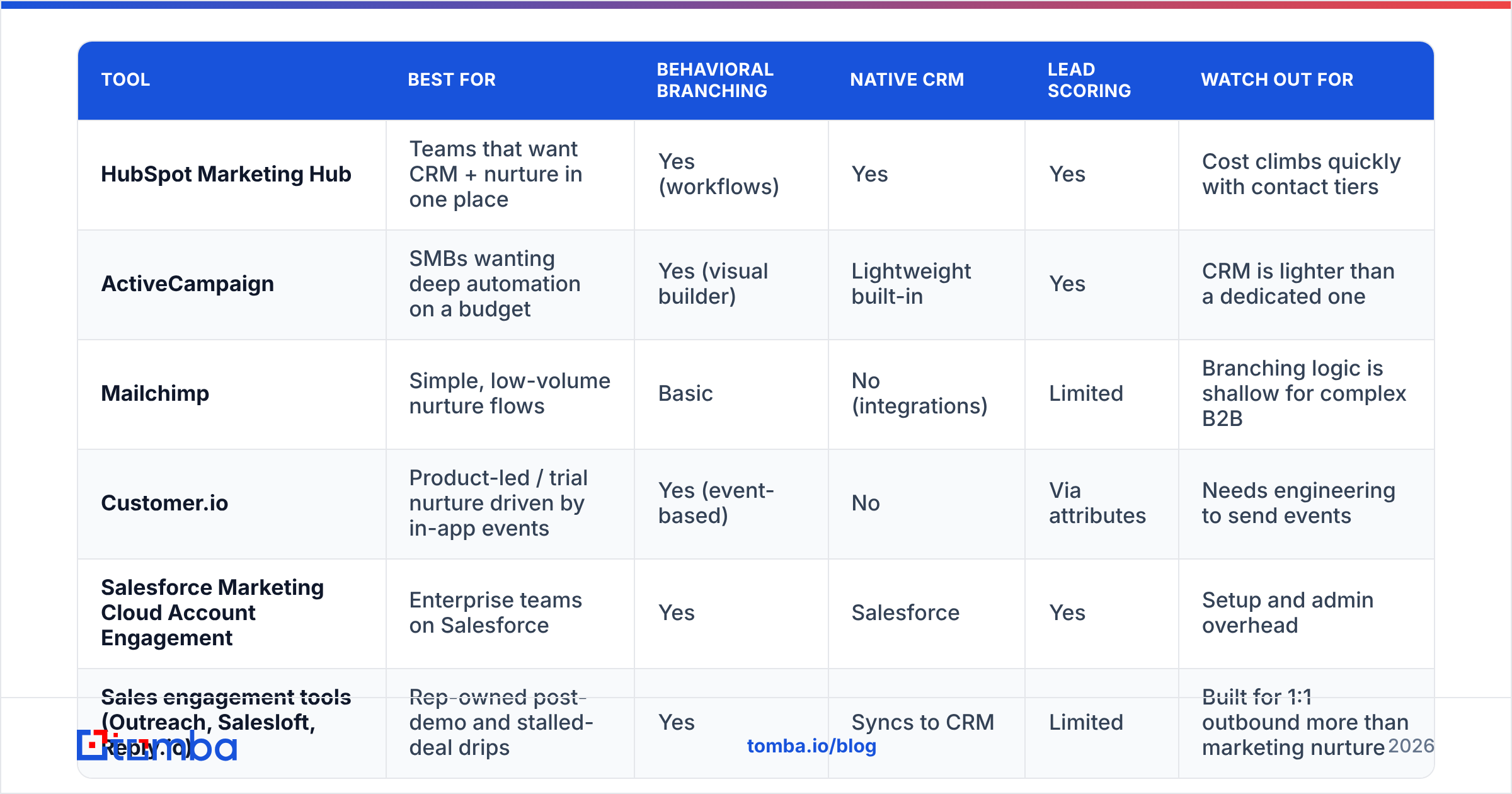
The right tool depends on where your leads live and who owns the sequence, marketing or sales. Here's a practical comparison of common options:
| Tool | Best for | Behavioral branching | Native CRM | Lead scoring | Watch out for |
|---|---|---|---|---|---|
| HubSpot Marketing Hub | Teams that want CRM + nurture in one place | Yes (workflows) | Yes | Yes | Cost climbs quickly with contact tiers |
| ActiveCampaign | SMBs wanting deep automation on a budget | Yes (visual builder) | Lightweight built-in | Yes | CRM is lighter than a dedicated one |
| Mailchimp | Simple, low-volume nurture flows | Basic | No (integrations) | Limited | Branching logic is shallow for complex B2B |
| Customer.io | Product-led / trial nurture driven by in-app events | Yes (event-based) | No | Via attributes | Needs engineering to send events |
| Salesforce Marketing Cloud Account Engagement | Enterprise teams on Salesforce | Yes | Salesforce | Yes | Setup and admin overhead |
| Sales engagement tools (Outreach, Salesloft, Reply.io) | Rep-owned post-demo and stalled-deal drips | Yes | Syncs to CRM | Limited | Built for 1:1 outbound more than marketing nurture |
If you're starting from scratch, the most important question is where lead status is stored. The tool that can read your lead score and deal stage in real time is the one that can stop a drip the moment a lead converts. HubSpot's marketing automation and similar platforms handle this natively. If you want to compare user reviews side by side, G2's marketing automation category is a reasonable place to start.
Whatever platform you choose, it only works as well as the contact data you put into it. That leads to the most common reason drips fail.
Why do most drip campaigns fail?#
The copy usually isn't the problem. Most drips fail for operational reasons that nobody sees until the damage shows up.
1. Dirty lists enter the sequence. Form fills bring in typos, fake addresses, role accounts, and people who left the company months ago. Every hard bounce counts against your sender reputation. Mailbox providers like Google publish explicit email sender guidelines and throttle or filter senders with high bounce and complaint rates. Once that happens, even your good emails land in spam. Run each new lead through an email verifier before the drip's first send, not after the bounce report arrives.
2. Old contact records. People change jobs constantly. A nurture list built from last year's event badge scans will be full of addresses that no longer reach anyone. Re-verify any segment that's been sitting for more than a few months before you start a re-engagement drip.
3. Thin lead records mean weak segmentation. If all you have is an email address, you can't segment by role, seniority, or company size. So everyone gets the generic version. Data enrichment fills in job title, company, industry, and headcount from just the email, so your branches have real attributes to split on.
4. No exit rules. Covered above, but it's worth repeating: a drip that keeps emailing someone who already booked a call makes you look careless.
5. Too many emails too early. Fast cadences come from good intentions. They also produce unsubscribes and spam complaints, and those are much harder to undo than a slow start.
6. Measuring opens instead of outcomes. Apple Mail Privacy Protection and image-proxying clients inflate open rates, so opens tell you very little. Focus on clicks, replies, and stage progression.

How do you measure whether your drip campaign works?#
Judge a lead nurturing drip campaign by what happens to the pipeline, not by email-level vanity metrics. Track these, roughly in order of importance:
- Stage conversion rate. What share of leads who entered the drip reached the next lifecycle stage (MQL, SQL, meeting booked) within the campaign window? This is the number that matters most.
- Time to conversion. Do nurtured leads move to sales-ready faster than a control group that didn't get the drip? If not, the drip is only there for show.
- Reply and click rate per email. This shows which emails pull their weight. If email 4 has a sharp drop-off, rewrite it or cut it.
- Bounce and complaint rate. These are health metrics. A rising bounce rate is an early warning that list hygiene is slipping.
- Unsubscribe rate by step. A spike at one step points to a content or cadence problem at that exact email.
Hold out a small control group, even 10% of entrants, who don't get the drip. Without one, you can't tell whether the sequence caused a conversion or the lead was going to convert anyway.
Review the full drip every quarter. Offers go stale, case studies get replaced by better ones, and objections change as your market does.
What does a good drip email actually look like?#
Here's a mid-sequence example (Day 9, the objection handler) for a lead who downloaded a guide on outbound prospecting:
Subject: the "we don't have time" problem
Hi Priya,
Most ops leads who grab our prospecting guide tell us the same thing a week later: "Good ideas, zero time to set them up."
Fair. So here's the shortest version: one team at a 40-person agency ran the list-building step in an afternoon and reused it every month after.
The 3-minute walkthrough is here if it's useful: [link]
— Sam
Why it works: it names a real objection, it uses a specific peer example, it has one link, and it reads like a note from a person, not a campaign. It also makes sense on its own. A lead who skipped emails 2 through 8 still gets value from it.
Frequently asked questions#
Is a drip campaign the same as marketing automation?#
No. Marketing automation is the software category. A drip campaign is one thing you build with it. Automation also covers lead scoring, list management, form handling, and CRM syncing.
How often should I send nurture emails?#
Start with 2–4 days between the first few emails, then widen to 5–10 days. For long-cycle enterprise nurture, one email every two to three weeks is fine once the first week is done.
Can I add cold prospects to a lead nurturing drip?#
Keep them separate. Cold prospects haven't raised their hand, so nurture content built for warm leads won't make sense to them, and it can create consent issues depending on the region. Run a proper cold sequence first, and move people into the nurture drip only after they engage.
How long should a lead stay in a drip?#
Until they hit an exit rule: they convert, reply, cross a score threshold, or reach the final email. After the last email, move non-responders to a low-frequency newsletter or a re-engagement track instead of starting the same drip over.
Build your drip on data you can trust#
A lead nurturing drip campaign is only as good as the contacts in it. The right emails, sent to wrong or dead addresses, still fail, and they drag down your sender reputation for every campaign after them. Before your next drip goes live, make sure every lead has a real, deliverable, professional address and enough context to segment properly. Tomba Email Finder finds professional email addresses from a name, a company, or a domain. You can also use it to replace the personal or mistyped addresses that come in through form fills, so your drip starts with a clean list. Tomba's free tier includes 25 searches a month, and paid plans start at $49/mo.
Related guides#
// get started
Find, verify and enrich your first contacts today
Start on the free plan with 25 searches a month, then scale when your team is ready.
Free plan · No credit card required · GDPR & CCPA
// about the author