Lead Qualification Checklist: 12 Checks to Qualify B2B Leads in 2026
Most pipelines are full of leads that were never going to buy. This 12-point lead qualification checklist covers data, fit, intent and buying power, so you can drop dead-end deals before they use up your reps' week.
TL;DR
- A lead qualification checklist is a fixed set of yes/no checks that every lead passes through before a rep spends real time on it. It turns gut feel into a repeatable filter.
- The 12 checks below fall into four layers: data quality, company fit, buyer fit, and buying intent. Run them in that order, because each layer is more expensive to check than the one before.
- Frameworks like BANT, MEDDIC and CHAMP are useful as question banks, not religions. Pick the one that matches your deal size and cycle length.
- Most disqualification happens in the first two layers. If the email bounces or the company is outside your ICP, don't book a discovery call.
- Write down your kill criteria. A checklist without a clear disqualify threshold is a wish list.
What is a lead qualification checklist?#
A lead qualification checklist is a short, ordered list of criteria a lead must meet before it moves to the next pipeline stage. That could be from raw lead to marketing qualified lead, from MQL to SQL, or from SQL to opportunity.
A checklist is not the same as a lead score. A lead score is a weighted number, usually calculated automatically from demographic and behavioral signals (see the general overview of lead scoring on Wikipedia). A checklist is binary and explicit: the lead passes a check or it doesn't, and some checks are hard gates that end the conversation.
In practice, the best teams use both. The score tells you which leads to look at first. The checklist tells you whether a lead deserves a meeting.
Why bother writing it down? Without a shared checklist, every rep qualifies differently. One SDR books anything with a pulse, another only books VPs at Fortune 500 companies, and your conversion data ends up meaning nothing. A written checklist:
- makes MQL-to-SQL handoffs defensible, so marketing and sales stop arguing about lead quality
- gives new reps a script to follow in their first 90 days
- produces consistent data, so you can see which check most often kills deals
- keeps forecasts honest, because opportunities that skipped qualification are the ones that slip
Why do most teams qualify leads badly?#
The usual failure isn't a lack of a framework. It's running checks in the wrong order.
Reps love discovery calls. Calls feel productive, and asking about budget and timeline feels like selling. So teams often jump straight to BANT-style questions on a live call and skip the boring checks that should have happened first: Is this a real person? Is the email valid? Is the company even in our market?
Every discovery call with a lead who fails a basic fit check is 30 to 45 minutes you won't get back, plus the prep time and the follow-up. Multiply that across a team and you lose whole days of selling time each month.

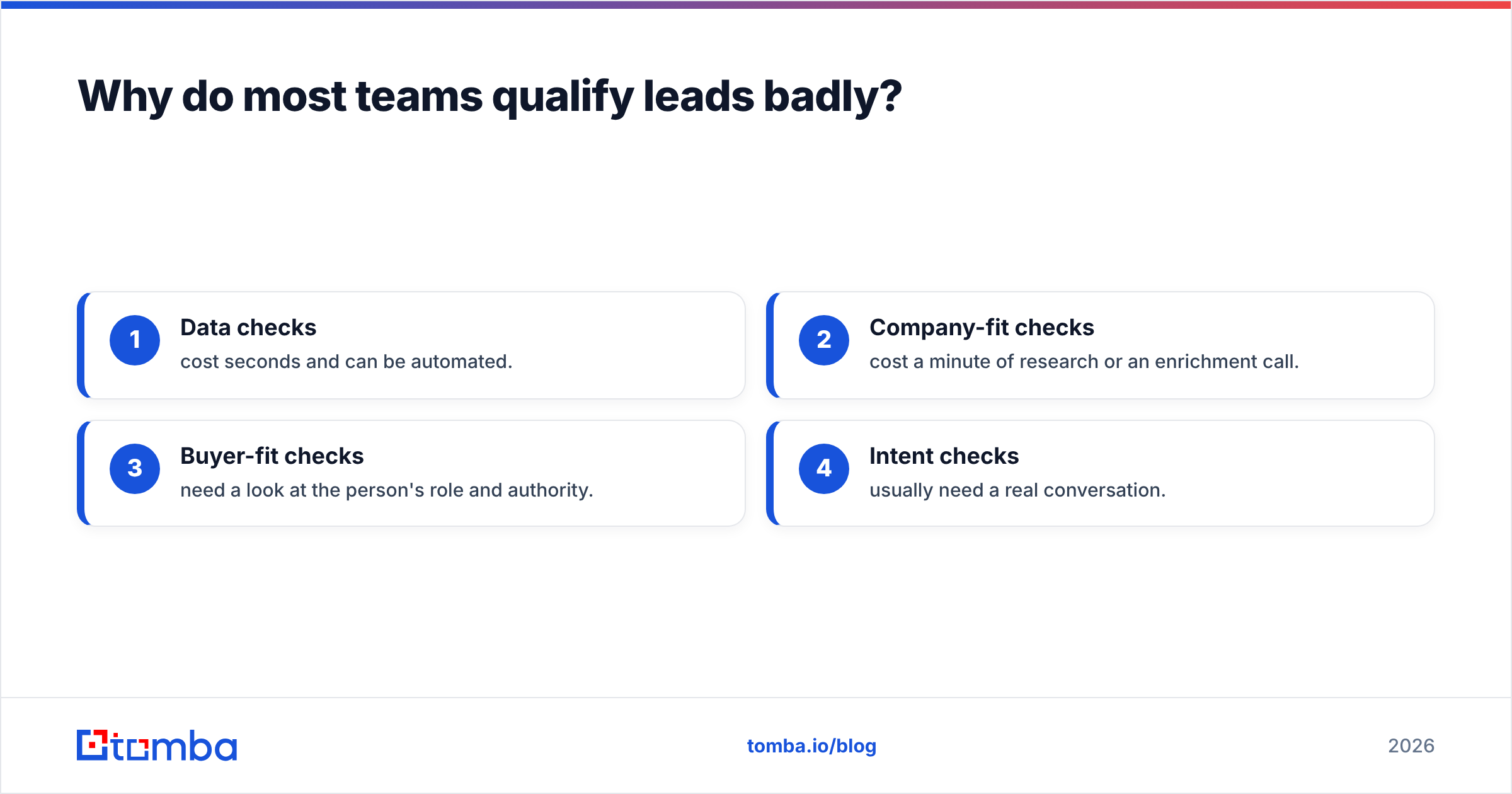
The fix is to layer your checks from cheapest to most expensive:
- Data checks cost seconds and can be automated.
- Company-fit checks cost a minute of research or an enrichment call.
- Buyer-fit checks need a look at the person's role and authority.
- Intent checks usually need a real conversation.
Only leads that clear layers 1 to 3 should ever reach layer 4.
What should be on your lead qualification checklist?#
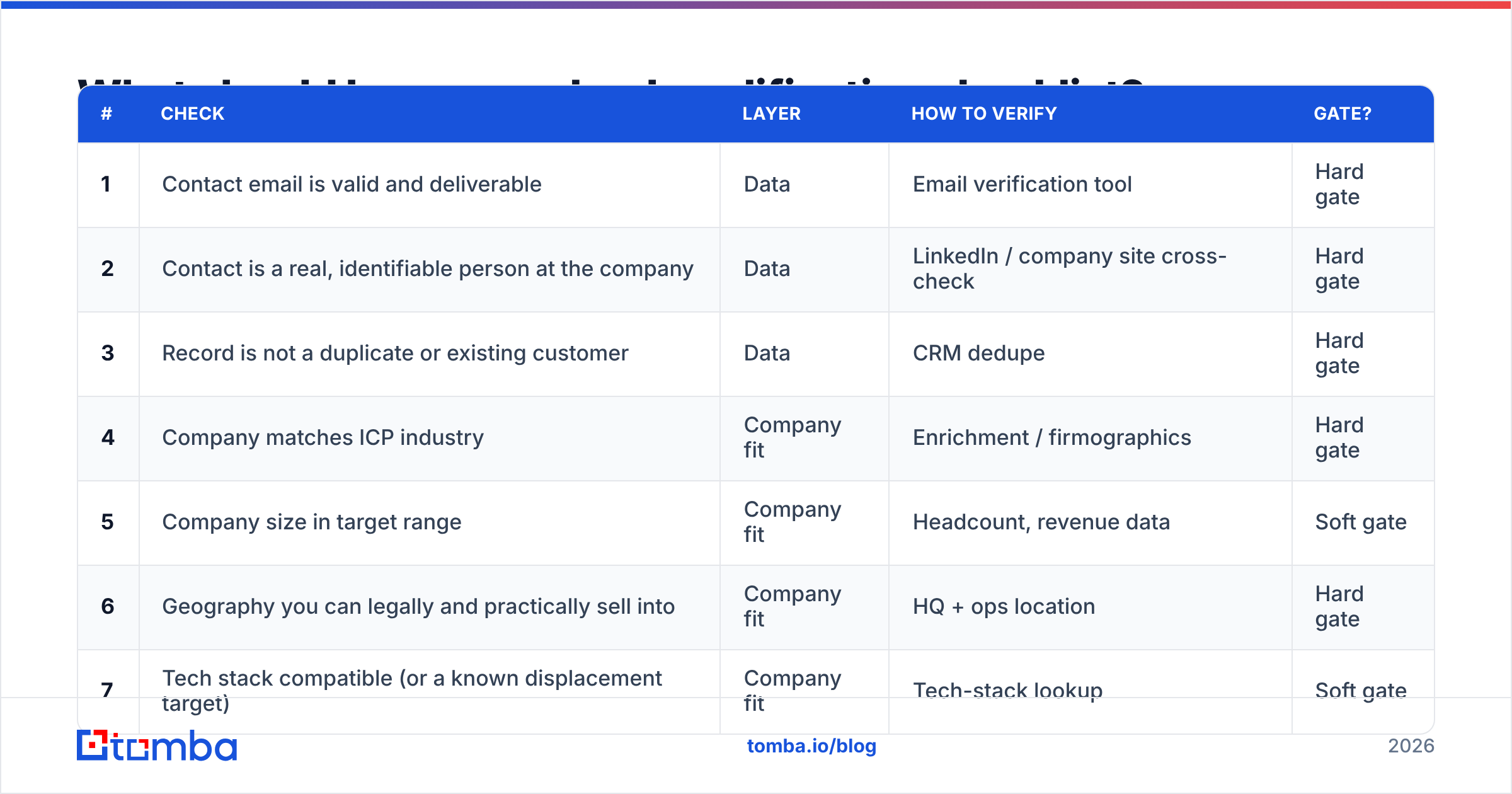
Here are the 12 checks, grouped by layer. The "Gate?" column tells you whether failing the check should disqualify the lead outright or just lower its priority.
| # | Check | Layer | How to verify | Gate? |
|---|---|---|---|---|
| 1 | Contact email is valid and deliverable | Data | Email verification tool | Hard gate |
| 2 | Contact is a real, identifiable person at the company | Data | LinkedIn / company site cross-check | Hard gate |
| 3 | Record is not a duplicate or existing customer | Data | CRM dedupe | Hard gate |
| 4 | Company matches ICP industry | Company fit | Enrichment / firmographics | Hard gate |
| 5 | Company size in target range | Company fit | Headcount, revenue data | Soft gate |
| 6 | Geography you can legally and practically sell into | Company fit | HQ + ops location | Hard gate |
| 7 | Tech stack compatible (or a known displacement target) | Company fit | Tech-stack lookup | Soft gate |
| 8 | Contact's role matches a buyer persona | Buyer fit | Title + seniority | Soft gate |
| 9 | Contact has or can reach decision authority | Buyer fit | Org chart, discovery | Soft gate |
| 10 | A clear pain your product solves | Intent | Discovery call | Hard gate |
| 11 | Budget exists or can be created | Intent | Discovery call | Soft gate |
| 12 | Timeline inside your forecast window | Intent | Discovery call | Soft gate |
Let's go through each layer.
Layer 1: Data quality (checks 1–3)#
Check 1: Is the email valid? It sounds obvious, but this is where a lot of pipeline value leaks out. A lead with a bad address can't be nurtured, can't be sequenced, and quietly damages your sender reputation every time you email it. Run every inbound and purchased lead through an email verifier before it reaches a rep. Leads on catch-all domains should be flagged, not trusted by default.
Check 2: Is this a real person? Form spam, role accounts like info@ or sales@, and fake names ("Test Test") should never reach an SDR. A role address isn't automatically disqualifying, but it isn't a qualified contact either. Find the named person behind it.
Check 3: Is it a duplicate or an existing customer? Nothing annoys a current customer more than getting a cold sequence from their own vendor. Dedupe against your CRM on email and company domain.
Layer 2: Company fit (checks 4–7)#
This is where you compare the lead against your ideal customer profile (ICP). If you don't have a written ICP, stop here and write one. The checklist has nothing to check against without it.
Check 4: Industry. Some verticals will never buy from you because of regulation, budget cycles, or because your product doesn't solve their problem. Make those hard exclusions.
Check 5: Company size. Too small and they can't afford you. Too large and your sales motion can't handle their procurement process. Keep this a soft gate: a 40-person company growing fast may be a better bet than a flat 200-person one.
Check 6: Geography. Covers data-residency rules, languages you support, time zones your team can cover, and regions you legally can't sell into. Treat it as a hard gate.
Check 7: Tech stack. If your product integrates with Salesforce and the prospect runs something you don't support, you either have a displacement deal or no deal at all. Know which one before the call.
Most of layer 2 can be automated. A data enrichment step that adds industry, headcount, location and technologies to each record lets you auto-reject non-ICP leads before a human sees them.
Layer 3: Buyer fit (checks 8–9)#
Check 8: Persona match. Is this person someone who uses, champions, or buys what you sell? A marketing intern who downloaded an ebook isn't a buyer, but they might tell you who is.
Check 9: Authority or access. The contact doesn't have to sign the contract. They do need a credible path to whoever does. If the person who came in isn't the right one, don't disqualify the account. Find the right contact at the same company with an email finder and multi-thread from there.
Layer 4: Intent (checks 10–12)#
This is the only layer that really needs a conversation, and it's where the classic frameworks are most useful.
Check 10: Pain. Can the prospect describe, in their own words, a problem your product solves? If you have to explain the problem to them, there isn't a deal yet. This is the most important hard gate on the list.
Check 11: Budget. Not "do you have $50k set aside," but "if this solved the problem, is there a way to fund it?" Budget often gets created for urgent pain. A prospect saying "no budget" early on is a soft signal, not a death sentence.
Check 12: Timeline. Is there a trigger or deadline pushing a decision inside your forecast window? "Sometime next year" leads belong in nurture, not in your active pipeline.
Which qualification framework should you use?#
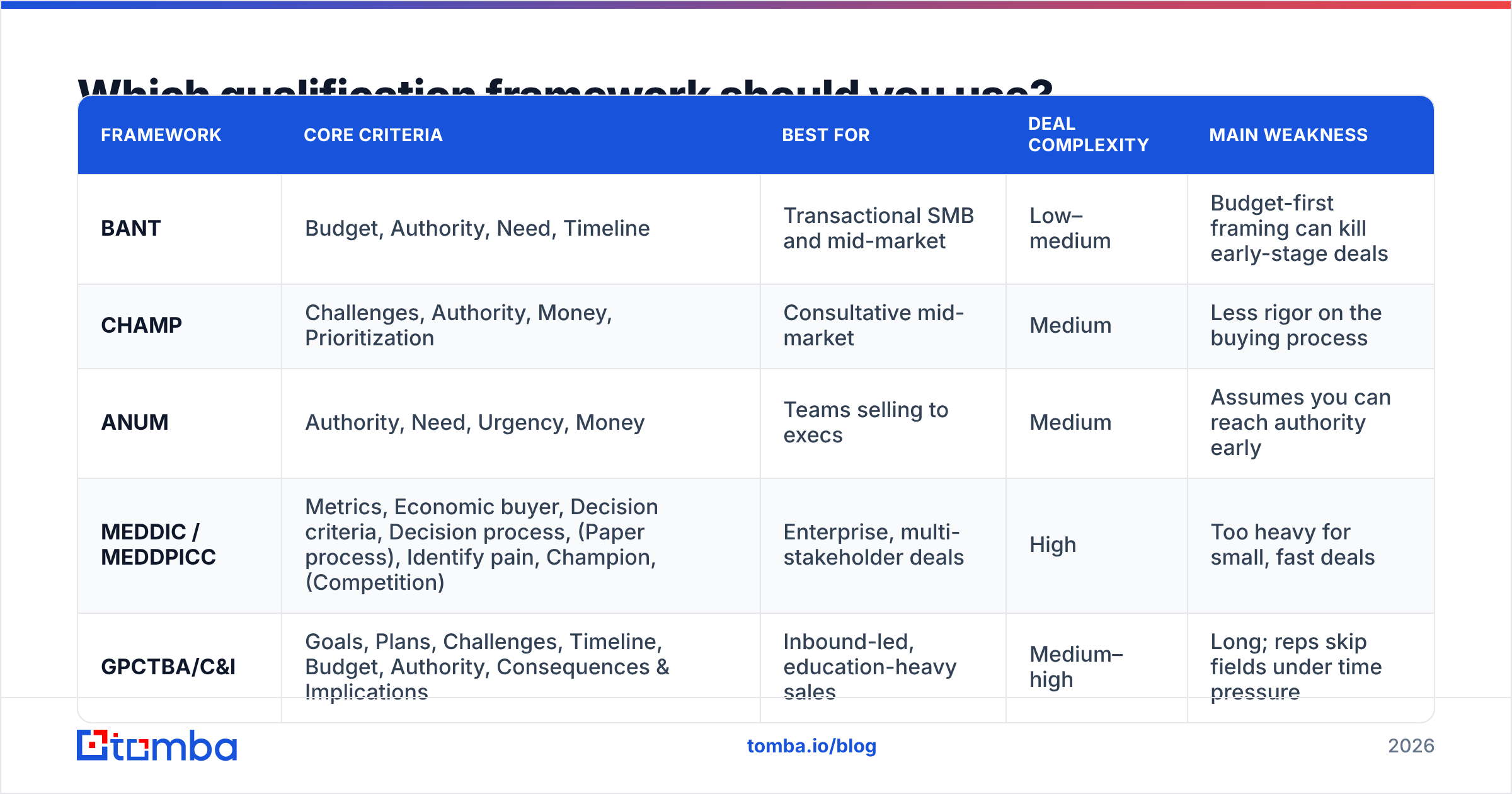
Frameworks are ready-made question banks for layer 4. Each one suits a different deal size and sales motion. Here's how the main ones compare:
| Framework | Core criteria | Best for | Deal complexity | Main weakness |
|---|---|---|---|---|
| BANT | Budget, Authority, Need, Timeline | Transactional SMB and mid-market | Low–medium | Budget-first framing can kill early-stage deals |
| CHAMP | Challenges, Authority, Money, Prioritization | Consultative mid-market | Medium | Less rigor on the buying process |
| ANUM | Authority, Need, Urgency, Money | Teams selling to execs | Medium | Assumes you can reach authority early |
| MEDDIC / MEDDPICC | Metrics, Economic buyer, Decision criteria, Decision process, (Paper process), Identify pain, Champion, (Competition) | Enterprise, multi-stakeholder deals | High | Too heavy for small, fast deals |
| GPCTBA/C&I | Goals, Plans, Challenges, Timeline, Budget, Authority, Consequences & Implications | Inbound-led, education-heavy sales | Medium–high | Long; reps skip fields under time pressure |
A practical rule of thumb:
- ACV under ~$10k, cycle under 30 days: BANT or CHAMP. Keep discovery short.
- ACV $10k–$50k, a few stakeholders: CHAMP or ANUM, plus a "champion" field borrowed from MEDDIC.
- ACV above $50k, a buying committee and procurement: MEDDPICC. The extra fields earn their keep once legal and procurement get involved.
Whichever you choose, map its fields onto checks 9 to 12 of your checklist so the framework feeds your CRM instead of living in a rep's notebook. Most CRMs, including Salesforce and HubSpot, let you add these as required fields on the opportunity stage transition.
How do you turn the checklist into a working process?#
A checklist in a Google Doc changes nothing. It has to be built into the tools reps already use. Here's a rollout that works for most B2B teams:
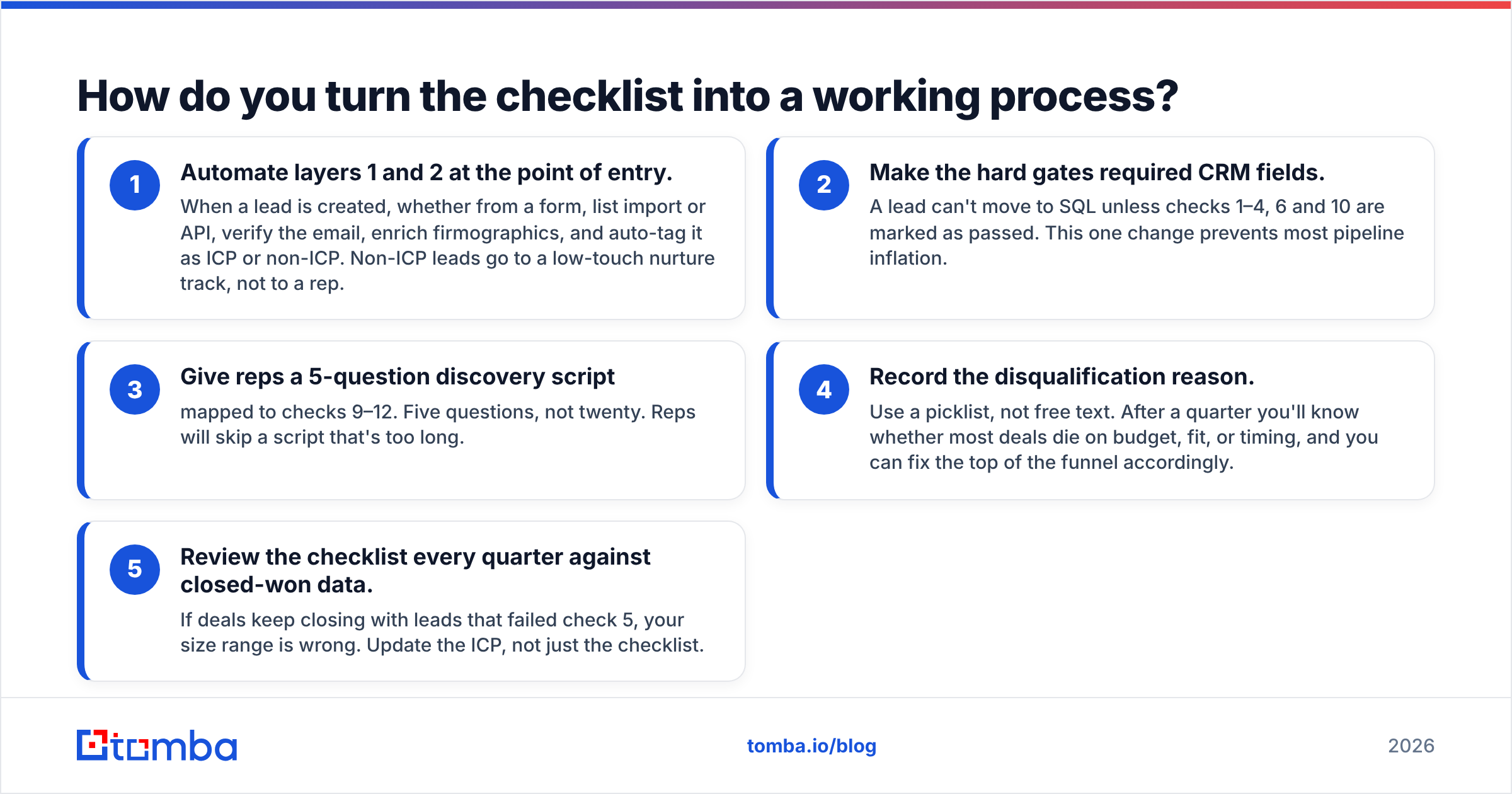
- Automate layers 1 and 2 at the point of entry. When a lead is created, whether from a form, list import or API, verify the email, enrich firmographics, and auto-tag it as ICP or non-ICP. Non-ICP leads go to a low-touch nurture track, not to a rep.
- Make the hard gates required CRM fields. A lead can't move to SQL unless checks 1–4, 6 and 10 are marked as passed. This one change prevents most pipeline inflation.
- Give reps a 5-question discovery script mapped to checks 9–12. Five questions, not twenty. Reps will skip a script that's too long.
- Record the disqualification reason. Use a picklist, not free text. After a quarter you'll know whether most deals die on budget, fit, or timing, and you can fix the top of the funnel accordingly.
- Review the checklist every quarter against closed-won data. If deals keep closing with leads that failed check 5, your size range is wrong. Update the ICP, not just the checklist.

One trap to watch for is the big logo. Every team has a rep who books a meeting with a famous brand that fails half the checklist, because the name looks great in a pipeline review. The checklist exists to protect you from exactly that. If a big logo fails a hard gate, it goes to nurture like everyone else.
What are the most common lead qualification mistakes?#
Even teams with a checklist trip over the same few issues:
- Qualifying on activity instead of fit. Five whitepaper downloads from a student aren't intent. Behavioral scoring only counts once fit is confirmed.
- Treating soft gates as hard gates. Rejecting every lead that says "no budget" throws away deals where the budget can be created. Keep budget and size as priority signals, not kill switches.
- Skipping data hygiene. Sequencing unverified emails hurts deliverability for your whole domain, so your good leads end up in spam too.
- Single-threading. Qualifying one contact and assuming the account is qualified. In mid-market and enterprise deals, verify at least two stakeholders.
- Never disqualifying. A pipeline where nothing is ever marked "closed – unqualified" is lying to you. Analyst firms like Gartner have pointed out for years that B2B buying groups are getting bigger and buying cycles longer, which makes early, honest disqualification more valuable, not less.
- Letting the checklist get bloated. Once it passes 15 items, reps stop filling it in. Cut anything that hasn't predicted a win or a loss in the last two quarters.
Can you copy a ready-made lead qualification checklist?#
Yes. Here's the short version to paste into your CRM or sales playbook:
Before a rep touches it (automated):
- Email verified as deliverable (not bounced, catch-all flagged)
- Named person, not a role account
- Not a duplicate, not an existing customer
- Industry inside ICP
- Company size in target range (or flagged exception)
- Geography serviceable
- Tech stack compatible or a known displacement target
Before booking discovery (rep review, ~2 minutes):
- Contact's title matches a buyer persona
- Path to the economic buyer identified (or second contact found)
Before creating an opportunity (discovery call):
- Prospect describes a pain you solve, in their own words
- Budget exists or a path to creating it is credible
- Decision timeline is inside your forecast window
If a lead clears all 12, it's a real opportunity. If it fails a hard gate, disqualify it and log the reason. If it only fails soft gates, keep it in the pipeline with lower priority and a nurture plan.
How does contact data affect lead qualification?#
Every check on this list depends on having accurate data about the lead. You can't check persona fit if the job title is two years old. You can't sequence a lead whose email bounces. You can't multi-thread an account if you only have one contact there.
That's why the strongest qualification processes start upstream, with verified contact data and enough firmographic detail to run layers 1 to 3 without a human. Once the data is clean, reps spend their calls on the questions only a conversation can answer: pain, budget, and timing.
If you want to run the cheap checks automatically and find the right stakeholder when the first contact isn't the buyer, Tomba Email Finder lets you find verified professional email addresses by name, domain or company, and they drop straight into your CRM. The free tier is enough to test it on your next batch of inbound leads, and paid plans start at $49/mo when you're ready to plug it into your qualification workflow.
Related guides#
// get started
Find, verify and enrich your first contacts today
Start on the free plan with 25 searches a month, then scale when your team is ready.
Free plan · No credit card required · GDPR & CCPA
// about the author