Lead Scoring in Salesforce: 3 Methods Compared for 2026
Formula fields, Einstein, or Account Engagement? Here is how each lead scoring method in Salesforce works, what it costs, and why bad contact data breaks all three.
TL;DR
- You can do lead scoring in Salesforce three main ways: custom formula fields plus Flow (free, manual), Einstein Lead Scoring (predictive, needs enough history and the right edition), or Account Engagement, formerly Pardot (behavioral scores plus A–F grades).
- Formula scoring works for most teams under roughly 1,000 leads a month. Predictive scoring only helps once you have enough conversions for the model to learn from.
- Every scoring model depends on the fields it reads. Blank job titles, missing company size, and bounced emails will quietly wreck your scores.
- Start with a simple fit + intent model, check it against actual conversions every quarter, and enrich and verify leads before they reach the scoring logic.
What is lead scoring in Salesforce?#
Lead scoring in Salesforce means giving every Lead record a number (sometimes a letter too) that estimates how likely that person is to become an opportunity. Reps sort their views by that number, routing rules send high scorers to the right owner, and marketing uses a threshold to decide when a lead becomes a marketing qualified lead.
Think of it as airport boarding groups. Everyone gets on the plane at some point, but the people most likely to matter to you board first. Without a score, reps go through leads by creation date, and a VP at a 500-person target account ends up waiting behind a student who downloaded an ebook.
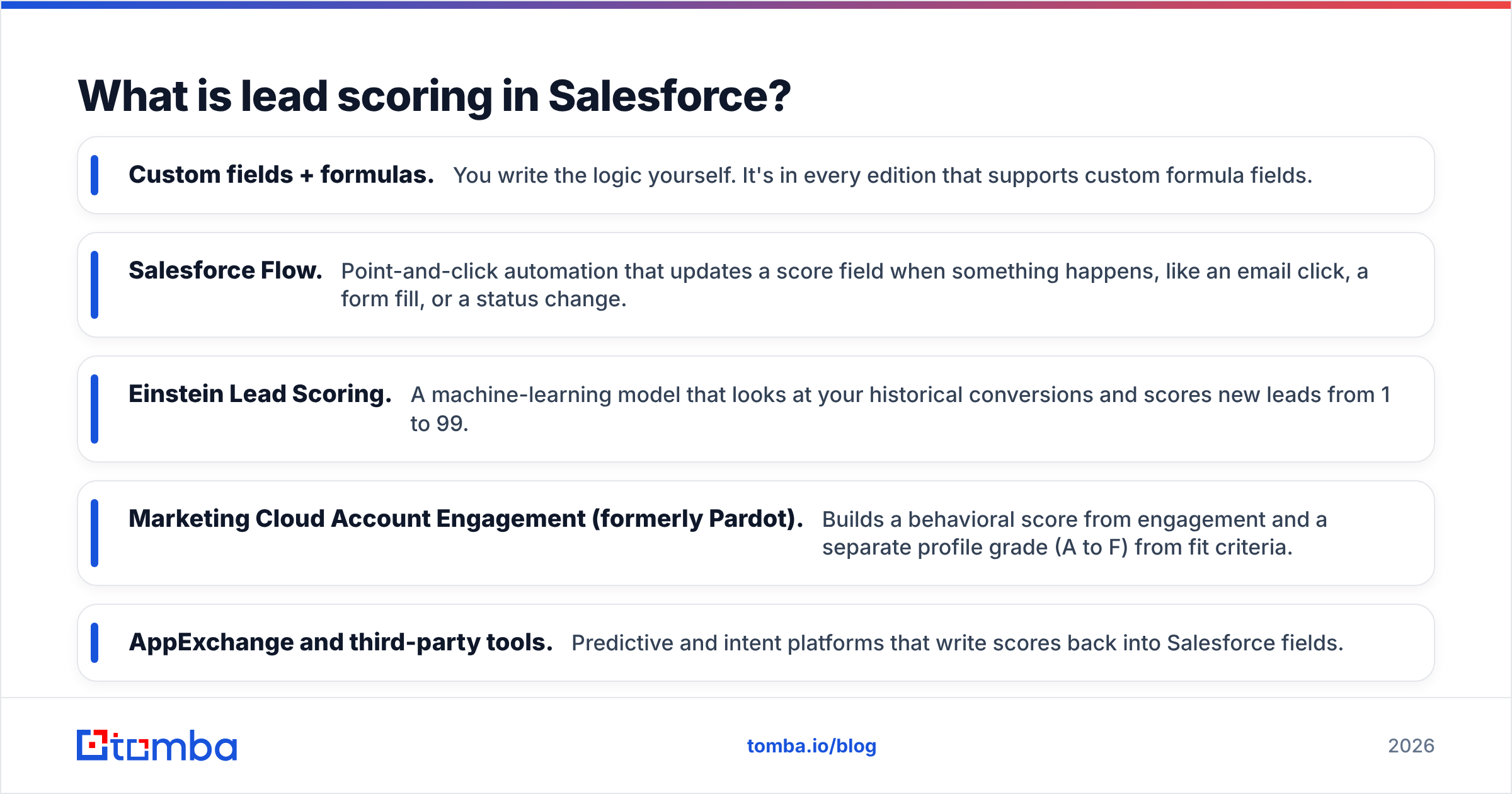
Salesforce doesn't ship one "lead scoring" feature. Depending on your edition and add-ons, you have several options that do different jobs:
- Custom fields + formulas. You write the logic yourself. It's in every edition that supports custom formula fields.
- Salesforce Flow. Point-and-click automation that updates a score field when something happens, like an email click, a form fill, or a status change.
- Einstein Lead Scoring. A machine-learning model that looks at your historical conversions and scores new leads from 1 to 99.
- Marketing Cloud Account Engagement (formerly Pardot). Builds a behavioral score from engagement and a separate profile grade (A to F) from fit criteria.
- AppExchange and third-party tools. Predictive and intent platforms that write scores back into Salesforce fields.
What should a Salesforce lead score actually measure?#
A good score answers two separate questions, and most broken scoring models mix them together:
- Fit. Is this the kind of company and person you sell to? That covers industry, headcount, geography, seniority, department, and tech stack.
- Intent. Are they showing buying behavior right now? That covers pricing-page visits, demo requests, email replies, webinar attendance, and repeat visits.
A C-level buyer at a perfect-fit account who has never engaged is a target for outbound, not a hot lead. A student who visited your pricing page six times is engaged but won't buy. Account Engagement splits these into score and grade for exactly this reason, and you should do the same even if you build everything with formulas.
Here's a practical five-part framework you can map straight onto Salesforce fields:
- Firmographic fit (0–30 points). Industry,
NumberOfEmployees,AnnualRevenue, country. These are standard Lead fields, so no custom work is needed if the data is there. - Persona fit (0–25 points). Seniority and department taken from
Title. This is the field most likely to be blank or messy. - Explicit intent (0–30 points). Demo requests, contact-sales forms, and free-trial signups, usually tracked through
LeadSourceor a campaign member status. - Implicit engagement (0–15 points). Email clicks, content downloads, and web visits, typically synced from your marketing automation tool.
- Negative signals (subtract points). Competitor domains, personal Gmail addresses, job seekers, invalid emails, and unsubscribes.
Cap each bucket. If you don't, a lead who opens 40 newsletters outscores a lead who asked for a demo.
What are the three main ways to do lead scoring in Salesforce?#
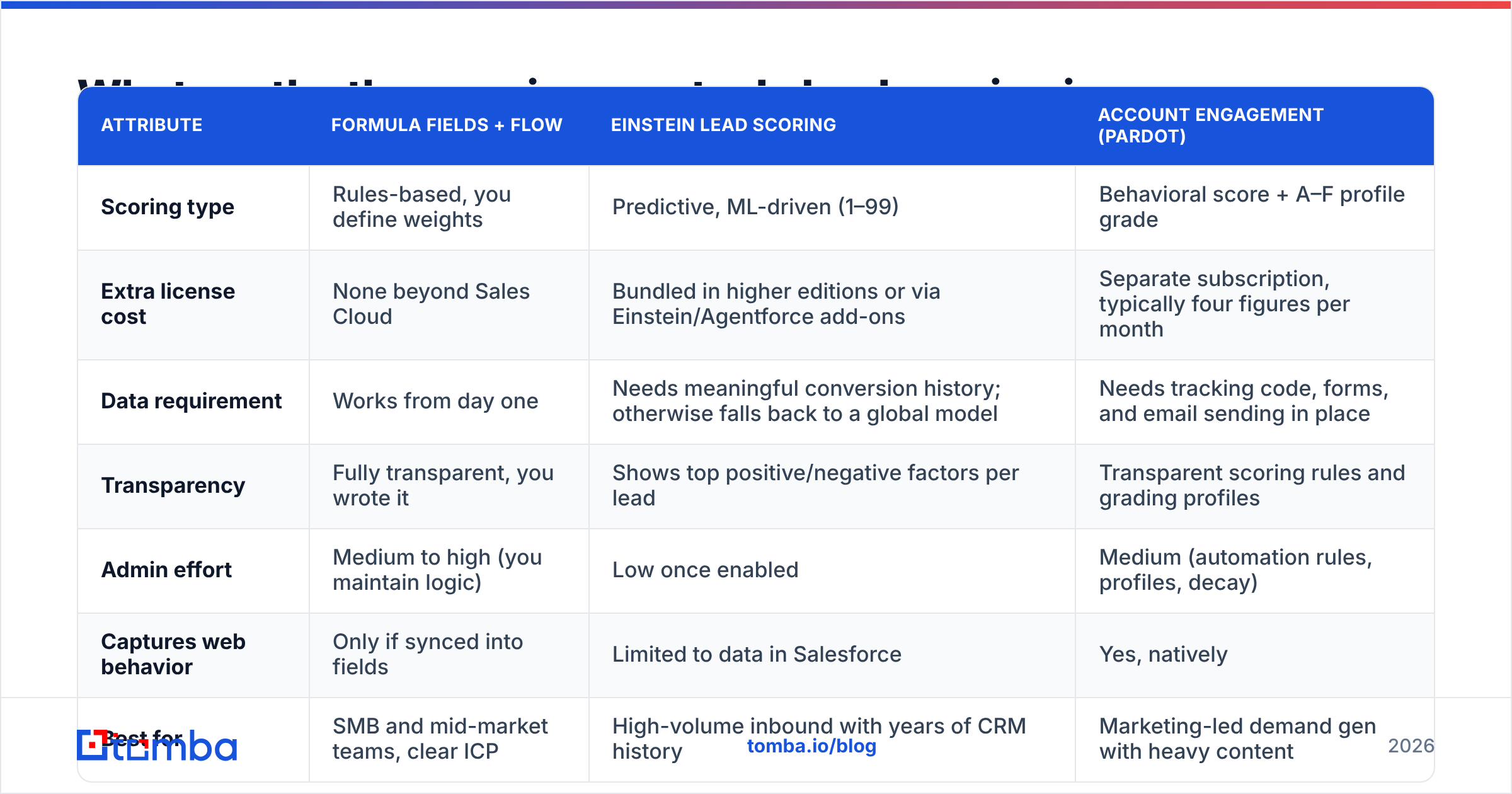
The table below compares the three native approaches most teams choose between. Salesforce changes editions and bundling often, so check current packaging on salesforce.com before you commit.
| Attribute | Formula fields + Flow | Einstein Lead Scoring | Account Engagement (Pardot) |
|---|---|---|---|
| Scoring type | Rules-based, you define weights | Predictive, ML-driven (1–99) | Behavioral score + A–F profile grade |
| Extra license cost | None beyond Sales Cloud | Bundled in higher editions or via Einstein/Agentforce add-ons | Separate subscription, typically four figures per month |
| Data requirement | Works from day one | Needs meaningful conversion history; otherwise falls back to a global model | Needs tracking code, forms, and email sending in place |
| Transparency | Fully transparent, you wrote it | Shows top positive/negative factors per lead | Transparent scoring rules and grading profiles |
| Admin effort | Medium to high (you maintain logic) | Low once enabled | Medium (automation rules, profiles, decay) |
| Captures web behavior | Only if synced into fields | Limited to data in Salesforce | Yes, natively |
| Best for | SMB and mid-market teams, clear ICP | High-volume inbound with years of CRM history | Marketing-led demand gen with heavy content |
| Main weakness | Weights are guesses until you validate | Black box feel; garbage in, garbage out | Cost and setup overhead |
Many mature orgs mix these: Account Engagement handles behavior, a formula field handles fit, and Einstein serves as a tiebreaker or a check on the manual model.

How do you build a formula-based lead score in Salesforce?#
If you're starting from nothing, this is the fastest route to a working score, usually one afternoon of admin time.
Step 1: Create a Fit Score formula field. In Setup, go to Object Manager, then Lead, then Fields & Relationships, and create a new Number formula field. A starting point:
CASE(Industry,
  "Technology", 15,
  "Financial Services", 12,
  "Healthcare", 8,
  0)
+ IF(NumberOfEmployees >= 500, 15,
    IF(NumberOfEmployees >= 50, 10, 0))
+ IF(OR(CONTAINS(Title, "VP"), CONTAINS(Title, "Head of"),
        CONTAINS(Title, "Director"), CONTAINS(Title, "Chief")), 25,
    IF(CONTAINS(Title, "Manager"), 12, 0))
- IF(CONTAINS(Email, "@gmail.com"), 15, 0)
Swap in your own ICP values. CASE works on picklists like Industry, and CONTAINS is case-sensitive, so either normalize titles or add variants.
Step 2: Create an Intent Score number field (not a formula). Behavior happens over time, so this has to be a stored value that Flow increments.
Step 3: Build a record-triggered Flow. Trigger it on Campaign Member creation or on updates to fields your marketing tool syncs. Add points for demo requests, pricing visits, and replies, and subtract points after 30 days of inactivity so old engagement doesn't keep a lead hot forever.
Step 4: Add a Total Score formula (Fit_Score__c + Intent_Score__c) and a Priority picklist or formula that buckets leads into Hot, Warm, and Nurture.
Step 5: Route on it. Use assignment rules or Flow to send Hot leads to SDR queues with an SLA, and Nurture leads back to marketing.
If you've never built a record-triggered Flow, Trailhead has free guided modules on Flow Builder and formula fields that cover everything above.
When is Einstein Lead Scoring worth it?#
Einstein Lead Scoring looks at the fields and outcomes on your historical leads and learns which patterns come before conversion. Each lead gets a score from 1 to 99 plus a list of the factors pushing it up or down, which reps can see right on the record.
It's worth turning on when:
- You have volume. Salesforce's guidance has historically called for about a thousand leads and over a hundred conversions in a recent six-month window before it builds a model from your own org's data. Below that, it uses a global model, which is less specific to your business.
- Your conversion process is consistent. If reps convert leads inconsistently (some convert everything, some convert nothing and work Contacts), the model learns noise.
- Your fields are populated. The model can only weigh fields that contain values. An org where 60% of leads have no title or employee count gives Einstein very little to learn from.
It isn't worth it, or at least not yet, if you're a small team with a few hundred leads a quarter. A well-built formula score will beat a model that doesn't have enough examples, and you'll understand why it scores the way it does.
A useful pattern is to run both side by side for a quarter. Put the formula score and the Einstein score on the same list view, then look at which one better ranked the leads that actually turned into opportunities.
How does Account Engagement scoring and grading work?#
Account Engagement (still called Pardot by most people) tracks two numbers per prospect:
- Score goes up with engagement: page views, form submissions, email clicks, file downloads. You set point values per activity and can create scoring categories by product line.
- Grade runs from F to A and reflects how well the prospect matches a profile you define: job title, industry, company size, location.
Both sync to the Salesforce Lead and Contact records. The standard play is "Score ≥ 100 AND Grade ≥ B" before a lead gets assigned to sales, which captures the fit + intent split described above.
The downsides are cost and upkeep. Account Engagement is a separate subscription, and scores keep going up unless you set up decay automation, so a prospect who binged your blog two years ago can still show up as "hot." If you buy it, budget admin time for quarterly score resets and profile tuning.
Why do Salesforce lead scores go wrong?#
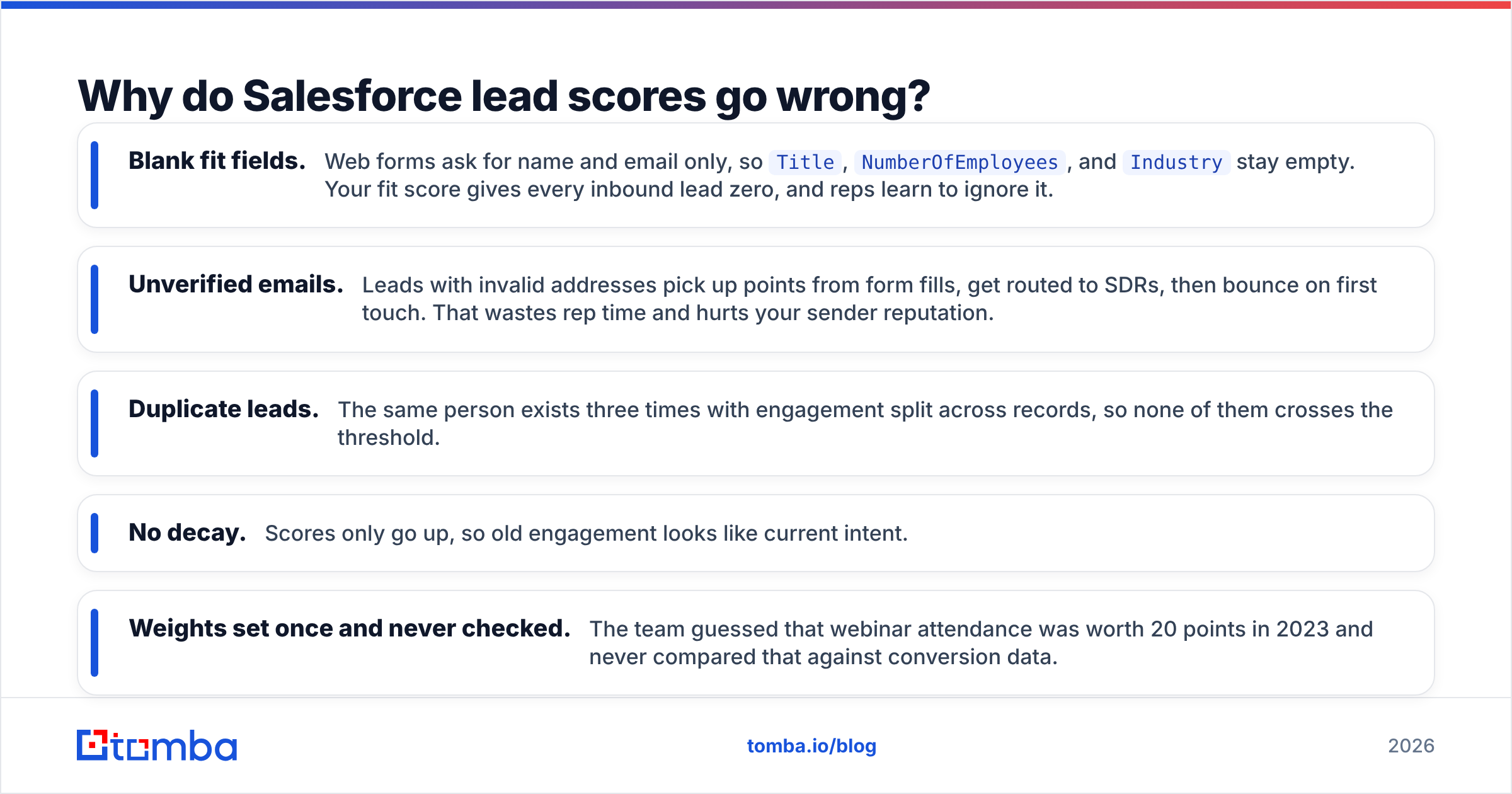
Almost every broken scoring model we've audited fails for the same reason: the model is fine, but the data it reads isn't. Common failure modes:
- Blank fit fields. Web forms ask for name and email only, so
Title,NumberOfEmployees, andIndustrystay empty. Your fit score gives every inbound lead zero, and reps learn to ignore it. - Unverified emails. Leads with invalid addresses pick up points from form fills, get routed to SDRs, then bounce on first touch. That wastes rep time and hurts your sender reputation.
- Duplicate leads. The same person exists three times with engagement split across records, so none of them crosses the threshold.
- No decay. Scores only go up, so old engagement looks like current intent.
- Weights set once and never checked. The team guessed that webinar attendance was worth 20 points in 2023 and never compared that against conversion data.
The fix for the first two is to enrich and verify at the point of entry, before scoring runs. Tools like Tomba's data enrichment fill in title, company size, industry, and location from an email or domain, and an email verifier flags invalid and risky addresses so you can subtract points or block routing. With the Salesforce integration, that happens on the record itself, so your formula fields and Einstein both get complete inputs. Other enrichment vendors, such as ZoomInfo, Clearbit (now part of HubSpot), and BookYourData, cover similar ground. Pick based on coverage in your target regions and how the data syncs into Salesforce.

How do you know if your lead scoring model is working?#
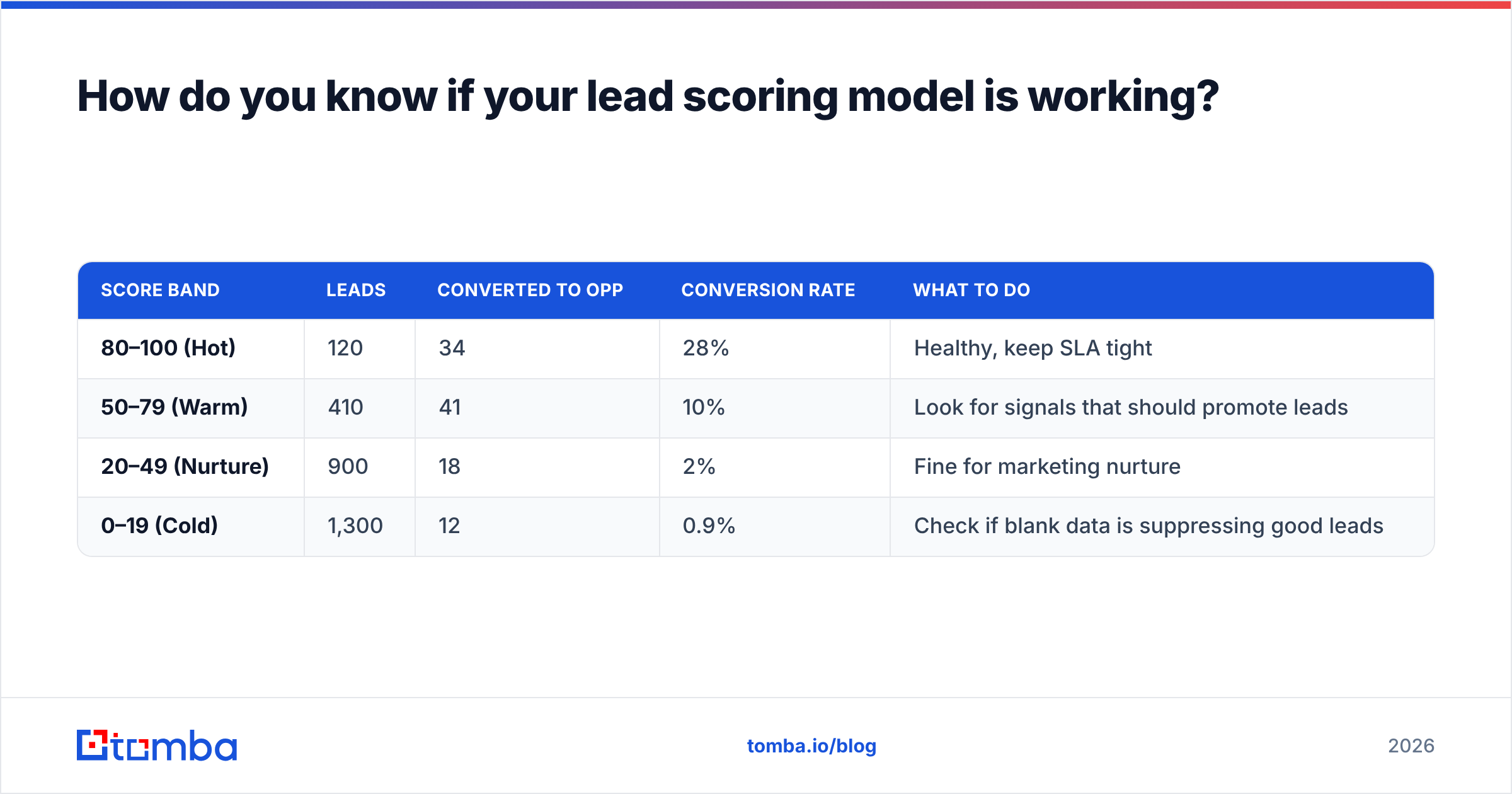
Checking the model is what separates scoring that works from scoring that looks nice. Every quarter, pull a report of leads created in the previous period, bucket them by score range, and compare:
| Score band | Leads | Converted to opp | Conversion rate | What to do |
|---|---|---|---|---|
| 80–100 (Hot) | 120 | 34 | 28% | Healthy, keep SLA tight |
| 50–79 (Warm) | 410 | 41 | 10% | Look for signals that should promote leads |
| 20–49 (Nurture) | 900 | 18 | 2% | Fine for marketing nurture |
| 0–19 (Cold) | 1,300 | 12 | 0.9% | Check if blank data is suppressing good leads |
Illustrative numbers. Run this report against your own org.
What you want is a steep drop in conversion rate from each band to the next. If Warm converts almost as well as Hot, your threshold is too high or your weights are too flat. If Cold still produces a meaningful number of opportunities, inspect those records. Nine times out of ten they're good-fit leads with empty fields.
Also track time-to-first-touch by band. A scoring model does nothing if reps call Hot leads two days later. Research from firms like Gartner keeps finding that B2B buyers do most of their research before talking to sales, so the window after a high-intent action is short.
Which lead scoring method should you choose?#
Here's the decision in short:
- Under ~500 new leads a month, clear ICP, no marketing automation: formula fields plus Flow. Free, transparent, and good enough.
- High inbound volume, several years of clean CRM history, Enterprise edition or above: turn on Einstein Lead Scoring and run it next to a formula score for one quarter before trusting it.
- Marketing-led motion with lots of content and email: Account Engagement for score and grade, with a Salesforce formula field for any fit criteria it can't see.
- Outbound-heavy teams: score accounts and personas for fit first, since intent signals are thin until you start the conversation.
Whichever you pick, the order of work matters more than the tool. Clean and enrich the data first, define fit and intent separately, set thresholds, route with an SLA, and then check against real conversions.
FAQ#
Is lead scoring included in Salesforce Sales Cloud? Rules-based scoring with formula fields and Flow is possible in any edition that supports custom formulas and Flow. Einstein Lead Scoring depends on your edition and add-ons, and Account Engagement is a separate product.
Can Salesforce score Contacts, not just Leads? Einstein Lead Scoring works on Leads. Account Engagement scores and grades sync to both Leads and Contacts. Formula scores can be built on either object.
How often should I change scoring weights? Look at them quarterly, and change them when your ICP, pricing, or main acquisition channel shifts. Don't change weights weekly based on a handful of deals.
What's a good MQL threshold? There's no universal number. Pick the score above which conversion to opportunity is meaningfully higher than your average, often the top 10–20% of leads, then adjust from your validation report.
Ready to give your Salesforce scores better data?#
A lead score can only be as good as the fields it reads. If your fit scores are low because titles, company size, and valid emails are missing, fix the inputs before rebuilding the model. Tomba Email Finder finds and verifies professional email addresses by name, domain, or company, and fills in the firmographic and persona fields your Salesforce formulas and Einstein models depend on. Start on the free tier with 25 searches a month, or see Tomba pricing for plans from $49/mo.
Related guides#
// get started
Find, verify and enrich your first contacts today
Start on the free plan with 25 searches a month, then scale when your team is ready.
Free plan · No credit card required · GDPR & CCPA
// about the author