Lead Search Engine Guide 2026: How They Work and 7 Tools Compared
A lead search engine should hand you verified contacts, not just a long list of names. Here's how these tools work, what to check before you buy, and how 7 popular options compare on data, pricing and workflow.
- A lead search engine is a tool that lets you filter a B2B contact or company database by criteria like industry, title and location, then gives you contact details you can use.
- They are built on different data models. Some are large pre-built databases (Apollo, ZoomInfo). Others find and verify contacts on demand, domain by domain (Tomba). Some do both.
- Match rate isn't the number to watch. Verified-email rate is. A list of 5,000 contacts with a 12% bounce rate can do more damage than 2,000 clean ones.
- For most small and mid-size teams, a solid setup is one database for discovering accounts plus one domain-level email finder and verifier for accuracy. That usually costs less than one enterprise contract.
- Always run a 100-contact pilot on your own ICP before you sign an annual plan.
What is a lead search engine?#
A lead search engine works like Google, but for people and companies you might sell to. You don't type a question. You set filters such as "VP of Finance, SaaS, 50–500 employees, Germany." The tool returns matching records with names, job titles, company data and, most importantly, a way to reach each person: a work email, a direct dial or a LinkedIn profile.
The category covers a lot of ground. It includes enterprise data platforms, freemium prospecting suites, Chrome extensions that sit on top of LinkedIn, and API-first email finders that developers call from a script. Lead generation as a discipline is older than any of these tools. What changed is that you can now build a targeted list in minutes instead of paying a list broker and waiting weeks.
These tools differ most in where the data comes from, how fresh it is, and whether an email gets verified before you pay for it. Those three factors decide your bounce rate, and your bounce rate decides whether your domain stays out of spam.
How does a lead search engine actually work?#
Most tools combine a few data-collection methods. Knowing which methods a vendor relies on tells you more than its marketing does.
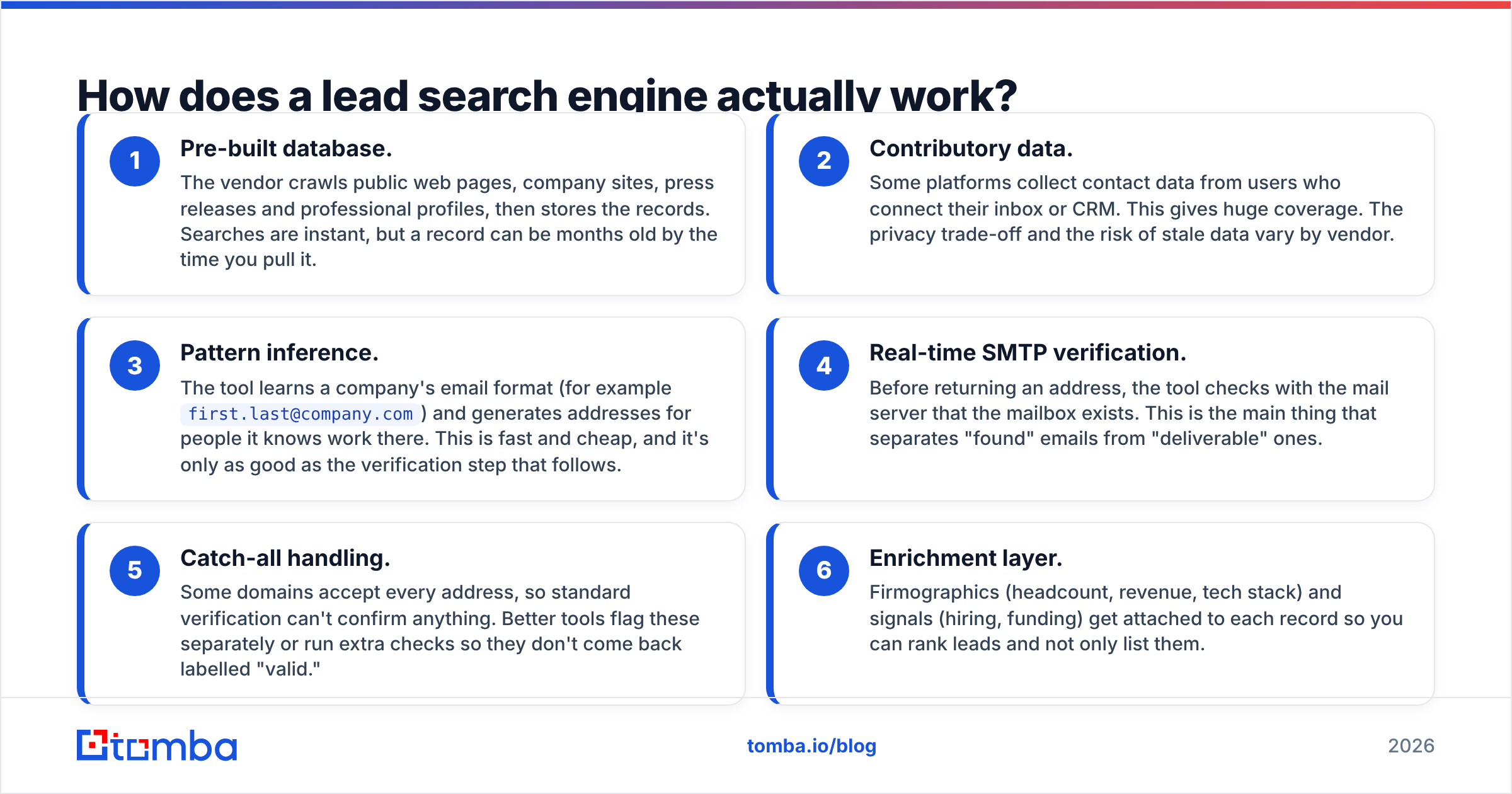
- Pre-built database. The vendor crawls public web pages, company sites, press releases and professional profiles, then stores the records. Searches are instant, but a record can be months old by the time you pull it.
- Contributory data. Some platforms collect contact data from users who connect their inbox or CRM. This gives huge coverage. The privacy trade-off and the risk of stale data vary by vendor.
- Pattern inference. The tool learns a company's email format (for example
first.last@company.com) and generates addresses for people it knows work there. This is fast and cheap, and it's only as good as the verification step that follows. - Real-time SMTP verification. Before returning an address, the tool checks with the mail server that the mailbox exists. This is the main thing that separates "found" emails from "deliverable" ones.
- Catch-all handling. Some domains accept every address, so standard verification can't confirm anything. Better tools flag these separately or run extra checks so they don't come back labelled "valid."
- Enrichment layer. Firmographics (headcount, revenue, tech stack) and signals (hiring, funding) get attached to each record so you can rank leads and not only list them.
A tool that relies mainly on method 1 feels fast in a demo and disappoints in month three. A tool that combines methods 3, 4 and 5 feels slower per lookup but gives you lists you can send to right away.

What should you look for before choosing one?#
Skip the feature grid on the vendor's pricing page and test for these five things:
- Verified-email rate on your ICP. Pull 100 contacts that match your real buyer and run them through a separate verifier. Anything under 90% deliverable is a warning sign.
- Data freshness policy. Ask how often records are re-verified. "Continuously" is not an answer. Ask for a number of days.
- Credit mechanics. Do you pay for a search, a reveal, or only a verified result? Do unused credits roll over? This affects your real cost more than the headline price does.
- Workflow fit. A Chrome extension suits SDRs who prospect on LinkedIn. An API or Google Sheets add-on suits RevOps teams building lists in bulk. CRM sync matters if you live in HubSpot or Salesforce.
- Compliance posture. Look for GDPR and CCPA documentation, opt-out handling and a clear data-sources page. If a vendor can't tell you where its data comes from, don't trust the data.
Which lead search engines are worth comparing in 2026?#
Here are seven tools that come up in almost every shortlist. They aren't all trying to do the same job, and that matters more than any single feature.
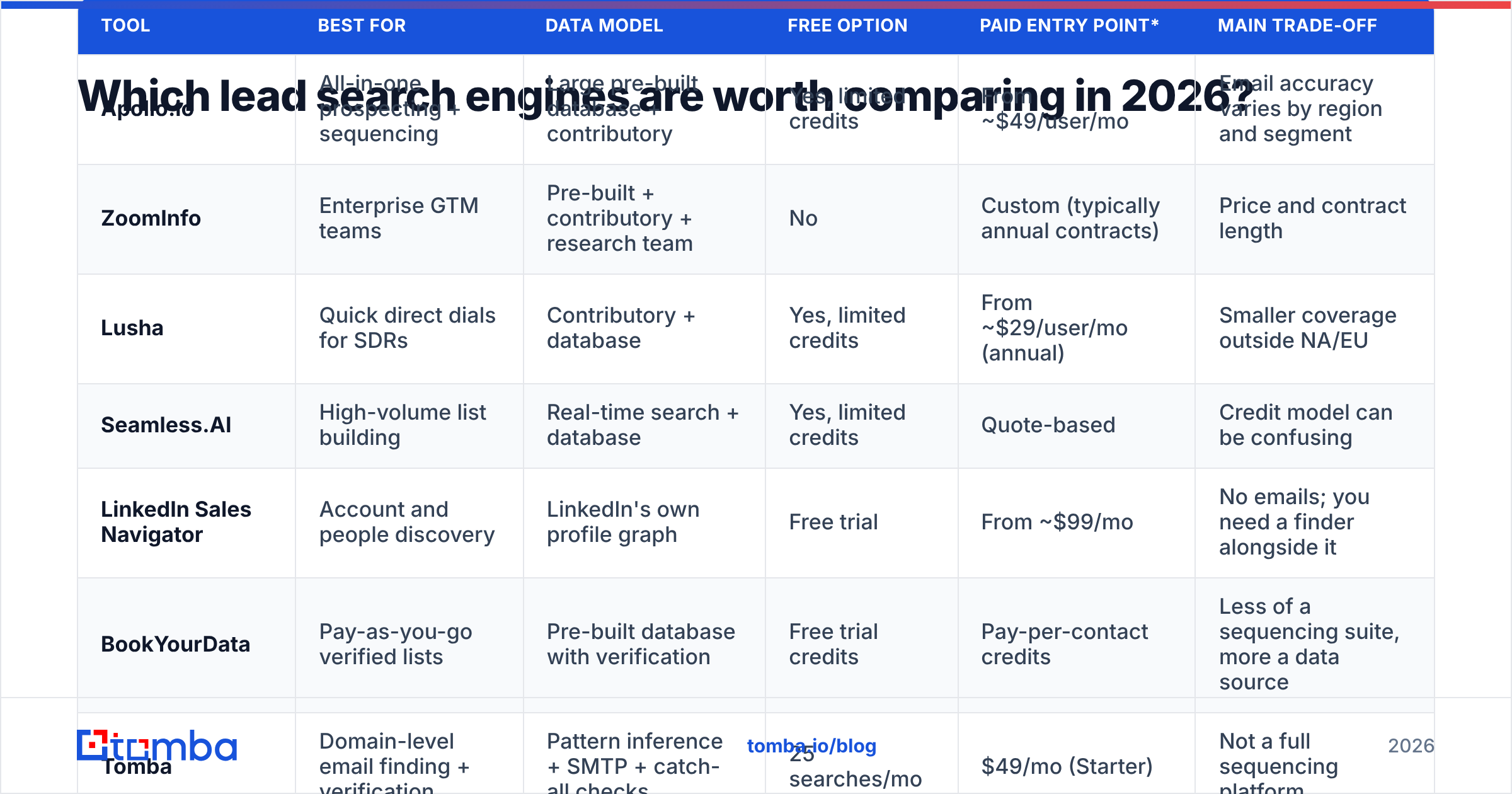
| Tool | Best for | Data model | Free option | Paid entry point* | Main trade-off |
|---|---|---|---|---|---|
| Apollo.io | All-in-one prospecting + sequencing | Large pre-built database + contributory | Yes, limited credits | From ~$49/user/mo | Email accuracy varies by region and segment |
| ZoomInfo | Enterprise GTM teams | Pre-built + contributory + research team | No | Custom (typically annual contracts) | Price and contract length |
| Lusha | Quick direct dials for SDRs | Contributory + database | Yes, limited credits | From ~$29/user/mo (annual) | Smaller coverage outside NA/EU |
| Seamless.AI | High-volume list building | Real-time search + database | Yes, limited credits | Quote-based | Credit model can be confusing |
| LinkedIn Sales Navigator | Account and people discovery | LinkedIn's own profile graph | Free trial | From ~$99/mo | No emails; you need a finder alongside it |
| BookYourData | Pay-as-you-go verified lists | Pre-built database with verification | Free trial credits | Pay-per-contact credits | Less of a sequencing suite, more a data source |
| Tomba | Domain-level email finding + verification | Pattern inference + SMTP + catch-all checks | 25 searches/mo | $49/mo (Starter) | Not a full sequencing platform |
*Prices were taken from vendor pages at the time of writing and change often. Check the vendor's site before you buy.
Apollo.io#
Apollo is the default choice for many startups because it combines a large database, a Chrome extension and a sequencer in one place. The free tier is generous enough to test with. The common complaint is that email accuracy is uneven: strong for US tech companies, weaker for mid-market companies in other regions. Many teams find accounts in Apollo and then verify emails somewhere else before sending.
ZoomInfo#
ZoomInfo leads the enterprise segment with deep firmographics, intent data and org charts. If you have a RevOps team and a budget in the tens of thousands, it's a serious platform. For a five-person sales team it's usually more than you need, and annual contracts make it hard to try.
Lusha#
Lusha's strength is mobile numbers and a very fast Chrome extension. SDRs who work phone-first like it. Email coverage is solid in North America and Western Europe and thinner elsewhere.
Seamless.AI#
Seamless markets itself on real-time search, and it can produce very large lists quickly. Users often mention the credit model and aggressive renewal terms. Read the contract carefully and verify a sample before you scale up.
LinkedIn Sales Navigator#
Sales Navigator is arguably the best people-discovery engine on the market because the data is self-reported and current. It doesn't give you email addresses, though. In practice it's the "search" half of your setup, and you still need an email finder for the "reach" half.
BookYourData#
BookYourData takes a clear, transaction-based approach. You filter a B2B database, buy only the contacts you need, and records are verified before delivery. It works well for teams that want predictable, pay-as-you-go spend instead of a monthly seat license, and for marketers building targeted campaign lists instead of running daily SDR prospecting.
Tomba#
Tomba starts from the domain rather than a giant pre-built list. You give it a company domain or a name + company pair, and the email finder returns the address along with verification status and the public sources where it was found. Catch-all domains get their own flag instead of a false "valid." It's built for accuracy per contact rather than volume per click, and it plugs into Sheets, Excel, HubSpot, Salesforce, Zapier and an API. It isn't a sequencer, so you pair it with whatever outreach tool you already use.
Is a big database better than an on-demand email finder?#
It depends on which part of the funnel is failing.
If you don't know who to target, a large database or Sales Navigator helps you discover accounts and roles. If you know who to target but your emails bounce, a bigger database won't fix that. You need better finding and verification.
Here's a simple way to think about it: a database is a phone book, and an email finder with live verification is calling the number to check someone answers. Phone books are great for browsing. They're bad at telling you who moved last month.
That's why many efficient teams split the job:
- Build the account list in a discovery tool (Sales Navigator, Apollo, BookYourData or your CRM).
- Run each target company through a domain search to pull every known address and the company's email pattern.
- Find the specific decision-maker's address and verify it in the same step.
- Push only "valid" results into your sequencer and send "accept-all" results to a smaller, slower-paced segment.
This setup usually costs less than one enterprise seat and gives you a lower bounce rate than any single-database approach.
How do you test a lead search engine before committing?#
Run a structured pilot. It takes an afternoon and can save you a year-long contract you'd regret.
- Pick 100 real targets. Use accounts from your current ICP, not the vendor's demo filters.
- Pull contacts from each tool you're evaluating. Record the match rate: how many of the 100 returned any email at all.
- Verify everything with one neutral checker. Run every address through the same email verifier so the comparison is fair. Record valid, invalid, catch-all and unknown.
- Calculate cost per verified contact. Take monthly price ÷ credits, then adjust for the valid rate. A $49 plan with a 95% valid rate can beat a $29 plan with a 70% valid rate.
- Send a small live batch. Twenty to thirty emails from a warmed domain will show real bounces within 48 hours.

A vendor that does well on your pilot is worth more than one that tops a generic review chart. Independent review sites such as G2 are useful for spotting patterns in complaints (billing, support, data decay), but your own ICP is the only benchmark that counts.
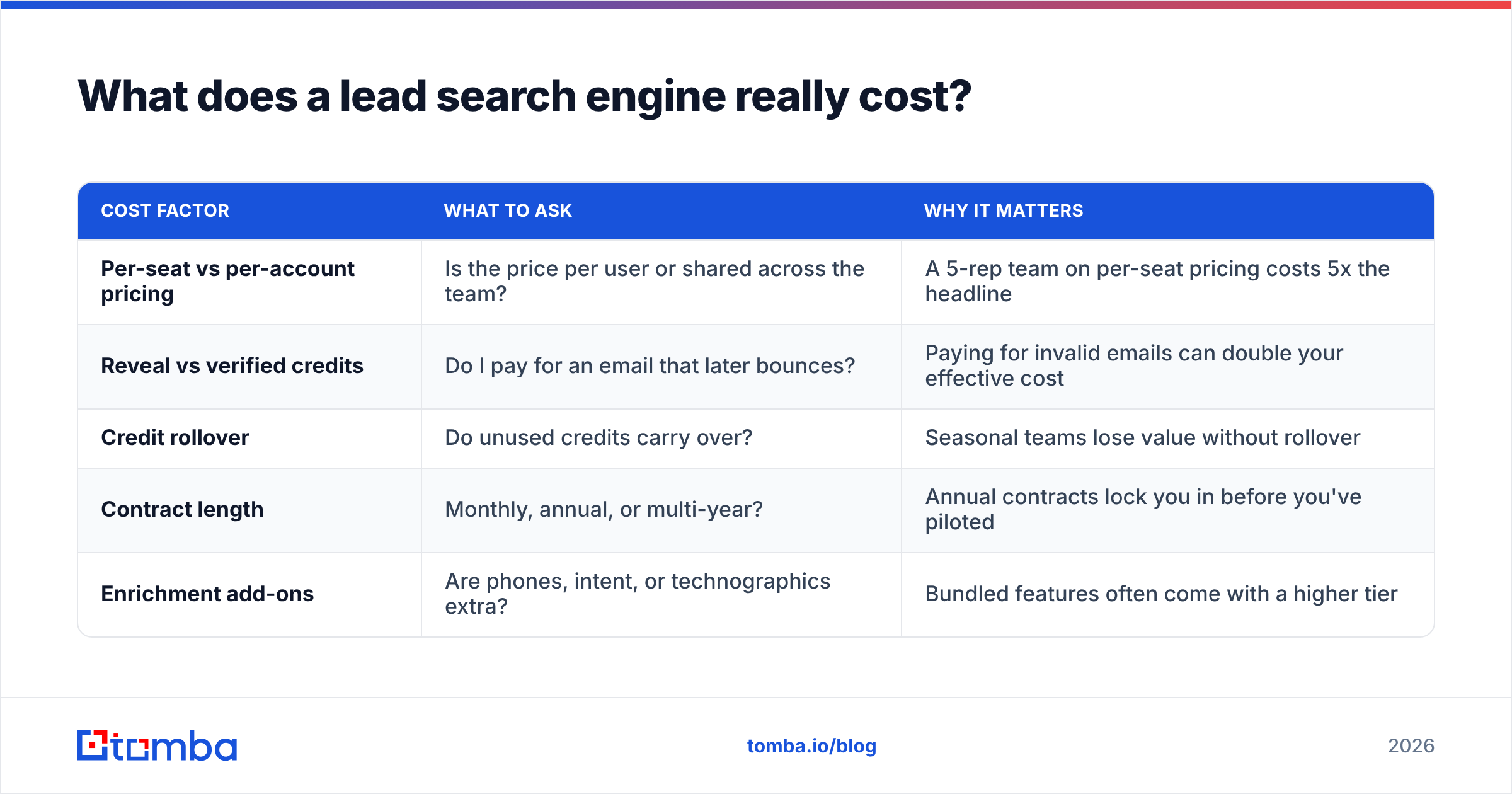
What does a lead search engine really cost?#
The listed price is only the starting point. Your real cost depends on how the vendor handles credits, verification and seats.
| Cost factor | What to ask | Why it matters |
|---|---|---|
| Per-seat vs per-account pricing | Is the price per user or shared across the team? | A 5-rep team on per-seat pricing costs 5x the headline |
| Reveal vs verified credits | Do I pay for an email that later bounces? | Paying for invalid emails can double your effective cost |
| Credit rollover | Do unused credits carry over? | Seasonal teams lose value without rollover |
| Contract length | Monthly, annual, or multi-year? | Annual contracts lock you in before you've piloted |
| Enrichment add-ons | Are phones, intent, or technographics extra? | Bundled features often come with a higher tier |
For reference, Tomba plans run Free (25 searches/mo), Starter at $49/mo, Growth at $99/mo, Pro at $249/mo, and Enterprise on a custom quote. Pricing is per account, not per seat, which helps small teams that share one workspace.
Which lead search engine should you pick?#
Pick by bottleneck, not by brand:
- You need an all-in-one starter stack on a tight budget: Apollo's free tier plus a separate verifier.
- You're an enterprise team with RevOps support and intent-data needs: ZoomInfo.
- Your SDRs are phone-first: Lusha.
- You want pay-as-you-go, pre-verified list purchases with no seat license: BookYourData.
- You're good at finding accounts but emails bounce or go to generic inboxes: Tomba for domain-level finding and verification, layered on top of whatever discovery tool you already use.
- You need the most accurate view of who holds a role right now: Sales Navigator for discovery, plus an email finder.
No single tool wins every row of the comparison. Each one is strong at a different part of the job, and the teams with the cleanest pipelines combine two tools deliberately.
Where does Tomba fit in your lead search stack?#
If your lead search engine already gives you the right companies but your emails aren't getting through, the gap is accuracy, not coverage. Tomba Email Finder takes a domain, or a name plus company, and returns a verified professional address. It shows its sources, flags catch-alls separately, and gives you a confidence score you can filter on before anything reaches your sequencer. Start on the free plan with 25 searches a month, run the 100-contact pilot above against your current tool, and let the bounce rate decide.
Related guides#
// get started
Find, verify and enrich your first contacts today
Start on the free plan with 25 searches a month, then scale when your team is ready.
Free plan · No credit card required · GDPR & CCPA
// about the author