What Is a Lead Source? Types, Tracking and ROI Guide for 2026
Too many CRM records say "Other" in the lead source field, and that hides where your pipeline really comes from. This guide covers the lead source types, a taxonomy that stays clean, and the attribution setup you need to find the channels that pay off.
TL;DR
- A lead source is the channel or event that first brought a prospect into your pipeline, such as organic search, a referral, a webinar or outbound email.
- Lead source only helps if the values are consistent. Use a short, locked picklist with two levels (channel and detail), not a free-text field.
- Store the original source separately from the latest source. If you overwrite the first touch, your ROI reporting is wrong.
- Capture the source automatically where you can: UTM parameters, hidden form fields, and import tags for outbound lists. Manual entry is where records turn into "Other".
- Review lead source by pipeline and closed revenue, not by lead volume. The channel that brings the most leads is often not the one that brings the most money.
What is a lead source?#
A lead source is the origin point of a lead: the specific channel, campaign or event through which a person or company first entered your database. When a VP of Operations downloads your pricing guide after a Google search, the lead source is organic search. When your SDR finds that same VP's email and sends a cold sequence, the lead source is outbound.
Almost every CRM has a lead source field. Salesforce ships a standard "Lead Source" picklist on the Lead object, and HubSpot tracks "Original Source" automatically on contacts. The field is easy to find. Keeping its values accurate is the hard part.
Think of lead source as the "how did you hear about us?" question, answered by your systems instead of the prospect. Prospects forget, give vague answers, or pick the first option in the dropdown. Systems also make mistakes, but they make them the same way every time, so you can correct them.
Why does lead source matter for revenue?#
Lead source is the column that links marketing spend to closed revenue. Without it, you can't answer basic budget questions:
- Which channel produces pipeline at the lowest cost per opportunity?
- Do referral leads close faster than paid social leads?
- Is outbound worth another SDR hire, or should that money go to content?
- Which sources produce a marketing qualified lead that sales actually accepts?
It also affects routing and scoring. A demo request from a partner referral may deserve a 5-minute response SLA, while a cold ebook download goes into a nurture track. If the source is wrong, the lead ends up in the wrong queue.
Most revenue teams already have enough lead source data. The problem is that the data is inconsistent. "LinkedIn", "linkedin", "LI Ads", "Social – LinkedIn" and "Other" can all describe the same thing in one CRM, and none of the resulting reports can be trusted.
What are the main types of lead sources?#
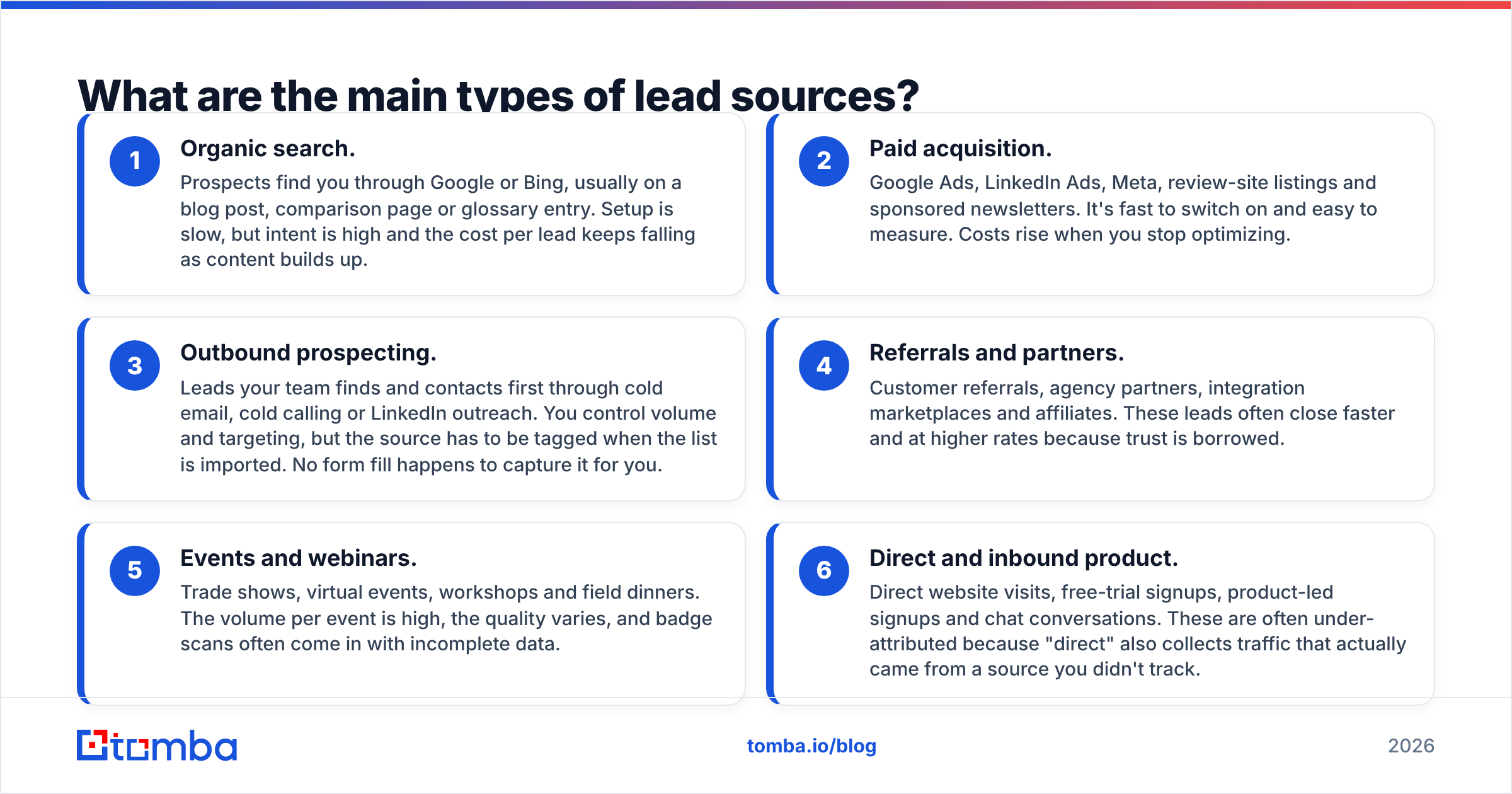
Most B2B lead sources fall into a handful of channel groups. Your exact list will depend on your go-to-market motion, but the groups below cover nearly every company.
- Organic search. Prospects find you through Google or Bing, usually on a blog post, comparison page or glossary entry. Setup is slow, but intent is high and the cost per lead keeps falling as content builds up.
- Paid acquisition. Google Ads, LinkedIn Ads, Meta, review-site listings and sponsored newsletters. It's fast to switch on and easy to measure. Costs rise when you stop optimizing.
- Outbound prospecting. Leads your team finds and contacts first through cold email, cold calling or LinkedIn outreach. You control volume and targeting, but the source has to be tagged when the list is imported. No form fill happens to capture it for you.
- Referrals and partners. Customer referrals, agency partners, integration marketplaces and affiliates. These leads often close faster and at higher rates because trust is borrowed.
- Events and webinars. Trade shows, virtual events, workshops and field dinners. The volume per event is high, the quality varies, and badge scans often come in with incomplete data.
- Direct and inbound product. Direct website visits, free-trial signups, product-led signups and chat conversations. These are often under-attributed because "direct" also collects traffic that actually came from a source you didn't track.
How do lead sources compare on cost, intent and tracking?#
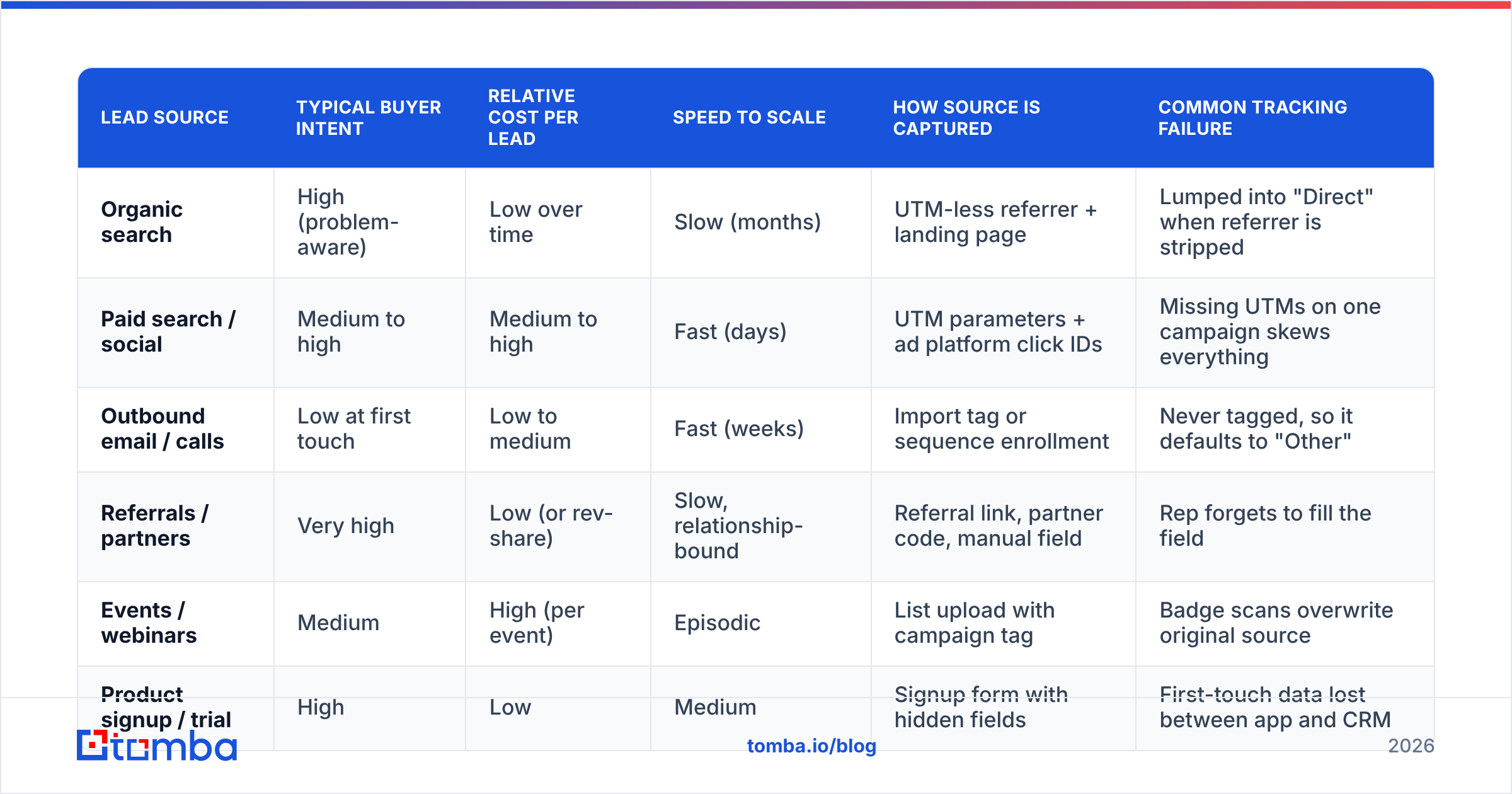
Each channel has its own economics. The table below gives a practical comparison of the typical profiles B2B teams report. Your own numbers will differ, so use it as a starting hypothesis and not a benchmark.
| Lead source | Typical buyer intent | Relative cost per lead | Speed to scale | How source is captured | Common tracking failure |
|---|---|---|---|---|---|
| Organic search | High (problem-aware) | Low over time | Slow (months) | UTM-less referrer + landing page | Lumped into "Direct" when referrer is stripped |
| Paid search / social | Medium to high | Medium to high | Fast (days) | UTM parameters + ad platform click IDs | Missing UTMs on one campaign skews everything |
| Outbound email / calls | Low at first touch | Low to medium | Fast (weeks) | Import tag or sequence enrollment | Never tagged, so it defaults to "Other" |
| Referrals / partners | Very high | Low (or rev-share) | Slow, relationship-bound | Referral link, partner code, manual field | Rep forgets to fill the field |
| Events / webinars | Medium | High (per event) | Episodic | List upload with campaign tag | Badge scans overwrite original source |
| Product signup / trial | High | Low | Medium | Signup form with hidden fields | First-touch data lost between app and CRM |
Two patterns stand out. The high-intent, low-cost sources (organic search, referrals) are slow to build. The fast sources (paid, outbound) are the ones most likely to be mis-tagged when a campaign is rushed out.
How should you structure lead source values in your CRM?#
Use two levels and lock them down. A flat list of 40 options gets misused. A list of six options is too coarse to act on.
Level 1: Lead Source (channel). A locked picklist of 6-10 values, such as Organic Search, Paid Search, Paid Social, Outbound, Referral, Partner, Event, Product Signup and Direct. Only RevOps can change this list.
Level 2: Lead Source Detail (specific origin). A more granular field, such as "LinkedIn Ads – Q3 CFO campaign", "SaaStr 2026 booth" or "Sequence: Series B fintech". Automation can fill this from UTM campaign values or import tags.
Then add these rules:
- Separate original from latest. Keep
Original Lead Source(write-once, never overwritten) andLatest Lead Source(updated on each re-conversion). HubSpot handles this natively with Original Source and Latest Source properties. In Salesforce you usually build it with a flow that only writes when the field is empty. - Ban "Other" as a default. If a record can't be classified, use "Unknown" and review that bucket every month. "Other" hides the problem, while "Unknown" puts it on a to-do list.
- Normalize at the edge. Map UTM values to picklist values in your form handler or middleware, so "linkedin", "LinkedIn" and "li" all become Paid Social before they reach the CRM.
- Document it. A one-page lead source dictionary with definitions and examples prevents most disagreements between marketing and sales.
How do you capture lead source automatically?#
Automatic capture is what makes the data reliable. Here's the minimum setup for each type of entry point.
Web forms. Add UTM parameters to every paid, email and social link. The UTM parameter convention (utm_source, utm_medium, utm_campaign) is supported by almost every analytics and marketing platform. Store the values in a first-party cookie on the first visit, then pass them into hidden form fields when the visitor converts. That preserves the first touch even if they come back through a bookmark three weeks later.
Anonymous visitors. Most B2B site traffic never fills out a form. Website visitor identification tools match visiting companies to their domains, so the account shows up in your pipeline with a real source ("Organic Search – pricing page") instead of appearing later as "Direct".
Outbound lists. This is where most teams lose attribution. When an SDR builds a list of prospects, finds their emails and loads them into a sequencer, nothing on your website fires. The fix is procedural: every list import carries a required Lead Source = Outbound value and a Lead Source Detail naming the list or campaign. Many teams also enrich leads during import so that company size, industry and role are already on the record when sales scores it.
Events. Upload badge scans to a dedicated campaign and set the source only if the contact is new. Existing contacts get campaign membership, not a new original source.
Referrals and partners. Give each partner a unique link or code. For word-of-mouth referrals, make the "Referred by" field required at the opportunity stage so reps can't skip it.
First touch or last touch: which attribution model should you use?#
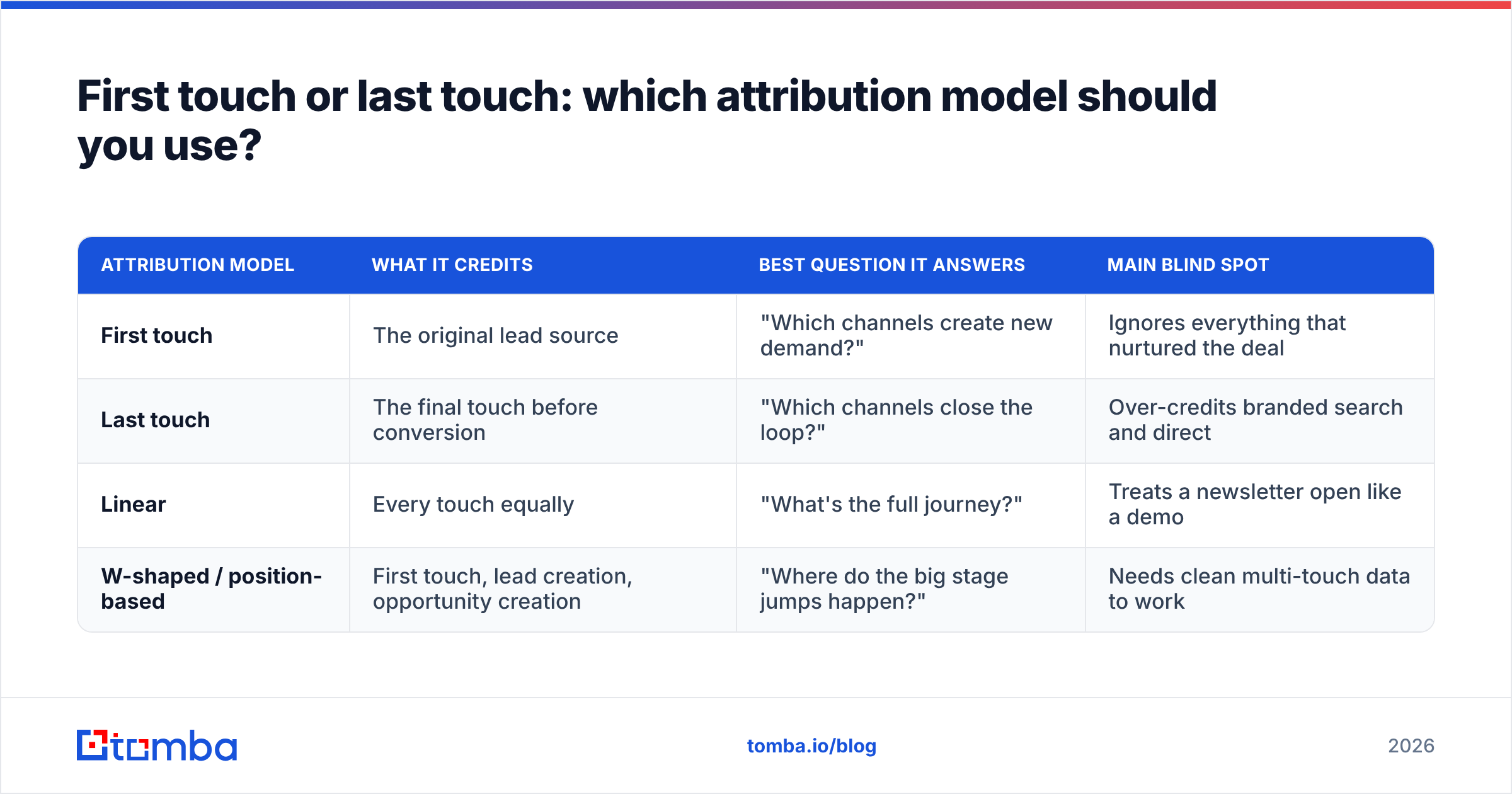
This is the argument that stalls every lead source project. The honest answer is that you need more than one model, because each answers a different question.

| Attribution model | What it credits | Best question it answers | Main blind spot |
|---|---|---|---|
| First touch | The original lead source | "Which channels create new demand?" | Ignores everything that nurtured the deal |
| Last touch | The final touch before conversion | "Which channels close the loop?" | Over-credits branded search and direct |
| Linear | Every touch equally | "What's the full journey?" | Treats a newsletter open like a demo |
| W-shaped / position-based | First touch, lead creation, opportunity creation | "Where do the big stage jumps happen?" | Needs clean multi-touch data to work |
For most B2B teams under a few hundred employees, a practical setup is:
- Original lead source (first touch) for budget allocation across channels.
- Opportunity source (the touch nearest to opportunity creation) for sales capacity planning.
- Multi-touch only once your first two fields are over 90% clean. Running multi-touch models on messy source data produces confident-looking answers that are wrong.
Analysts at firms like Gartner have long noted that B2B buying involves multiple stakeholders and many interactions. That's a strong argument for multi-touch in theory. In practice, clean first-touch data beats sloppy multi-touch data every time.
What lead source metrics should you report on?#
Lead count by source is the weakest metric you can report. Rank sources by how much revenue they produce. The minimum dashboard:
- Leads by original source, as a volume trend only.
- Lead-to-opportunity conversion rate by source, which shows whether a channel produces real buyers.
- Pipeline created by source, in dollars rather than record counts.
- Win rate and average deal size by source. Referral and partner leads often win more often, and outbound can bring larger ACVs when targeted well.
- Sales cycle length by source, which affects cash-flow planning.
- Cost per opportunity and cost per closed deal by source. This is where spend decisions should come from.
Review this monthly. When a source's share of leads rises but its share of pipeline doesn't, lead quality is dropping. That's your early warning to adjust targeting before it shows up in quarterly revenue.
What are the most common lead source mistakes?#
These are the patterns that come up again and again in CRM audits:
- Free-text source fields. Every rep invents a spelling. Switch to picklists immediately.
- Overwriting the original source. A webinar registration from an existing contact replaces "Organic Search" with "Webinar", and your SEO ROI disappears from the report.
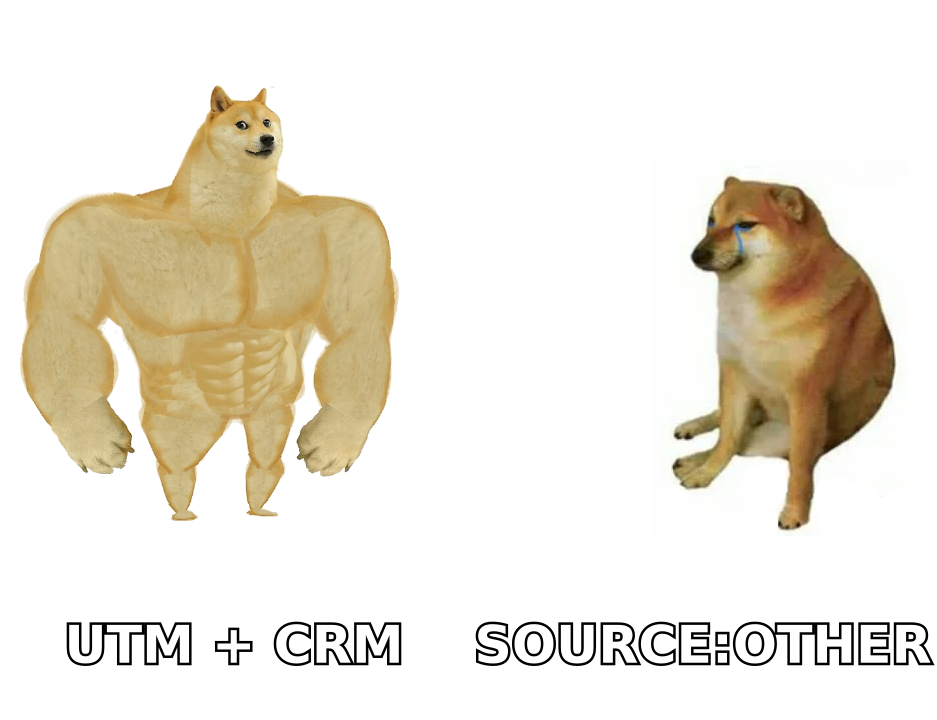
- Untagged outbound. Prospected contacts land with a blank source and fall into "Other", so outbound looks worse than it is and gets cut.
- Counting "Direct" as a real channel. Direct is largely a sign that something wasn't tracked: stripped referrers, dark social, email clients, copied links. Treat a growing Direct bucket as a tracking bug.
- Too many values. Forty options get used inconsistently. Keep Level 1 short and put the detail in Level 2.
- No owner. If nobody in RevOps owns the lead source dictionary, it degrades within two quarters.
How do you clean up an existing lead source mess?#
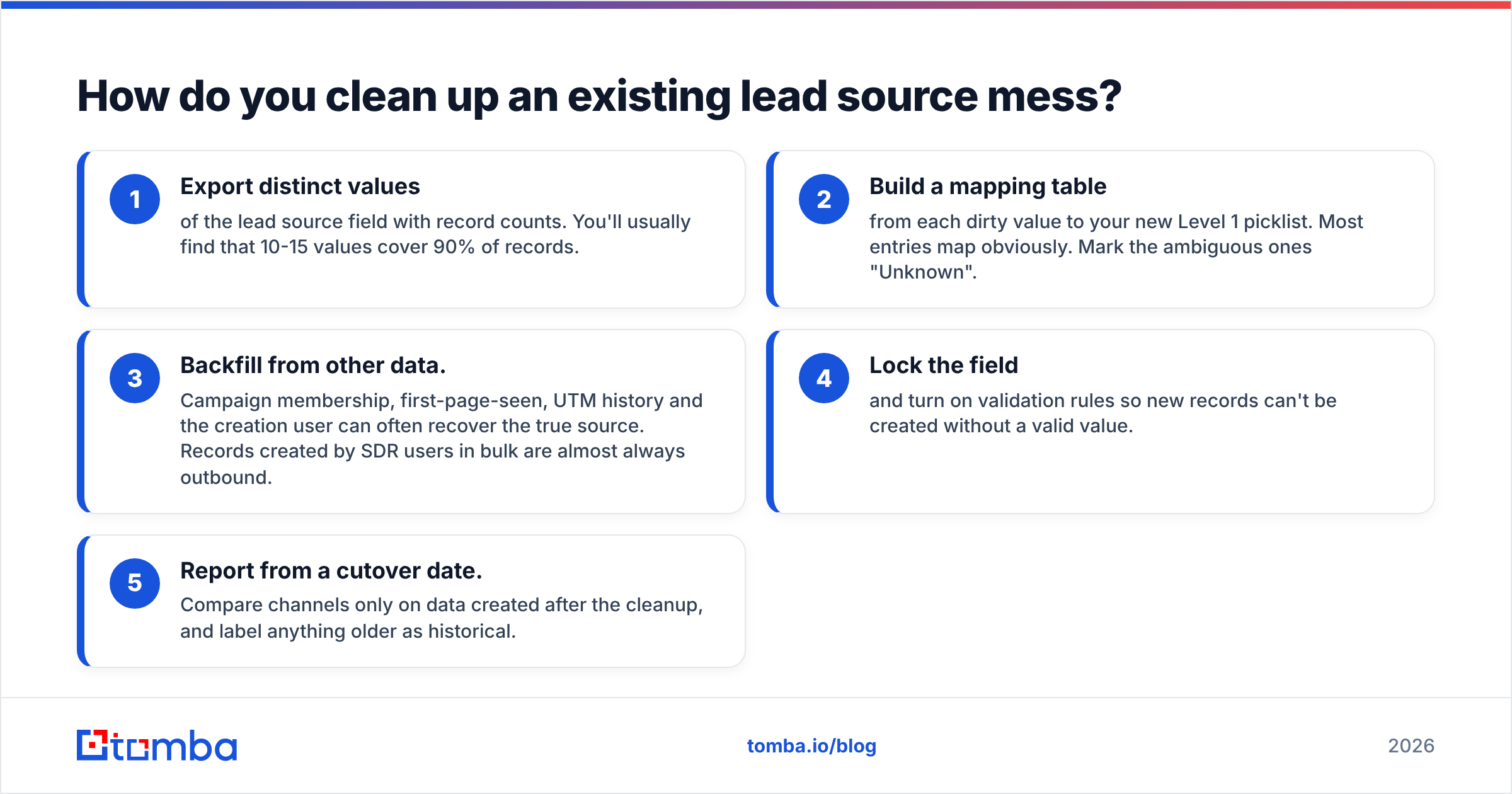
If your CRM already has years of inconsistent values, don't try to fix everything at once.
- Export distinct values of the lead source field with record counts. You'll usually find that 10-15 values cover 90% of records.
- Build a mapping table from each dirty value to your new Level 1 picklist. Most entries map obviously. Mark the ambiguous ones "Unknown".
- Backfill from other data. Campaign membership, first-page-seen, UTM history and the creation user can often recover the true source. Records created by SDR users in bulk are almost always outbound.
- Lock the field and turn on validation rules so new records can't be created without a valid value.
- Report from a cutover date. Compare channels only on data created after the cleanup, and label anything older as historical.
Vendor documentation from HubSpot and Salesforce covers the mechanics of picklist editing, validation rules and property history for each platform. The strategy above works on either one.
Where does outbound fit into lead source strategy?#
Outbound is the one lead source you fully control, and it's also the one most often left untracked. Nothing on your website fires when a rep builds a prospect list, so the source has to be set on purpose at import time.
The upside is that outbound attribution can be very precise once it's set up. You know the exact list, the exact sequence and the exact targeting criteria that produced each opportunity. That lets you compare "Series B fintech CFOs" against "mid-market logistics VPs" by pipeline per contact. Inbound channels rarely give you that level of detail.
It also depends on list quality. Bounced emails don't just waste sends. They damage sender reputation and make the outbound channel look worse in your source reports. Verified contacts and consistent import tags make outbound both measurable and efficient.
Ready to make outbound a lead source you can measure?#
For outbound to show up properly in your lead source reports, it needs verified contacts and a clean import process. Tomba Email Finder finds professional email addresses by name, company or domain, and verifies them before they reach your sequencer. You can export straight to your CRM with a consistent source tag. The free tier includes 25 searches a month, and paid plans start at $49/mo, so you can test outbound as a tracked channel before committing budget.
Related guides#
// get started
Find, verify and enrich your first contacts today
Start on the free plan with 25 searches a month, then scale when your team is ready.
Free plan · No credit card required · GDPR & CCPA
// about the author