Lead Tracking Software in 2026: 7 Tools Compared and Ranked
Most lead tracking software does the same basic job. The difference is in the details: pricing per seat, automation limits, and how clean your contact data is. Here are seven tools compared, and how to pick one.
TL;DR
- Lead tracking software records every prospect, touchpoint, and deal stage in one place, so leads don't slip through inboxes and spreadsheets.
- For most small and mid-size B2B teams, the best starting points are HubSpot, Pipedrive, and Zoho CRM. Salesforce is the right choice once you need heavy customization and have admin capacity.
- Price per seat matters less than it looks. Automation limits, reporting depth, and integrations cost you more over time.
- No tracker fixes bad data. If 20% of your contact emails bounce, your dashboards show a pipeline that doesn't exist.
- Pick based on your sales motion (volume outbound, consultative, or inbound-led), then feed the tool verified contacts from day one.
What is lead tracking software?#
Lead tracking software is a system that records who your prospects are, where they came from, what they've done, and where they sit in your sales process. Think of it as the flight tracker for your pipeline. Every lead has a current position, a history, and a next step.
In practice, most lead tracking happens inside a CRM. Some standalone tools focus on one part of the problem, such as website visitor identification or email open tracking. The core jobs are the same:
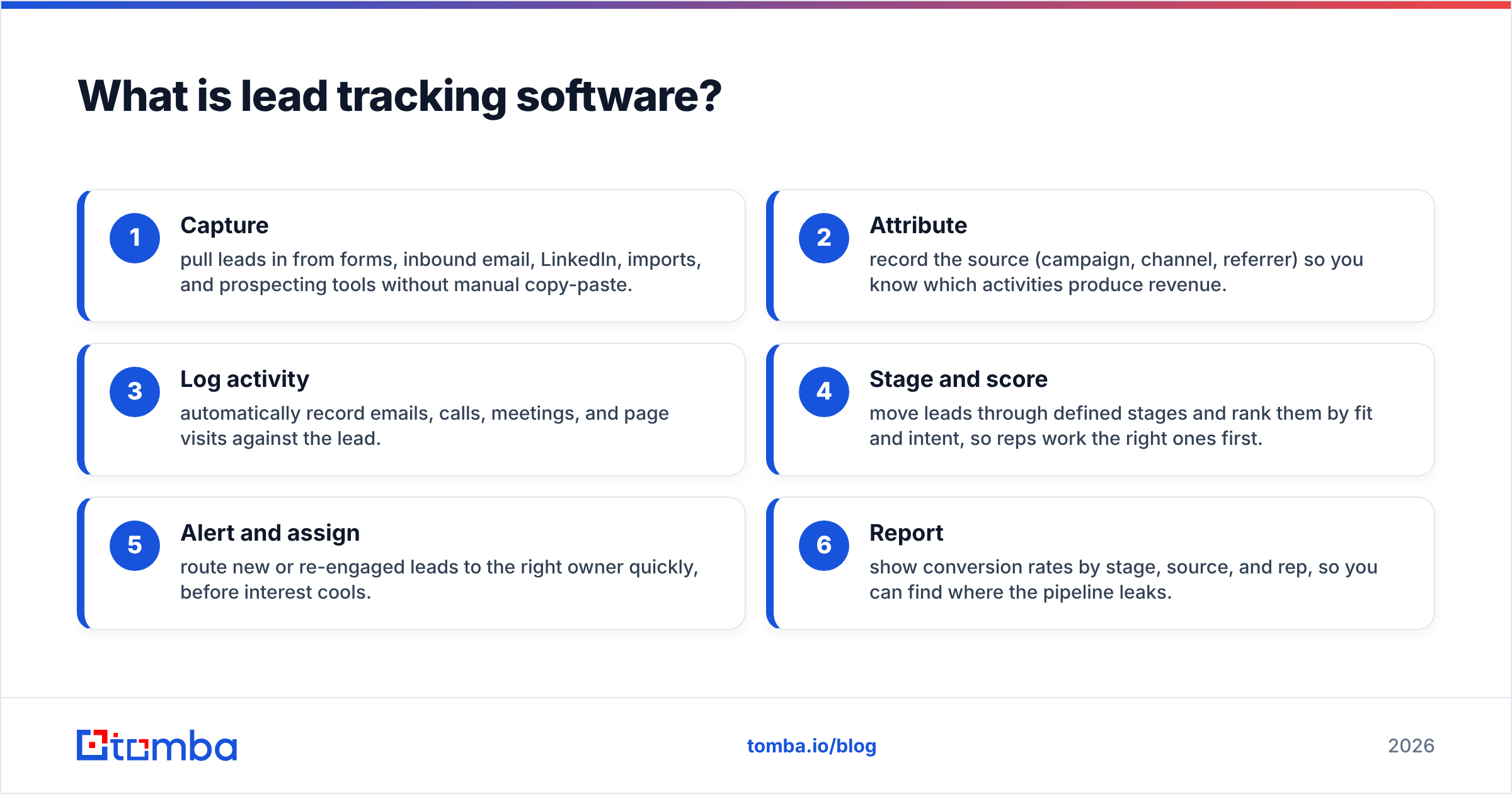
- Capture: pull leads in from forms, inbound email, LinkedIn, imports, and prospecting tools without manual copy-paste.
- Attribute: record the source (campaign, channel, referrer) so you know which activities produce revenue.
- Log activity: automatically record emails, calls, meetings, and page visits against the lead.
- Stage and score: move leads through defined stages and rank them by fit and intent, so reps work the right ones first.
- Alert and assign: route new or re-engaged leads to the right owner quickly, before interest cools.
- Report: show conversion rates by stage, source, and rep, so you can find where the pipeline leaks.
If a tool does all six reasonably well, it's lead tracking software. If it does only one or two, it's a point solution you'll bolt onto something else.
Why do teams outgrow spreadsheets for lead tracking?#
Spreadsheets work until about the third rep or the 300th lead. Then the same failures show up everywhere:
- No activity history. A row tells you a lead is "contacted" but not when, by whom, or what was said.
- Version drift. Two reps edit two copies and nobody trusts either.
- No follow-up reminders. Most deals are lost to silence, not to "no." A spreadsheet never reminds you it has been nine days.
- No attribution. You can't tie closed revenue back to the webinar or cold sequence that started it.
The switch to dedicated software is less about features and more about accountability. Every lead has one owner, one status, and one timeline.
Which lead tracking software should you consider in 2026?#
These are the seven tools that come up most often in B2B evaluations, grouped by the kind of team they suit best. Prices are starting list prices at the time of writing. Vendors change them often and discount heavily for annual billing, so confirm on each vendor's pricing page before you budget.
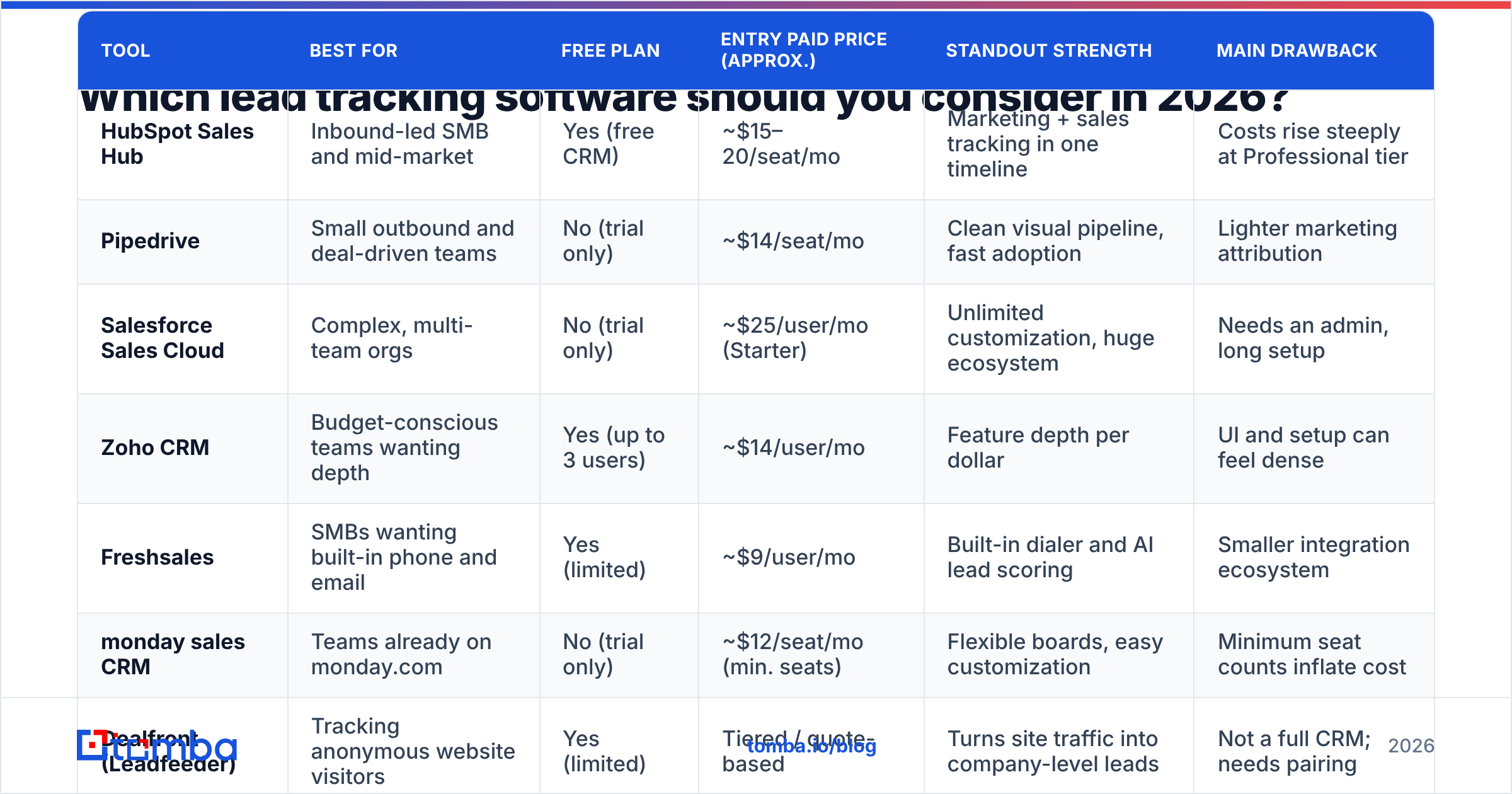
| Tool | Best for | Free plan | Entry paid price (approx.) | Standout strength | Main drawback |
|---|---|---|---|---|---|
| HubSpot Sales Hub | Inbound-led SMB and mid-market | Yes (free CRM) | ~$15–20/seat/mo | Marketing + sales tracking in one timeline | Costs rise steeply at Professional tier |
| Pipedrive | Small outbound and deal-driven teams | No (trial only) | ~$14/seat/mo | Clean visual pipeline, fast adoption | Lighter marketing attribution |
| Salesforce Sales Cloud | Complex, multi-team orgs | No (trial only) | ~$25/user/mo (Starter) | Unlimited customization, huge ecosystem | Needs an admin, long setup |
| Zoho CRM | Budget-conscious teams wanting depth | Yes (up to 3 users) | ~$14/user/mo | Feature depth per dollar | UI and setup can feel dense |
| Freshsales | SMBs wanting built-in phone and email | Yes (limited) | ~$9/user/mo | Built-in dialer and AI lead scoring | Smaller integration ecosystem |
| monday sales CRM | Teams already on monday.com | No (trial only) | ~$12/seat/mo (min. seats) | Flexible boards, easy customization | Minimum seat counts inflate cost |
| Dealfront (Leadfeeder) | Tracking anonymous website visitors | Yes (limited) | Tiered / quote-based | Turns site traffic into company-level leads | Not a full CRM; needs pairing |
HubSpot Sales Hub#
HubSpot is the default choice for teams where marketing generates a meaningful share of pipeline. Form fills, email clicks, page views, and sales activity land on one contact timeline, so a rep can see that a lead read the pricing page twice before booking a call. The free CRM is generous. The price jump to Professional, where sequences, custom reporting, and workflow automation live, catches many teams off guard.
Choose it if you run inbound and outbound together and want one source of truth without an admin.
Pipedrive#
Pipedrive is built around the pipeline view: columns of deals you drag from stage to stage. Reps adopt it quickly because it looks like the whiteboard they already use. It's strongest for outbound and deal-driven sales where the main question is "what's my next action on each deal?" Its marketing attribution is thinner than HubSpot's, so inbound-heavy teams often end up adding tools.
Choose it if you have a small outbound team and want high adoption with minimal training.
Salesforce Sales Cloud#
Salesforce can model almost any sales process: multiple business units, territories, custom objects, and approval flows. That flexibility is the product and also the cost. You'll need an admin or partner, and implementation time is measured in weeks or months. The Starter tier has lowered the barrier to entry, but most teams choose Salesforce for what it can become, not for what it does out of the box.
Choose it if you have multiple teams, complex deal structures, and the budget for administration.
Zoho CRM#
Zoho gives you lead scoring, workflow rules, territory management, and solid reporting at a price that undercuts most rivals. The trade-off is a denser interface and more configuration work. Teams already using other Zoho apps get extra value from native connections.
Choose it if you want depth on a tight budget and don't mind spending time on setup.
Freshsales#
Freshsales bundles a built-in phone dialer, email tracking, and AI-assisted lead scoring into its lower tiers. That makes it attractive for SMBs running calls and emails from the same place. The integration marketplace is smaller than HubSpot's or Salesforce's, which matters if your stack is already large.
Choose it if your reps split their time between phone and email and you want both logged natively.
monday sales CRM#
monday's CRM is flexible boards with sales templates on top. If your company already runs projects in monday.com, bringing sales into the same workspace reduces tool sprawl. Minimum seat requirements on paid plans mean a two-person team can pay for three.
Choose it if your ops already live in monday.com and you value customization over sales-specific depth.
Dealfront (formerly Leadfeeder)#
Dealfront isn't a CRM. It identifies which companies visit your website and pushes them into your CRM as leads. That makes it a useful top-of-funnel tracker for teams with steady traffic but low form-fill rates. It works at the company level, so you still need to find the right person to contact and a verified way to reach them.
Choose it if you have meaningful website traffic and want to act on visitors who never fill out a form.
For independent user ratings across these and dozens of smaller vendors, the G2 lead management category is a reasonable sanity check before you book demos.
What features actually matter when you compare lead tracking tools?#
Demo decks show every feature at the same volume. In practice, five of them decide whether the tool works for you:
- Automatic activity capture. If reps have to log emails and calls by hand, they won't. Look for native Gmail/Outlook sync and call logging.
- Lead scoring you can explain. Scores combining fit (industry, size, title) and behavior (opens, visits, replies) help reps prioritize. If nobody on the team can explain why a lead scored 82, the score won't be used.
- Routing and SLAs. Speed-to-lead matters for inbound. Round-robin assignment and overdue alerts protect your response rate.
- Source attribution. You need at least first-touch and last-touch source on every lead, and ideally on every deal.
- Integrations and API. Your tracker sits in the middle of the stack. Check native connectors for your email tool, enrichment provider, calendar, and billing system before signing.
Features that matter less than vendors suggest: AI-generated email drafts inside the CRM (your sequencing tool probably does this better), gamified leaderboards, and heavily customized dashboards nobody opens after the first month.
How does data quality break lead tracking?#
This is the part most buying guides skip. Your lead tracker is only as accurate as the records inside it, and B2B contact data decays quickly. People change jobs, companies rebrand domains, and generic inboxes get shut down. Industry estimates commonly put B2B data decay somewhere around 20–30% per year.
What that looks like inside your CRM:
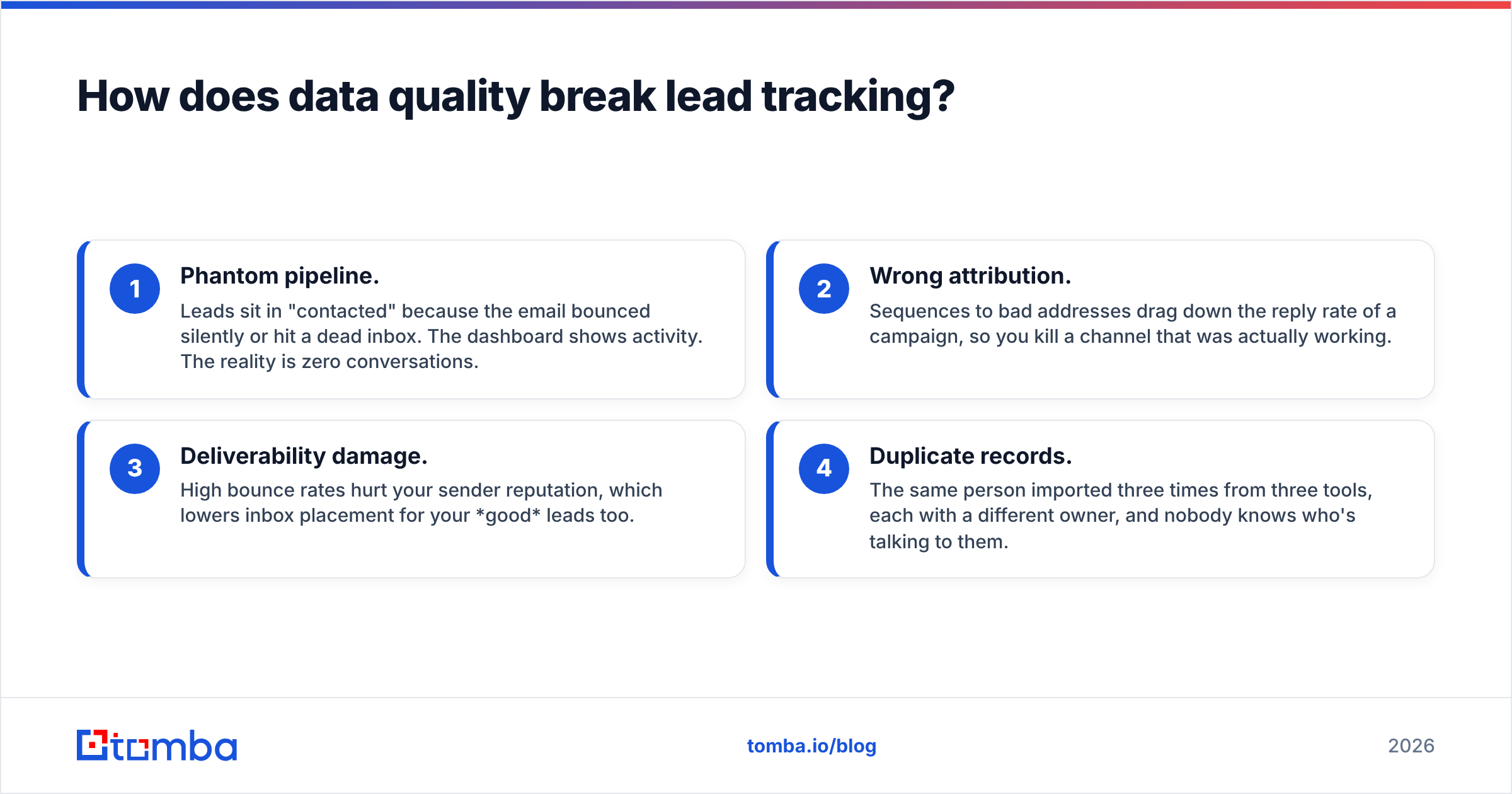
- Phantom pipeline. Leads sit in "contacted" because the email bounced silently or hit a dead inbox. The dashboard shows activity. The reality is zero conversations.
- Wrong attribution. Sequences to bad addresses drag down the reply rate of a campaign, so you kill a channel that was actually working.
- Deliverability damage. High bounce rates hurt your sender reputation, which lowers inbox placement for your good leads too.
- Duplicate records. The same person imported three times from three tools, each with a different owner, and nobody knows who's talking to them.

The fix is procedural, not technical. It has three habits:
- Verify at the door. Run every imported or manually added address through an email verifier before it enters the CRM, not after the bounce.
- Enrich on creation. Use contact enrichment to fill in title, company size, industry, and LinkedIn URL automatically. Your lead scoring depends on those fields being present and correct.
- Re-verify on a schedule. Re-check stale segments (no activity in 90+ days) every quarter before re-engaging them.
Most enrichment and verification tools, Tomba included, connect directly to the major CRMs. The HubSpot integration, for example, lets you find and verify emails without leaving the contact record.
How do you choose the right lead tracking software for your team?#
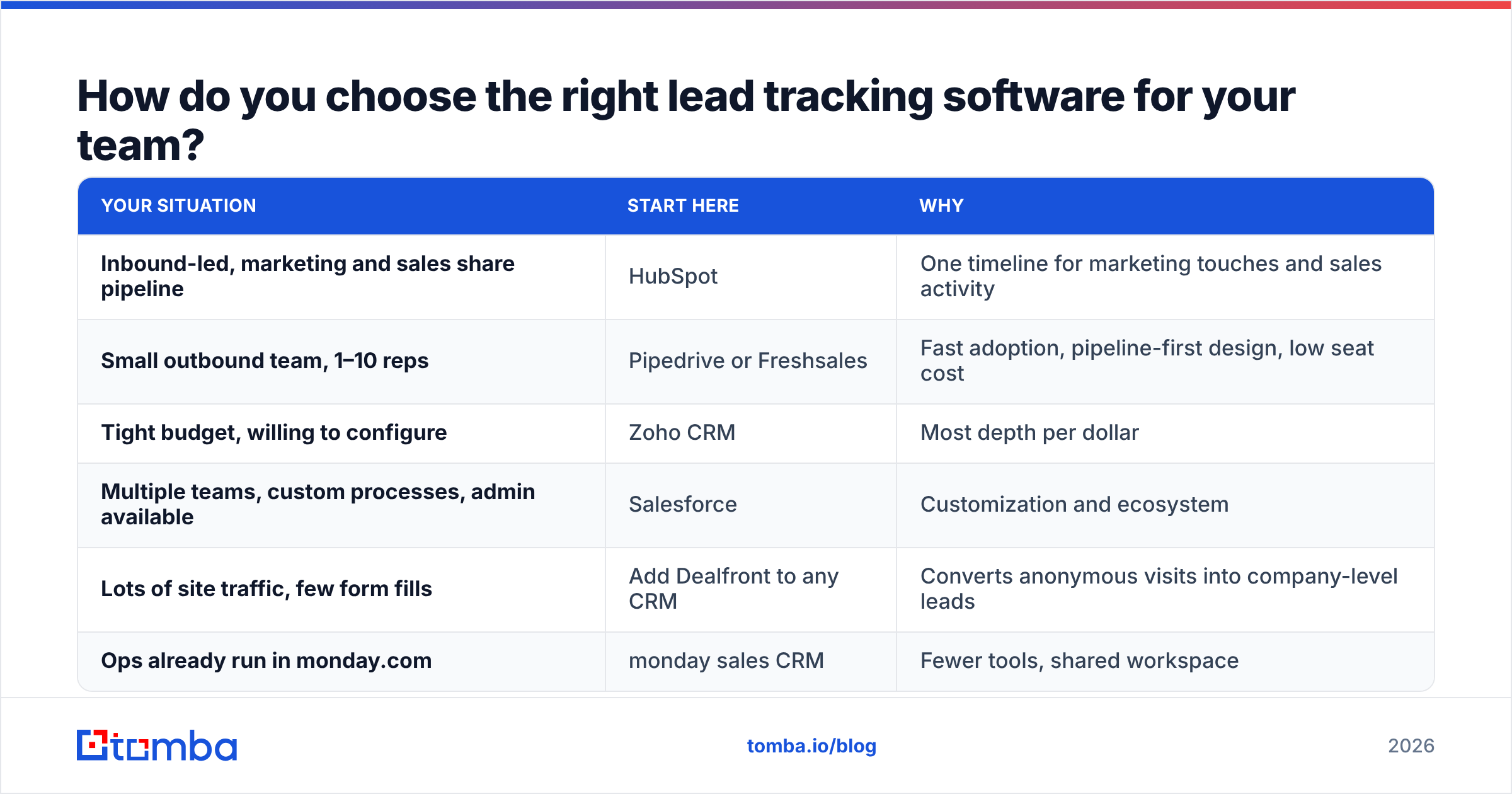
Start with your sales motion, not the feature list.
| Your situation | Start here | Why |
|---|---|---|
| Inbound-led, marketing and sales share pipeline | HubSpot | One timeline for marketing touches and sales activity |
| Small outbound team, 1–10 reps | Pipedrive or Freshsales | Fast adoption, pipeline-first design, low seat cost |
| Tight budget, willing to configure | Zoho CRM | Most depth per dollar |
| Multiple teams, custom processes, admin available | Salesforce | Customization and ecosystem |
| Lots of site traffic, few form fills | Add Dealfront to any CRM | Converts anonymous visits into company-level leads |
| Ops already run in monday.com | monday sales CRM | Fewer tools, shared workspace |
Then run a two-week pilot with real leads, not demo data. Track three numbers during the pilot:
- Logging rate: what percentage of rep activity was captured automatically?
- Time-to-first-touch: how fast did new leads get contacted after routing was set up?
- Data completeness: what percentage of lead records have a verified email, title, and company size?
If logging rate is under 80% after two weeks, adoption will not improve by itself. Pick a simpler tool or fix the integrations first.
Is free lead tracking software good enough?#
For solo founders and teams of two or three, often yes. HubSpot's free CRM, Zoho's free tier, and Freshsales' free plan all handle contact records, a basic pipeline, and email logging. The limits you'll hit first are:
- Automation (sequences, workflows, and lead routing are usually paid)
- Reporting beyond basic pipeline views
- User caps, typically three seats on free tiers
- Custom fields and properties needed for scoring
A practical path: start free, define your stages and required fields carefully, and upgrade when you notice you're doing routing or follow-ups by hand. Migrating a clean free-tier CRM to a paid tier of the same vendor is painless. Migrating a messy one to a new vendor is not.
What does a healthy lead tracking setup look like?#
Once the tool is chosen, the teams that get value from it tend to share the same setup:
- Five to seven pipeline stages with written exit criteria. "Qualified" means something specific, such as confirmed budget holder and a problem stated in their own words.
- Required fields at each stage. A deal can't move to "proposal" without an amount and a close date.
- One owner per lead, enforced by routing rules rather than by who grabbed it first.
- Verified contact data on entry, with bounces automatically flagged and suppressed.
- A weekly pipeline review that uses the tracker's reports rather than rep memory.
None of this is exotic. It's the discipline that separates teams that use their CRM to run the business from teams that update it the night before a board meeting.
Get cleaner leads into whichever tracker you choose#
Whatever lead tracking software you pick, pipeline accuracy starts with the contacts you put into it. Tomba Email Finder finds professional email addresses by name, domain, or company and verifies them before they reach your CRM, so your stages show real conversations instead of bounced outreach. It connects to HubSpot, Salesforce, Pipedrive, and more. The free tier includes 25 searches a month, and paid plans start at $49/mo (see Tomba pricing). Start with your current open pipeline: verify the contacts sitting in "contacted," and see how much of it is real.
Related guides#
// get started
Find, verify and enrich your first contacts today
Start on the free plan with 25 searches a month, then scale when your team is ready.
Free plan · No credit card required · GDPR & CCPA
// about the author