Lead Verification: How to Validate B2B Leads Before Outreach
Bad leads cost you twice: first in bounces that damage your sender reputation, then in rep hours spent on people who will never reply. Here is how lead verification works, which checks matter, and how to build it into your workflow.
TL;DR
- Lead verification means confirming that a lead's email, phone, identity, and company fit are real and current before anyone reaches out. It covers more than an email bounce check.
- The most important check is still email deliverability. Hard bounces above roughly 2% will start to hurt your sender reputation with Gmail and Outlook.
- Catch-all domains are where most "verified" lists fall apart. You need a tool that scores them, not one that labels them "unknown" and stops there.
- Verify at three points: when a lead is captured, before a list goes into a sequence, and again every 60–90 days for lists you keep using.
- Automated tools do the checking. What needs a human is the policy for what counts as a "good" lead and what happens to the rest.
What is lead verification?#
Lead verification means checking that a lead record points to a real, reachable person who matches your ideal customer profile, and doing it before the record costs you anything.
Think of it like a restaurant checking deliveries at the back door. Ingredients that arrive spoiled should be caught at the dock, not on a customer's plate. A lead with a dead email or a made-up job title should be caught the same way: before it reaches your CRM, your sequencer, or a rep's call list.
In practice, lead verification covers four layers:
- Contact validity: is the email address deliverable, and does the phone number connect?
- Identity accuracy: does this person still hold this role at this company?
- Company fit: does the account match your ICP on size, industry, geography, and tech stack?
- Intent and legitimacy: is this a real prospect, or a bot, a competitor, a student, or a fake form fill?
Most teams only do layer one and call it done. That's a reasonable place to start, since email validity has the most direct effect on deliverability, but it isn't the whole job.
Why does lead verification matter more in 2026?#
Mailbox providers have become much less tolerant of senders who don't clean their lists. Google's email sender guidelines require bulk senders to authenticate their mail, keep spam complaint rates low, and make unsubscribing easy. Yahoo and Microsoft have followed with similar rules. None of these rules says "verify your leads" outright. In practice they all depend on it, because high bounce rates are one of the clearest signs of a sender who bought or scraped a list.
B2B contact data also goes stale quickly. People change jobs, companies rebrand domains, and mailboxes get shut down after layoffs. A list that was 95% deliverable in January can be much worse by the summer, and nothing inside your CRM will tell you.
The cost adds up in three places:
- Deliverability. Every hard bounce counts against your domain's sender reputation. Once it drops, your good emails start landing in spam too.
- Rep time. An SDR who spends 20 minutes researching and personalising for someone who left the company eight months ago has wasted that time.
- Reporting. Pipeline forecasts built on bad records look healthy until conversion rates show otherwise.
What are the core lead verification checks?#
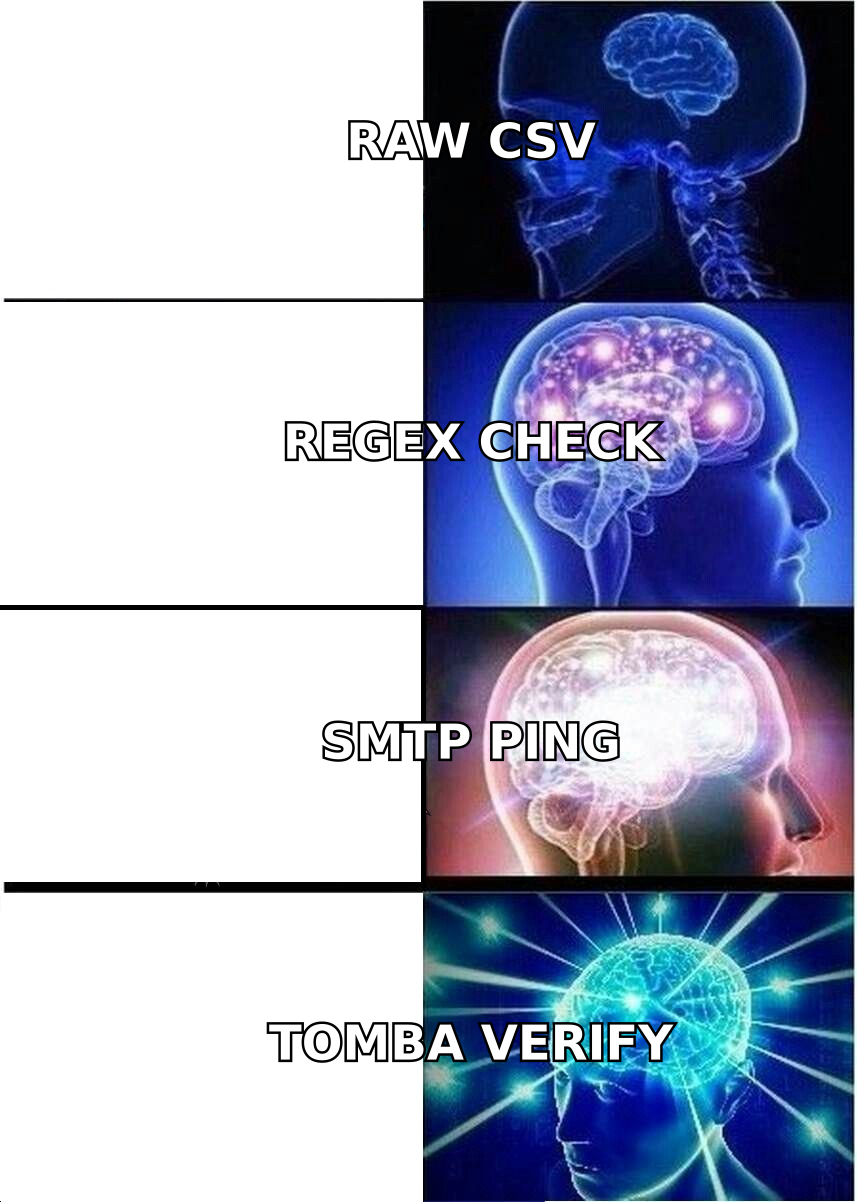
These are the six checks a mature lead verification process runs, roughly in the order they should happen. The first three are cheap and automated. The last three take more judgment.
- Syntax and format validation. This catches typos, missing @ symbols, invalid characters, and role-based addresses such as info@ or sales@. It's nearly free and runs instantly, but it only catches the most obvious mistakes.
- Domain and MX record check. This confirms the domain exists and has mail servers set up to receive email. It catches dead domains, parked domains, and misspellings like "gmial.com".
- SMTP mailbox verification. The verifier asks the receiving mail server whether that specific mailbox exists, without sending an email. This is the core of any email verifier and it catches most hard bounces before they happen.
- Catch-all resolution. Some domains accept mail for any address, so an SMTP check can't tell a real mailbox from a fake one. Good tools apply extra signals, such as pattern matching, public footprint, and historical data, to score these addresses instead of returning "unknown".
- Phone validation. This checks that a number is correctly formatted for its country, is active, and identifies the line type (mobile, landline, VoIP). It matters a great deal for cold-calling teams, where dialling dead numbers wrecks connect rates.
- Identity and firmographic enrichment. This cross-checks the person's current title and employer, and confirms the company's size, industry, and location against your ICP. This is where data enrichment earns its keep: it verifies the context around the contact, not just the contact itself.
Checks 1–3 are the minimum for any outbound email. Check 4 is where lead verification tools differ most. Checks 5–6 separate teams that are "cleaning a list" from teams that are actually qualifying leads.
How do the lead verification methods compare?#
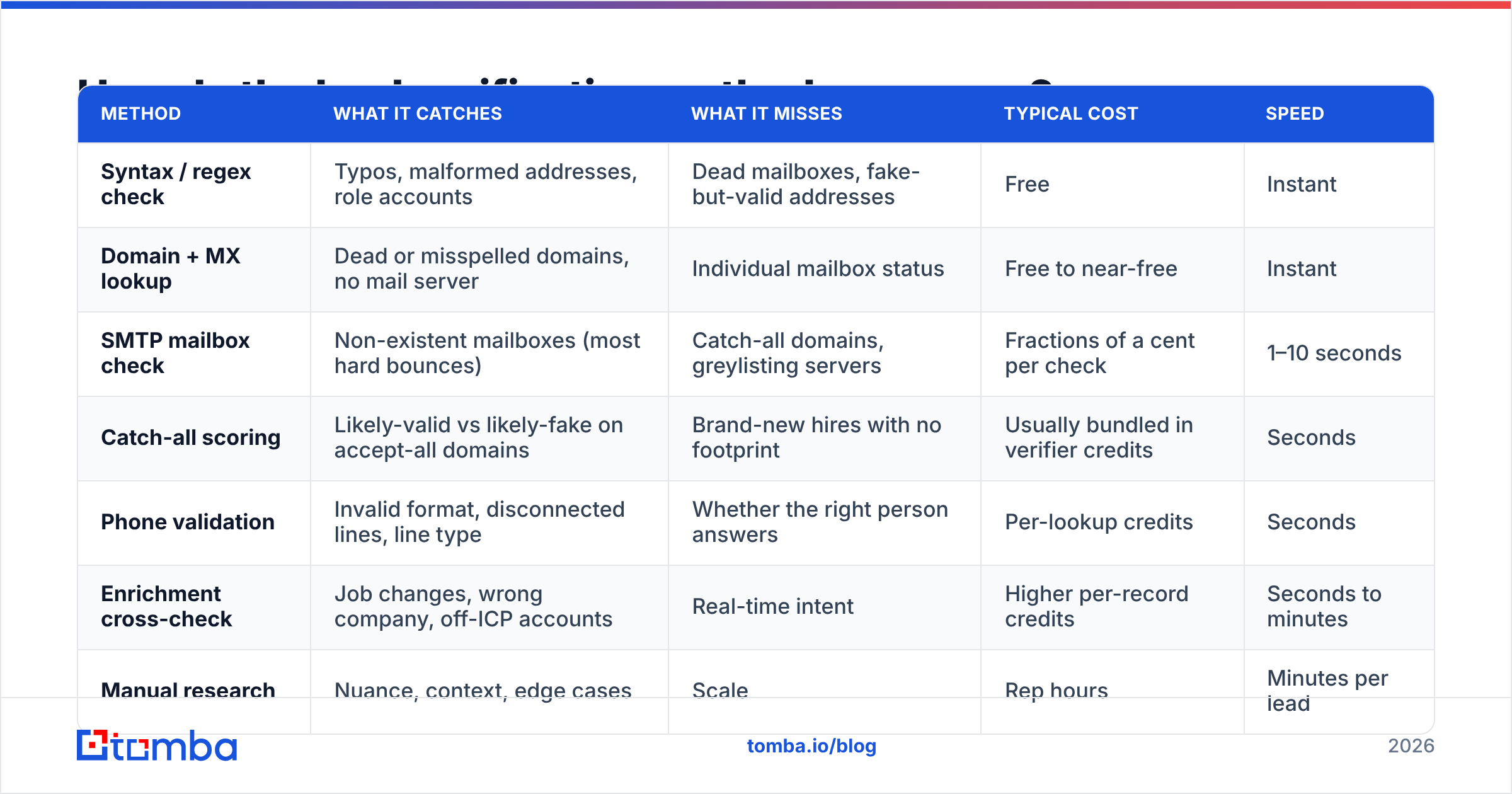
Each method catches different problems at a different cost. Here's how they compare.
| Method | What it catches | What it misses | Typical cost | Speed |
|---|---|---|---|---|
| Syntax / regex check | Typos, malformed addresses, role accounts | Dead mailboxes, fake-but-valid addresses | Free | Instant |
| Domain + MX lookup | Dead or misspelled domains, no mail server | Individual mailbox status | Free to near-free | Instant |
| SMTP mailbox check | Non-existent mailboxes (most hard bounces) | Catch-all domains, greylisting servers | Fractions of a cent per check | 1–10 seconds |
| Catch-all scoring | Likely-valid vs likely-fake on accept-all domains | Brand-new hires with no footprint | Usually bundled in verifier credits | Seconds |
| Phone validation | Invalid format, disconnected lines, line type | Whether the right person answers | Per-lookup credits | Seconds |
| Enrichment cross-check | Job changes, wrong company, off-ICP accounts | Real-time intent | Higher per-record credits | Seconds to minutes |
| Manual research | Nuance, context, edge cases | Scale | Rep hours | Minutes per lead |
The pattern is clear enough. Automated checks handle volume, and manual research handles only the leads that are worth it. If your reps are manually checking whether emails exist in 2026, you're spending your most expensive resource on your cheapest problem.
When should you verify leads?#
Verification isn't something you do once. The best teams verify at three points.
At the point of capture#
Run real-time verification on inbound forms, webinar sign-ups, and gated content downloads. A form that rejects "asdf@asdf.com" or flags a free-mail address on an enterprise demo request saves your SDRs from chasing ghosts. Most verification APIs respond fast enough to run inline without the user noticing.
Before a list goes into a sequence#
This is the most important point. Any list that is about to go into a cold email tool, whether it came from a data provider, a trade show, a scrape, or a CRM export, should be bulk-verified first. Remove invalids, hold risky addresses for a separate low-volume send, and only push "valid" records into your main sequence.
On a recurring schedule#
For any list you keep using, such as nurture segments, customer marketing lists, or dormant opportunities, re-verify every 60–90 days. People who were reachable last quarter may have moved on. This matters most for account-based campaigns, where you keep emailing the same few hundred contacts.
How should you handle catch-all and risky results?#
Most lead verification guides skip this part, and it's where most of your judgment calls happen.
A verifier usually returns something like four buckets: valid, invalid, risky/catch-all, and unknown. The first two are easy. The last two are where teams either lose deliverability or throw away good leads.
Here's a practical policy:
- Valid: send normally.
- Invalid: suppress permanently. Don't re-test these hoping for a different answer.
- Catch-all with a high confidence score: send, but from a well-warmed inbox and at modest volume.
- Catch-all with a low confidence score: hold, try to find an alternate contact at the same account, or reach out on LinkedIn or phone first.
- Unknown (timeout, greylisting): re-verify after 24–48 hours before deciding.
Catch-all domains are common among mid-market and enterprise companies, so dropping them outright can remove a large share of your best-fit accounts. A dedicated catch-all verifier that scores these addresses rather than shrugging at them is often what makes the difference between a usable list and one that's either dangerous or too thin.
What does a lead verification workflow look like in practice?#
Here's a workflow that fits most outbound teams with between two and twenty reps.
Step 1: Define "verified" in writing. Agree on the minimum bar. For example: valid or high-confidence catch-all email, company headcount inside your ICP range, title matches a target persona, and not an existing customer or open opportunity.
Step 2: Automate the cheap checks at the source. Connect verification to your forms and your CRM so new records are checked as they arrive. HubSpot's own guidance on data quality makes the same point: fixing records at entry is far cheaper than cleaning them later.
Step 3: Bulk-verify every outbound list before import. Make it a rule in your sequencing tool: nothing gets uploaded without a verification status column.
Step 4: Enrich the survivors. Once you know an email is deliverable, confirm the person still holds the role and the company still fits. This is also where you add phone numbers for multichannel sequences.
Step 5: Route by result. Valid plus in-ICP goes to sequences. Risky goes to a low-volume or LinkedIn-first track. Invalid or off-ICP gets suppressed, with a reason code so you can report on where bad data is coming from.
Step 6: Monitor and re-verify. Track bounce rate per campaign. If any sequence goes above 2%, pause it and re-verify the list. Set a calendar reminder to re-check long-lived segments quarterly.

What should you look for in a lead verification tool?#
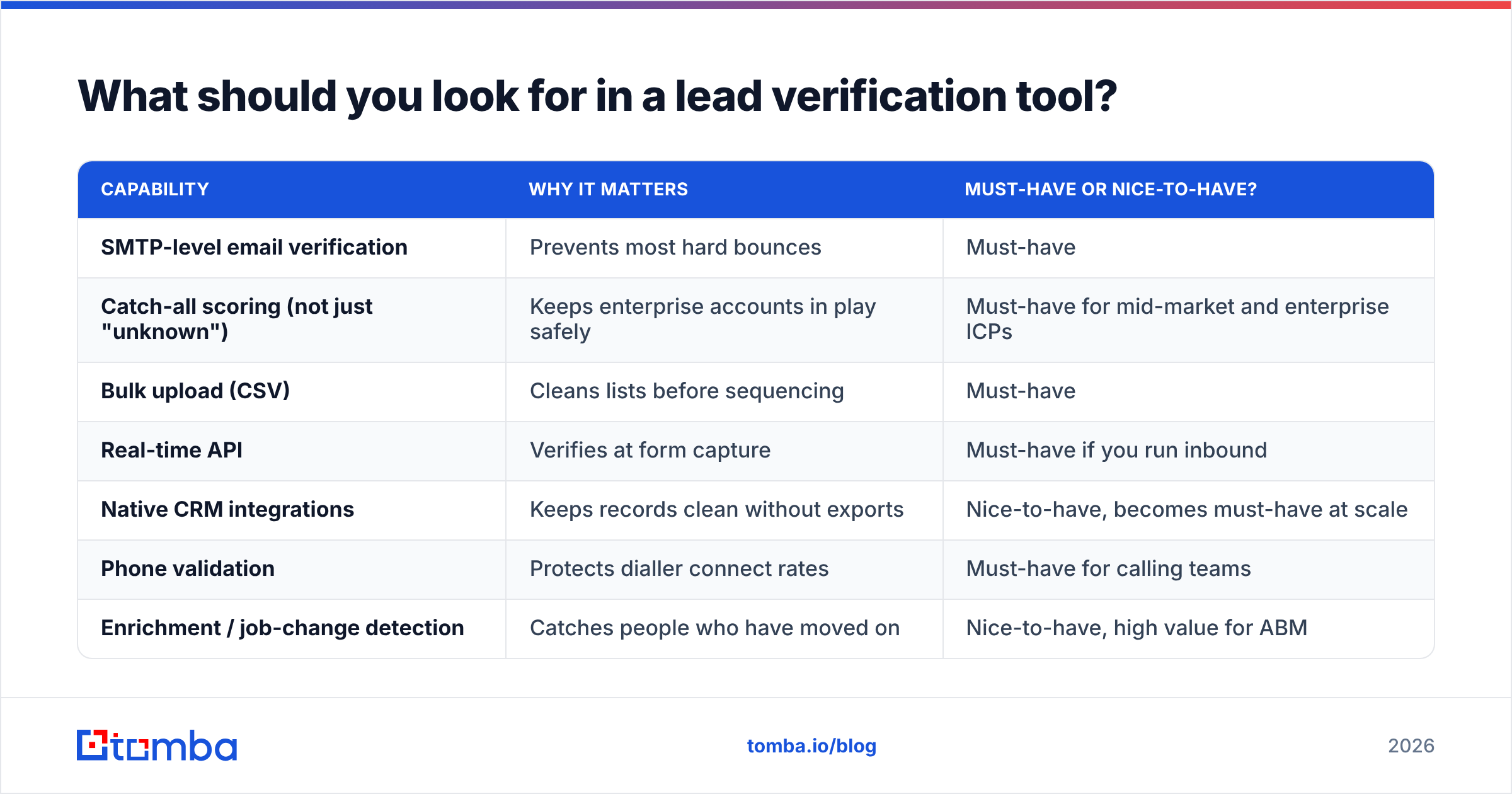
The market ranges from standalone verifiers to full data platforms with verification built in. Before comparing brands, work out which of these capabilities you actually need.
| Capability | Why it matters | Must-have or nice-to-have? |
|---|---|---|
| SMTP-level email verification | Prevents most hard bounces | Must-have |
| Catch-all scoring (not just "unknown") | Keeps enterprise accounts in play safely | Must-have for mid-market and enterprise ICPs |
| Bulk upload (CSV) | Cleans lists before sequencing | Must-have |
| Real-time API | Verifies at form capture | Must-have if you run inbound |
| Native CRM integrations | Keeps records clean without exports | Nice-to-have, becomes must-have at scale |
| Phone validation | Protects dialler connect rates | Must-have for calling teams |
| Enrichment / job-change detection | Catches people who have moved on | Nice-to-have, high value for ABM |
| Transparent credit pricing | Predictable cost per verified lead | Must-have |
| GDPR / data-source transparency | Legal defensibility in the EU and UK | Must-have if you sell into Europe |
Independent review sites such as G2's email verification category are useful for shortlisting. Read the recent reviews rather than the star averages, because accuracy on catch-all domains and support responsiveness vary a lot between vendors.
A practical buying tip: before you commit, run the same 500-record sample through two or three tools. Include a mix of known-good addresses, known-bad ones, and catch-all domains. Compare results against actual sends from a warmed test inbox. Vendor accuracy claims mean little until they're tested on your data and your ICP.
Where does Tomba fit in lead verification?#
Tomba started as an email finder and grew into a broader contact data platform, so verification sits right next to discovery instead of being a separate step with a separate vendor. For teams that find and verify leads in the same workflow, that means one set of credits and one integration.
What's relevant here:
- The email verifier runs syntax, MX, and SMTP checks, and handles catch-all addresses with a dedicated scoring tool rather than a generic "unknown".
- Phone validation and enrichment are available on the same account, which covers checks 5 and 6 above.
- Bulk verification, an API, Google Sheets and Excel add-ons, and CRM integrations cover the capture, pre-sequence, and scheduled re-verification points.
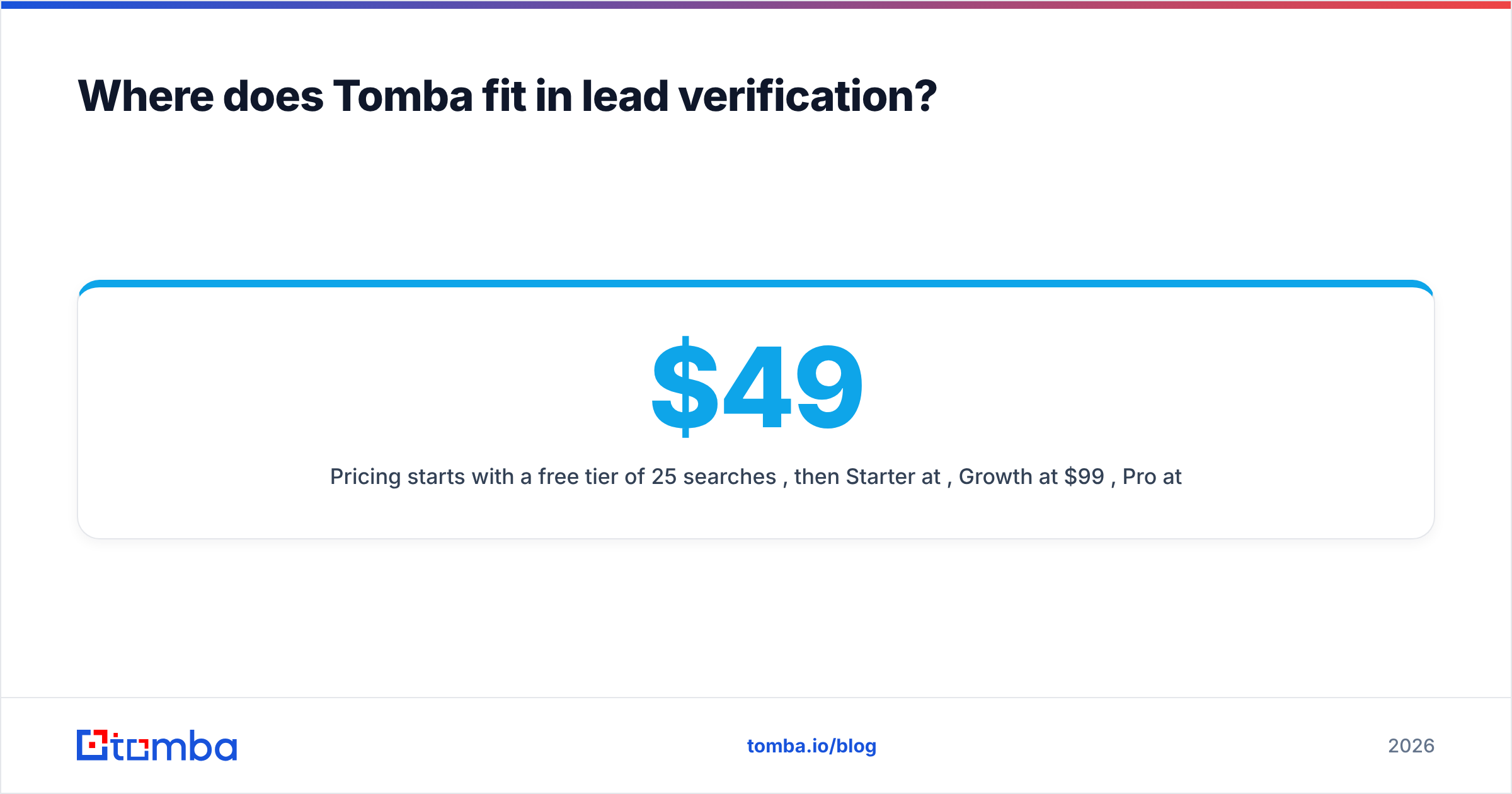
- Pricing starts with a free tier of 25 searches per month, then Starter at $49/mo, Growth at $99/mo, Pro at $249/mo, and custom Enterprise plans. Full details are on the Tomba pricing page.
To be fair, if you already have a data provider you're happy with and only need a standalone bulk list cleaner, a single-purpose verifier may be all you need. Tomba makes the most sense when you also need to find contacts rather than only check them, or when you want finding, verification, and enrichment in one place.
What are the most common lead verification mistakes?#
A few mistakes come up again and again:
- Verifying once and trusting the result forever. Verification results expire. Treat a verification status older than 90 days as unverified.
- Treating "valid" as "qualified". A deliverable email at a 3-person agency is still a bad lead if you sell to 500-person SaaS companies.
- Deleting every catch-all. You may be throwing away your highest-value accounts. Score them instead.
- Re-verifying hard invalids. If a mailbox didn't exist yesterday, it almost certainly doesn't exist today. Suppress and move on.
- Not tracking the source of bad data. If one list vendor or one form keeps producing invalid records, fix the source rather than cleaning the output forever.
- Skipping verification on "warm" lists. Event attendee lists and old CRM records often have worse deliverability than a freshly sourced cold list.
How do you measure whether lead verification is working?#
Track four numbers monthly:
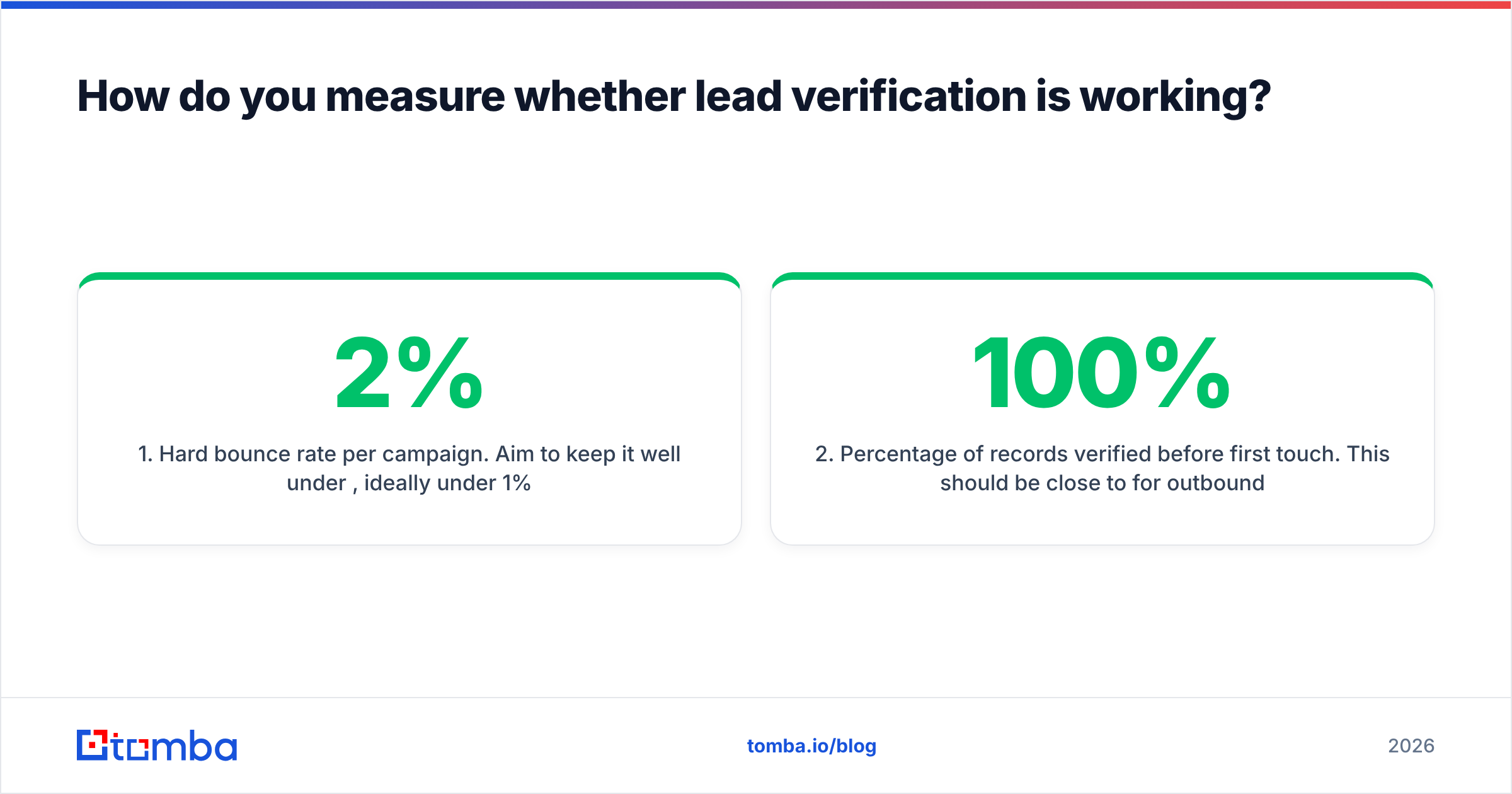
- Hard bounce rate per campaign. Aim to keep it well under 2%, ideally under 1%.
- Percentage of records verified before first touch. This should be close to 100% for outbound.
- Reply rate and meeting rate by verification status. This shows whether your catch-all policy is too strict or too loose.
- Invalid rate by lead source. This shows which vendors, forms, and events send you junk.
When verification is working, bounce rates stay flat even as volume grows, and reps stop complaining about "bad data".
Ready to verify your leads before they cost you?#
Lead verification is one of the cheapest ways to protect deliverability and your reps' time, and it's easiest to keep up when it's built into the same place you find contacts. If you're building outbound lists from scratch, start with the Tomba Email Finder: find professional email addresses by domain, name, or company, then verify them in the same workflow before they reach your sequencer. The free tier gives you 25 searches a month to test it on your own ICP before you pay for anything.
Related guides#
// get started
Find, verify and enrich your first contacts today
Start on the free plan with 25 searches a month, then scale when your team is ready.
Free plan · No credit card required · GDPR & CCPA
// about the author