Lead411 vs OneMoreLead: Which B2B Data Tool Wins in 2026?
Lead411 sells intent-backed contact data with verified emails and direct dials. OneMoreLead sells volume at a flat price. Here is how the two actually compare on accuracy, pricing, and export rights.
TL;DR
- Lead411 is a sales-intelligence platform: verified emails, direct dials, growth-intent triggers, and a Bombora-powered intent layer. It is priced per seat and aimed at SDR teams that want signals, not just rows.
- OneMoreLead is a bulk B2B contact database: tens of millions of records, flat annual-style pricing, and a heavy emphasis on list volume and download rights.
- The real split is signal vs. volume. Lead411 costs more per contact but tells you when to reach out. OneMoreLead costs far less per record but leaves targeting and verification to you.
- Neither tool solves the same problem as a real-time email finder. Static databases decay 25-30% per year; a lookup API resolves the address at send time.
- Best combined setup: use one platform for account discovery, then re-resolve and verify every address before it enters a sequence.
If you are comparing Lead411 vs OneMoreLead, you are probably choosing between two very different bets. One bets that better signals produce better meetings. The other bets that enough volume, cheaply acquired, beats precision. Both bets can pay off — but only for specific teams. This breakdown covers what each platform actually delivers, where the pricing traps sit, and what most reviews skip: what happens to your data after you export it.
What is Lead411?#
Lead411 is a US-based B2B sales intelligence provider that has been selling contact data since 2001. Its core pitch is "verified emails and direct dials plus buyer intent," and the product reflects that — you get a searchable contact database layered with trigger events (funding rounds, hiring surges, leadership changes) and a Bombora intent feed that flags accounts researching your category.
What Lead411 does well:
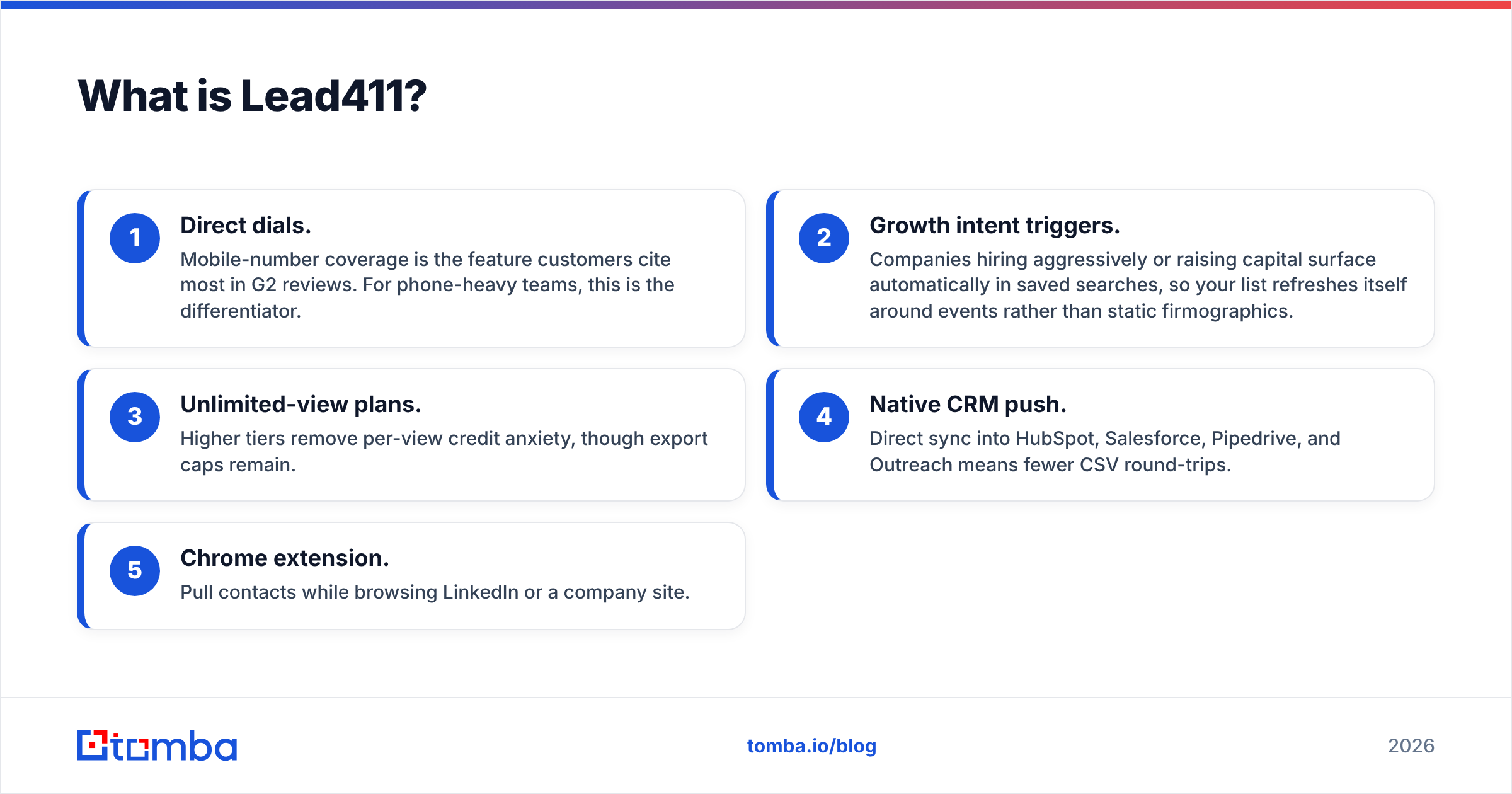
- Direct dials. Mobile-number coverage is the feature customers cite most in G2 reviews. For phone-heavy teams, this is the differentiator.
- Growth intent triggers. Companies hiring aggressively or raising capital surface automatically in saved searches, so your list refreshes itself around events rather than static firmographics.
- Unlimited-view plans. Higher tiers remove per-view credit anxiety, though export caps remain.
- Native CRM push. Direct sync into HubSpot, Salesforce, Pipedrive, and Outreach means fewer CSV round-trips.
- Chrome extension. Pull contacts while browsing LinkedIn or a company site.
Where it frustrates people: the export caps. "Unlimited views" and "unlimited exports" are not the same thing, and the gap between them is where renewal conversations get tense. Annual contracts are also the norm, so a bad fit is a 12-month bad fit.
What is OneMoreLead?#
OneMoreLead is a bulk B2B contact database. The pitch is straightforward: a large pool of business contacts — the vendor markets tens of millions of US-focused records — searchable by industry, title, company size, and location, with generous download allowances relative to price.
The product surface is thinner than Lead411's. You filter, you build a list, you export. There is no intent layer, no trigger-event engine, no serious workflow automation. That is not automatically a weakness; for an agency building cold-call lists or a founder testing five ICPs in a month, the simplicity is the point.
Where it gets uncomfortable is verification. Large static databases inherit the freshness problem of whatever source they were assembled from. If a record was accurate in 2024 and the person changed jobs in 2025, the row still looks perfectly valid in your CSV. Nothing in the export tells you it is dead. You find out from your bounce rate.

How do Lead411 and OneMoreLead compare head to head?#
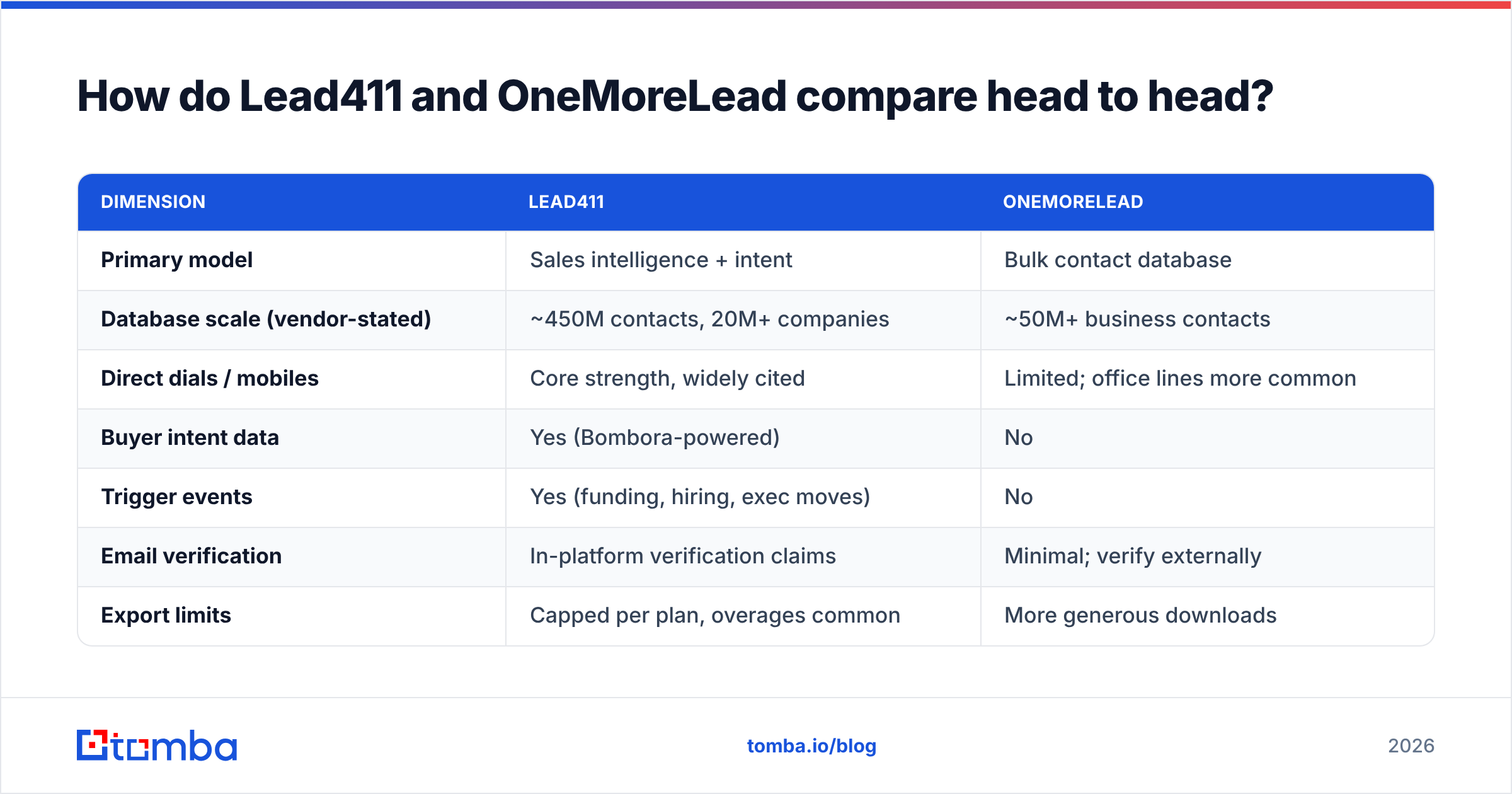
| Dimension | Lead411 | OneMoreLead |
|---|---|---|
| Primary model | Sales intelligence + intent | Bulk contact database |
| Database scale (vendor-stated) | ~450M contacts, 20M+ companies | ~50M+ business contacts |
| Direct dials / mobiles | Core strength, widely cited | Limited; office lines more common |
| Buyer intent data | Yes (Bombora-powered) | No |
| Trigger events | Yes (funding, hiring, exec moves) | No |
| Email verification | In-platform verification claims | Minimal; verify externally |
| Export limits | Capped per plan, overages common | More generous downloads |
| Entry pricing | ~$99/user/mo (annual, Basic Plus) | Lower flat-rate tiers |
| Contract | Typically annual | Shorter commitments available |
| CRM integrations | Salesforce, HubSpot, Pipedrive, Outreach | Basic CSV / limited native |
| Best for | SDR teams working timed signals | Volume list building on a budget |
Read that table as a fork, not a scoreboard. If rows 3-5 (dials, intent, triggers) matter to your motion, Lead411 is the only candidate here and price is a secondary question. If rows 7-9 (export limits, price, contract flexibility) dominate your decision, OneMoreLead is the rational pick and you should budget separately for verification.
Which one has better data accuracy?#
Neither vendor's published accuracy number should drive your decision — and that is not cynicism, it is how the category works.
Lead411 advertises verified emails and runs re-verification cycles. OneMoreLead advertises a large verified pool. Both claims are measured against internal methodology that neither publishes in full. Independent buyers consistently report a gap between advertised and observed accuracy across every provider in this space, and that gap widens the longer a record sits.
Three factors matter more than the marketing number:
- Decay rate. B2B contact data goes stale at roughly 25-30% per year, driven by job changes alone. A database refreshed quarterly is meaningfully different from one refreshed annually, regardless of headline accuracy.
- Verification timing. A record verified when it entered the database is not a record verified today. Anything older than 60-90 days should be re-checked before it touches a sequence.
- Catch-all handling. Many corporate domains accept all mail, so SMTP checks return "valid" for addresses that route nowhere. A provider that counts catch-alls as verified is inflating its own score. Run a catch-all verifier on those domains rather than trusting a green checkmark.
The practical move: pull 200 records from whichever tool you are trialing, run them through an independent email verifier, and compare the pass rate to the vendor's claim. That 20-minute test tells you more than any review site. For reference on how sourcing methodology affects freshness, Tomba documents its own data sources publicly.
How does pricing actually compare?#
Lead411 publishes a Basic Plus tier around $99 per user per month on annual billing, with Pro and Enterprise tiers priced on request and gated by export volume, intent access, and seat count. The sticker price is per user — a five-person SDR pod is a five-figure annual line item before overages.
OneMoreLead sits well below that on a per-record basis, with flat tiers oriented around download volume rather than seats. For a two-person team that needs 20,000 contacts once, the math is not close.
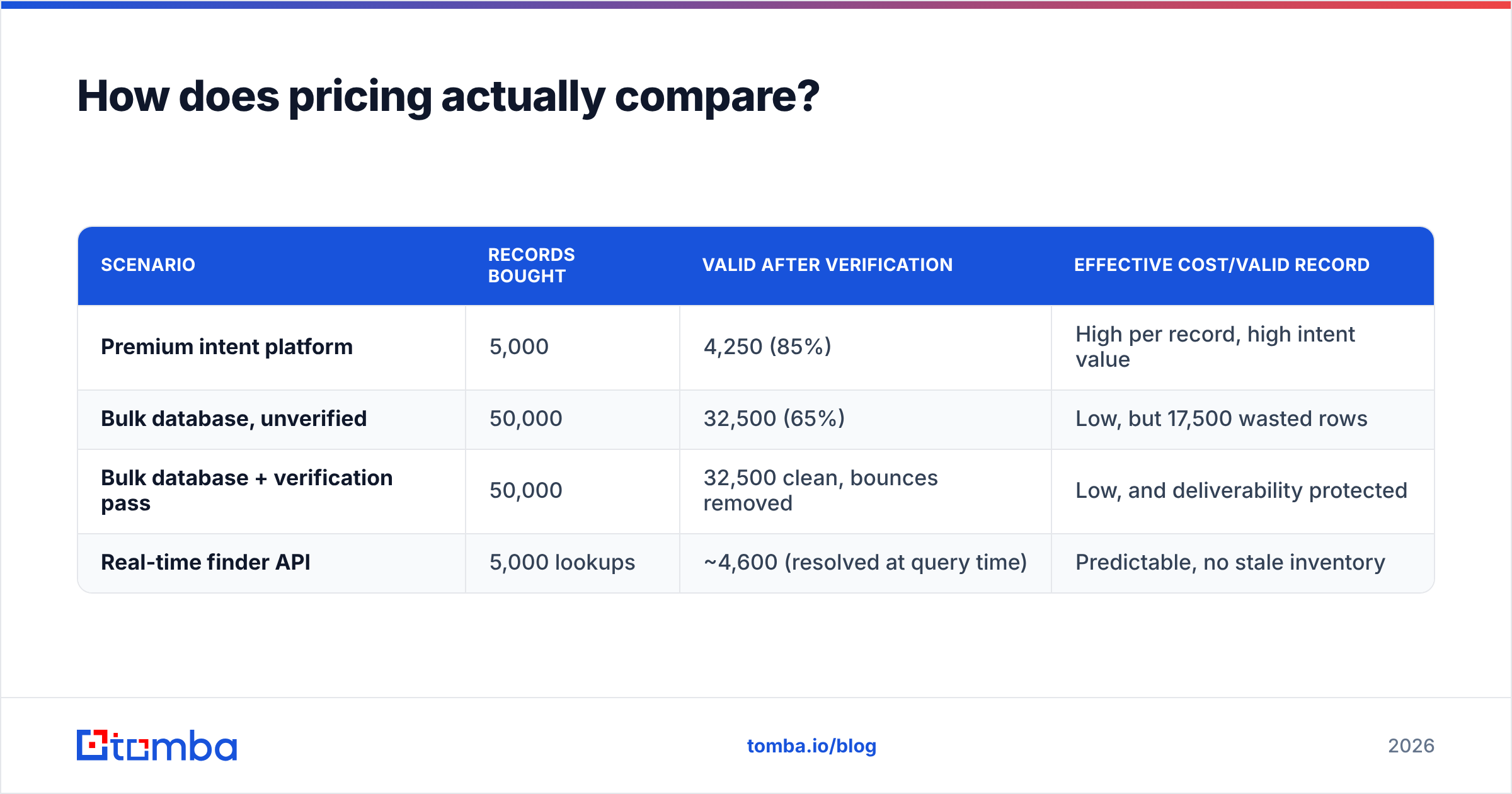
But per-record cost is the wrong denominator. Calculate cost per usable contact:
| Scenario | Records bought | Valid after verification | Effective cost/valid record |
|---|---|---|---|
| Premium intent platform | 5,000 | 4,250 (85%) | High per record, high intent value |
| Bulk database, unverified | 50,000 | 32,500 (65%) | Low, but 17,500 wasted rows |
| Bulk database + verification pass | 50,000 | 32,500 clean, bounces removed | Low, and deliverability protected |
| Real-time finder API | 5,000 lookups | ~4,600 (resolved at query time) | Predictable, no stale inventory |
The third row is the one most teams should copy. Buy volume cheaply, then spend a small fraction of the savings cleaning it. Sending to the unverified 35% is how you burn a sending domain, and domain reputation recovery costs far more than verification credits. If you want the arithmetic on your own numbers, Tomba pricing starts free at 25 searches per month and runs $49/mo for Starter, $99/mo for Growth, and $249/mo for Pro.
Is a static database the right tool at all?#
Here is the question neither vendor's landing page asks: do you need a database, or do you need a lookup?
A database is inventory. You buy a snapshot, it starts decaying immediately, and you pay again next year for a fresher snapshot. That model makes sense when you need to discover accounts you did not know existed — browsing by firmographics, building a TAM map, finding the 400 companies in a niche vertical.
A lookup is on-demand resolution. You already know the company and the person (from LinkedIn, a conference list, a webinar signup, your website traffic), and you need the address right now. Here, a domain search or direct email finder query beats any database because it resolves against current sources instead of reading from a cached row.
Most teams need both, and misdiagnose which one they are short on. Symptoms of the mismatch:
- You buy a 50k list and use 3k of it. You needed discovery, not volume. Tighter filters, smaller buy.
- Your list is full of names without emails. You need enrichment, not another database. Feed the names into a finder.
- Your bounce rate climbs month over month on the same list. Decay. Re-resolve, do not re-buy.
- You keep paying per seat for people who export twice a quarter. Seat-based pricing is wrong for your usage; an API or bulk email finder workflow costs less.

What about export rights and data ownership?#
This is the clause that ends up mattering and nobody reads.
Lead411's annual agreements generally define what you may export and how exported data may be used after the contract ends. Export caps are enforced at the plan level, and overage conversations happen mid-contract. Read the termination clause specifically — some sales-intelligence contracts in this category require you to purge exported records when the subscription lapses.
OneMoreLead leans the other direction, marketing broader download rights as a selling point. For agencies that deliver lists to clients, this is often the deciding factor, because you cannot hand a client data you are contractually barred from redistributing.
Also check compliance posture on both sides. If you sell into the EU or UK, you need a clear answer on lawful basis for processing and on how each vendor handles deletion requests. GDPR does not care that a third party assembled the list; you are the controller once you send. Salesforce's guidance on B2B data compliance is a reasonable primer if your team has not formalized this.
Which should you choose?#
Choose Lead411 if:
- You run an outbound team where timing matters more than list size — you want to reach the VP of Engineering the week they closed a Series B, not eventually.
- Direct dials are central to your motion. This is Lead411's strongest single feature.
- You already run HubSpot or Salesforce and want contacts landing in-CRM without CSV hygiene work.
- You can absorb per-seat annual pricing and will actually use the intent layer. If the intent feed goes unopened, you are paying premium price for commodity rows.
Choose OneMoreLead if:
- You need volume at a predictable, low cost and you have a verification step already in your workflow.
- You are an agency or consultant who needs export rights you can pass to clients.
- Your targeting is broad — SMB, geography-driven, or industry-driven — rather than account-specific.
- You are validating a new ICP and want to test breadth before committing to a premium platform.
Choose neither if: your actual problem is that you already have a list of names and companies and cannot get working addresses. That is an enrichment problem, and buying a third database will not fix it. Run the names through data enrichment or a finder API instead. Peers worth a look in that same evaluation include BookYourData, which does well on human-verified B2B records with pay-as-you-go pricing and no annual lock-in — a genuinely different structure from either tool here.
How do you build a stack that does not decay?#
Treat data as a pipeline with three stages, not a purchase.
Stage 1 — Discovery. Use a database (Lead411, OneMoreLead, or a niche source) to identify accounts and roles. Optimize for coverage of your ICP, not for record count. A 2,000-company list that matches your ICP beats 50,000 that do not.
Stage 2 — Resolution. Do not trust the email column. Re-resolve addresses at the moment you build the sequence, using a finder that queries live sources. This is where decay gets neutralized. A Tomba API call inside your enrichment workflow costs cents and replaces a stale row with a current one.
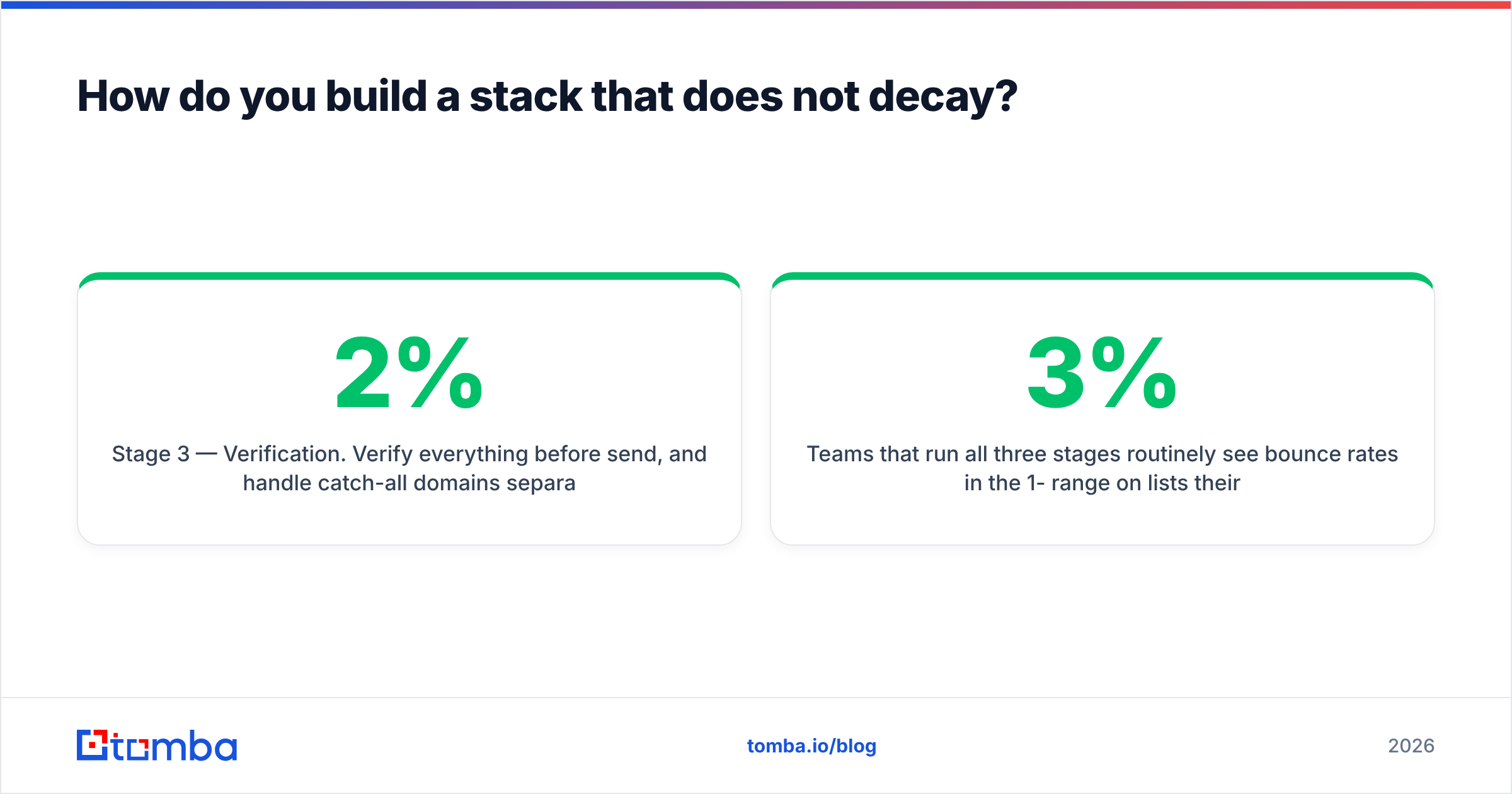
Stage 3 — Verification. Verify everything before send, and handle catch-all domains separately rather than lumping them in as "valid." Keep bounce rate under 2% to protect sender reputation.
Teams that run all three stages routinely see bounce rates in the 1-3% range on lists their vendor described as pre-verified. Teams that skip stages 2 and 3 see 15-30% and then spend a quarter rebuilding domain reputation. The cost difference between those outcomes is not close.
Final verdict#
Lead411 wins on signal quality, direct dials, and workflow depth — pay for it if your team acts on triggers and works the phone. OneMoreLead wins on cost per record and export flexibility — pick it if you need breadth and already own a verification step. Neither one wins on freshness, because no static database can.
The pattern that outperforms both: buy the smallest discovery dataset that covers your ICP, then resolve and verify every address at send time.
Ready to stop sending to dead rows? Tomba Email Finder resolves professional addresses by domain, name, or company against live sources — with confidence scoring, catch-all detection, and a verifier built into the same workflow. Start free with 25 searches a month, then scale on Starter at $49/mo when your list volume justifies it. Test it against 200 rows from whichever database you are evaluating and let the bounce rate decide.
Related guides#
// get started
Find, verify and enrich your first contacts today
Start on the free plan with 25 searches a month, then scale when your team is ready.
Free plan · No credit card required · GDPR & CCPA
// about the author