9 Best LeadBoost Alternatives in 2026 for B2B Lead Data
LeadBoost covers the basics, but match rates, credit rollover and verification depth vary wildly across the market. Here are nine alternatives compared on price, data coverage and bounce risk.
TL;DR
- LeadBoost works fine for light, one-off prospecting, but teams usually churn for three reasons: thin coverage outside the US, credits that expire monthly, and no serious verification layer before export.
- The right replacement depends on what you actually buy: raw contact volume (Apollo, BookYourData), precision email finding (Tomba, Hunter, Findymail), or full sequencing on top of data (Instantly, Reply.io).
- Verification is the hidden cost. A tool with a 90% match rate and no catch-all handling will still burn your domain if 1 in 8 sends bounces.
- Tomba's Free tier (25 searches/mo) and $49/mo Starter make it the cheapest way to test whether a dataset actually covers your ICP before you commit annually.
- Budget rule of thumb: pay per verified contact, not per row returned. Most "unlimited" claims in this category are unlimited searches, not unlimited valid emails.
What is LeadBoost and who is it actually for?#
LeadBoost sits in the crowded middle of the B2B contact data market: you give it a company domain or a person's name, it returns a likely business email, and you push that into a sequencer or CRM. It's the same core job as a dozen other tools, and for solo founders or a first SDR hire, that's often enough.
Where it stops being enough is scale and scrutiny. Once you're sending more than a few hundred cold emails a week, two things start to matter more than the finder itself: how much of your target list the database actually covers, and how confident you can be that a returned address will accept mail. Those are different problems, and most "all-in-one" tools are strong at one and weak at the other.
If you're evaluating LeadBoost alternatives, be honest about which of these three buyers you are:
- The volume buyer — you need 50,000 rows a quarter across broad segments, and you'll tolerate a 5-8% bounce rate if the price per contact is low enough.
- The precision buyer — you're doing ABM or founder-led sales into 200 named accounts, and a single wrong address costs you the account. Coverage matters less than confidence.
- The workflow buyer — you already have a list source and you want finding, verifying, enriching and sending in one login, even if each individual component is a B-grade version of a specialist tool.
Almost every bad tooling decision in this category comes from a precision buyer purchasing a volume product, or vice versa.

Why do teams look for LeadBoost alternatives?#
Four complaints show up repeatedly in review threads on G2 and Capterra across this whole product category — not just LeadBoost:
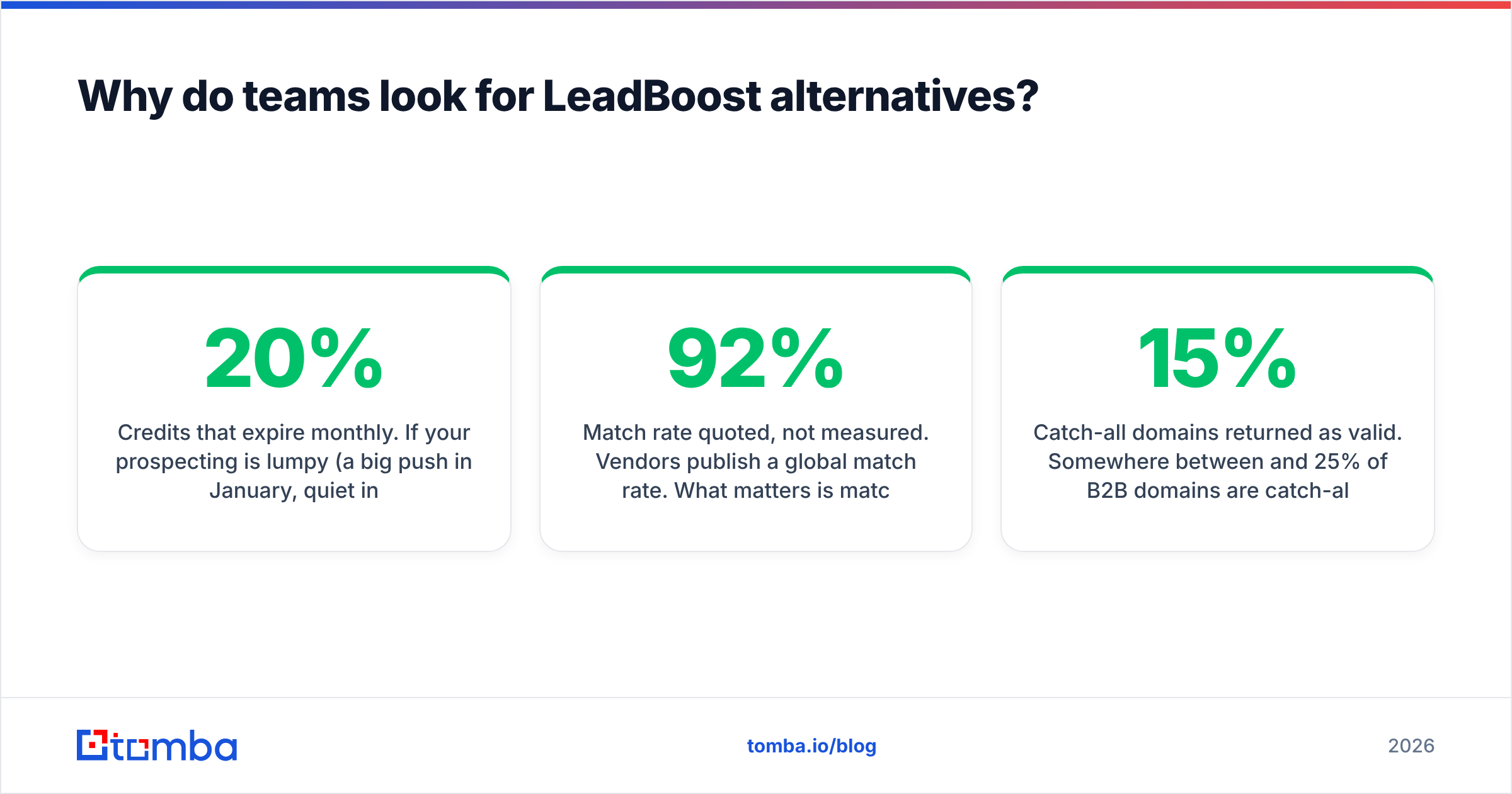
- Credits that expire monthly. If your prospecting is lumpy (a big push in January, quiet in February), a strict monthly reset means you're paying for capacity you structurally can't use. Rollover policies are worth more than a 20% discount.
- Match rate quoted, not measured. Vendors publish a global match rate. What matters is match rate on your list. A tool that hits 92% on US SaaS mid-market can drop to 45% on German Mittelstand manufacturers, and the marketing page won't tell you that.
- Verification treated as an upsell. Finding an address and proving it accepts mail are separate technical operations. Tools that bundle a shallow syntax check and call it "verified" are shifting deliverability risk onto you.
- Catch-all domains returned as valid. Somewhere between 15% and 25% of B2B domains are catch-all, meaning the mail server accepts everything at the SMTP handshake. Tools that mark these "valid" inflate their own accuracy numbers and inflate your bounce rate later.
That last one is the quiet killer. If you want to understand the mechanics before you shop, the primer on email deliverability covers why a single bad send window can take weeks to recover from.
What should you compare before switching tools?#
Run every candidate through the same five checks. This takes an afternoon and saves a year of annual contract regret.
- Coverage on a real sample. Take 100 rows from your actual ICP — not a demo list — and run them through each free tier. Count matches. This single test invalidates most vendor claims.
- Verification depth. Ask specifically: do you do SMTP-level checks, do you flag catch-all domains separately, and do you charge extra for it? "Valid / Invalid / Catch-all / Unknown" is the minimum useful output. Two buckets is not enough.
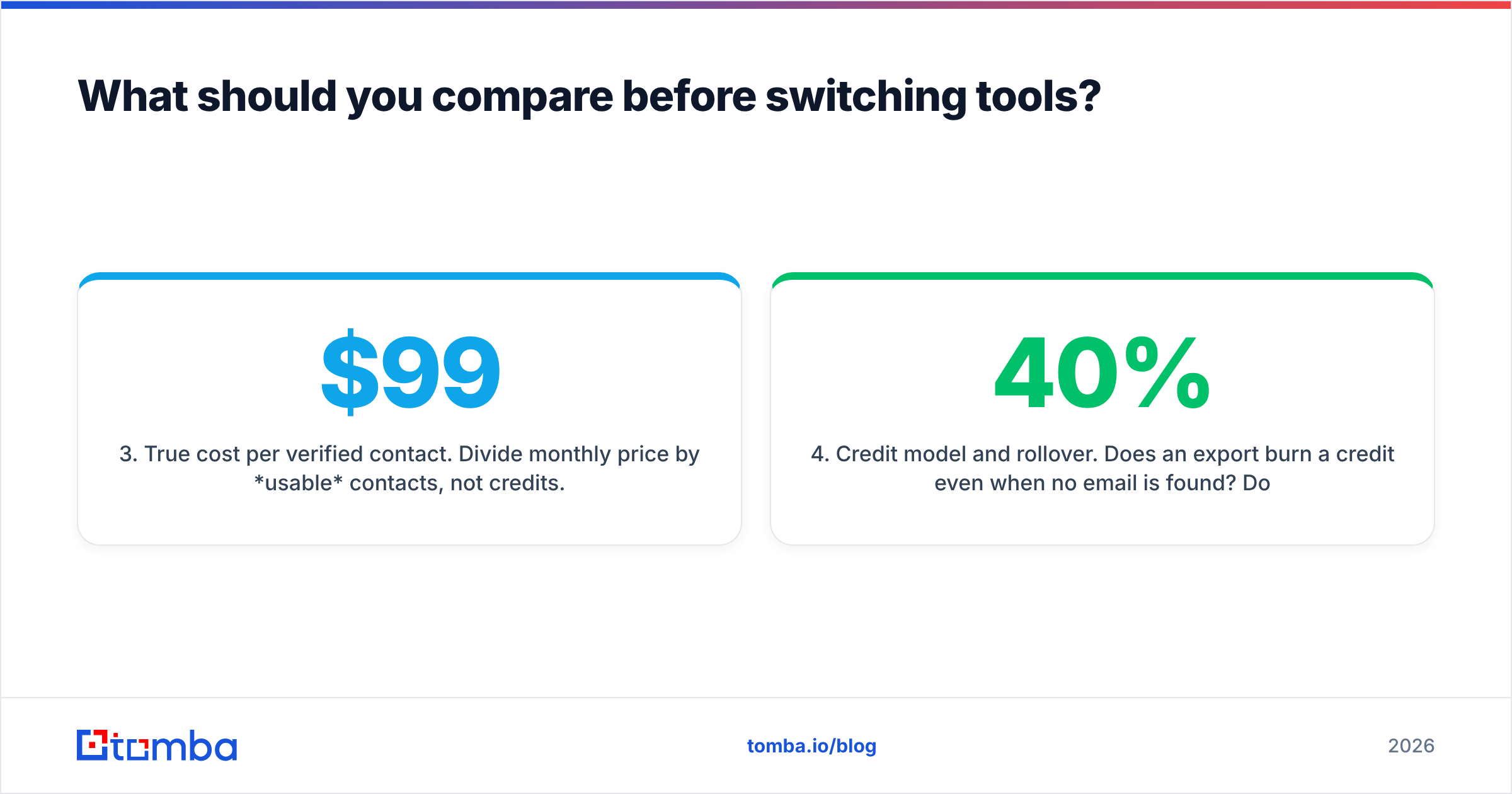
- True cost per verified contact. Divide monthly price by usable contacts, not credits. A $99 plan returning 2,000 credits at 70% match and 90% validity is really $99 for ~1,260 sendable addresses — about 7.9 cents each.
- Credit model and rollover. Does an export burn a credit even when no email is found? Do failed lookups refund? Do unused credits roll over, and for how long? These three answers can change effective price by 40%.
- API and workflow fit. If your RevOps runs on scheduled enrichment jobs, a good UI is irrelevant and a documented email finder API with sane rate limits is everything. If your team lives in a browser, the opposite is true.
- Exit cost. Can you export everything you've already found as CSV, without a paid plan? Some tools hold your enriched data hostage behind the subscription. Check before you migrate in, not out.
Which LeadBoost alternatives are worth testing in 2026?#
Here's the shortlist, grouped by what each one is genuinely best at. Prices are list prices at time of writing and move often — verify on the vendor's own page before budgeting.

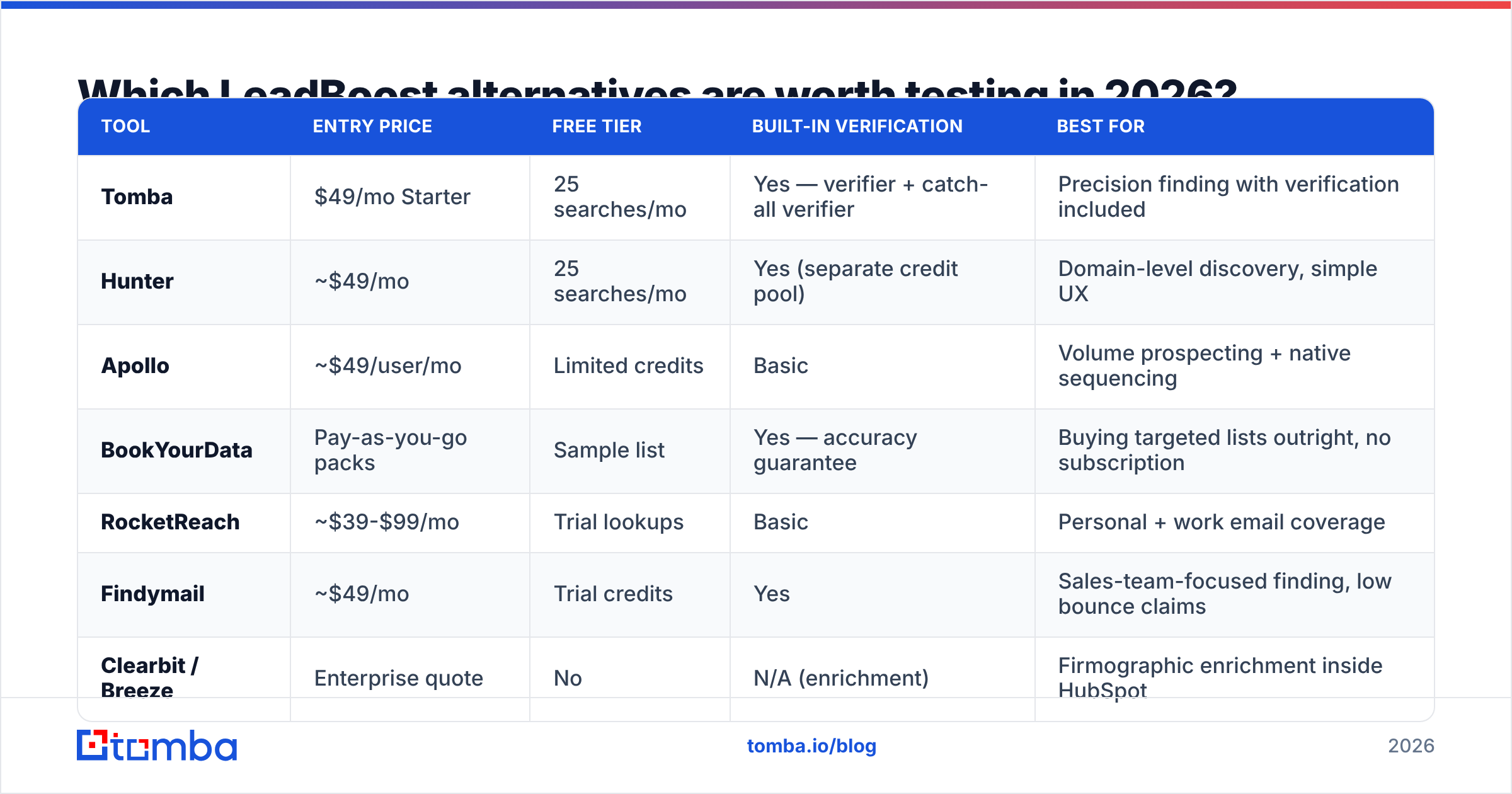
| Tool | Entry price | Free tier | Built-in verification | Best for |
|---|---|---|---|---|
| Tomba | $49/mo Starter | 25 searches/mo | Yes — verifier + catch-all verifier | Precision finding with verification included |
| Hunter | ~$49/mo | 25 searches/mo | Yes (separate credit pool) | Domain-level discovery, simple UX |
| Apollo | ~$49/user/mo | Limited credits | Basic | Volume prospecting + native sequencing |
| BookYourData | Pay-as-you-go packs | Sample list | Yes — accuracy guarantee | Buying targeted lists outright, no subscription |
| RocketReach | ~$39-$99/mo | Trial lookups | Basic | Personal + work email coverage |
| Findymail | ~$49/mo | Trial credits | Yes | Sales-team-focused finding, low bounce claims |
| Clearbit / Breeze | Enterprise quote | No | N/A (enrichment) | Firmographic enrichment inside HubSpot |
| Instantly | ~$37/mo (sending) | Trial | Bundled | Teams who want data + sending in one seat |
| Dropcontact | ~€24/mo | Trial | Yes (GDPR-first) | EU data, no-database deduction approach |
A few notes that the table can't carry:
Apollo is the default volume answer. The database is enormous and the sequencer is competent, which is exactly why it wins the "one tool" bake-off so often. The trade-off is data freshness at the tail — job-change decay hits big aggregated databases hard, and you'll spend real time filtering. If you're migrating from LeadBoost specifically for volume, Apollo is the honest first stop, and the Apollo alternative breakdown covers where it stops making sense.
BookYourData solves a different problem well: you buy a targeted list, you own it, there's no seat cost, and their accuracy guarantee means bad records are credited back. For teams who run two or three campaigns a year rather than continuous outbound, a pay-as-you-go list is often cheaper and simpler than any subscription on this page. It's a genuinely different purchasing model, not a worse version of the same one.
Dropcontact appeals if you're EU-heavy and nervous about GDPR posture — it builds and verifies rather than resells a stored database. Coverage outside Europe is the trade-off.
Tomba sits on the precision side. The core email finder is paired with an email verifier and a dedicated catch-all verifier, so the "is this address real" question gets answered inside the same workflow instead of via a second vendor. Free tier is 25 searches/mo, Starter is $49/mo, Growth $99/mo, Pro $249/mo — full Tomba pricing is public, which is itself a filter in a category full of "contact sales."
How accurate are these tools in practice?#
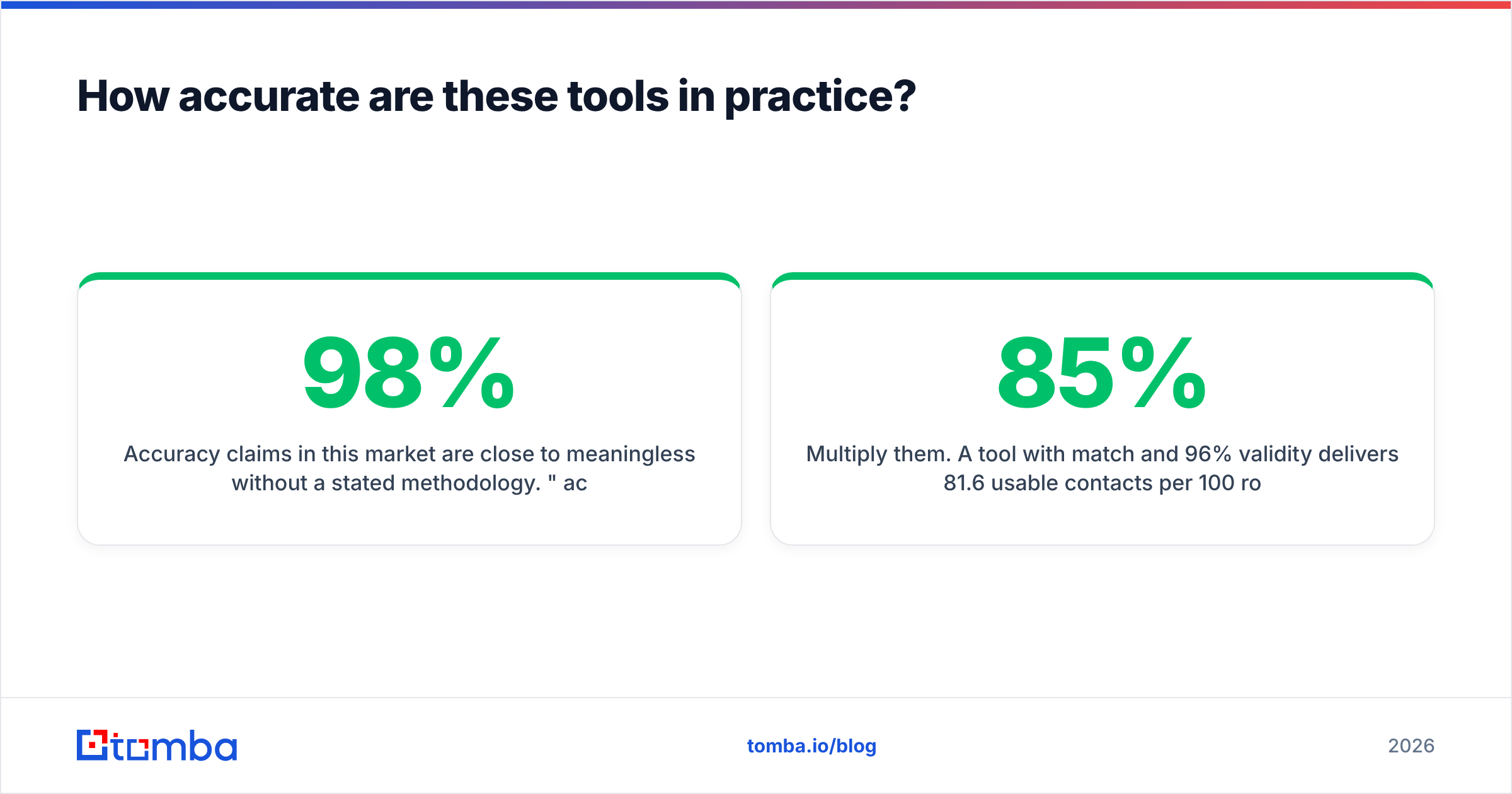
Accuracy claims in this market are close to meaningless without a stated methodology. "98% accurate" usually means: of the addresses we chose to return, 98% passed our own check. It says nothing about the 40% of your list where the tool returned nothing at all.
The two numbers to hold vendors to:
- Match rate — of N input rows, how many produced any address?
- Validity rate — of those matches, how many actually delivered when sent?
Multiply them. A tool with 85% match and 96% validity delivers 81.6 usable contacts per 100 rows. A tool with 95% match and 82% validity delivers 77.9 — and gives you an 18% bounce rate that will cook your sender reputation inside two weeks.


This is where catch-all handling decides the outcome. If a tool reports catch-all domains as "valid," its validity rate looks spectacular on paper and terrible in your inbox. Ask for the four-bucket breakdown. A vendor that can't produce one is a vendor that doesn't measure it.
Practical test: take 200 known-good addresses (your own customer base, anonymized) and 50 known-dead ones (contacts who bounced last quarter). Run both sets through each candidate's verifier. You're measuring false positives on the dead set — that's the number that predicts your bounce rate, and no vendor publishes it.
How do you migrate off LeadBoost without losing pipeline?#
Switching data vendors mid-quarter is where teams lose weeks. Sequence it like this:
- Export everything first. Pull your full contact history out of LeadBoost as CSV before you cancel. Include enrichment fields, not just emails.
- Deduplicate against the CRM. Run the export through a dedupe pass so you're not re-buying contacts you already own. Re-enriching records you already have is the most common source of wasted credits in month one.
- Run a 100-row bake-off. Same list, every candidate's free tier, same day. Score match rate and validity separately. Ignore the UI during this step.
- Test deliverability on 50 addresses, not 5,000. Send a small, real campaign from a warmed domain before you migrate the whole motion. Watch the bounce rate for 72 hours.
- Re-point your automations last. CRM syncs, Zapier/Make scenarios and enrichment jobs should switch only after the data quality test passes. If you're running scheduled jobs, plan for the bulk email finder workflow or API to replace whatever cron job currently calls LeadBoost.
- Keep the old subscription for 30 days. Overlap is cheap insurance. Cancel after the new tool has survived one full campaign cycle.
Which alternative should you pick?#
Short version, by buyer type:
- Precision / ABM, small named-account lists — Tomba or Findymail. You want verification bundled and catch-all flagged, and you don't need a 200M-row database.
- High-volume outbound, US-centric — Apollo, with a separate verification pass before send. Budget for that second step; it is not optional.
- Occasional campaigns, no subscription appetite — BookYourData. Buy the list, own the list, skip the seat fees.
- EU-first, compliance-sensitive — Dropcontact.
- One-login simplicity over best-in-class parts — Instantly or Reply.io, accepting that the data layer will be weaker than a specialist.
- Developer-driven enrichment pipelines — whichever tool has the cleanest API docs and per-call pricing; in practice that shortlist is Tomba, Hunter and Dropcontact.
If your outbound is currently bouncing above 3%, fix verification before you shop for coverage. Adding more contacts to a broken deliverability setup just scales the damage. Running your existing list through a catch-all verifier will usually tell you within an hour whether your problem is the data source or the sending setup.
Ready to test a replacement on your own list?#
Don't take any vendor's match-rate claim — including ours — on faith. Pull 25 rows from your real ICP, run them through the Tomba Email Finder on the free tier, and check the results against what LeadBoost returned for the same companies. You'll know inside twenty minutes whether the coverage holds on your segment, and the verifier will tell you which of those addresses are actually safe to send to. If the numbers work, Starter is $49/mo with the verifier and catch-all checks included — no separate vendor, no second bill.
Related guides#
// get started
Find, verify and enrich your first contacts today
Start on the free plan with 25 searches a month, then scale when your team is ready.
Free plan · No credit card required · GDPR & CCPA
// about the author