LeadBoost Pricing in 2026: Reviews, Pros and Cons Compared
A neutral breakdown of how LeadBoost prices its lead data, what real reviewers praise and complain about, and when a credit-based email finder costs you less per usable contact.
Most LeadBoost pricing reviews stop at the sticker price. The real number is what you pay per usable contact, and that is what this breakdown measures.
TL;DR
- LeadBoost sells access to B2B contact data on a seat-plus-credit model, which means your invoice grows with headcount, not with how many good leads you actually export.
- Reviewers consistently praise the speed of list building and the browser workflow; the recurring complaints are credit burn on bad records, export caps, and annual-only discounting.
- The number that matters is not the monthly price. It is cost per verified, deliverable contact after you strip out bounces, generic inboxes, and duplicates.
- If you need 2,000–10,000 targeted contacts a month, a credit-based finder like Tomba at $49/mo (Starter) or $99/mo (Growth) usually lands cheaper per usable record than a seat-priced platform.
- Buy LeadBoost if you want an all-in-one prospecting surface for a small team. Skip it if you already own sequencing and a CRM and only need clean, verified email data.
What is LeadBoost, and who is it actually for?#
LeadBoost is a B2B lead generation platform: you search a contact database, filter by company and role attributes, pull emails and phone numbers, and push the results into a CSV or a CRM. That puts it on the same shelf as Apollo, Lusha, RocketReach, and Cognism. Each of those tools bundles a database, a browser extension, and some light outreach or enrichment on top.
The buyer profile is a small-to-mid sales team that wants one login instead of three: a place to build lists, a place to reveal contact details, and a place to keep the export history. That bundling is the whole pitch, and it is also where the pricing pressure comes from. Bundles charge per person. Data tools charge per record. Those two models produce very different invoices at the end of the quarter.
Before you compare anything, write down two numbers: how many contacts you genuinely need each month, and how many people will log in. If the first number is large and the second is small, seat pricing is working against you.
Wait — that placeholder belongs here:

How does LeadBoost pricing actually work?#
LeadBoost, like most vendors in this category, does not expose one flat public number that holds across regions, resellers, and sales-assisted deals. Treat any figure you read anywhere (including here) as a starting point, and confirm it on the vendor's own pricing page before you sign. What you can reason about reliably is the shape of the bill:
- A per-seat license fee. Every user who logs in carries a monthly or annual cost, whether they pull 10 contacts or 10,000. This is the line item that quietly doubles when you hire two SDRs.
- A credit or reveal allowance. Credits are consumed when you unlock an email, a direct dial, or an enriched company record. Phone numbers almost always cost more credits than emails.
- Export limits layered on top of credits. Some plans let you see more than you can download. Read the export cap separately from the credit cap; they are not the same constraint.
Those three items set the floor. The next three decide what you actually pay:
- Annual-only discounting. The headline monthly rate you see in marketing is usually the annual-commitment rate divided by twelve. Month-to-month typically costs 20–40% more across this category.
- Feature gating on the plan, not the volume. API access, bulk enrichment, CRM sync, and team roles tend to sit behind the second or third tier, regardless of how many credits you buy.
- Overage or top-up packs. When you run out mid-month, the marginal credit price is almost never as good as the in-plan price.
That structure is the honest answer to "what does LeadBoost cost?" You pay for seats, plus credits, plus whatever tier unlocks the one feature your ops person needs.
What do LeadBoost pricing reviews say?#
LeadBoost pricing reviews mirror the wider category. Read them on G2 and Capterra rather than trusting any single blog's summary — including this one. Filter reviews by company size, because a 5-person agency and a 200-seat sales org experience the same product very differently.
The praise clusters around three things:
- Speed of list building. Filter, select, reveal, export. For teams coming from manual LinkedIn scraping, this alone justifies the switch.
- The browser extension. Reviewers like being able to pull a contact without leaving the prospect's site or profile.
- Support responsiveness at the lower tiers, which is not universal in this market.
The criticism clusters just as tightly:
- Credits spent on records that bounce. The single most common complaint across every tool in this category. A credit charged for an unverified guess is a real cost.
- Regional data thinness. Coverage outside North America and Western Europe is usually weaker, and reviewers in APAC and LATAM say so.
- Contract friction. Annual lock-ins, non-obvious downgrade paths, and credits that do not roll over.
None of this makes LeadBoost a bad product. It makes it a product whose value depends entirely on whether your ICP sits inside its strongest data coverage.
Is LeadBoost accurate enough to justify the price?#
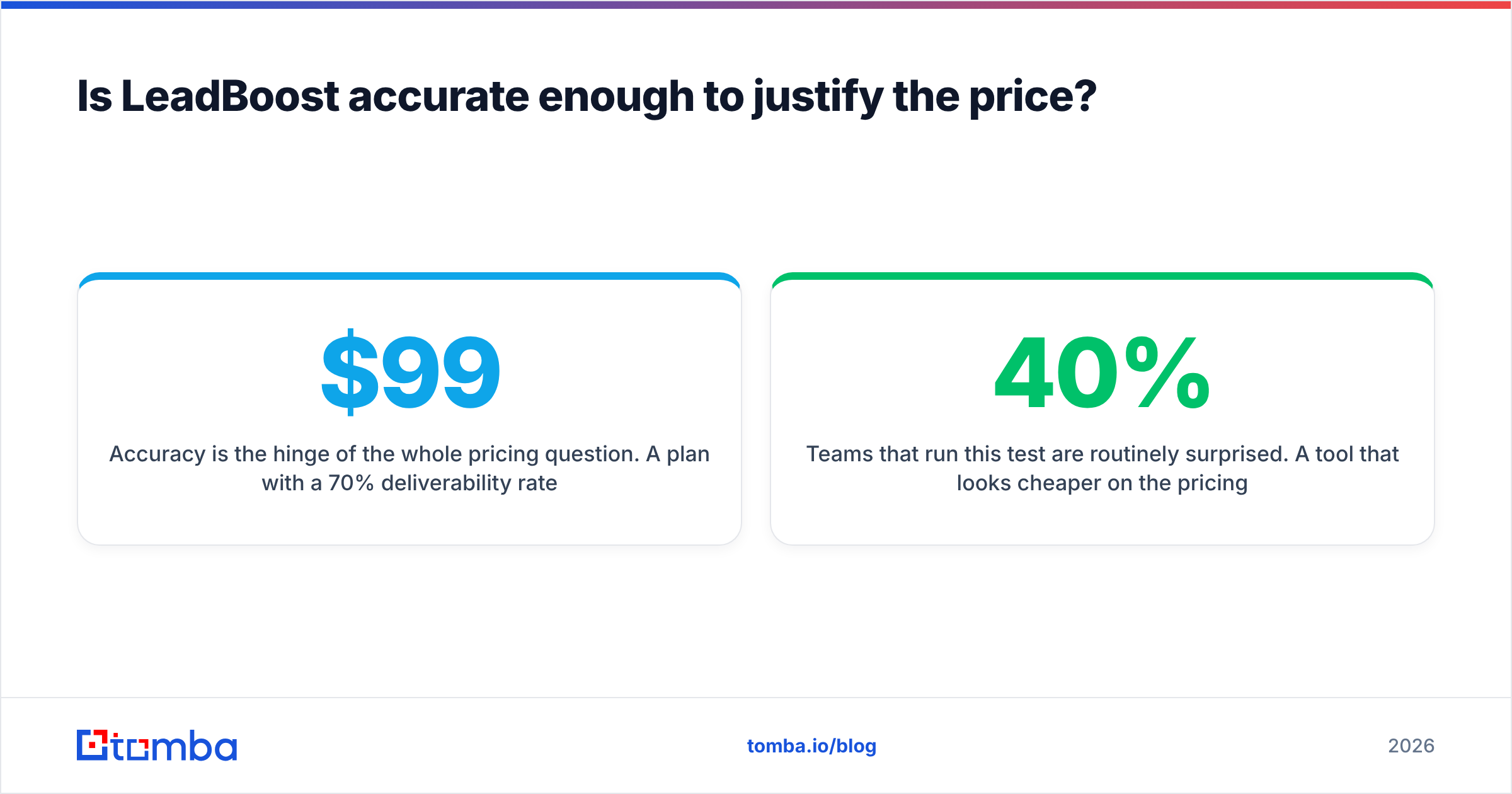
Accuracy is the hinge of the whole pricing question. A $99/mo plan with a 70% deliverability rate is more expensive than a $149/mo plan at 95%. You pay twice for the bad records: once in credits, once in sender reputation.

Here is how to test accuracy before you commit, using nothing but a trial:
- Pull 100 contacts from your real ICP, not from a demo-friendly segment like SaaS marketing directors in San Francisco.
- Run every address through an independent email verifier rather than trusting the source tool's own confidence score. Self-graded homework is not evidence.
- Count three buckets: valid, catch-all/unknown, and invalid. Catch-all domains are not free wins — they need a catch-all verifier pass before you send.
- Divide the plan cost by the valid count. That is your real cost per contact.
Teams that run this test are routinely surprised. A tool that looks 40% cheaper on the pricing page often lands 15% more expensive per deliverable address.
How does LeadBoost pricing compare to alternatives?#
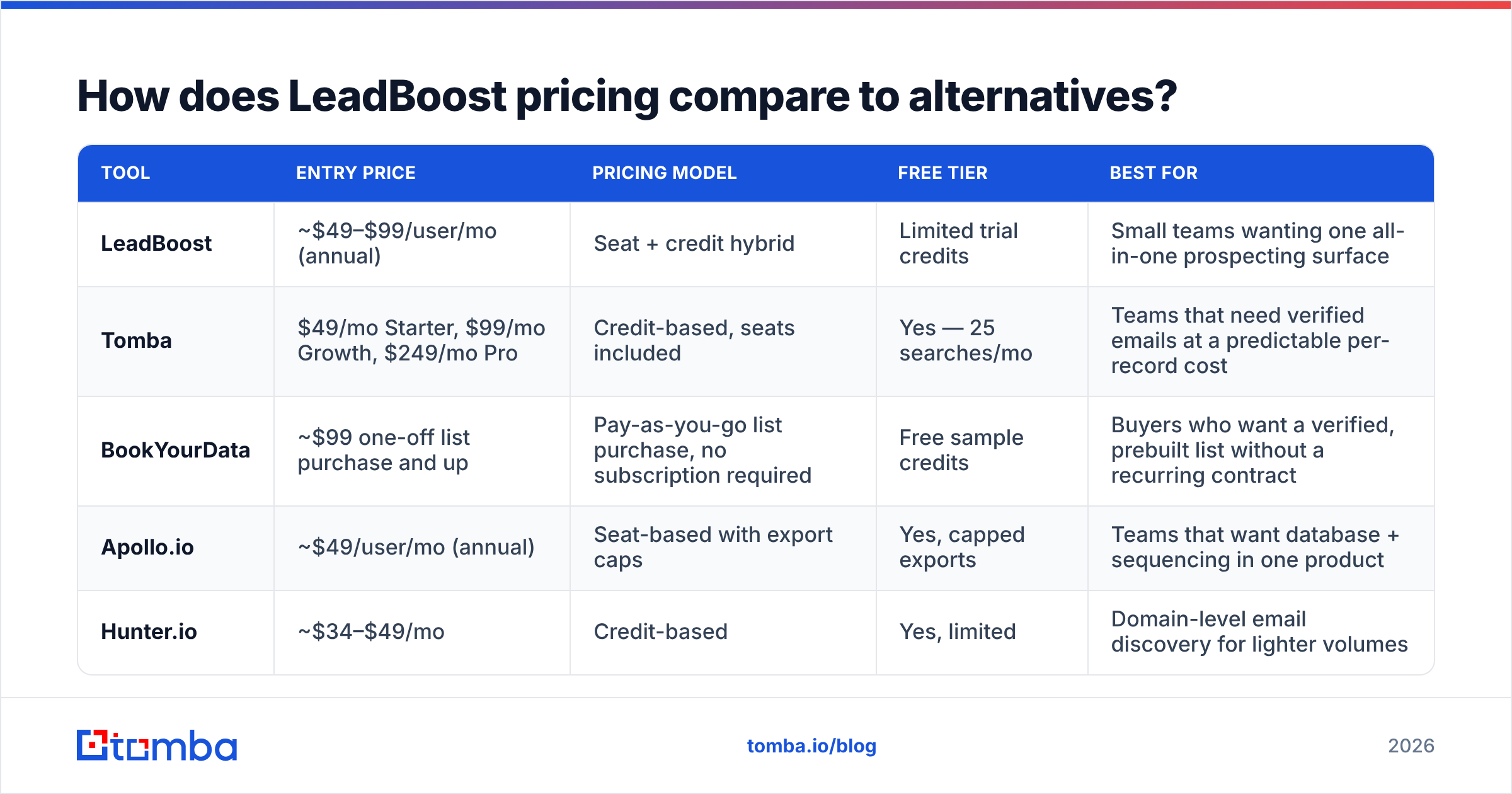
The table below compares pricing models, not pricing numbers. Models are far more stable. Approximate entry prices carry a tilde and should be verified with each vendor — Tomba's figures are exact, because they are ours.
| Tool | Entry price | Pricing model | Free tier | Best for |
|---|---|---|---|---|
| LeadBoost | ~$49–$99/user/mo (annual) | Seat + credit hybrid | Limited trial credits | Small teams wanting one all-in-one prospecting surface |
| Tomba | $49/mo Starter, $99/mo Growth, $249/mo Pro | Credit-based, seats included | Yes — 25 searches/mo | Teams that need verified emails at a predictable per-record cost |
| BookYourData | ~$99 one-off list purchase and up | Pay-as-you-go list purchase, no subscription required | Free sample credits | Buyers who want a verified, prebuilt list without a recurring contract |
| Apollo.io | ~$49/user/mo (annual) | Seat-based with export caps | Yes, capped exports | Teams that want database + sequencing in one product |
| Hunter.io | ~$34–$49/mo | Credit-based | Yes, limited | Domain-level email discovery for lighter volumes |

Three honest readings of that table:
If you are buying seats, buy the bundle. A seat-priced platform that also sends sequences can be the cheapest total stack for a 3-person team, because you delete a separate sequencer line item.
If you are buying records, buy credits. Once your data volume outruns your headcount, per-seat licensing is pure overhead. This is where a credit model wins outright. Check the Tomba pricing tiers against your monthly contact target; the math is usually not close.
If you are buying once, buy a list. BookYourData is a genuinely good fit when you need a clean, verified slice of a market for a single campaign. You get the data without a twelve-month contract attached to it. Not every data need is a subscription need, and it is worth saying that plainly.

What hidden costs should you budget for?#
The subscription is rarely the whole number. Budget for these four:
- Verification. If your source tool does not verify at export time, you will pay a second vendor to clean the list. Build that into the per-contact math.
- Deduplication. Overlapping list pulls burn credits on contacts you already own. A dedupe step before import is free to build and saves real money — the remove duplicates tool handles the quick version.
- Deliverability damage. Sending to a 15% invalid list does not just waste sends. It drags sender reputation down across every domain you own, and recovery takes weeks. This is the largest hidden cost in the category. It never appears on an invoice.
- Engineering time. If your workflow needs programmatic lookups, a plan without API access forces manual CSV shuffling. Compare tiers on API availability, not just credit count — Tomba exposes the same data through the Tomba API on paid plans rather than reserving it for enterprise.
A useful rule from the demand-gen playbooks that HubSpot and similar vendors publish: model your cost per meeting booked, not cost per contact. A list that is 30% cheaper but converts at half the rate is the expensive option.
What are the real pros and cons of LeadBoost?#
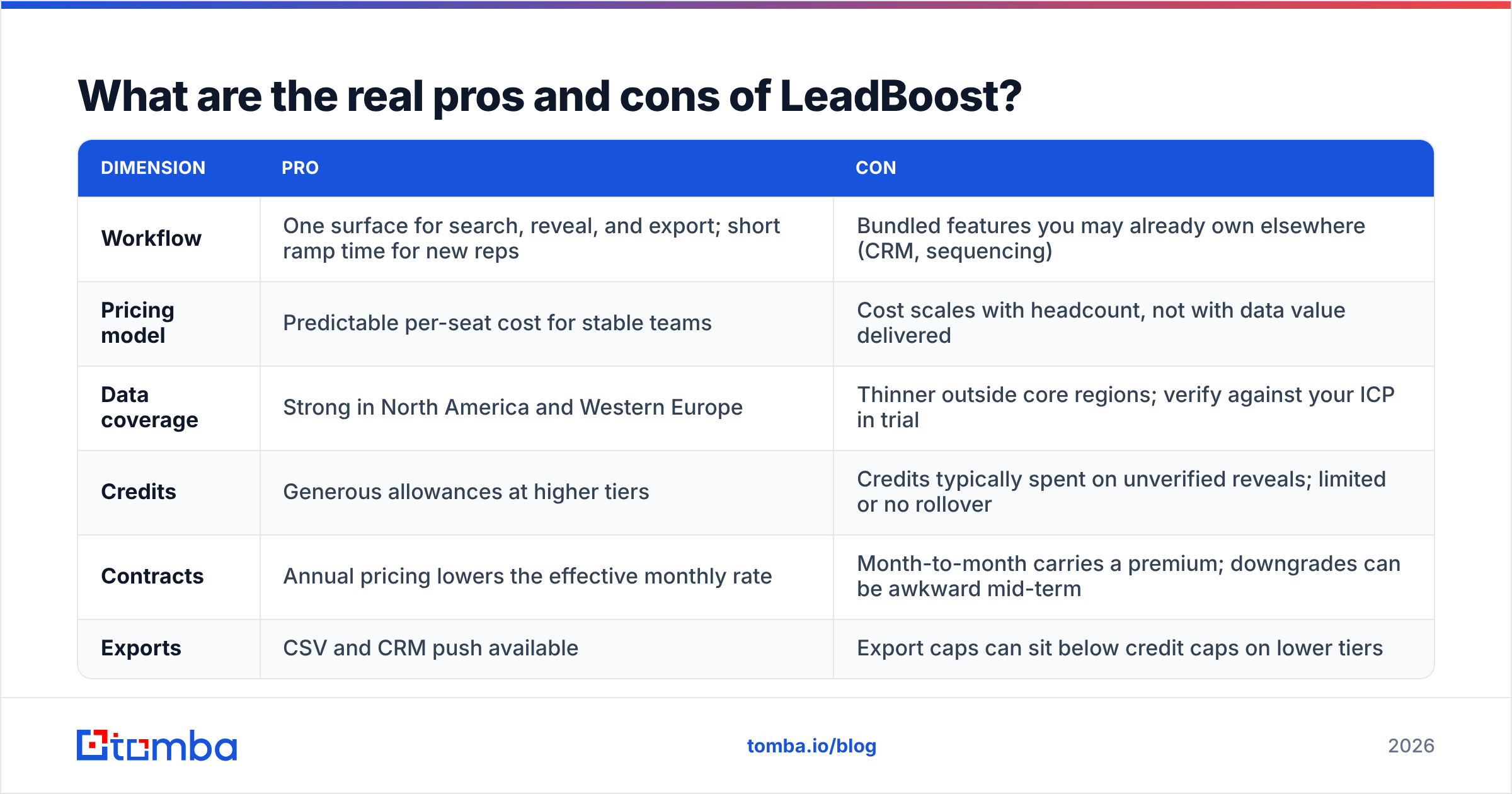
| Dimension | Pro | Con |
|---|---|---|
| Workflow | One surface for search, reveal, and export; short ramp time for new reps | Bundled features you may already own elsewhere (CRM, sequencing) |
| Pricing model | Predictable per-seat cost for stable teams | Cost scales with headcount, not with data value delivered |
| Data coverage | Strong in North America and Western Europe | Thinner outside core regions; verify against your ICP in trial |
| Credits | Generous allowances at higher tiers | Credits typically spent on unverified reveals; limited or no rollover |
| Contracts | Annual pricing lowers the effective monthly rate | Month-to-month carries a premium; downgrades can be awkward mid-term |
| Exports | CSV and CRM push available | Export caps can sit below credit caps on lower tiers |
Who should buy LeadBoost, and who should skip it?#
Buy it if: you have two to eight reps, no existing sequencer, an ICP concentrated in North America or Western Europe, and you value one login over best-in-class data depth. The bundle genuinely reduces tool sprawl. At that team size, sprawl is a real tax.
Skip it if: you already run Outreach, Salesloft, Instantly, or an in-house sequencer; your data volume is high relative to your headcount; you sell into regions where coverage is thin; or your ops team needs API-level access without jumping to an enterprise tier.
There is a third case worth naming. If you are not sure yet, do not buy either option annually. Run a 30-day parallel test: same 200-account target list, two tools, one verifier, and one spreadsheet comparing valid-contact counts and reply rates. The winner is obvious after four weeks, and you will have spent less than one month of either annual contract to find out. That test costs less than any procurement debate you could have instead.
What is the cheapest path to verified contacts right now?#
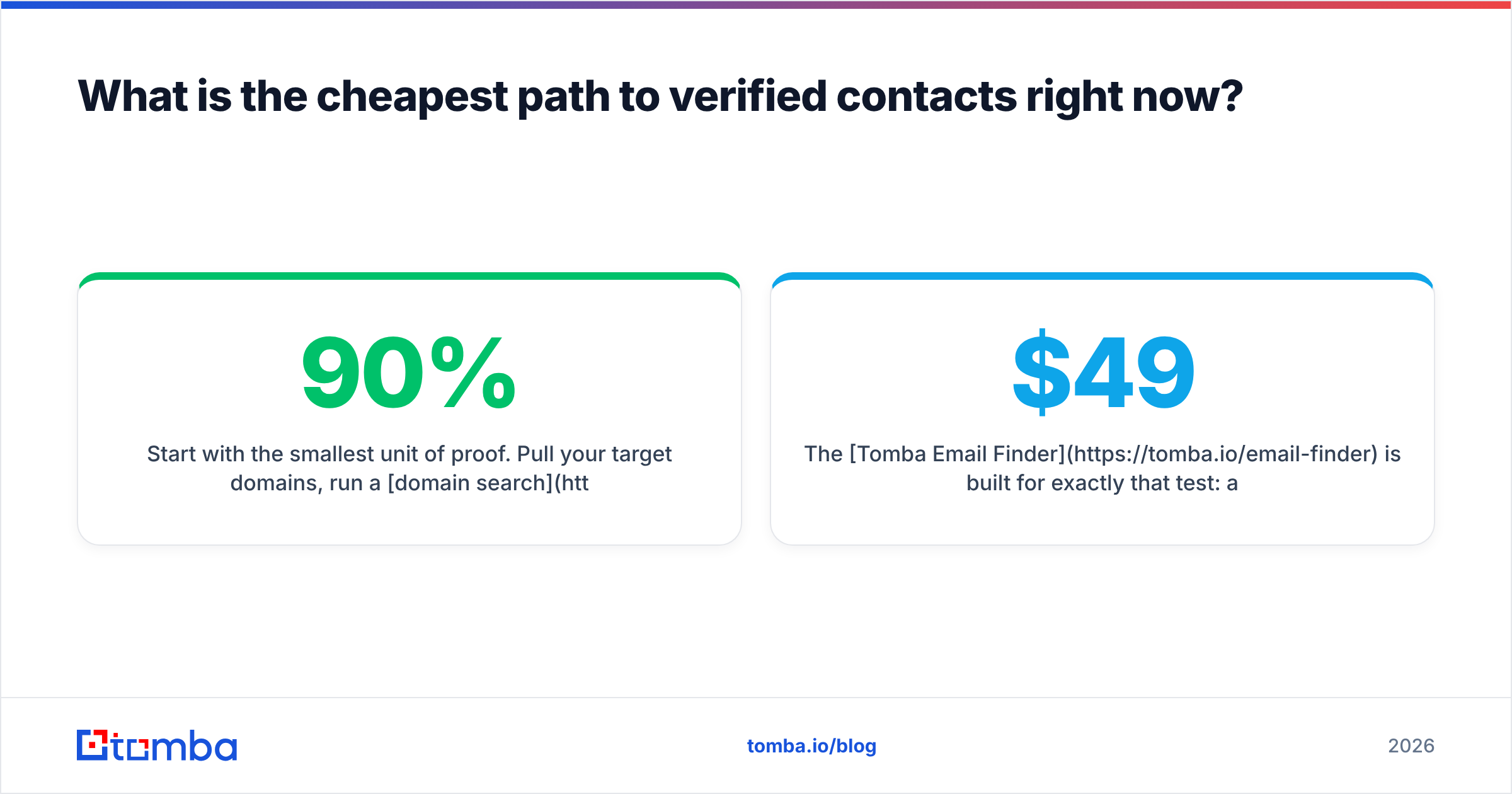
The LeadBoost pricing reviews worth trusting all end in the same place: run your own test. Start with the smallest unit of proof. Pull your target domains, run a domain search to see the pattern and the people, verify the addresses, and count what survives. If the survival rate is above 90% and the per-record cost beats your incumbent, you have your answer without a single sales call.
The Tomba Email Finder is built for exactly that test. A free tier with 25 searches a month lets you benchmark against LeadBoost on your own ICP before spending anything. Above that, $49/mo Starter and $99/mo Growth include verification, bulk processing, and API access rather than gating them behind an enterprise conversation. Run the 100-contact test this week, compare cost per valid address, and let the numbers pick the tool.
Related guides#
// get started
Find, verify and enrich your first contacts today
Start on the free plan with 25 searches a month, then scale when your team is ready.
Free plan · No credit card required · GDPR & CCPA
// about the author