LeadEngineAI vs LFBBD Lead For Business: 2026 Comparison
One tool generates leads with AI scoring, the other sells pre-built B2B lists. We break down pricing, data freshness, and which one actually fits your outbound motion in 2026.
LeadEngineAI vs LFBBD Lead For Business comes down to one question. Do you want a tool that picks your targets, or one that hands you the biggest list? Here is the short answer first.
TL;DR
- LeadEngineAI sells an AI-scored lead generation workflow: you describe an ICP, it assembles and ranks a list. Good for teams that want the targeting decision made for them.
- LFBBD (Lead For Business) sits closer to the classic B2B list-building model: you filter a database, export contacts, and run them through your own sequencer.
- Neither category solves the part that actually kills campaigns — contact-level verification at send time. Lists decay roughly 2-3% per month, and a purchased CSV is already stale on arrival.
- The cheapest reliable setup for most teams in 2026 is a targeting layer + a dedicated finder/verifier layer, not one tool pretending to do both.
- If your bounce rate is above 3%, fix the data layer before you spend another dollar on lead volume.
LeadEngineAI vs LFBBD Lead For Business: what are they?#
Short version: both are lead-sourcing tools, but they solve different halves of the problem. LeadEngineAI leans on AI to decide who you should contact. LFBBD Lead For Business leans on database breadth to tell you who exists.
Think of it like buying produce. LeadEngineAI is a meal-kit service — it picks the ingredients, portions them, and hands you a recipe card. LFBBD is the wholesale market. Far more inventory, much cheaper per unit, but you check what's fresh.
LeadEngineAI positions itself around intent signals and AI scoring. You feed it an ideal customer profile — industry, headcount, tech stack, sometimes a description in plain English. It returns a ranked list, and each record carries a confidence or fit score. The pitch: your SDRs stop arguing about list quality and start working the top decile.
LFBBD Lead For Business operates on the list-provider model: a large stored contact database with filters for geography, industry code, company size, and role. You build a segment, you export, you own the file. Pricing typically scales with records exported rather than seats.
The critical thing both share: the contact data is a snapshot. Whether an AI ranked it or a filter produced it, the email address in row 47 was collected at some point in the past. That's not a knock on either vendor — it's how stored databases work. It's also why the verification step matters more than the sourcing step.
How do LeadEngineAI and LFBBD compare on features and pricing?#
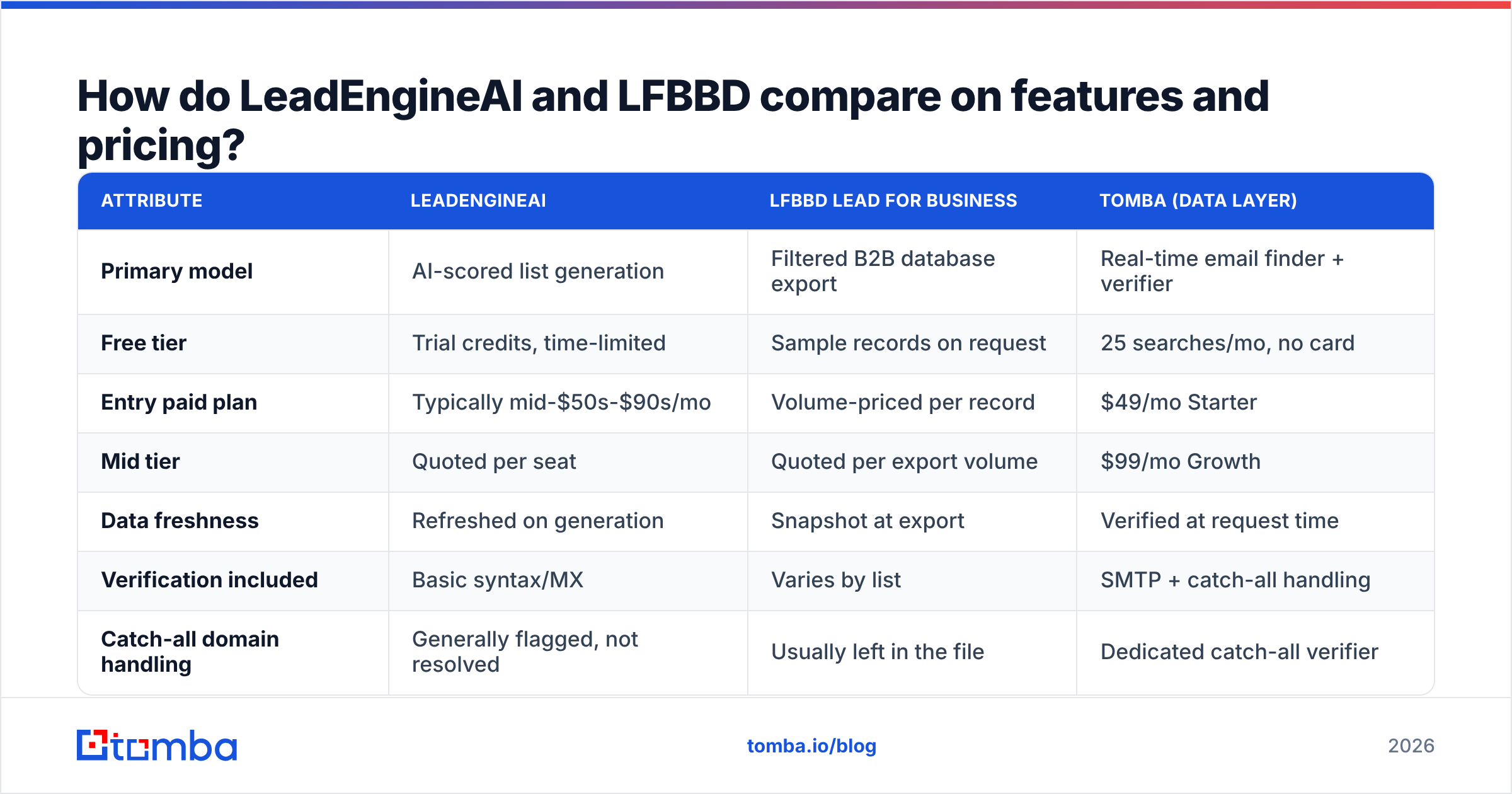
Here's the honest side-by-side. Note that both vendors run custom/quoted pricing at the upper tiers, so treat the numbers as directional and confirm on their own sites before you buy.
| Attribute | LeadEngineAI | LFBBD Lead For Business | Tomba (data layer) |
|---|---|---|---|
| Primary model | AI-scored list generation | Filtered B2B database export | Real-time email finder + verifier |
| Free tier | Trial credits, time-limited | Sample records on request | 25 searches/mo, no card |
| Entry paid plan | Typically mid-$50s-$90s/mo | Volume-priced per record | $49/mo Starter |
| Mid tier | Quoted per seat | Quoted per export volume | $99/mo Growth |
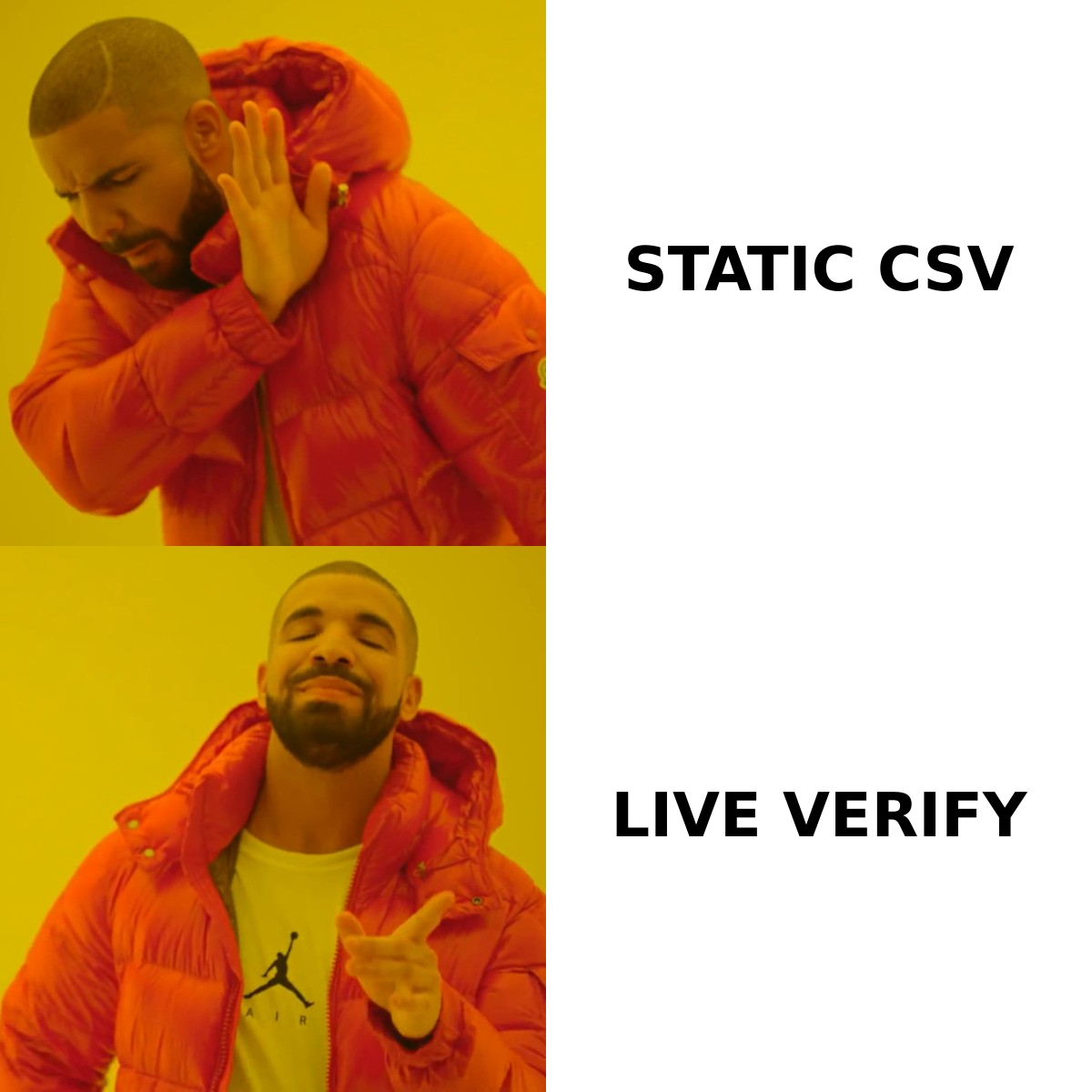
| Data freshness | Refreshed on generation | Snapshot at export | Verified at request time |
| Verification included | Basic syntax/MX | Varies by list | SMTP + catch-all handling |
| Catch-all domain handling | Generally flagged, not resolved | Usually left in the file | Dedicated catch-all verifier |
| API access | Higher tiers | Limited | All paid plans |
| Best for | Teams without a defined ICP | High-volume list buyers | Anyone who needs deliverable addresses |
Read that table as three lanes rather than a scoreboard. LeadEngineAI's value is decision-making. LFBBD's value is coverage and cost per record. Tomba's value is the address actually resolving. A team that buys all three isn't being wasteful — they're buying three different things.
Where teams go wrong: they buy one tool and assume it covers all three lanes. Then a 5,000-contact campaign bounces at 14%, the domain reputation tanks, and they blame the vendor.
Which one has better data accuracy?#
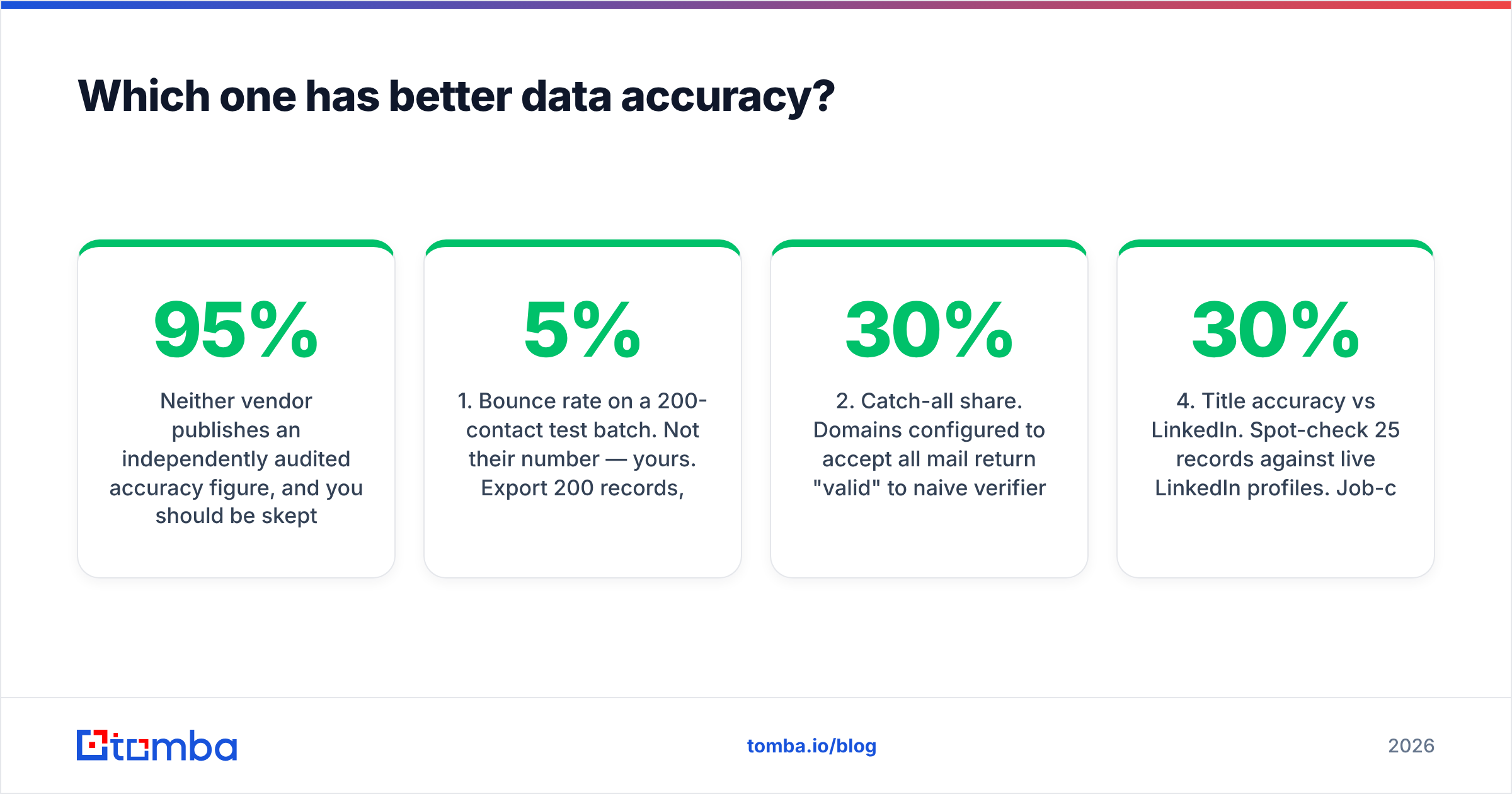
Neither vendor publishes an independently audited accuracy figure. Be skeptical of any lead tool that claims 95%+ without describing the methodology. Here's what to actually measure.
- Bounce rate on a 200-contact test batch. Not their number — yours. Export 200 records, send a low-volume verification-only campaign, and count hard bounces. Anything over 5% means the list is materially stale.
- Catch-all share. Domains configured to accept all mail return "valid" to naive verifiers. If 30% of a list is catch-all, your real deliverability is unknown. A dedicated catch-all verifier resolves this rather than guessing.
- Role-account contamination. info@, sales@, contact@ addresses inflate record counts and depress reply rates. Check what percentage of the export is role-based.
- Title accuracy vs LinkedIn. Spot-check 25 records against live LinkedIn profiles. Job-change churn runs high — Gartner and others have tracked B2B contact decay in the 25-30%/year range, which is why any static database drifts.
- Company-level staleness. Look for acquired, renamed, or defunct companies still listed as active. One or two is noise; a pattern means the refresh cycle is slow.
That five-point test takes an afternoon and tells you more than any comparison article, including this one. Run it during the trial, not after you've committed to an annual contract.
A practical note on methodology: run the same 200 contacts through an independent email verifier before you send. Say the verifier flags 18% as risky or bad, and the vendor swore the list was clean. Now you have your answer. And you did not burn your sending domain to get it.
Is AI scoring actually worth paying for?#
Conditionally yes — and the condition is whether you already know your ICP.
If your best 20 customers share an obvious pattern (Series B SaaS, 50-200 employees, using HubSpot), you can encode that in database filters for a fraction of the cost. AI scoring is solving a problem you've already solved. Paying a premium for a model to rediscover your own pattern is a bad trade.
If you're genuinely early — pre-product-market-fit, or expanding into an adjacent segment where your intuition is weak — the scoring has real value. It surfaces links you would not have filtered for. It also gives your team a ranked order to work, instead of a list sorted by name.
The honest limitation: AI fit scores are trained on whatever signals the vendor can observe from the outside. Firmographics, tech stack, hiring signals, funding events. They cannot see your win/loss data unless you feed it in, and most tools at this price point don't support that depth of feedback loop. So the score means "looks like a firm that buys software like yours." It does not mean "looks like a firm that buys your software."
Compare that to the approach most high-performing outbound teams use in 2026: a narrow, hand-built account list of 200-400 companies, enriched deeply, worked persistently. Research on B2B buying behavior from Gartner consistently shows buying groups of six to ten people per deal. Ten shallow contacts at 400 companies beats one scored contact at 4,000 — and building that requires domain search more than it requires a scoring model.
What about deliverability and sender reputation?#
This is the section that decides whether either tool pays for itself.
Both LeadEngineAI and LFBBD hand you addresses. Neither one is responsible for what happens after you hit send — but your domain reputation is. Google and Yahoo's bulk sender rules, rolled out in 2024 and tightened since, set a hard spam-complaint threshold at 0.3% and require authenticated sending. You can read the current rules directly in Google's Postmaster sender guidelines. A dirty list blows through those limits fast.
The failure sequence is predictable:
- Week 1: Import 5,000 unverified records, start sequencing at 200/day.
- Week 2: Bounce rate sits at 11%. Gmail starts throttling. Open rates look "fine" because delivered volume dropped.
- Week 4: Spam folder placement for the domain, not just the campaign. Reply rate collapses.
- Week 6: You're warming a new domain and the quarter is gone.
None of that is LeadEngineAI's fault or LFBBD's fault. It's the missing verification layer. Running an export through bulk verification before the first send costs a fraction of what domain recovery costs. It is the single highest-ROI step in the whole outbound stack. If you want the mechanics, our email deliverability glossary entry covers authentication, throttling, and reputation signals in order.

LeadEngineAI vs LFBBD Lead For Business: which should you choose?#
Pick by constraint, not by feature count.
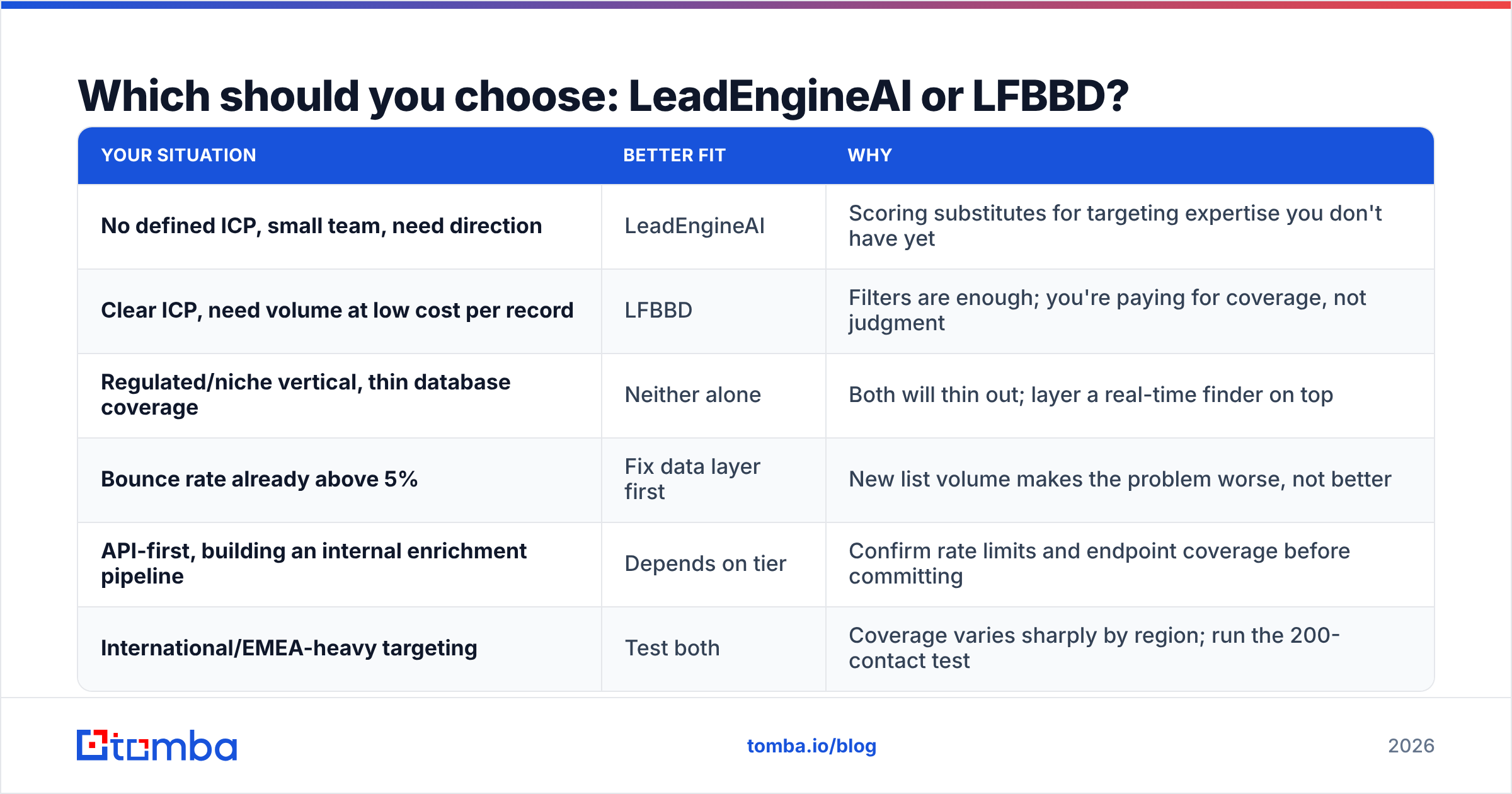
| Your situation | Better fit | Why |
|---|---|---|
| No defined ICP, small team, need direction | LeadEngineAI | Scoring substitutes for targeting expertise you don't have yet |
| Clear ICP, need volume at low cost per record | LFBBD | Filters are enough; you're paying for coverage, not judgment |
| Regulated/niche vertical, thin database coverage | Neither alone | Both will thin out; layer a real-time finder on top |
| Bounce rate already above 5% | Fix data layer first | New list volume makes the problem worse, not better |
| API-first, building an internal enrichment pipeline | Depends on tier | Confirm rate limits and endpoint coverage before committing |
| International/EMEA-heavy targeting | Test both | Coverage varies sharply by region; run the 200-contact test |
Look at the older players too. BookYourData sells B2B lists pay-as-you-go, at a clear price per record. That makes it a good yardstick for what a verified contact should cost. Hold any new tool up against a known one and your hopes stay honest. G2's lead intelligence category is the other sanity check. Filter by company size close to yours. Big-company reviews describe a product you will not get on a starter plan.
How do you build a stack that doesn't bounce?#
Three layers, in this order. Most teams skip layer two and wonder why layer three underperforms.
- Targeting layer — decide who to contact. This is where LeadEngineAI's scoring or LFBBD's filters live. Output: a list of companies and named people. Cost: the bulk of your tooling budget.
- Resolution layer — turn "Sarah Chen, VP Marketing at Acme" into a deliverable address, verified now, not last quarter. This is a bulk email finder job. Output: addresses with a confidence score and a verification status.
- Execution layer — sequencer, inbox rotation, warmup, reply handling. Output: meetings.
Layer two is cheap next to the others, and it lifts the value of both neighbors. A perfect list with 20% bad addresses delivers 80% of its worth at best. Once throttling kicks in, far less.
Practical workflow that works with either vendor:
- Export from LeadEngineAI or LFBBD as CSV — name, company, domain.
- Drop the email column entirely. Seriously. Don't trust it.
- Re-resolve each contact against the live domain via API or bulk upload.
- Verify, then segment: valid → sequence now, catch-all → separate low-volume sequence, invalid → discard or route to LinkedIn.
- Track bounce rate per source so you know which vendor to renew.
That last bullet is the one nobody does and everyone should. After one quarter you'll have real per-vendor bounce data, and the renewal conversation stops being a matter of opinion.
At scale, the Tomba API handles the re-resolution step in code, so the CSV never has to touch a spreadsheet. Full Tomba pricing starts at $49/mo for Starter, $99/mo for Growth, and $249/mo for Pro. A free tier gives you 25 searches a month, so you can test the flow first.
What's the verdict?#
There isn't a single winner, and any article that declares one is selling something.
Choose LeadEngineAI if targeting is your bottleneck. You do not yet know who converts, and you would rather buy a ranked list than build ICP muscle from scratch this quarter. You are paying extra for judgment. Plan to drop it once your own data tells you who to chase.
Choose LFBBD Lead For Business if targeting is solved and volume is the constraint. Per-record economics will beat the AI-scored alternative at scale, and you keep the file.
Choose neither as your only tool. Both are targeting layers. Both hand you snapshot data. The verification gap between "exported" and "deliverable" is where campaigns die, and closing it costs less than either subscription.
The test that settles the LeadEngineAI vs LFBBD Lead For Business question is simple. Run the same 200 contacts from each vendor through an independent verifier, compare the valid-rate, and renew whichever one wins. You'll learn more in one afternoon than from every comparison post on the internet — including this one.
Ready to close the verification gap? Start with the Tomba Email Finder — resolve names and domains into verified, deliverable addresses in real time, whether your list came from LeadEngineAI, LFBBD, or your own research. The free tier gives you 25 searches a month, enough for the 200-contact test. Starter is $49/mo once you want to run it on the whole list. Fix the data layer once, and every campaign after it performs better.
Related guides#
// get started
Find, verify and enrich your first contacts today
Start on the free plan with 25 searches a month, then scale when your team is ready.
Free plan · No credit card required · GDPR & CCPA
// about the author