LeadEngine AI vs MailRush.io: Which Cold Outreach Tool Wins?
One tool builds the list, the other sends the mail — and most teams buy the wrong half. Here is how LeadEngine AI and MailRush.io actually differ in 2026, and what you still need on top of both.
TL;DR
- These two tools are not really competitors. LeadEngine AI sits on the list-building and AI-research side of outbound; MailRush.io sits on the sending infrastructure side, with its own SMTP, warmup, and sequencing.
- If your bottleneck is "I don't know who to email," LeadEngine AI is the closer fit. If your bottleneck is "my emails land in spam," MailRush.io is.
- MailRush.io's differentiator is dedicated IP sending with built-in warmup — a real advantage over tools that pipe everything through a shared pool.
- LeadEngine AI's differentiator is speed of list assembly. Its weakness is the same as every AI-sourced list: contact data is generated or aggregated, not independently verified at send time.
- Whichever you pick, verify the addresses before they hit the SMTP layer. A 25% bounce rate torches a dedicated IP just as fast as a shared one.
Most "LeadEngine AI vs MailRush.io" searches come from someone who has been told both tools "do cold email" and is trying to figure out which budget line to spend. That framing is wrong, and it costs teams a quarter of wasted pipeline. Below is the honest breakdown: what each tool actually owns, where they overlap, where they don't, and what neither of them solves.
What is LeadEngine AI and what does it actually do?#
LeadEngine AI belongs to the newer category of AI-assisted prospecting platforms: you describe an ideal customer profile in plain language, and the system assembles a target list, enriches it with firmographic and contact data, and drafts personalized opening lines. The pitch is compression — what a junior SDR did in a day across LinkedIn, a data vendor, and a spreadsheet, the tool does in minutes.
That category is moving fast, and feature sets change between quarters. Treat any feature list you read (including this one) as a starting point and confirm the current build on the vendor's own site before you commit budget.
The structural trade-off with AI-first list builders is consistent across the whole category:
- Coverage is broad, confidence is uneven. AI sourcing casts a wide net across public web signals, which is great for discovery and weak for certainty. You get more names, with more variance in whether those names are reachable.
- Email addresses are often inferred, not observed. Pattern inference ("first.last@domain") is accurate for most large companies and wrong often enough at SMBs to matter.
- Personalization quality depends on the source page. If the AI scraped a thin company page, the "personalized" line reads like a horoscope.
- Refresh cadence is the hidden variable. A list assembled in March is roughly 8–10% wrong by September, because people change jobs. Ask any vendor how often records are re-checked.
- The output is a CSV or an API push, not a send. LeadEngine AI still needs a sending tool downstream.
That last point is the whole reason this comparison exists.

What is MailRush.io and who is it built for?#
MailRush.io is a cold email sending platform. It handles campaigns, sequences, follow-ups, reply detection, and — this is the part that distinguishes it — the mail transport itself. Instead of connecting only your Gmail or Outlook mailbox, MailRush.io offers its own SMTP service with dedicated IP options and an integrated warmup process.
That matters more than it sounds. Most cold email tools are thin clients over your existing mailbox: they inherit whatever sending limits and reputation Google or Microsoft assigns you, and when you scale past a few hundred sends a day you start hitting throttles. A platform with its own SMTP and dedicated IPs gives you a reputation asset you control — and, equally, a reputation asset you can destroy with one bad list.
MailRush.io is the better fit for teams that have already solved sourcing (in-house data, an existing database, a partner list) and now need volume without landing in spam. It is the wrong fit for a founder who has zero contacts and wants the software to find them.
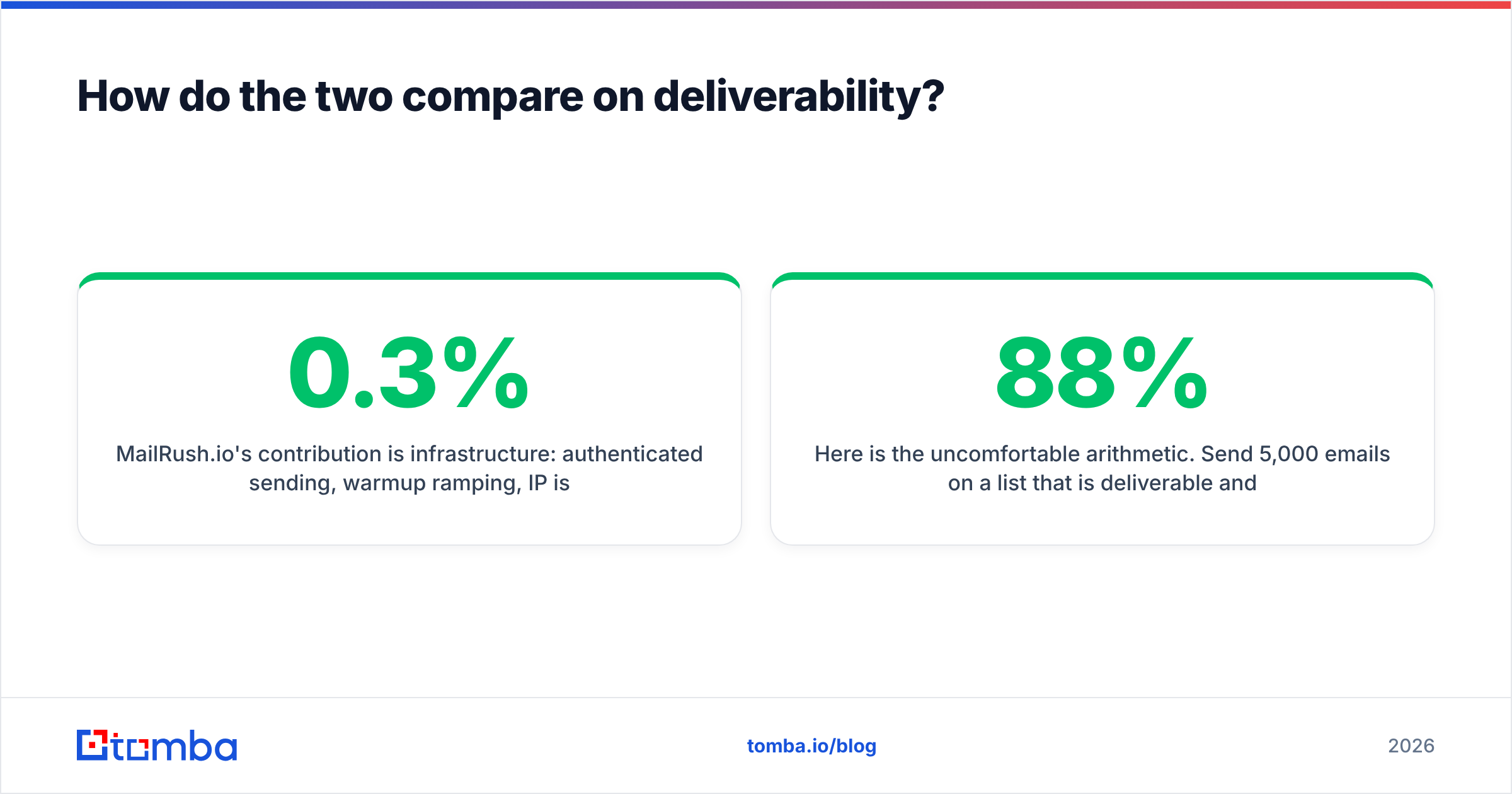
| Capability | LeadEngine AI | MailRush.io |
|---|---|---|
| Primary job | Build and enrich target lists | Send and sequence at volume |
| Contact sourcing | AI-assembled from public signals | None — you bring the list |
| Email address discovery | Inferred + enriched | Not a core feature |
| Built-in verification | Basic / varies by plan | List cleaning offered |
| Sending infrastructure | None (export or integrate) | Own SMTP, dedicated IP options |
| Inbox warmup | Not applicable | Built in |
| Sequences and follow-ups | Drafting and templates | Full multi-step campaigns |
| Reply and bounce handling | Downstream tool's job | Native tracking |
| Best for | Founders and SDRs with no list | Teams with a list and a volume problem |
| Biggest risk | Unverified inferred addresses | Burning a dedicated IP on bad data |
Is LeadEngine AI better than MailRush.io?#
Only in the same sense that a hammer is better than a saw. The useful question is which half of your outbound machine is currently broken.
Run this diagnostic before you buy anything:
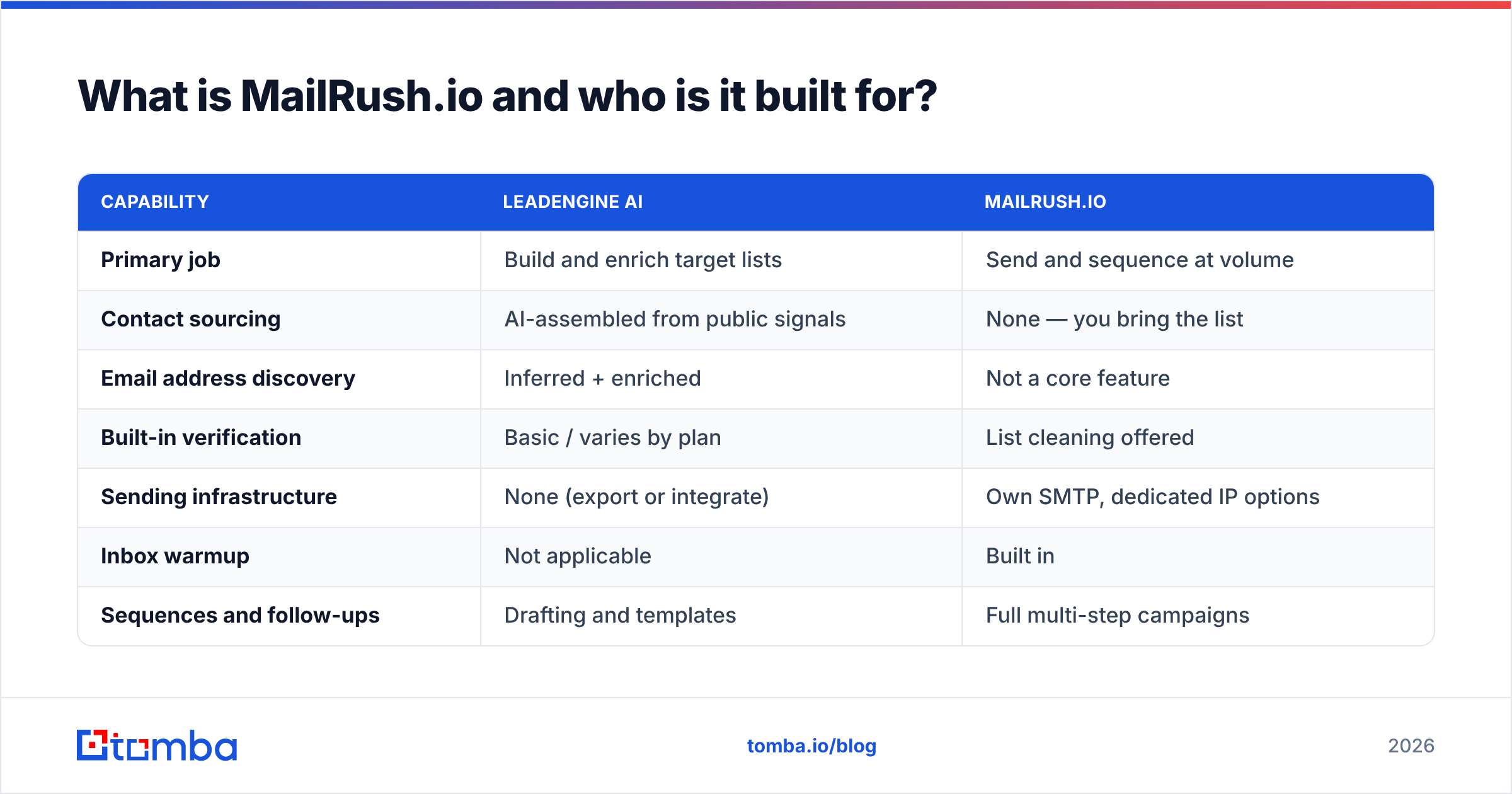
- Open your last campaign's stats. Bounce rate above 5%? Your problem is data, not sending. Neither MailRush.io's dedicated IPs nor a better subject line will fix it.
- Bounce rate under 3% but reply rate under 1%? Your problem is targeting or copy. An AI list builder might help you find better-fit accounts; it will not rescue a generic pitch.
- Good replies but you physically cannot send enough volume? That is a sending infrastructure problem. MailRush.io's category is the right shelf.
- You have neither a list nor a sending setup? Buy the data layer first. Sending capacity with nothing to send is a subscription you will cancel in month two.
Teams get this backwards constantly. They buy a powerful sending platform, load a scraped list with a 30% invalid rate, blow through the first week on a fresh dedicated IP, and conclude the platform is bad. The platform was fine. The email deliverability damage came from the list.
How do the two compare on deliverability?#
This is the section where the comparison genuinely tightens, because deliverability is the one axis where both tools influence the outcome.
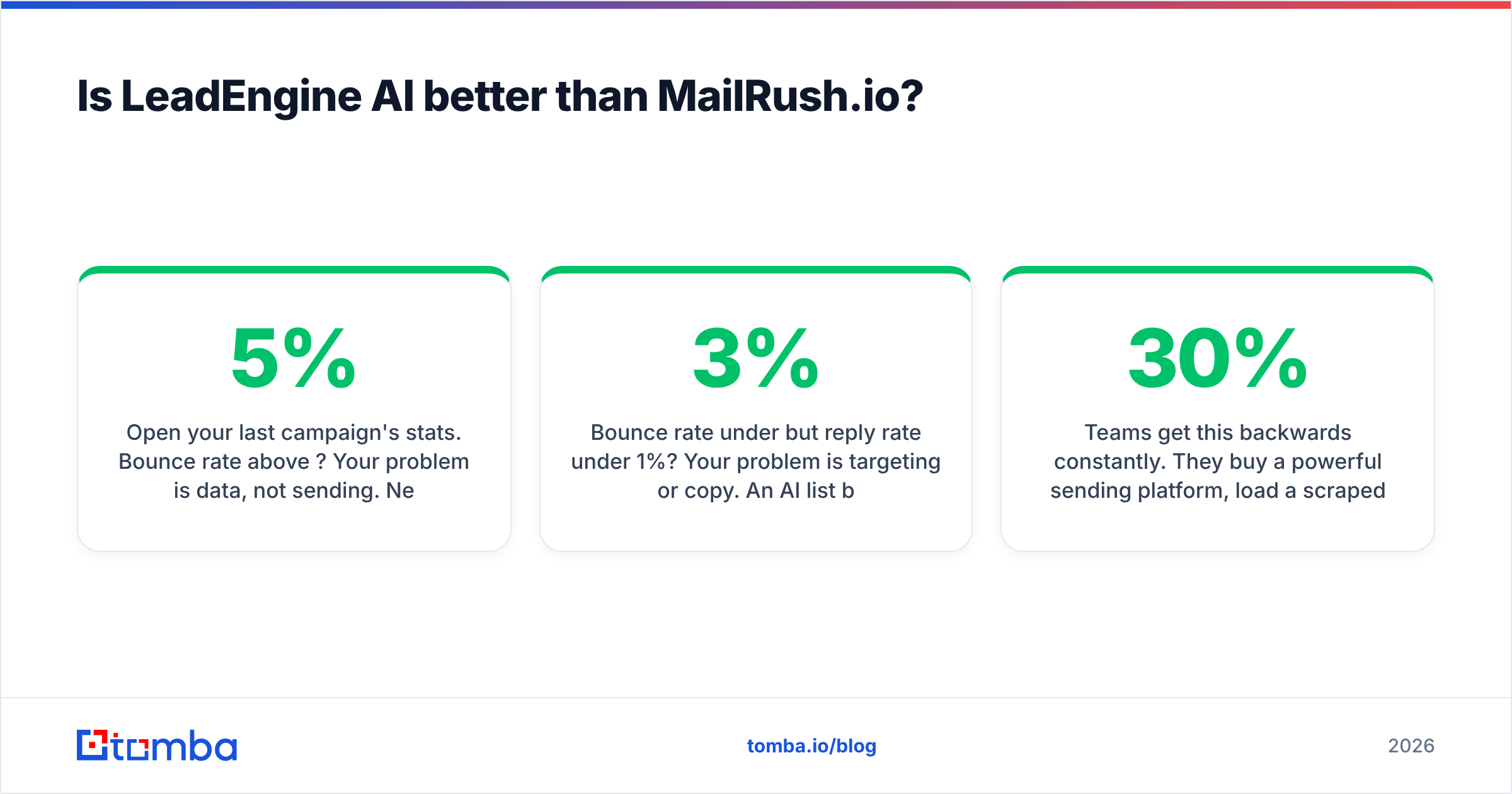
MailRush.io's contribution is infrastructure: authenticated sending, warmup ramping, IP isolation, throttling. Those are real levers, and a dedicated IP with a clean history outperforms a crowded shared pool. Google's own bulk sender requirements spell out the baseline — SPF, DKIM, DMARC alignment, a spam complaint rate under 0.3%, and one-click unsubscribe where applicable. A tool with its own SMTP makes hitting those requirements straightforward; it does not make it automatic.
LeadEngine AI's contribution is upstream and larger than most people assume. Every invalid address in a list is a hard bounce, and hard bounces are the single fastest way to wreck sender reputation. Mailbox providers read a high bounce rate as a signal that you bought a list. Once that judgement is made, warmup and dedicated IPs are rearranging deck chairs.
Here is the uncomfortable arithmetic. Send 5,000 emails on a list that is 88% deliverable and you generate 600 hard bounces. That is a 12% bounce rate on a fresh IP — enough to get filtered aggressively at Gmail and Outlook within the first two days. Getting that list to 97%+ before it reaches the sending platform cuts the bounces to under 150 and keeps you inside the safe band.

Neither tool fully owns that step. AI-sourced lists need independent verification, and sending platforms that offer "list cleaning" are usually running a lightweight syntax and MX check rather than a full SMTP-level validation with catch-all handling. Running your list through a dedicated email verifier before import is the cheapest insurance in outbound — typically a fraction of a cent per record against the cost of a domain you have to retire.
What do LeadEngine AI and MailRush.io cost?#
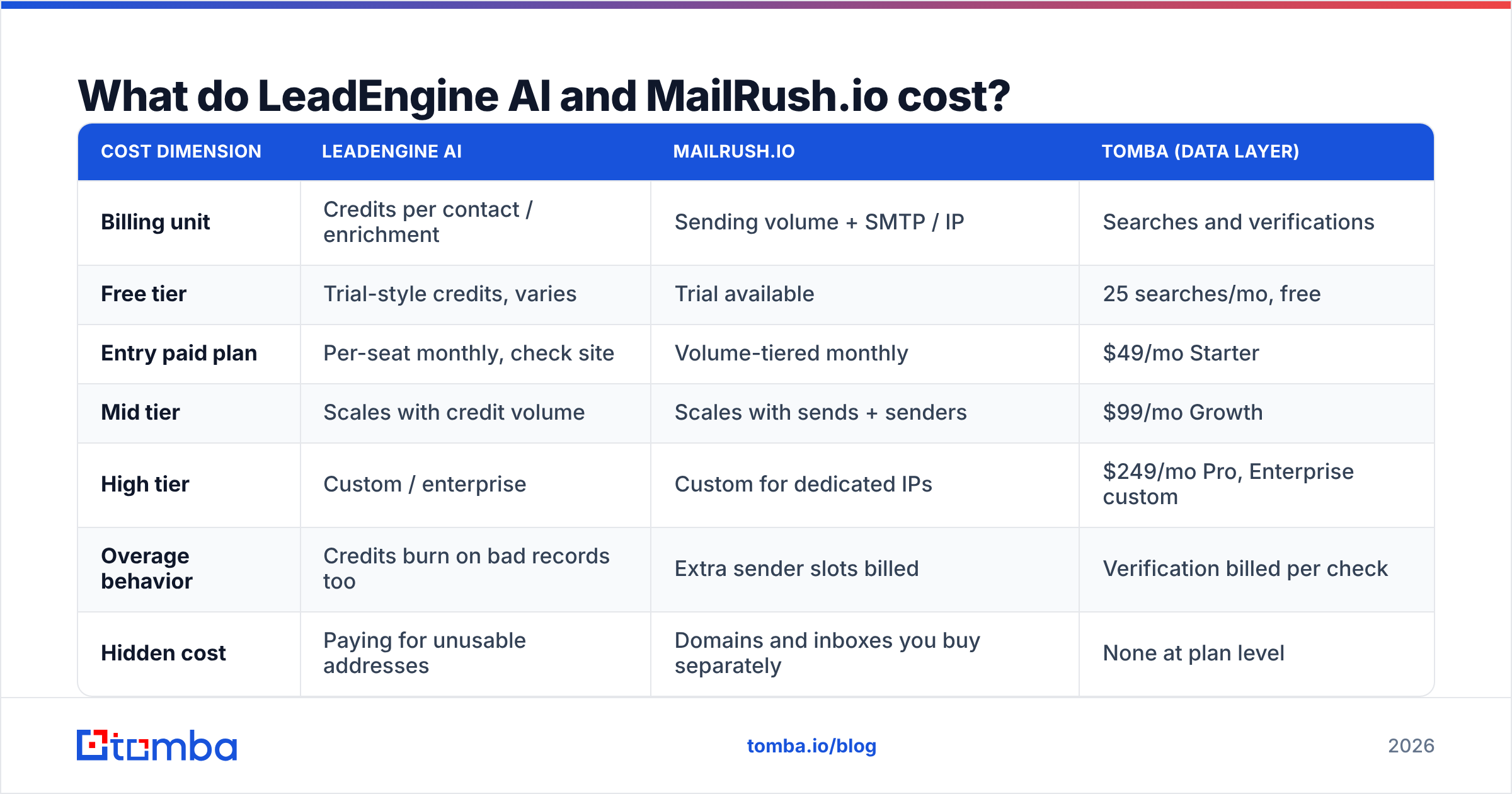
Both vendors adjust plans regularly, so treat the pricing model as the durable comparison and check the live numbers yourself before purchasing. The model is what determines your real spend at scale, and the two are structured very differently.
| Cost dimension | LeadEngine AI | MailRush.io | Tomba (data layer) |
|---|---|---|---|
| Billing unit | Credits per contact / enrichment | Sending volume + SMTP / IP | Searches and verifications |
| Free tier | Trial-style credits, varies | Trial available | 25 searches/mo, free |
| Entry paid plan | Per-seat monthly, check site | Volume-tiered monthly | $49/mo Starter |
| Mid tier | Scales with credit volume | Scales with sends + senders | $99/mo Growth |
| High tier | Custom / enterprise | Custom for dedicated IPs | $249/mo Pro, Enterprise custom |
| Overage behavior | Credits burn on bad records too | Extra sender slots billed | Verification billed per check |
| Hidden cost | Paying for unusable addresses | Domains and inboxes you buy separately | None at plan level |
Two hidden costs deserve naming. On the AI list-builder side, you are frequently charged per record returned, not per record that turns out to be valid — so a 15% invalid rate is a 15% tax on every credit pack. On the sending side, the platform fee is rarely the whole bill: secondary domains, extra mailboxes, and warmup time all cost money and calendar weeks before the first campaign goes out.
You can sanity-check both by comparing against transparent per-unit pricing. Tomba pricing is published per search and per verification, which makes it easy to compute a real cost-per-valid-contact and hold any other vendor to the same math.
Can you use both together?#
Yes, and for most teams that is the correct architecture. The clean pipeline looks like this:
- Source — LeadEngine AI (or your own research, or a database) produces a target list of accounts and people.
- Find and complete — resolve the actual business email for each person using a dedicated email finder or a domain search across the target company, rather than trusting an inferred pattern.
- Verify — run every address through SMTP-level validation, including catch-all detection, and drop anything that comes back risky.
- Send — push only the verified list into MailRush.io, where warmup, throttling, and sequencing take over.
- Recycle — feed bounces and replies back into the list so the next batch starts cleaner.
Step 3 is the one teams skip, and it is the one that determines whether steps 1 and 4 were worth paying for. If you are working in batches, a bulk email finder run against your list before import is the standard move — upload the CSV, get back verified addresses with confidence scores, import only the green ones.
Which should you choose in 2026?#
Choose LeadEngine AI if: you are early, your ICP is still fuzzy, and the hard part is figuring out which 500 companies to talk to. AI-assisted sourcing genuinely compresses that research. Budget for verification on top — assume you will discard 10–20% of what you get, and price the tool accordingly.
Choose MailRush.io if: you already have list supply and your constraint is throughput or inbox placement. The dedicated IP and integrated warmup story is legitimate and is the thing you cannot easily replicate by bolting more Gmail accounts together. Read current user reviews on G2 alongside the vendor's own claims before committing to an annual term.
Choose neither as your data source of record. This is the part both categories quietly leave to you. AI list builders optimize for coverage; sending platforms optimize for delivery. Neither is architected to guarantee that a specific human at a specific company can actually receive mail at a specific address today.
If you want a neutral benchmark on your own data, take 200 contacts from whichever list tool you are evaluating, run them through an independent verification pass, and measure how many come back valid. That single test tells you more than any vendor comparison page — including this one.
Start with the data layer#
Sending infrastructure is replaceable. Copy is rewritable. A bad list poisons everything downstream and takes weeks of domain recovery to undo.
Before your next campaign, build the list properly: use the Tomba Email Finder to resolve real, verified business emails by name and domain, check them with SMTP-level validation, and only then hand the file to whichever sending platform you have chosen. The free tier gives you 25 searches a month to test the accuracy against a list you already trust, and paid plans start at $49/mo when you are ready to scale. Fix the input, and both LeadEngine AI and MailRush.io start looking like much better purchases.
Related guides#
// get started
Find, verify and enrich your first contacts today
Start on the free plan with 25 searches a month, then scale when your team is ready.
Free plan · No credit card required · GDPR & CCPA
// about the author