LeadEngineAI vs MailsAI: Which AI Lead Tool Wins in 2026?
LeadEngineAI and MailsAI both promise AI-sourced B2B contacts, but they solve different halves of the outbound problem. Here is an honest breakdown of data quality, pricing models, and which one belongs in your stack.
LeadEngineAI vs MailsAI is not a fair fight. The two tools do different jobs. Here is what each one is built for, and which one your team actually needs.
TL;DR
- LeadEngineAI vs MailsAI is not a like-for-like swap. LeadEngineAI finds and scores accounts. MailsAI writes and sends email. Most buyers miss that split.
- Neither vendor publishes audited accuracy. Both market "AI-verified" contacts. Ask each one for a bounce-rate SLA in writing.
- Credit rules beat headline prices. A $49 plan that bills for failed lookups can cost more per usable contact than a $99 plan that does not.
- Keep sourcing and sending apart. One young vendor owning both puts your domain at risk.
- Our pick. Use a dedicated finder and verifier for the data layer (Tomba, free tier at 25 searches/mo, $49/mo Starter). Then pick the AI tool built for your weak layer.
LeadEngineAI vs MailsAI: what does each tool do?#
Both tools ride the AI outbound wave that arrived after 2023. Each one wraps a language model around a contact database and an email writer. Then it sells you a workflow instead of a dataset.
LeadEngineAI is built for lead discovery. You describe your ideal customer in plain English. The tool returns matching companies and decision-makers with contact details. You skip the filter menus of a classic sales database.
MailsAI sits closer to the message. It writes and sends AI email at volume. Finding contacts is a side feature, not the main act.
One caveat up front. Both vendors are young. Neither one publishes audited data-quality numbers. Features, credit rules, and prices change every quarter at this end of the market. What follows is how each tool sells itself, plus what buyers report. Check today's numbers on each pricing page before you sign. If this post and the vendor disagree on price, trust the vendor. On accuracy, trust your own bounce test.
LeadEngineAI vs MailsAI: how do they differ?#
Ask which layer each tool owns. That beats asking which one is better. Cold outbound has five layers. No AI wrapper does all five well.
- Targeting. You pick the accounts and the buying group. This is the strongest part of the LeadEngineAI pitch.
- Contact discovery. You turn a name and a domain into a real address. Accuracy gaps show up here as bounces.
- Verification. You confirm the mailbox exists. Often bundled, rarely audited, and under-tested by most buyers.
- Message writing. You draft the sequence. MailsAI lives here, and AI saves real hours here.
- Sending. Domains, warmup, throttling, reputation. This layer punishes every mistake made in layers two and three.
Match your gap to that list first. Cannot name who to contact? That is a layer-one problem, and MailsAI will not fix it. Do your reps write weak first lines? That is a layer-four problem, and a better database will not fix it either.

LeadEngineAI vs MailsAI: which one finds more valid emails?#
This question sets your real cost per meeting. Neither vendor answers it with hard proof.
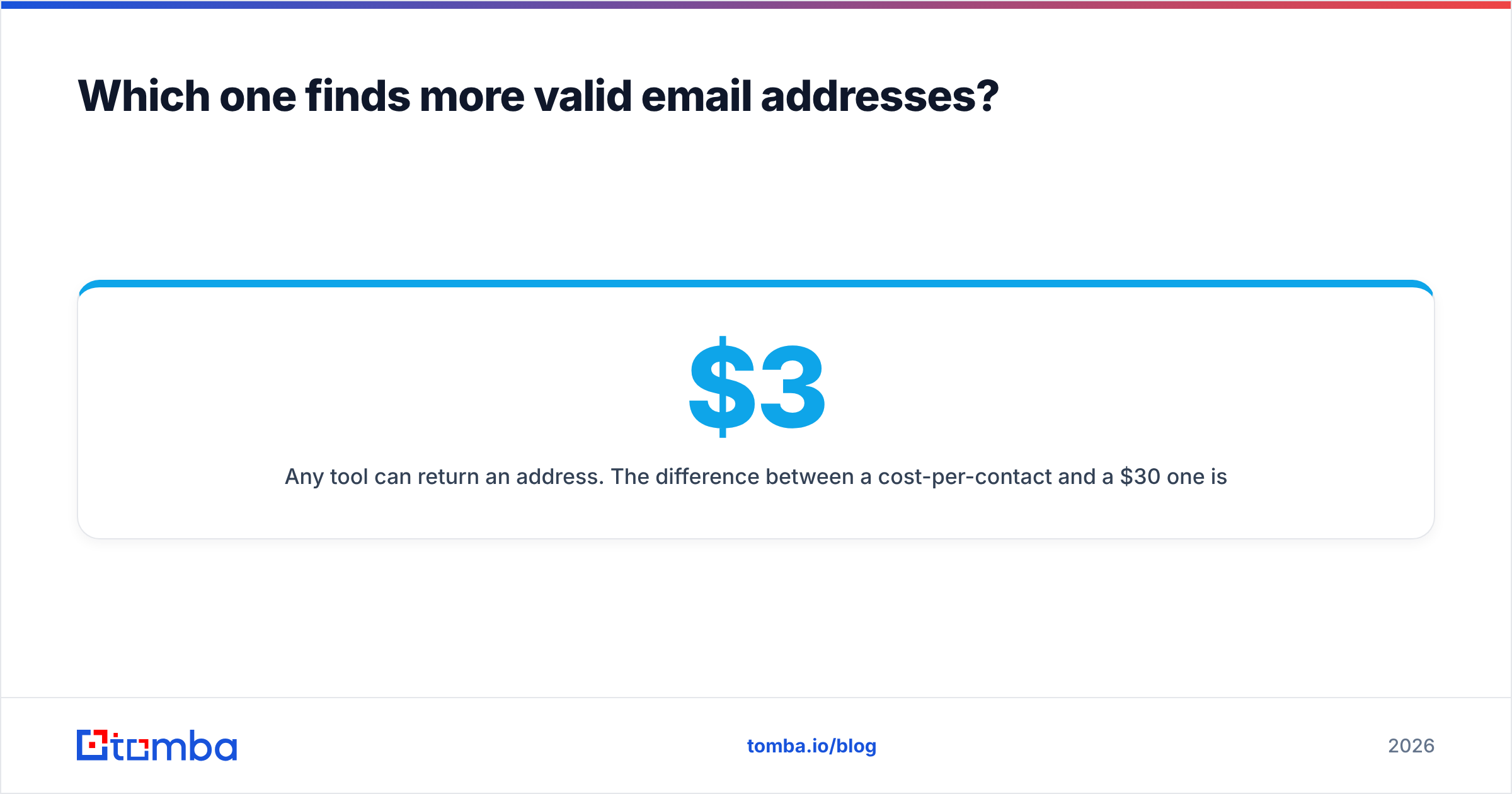
Any tool can hand you an address. The gap between a $3 contact and a $30 one is simple. How many of those addresses accept mail? A 12% bounce rate on 2,000 contacts burns 240 credits. Worse, it drags your domain under the limits that Google and Yahoo bulk-sender rules now enforce. The other 88% then get quietly buried.

Run this test on both tools, with the same list, before you buy:
- Pull 100 contacts you know are valid. Use customers, past replies, or records confirmed in your CRM.
- Run them through each finder. Note the match rate: how many came back with any address at all.
- Compare each result to the known-good address. Note the accuracy rate: how many matched exactly.
- Send a small warm batch. Note the real bounce rate. That is the only number your mail provider cares about.
- Divide plan cost by clean contacts. Now you have a true cost per usable record.
Tools that guess patterns look great on match rate. They look awful on bounce rate. That gap is the whole game. Want a second opinion on an address? A standalone email verifier run costs less than one wasted send. It spots pattern guessing right away.
One more wrinkle: catch-all domains. About a fifth of B2B domains accept mail at every address, real or not. Naive checks call that garbage "valid". Honest tools flag it, so their verified rate looks lower. A lower number here means integrity, not weakness. Run odd domains through a catch-all verifier instead of trusting one green check.
LeadEngineAI vs MailsAI vs a dedicated finder#

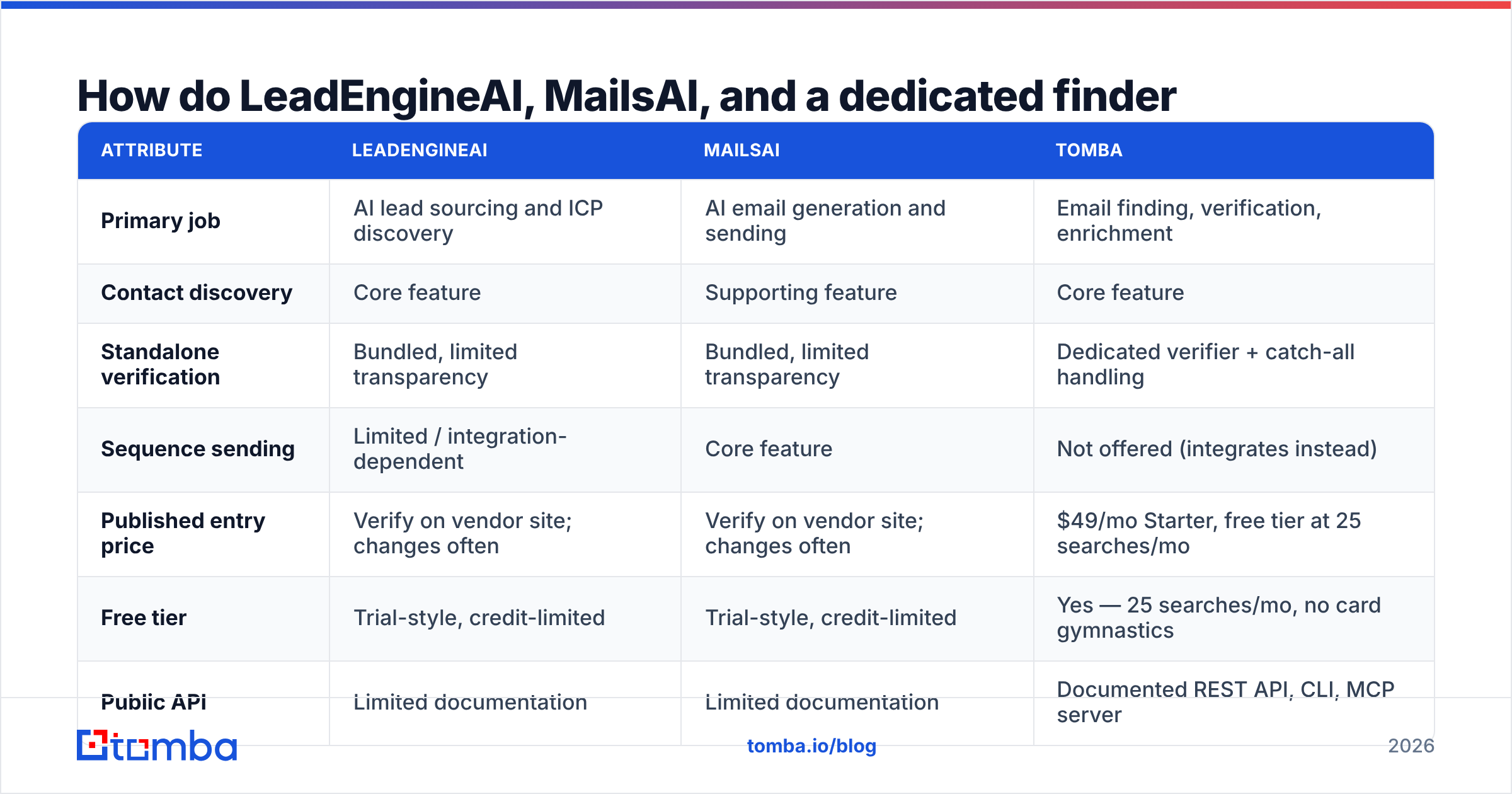
| Attribute | LeadEngineAI | MailsAI | Tomba |
|---|---|---|---|
| Primary job | AI lead sourcing and ICP discovery | AI email generation and sending | Email finding, verification, enrichment |
| Contact discovery | Core feature | Supporting feature | Core feature |
| Standalone verification | Bundled, limited transparency | Bundled, limited transparency | Dedicated verifier + catch-all handling |
| Sequence sending | Limited / integration-dependent | Core feature | Not offered (integrates instead) |
| Published entry price | Verify on vendor site; changes often | Verify on vendor site; changes often | $49/mo Starter, free tier at 25 searches/mo |
| Free tier | Trial-style, credit-limited | Trial-style, credit-limited | Yes — 25 searches/mo, no card gymnastics |
| Public API | Limited documentation | Limited documentation | Documented REST API, CLI, MCP server |
| Bulk processing | Credit-gated | Credit-gated | Bulk finder and bulk verify included |
| Best for | Teams with no list and no ICP clarity | Teams with a list but no copy capacity | Teams who need clean, reusable contact data |
The table shows one pattern. Both AI tools add to a data layer. Neither one replaces it. Both sell you a workflow. Neither sells you an auditable database. Your CRM needs that database to stay clean two years from now.
LeadEngineAI vs MailsAI pricing: what does a usable contact cost?#
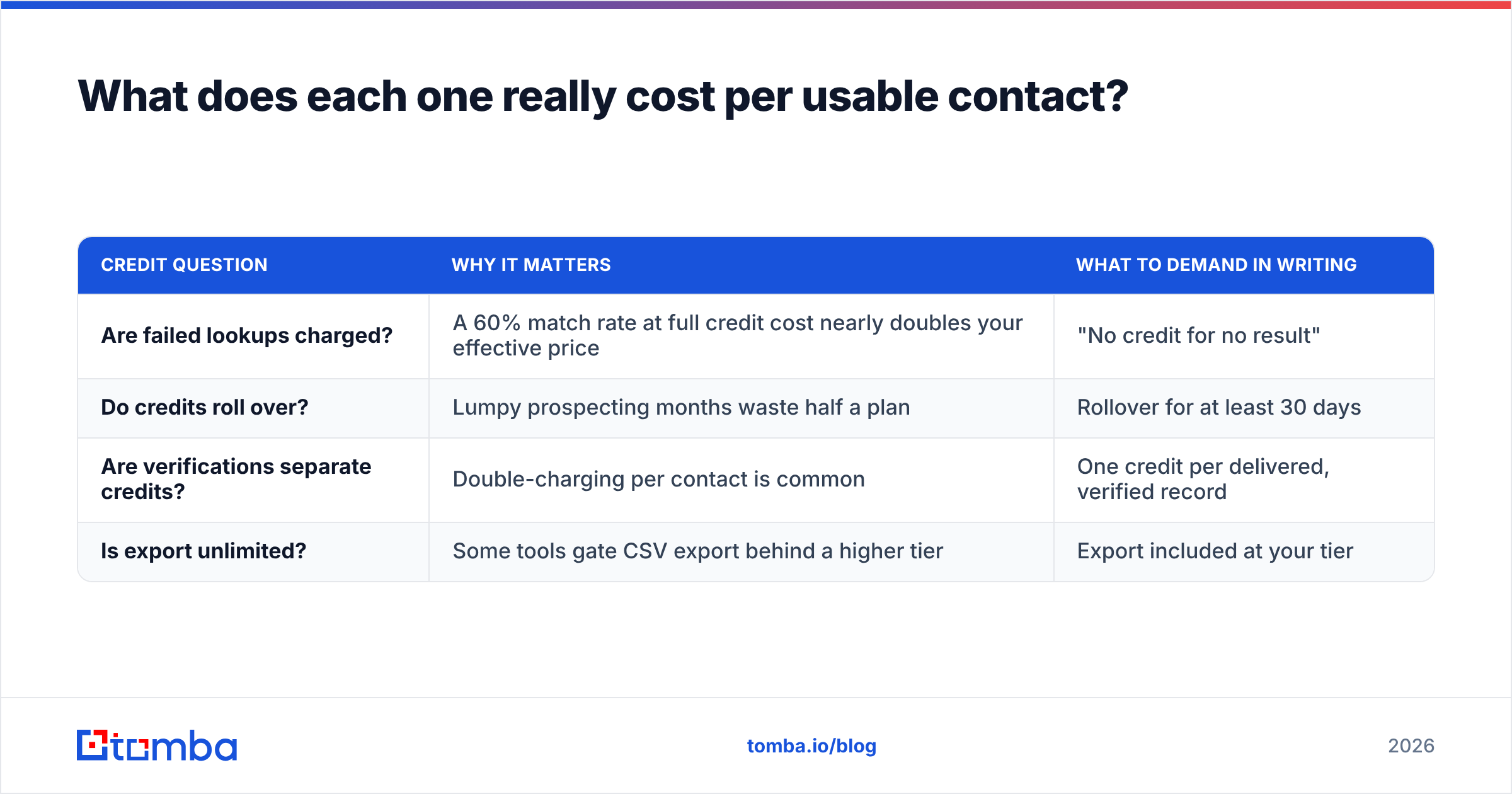
Headline prices mean little here. Credit rules set your real bill. Four questions sort cheap from costly:
| Credit question | Why it matters | What to demand in writing |
|---|---|---|
| Are failed lookups charged? | A 60% match rate at full credit cost nearly doubles your effective price | "No credit for no result" |
| Do credits roll over? | Lumpy prospecting months waste half a plan | Rollover for at least 30 days |
| Are verifications separate credits? | Double-charging per contact is common | One credit per delivered, verified record |
| Is export unlimited? | Some tools gate CSV export behind a higher tier | Export included at your tier |
Now do the math. Plan A costs $49/mo for 1,000 credits at a 55% verified-hit rate. That is 550 usable contacts, or $0.089 each. Plan B costs $99/mo for 1,000 credits, bills nothing for misses, and hits 85%. That is 850 usable contacts, or $0.116 each. Plan B costs more per record. It also bounces far less. Which one wins depends on what a burned sender reputation costs you. For most teams, that cost beats the subscription.
Want a price check on the wider market? The G2 lead intelligence category shows what peers pay. It also shows how reviews split between old players and new AI entrants. A tool with two dozen reviews deserves a short contract, not a long one. Compare that with published Tomba pricing: Free, $49 Starter, $99 Growth, $249 Pro.
LeadEngineAI vs MailsAI: does either one protect deliverability?#
Partly. Do not lean on either one alone.
AI sending tools ship warmup and throttling. AI sourcing tools ship a verify pass. Neither one controls what really drives inbox placement. Are the addresses real? Do those people want your mail? Email deliverability is a trust score. You earn it by mailing people who exist.
Here is the order that matters:
- Clean data first. Every hard bounce tells the provider you do not know your own list. Nothing later undoes that.
- Auth second. Publish SPF, DKIM, and DMARC on your sending domain. For the mechanics, the SMTP overview shows why a real check is a live chat with a mail server, not a database lookup.
- Ramp third. A new domain that jumps to 300 sends a day gets filtered anyway.
- Copy fourth. MailsAI helps here. It only helps once the first three layers are solid.
Buying a sending tool to fix dirty data is like buying a bigger megaphone because nobody opened the door. Is your bounce rate above 3%? Stop sending. Clean the list.
LeadEngineAI vs MailsAI: which should your team pick?#
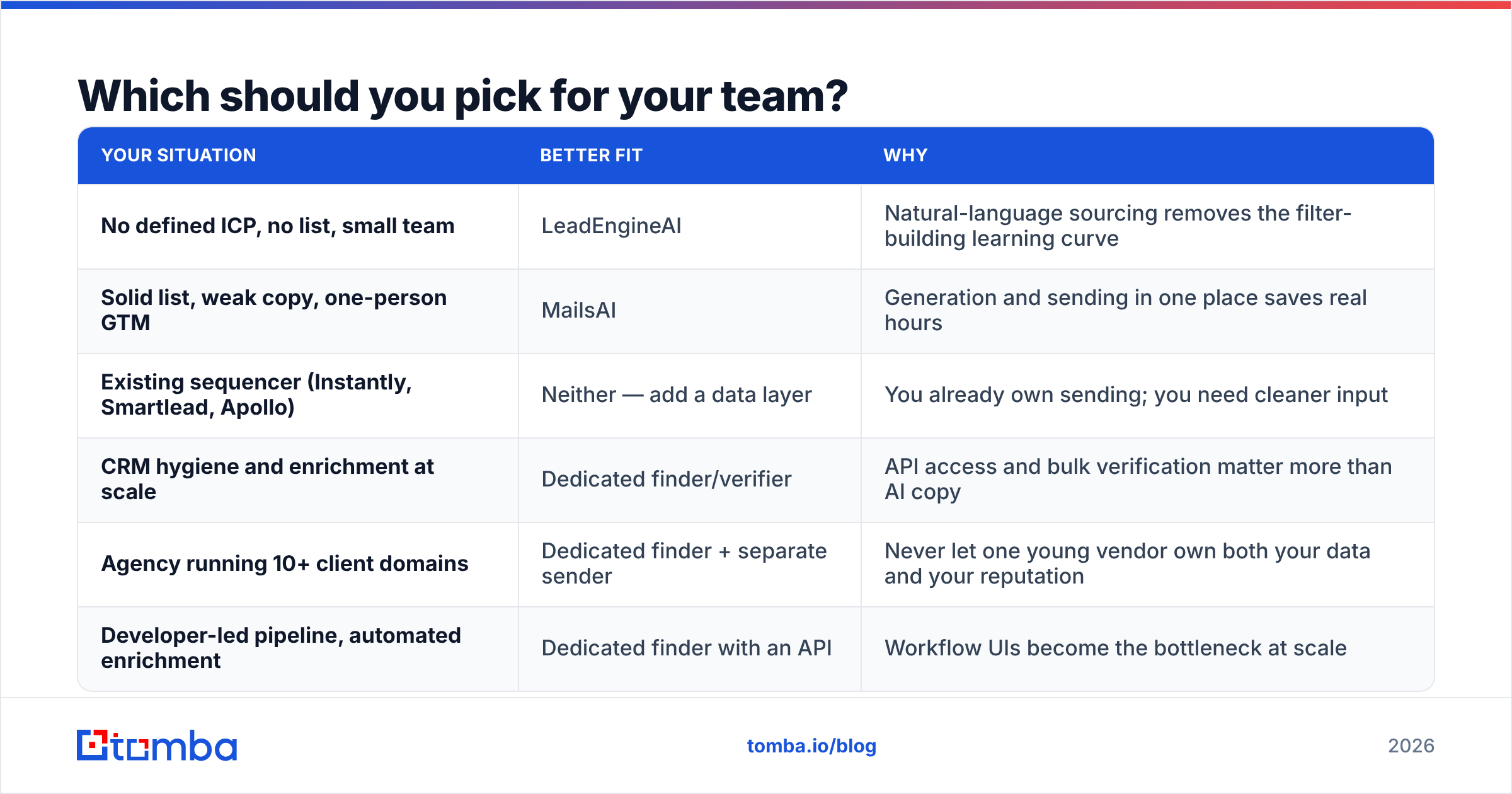
| Your situation | Better fit | Why |
|---|---|---|
| No defined ICP, no list, small team | LeadEngineAI | Natural-language sourcing removes the filter-building learning curve |
| Solid list, weak copy, one-person GTM | MailsAI | Generation and sending in one place saves real hours |
| Existing sequencer (Instantly, Smartlead, Apollo) | Neither — add a data layer | You already own sending; you need cleaner input |
| CRM hygiene and enrichment at scale | Dedicated finder/verifier | API access and bulk verification matter more than AI copy |
| Agency running 10+ client domains | Dedicated finder + separate sender | Never let one young vendor own both your data and your reputation |
| Developer-led pipeline, automated enrichment | Dedicated finder with an API | Workflow UIs become the bottleneck at scale |
Most teams past their first ten customers land in the last three rows. For them, the honest answer to LeadEngineAI vs MailsAI is simple. Pick the tool that closes your weak layer. Do not buy it for the data. BookYourData takes another route: pay-as-you-go verified lists with a published accuracy guarantee. That fits if you would rather buy contacts than run lookups.
What does a sane 2026 outbound stack look like?#
Three layers. Three vendors. Swap any one without breaking the rest.
- Data layer. A finder and verifier with an API, bulk runs, and honest catch-all flags. Over-invest here. Every other layer inherits its errors.
- Sequencing layer. Whatever sends well and reports honestly. MailsAI can sit here if its copy suits your market.
- Intelligence layer. Intent signals, ICP scoring, account research. LeadEngineAI can sit here if it surfaces accounts you would have missed.
Keep the three apart. Then a vendor going sideways costs you one migration, not your whole pipeline. You can also test each layer on its own. Swap the data source, hold the sequence still, and watch the reply rate move. You cannot run that test inside an all-in-one tool.
Are you wiring this into a CRM? Then the data layer needs an API, not just a dashboard. The Tomba API covers finding, verification, and enrichment in one place. The bulk email finder handles whole lists when you start from a spreadsheet of names and domains.
Frequently asked questions#
LeadEngineAI vs MailsAI: which one is more accurate? Neither publishes audited numbers. Run the 100-contact test above on both tools. Use your own known-good records. Let the bounce rate decide. Vendor accuracy claims stay marketing until your list proves them.
Can I use both together? Yes. For some teams that is the right answer. Use one to find accounts and the other to write and send. Put a dedicated verifier between them. Then bad addresses never reach the sending layer.
Do spam filters punish AI-written email? Not for being AI-written. They punish the habits AI tools encourage. Same shape at high volume. Unchecked recipients. New domains sending too fast. Fix the volume and the list before you blame the copy.
What bounce rate is safe? Under 2% is healthy. 2–3% is a warning. Above 3%, stop and clean the list. Providers react long before your own dashboard does.
Start with the layer everything else rests on#
The LeadEngineAI vs MailsAI choice matters less than most buyers think. Both tools sit downstream of the thing that drives results: whether the addresses in your list are real. Pick the one that closes your weak layer. Then stop asking it to be your database.
For the data layer, start free with the Tomba Email Finder. You get 25 searches a month at no cost, then $49/mo when you outgrow it. It ships SMTP-level checks, catch-all detection, and an API for any sequencer. Test it against your AI tool on the same 100 known contacts. The bounce rate will tell you what the marketing pages will not.
Related guides#
// get started
Find, verify and enrich your first contacts today
Start on the free plan with 25 searches a month, then scale when your team is ready.
Free plan · No credit card required · GDPR & CCPA
// about the author