LeadEngineAI vs Mailtact: Which Lead Tool Wins in 2026?
LeadEngineAI and Mailtact both promise verified B2B contacts on a small budget. Here is how they actually differ on data sourcing, accuracy claims, credit math, and API access - plus when a more established finder makes more sense.
TL;DR
- LeadEngineAI and Mailtact target the same buyer: a small outbound team that wants verified B2B emails without paying Apollo or ZoomInfo money. They get there differently.
- LeadEngineAI leans on AI-assisted lead sourcing and list building. Mailtact leans on email lookup and sending workflow. Neither publishes the kind of audited accuracy data you get from larger vendors.
- The deciding factor is almost never the marketing page. It is credit math, catch-all handling, and whether you can get the same result through an API at 2am.
- Run both on the same 200-row test list before you pay for a year. A tool that returns fewer emails but bounces at 1% beats a tool that returns more and bounces at 15%.
- If you need a finder that publishes its pricing, exposes a real API, and covers verification in the same account, an established option like Tomba is the safer default.
What are LeadEngineAI and Mailtact?#
Both products sit in the crowded middle of the lead intelligence category on G2 - dozens of small vendors selling contact discovery to teams that got priced out of enterprise data platforms.
LeadEngineAI positions itself as an AI-driven lead engine: describe your ideal customer profile, and the platform assembles a list of matching companies and contacts. The pitch is speed. You skip the manual filter-stacking that Sales Navigator demands and get a list you can import into a sequencer the same afternoon.
Mailtact positions itself closer to the email layer: find the address, confirm it is deliverable, and get it into an outbound flow. The pitch is simplicity. Fewer dashboards, fewer knobs, a shorter path from a company domain to a contact you can actually write to.
That difference in positioning matters more than any feature checklist. One tool is trying to decide who you contact. The other is trying to confirm how you reach them. Buying the wrong one means you pay for a capability you already have.
A useful analogy: LeadEngineAI is a fishing guide who picks the lake. Mailtact is the tackle shop that makes sure your line does not snap. Plenty of teams need both, and plenty of teams already have one half covered by their CRM or their sequencer.

How do LeadEngineAI and Mailtact compare head-to-head?#
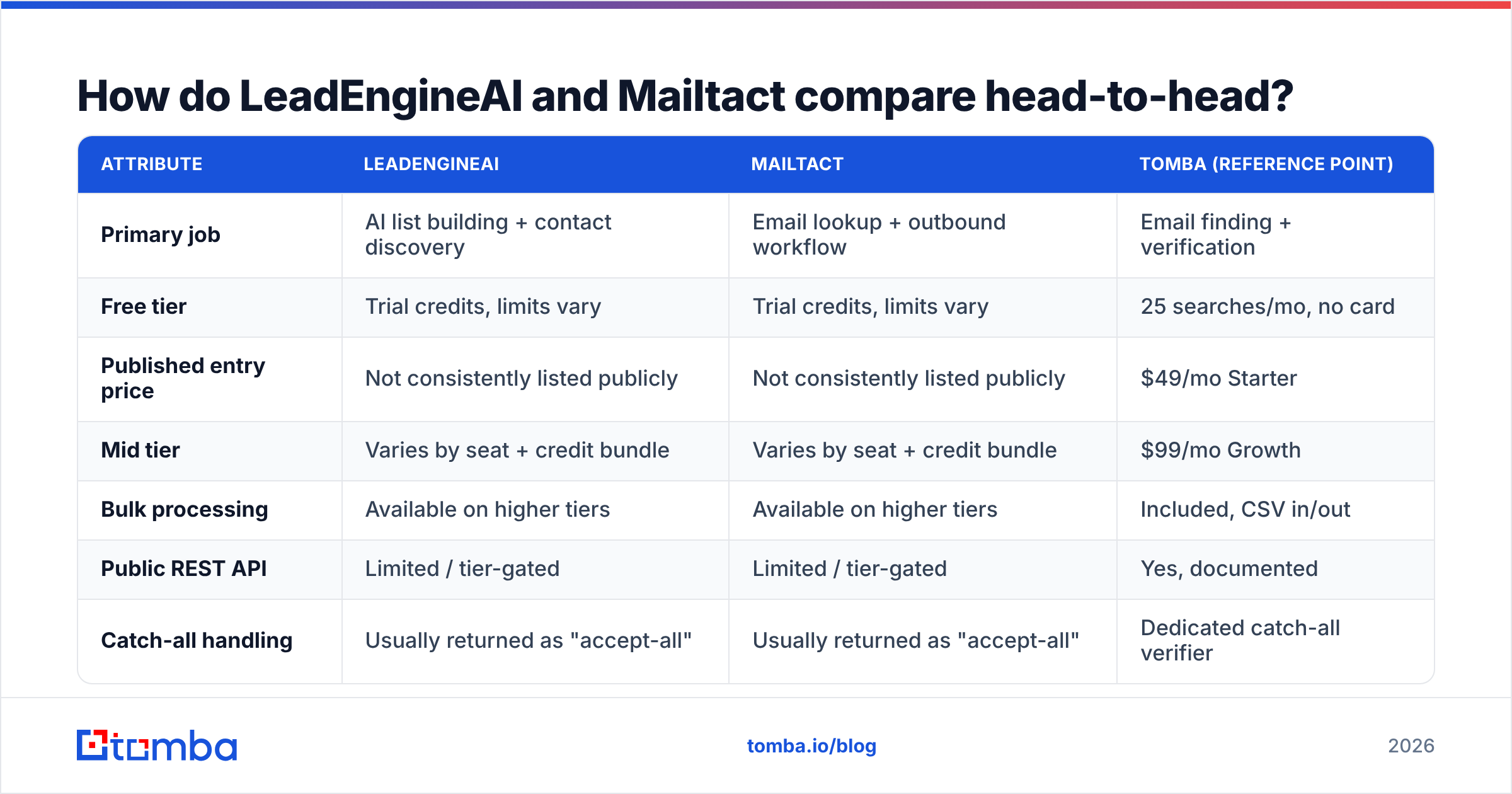
Here is the practical comparison. Where a vendor does not publish a number, this table says so rather than inventing one - and you should treat any tool that hides its pricing behind a demo call as a budgeting risk, not a premium signal.
| Attribute | LeadEngineAI | Mailtact | Tomba (reference point) |
|---|---|---|---|
| Primary job | AI list building + contact discovery | Email lookup + outbound workflow | Email finding + verification |
| Free tier | Trial credits, limits vary | Trial credits, limits vary | 25 searches/mo, no card |
| Published entry price | Not consistently listed publicly | Not consistently listed publicly | $49/mo Starter |
| Mid tier | Varies by seat + credit bundle | Varies by seat + credit bundle | $99/mo Growth |
| Bulk processing | Available on higher tiers | Available on higher tiers | Included, CSV in/out |
| Public REST API | Limited / tier-gated | Limited / tier-gated | Yes, documented |
| Catch-all handling | Usually returned as "accept-all" | Usually returned as "accept-all" | Dedicated catch-all verifier |
| Credit rollover | Typically none | Typically none | Plan-dependent |
| Best fit | Teams with no list at all | Teams with domains, no contacts | Teams needing accuracy at volume |
Two rows deserve attention before you compare anything else.
Credit rollover. Most tools in this bracket expire unused credits monthly. If your outbound runs in bursts - a launch, a conference, a quarter-end push - you are buying capacity you will not use in the quiet months. Ask the sales rep in writing. "It depends on your plan" is a no.
Catch-all handling. Roughly one in five B2B domains is configured to accept mail at any address, which makes standard SMTP verification useless. What a tool does with those addresses separates the serious vendors from the reskinned API wrappers. Some mark them valid and let you find out the hard way. Some drop them entirely and quietly shrink your list. The right behavior is to flag them honestly and give you a separate confidence signal, which is what a proper catch-all verifier is for.
Which one actually finds more valid emails?#
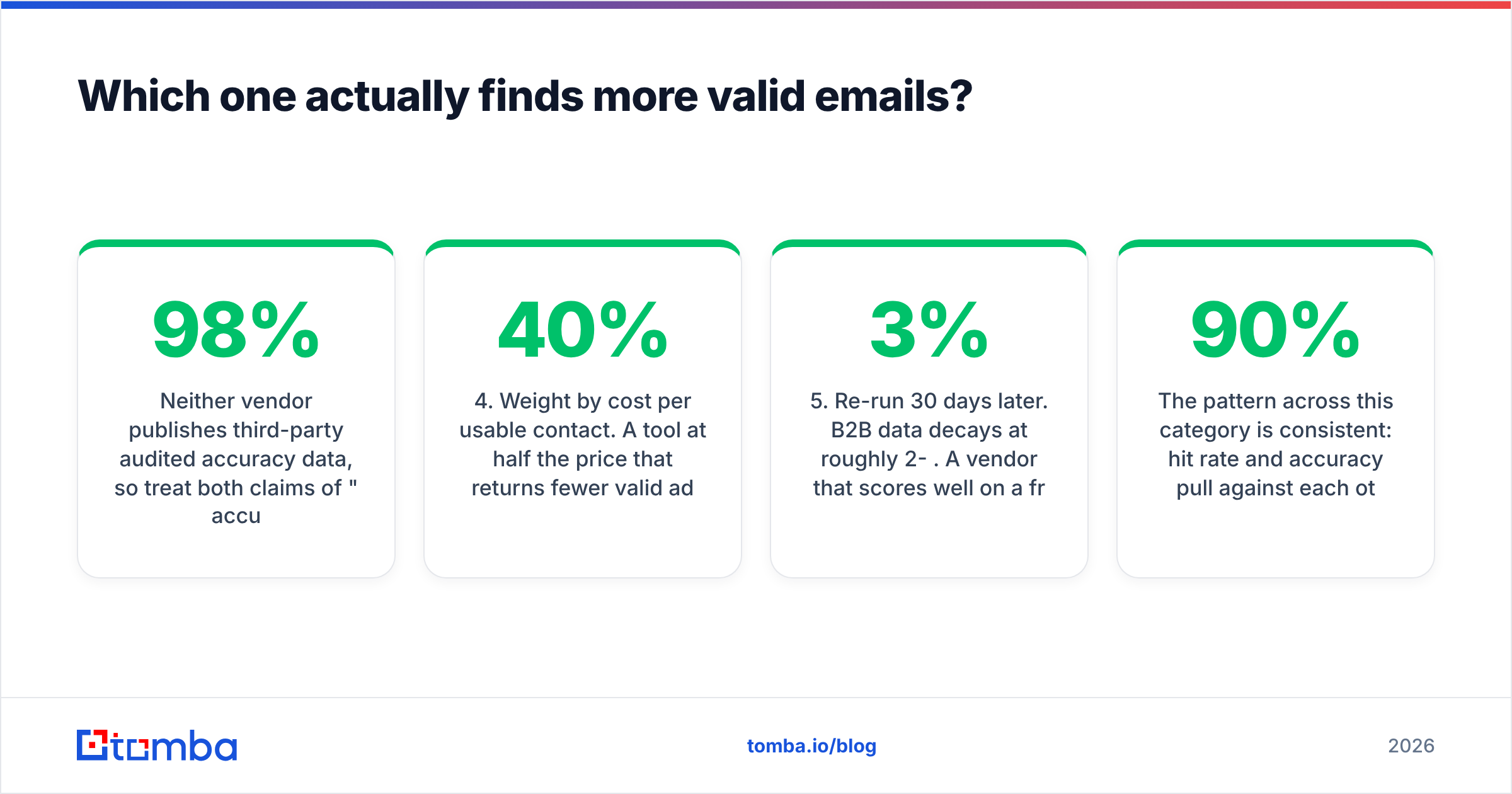
Neither vendor publishes third-party audited accuracy data, so treat both claims of "98% accuracy" the way you would treat a restaurant calling itself the best in town.
What you can do is run the same benchmark both vendors would run on themselves:
- Build a 200-row control list. Pull real first name, last name, and company domain from accounts you already closed or already talk to. Never test on scraped garbage - you will measure the list, not the tool.
- Run the identical list through both tools. Same day, same rows, no manual cleanup in between.
- Record three numbers, not one. Hit rate (rows returned), confidence distribution (how many came back "valid" vs "accept-all" vs "unknown"), and bounce rate after you actually send.
- Weight by cost per usable contact. A tool at half the price that returns 40% fewer valid addresses is not cheaper.
- Re-run 30 days later. B2B data decays at roughly 2-3% per month. A vendor that scores well on a fresh cohort and badly on an aging one is buying data, not building it.

The pattern across this category is consistent: hit rate and accuracy pull against each other. A tool can lift hit rate to 90%+ by returning pattern guesses (first.last@domain.com) with no verification behind them. Your sequencer sends, your bounce rate spikes, and your sending domain pays the bill. The vendors that report a lower hit rate are often the honest ones.
This is why pairing discovery with real email verification matters more than picking the tool with the bigger number on the homepage. If LeadEngineAI or Mailtact returns an address without an SMTP-level check and a catch-all flag, you are the verification layer.
How much do LeadEngineAI and Mailtact really cost?#
The sticker price is the smaller half of the cost. Three multipliers do the real damage:
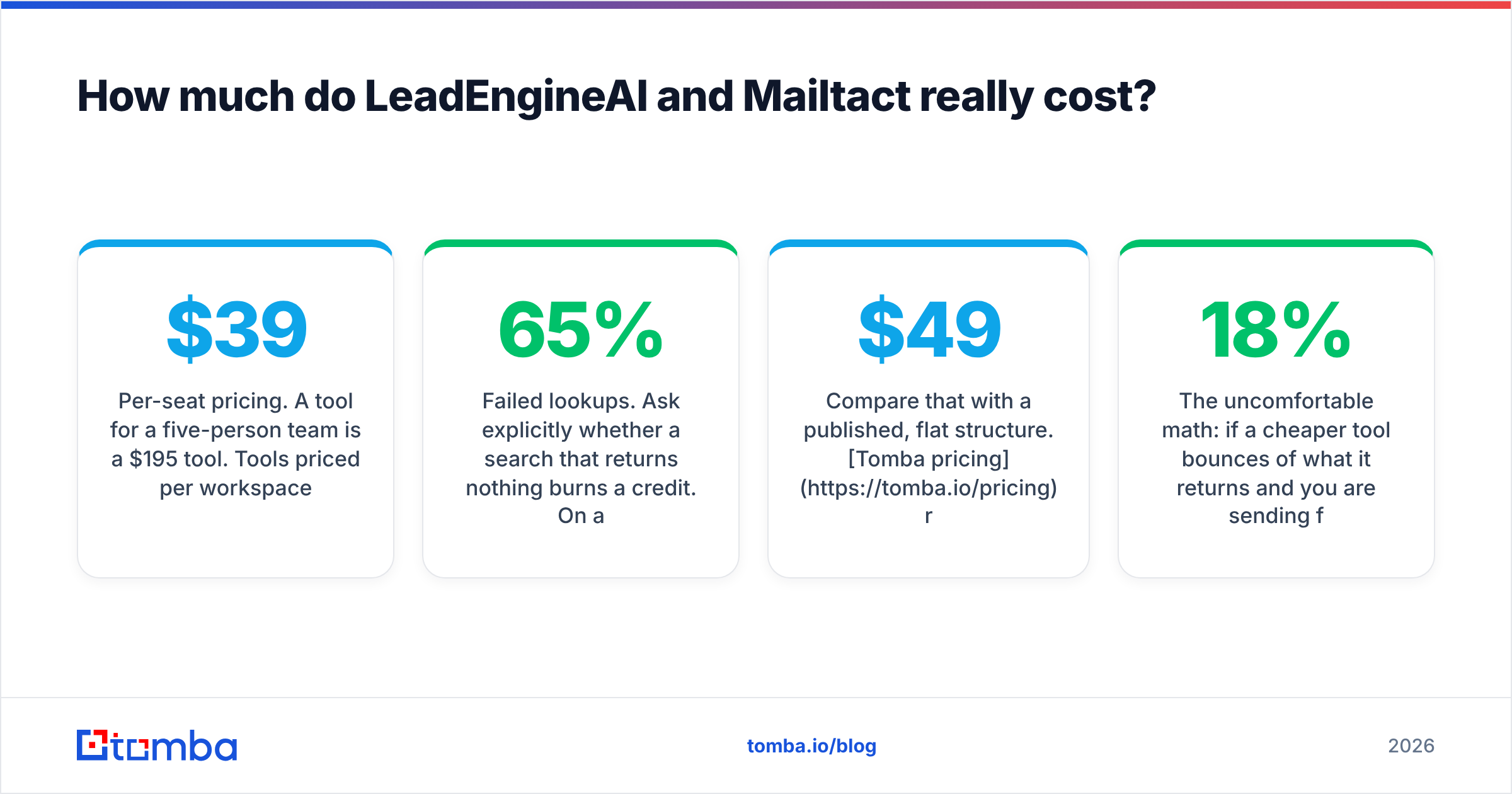
- Per-seat pricing. A $39 tool for a five-person team is a $195 tool. Tools priced per workspace rather than per seat scale very differently once you hire.
- Credit consumption per action. Some platforms charge one credit for a search and another credit for the verification of the same contact. Effective cost per verified contact can be double the advertised rate.
- Failed lookups. Ask explicitly whether a search that returns nothing burns a credit. On a 10,000-row list with a 65% hit rate, that is 3,500 credits of pure waste.
Compare that with a published, flat structure. Tomba pricing runs a free tier at 25 searches per month, Starter at $49/mo, Growth at $99/mo, and Pro at $249/mo, with Enterprise custom. You can calculate your cost per contact before you sign anything - which is the entire point of published pricing.

The uncomfortable math: if a cheaper tool bounces 18% of what it returns and you are sending from a domain you have spent a year warming, the cheaper tool is the most expensive line item in your stack. Recovering a damaged sending reputation takes weeks. Nobody puts that on the pricing page.
What does the broader comparison look like?#
Zoom out from these two and the category sorts into three groups. Knowing which group you are shopping in stops you from comparing a scalpel to a chainsaw.
- Full GTM platforms (Apollo, ZoomInfo, Clay): database plus sequencing plus enrichment. High cost, high lock-in, generous but uneven data.
- Focused finders and verifiers (Tomba, Hunter, Findymail, Dropcontact): narrow scope, strong APIs, predictable pricing, easy to swap out.
- Emerging AI-first tools (LeadEngineAI, Mailtact, and a long tail of similar names): fast-moving, cheap, less proven, thinner support, and genuinely useful for specific niches where the big databases are weak.

LeadEngineAI and Mailtact both live in that third group. That is not a criticism - smaller vendors often win on non-US coverage, on niche verticals, and on responsiveness when something breaks. It does mean you should avoid making either the single source of truth for a database you cannot rebuild. Keep your exports. Own your CSVs. Assume any tool in this tier could change its pricing or its terms on 30 days' notice, because several in this category have.
Reviews help here, but read them with a filter. Sort the lead generation software listings on Capterra by most recent, not by rating, and read only the reviews from companies roughly your size. A 4.8 average built on 30 reviews from one-person agencies tells you very little about how a tool handles a 50,000-row enrichment job.
Which integrations and API access should you demand?#
For anything past manual prospecting, the API is the product. A finder without a documented REST endpoint is a tool you will outgrow the moment you want to enrich inbound signups automatically or refresh a CRM field on a schedule.
Checklist before you commit:
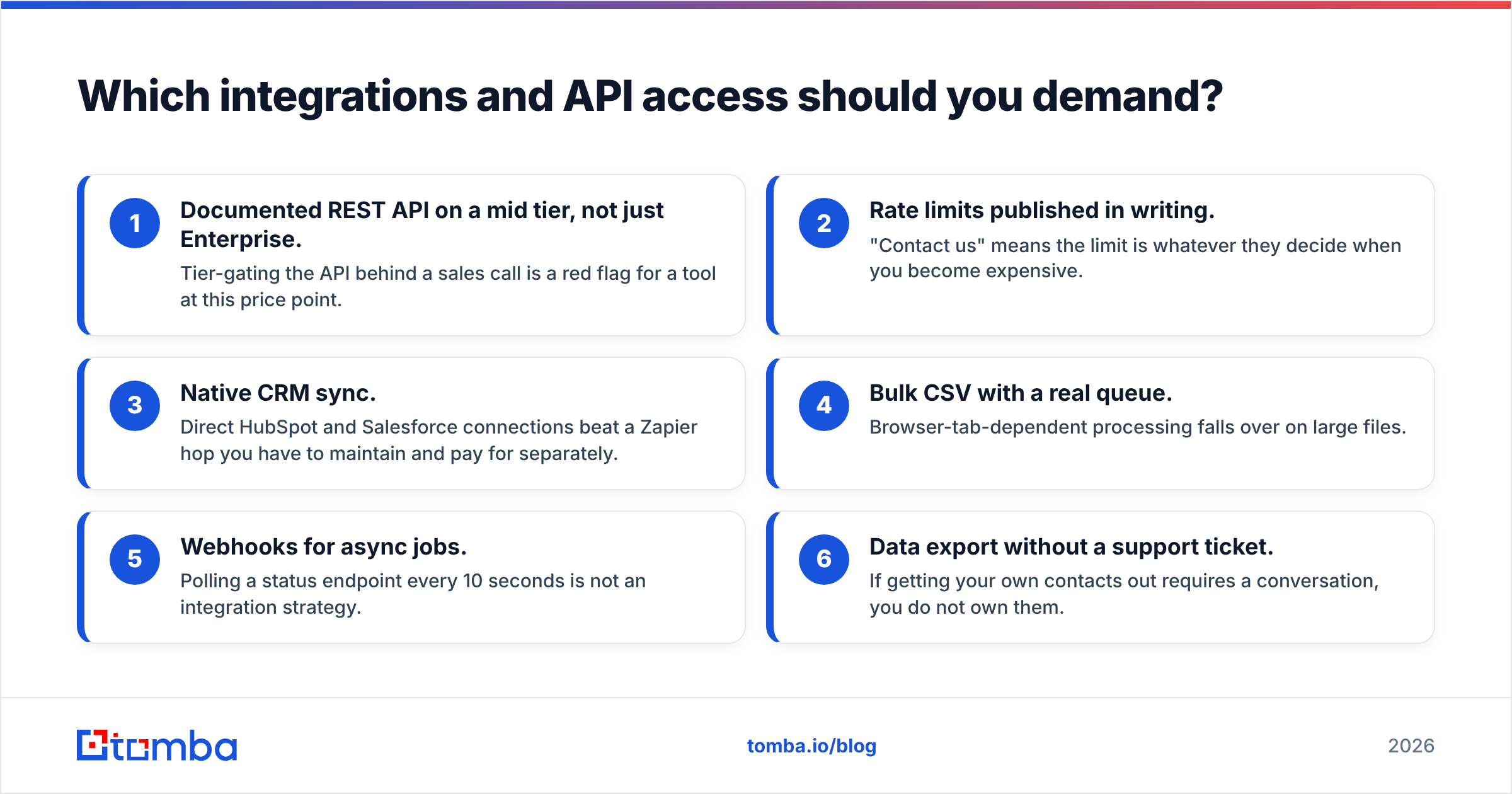
- Documented REST API on a mid tier, not just Enterprise. Tier-gating the API behind a sales call is a red flag for a tool at this price point.
- Rate limits published in writing. "Contact us" means the limit is whatever they decide when you become expensive.
- Native CRM sync. Direct HubSpot and Salesforce connections beat a Zapier hop you have to maintain and pay for separately.
- Bulk CSV with a real queue. Browser-tab-dependent processing falls over on large files.
- Webhooks for async jobs. Polling a status endpoint every 10 seconds is not an integration strategy.
- Data export without a support ticket. If getting your own contacts out requires a conversation, you do not own them.
Both LeadEngineAI and Mailtact offer integrations, but the depth varies by tier and changes frequently. Verify against current documentation rather than a review written eight months ago. For comparison, the Tomba API exposes finder, verifier, domain search, and enrichment endpoints under one key, which is what you want when a growth engineer needs to wire enrichment into a signup flow without filing a procurement request.
Who should choose which?#
Choose LeadEngineAI if you are starting from an ICP description rather than a list. You do not have target accounts yet, you want the tool to propose them, and you accept that AI-assembled lists need human review before they touch a sequence. Budget time for that review - it is the hidden cost of every "describe your customer" workflow.
Choose Mailtact if you already know your accounts and need the contact layer filled in, and you want finding and sending close together. Teams with a working account list and a manual research bottleneck get the fastest payback here.
Choose neither if your problem is accuracy at volume, you need an API on a normal plan, or you need someone to answer when 40,000 rows come back wrong. That is the point where a focused, established email finder with published pricing and a documented domain search becomes the lower-risk choice, and where a proper catch-all workflow stops being optional.
One more framing that saves teams money: the cost of a bad contact is not the credit. It is the bounce, the reputation hit, the rep's hour, and the account you can no longer email because the domain is now flagged. Understanding how email deliverability compounds - and how invalid addresses at the top of the funnel poison everything downstream - reframes the entire pricing debate. Address formats and role-account conventions are standardized enough that a good verifier can reason about them; the basics are well covered in the email address specification overview.
What should you do next?#
Run the 200-row test. Not a demo, not a review roundup - your own accounts, both tools, same day, bounce rates recorded after a real send. The results will be unambiguous within a week, and they will cost you less than one month of the wrong annual contract.
If you want a third data point in that test, start with the free tier of the Tomba Email Finder. Twenty-five searches a month, no card required, and the same verification and catch-all logic that runs on the paid plans. Put it beside LeadEngineAI and Mailtact on the identical list, compare valid-address counts and bounce rates, and let the numbers pick the winner instead of the pricing page.
Related guides#
// get started
Find, verify and enrich your first contacts today
Start on the free plan with 25 searches a month, then scale when your team is ready.
Free plan · No credit card required · GDPR & CCPA
// about the author