LeadEngineAI vs Market Location (2026): Which B2B Data Wins?
One sells AI-scored lead flow, the other sells decades of UK business records. We compare LeadEngineAI and Market Location on coverage, verification, pricing model, compliance and workflow fit — plus the setup that beats both.
LeadEngineAI vs Market Location is a question we hear a lot from teams buying B2B data. The short answer: they do different jobs. Here is how to pick the right one.
TL;DR
- LeadEngineAI vs Market Location is not a like-for-like fight. One scores and routes leads with AI. The other sells curated UK business records.
- Pick Market Location for deep UK company data, phone-verified records, and mail-grade addresses.
- Pick LeadEngineAI if your bottleneck is sorting leads, not finding them.
- Neither one fixes email delivery. All contact data decays. You still verify before you send.
- The cheapest 2026 stack is one record source plus a live finder and verifier. Tomba starts free, and Starter is $49/mo.
What are LeadEngineAI and Market Location?#
LeadEngineAI sits on the processing side of lead generation. Market Location sits on the sourcing side. Treating LeadEngineAI vs Market Location as a straight swap is the most common buying mistake.
Market Location is a UK business data provider with decades of direct marketing history. Its core asset is a maintained database of UK firms. You get company name, address, size band, SIC code, turnover range, decision-maker names and phone numbers.
The model is classic data licensing. You define a selection, they quote, you receive a file. Read the licence closely. Many vendors in this space sell single-use or 12-month rights, not the data itself.
LeadEngineAI belongs to the AI lead tooling wave that arrived after 2023. The promise is the same across the category. Take in signals, score and enrich them, then push the best leads to your CRM or sequencer.
Public docs for these tools are thin, and features move fast. Check any feature list, including this one, against a live demo and the current terms.
Maturity is a decision input by itself. A 30-year-old data firm gives you known sources and a contract your lawyer has seen. A young AI tool gives you a lower entry price and more roadmap risk.
LeadEngineAI vs Market Location: the head-to-head#
Here is the honest side by side. Where a vendor does not publish a number, we say so.
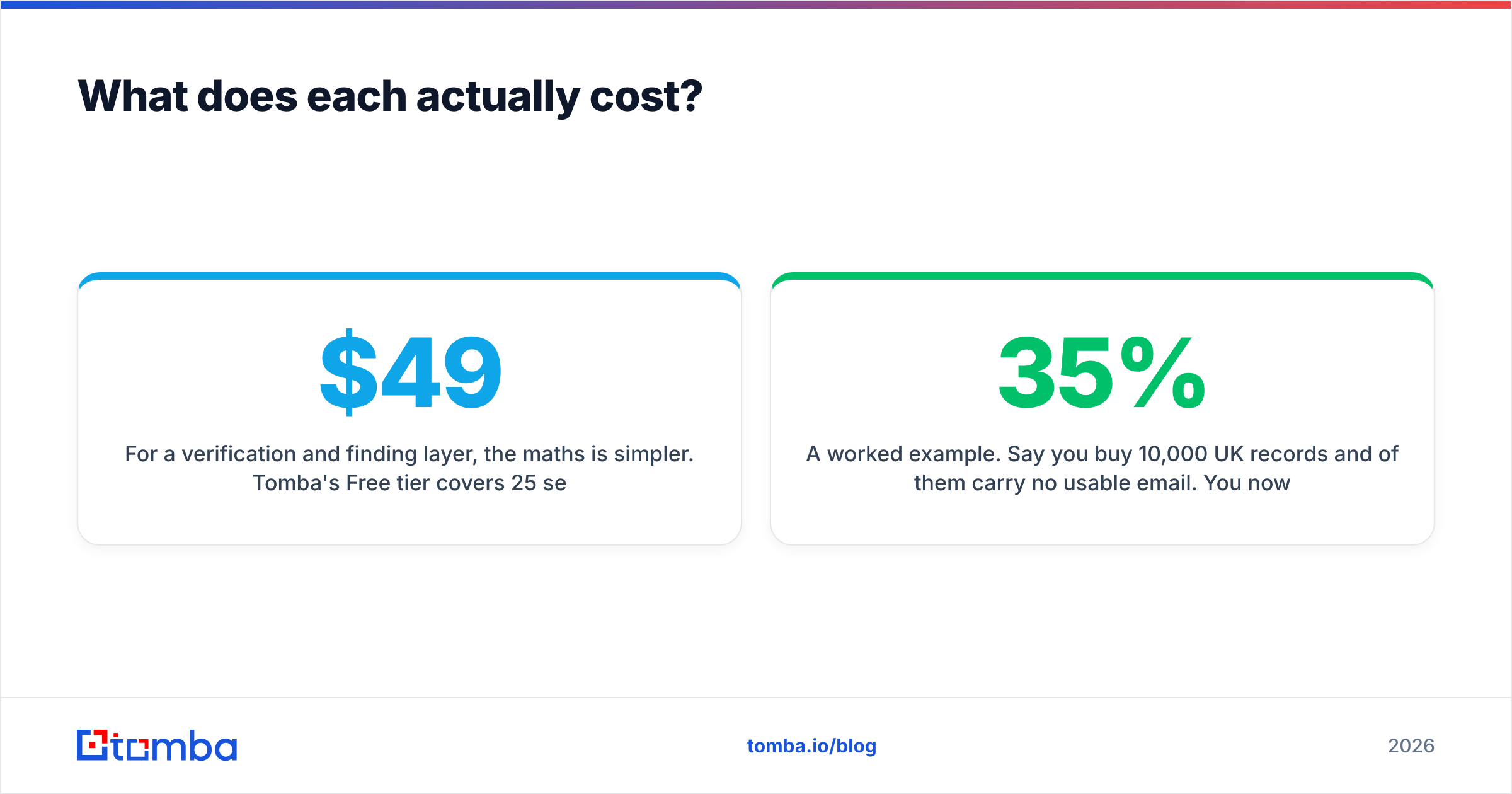
| Attribute | LeadEngineAI | Market Location | Tomba |
|---|---|---|---|
| Primary job | Scores, enriches and routes leads you already have | Licensed UK business records and lists | Finds and verifies business emails on demand |
| Geographic strength | Wherever your source data comes from | United Kingdom (deep), thin beyond | Global, domain-driven |
| Data model | Signals in, ranked leads out | Curated database, refreshed on a cycle | Live search plus verification per query |
| Pricing | Self-serve tiers, change often — check the page | Quote-based, per record or per selection | Published: Free (25/mo), $49, $99, $249, custom |
| Verification | Varies by plan; usually a light check | Not a verification product | Core job — SMTP, catch-all, syntax, MX |
| Typical buyer | SDR lead or growth engineer | Marketing ops, direct mail, UK field sales | Any team doing outbound or enrichment |
| Contract | Monthly SaaS | Data licence with usage terms | Monthly SaaS, cancel anytime |
| Best-fit volume | Steady inbound and outbound flow | One-off or yearly campaign selections | Continuous, API-driven lookups |
Three things stand out.
First, only one of the three publishes prices. If your buying process stalls on "request a quote", that alone narrows the field. Tomba pricing is on the page. Market Location scopes a selection with you. LeadEngineAI's tiers are self-serve, but they have moved more than once.
Second, the licence shape differs. SaaS credits expire and reset. A data licence sets how often you may contact each record, and for how long. Reusing one list across three campaigns can breach the terms you signed.
Third, neither rival is an email accuracy product. Market Location is strong on company truth. LeadEngineAI is strong on ranking. Whether the mailbox accepts your email is a separate problem with a separate tool.

Which has better data coverage and accuracy?#
"Coverage" means three different things. Split the question first.
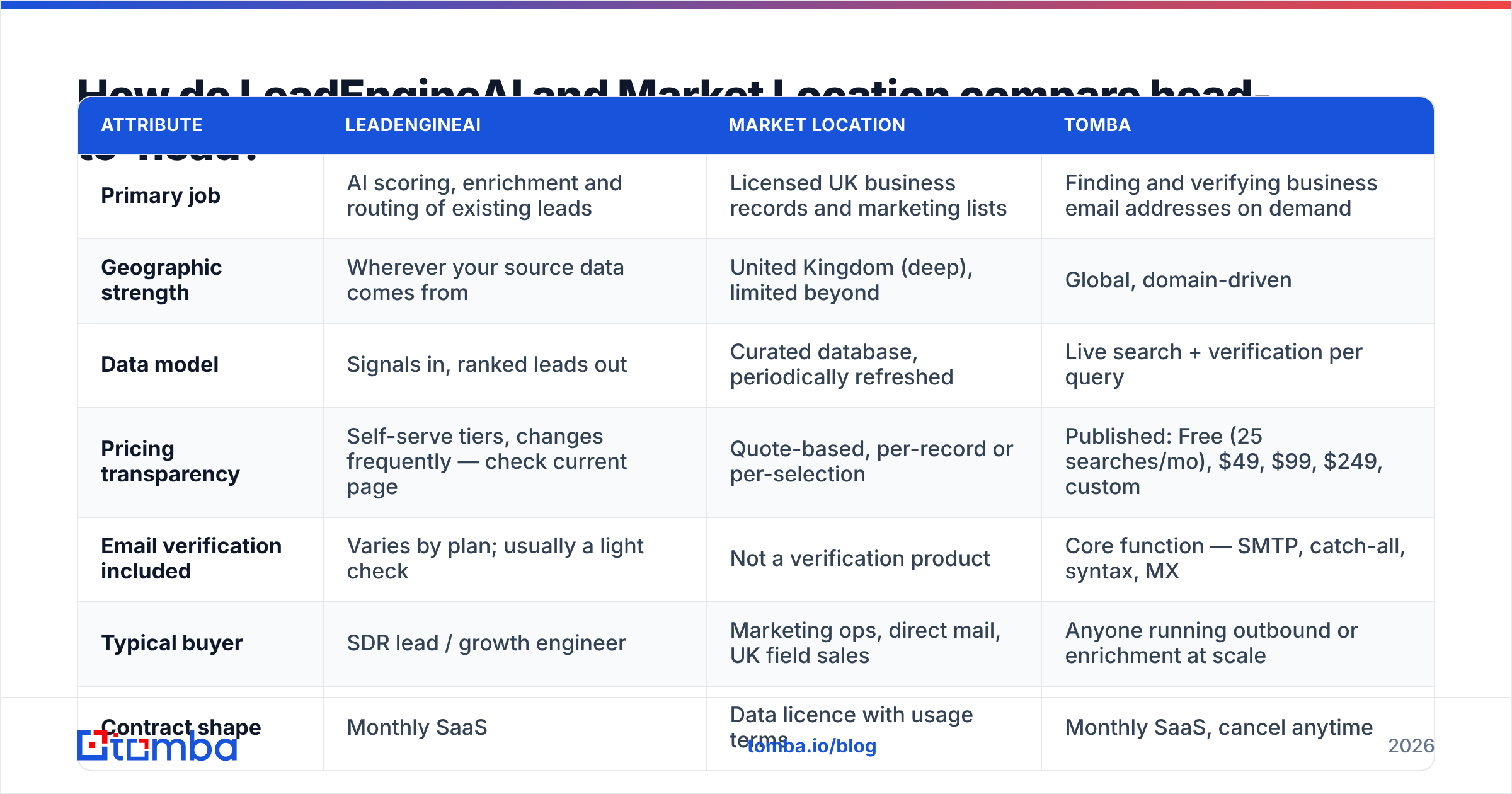
- Company data. Market Location wins in the UK. A national database built on Companies House filings and phone research beats a global aggregator on small firms.
- Person data. UK list data thins out here. You often get a named buyer and a switchboard number, not a verified direct email.
- Freshness. B2B contact data decays by 2-3% a month as people move jobs. G2 reviews of list vendors say the same thing.
- Signals. This is LeadEngineAI's edge. Its models read site visits, hiring and tech changes, then rank who to touch this week.
- Verification. Neither vendor proves a mailbox is live today. An email verifier checks syntax, MX, role accounts and catch-all behaviour.
On coverage, LeadEngineAI vs Market Location split cleanly. Market Location gives you a defensible UK universe. LeadEngineAI tells you where to start in it. Neither proves the mailbox is live.
What does each one cost?#
Budget the real total, not the sticker. On price, LeadEngineAI vs Market Location work in different units.
Market Location charges by selection size and licence terms. A tight regional list of a few thousand records is cheap. National coverage with multi-use rights for a year is not. Ask three things before the quote lands: the price per record, the usage rights, and the share of records with a direct email.
LeadEngineAI charges by volume processed and seats. The hidden line item in any AI scoring tool is enrichment. Models are cheap; the data they call out to is not. Ask whether enrichment credits are bundled, and what happens when you run out mid-month.
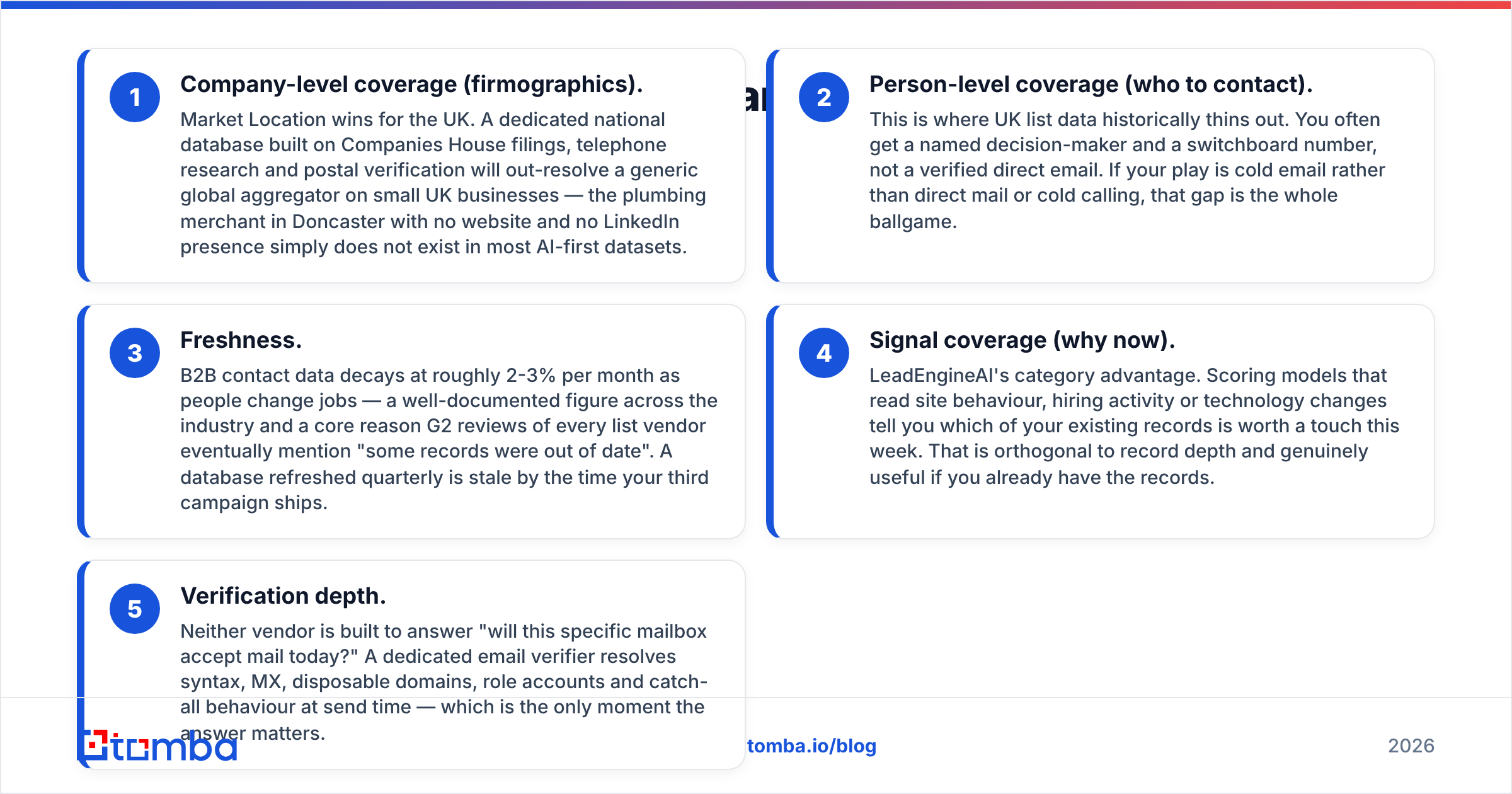
A finder and verifier layer is simpler to price. Tomba's free tier covers 25 searches a month. Starter is $49/mo, Growth $99/mo, Pro $249/mo, Enterprise custom. There is no minimum and no licence to interpret.
Here is a worked example. You buy 10,000 UK records and 35% carry no usable email. That leaves 3,500 dead rows. Run the domains through a domain search, then verify the file in bulk. It costs a fraction of the list price, and it usually recovers more contacts than a second list.
LeadEngineAI vs Market Location: which fits your team?#
Match the tool to your problem, not to the loudest feature page.
- UK field sales or direct mail — Market Location. Postal-grade addresses and SIC filters are what you pay for.
- Global cold email at volume — neither, alone. Start from domains, then use an email finder with live checks.
- Heavy inbound, weak triage — LeadEngineAI. If 800 form fills go unworked each month, scoring beats sourcing.
- Small team, no data engineer — pick published pricing and a documented API. Quote cycles cost you weeks.
- RevOps building a pipeline — an API-first layer. The Tomba API enriches on write, not on a quarterly file drop.
- Agency running client campaigns — read the licence. Most data licences bar resale or third-party use.

How do compliance and consent differ?#
Buyers skip this part. Regulators do not. On paperwork, LeadEngineAI vs Market Location sit at opposite ends.
UK and EU B2B outreach falls under the GDPR, plus PECR in the UK. You can usually email corporate subscribers under legitimate interest with a clear opt-out. Sole traders and partnerships need more care. Named email addresses are personal data either way.
Established vendors like Market Location supply source documentation, suppression against opt-out registers, and written assurances. That paperwork is a real asset in an audit.
AI-first tools vary far more. Some license clean data. Others scrape. If a vendor cannot tell you where an email came from, you own that risk. Ask for the source story in writing, and read the data sources page of any provider you plug in.
One rule holds everywhere. An unverified send to a stale list gets you blocklisted. Bounce rates above 3-5% hurt sender reputation fast, and a burned domain takes months to recover. Verification is not an add-on. It stands between your list and the inbox.
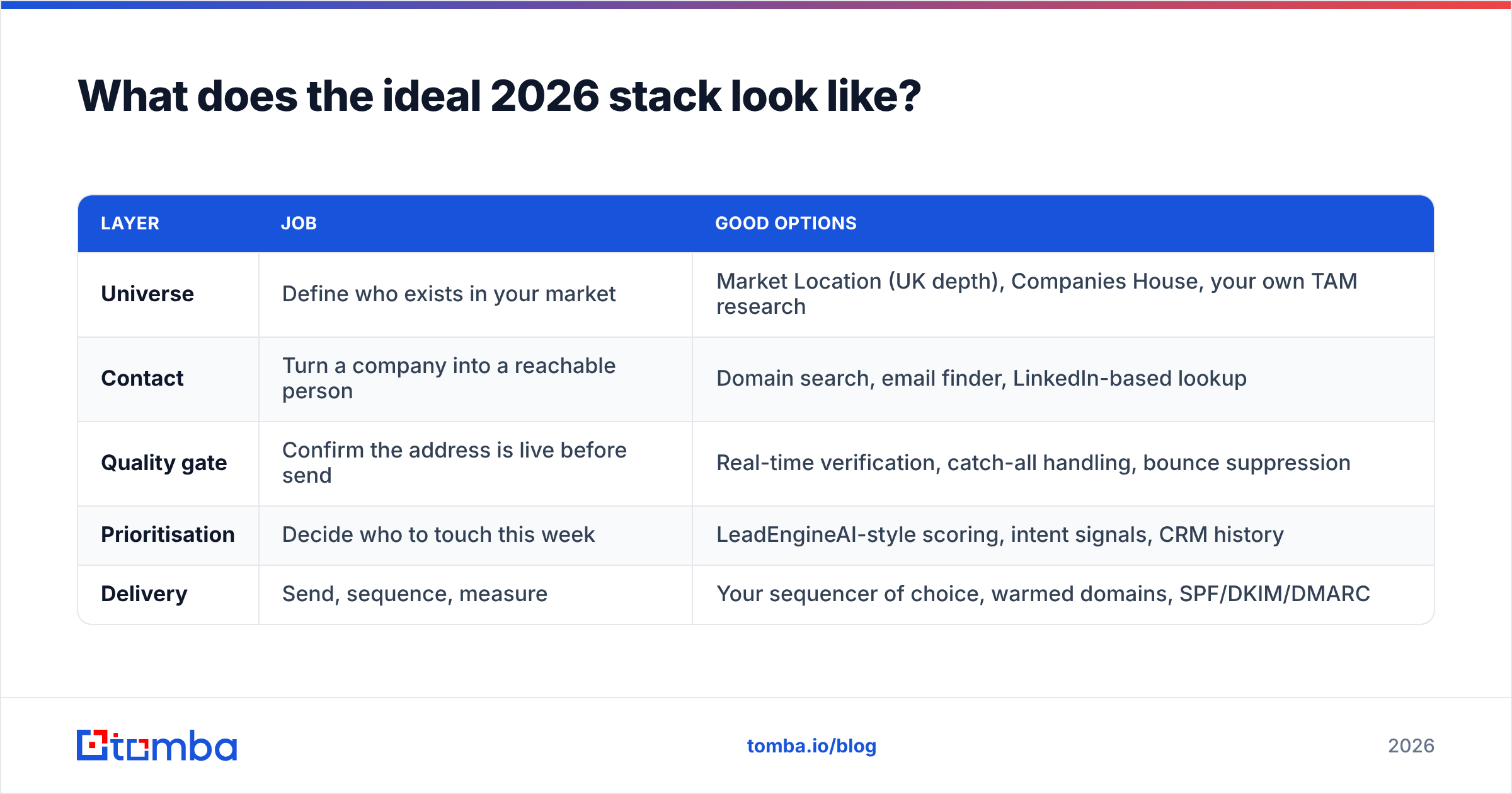
What does the ideal 2026 stack look like?#
Stop asking which single vendor wins. Build five layers instead.
| Layer | Job | Good options |
|---|---|---|
| Universe | Define who exists in your market | Market Location (UK depth), Companies House, your own research |
| Contact | Turn a company into a reachable person | Domain search, email finder, profile lookup |
| Quality gate | Confirm the address is live before send | Real-time verification, catch-all handling, bounce suppression |
| Prioritisation | Decide who to touch this week | LeadEngineAI-style scoring, intent signals, CRM history |
| Delivery | Send, sequence, measure | Your sequencer, warmed domains, SPF/DKIM/DMARC |
LeadEngineAI vs Market Location can both live in this stack. The layers are independent, and that is the point. Keep Market Location if its UK depth is hard to replace, then fix the email gap under it. Keep LeadEngineAI if its scoring saves your reps ten hours a week, then feed it better contacts.
Here is a blunt test for any all-in-one pitch. Ask the vendor to run 200 of your own target companies live. Then ask how many produced a verified, deliverable email for a named person. Not records found. Deliverable. The number is always lower than the deck implies.
LeadEngineAI vs Market Location: the verdict#
Choose Market Location when the UK is your market and company accuracy matters more than email volume. It is a serious data business. Phone-verified records still beat inferred ones on accounts that never show up online.
Choose LeadEngineAI when your funnel makes more leads than your team can work. The gap there is triage, not supply. Price it against the hours it saves, and confirm what enrichment adds on top.
Choose neither as the whole answer. Whichever universe you buy into, the address has to be checked on the day you send. Both categories leave that layer open.
If that layer is your gap, start with the Tomba Email Finder. Drop in a domain or a name, get a verified email with a confidence score and its sources, then wire it into your CRM through the API. The free tier covers 25 searches a month.
Related guides#
// get started
Find, verify and enrich your first contacts today
Start on the free plan with 25 searches a month, then scale when your team is ready.
Free plan · No credit card required · GDPR & CCPA
// about the author