LeadEngineAI vs MorphyMail: Which Lead Tool Wins in 2026?
Two lightly documented lead-data tools, one buying decision. Here is how LeadEngineAI and MorphyMail actually differ on accuracy, pricing transparency, and verification depth — plus what to test before you pay.
TL;DR
- LeadEngineAI vs MorphyMail is a close call for one reason: both are small, thinly documented tools. Neither publishes an accuracy method, a data-source list, or clear credit math.
- LeadEngineAI sells AI-assisted prospect discovery. MorphyMail sells email discovery plus sending. They overlap on the one job that matters: handing you an email that lands.
- The deciding factor is not the feature list. It is the bounce rate on your ICP, the refund policy on bad data, and whether you get an API key without a sales call.
- Run the same 200-contact list through both tools. Add a transparent baseline like Tomba. Compare verified-valid rate and cost per usable email, not cost per credit.
- Want documented sourcing, catch-all handling, and public pricing on day one? A mature email finder is the lower-risk pick.
LeadEngineAI vs MorphyMail: What Are They?#
Short version: both tools turn a name and a company into a contact email. Both are also new enough that public proof is thin.
LeadEngineAI sits in the AI-prospecting camp. That segment pitches automated ICP matching, intent signals, and "the AI builds your list for you." Tools here usually wrap a contact database in an LLM layer. You describe a prospect in plain English, and it returns a list. The promise is speed, not depth.
MorphyMail sits closer to the find-and-send camp: get the address, then mail it. Tools here bundle a finder, a light verifier, and a sending layer. The promise is one workflow instead of three subscriptions.
So the two products do not really compete on the same axis. One replaces the hour you spend building a list. The other replaces the three tabs you keep open during a campaign. Asking "LeadEngineAI vs MorphyMail" is a bit like asking whether a food processor beats a slow cooker. The honest answer depends on what you cook most nights.
Carry one caveat through the rest of this LeadEngineAI vs MorphyMail comparison. Neither vendor publishes an audited accuracy benchmark. Neither publishes a data-provenance statement. Neither publishes a full pricing page with credit definitions. When a vendor hides where the data comes from, you are buying on faith. Treat every claim below as something to test in a trial.
LeadEngineAI vs MorphyMail: How Do They Compare Head-to-Head?#
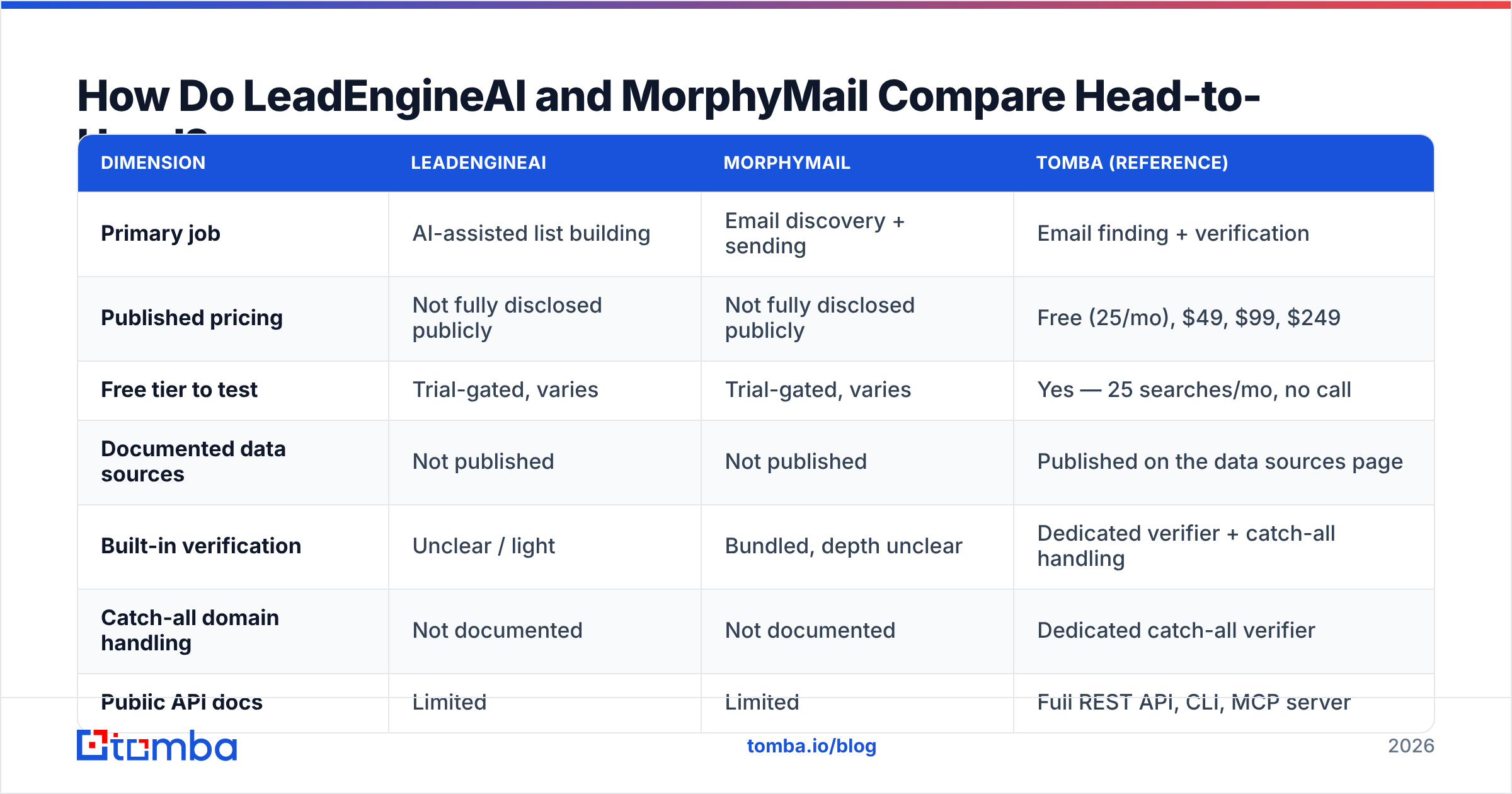
Here is the comparison the way a buyer should build it. The third column is a transparent reference, so you can see what "documented" looks like.
| Dimension | LeadEngineAI | MorphyMail | Tomba (reference) |
|---|---|---|---|
| Primary job | AI-assisted list building | Email discovery + sending | Email finding + verification |
| Published pricing | Not fully disclosed publicly | Not fully disclosed publicly | Free (25/mo), $49, $99, $249 |
| Free tier to test | Trial-gated, varies | Trial-gated, varies | Yes — 25 searches/mo, no call |
| Documented data sources | Not published | Not published | Published on the data sources page |
| Built-in verification | Unclear / light | Bundled, depth unclear | Dedicated verifier + catch-all handling |
| Catch-all domain handling | Not documented | Not documented | Dedicated catch-all verifier |
| Public API docs | Limited | Limited | Full REST API, CLI, MCP server |
| Bulk enrichment | Varies by plan | Varies by plan | Bulk finder and bulk verify |
| Native integrations | Limited public list | Limited public list | HubSpot, Salesforce, Pipedrive, Sheets, Zapier |
| Credit refund on invalid | Not documented | Not documented | Documented in plan terms |
The pattern in that table is the finding. Two of the three columns are full of "not documented." That is not a rhetorical trick. It is what their public pages show today.
For a $49-a-month trial, that risk is easy to carry. For a team-wide rollout, it is not. Ten reps will build lists on this data for a year. In that case, "not documented" is the most expensive cell in the table.

Want a sanity check on what mature vendors disclose? Browse the sales intelligence category on G2. Look at how much pricing and method each vendor shows before a sales call. Transparency tracks data quality. Vendors with weak data have every reason to hide the math.
Which One Finds More Valid Emails?#
No blog post can settle LeadEngineAI vs MorphyMail on accuracy for you. Any post that quotes a precise hit rate for two tools this obscure is inventing the number.
You can run the test yourself in about 40 minutes. The method matters more than the vendors.
- Build a 200-row control list. Use first name, last name, and company domain. Pick accounts that match your real ICP, not a generic Fortune 500 sample. Accuracy swings hard between a 5,000-person enterprise and a 12-person agency.
- Run the same list through each tool. Do not let a tool enrich or expand the list. Same input, same output shape, no swaps.
- Verify results with a neutral third party. Never grade a finder with its own verifier. That is the vendor marking its own homework. Push every result set through an independent email verifier. Record valid, invalid, catch-all, and unknown.
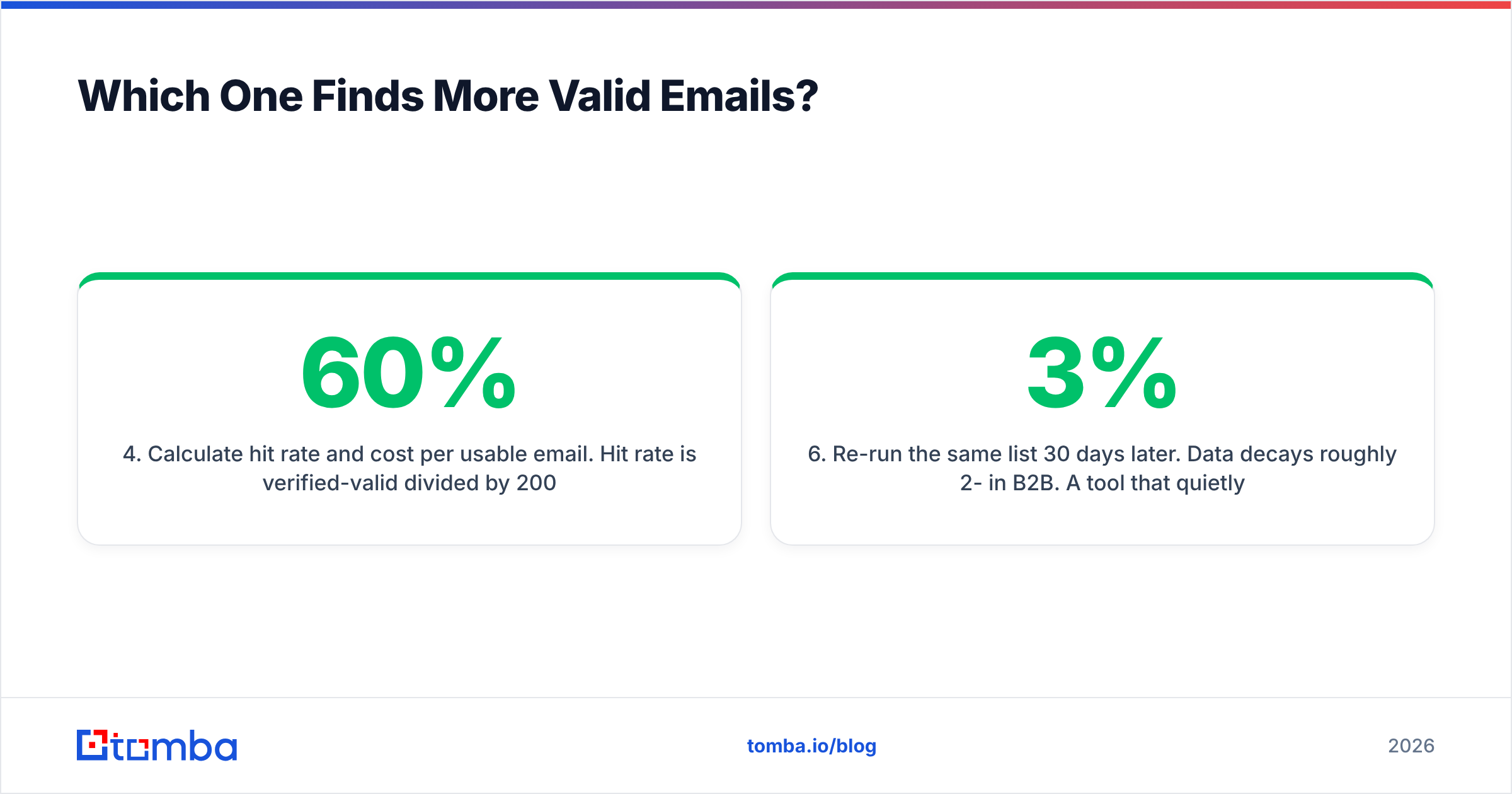
- Work out hit rate and cost per usable email. Hit rate is verified-valid divided by 200. Cost per usable email is your spend divided by verified-valid. A tool that returns 180 addresses at 60% validity loses to one that returns 120 at 95%.
- Send a real 50-contact batch. Deliverability is the only ground truth. Watch hard bounces for 72 hours on a warmed domain.
- Re-run the same list 30 days later. B2B data decays about 2-3% per month. A tool that quietly serves stale cache will show a widening gap.

Two technical points decide most of these tests.
The first is catch-all domains. These servers accept mail sent to any address at the domain. A standard SMTP handshake cannot validate them. Weak tools mark them "valid," which inflates hit rate now and bounce rate later. Honest tools mark them "unknown." Ask each vendor how they classify catch-alls. If the answer is vague, assume the optimistic bucket.
The second is pattern guessing. Any tool can generate first.last@domain.com and call it a find. A real find is confirmed against a signal: a crawl, a licensed record, an SMTP response. Does your test return the same email format for almost every row? Then you are looking at a permutator with a marketing site.
How Do Pricing and Credits Actually Compare?#
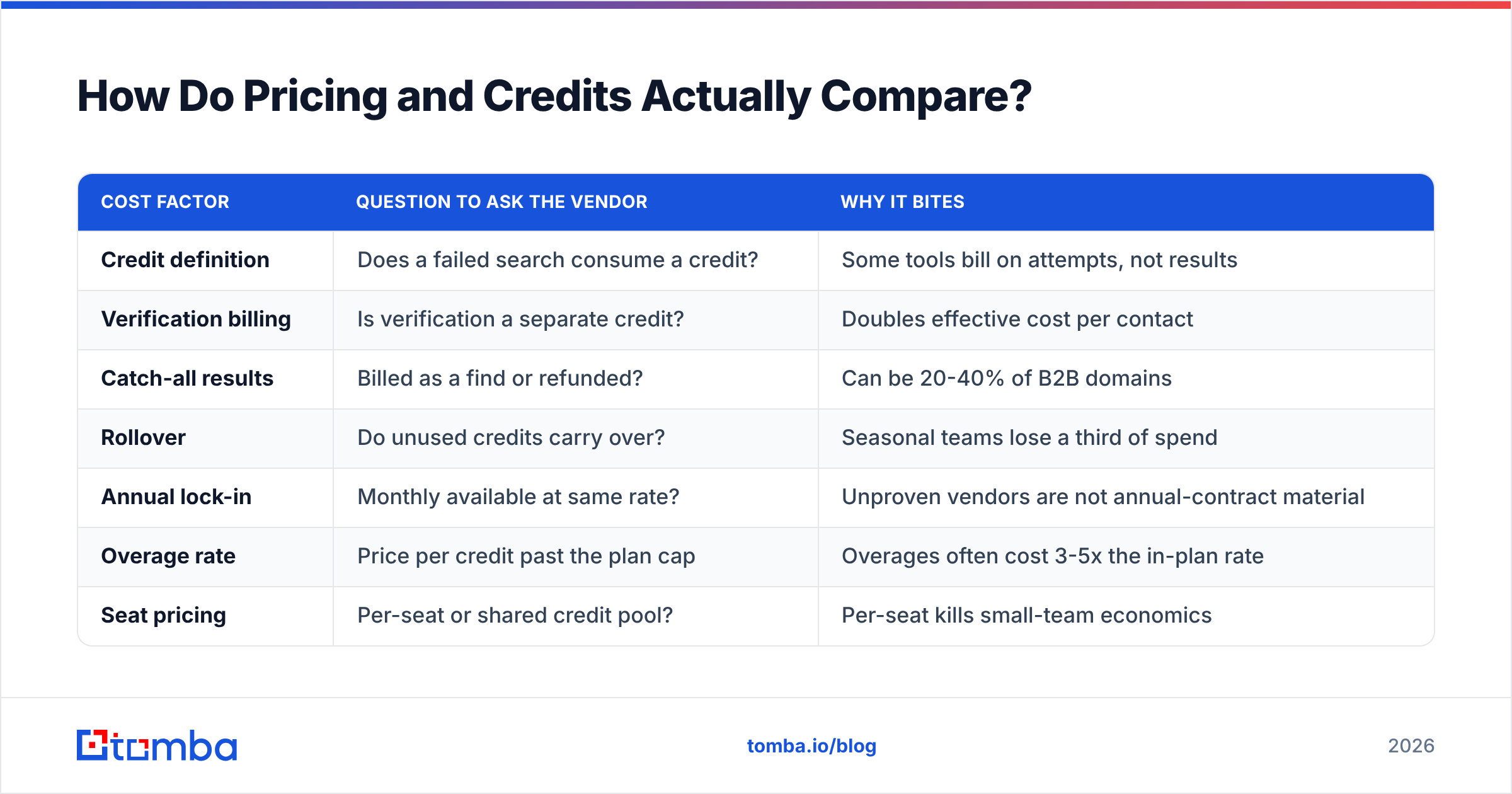
The LeadEngineAI vs MorphyMail price question runs into a wall. Neither vendor publishes a complete, plain-language credit model today, so an honest side-by-side table is impossible to build. What you can compare is pricing structure. That is where the real cost hides.
| Cost factor | Question to ask the vendor | Why it bites |
|---|---|---|
| Credit definition | Does a failed search consume a credit? | Some tools bill on attempts, not results |
| Verification billing | Is verification a separate credit? | Doubles effective cost per contact |
| Catch-all results | Billed as a find or refunded? | Can be 20-40% of B2B domains |
| Rollover | Do unused credits carry over? | Seasonal teams lose a third of spend |
| Annual lock-in | Monthly available at same rate? | Unproven vendors are not annual-contract material |
| Overage rate | Price per credit past the plan cap | Overages often cost 3-5x the in-plan rate |
| Seat pricing | Per-seat or shared credit pool? | Per-seat kills small-team economics |
| Export limits | Any cap on CSV export or API pulls? | Data you cannot export is data you do not own |
Tomba works as the contrast case. Tomba pricing is published in full: a free tier at 25 searches a month, Starter at $49/mo, Growth at $99/mo, Pro at $249/mo, and custom Enterprise. You can read the number, do the math, and start without a sales call. That gap is not small. It is the difference between evaluating a tool and being evaluated by a sales team.

Buyers also underestimate the bounce math. A list of 5,000 addresses at 92% validity produces 400 hard bounces. Mailbox providers read that as a spam signal. Your sender reputation then takes weeks to recover. The cheap tool that saved you $40 a month just cost you a sending domain.
HubSpot's team has written at length about how list hygiene drives deliverability. The short version: cheap, unverified data is the most expensive input in outbound.
Which Should You Pick for Your Use Case?#
Match the tool to the job, not to the feature count. Here is how the LeadEngineAI vs MorphyMail choice usually breaks down.
You build lists from a fuzzy ICP and value speed over precision. LeadEngineAI's discovery angle is the closer fit. Plan for a separate verification pass before anything gets sent.
You want finding and sending in one subscription, at low volume. MorphyMail's bundle is the closer fit. Check its sending setup carefully. Shared IP pools are common at this tier, and you inherit other people's reputation.
You need an API, documented sourcing, and predictable cost per verified contact. Neither is the safe pick. A tool with a published method, a real email finder API, and a free tier you can test without a demo will waste fewer credits.
You are enriching a CRM list rather than building new ones. Put bulk throughput and dedupe quality first. Look at a dedicated bulk email finder workflow instead of a list builder.
You want pre-built, verified lists instead of per-contact lookup. A database-first vendor like BookYourData is a fair alternative. You buy a filtered, verified list outright instead of spending credits to discover it. Different economics, and for some teams a better fit.
What Are the Alternatives Worth Testing?#
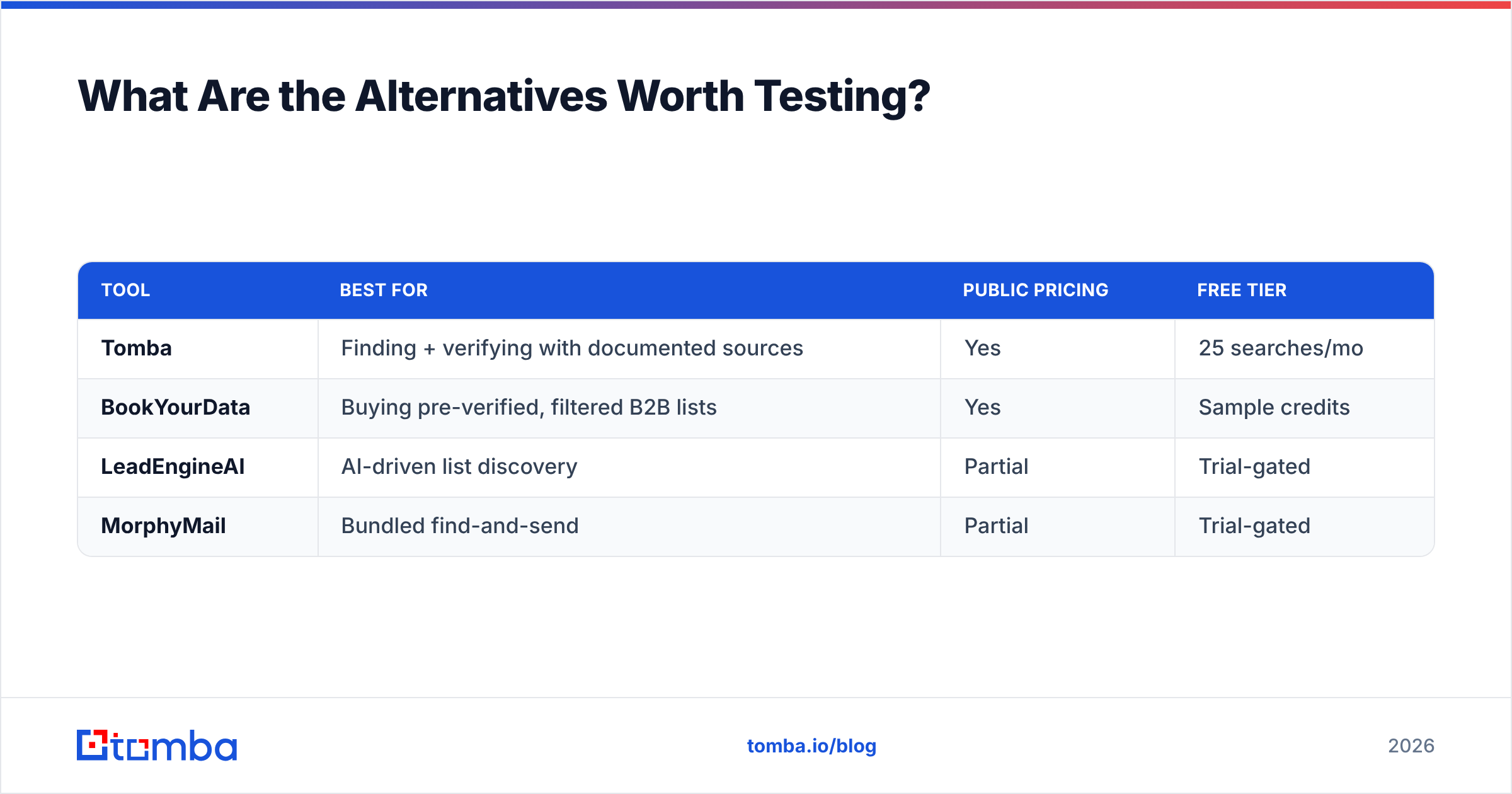
Put at least two established options in the bake-off. A LeadEngineAI vs MorphyMail head-to-head only tells you which unknown is better. It does not tell you whether either one is good.
| Tool | Best for | Public pricing | Free tier |
|---|---|---|---|
| Tomba | Finding + verifying with documented sources | Yes | 25 searches/mo |
| BookYourData | Buying pre-verified, filtered B2B lists | Yes | Sample credits |
| LeadEngineAI | AI-driven list discovery | Partial | Trial-gated |
| MorphyMail | Bundled find-and-send | Partial | Trial-gated |
Check current user reviews on Capterra and G2 before you buy, and weight the newest ones. Data vendors change suppliers often, so a glowing 2024 review says little about 2026 coverage.
What Is the Verdict on LeadEngineAI vs MorphyMail?#
There is no clean winner, and you should be suspicious of any comparison that manufactures one. LeadEngineAI wins if your bottleneck is deciding who to contact. MorphyMail wins if your bottleneck is the number of tools in your stack. Both lose to a documented, testable email finder if your bottleneck is data that actually lands.
So run the 200-contact test. Grade it with a neutral verifier. Buy the tool with the best cost per verified email. Give the feature list zero weight until that number is on the table.
Want a transparent baseline for the test? Start with the Tomba Email Finder. The free tier gives you 25 searches a month with no sales call. The data sources are published. Catch-all domains are handled openly instead of being quietly marked valid. Paid plans start at $49/mo, with the credit math written down. Run your list through it next to LeadEngineAI and MorphyMail, compare the verified-valid counts, and let the bounce rate pick your winner.
Related guides#
// get started
Find, verify and enrich your first contacts today
Start on the free plan with 25 searches a month, then scale when your team is ready.
Free plan · No credit card required · GDPR & CCPA
// about the author