LeadEngineAI vs Postaga: Which Outreach Tool Wins in 2026?
LeadEngineAI and Postaga both promise AI-built outreach campaigns from a single URL. We break down data quality, pricing, deliverability risk, and which one actually belongs in your stack in 2026.
TL;DR
- Postaga is the more mature product. It has been shipping since 2020, has a public pricing page, a documented campaign builder, and real review volume on G2. LeadEngineAI is a newer AI-first entrant with a thinner public footprint — treat its claims as unverified until you trial it.
- Both bundle "find contacts + write emails + send sequences" into one subscription. That is convenient and also where the trouble starts: bundled contact data is almost always the weakest component.
- Postaga wins on campaign depth (link-building and podcast/roundup outreach angles, CRM-ish pipeline view, integrations). LeadEngineAI leans harder on one-click AI generation and speed.
- Neither should be your only source of email addresses. Run a dedicated finder and verifier in front of whichever sender you pick, or you will pay for the bounce rate later.
- Rough budget reality: expect roughly $80–$100/mo entry for Postaga's paid tiers and agency plans in the low hundreds. Verify current numbers on the vendor page before you commit — outreach pricing changes often.
What are LeadEngineAI and Postaga, actually?#
Short version: both are all-in-one cold outreach platforms that try to collapse four jobs — prospect discovery, email finding, copywriting, and sequencing — into one subscription.
Postaga is the older and better-documented of the two. Its original wedge was link building and PR outreach: paste a URL or a topic, and it surfaces relevant sites, articles, and podcasts, finds contacts attached to them, and drafts personalised outreach with merge fields pulled from the source page. Over time it added general cold-email sequencing, a simple opportunity pipeline, and integrations with common CRMs and mailboxes.
LeadEngineAI positions itself as the newer, AI-native take on the same idea: describe your ICP in plain language, let the system assemble a list, generate copy, and launch. The pitch is speed — fewer clicks between "I have an idea for a campaign" and "emails are going out."
Here's the honest caveat, stated up front: LeadEngineAI's public documentation, pricing detail, and independent review volume are materially thinner than Postaga's. That is not automatically a knock on the product — every tool starts somewhere — but it changes how you should evaluate it. With Postaga you can read reviews on G2 and form an expectation. With LeadEngineAI you should budget a real trial and test the data yourself before you migrate a workflow onto it.

How do all-in-one outreach tools actually work?#
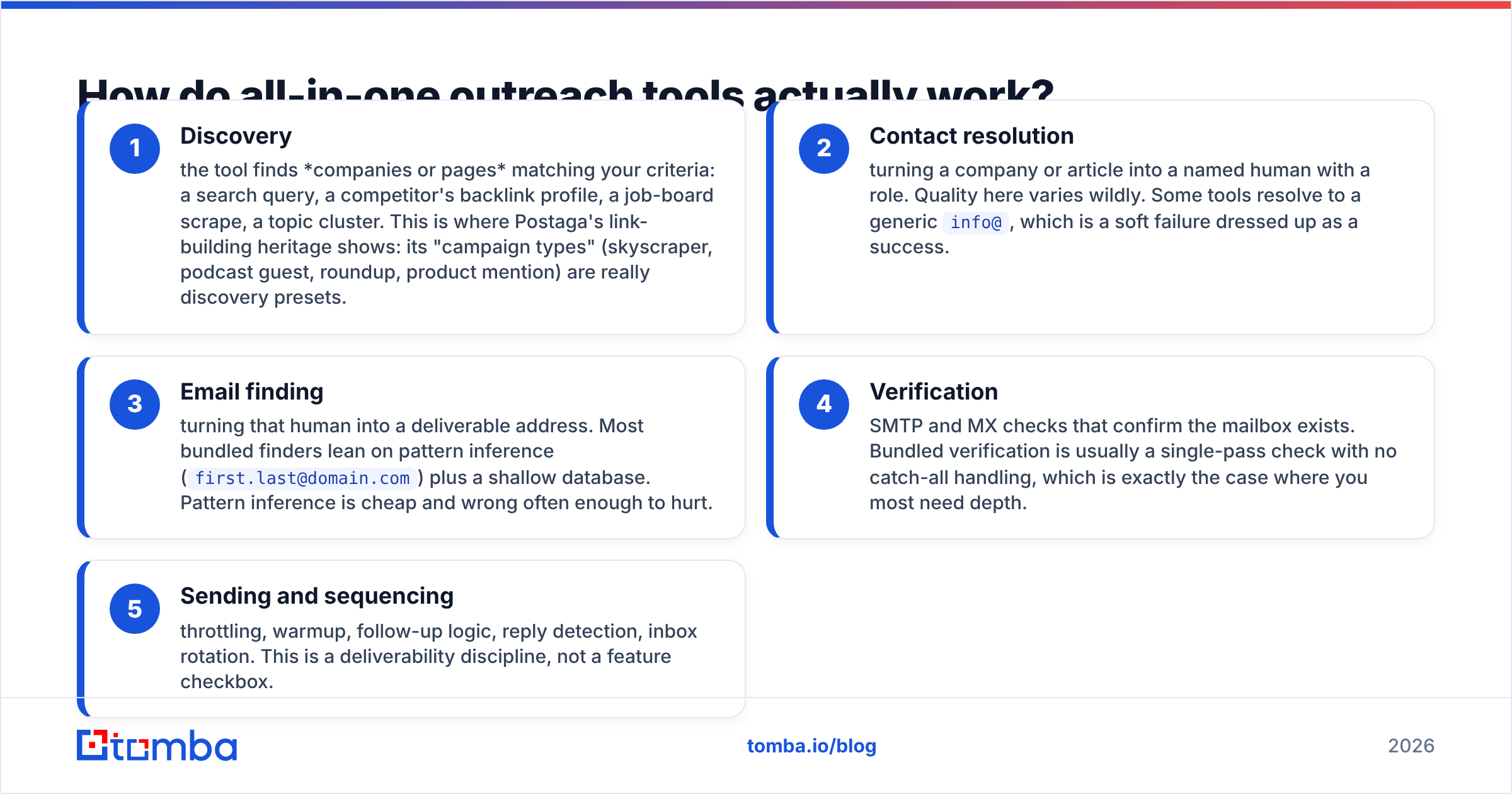
Every platform in this category runs the same five-stage pipeline. Knowing the stages is how you spot where a given vendor is strong and where it is coasting.
- Discovery — the tool finds companies or pages matching your criteria: a search query, a competitor's backlink profile, a job-board scrape, a topic cluster. This is where Postaga's link-building heritage shows: its "campaign types" (skyscraper, podcast guest, roundup, product mention) are really discovery presets.
- Contact resolution — turning a company or article into a named human with a role. Quality here varies wildly. Some tools resolve to a generic
info@, which is a soft failure dressed up as a success. - Email finding — turning that human into a deliverable address. Most bundled finders lean on pattern inference (
first.last@domain.com) plus a shallow database. Pattern inference is cheap and wrong often enough to hurt. - Verification — SMTP and MX checks that confirm the mailbox exists. Bundled verification is usually a single-pass check with no catch-all handling, which is exactly the case where you most need depth.
- Sending and sequencing — throttling, warmup, follow-up logic, reply detection, inbox rotation. This is a deliverability discipline, not a feature checkbox.
Both LeadEngineAI and Postaga invest most visibly in stages 1, 3 (superficially), and 5. Stages 2 and 4 are where bundled tools cut corners, and where a dedicated email verifier earns back its cost in a single campaign.
LeadEngineAI vs Postaga: how do they compare feature by feature?#
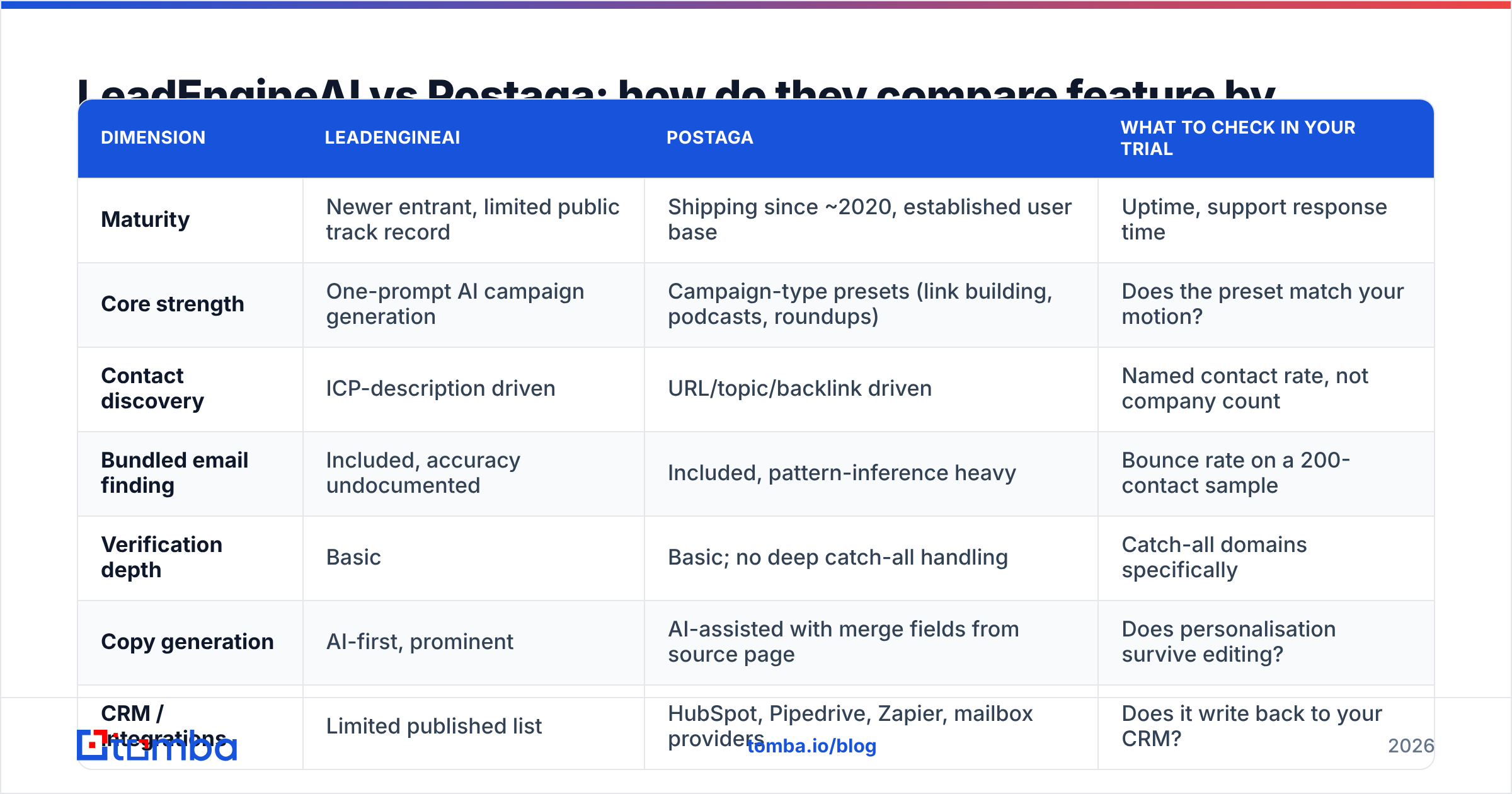
| Dimension | LeadEngineAI | Postaga | What to check in your trial |
|---|---|---|---|
| Maturity | Newer entrant, limited public track record | Shipping since ~2020, established user base | Uptime, support response time |
| Core strength | One-prompt AI campaign generation | Campaign-type presets (link building, podcasts, roundups) | Does the preset match your motion? |
| Contact discovery | ICP-description driven | URL/topic/backlink driven | Named contact rate, not company count |
| Bundled email finding | Included, accuracy undocumented | Included, pattern-inference heavy | Bounce rate on a 200-contact sample |
| Verification depth | Basic | Basic; no deep catch-all handling | Catch-all domains specifically |
| Copy generation | AI-first, prominent | AI-assisted with merge fields from source page | Does personalisation survive editing? |
| CRM / integrations | Limited published list | HubSpot, Pipedrive, Zapier, mailbox providers | Does it write back to your CRM? |
| Best fit | Solo founders wanting speed | Agencies and content/SEO-led outreach | — |
The pattern is consistent across the category: the sending layer is commoditised, the discovery layer is the differentiator, and the data layer is where both vendors quietly underperform specialists.
What does each one cost?#
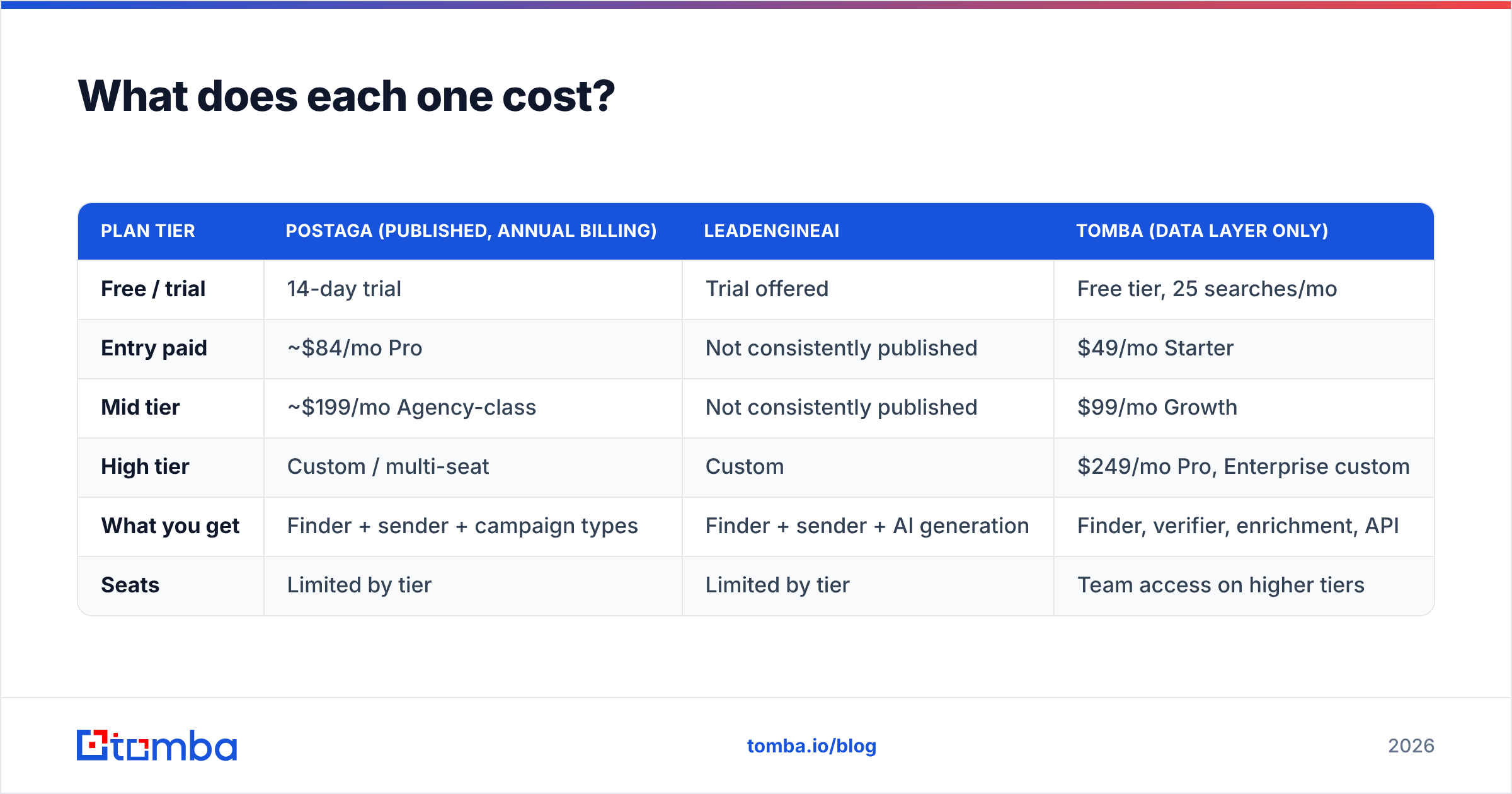
Pricing in this category moves, so treat the table below as directional and confirm on the vendor's own page before you buy.
| Plan tier | Postaga (published, annual billing) | LeadEngineAI | Tomba (data layer only) |
|---|---|---|---|
| Free / trial | 14-day trial | Trial offered | Free tier, 25 searches/mo |
| Entry paid | ~$84/mo Pro | Not consistently published | $49/mo Starter |
| Mid tier | ~$199/mo Agency-class | Not consistently published | $99/mo Growth |
| High tier | Custom / multi-seat | Custom | $249/mo Pro, Enterprise custom |
| What you get | Finder + sender + campaign types | Finder + sender + AI generation | Finder, verifier, enrichment, API |
| Seats | Limited by tier | Limited by tier | Team access on higher tiers |
Two things matter more than the headline number.
First, credits versus contacts. An outreach platform that gives you "5,000 credits" is not giving you 5,000 usable contacts. A single prospect can burn a discovery credit, a finder credit, and a verification credit. Ask each vendor how many deliverable, named contacts a plan realistically produces, then divide the price by that.
Second, the cost of a bad address. A 12% bounce rate on a 3,000-send campaign is 360 bounces. Past roughly 3–5% you start damaging your sender reputation, and the damage carries across every campaign on that domain — including the ones that were working. The $49/mo you "saved" by using a bundled finder becomes a re-warming project that costs you three weeks.
If you only compare one line item between these tools, compare bounce rate on a real sample. Everything else is negotiable.
Is the bundled email finder in either tool good enough?#
Usually not for your primary list — and that is a structural problem, not a criticism of either team.
Contact data is expensive to maintain. Doing it well means continuous crawling, multiple corroborating sources, SMTP infrastructure that does not get blocked, and specific handling for catch-all domains where a standard check returns "accept-all" and tells you nothing. A company whose main product is sequencing has to fund that maintenance out of a subscription that also pays for sending infrastructure, AI copy generation, and a UI. Something gives, and it is always the data.
You see this in three symptoms:
- Generic-inbox padding. The tool returns
hello@orcontact@and counts it as a found contact. These addresses go to a shared inbox, get ignored, and inflate your "found" percentage. - Unflagged pattern guesses. The tool infers
jane.doe@acme.comfrom the company pattern without confirming the mailbox exists. Some vendors label confidence; many do not. - Catch-all blindness. Roughly a fifth of B2B domains are catch-all. A bundled verifier marks them "valid" or "unknown" and moves on. A catch-all verifier treats them as their own problem class.
The fix is boring and works: keep your sender, replace the data layer. Build your list with a dedicated email finder, verify it, then push the clean file into Postaga or LeadEngineAI for sequencing. If you are working at list scale, the bulk email finder handles a CSV in one pass, and the Tomba API covers the case where you want resolution to happen inside your own pipeline.

Which one should you pick for your use case?#
Pick Postaga if your outreach is content- or SEO-adjacent. The campaign presets are genuinely useful when your motion is "find the 200 sites that linked to this competitor's guide and pitch them." That discovery logic is hard to replicate with a generic ICP prompt, and Postaga has spent years refining it. Agencies running multiple client campaigns also benefit from its per-campaign structure and the fact that support and documentation are established.
Pick LeadEngineAI if you are a solo founder or a two-person team who values time-to-first-send above everything, and you are willing to trial thoroughly. The AI-first approach removes real friction when you are testing ten campaign ideas a month and do not want to configure each one manually. Just do not skip the data audit.
Pick neither as your data source. Whichever sender you choose, treat its contact database as a convenience feature, not a system of record. This is the same logic behind using a specialist B2B database instead of whatever list your CRM happens to ship with.
Consider a third path if your bottleneck is neither discovery nor copy but volume of qualified accounts. In that case an inbound-plus-outbound combination — identifying anonymous visitors, enriching them, and routing them into a sequence — often outperforms cold discovery entirely. HubSpot's research on inbound-led growth is a reasonable starting point if you want to pressure-test that assumption; their sales resources cover the benchmark math in more detail.
What should you test during the trial?#
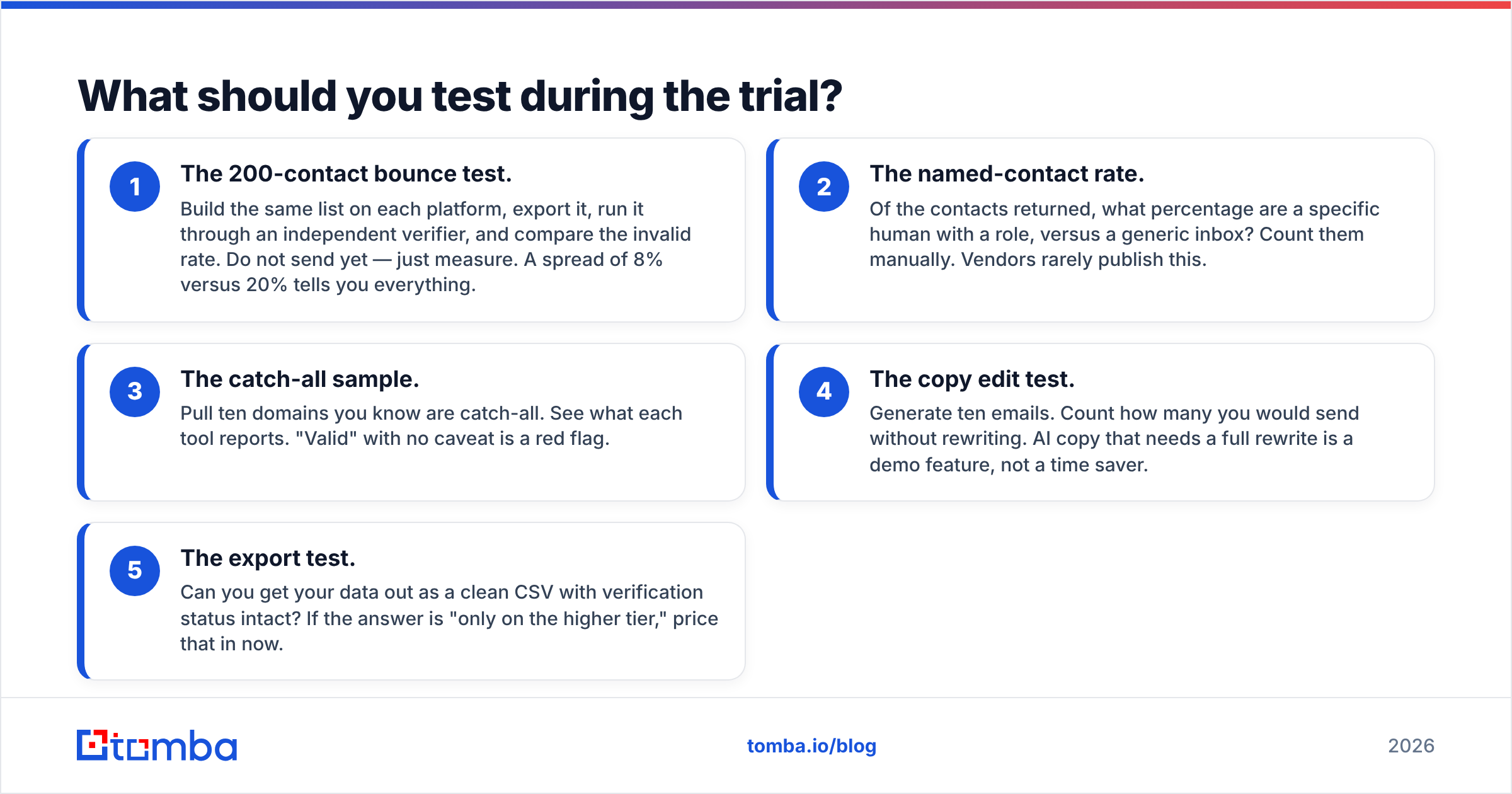
Run the same five checks on both tools. Two hours of work saves you a year of a bad subscription.
- The 200-contact bounce test. Build the same list on each platform, export it, run it through an independent verifier, and compare the invalid rate. Do not send yet — just measure. A spread of 8% versus 20% tells you everything.
- The named-contact rate. Of the contacts returned, what percentage are a specific human with a role, versus a generic inbox? Count them manually. Vendors rarely publish this.
- The catch-all sample. Pull ten domains you know are catch-all. See what each tool reports. "Valid" with no caveat is a red flag.
- The copy edit test. Generate ten emails. Count how many you would send without rewriting. AI copy that needs a full rewrite is a demo feature, not a time saver.
- The export test. Can you get your data out as a clean CSV with verification status intact? If the answer is "only on the higher tier," price that in now.
Document the results in a shared doc before your trial expires. The decision gets much easier when it is four numbers instead of two marketing pages.
What does the honest verdict look like?#
Postaga is the safer pick today. It is more mature, more documented, and better suited to the specific outreach motions it was designed for. LeadEngineAI is the faster pick if speed is your constraint and you are prepared to validate its data yourself. Neither one is a reason to stop caring about where your email addresses come from.
The structural insight is that these are two products pretending to be one. Discovery and sending are a legitimate bundle. Contact data is a separate discipline that rewards specialisation, and it is the component that determines whether your campaign lands in the inbox or in the spam folder.
If you want to fix the data layer without ripping out your sender, start with the Tomba Email Finder. Find verified professional addresses by domain, name, or company, check the results before you send, and push a clean list into whichever platform you picked. The free tier gives you 25 searches a month to test against your own accounts, and paid plans start at $49/mo — see full Tomba pricing for the tier that matches your volume. Run your next 200-contact list through both your current tool and Tomba, compare the bounce rates, and let the numbers make the decision.
Related guides#
// get started
Find, verify and enrich your first contacts today
Start on the free plan with 25 searches a month, then scale when your team is ready.
Free plan · No credit card required · GDPR & CCPA
// about the author