LeadEngineAI vs Proofy: Which Email Tool Wins in 2026?
One builds lead lists with AI, the other scrubs them clean. Here's how LeadEngineAI and Proofy actually differ on accuracy, pricing, bulk limits, and API depth — plus which one your outbound stack really needs.
TL;DR
- They are not the same category. LeadEngineAI positions itself as an AI-assisted lead sourcing and outreach platform. Proofy is a focused email verification service. Comparing them like-for-like only makes sense if you understand which half of the pipeline each one owns.
- Proofy is the safer pick if your only problem is bounce rate. Syntax, MX, SMTP and catch-all checks, bulk list upload, API access, pay-as-you-go credits. That is the whole job, and it does it.
- LeadEngineAI is the pick if you have no list at all — but published documentation is thinner than established vendors, so verify the data sourcing and refund policy before you commit budget.
- Neither one alone covers find + verify + enrich. Most teams end up paying two vendors and reconciling two credit systems.
- If you want one credit pool for discovery and validation, a combined platform like Tomba (free tier at 25 searches/month, Starter $49/mo) removes the stitching work entirely.
What are LeadEngineAI and Proofy?#
Think of your outbound pipeline as a water system. One tool finds the well and pumps the water; another filters out the sediment before it reaches the tap. LeadEngineAI sits at the pump end. Proofy sits at the filter.
Proofy (proofy.io) is an email verification service. You hand it a list — pasted, uploaded as CSV, or pushed through its API — and it returns a verdict per address: deliverable, undeliverable, risky, catch-all, or unknown. Under the hood it runs the standard validation ladder: syntax parsing, domain and MX record lookup, disposable-domain matching, role-account detection, and an SMTP handshake that asks the receiving server whether a mailbox exists without actually delivering a message. It has been around long enough to have a real review footprint on sites like G2, and it sells credits rather than forcing a monthly seat subscription.
LeadEngineAI is a newer entrant in the AI prospecting category — the cluster of tools that promise to describe your ideal customer in plain language and get back a built list with contact details and suggested messaging. That category grew fast between 2024 and 2026, and quality varies wildly inside it. Be honest with yourself here: for tools this young, the public documentation, data-sourcing disclosures, and refund terms are usually thinner than what established vendors publish. That is not an accusation, it is a due-diligence instruction. Read the terms, run a paid trial on a domain you already know cold, and measure.
The practical consequence: these two tools are complements far more often than they are substitutes. An AI lead engine that outputs 4,000 contacts and no verification layer will still torch your domain reputation. A verifier with no sourcing layer cannot help you if your CRM is empty.

How do LeadEngineAI and Proofy compare head-to-head?#
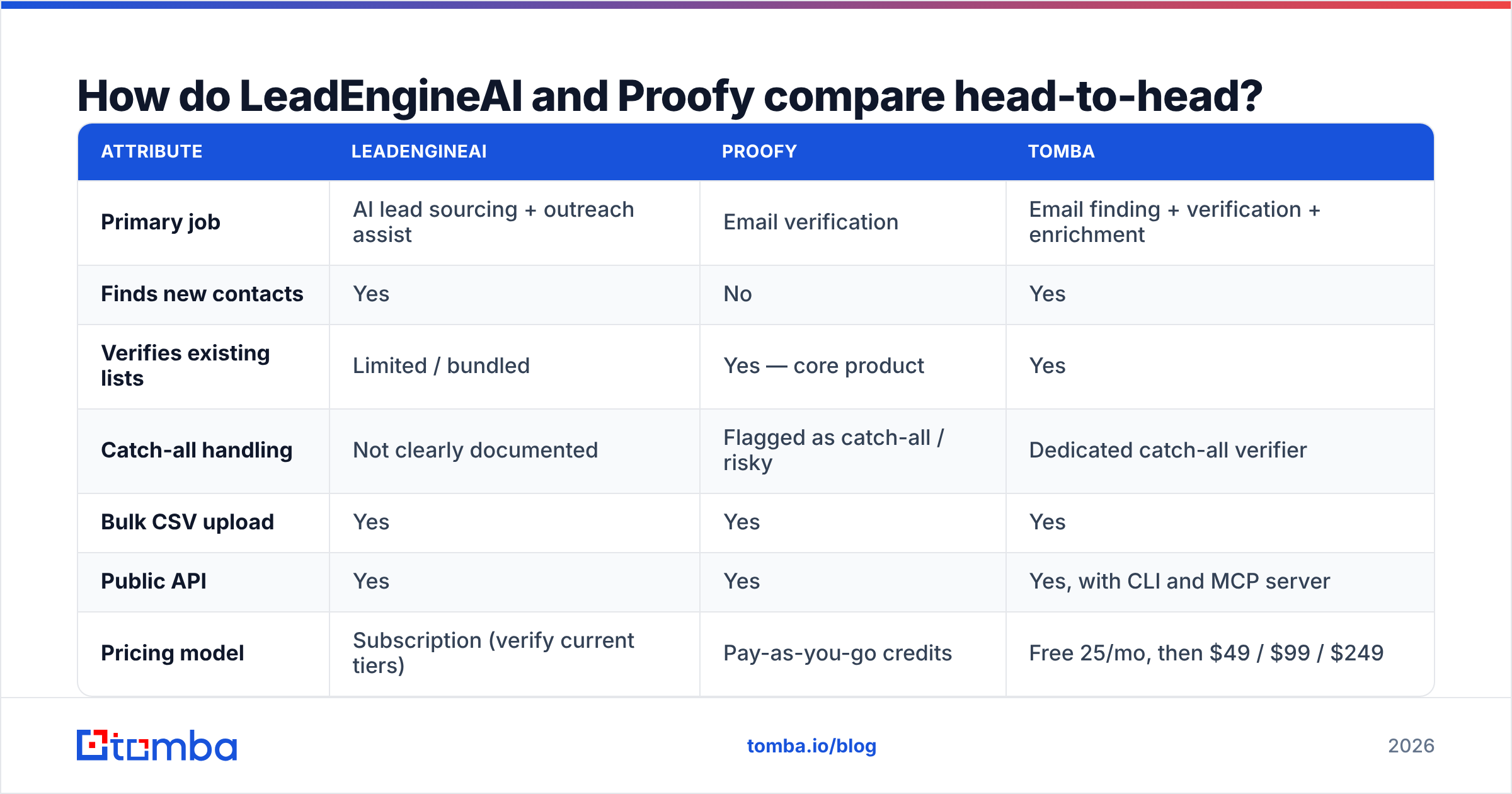
Here is the honest matrix. Where a vendor does not publish a number publicly, this table says so rather than inventing one — pricing and limits change frequently, so confirm on the vendor's own page before you buy.
| Attribute | LeadEngineAI | Proofy | Tomba |
|---|---|---|---|
| Primary job | AI lead sourcing + outreach assist | Email verification | Email finding + verification + enrichment |
| Finds new contacts | Yes | No | Yes |
| Verifies existing lists | Limited / bundled | Yes — core product | Yes |
| Catch-all handling | Not clearly documented | Flagged as catch-all / risky | Dedicated catch-all verifier |
| Bulk CSV upload | Yes | Yes | Yes |
| Public API | Yes | Yes | Yes, with CLI and MCP server |
| Pricing model | Subscription (verify current tiers) | Pay-as-you-go credits | Free 25/mo, then $49 / $99 / $249 |
| Free tier | Trial — confirm terms | Free starter credits | 25 searches/month, no card |
| Phone numbers | Sometimes bundled | No | Yes, separate phone finder |
| Native CRM integrations | Varies | Limited | HubSpot, Salesforce, Pipedrive, Zapier, Make |
| Best for | Teams with no list | Teams with a dirty list | Teams that want one credit pool |

The row that decides most purchases is the second-to-last one. If your CRM already holds 40,000 stale contacts from three years of trade shows, a verifier pays for itself in a week. If your CRM holds 200 contacts and your SDR team starts Monday, a verifier solves nothing.
Which tool is more accurate, and how would you know?#
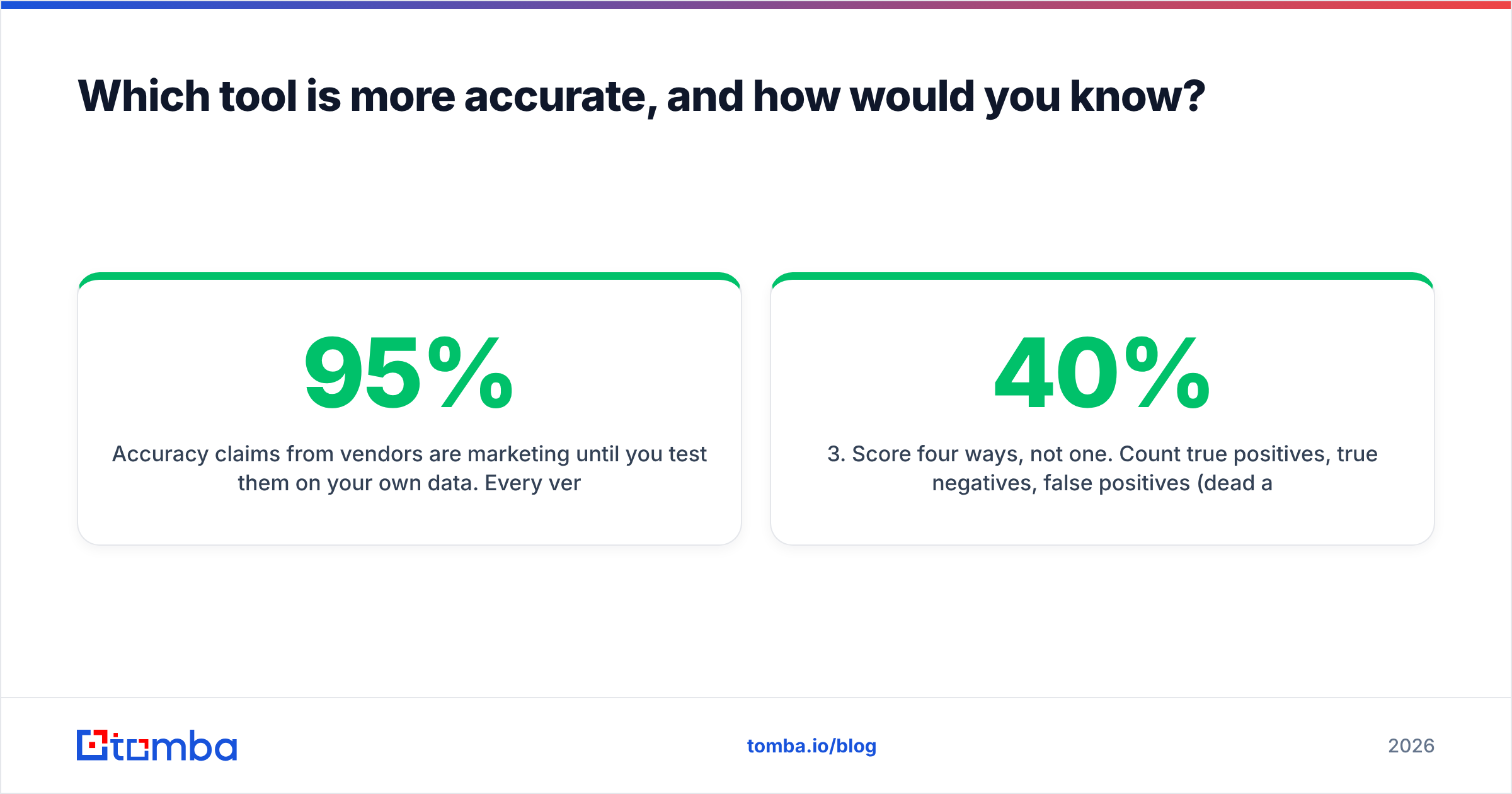
Accuracy claims from vendors are marketing until you test them on your own data. Every verification vendor advertises somewhere between 95% and 99% accuracy. Those numbers are measured on internal test sets that nobody publishes, on domains that behave predictably.
Run your own benchmark instead. It takes about an hour:
- Build a 200-address control set. Pull 100 addresses you know are live (your own team, current customers who reply, partners) and 100 you know are dead (bounced contacts from your ESP's suppression list, employees who left companies you track).
- Strip the labels and shuffle. Feed the same file to every tool you are evaluating on the same day — deliverability signals drift week to week.
- Score four ways, not one. Count true positives, true negatives, false positives (dead addresses marked deliverable — the expensive error), and unknowns. A tool that returns 40% "unknown" has an impressive accuracy rate on the 60% it dared to answer.
- Weight false positives 5x. A false positive is a hard bounce. A false negative just costs you one prospect. They are not equal, and any evaluation that treats them as equal will pick the wrong vendor.
- Repeat on catch-all domains separately. This is where verifiers diverge most sharply, and where most of your enterprise prospects live.

That last point deserves expansion. A catch-all domain accepts mail for any address at that domain, so an SMTP handshake returns "yes" whether or not the mailbox exists. Roughly a fifth to a quarter of corporate domains are configured this way. Basic verifiers mark them "unknown" and hand the risk back to you. Better ones cross-reference the address against pattern data and observed activity before scoring it. If most of your total addressable market sits behind catch-all MX records, a catch-all verifier is not a nice-to-have — it is the entire value of the purchase.
What does each tool actually do best?#
Rather than declaring a single winner, here is the honest split by job to be done.
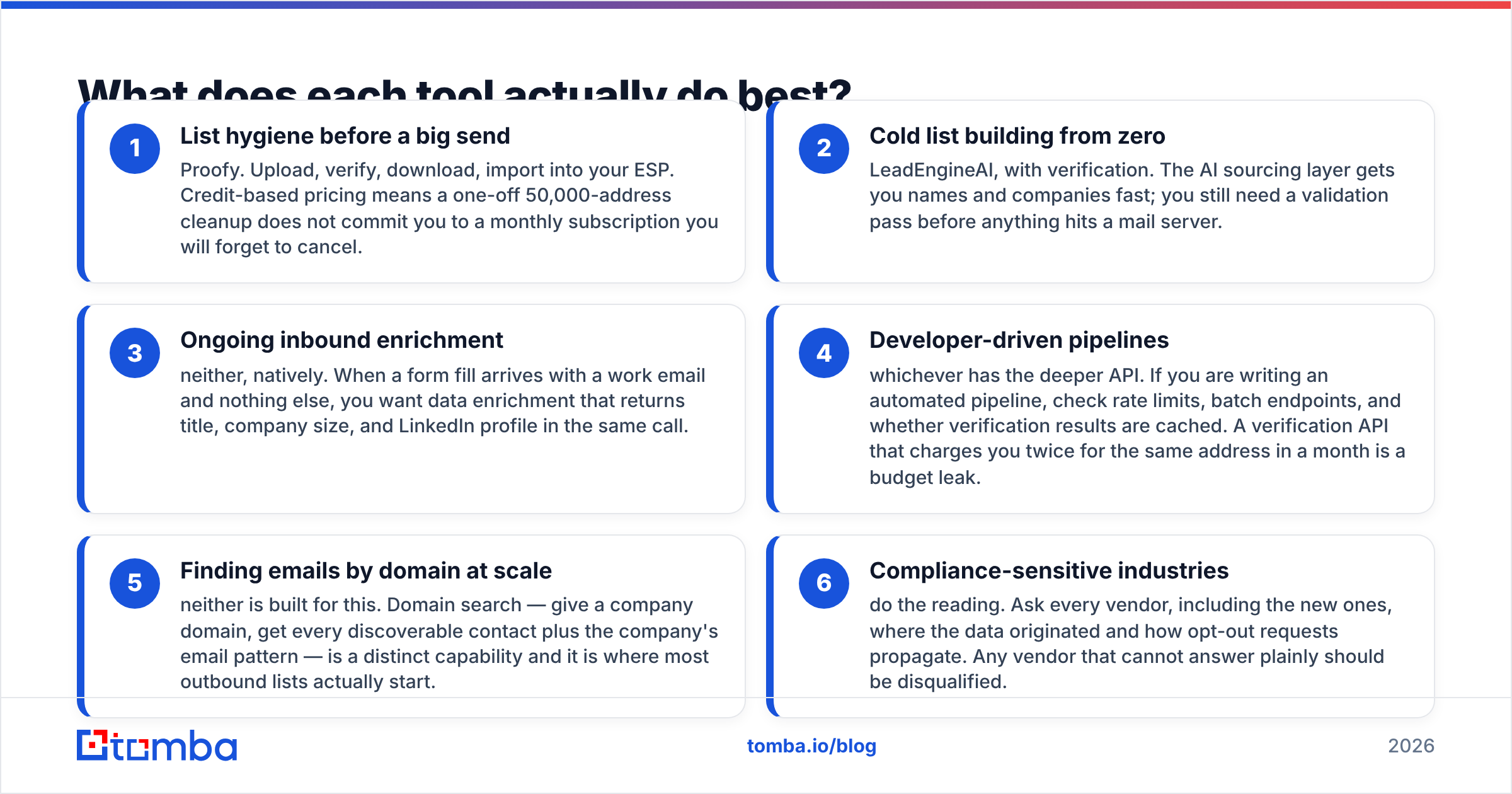
- List hygiene before a big send — Proofy. Upload, verify, download, import into your ESP. Credit-based pricing means a one-off 50,000-address cleanup does not commit you to a monthly subscription you will forget to cancel.
- Cold list building from zero — LeadEngineAI, with verification. The AI sourcing layer gets you names and companies fast; you still need a validation pass before anything hits a mail server.
- Ongoing inbound enrichment — neither, natively. When a form fill arrives with a work email and nothing else, you want data enrichment that returns title, company size, and LinkedIn profile in the same call.
- Developer-driven pipelines — whichever has the deeper API. If you are writing an automated pipeline, check rate limits, batch endpoints, and whether verification results are cached. A verification API that charges you twice for the same address in a month is a budget leak.
- Finding emails by domain at scale — neither is built for this. Domain search — give a company domain, get every discoverable contact plus the company's email pattern — is a distinct capability and it is where most outbound lists actually start.
- Compliance-sensitive industries — do the reading. Ask every vendor, including the new ones, where the data originated and how opt-out requests propagate. Any vendor that cannot answer plainly should be disqualified.
Is a combined find-and-verify platform better than two specialists?#
Sometimes. The specialist argument is real: a dedicated verifier does one thing and iterates on it constantly, and pay-as-you-go pricing beats a subscription for irregular workloads. If verification is genuinely all you need, buying a verifier is a rational choice, and a Proofy alternative comparison only matters once your needs expand past that one job.
But count the real cost of running two vendors:
- Two credit systems. Finder credits and verification credits deplete at different rates. You will over-buy one and run dry on the other mid-campaign.
- CSV round trips. Export from the finder, upload to the verifier, wait, download, re-import. Every hop is a chance to lose a column or duplicate a row.
- No feedback loop. When a discovered address fails verification, a combined platform can re-derive the pattern and try again. Two disconnected tools just hand you a failure.
- Two renewal dates, two invoices, two support queues. Small friction, but it compounds across a year.
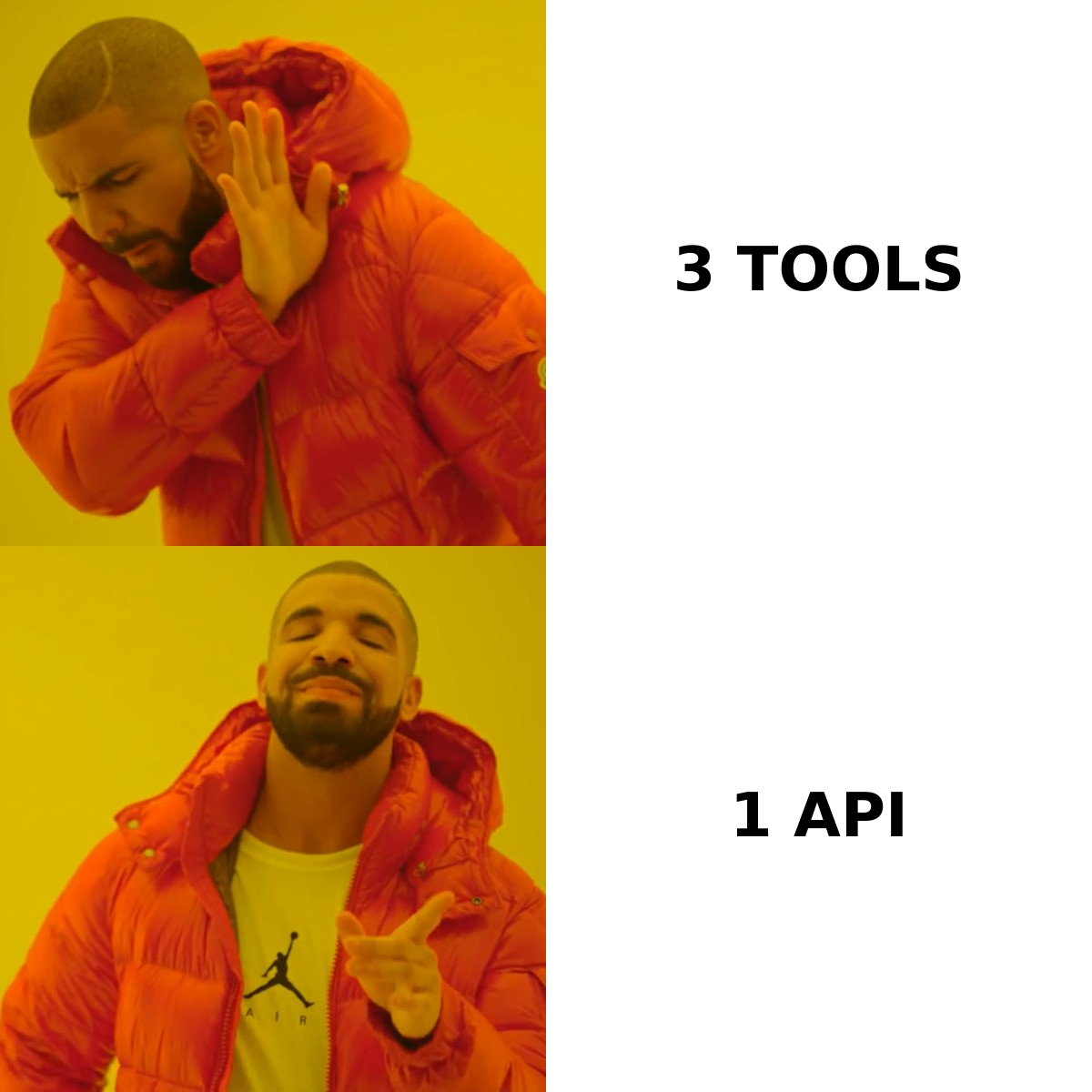
This is where a consolidated platform earns its keep. Tomba runs email finder, email verifier, domain search, catch-all checks, phone lookup, and enrichment off one credit pool and one API key. The free tier gives you 25 searches a month with no card, which is enough to run the 200-address benchmark described above. Paid Tomba pricing starts at $49/month for Starter, $99 for Growth, and $249 for Pro, with Enterprise quoted per volume. For teams doing periodic large cleanups, bulk verify handles the list-level work without a separate subscription.
How should you choose between LeadEngineAI and Proofy?#
Answer three questions in order.
Do you have a list? No list means you need a sourcing layer, and Proofy cannot help you. Yes, and it is dirty, means you need verification first — build the list later.
How predictable is your volume? Spiky, occasional workloads favor credit-based pricing. Steady monthly prospecting favors a subscription with a large included allowance, because per-credit rates on pay-as-you-go plans are almost always higher than the effective rate inside a monthly plan.
Who touches the tool? If it is an SDR clicking through a UI, integrations and a Chrome extension matter more than API depth. If it is an engineer, check the docs before checking the pricing page — an API with clean pagination and sane error codes will save more hours than a $20 monthly saving.
One more filter that catches most bad purchases: run the trial on a domain you already know cold. Pick a company where you personally know five employees and their email format. Any tool that gets that wrong will get your real prospects wrong too, regardless of the accuracy figure on its homepage.
What is the verdict?#
For pure list hygiene, Proofy is a legitimate, focused choice with a pricing model that suits irregular workloads. For building a list from nothing, an AI sourcing tool like LeadEngineAI addresses a problem Proofy does not touch — but treat any young vendor's claims as hypotheses to test, not facts to buy on, and read the data-sourcing terms before your first invoice.
For most B2B teams in 2026, the real answer is that you need both capabilities, and paying two vendors to stitch them together with CSV exports is the worst of the three options. The finding step and the verification step share the same underlying signal — company email patterns, MX behavior, observed activity — so splitting them across vendors throws away information that would have improved both.
Start with Tomba Email Finder. Run the 200-address benchmark on the free tier, compare the false-positive count against whatever you use today, and only then decide where your budget goes. Twenty-five searches a month, no card required, and the same credits carry over to verification, domain search, and enrichment when you scale up.
Related guides#
// get started
Find, verify and enrich your first contacts today
Start on the free plan with 25 searches a month, then scale when your team is ready.
Free plan · No credit card required · GDPR & CCPA
// about the author