LeadEngineAI vs QuickEnrich: Which B2B Data Tool Wins?
A neutral, hands-on breakdown of LeadEngineAI vs QuickEnrich: match rates, verification depth, API access, credit economics — and the cheaper third option most outbound teams overlook.
TL;DR
- LeadEngineAI and QuickEnrich solve different halves of the same problem. One leans on AI-assisted prospect discovery and list building; the other leans on enriching records you already have. Buying the wrong half is the most common mistake.
- Neither publishes a stable public price you can trust from a blog post. Both use credit-based models that change. Always price-check the vendor's own page before you commit to an annual contract.
- Match rate is not the metric that matters. Verified deliverable rate is. A 92% "match" with 30% bounces is worse than a 68% match that lands.
- If your real requirement is "find and verify work emails at scale via API," a dedicated email finder is usually 2-4x cheaper than a full enrichment suite you use at 20% capacity.
- Our pick depends on stage: early outbound teams should start with a credit-cheap finder/verifier; RevOps teams with a populated CRM get more from waterfall enrichment.
What are LeadEngineAI and QuickEnrich?#
Both tools sit in the B2B data intelligence category, but they enter the workflow at different points.
LeadEngineAI positions itself around AI-assisted prospecting: you describe an ideal customer profile in natural language, and the platform assembles a list of matching companies and contacts. The pitch is speed from zero — no existing CRM data required. Tools in this bucket compete on database size, ICP-matching quality, and how well the AI layer translates a fuzzy description ("Series B fintechs hiring SDRs") into a usable list.
QuickEnrich positions itself around enrichment: you bring records — a domain, a name, a LinkedIn URL, a half-empty CRM row — and it fills in the missing fields. Email, phone, title, company size, tech stack. Tools in this bucket compete on coverage per field, waterfall logic across multiple providers, and cost per successful enrichment.
That distinction matters more than any feature checklist. If you have 40,000 stale HubSpot records and no email addresses, a prospecting tool doesn't help you. If you have zero records and a blank territory, an enrichment tool has nothing to enrich.

A quick honesty note on pricing: both vendors use credit-based plans that get repriced, repackaged, and grandfathered regularly. Any specific dollar figure a blog post gives you for either tool has a shelf life of about a quarter. Treat the structural comparison below as durable and the numbers as something to verify on the vendor's own pricing page and on third-party review sites like G2's lead intelligence category before you sign.
How do LeadEngineAI and QuickEnrich actually compare?#
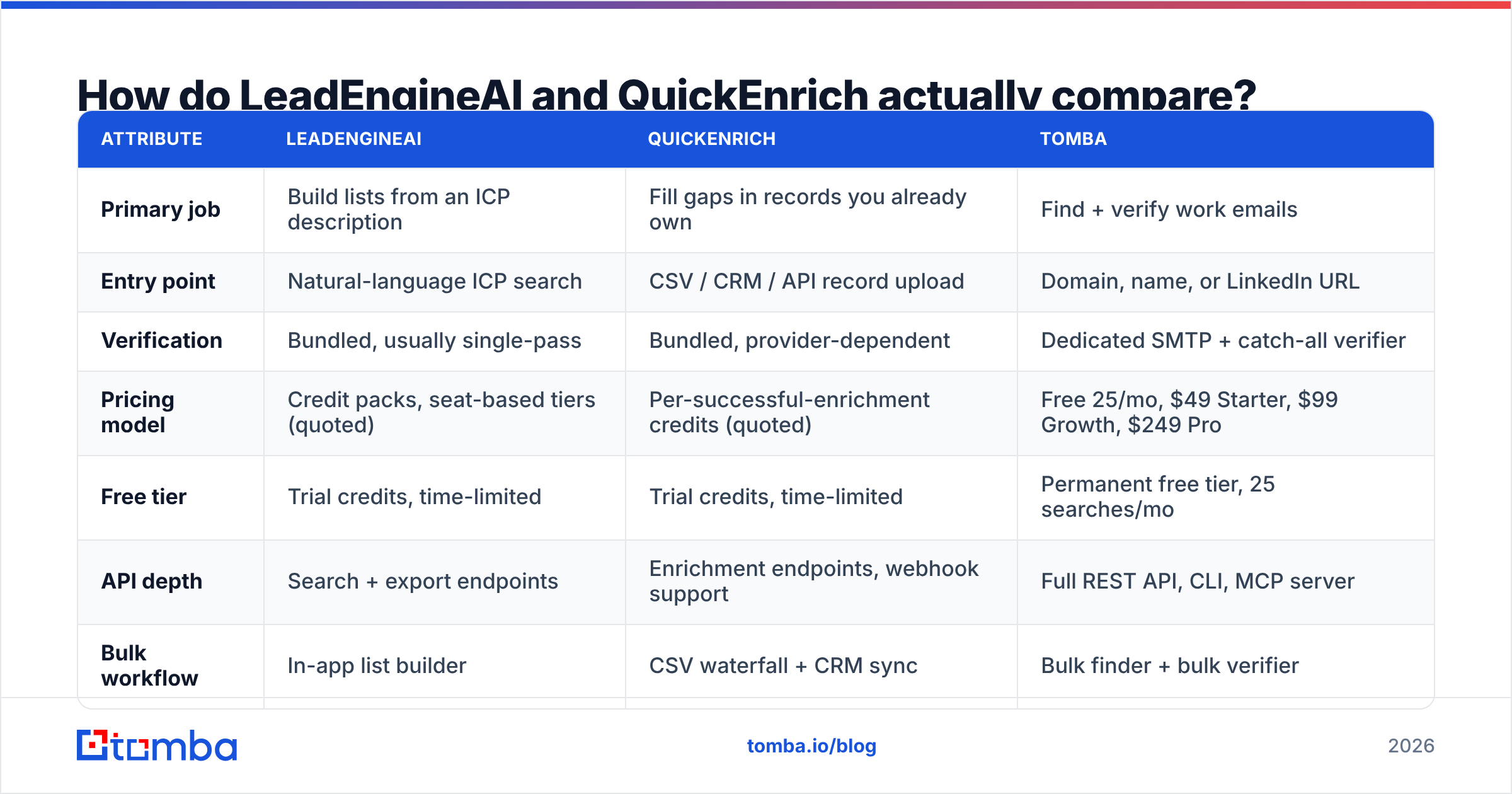
Here is the structural comparison, with a third column for a dedicated finder so you can see where a suite is worth the premium and where it isn't.
| Attribute | LeadEngineAI | QuickEnrich | Tomba |
|---|---|---|---|
| Primary job | Build lists from an ICP description | Fill gaps in records you already own | Find + verify work emails |
| Entry point | Natural-language ICP search | CSV / CRM / API record upload | Domain, name, or LinkedIn URL |
| Verification | Bundled, usually single-pass | Bundled, provider-dependent | Dedicated SMTP + catch-all verifier |
| Pricing model | Credit packs, seat-based tiers (quoted) | Per-successful-enrichment credits (quoted) | Free 25/mo, $49 Starter, $99 Growth, $249 Pro |
| Free tier | Trial credits, time-limited | Trial credits, time-limited | Permanent free tier, 25 searches/mo |
| API depth | Search + export endpoints | Enrichment endpoints, webhook support | Full REST API, CLI, MCP server |
| Bulk workflow | In-app list builder | CSV waterfall + CRM sync | Bulk finder + bulk verifier |
| Best for | Net-new territory, no data | Populated CRM, decaying fields | Email-first outbound at volume |
| Wrong for | Teams with a full CRM already | Teams with an empty CRM | Teams needing intent + firmographics |
Two things jump out of that grid.
First, the two tools barely overlap on their primary job. Vendors in this space blur the line in marketing copy — every prospecting tool claims enrichment, every enrichment tool claims prospecting — but the underlying data pipelines are built for one direction. Buy for the direction you actually run.
Second, the credit economics differ in kind, not just amount. A "per-successful-enrichment" model (QuickEnrich's approach) is honest: you only pay when a field comes back. A "credits per search" model (typical of AI list builders) charges you for the attempt. On a niche ICP with a 40% match rate, the second model costs you 2.5x the sticker price per usable contact. Model your real hit rate before comparing headline prices.
Which one finds more valid email addresses?#
This is where most evaluations go wrong, so it's worth being precise.
Vendors report match rate: of the records you submitted, what percentage came back with an email. That number is easy to inflate. Guessed patterns (first.last@domain.com) are trivially generated and will "match" almost every record. The question is whether the mailbox exists.
The metric you should score on is verified deliverable rate: of the records you submitted, what percentage came back with an address that accepts mail. That's the number that governs your bounce rate, and bounce rate is what governs your sender reputation.

Run your own test before you buy. The protocol takes an afternoon:
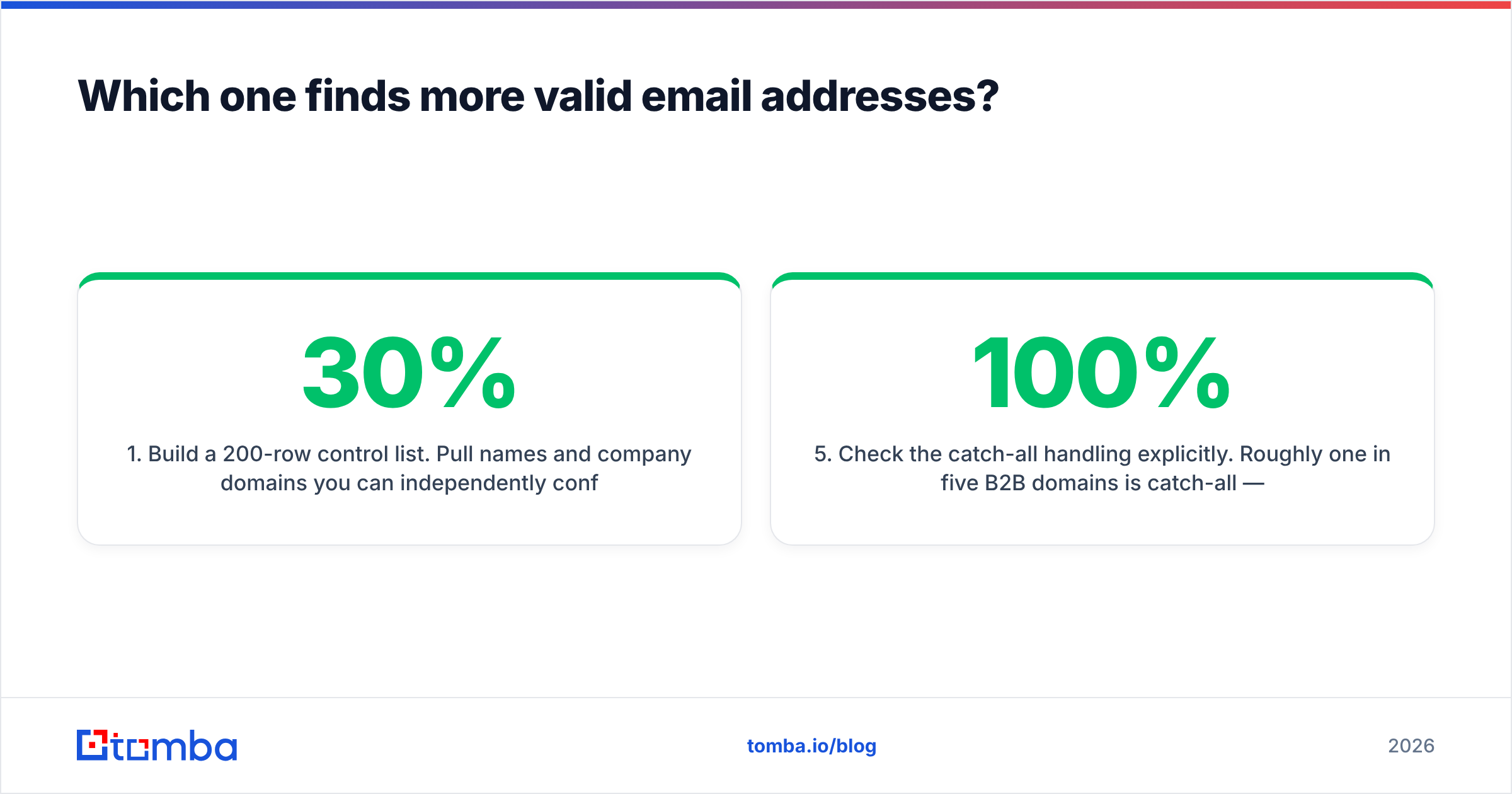
- Build a 200-row control list. Pull names and company domains you can independently confirm — customers, partners, people who've replied to you before. Mixed company sizes, mixed regions, at least 30% non-US.
- Submit the identical list to both tools. Same columns, same order, no manual cleanup between runs.
- Score three buckets, not one. Returned-and-verified, returned-but-unverified, and not-returned. Vendors collapse the first two; you shouldn't.
- Re-verify the winner's output with a neutral third party. Run the returned addresses through an independent email verifier that wasn't involved in finding them. Self-graded verification is a conflict of interest.
- Check the catch-all handling explicitly. Roughly one in five B2B domains is catch-all — it accepts everything at the SMTP layer, so naive verification marks every guess as valid. A tool that returns "valid" on 100% of catch-all domains is telling you nothing. A catch-all verifier that flags them as risky is telling you the truth.
- Price the result, not the plan. Divide monthly cost by verified deliverable contacts. That's your real cost per contact, and it's often 3-5x the advertised cost per credit.
In our experience running this protocol across the category, AI-first prospecting tools tend to win on raw coverage and lose on verification depth, while enrichment-first tools win on field completeness for known companies and lose on long-tail domains. Neither pattern is a scandal — it's what their pipelines are optimized for.
Is an all-in-one suite worth the premium?#
Sometimes. The honest test is utilization.
An enrichment suite bundles firmographics, technographics, intent signals, phone numbers, and email. If you use three of those five, you're paying suite pricing for point-tool value. Most seed-to-Series-A outbound teams use exactly one: work email. Some add phone.
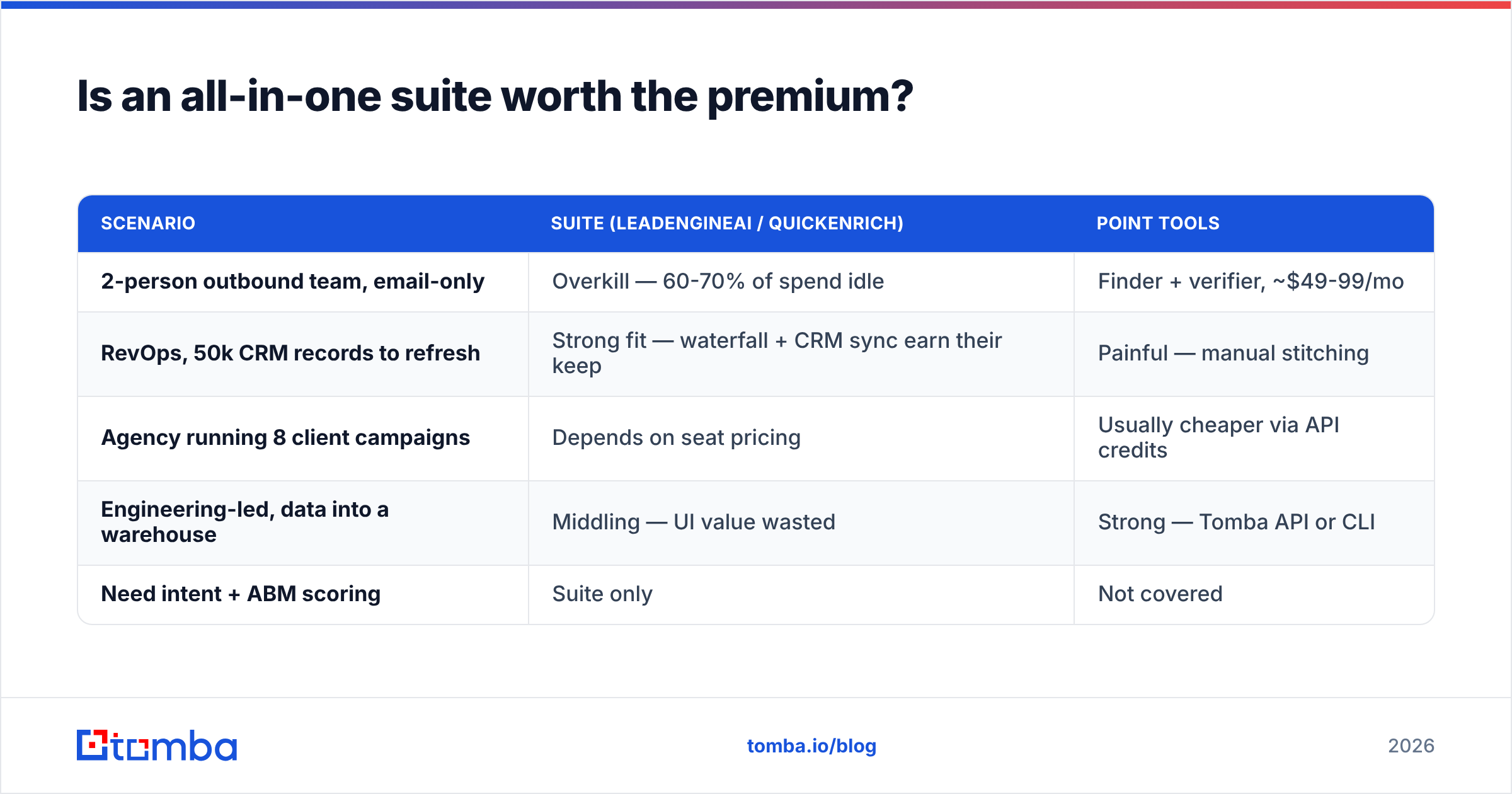
| Scenario | Suite (LeadEngineAI / QuickEnrich) | Point tools |
|---|---|---|
| 2-person outbound team, email-only | Overkill — 60-70% of spend idle | Finder + verifier, ~$49-99/mo |
| RevOps, 50k CRM records to refresh | Strong fit — waterfall + CRM sync earn their keep | Painful — manual stitching |
| Agency running 8 client campaigns | Depends on seat pricing | Usually cheaper via API credits |
| Engineering-led, data into a warehouse | Middling — UI value wasted | Strong — Tomba API or CLI |
| Need intent + ABM scoring | Suite only | Not covered |
The middle two rows are where most buyers sit, and where the decision is genuinely close. If you're in row four — piping contacts into a warehouse or an internal tool — a suite's biggest asset (its interface) is the part you'll never open, and you're better off with a clean API and predictable credit pricing.
There's also a fourth path worth naming: buying a pre-built, verified list instead of running discovery at all. BookYourData does this well for teams that want a clean, delivery-guaranteed export without wiring up a pipeline, and it's a legitimate alternative to both tools when your ICP is broad and stable rather than dynamic.

What should you check before signing an annual contract?#
The trap in this category isn't picking the wrong tool — it's picking the right tool on the wrong contract. Five things to nail down in writing:
- Credit rollover. Do unused credits expire monthly? Most do. If your outbound is seasonal, monthly expiry silently burns a third of your spend.
- Failed-lookup billing. Are you charged for a search that returns nothing? Ask specifically about catch-all domains and no-result responses — that's where the ambiguity lives.
- Export rights. Can you export enriched records and keep them after you churn, or does the contract treat the data as licensed-while-subscribed? This varies enormously and rarely appears in marketing pages.
- API rate limits per tier. A plan that's affordable at 10 requests/second and unusable at 2 is not the same product. Get the number.
- Data provenance and compliance. Where does the data come from, and can the vendor document a lawful basis for EU contacts? HubSpot's sales resources cover the GDPR angle well; your legal team will ask, so ask first.
- Verification methodology. Does verification use full SMTP handshakes, or pattern confidence scoring dressed up as verification? These are not equivalent, and only one of them prevents bounces.

How does Tomba fit into this comparison?#
Tomba is not trying to be either tool. It's deliberately narrower: find work email addresses, verify them properly, and expose all of it through an API you can build on.
That narrowness is the argument. Where LeadEngineAI's value is discovery and QuickEnrich's is field completion, Tomba's is the single field that actually gates your campaign — a deliverable address — with verification treated as a first-class product rather than a bundled afterthought.
Concretely, that means:
- Domain search returns every discoverable address at a company with the pattern and confidence score, so you can validate your assumption about a company's email format before burning credits guessing.
- Catch-all verification is a separate, explicit step — the one most suites quietly skip.
- Data enrichment covers the adjacent fields when you need them, without making enrichment the price floor.
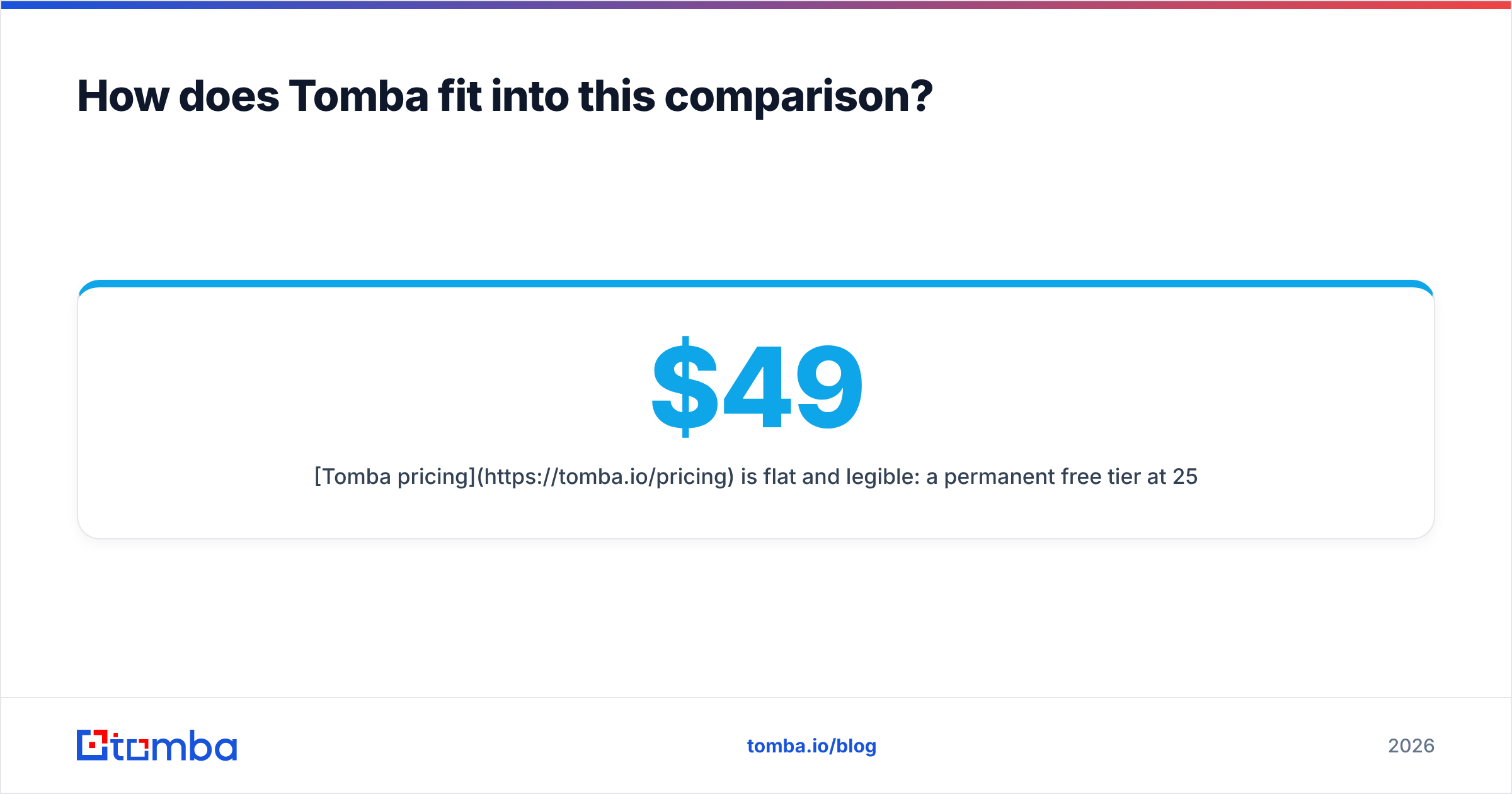
- Tomba pricing is flat and legible: a permanent free tier at 25 searches/month, Starter at $49/mo, Growth at $99/mo, Pro at $249/mo, Enterprise custom. No per-seat multiplier on the entry plans.
Where Tomba is the wrong choice: if you need intent data, ABM account scoring, or a native sequencer, you need a suite, and no amount of API elegance substitutes for that. Be honest with yourself about which list you're on.
So which should you choose?#
Choose LeadEngineAI-style prospecting if you're entering a territory cold, your ICP changes frequently, and the bottleneck is "who should we even contact." Pay for discovery; verify the output elsewhere.
Choose QuickEnrich-style enrichment if you have a populated CRM that's decaying, your bottleneck is missing fields on known accounts, and you need CRM sync plus waterfall logic. The per-successful-enrichment model rewards you here.
Choose a dedicated finder if your bottleneck is neither — if you know who to contact, you just need addresses that land, at volume, through an API, without paying for four modules you'll never open.
Most teams discover after two quarters that they were in the third bucket the whole time.
Run the 200-row test. Score verified deliverable rate, not match rate. Divide by real cost. The answer will be obvious, and it won't be the tool with the best landing page.
Start with the cheap experiment. Point the Tomba Email Finder at 25 of your hardest target accounts on the free tier — the ones with catch-all domains and non-obvious formats — and compare the verified deliverable rate against whatever LeadEngineAI or QuickEnrich returns on the same list. It costs nothing, takes twenty minutes, and it's the only benchmark that reflects your actual ICP instead of someone else's demo data.
Related guides#
// get started
Find, verify and enrich your first contacts today
Start on the free plan with 25 searches a month, then scale when your team is ready.
Free plan · No credit card required · GDPR & CCPA
// about the author