LeadEngineAI vs SalesRipe: Which B2B Lead Tool Wins in 2026?
LeadEngineAI sells AI-scored prospecting. SalesRipe sells a flat-rate contact database. We break down accuracy, pricing traps, export limits, and which one deserves your 2026 budget — plus the verification layer both of them assume you already have.
LeadEngineAI vs SalesRipe comes down to one question: is your problem finding leads, or picking which ones to call first? One tool sells you a list. The other sells you a rank order. Here is how the two differ, what each one really costs, and the one step both of them leave to you.
TL;DR
- LeadEngineAI scores, sorts, and drafts outreach on top of a contact pool. It acts more like a workflow tool than a data vendor.
- SalesRipe is a flat-rate, US-heavy B2B contact database. You search it, filter it, and export it.
- Want a list you own? SalesRipe is simpler and easier to budget. Want ranking and sequencing built in? LeadEngineAI fits better.
Three more things to weigh before you compare price tags:
- Neither vendor publishes an audited accuracy score. Treat every "95% accurate" claim as marketing until you run your own bounce test.
- The sticker price is rarely the real cost. Credit burn on dead records and export caps are.
- Check every exported address before it touches your sending domain. Both tools assume you already do that.
LeadEngineAI vs SalesRipe: What Are They?#
They solve the same problem from opposite ends of the stack.
SalesRipe is a database-first product. You log in, filter by industry, title, location, company size, and revenue, then pull the records out. The promise is volume you can predict: a known price, a known search box, a known export. Its coverage leans hard toward US small and mid-size firms. That is a strength if you sell to American accounts. It is a real limit if your buyers sit in Berlin or Singapore. You can check current coverage and plans on salesripe.com.
LeadEngineAI is a workflow-first product. The pitch: raw lists are a commodity, and the hard part is choosing which 200 of your 20,000 records deserve a rep's time this week. So it sells intent signals, fit scores, AI-written first touches, and a hand-off to your sequence tool. The contact data under it is usually licensed from someone else.
That split drives most of what follows:
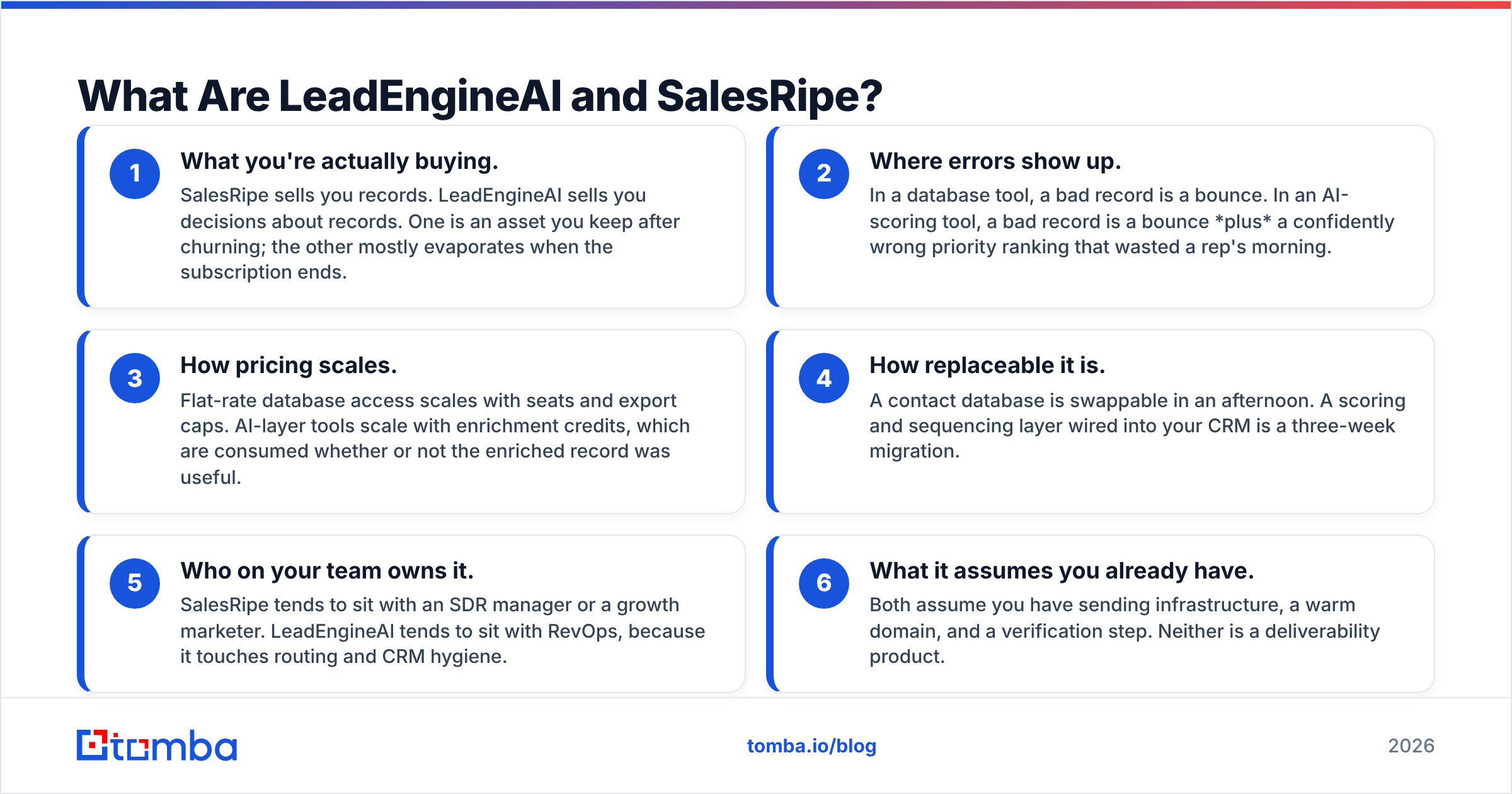
- What you buy. SalesRipe sells records. LeadEngineAI sells decisions about records. A list is still yours after you churn. A score is not.
- Where errors land. In a database, a bad record is a bounce. In a scoring tool, it is a bounce plus a wrong rank that wasted a rep's morning.
- How the bill grows. Flat database access scales with seats and export caps. AI tools scale with credits, and credits burn whether the record helped or not.
The next three matter once the tool is live:
- How easy it is to swap. You can replace a contact database in an afternoon. A scoring layer wired into your CRM takes about three weeks.
- Who owns it. SalesRipe tends to sit with an SDR manager. LeadEngineAI tends to sit with RevOps, because it touches routing and CRM hygiene.
- What it assumes. Both assume you have a warm domain and a way to check addresses. Neither one is a delivery tool.
LeadEngineAI vs SalesRipe: How Do They Compare Head to Head?#
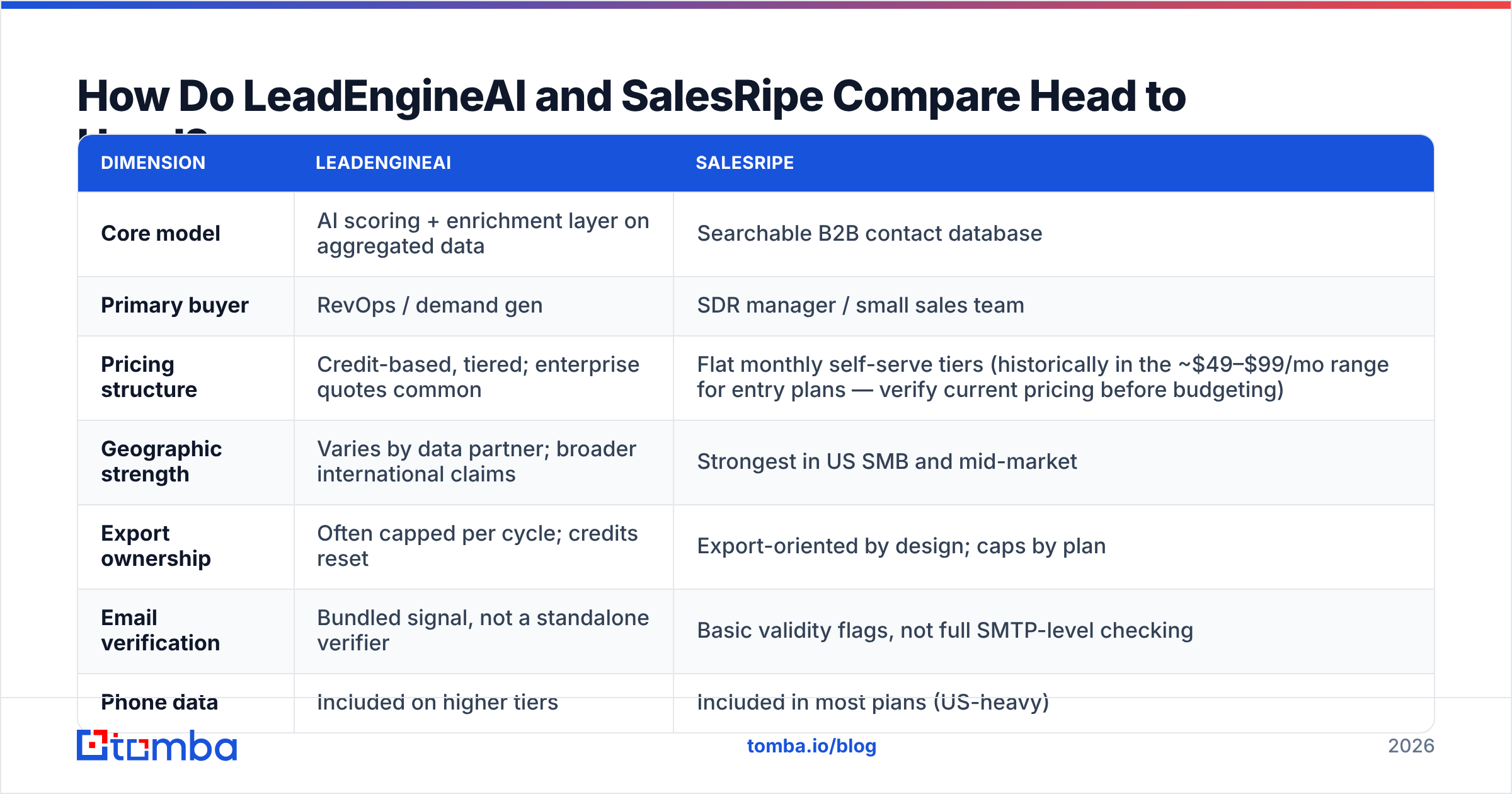
The table below is the honest version. Where a vendor does not publish a number, we say so. Be wary of any post that fills those cells with confident figures.
| Dimension | LeadEngineAI | SalesRipe |
|---|---|---|
| Core model | AI scoring layer on licensed data | Searchable B2B contact database |
| Primary buyer | RevOps and demand gen | SDR manager or small sales team |
| Pricing structure | Credit-based tiers, often quoted | Flat monthly plans (entry tiers have sat near $49 to $99 a month, so check today's page) |
| Geographic strength | Varies by data partner, wider claims | Best in US SMB and mid-market |
| Export ownership | Often capped per cycle, credits reset | Built for export, caps set by plan |
| Email checking | A bundled signal, not a real verifier | Basic validity flags, no live check |
| Phone data | On higher tiers | In most plans, US-heavy |
| API access | Yes, usually on upper tiers | Limited, mostly a UI and export tool |
| Learning curve | Moderate, scores need tuning | Low, a search box and a download |
| Best fit | Teams who need to rank what they have | Teams who need volume fast |
| Weakest point | Opaque scores, credits burn on junk | Thin coverage outside North America |
Two things stand out.
First, this is not an apples-to-apples race. Any post that crowns a flat winner is selling you something. A team drowning in junk leads has a ranking problem, and SalesRipe will not fix it. A team with 12 target accounts and no contacts has a coverage problem, and no score fixes that.
Second, neither column has a real checking story. A validity flag from pattern matching is not a live mailbox check at send time. That is not a knock on either vendor. It is true of the whole category. B2B contact data rots fast. HubSpot and others put decay near 22% to 30% a year in a typical CRM, and job changes since 2024 have not slowed it down. A record checked in January is a coin flip by September.
LeadEngineAI vs SalesRipe: Which Has Better Data Accuracy?#
Neither one has proven it. Act on that.
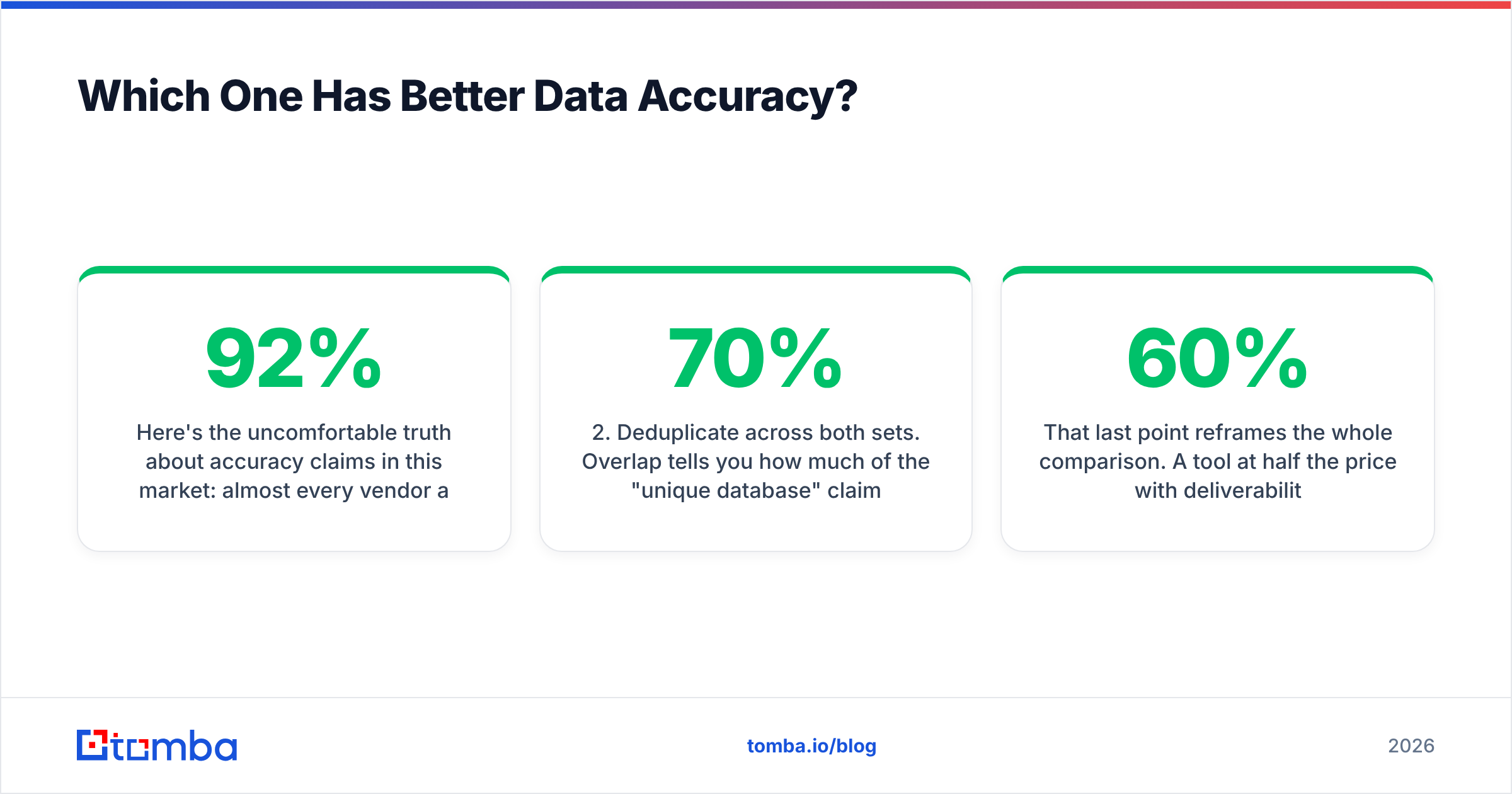
Almost every vendor here claims 92% to 98% accuracy. Almost none of them say what they counted. Accurate can mean any of these:
- The address looks valid. That is true of most records.
- The domain has MX records. That says nothing about the mailbox.
- The mailbox answered a probe once. That could be 18 months ago.
- The mailbox accepts mail right now. Only this one predicts your bounce rate.
When either vendor quotes a number, it usually rests on one of the first three. Your email provider only cares about the fourth.
So run your own test. It takes an afternoon.
- Pull 300 records from each tool on the same filter: same titles, same industry, same size band. Different filters make the test useless.
- Deduplicate both sets. Heavy overlap means you are comparing screens, not data.
- Run both through a neutral email verifier, not the vendor's own flag. You want a referee.
- Sort the results into deliverable, risky, catch-all, and invalid. Catch-all is the sneaky bucket. It never bounces and never reaches a human.
- Send a small plain-text batch from a spare domain. Measure real bounces and replies.
- Compare cost per deliverable record, not cost per record. That is the number for your budget meeting.
That last step changes the whole picture. A tool at half price with 60% deliverability costs more than a full-price tool at 90%. The pricing page hides that.
Want a faster read on coverage? Run a domain search against 20 accounts you already know well. If a database cannot find those, it will not do better on strangers.
LeadEngineAI vs SalesRipe: How Does Pricing Work?#
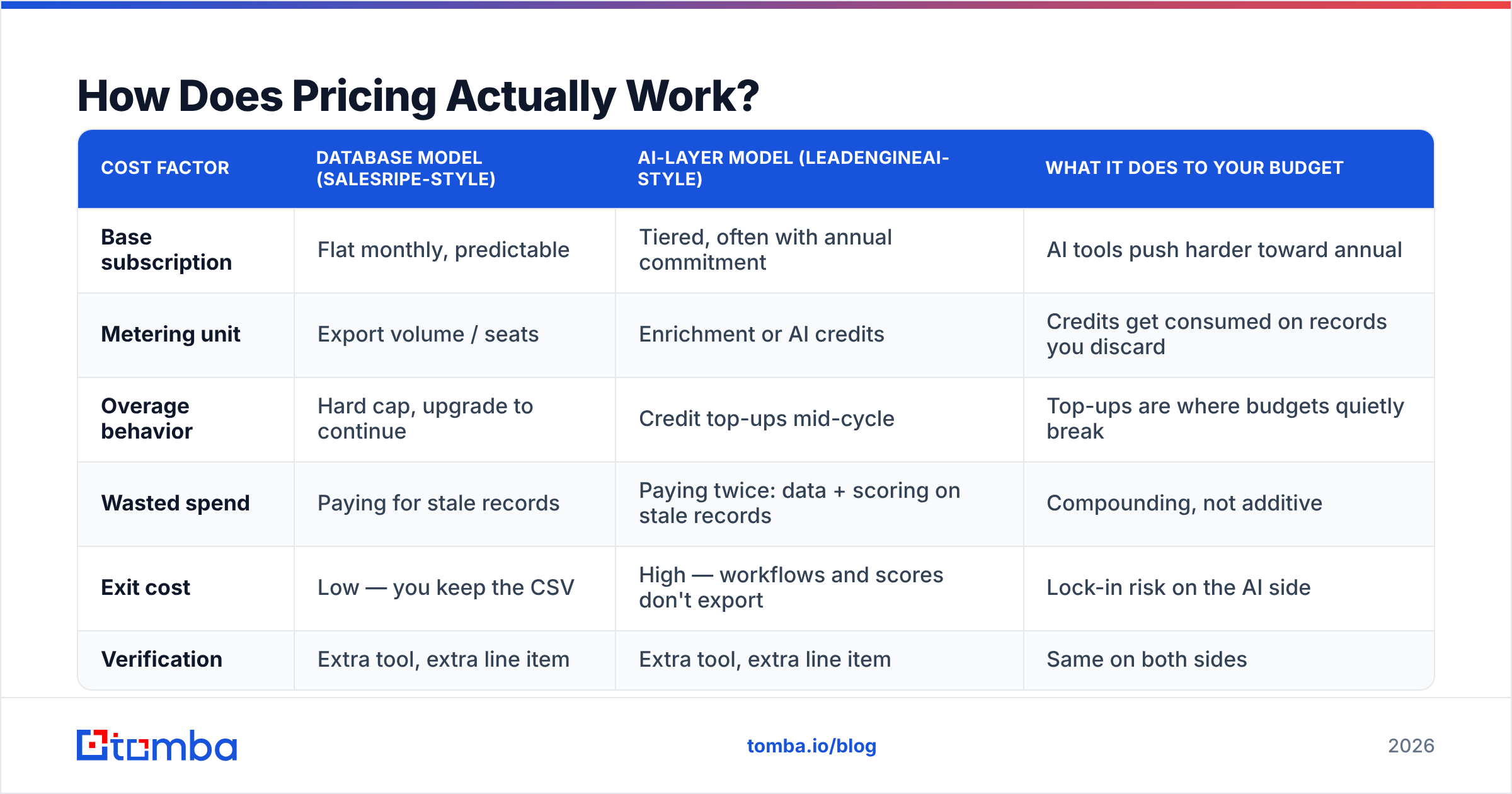
Sticker prices here are marketing. What you spend depends on how the meter runs.
| Cost factor | Database model (SalesRipe-style) | AI-layer model (LeadEngineAI-style) | What it does to your budget |
|---|---|---|---|
| Base subscription | Flat monthly, easy to predict | Tiered, often billed for a year | AI tools push harder toward annual |
| Metering unit | Exports and seats | Enrichment or AI credits | Credits burn on records you drop |
| Overage | Hard cap, upgrade to go on | Top-ups mid-cycle | Top-ups are where budgets break |
| Wasted spend | You pay for stale records | You pay twice: data, then scoring | It compounds |
| Exit cost | Low, you keep the CSV | High, scores do not export | Lock-in sits on the AI side |
| Checking | Extra tool, extra line item | Extra tool, extra line item | Same on both sides |
One pattern repeats: credit pricing makes you pay for the vendor's data problems. If 30% of the records you enrich are dead, you paid full freight for all 30%. Flat-rate pricing caps the damage. Your worst case is a wasted month, not a wasted quarter.
That is why clear, public pricing is worth a small premium. Tomba pricing is one example: a free tier at 25 searches a month, Starter at $49/mo, Growth at $99/mo, Pro at $249/mo, and quotes above that. You can model the spend before you talk to anyone. When a vendor hides the number until a call, assume the number bends, and that you are what it bends around.
Before you sign, read the reviews on G2 and Capterra. Read the three-star ones. That is where people say what the tool does well and where it stopped being worth the money.
Who Should Choose LeadEngineAI?#
Pick the AI layer when your problem is attention, not access.
It pays off when:
- You have more leads than your reps can work, and win rates fall because they work the wrong ones.
- You have enough closed-won history for a model to learn from. Under about 100 closed deals, a score is a dressed-up coin flip.
- RevOps owns routing and can act on a score: route it, rank it, or mute it.
- You run multi-touch sequences, and writing at volume is the bottleneck.
It does not pay off for a two-person team that just needs 500 contacts in manufacturing. Buying a ranking engine for a list you have not built yet is solving step four first.
Who Should Choose SalesRipe?#
Pick the database when you need raw coverage in a US-focused niche.
It fits when:
- Your buyers are North American SMB or mid-market, where coverage is best.
- You want to own the export. A CSV in your own storage lasts. A score inside someone's app does not.
- You care more about a steady monthly bill than about features.
- You already have CRM and sequencing tools you like, and you just need to feed them.
Know the trade-offs. Coverage thins out fast outside North America. Freshness varies by segment. The validity flags do not replace a real check. Budget a bulk email finder and a cleanup pass from day one, not as a shock in month two.
What Do LeadEngineAI and SalesRipe Both Miss?#
The last mile: the gap between "we have an address" and "a person read it."
Three gaps show up no matter which one you buy.
- Catch-all domains. Both will hand you addresses at domains that accept everything and deliver nothing. They never bounce, so your report looks clean while your pipeline stays empty. A catch-all verifier tells "accepted" apart from "read by a human".
- Freshness at send time. Data is checked when it enters the database, not when you mail it. Lists sit in a spreadsheet for six weeks, and a slice rots in that window. Re-check right before you send.
- Your sender reputation. Neither tool pays for a bad list. Your domain does. A 9% bounce rate on a new domain can set your email deliverability back by months, and no score undoes that.
So the honest answer in the LeadEngineAI vs SalesRipe debate is not "pick one". Pick the one that matches your bottleneck, then add the checking layer neither one includes. It costs a fraction of either plan and protects the rest of the spend.
How Do You Decide in 48 Hours?#
Most LeadEngineAI vs SalesRipe evaluations drag on for weeks. Run this instead.
- Write your ideal buyer down first: exact titles, industries, geography, and size band. Both tools look great against a vague filter.
- Trial both on that same filter. Pull samples of equal size. Do not let a rep hand-pick your sample.
- Check both samples with a neutral tool. Deliverable rate is the metric that matters.
- Work out cost per deliverable contact. Divide monthly cost by records times deliverable rate. That one number settles most of these debates.
- Send 50 messages from each list off a warmed spare domain. Track bounces, complaints, and replies.
- Decide on the data, not the demo. The tool that wins your test wins, even if the other one had the better slide deck.
The Verdict: LeadEngineAI vs SalesRipe#
SalesRipe wins on simple, steady pricing for US teams that need volume and will check the data elsewhere. LeadEngineAI wins when the problem is ranking, not access, and you have enough history for a score to mean something. Neither wins on freshness. Nobody in this category has solved that yet.
What both leave on the table is the checking step that decides whether any of it converts. That is where a focused tool beats a bundled feature. Tomba's Email Finder finds and verifies addresses in real time, with a free tier of 25 searches a month and no sales call. Use it on either vendor's list before it touches your sending domain, and to find the contacts they missed. Start free, run the 300-record test above, and let the deliverable rate pick the winner.
Related guides#
// get started
Find, verify and enrich your first contacts today
Start on the free plan with 25 searches a month, then scale when your team is ready.
Free plan · No credit card required · GDPR & CCPA
// about the author