LeadEngineAI vs Sendigram: Honest 2026 Comparison Guide
Two lesser-known outbound tools, one buying decision. Here's how LeadEngineAI and Sendigram differ on data, sending, and total cost — and how to avoid paying twice for the same layer.
TL;DR
- LeadEngineAI and Sendigram solve different halves of the same problem. One leans toward finding and scoring prospects, the other toward getting messages delivered and replied to. Buying both without a plan means paying twice for overlapping features.
- Neither vendor publishes the kind of stable, audited pricing and accuracy documentation that established players do. Treat every number they quote as a claim to verify in a trial, not a fact.
- The deciding question is not "which tool is better" — it is "which layer of my stack is actually broken right now?" Bad data and bad deliverability produce identical symptoms (no replies) but require opposite fixes.
- If your bounce rate is above 3%, no sending tool will save you. Fix the data layer first with a dedicated email verifier, then optimize sequences.
- Budget-wise, a specialist data provider plus a cheap sender almost always beats an all-in-one at the same price point, because all-in-ones subsidize weak data with polished dashboards.
What are LeadEngineAI and Sendigram?#
Both are small, recently launched entrants in the crowded outbound tooling market — the same category that G2 tracks under lead intelligence and sales engagement. Neither has the review volume, funding history, or public documentation depth of an Apollo, an Outreach, or a ZoomInfo. That is not automatically a mark against them; plenty of good tools start small. But it changes how you should evaluate them.
LeadEngineAI positions itself around the data and intent side of outbound: building prospect lists, appending contact details, and using AI scoring to rank who is worth contacting. The pitch is that you stop manually assembling lists and let a model decide who looks like your best-fit buyer.
Sendigram positions itself around the delivery and engagement side: multi-inbox sending, sequence management, warmup, and reply handling. The pitch is that your messages land in the primary inbox and your reps stop babysitting follow-ups.
That split matters more than any feature-by-feature scorecard. Most teams evaluating "LeadEngineAI vs Sendigram" are actually asking a question they have not defined yet: is my outbound failing because I'm emailing the wrong people, or because the right people never see my email?

An honest caveat about both vendors#
At the time of writing, neither company publishes pricing, data-source disclosures, or accuracy methodology in a form that can be independently verified. Public review counts on Capterra and G2 are thin. Anything you read about either tool — including feature lists on their own sites — should be confirmed inside a trial account with your own domain list before you commit budget.
This post therefore compares them on structure and category fit, not on invented benchmark numbers. Any article that gives you a precise accuracy percentage for either tool is making it up.
How do LeadEngineAI and Sendigram actually differ?#
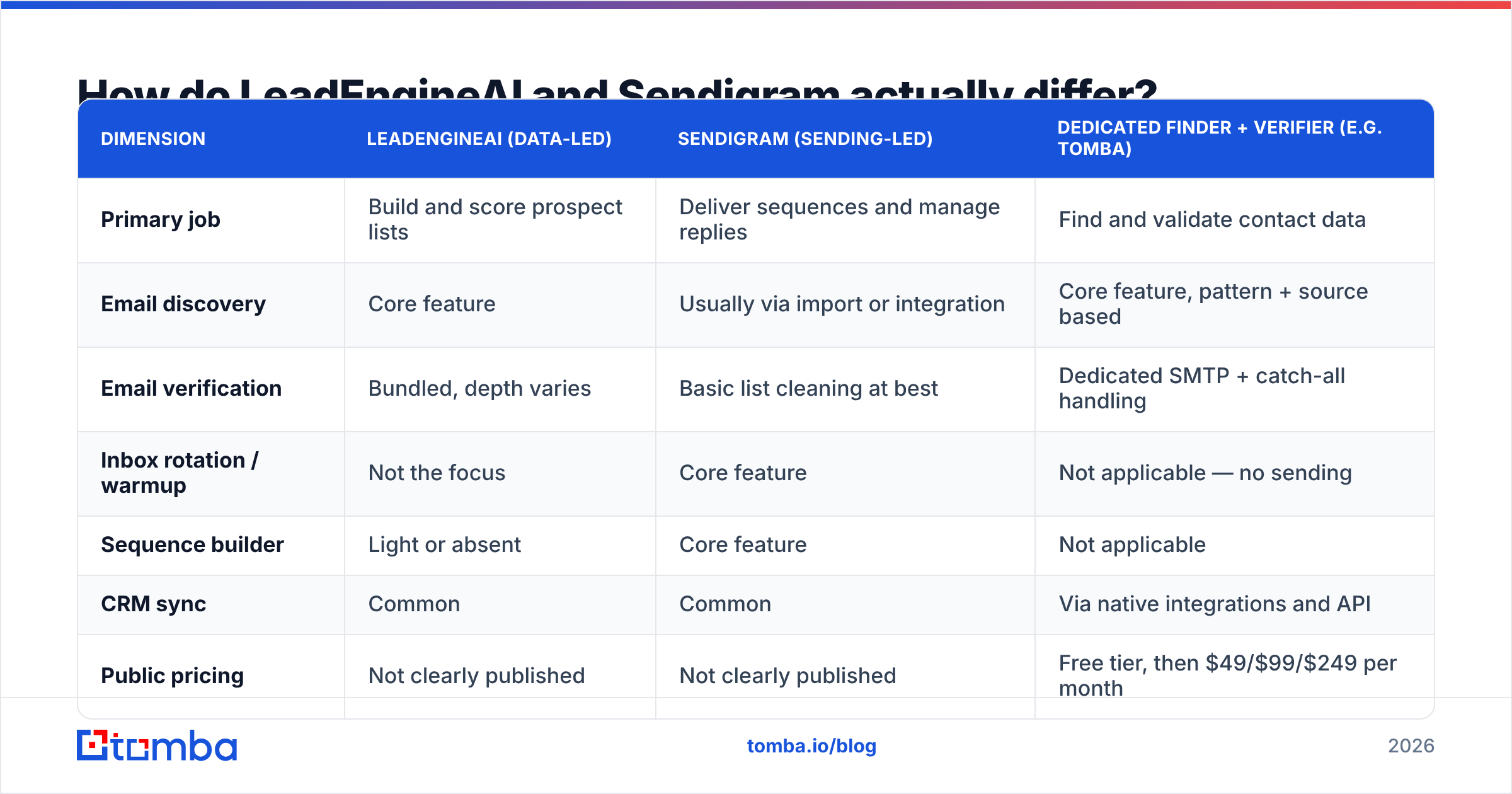
Here is the practical split, mapped against what a dedicated data provider does, so you can see where the overlaps and gaps are:
| Dimension | LeadEngineAI (data-led) | Sendigram (sending-led) | Dedicated finder + verifier (e.g. Tomba) |
|---|---|---|---|
| Primary job | Build and score prospect lists | Deliver sequences and manage replies | Find and validate contact data |
| Email discovery | Core feature | Usually via import or integration | Core feature, pattern + source based |
| Email verification | Bundled, depth varies | Basic list cleaning at best | Dedicated SMTP + catch-all handling |
| Inbox rotation / warmup | Not the focus | Core feature | Not applicable — no sending |
| Sequence builder | Light or absent | Core feature | Not applicable |
| CRM sync | Common | Common | Via native integrations and API |
| Public pricing | Not clearly published | Not clearly published | Free tier, then $49/$99/$249 per month |
| API access | Claimed, docs thin | Claimed, docs thin | Documented public API |
| Best for | Teams with no list-building process | Teams with a list but poor deliverability | Teams who need clean data under any sender |
Read that last column carefully. A data provider does not compete with Sendigram at all — it feeds it. And it only partially competes with LeadEngineAI, on the discovery and verification rows.
Which one fits your outbound motion?#
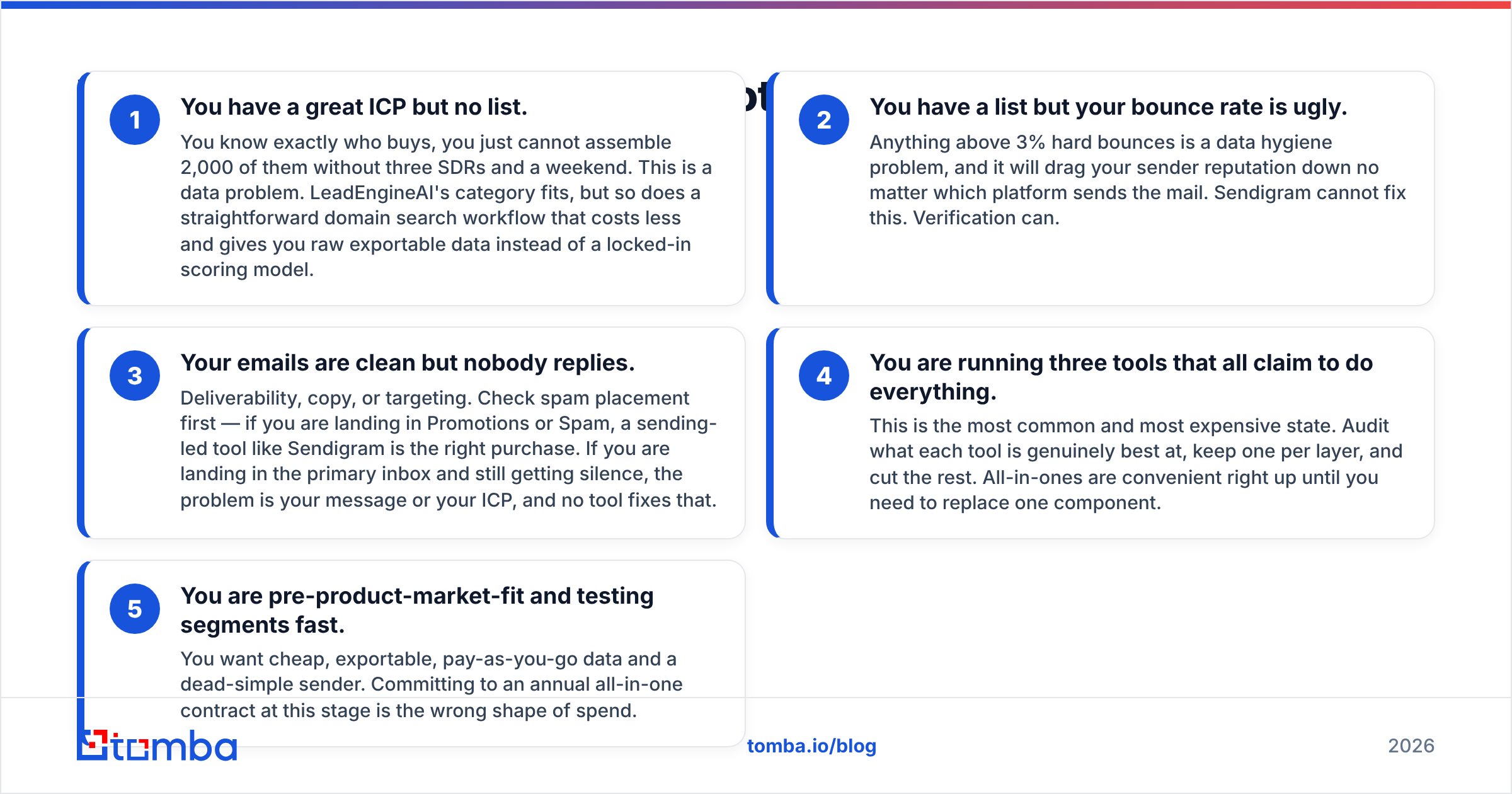
Rather than picking a winner in the abstract, match the tool to the failure mode you actually have. Here are the five patterns that cover most B2B teams:
You have a great ICP but no list. You know exactly who buys, you just cannot assemble 2,000 of them without three SDRs and a weekend. This is a data problem. LeadEngineAI's category fits, but so does a straightforward domain search workflow that costs less and gives you raw exportable data instead of a locked-in scoring model.
You have a list but your bounce rate is ugly. Anything above 3% hard bounces is a data hygiene problem, and it will drag your sender reputation down no matter which platform sends the mail. Sendigram cannot fix this. Verification can.
Your emails are clean but nobody replies. Deliverability, copy, or targeting. Check spam placement first — if you are landing in Promotions or Spam, a sending-led tool like Sendigram is the right purchase. If you are landing in the primary inbox and still getting silence, the problem is your message or your ICP, and no tool fixes that.
You are running three tools that all claim to do everything. This is the most common and most expensive state. Audit what each tool is genuinely best at, keep one per layer, and cut the rest. All-in-ones are convenient right up until you need to replace one component.
You are pre-product-market-fit and testing segments fast. You want cheap, exportable, pay-as-you-go data and a dead-simple sender. Committing to an annual all-in-one contract at this stage is the wrong shape of spend.
Is LeadEngineAI better than Sendigram for data quality?#
On paper, yes — data is its stated specialty, and Sendigram is not primarily a data vendor. But "better at data than a sending tool" is a low bar, and it is not the comparison that saves you money.
The comparison that matters is LeadEngineAI's data versus a specialist provider's data. Here is what separates serious data infrastructure from a bundled feature:
- Source transparency. Can the vendor tell you where a record came from? Tomba publishes its data sources; many bundled finders will not answer the question at all.
- Catch-all handling. Roughly a fifth of B2B domains are catch-all, which means standard SMTP checks return "accept" for every address including fake ones. Tools without a dedicated catch-all verifier simply mark these as valid and pass the bounce risk to you.
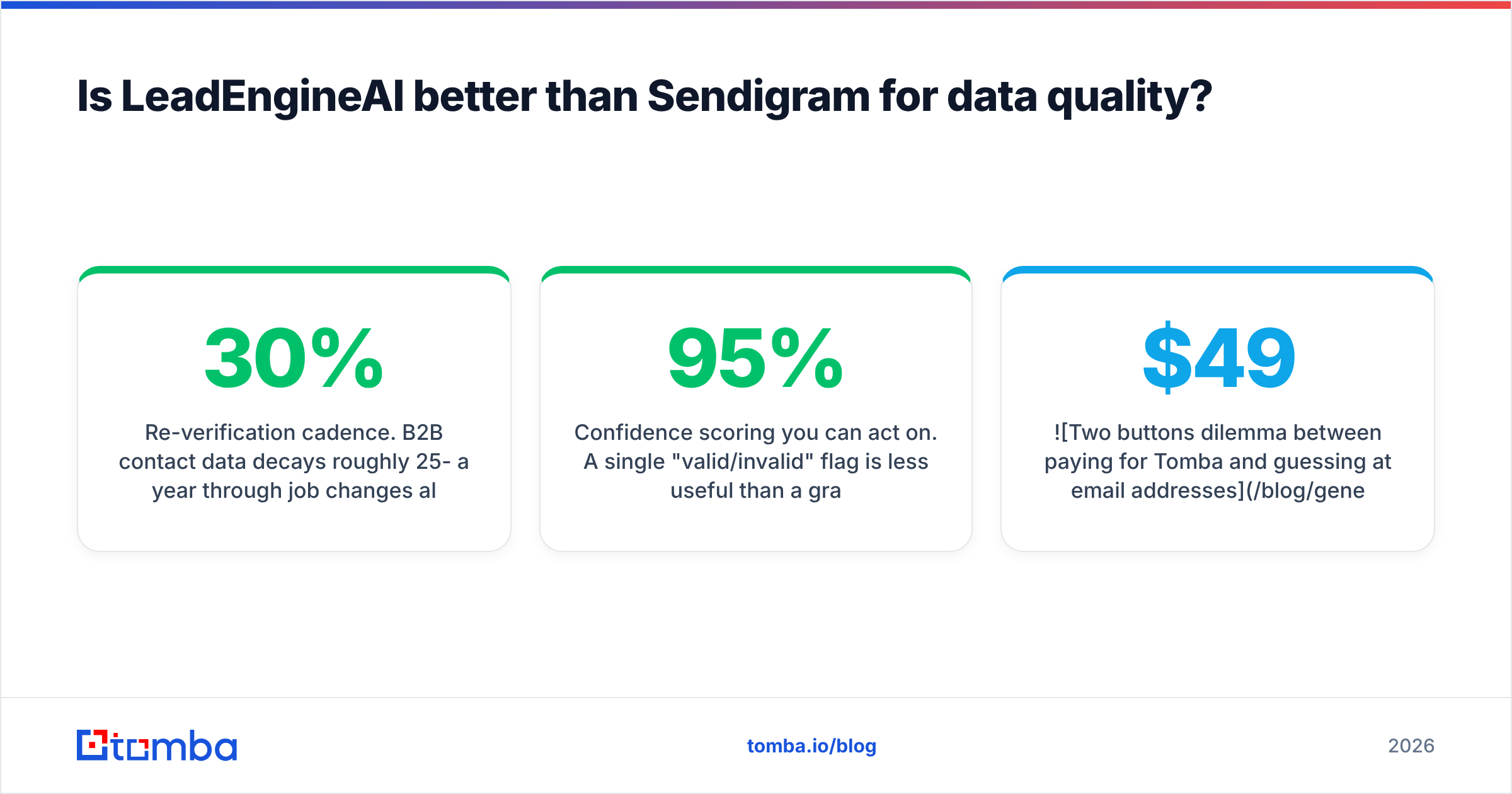
- Re-verification cadence. B2B contact data decays roughly 25-30% a year through job changes alone. A database refreshed quarterly is a different product from one refreshed continuously.
- Confidence scoring you can act on. A single "valid/invalid" flag is less useful than a graded score you can threshold against, because it lets you send to 95%+ confidence and route the rest to LinkedIn.
- Bulk and API parity. If the API returns different results from the UI, or bulk jobs silently drop rows, you will find out at the worst possible moment.
Any of those five can be a dealbreaker. Ask about all five in a demo. If the rep deflects on more than one, you are buying a wrapper around someone else's API — which is fine if the price reflects it, and expensive if it does not.

What does each one cost in practice?#
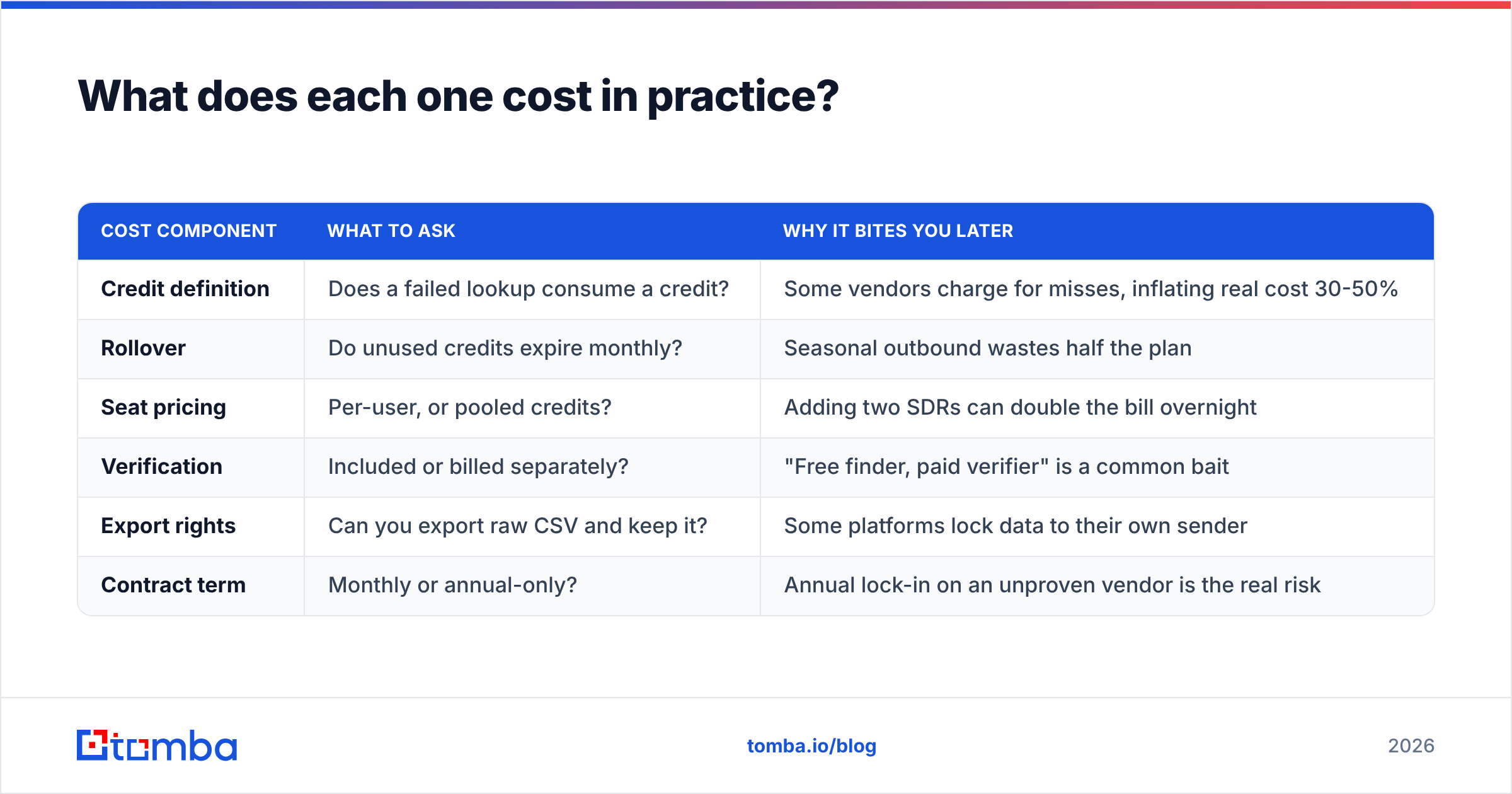
Neither vendor makes this easy, which is itself a signal. Here is how to model total cost regardless of what the sales page says:
| Cost component | What to ask | Why it bites you later |
|---|---|---|
| Credit definition | Does a failed lookup consume a credit? | Some vendors charge for misses, inflating real cost 30-50% |
| Rollover | Do unused credits expire monthly? | Seasonal outbound wastes half the plan |
| Seat pricing | Per-user, or pooled credits? | Adding two SDRs can double the bill overnight |
| Verification | Included or billed separately? | "Free finder, paid verifier" is a common bait |
| Export rights | Can you export raw CSV and keep it? | Some platforms lock data to their own sender |
| Contract term | Monthly or annual-only? | Annual lock-in on an unproven vendor is the real risk |
For reference on what transparent pricing looks like, Tomba pricing runs a free tier at 25 searches per month, then $49/mo Starter, $99/mo Growth, $249/mo Pro, with custom Enterprise. You can see exactly what you get before you talk to anyone. When a comparable vendor hides this behind a demo call, assume the number is higher and negotiable — and assume onboarding friction.
A practical budgeting rule: a specialist data tool at $49-99/mo plus a lean sending tool at $30-50/mo covers what most sub-10-person sales teams need. If an all-in-one quote comes in meaningfully above that combined figure, you are paying for the convenience of one login, not for better outcomes.
Where does a dedicated email finder fit alongside either tool?#
Underneath both. This is the part teams get wrong.
Whichever platform you choose for sequencing, the quality of what enters it determines everything downstream. Google and Microsoft both weight sender reputation heavily, and hard bounce messages are among the fastest ways to damage it. HubSpot's own sales research — and the broader guidance on their sales blog — has consistently pointed at list quality as the single largest lever on cold email performance, ahead of subject lines, send times, and sequence length.
A clean workflow looks like this:
- Identify target accounts (your ICP definition, not a tool's)
- Pull contacts with an email finder or domain search
- Verify every address before it touches a sender
- Route catch-all and low-confidence records to LinkedIn or phone instead
- Push only high-confidence records into LeadEngineAI, Sendigram, or whatever sequencer you land on
- Re-verify anything older than 90 days before reusing it
Step 3 and step 6 are where teams cut corners, and they are exactly the steps that protect the domain you spent two years building. If you run lists at volume, doing this through a bulk email finder or programmatically via the Tomba API keeps it from becoming a manual chore that gets skipped under quota pressure.
What should you verify before you sign with either vendor?#
Run this checklist inside a trial, not a demo. Demos are choreographed; trials are not.
- Sample 100 records against ground truth. Pull 100 contacts you can independently confirm. Measure real accuracy, not claimed accuracy.
- Test one hostile domain. Pick a catch-all domain and see whether the tool admits uncertainty or confidently returns garbage.
- Check the export. Download a CSV on day one. If export is gated behind a higher tier, that is a lock-in mechanism.
- Read the DPA. If you touch EU contacts, GDPR lawful basis and data subject request handling are not optional. Ask for the document; do not accept a verbal assurance.
- Email support with a hard question. Response time and answer quality during a trial is the best support you will ever receive from that vendor. It only gets worse after the invoice clears.
- Confirm the cancellation path. Self-serve in-app, or an email to an account manager who takes nine days to reply?
So which should you choose in 2026?#
Conclusion first: choose based on which layer is broken, and do not buy an all-in-one to solve one problem.
- If your lists are thin or nonexistent → you have a data problem. LeadEngineAI's category is the right shape, but compare it against a specialist finder on price, export freedom, and source transparency before committing.
- If your lists are fine and your emails are not landing → you have a delivery problem. Sendigram's category is the right shape. Pair it with verification you trust.
- If you are honestly not sure which → measure first. Bounce rate above 3% means data. Spam placement issues mean delivery. Clean inbox placement with zero replies means your offer or your ICP, and that is not a software purchase.
- If budget is tight → assemble the stack yourself. A transparent data provider plus a cheap sender beats a bundled platform at the same price in almost every case, and it leaves you free to swap either half without a migration.
The worst outcome is buying both, running them at 20% utilization, and never discovering which one was actually doing the work. Pick a layer, fix it, measure the change, then move to the next one.
Start with the data layer. Tomba's Email Finder gives you 25 free searches a month with no card required, so you can benchmark its results against whatever LeadEngineAI or Sendigram return before a single dollar changes hands. Run the same 50 target companies through all three, compare deliverable rates after a week of sending, and let your own bounce log pick the winner. That is the only comparison that will ever be true for your market.
Related guides#
// get started
Find, verify and enrich your first contacts today
Start on the free plan with 25 searches a month, then scale when your team is ready.
Free plan · No credit card required · GDPR & CCPA
// about the author