LeadEngineAI vs The Org (2026): Which B2B Data Tool Wins?
One tool sells you AI-generated lead lists. The other maps who reports to whom. They solve different halves of the same problem — here's which one your pipeline actually needs in 2026, and what to pair it with.
TL;DR
- These are not the same product. LeadEngineAI is an AI-assisted lead sourcing and outreach layer. The Org is an organizational-chart and people-intelligence directory. Comparing them head-to-head only makes sense because both get pitched to the same buyer: a rep who needs to know who to contact at a target account.
- Pick The Org when your bottleneck is account mapping — you already have the logo list and you need to understand reporting lines, committee members, and who actually signs.
- Pick LeadEngineAI when your bottleneck is volume — you need net-new contacts and sequencing without stitching four tools together.
- Neither is a contact-accuracy engine. Org charts go stale and AI-generated lists guess at emails. You still need a verification layer before anything hits your sending domain.
- Cheapest honest stack in 2026: structural intelligence (The Org or LinkedIn) + a dedicated finder/verifier like Tomba at $49/mo, rather than one all-in-one that charges enterprise rates for mediocre data.
What problem is each tool actually solving?#
Start here, because the "vs" framing hides a category mismatch that costs teams money.
The Org is a public, largely crowd-verified directory of company organizational charts. Its core asset is structure: who sits where, who reports to whom, how a department is shaped, and how that shape changes when someone joins or leaves. It grew out of the observation that org charts are the most requested and least available piece of B2B information. Much of the data is browsable for free, which is unusual in this market and is a genuine strength.
LeadEngineAI sits in the AI-prospecting category that exploded between 2024 and 2026: a model-driven layer that takes an ICP description in plain language, returns a list of matching companies and contacts, and in most cases drafts and sequences outreach for you. The promise is compression — one prompt replaces a data vendor, a research VA, and a sequencer.
So the real question is not "which is better." It's which failure mode is currently costing you more pipeline: not knowing who to talk to (structural blindness), or knowing who but not being able to reach enough of them (volume and reachability).
How do LeadEngineAI and The Org compare on the things that matter?#
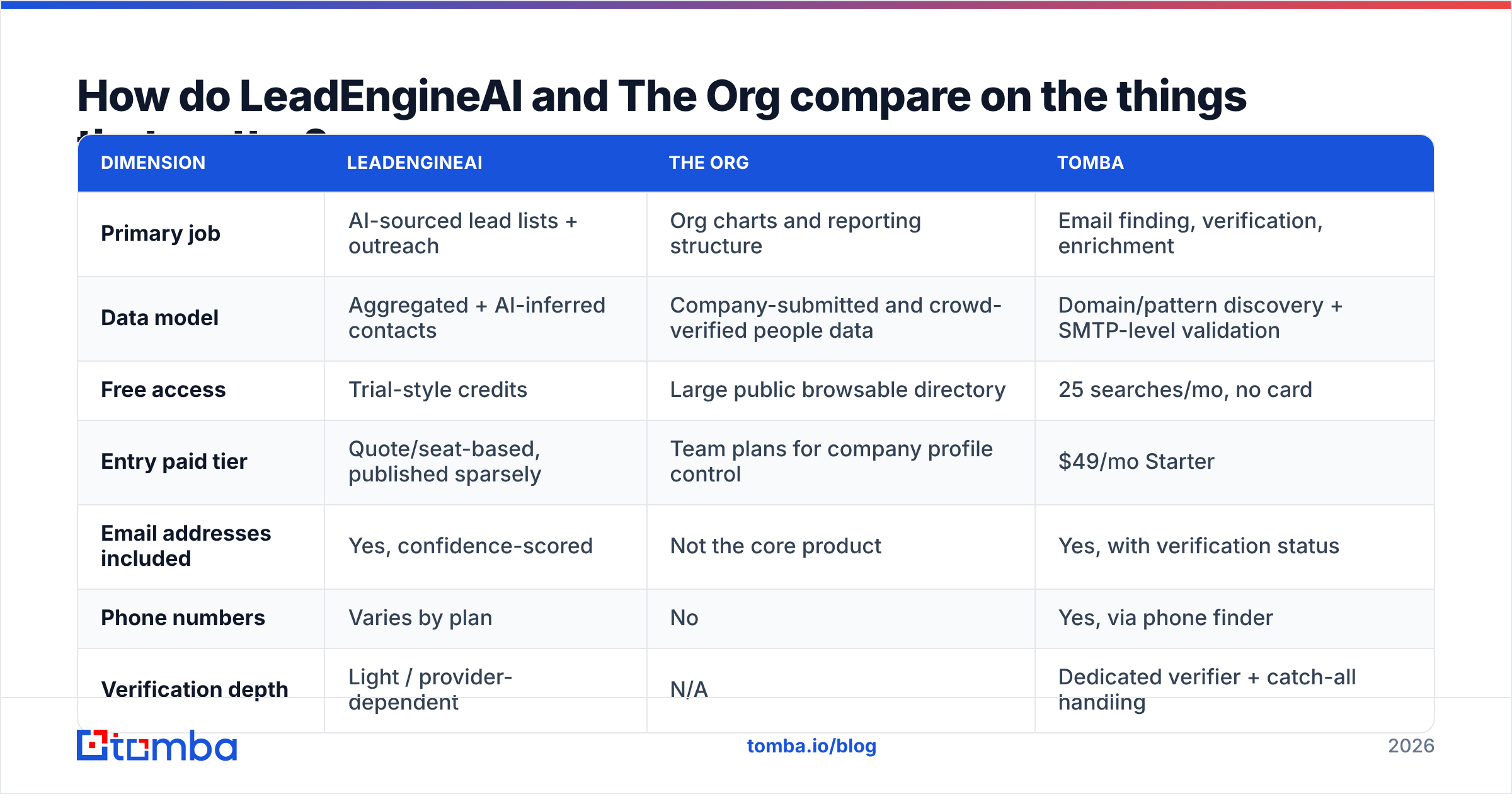
Pricing in this category moves constantly and both vendors have changed packaging in the last 18 months. Treat the pricing row as directional and confirm on each vendor's own page before you buy — I'm not going to invent numbers I can't stand behind.
| Dimension | LeadEngineAI | The Org | Tomba |
|---|---|---|---|
| Primary job | AI-sourced lead lists + outreach | Org charts and reporting structure | Email finding, verification, enrichment |
| Data model | Aggregated + AI-inferred contacts | Company-submitted and crowd-verified people data | Domain/pattern discovery + SMTP-level validation |
| Free access | Trial-style credits | Large public browsable directory | 25 searches/mo, no card |
| Entry paid tier | Quote/seat-based, published sparsely | Team plans for company profile control | $49/mo Starter |
| Email addresses included | Yes, confidence-scored | Not the core product | Yes, with verification status |
| Phone numbers | Varies by plan | No | Yes, via phone finder |
| Verification depth | Light / provider-dependent | N/A | Dedicated verifier + catch-all handling |
| Best for | SDR teams needing volume fast | AEs and ABM teams mapping accounts | Any team that needs deliverable contact data |
| Weak spot | Confident-sounding but unverified contacts | Coverage thins outside tracked companies | Not a sequencer — pairs with one |
The pattern that falls out of that table: The Org is deep and narrow, LeadEngineAI is broad and shallow, and neither one owns the step where a bad address burns your sender reputation.
Is The Org's data accurate enough to build a territory plan on?#
Mostly yes for structure, with two caveats.
The Org's model leans on company-contributed profiles plus community edits, which produces something rare — a chart a human being actually looked at. For a mid-market SaaS account with 200–2,000 employees, that's often better than anything you'd reconstruct from LinkedIn scraping, because it shows hierarchy, not just a flat list of titles.
The caveats:
- Coverage is uneven. Well-known startups and scale-ups are well covered. A 60-person industrial supplier in Ohio probably isn't. If your ICP skews unglamorous, run 20 named accounts through it before you commit.
- Structure decays faster than you think. In a market with the churn rates of 2024–2026, a VP-level chart older than two quarters is a hypothesis, not a fact. Always cross-check the individual before you name-drop their manager in an email.
What The Org does not give you is a working inbox. That's by design — it's an intelligence product, not a contact database. You'll leave it with a name, a title, and a reporting line, and you'll still need to resolve that into an address. This is where a domain search or a LinkedIn finder does the boring last-mile work: take the confirmed human, produce the confirmed address.
Is LeadEngineAI's AI sourcing better than buying a list?#
It's better than buying a static list, and worse than most people expect from the demo.
AI prospecting tools genuinely solve the ICP-translation problem. Describe "Series B fintechs in EMEA with an in-house compliance team and a recent security hire" and you get a usable account list in a minute instead of an afternoon of filter-fiddling. That's real work eliminated, and it's why this whole category grew.
Where it gets uncomfortable is contact-level output. AI sourcing tools tend to:
- Infer email addresses from pattern rules rather than confirm them, then present a confidence score that reads like a verification result but isn't one.
- Hallucinate role fit. The model is very good at finding people whose public footprint sounds like your buyer, and less good at knowing they moved to a different function in March.
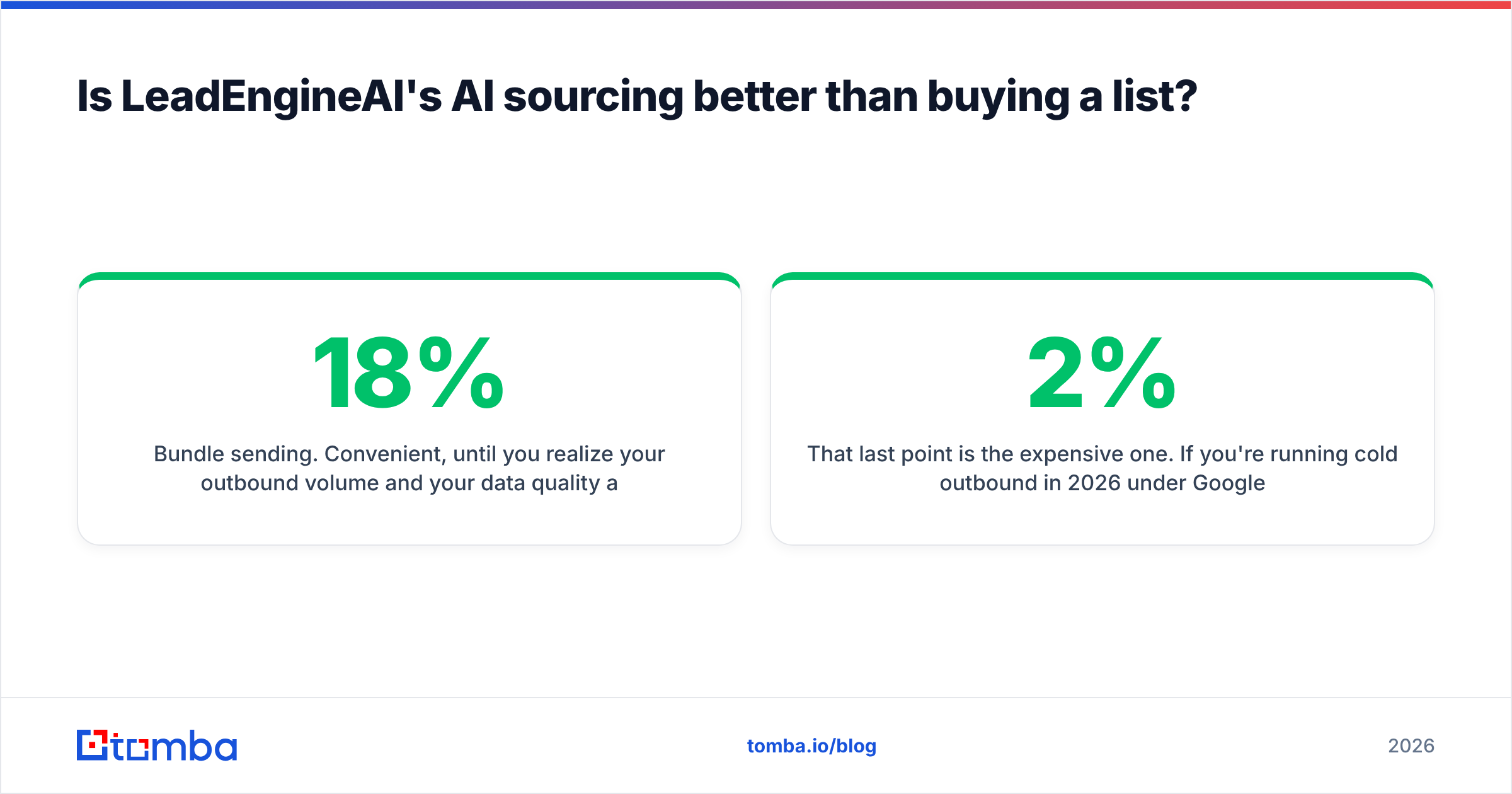
- Bundle sending. Convenient, until you realize your outbound volume and your data quality are now controlled by the same vendor, who has no incentive to tell you 18% of the list is undeliverable.
That last point is the expensive one. If you're running cold outbound in 2026 under Google and Yahoo's bulk-sender requirements, a bounce rate above roughly 2% is a domain-reputation problem, not a data problem you can shrug off. The economics are brutal: a "free" extra 2,000 contacts that bounce cost more than a $49 verification subscription that removes them.

What does a realistic 2026 stack look like?#
Here's the decision framework I'd give a RevOps lead with a limited budget. Four questions, in order:
- Do you know your target accounts? If no, you need sourcing — LeadEngineAI or a comparable AI prospecting layer earns its slot. If yes, skip it; you're paying for a list you already have.
- Do you know who inside those accounts matters? If no, you need structural intelligence — The Org, LinkedIn Sales Navigator, or manual research. This is where deals stall most often, because reps email the wrong seniority and call it a "market problem."
- Can you actually reach those people? This is the finder/verifier layer, and it's the one teams under-buy. A verified address, a confirmed catch-all status, and a fallback phone number turn a name into a conversation.
- Can you sequence and measure it? Sending tooling and CRM hygiene. Separate purchase, separate vendor, and honestly the most commoditized part of the stack.
Notice that steps 1 and 2 are discovery, and step 3 is execution. Tools that claim to do all four tend to be excellent at one and passable at the rest. The published tool reviews on G2 bear this out across the category: the all-in-one platforms consistently score lower on data accuracy than on ease of use.
If you want the short version: buy the best-in-class thing for your actual bottleneck, and buy a cheap, accurate contact layer regardless. Tomba pricing starts at $49/mo for Starter and $99/mo for Growth, which is usually less than the delta between two seats of an enterprise all-in-one.
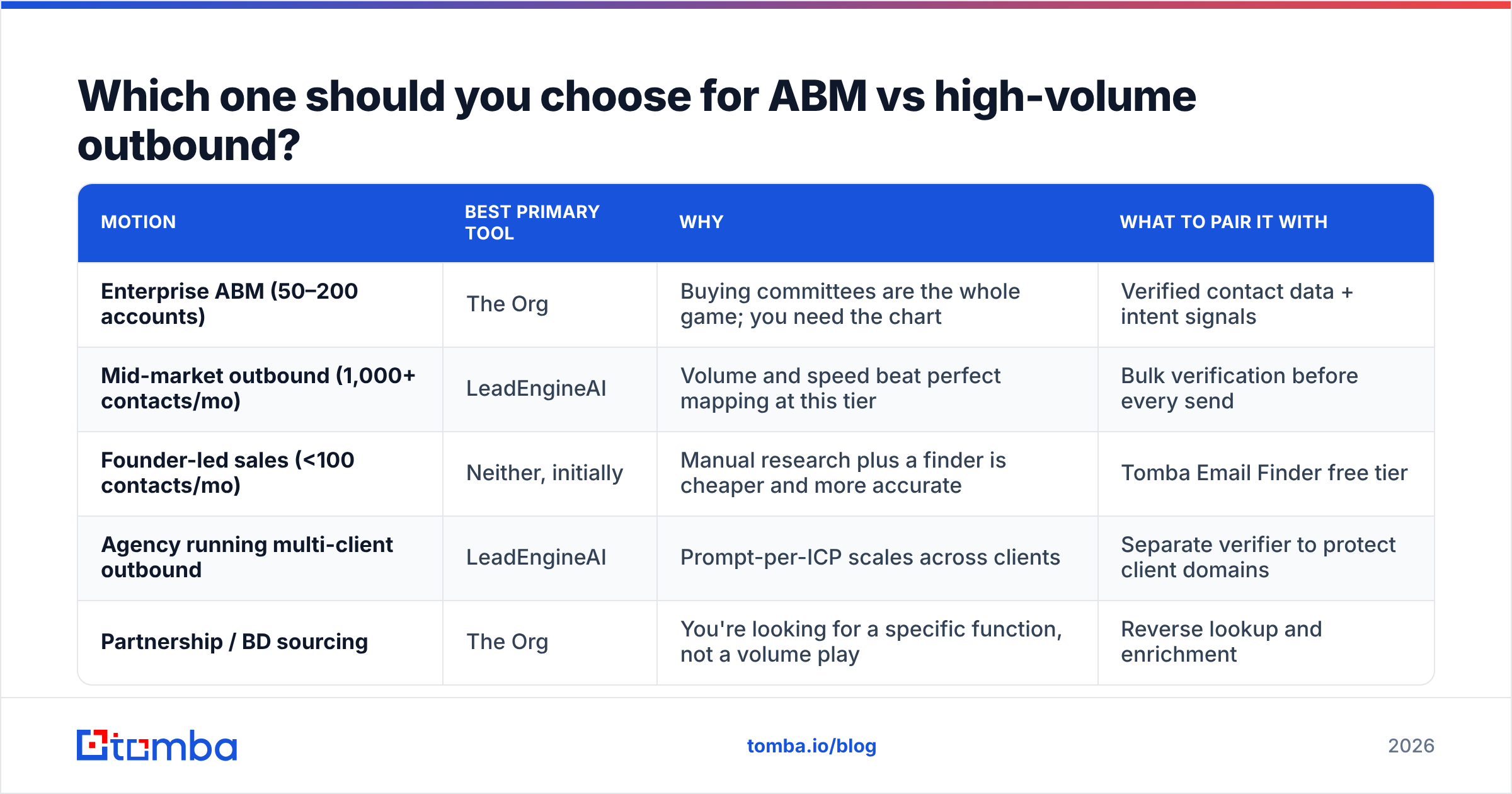
Which one should you choose for ABM vs high-volume outbound?#
| Motion | Best primary tool | Why | What to pair it with |
|---|---|---|---|
| Enterprise ABM (50–200 accounts) | The Org | Buying committees are the whole game; you need the chart | Verified contact data + intent signals |
| Mid-market outbound (1,000+ contacts/mo) | LeadEngineAI | Volume and speed beat perfect mapping at this tier | Bulk verification before every send |
| Founder-led sales (<100 contacts/mo) | Neither, initially | Manual research plus a finder is cheaper and more accurate | Tomba Email Finder free tier |
| Agency running multi-client outbound | LeadEngineAI | Prompt-per-ICP scales across clients | Separate verifier to protect client domains |
| Partnership / BD sourcing | The Org | You're looking for a specific function, not a volume play | Reverse lookup and enrichment |
The line that matters: ABM rewards depth, outbound rewards throughput. Buying the wrong one is how teams end up with an expensive tool nobody logs into by month three.
Where does verification fit, and can you skip it?#
You can't skip it, and the reason is arithmetic rather than principle.
Say you source 5,000 contacts in a quarter. At a typical unverified-list bounce rate of 12–20% — which is generous for AI-inferred addresses — you're sending 600 to 1,000 messages into the void. Mailbox providers read that as spammy sending behavior. Your reputation drops, your good emails start landing in Promotions or Spam, and your reply rate falls across the whole campaign, not just the bad segment. You then blame your copy and rewrite it. The copy was fine.
An email verifier sits between sourcing and sending and does three unglamorous things:
- Syntax and domain checks — removes the obviously dead before you spend a credit.
- Mailbox-level validation — confirms the address accepts mail where the provider allows it.
- Catch-all handling — flags domains that accept everything so you can treat them as a separate, lower-confidence segment instead of pretending they're verified.
Neither The Org nor an AI sourcing layer is built to do this well, and that's not a criticism of either — it's a different engineering problem. If you're enriching existing CRM records rather than sourcing net-new, data enrichment covers the same ground in the other direction: you have the company and the person, you need the reachable details.
What's the honest verdict on LeadEngineAI vs The Org?#
They're complements, not substitutes, and most teams should buy the cheaper one plus a verification layer instead of either at full price.
- If you only buy one and you sell enterprise: The Org, because it answers a question nothing else answers cleanly, and a large share of its value is accessible before you pay anything.
- If you only buy one and you run volume outbound: LeadEngineAI, with the explicit understanding that its contact output is a starting point, not a verified list.
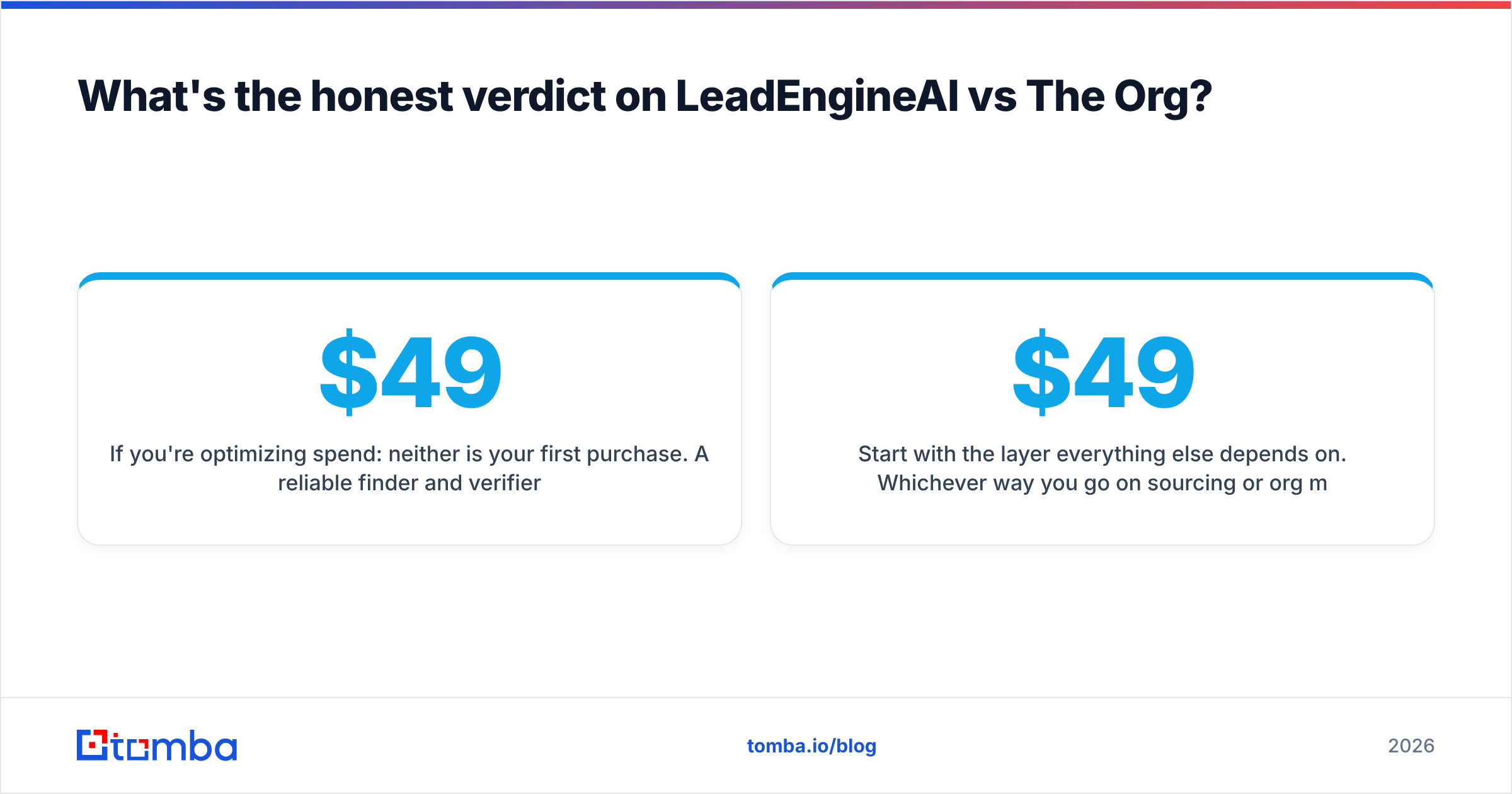
- If you're optimizing spend: neither is your first purchase. A reliable finder and verifier at $49–$99/mo unlocks more pipeline per dollar than a sourcing platform whose output you can't safely send to, because it fixes the step that every other step depends on.
The mistake I see most often isn't picking wrong between these two. It's picking one, assuming the contact data is trustworthy because the interface looks confident, and discovering the truth from a deliverability dashboard six weeks later.
Start with the layer everything else depends on. Whichever way you go on sourcing or org mapping, your outreach only works if the addresses are real. The Tomba Email Finder resolves a name and a company domain into a verified, deliverable address — 25 free searches a month with no card, $49/mo when you outgrow it, and an API if you'd rather wire it straight into the stack you already have. Run your current list through it before your next campaign and see what percentage survives.
Related guides#
// get started
Find, verify and enrich your first contacts today
Start on the free plan with 25 searches a month, then scale when your team is ready.
Free plan · No credit card required · GDPR & CCPA
// about the author