LeadEngineAI vs Tomba (2026): Which Email Finder Wins?
One is an AI-first lead engine that promises finished prospect lists. The other is verified email infrastructure you can audit line by line. Here is how LeadEngineAI and Tomba actually differ on data, pricing, and bounce risk.
LeadEngineAI vs Tomba is a choice between two jobs. One tool picks your leads for you. The other proves the email address is real. This guide compares both on price, data quality, and bounce risk.
TL;DR
- LeadEngineAI sells outcomes. Tomba sells verified inputs. LeadEngineAI builds lead lists and outreach for you. Tomba finds and checks emails for a domain, a name, or a CRM record.
- Price clarity is the sharpest split in LeadEngineAI vs Tomba. Tomba lists every tier: Free (25 searches/mo), Starter $49/mo, Growth $99/mo, Pro $249/mo, Enterprise custom.
- AI lead tools often quote by seat or by workflow run. Confirm the current number before you set a budget.
- If bounce rate is your KPI, checking depth wins. SMTP checks, catch-all handling, and a confidence score beat a clever list-building prompt.
- One platform means fewer logins. But you inherit its data quality, and you cannot swap out the weak layer.
- Most teams run both. An AI layer for research and copy, plus a finder and verifier under it.
What is LeadEngineAI?#
LeadEngineAI sits in the fast-growing "AI GTM engine" group. You describe your target market in plain words. The tool hands back a built list of prospects. Most tools here add scoring, extra data, and draft outreach copy. The pitch is one product instead of four.
That pitch lands because the old stack was a chore. You exported a list from one tool. You dropped it into a checker. You re-uploaded it to a CRM. Then you wrote emails somewhere else. An AI engine turns all of that into a prompt and a button.
The cost is visibility. One screen hides the list-building, the extra data, and the email checks. So when a record is bad, you cannot see which layer broke. A 12% bounce rate becomes a black box. Was the contact stale? Was the address a guess? Was the mailbox ever checked at all?
LeadEngineAI does not post a full price table. It does not post an accuracy method either. Tomba posts both. So treat any figure you read on an affiliate blog as unproven. Check the vendor site before you commit budget. Review sites like G2's lead intelligence category beat a vendor landing page for that.
What is Tomba, and what does it actually do?#
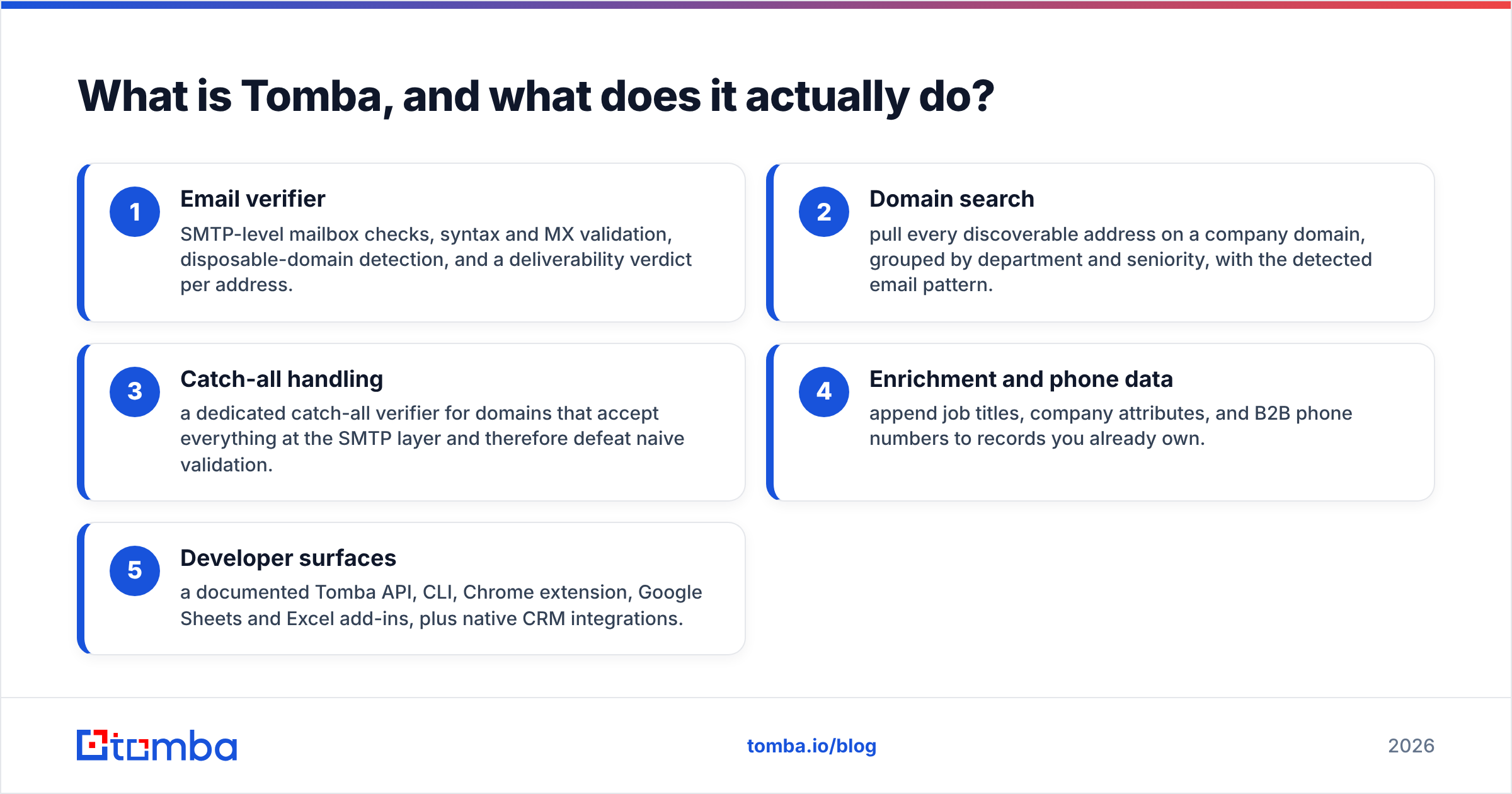
Tomba is a B2B email finder and verifier. The core tool is the email finder. Give it a name and a company domain, or just a domain. It returns work email addresses, a confidence score, and the public sources behind each one.
Around that core sit the parts most teams need:
- Email verifier — SMTP mailbox checks, syntax and MX checks, throwaway-domain flags, and a verdict per address.
- Domain search — every address it can find on a domain, grouped by team and rank, with the email pattern.
- Catch-all handling — a catch-all verifier for domains that accept every address at the SMTP layer.
- Enrichment and phone data — add job titles, company traits, and B2B phone numbers to records you own.
- Developer tools — a documented Tomba API, a CLI, a Chrome extension, Google Sheets and Excel add-ins, and CRM links.
The mindset differs from an AI engine. Tomba does not pick your buyers. It makes sure the contact is real once you do.

How do LeadEngineAI and Tomba compare feature by feature?#
Here is the plain breakdown of LeadEngineAI vs Tomba. Where LeadEngineAI posts no figure, the table says so.
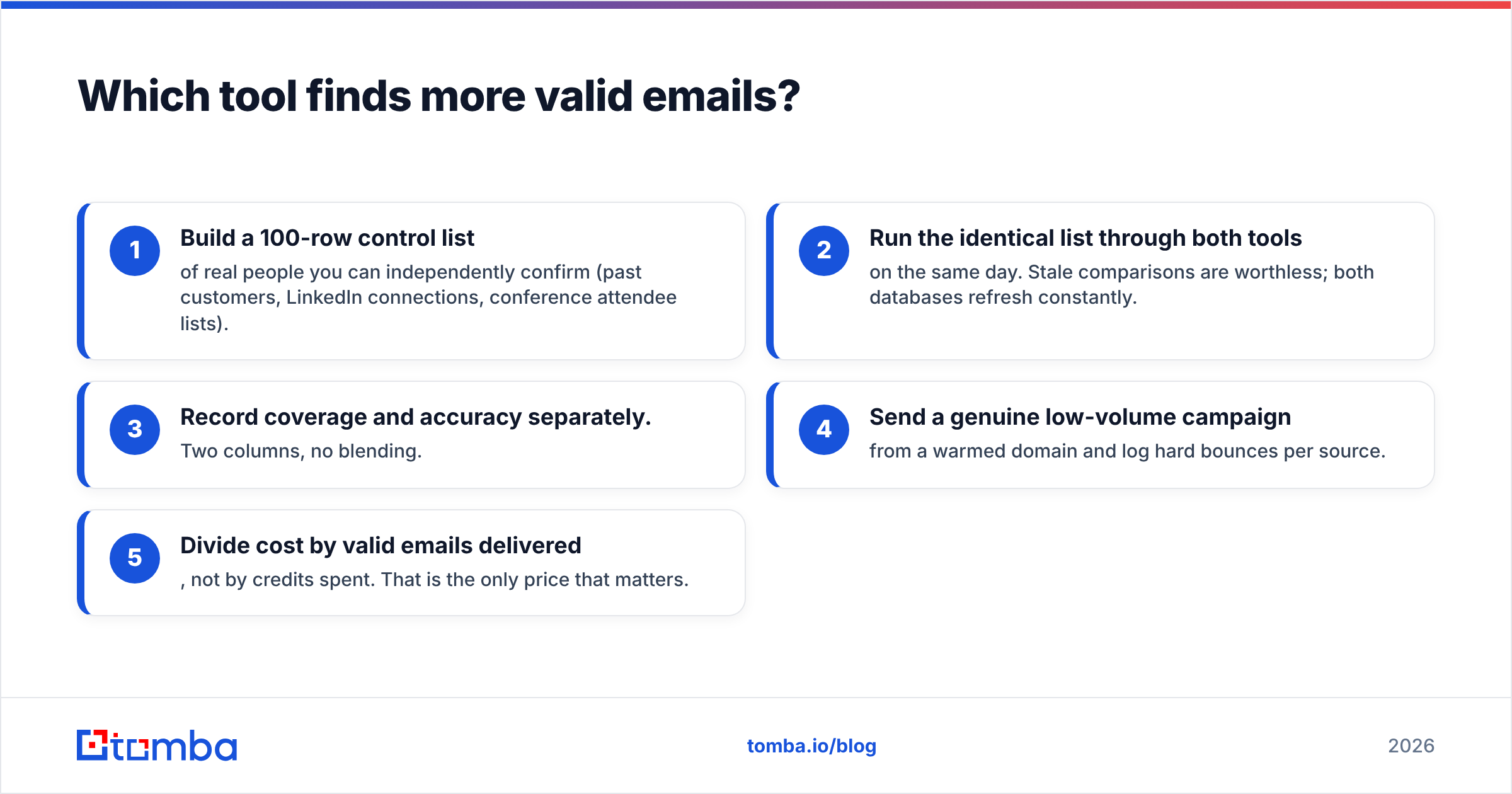
| Dimension | LeadEngineAI | Tomba |
|---|---|---|
| Primary job | AI-assembled lead lists + outreach workflow | Find and verify professional email addresses |
| Free tier | Trial / demo-led, not a published perpetual free plan | Yes — 25 searches per month, no card |
| Entry paid price | Not publicly listed; quote or seat-based | $49/mo Starter |
| Mid tier | Not publicly listed | $99/mo Growth |
| Upper tier | Enterprise / custom | $249/mo Pro, then Enterprise custom |
| Email verification | Bundled inside the pipeline, methodology not published | Standalone SMTP verifier with per-address confidence score |
| Catch-all domains | Typically returned as "valid" with no separate signal | Dedicated catch-all finder and verifier |
| Source transparency | Model-assembled, sources rarely exposed | Public sources shown per email result |
| API access | Available on higher plans | Available on all paid plans, documented, with CLI and MCP server |
| Spreadsheet workflow | Export-based | Native Google Sheets and Excel add-ins plus bulk upload |
| Best fit | Teams that want list-building and messaging in one place | Teams that need deliverable, auditable contact data |
One row decides most of these calls: source transparency. Run outbound at volume and you will get a spam complaint. Then you have to say where the bad address came from. A pipeline that cannot tell you is a pipeline you cannot fix.
Which tool finds more valid emails?#
Accuracy is where LeadEngineAI vs Tomba is won or lost. It is the only test that survives a real campaign. It also has two halves, and vendors love to blur them.
Coverage is how much of your list gets any address back. Accuracy is how many of those addresses accept mail. A tool can win coverage by guessing. It can return first.last@domain.com for everyone. The demo looks great. Three weeks later you sit at a 20% bounce rate.
AI-first engines carry more of this risk. A model is good at guessing a likely email pattern from context. It is bad at knowing whether that mailbox exists on that server today. A guess is a guess. An SMTP handshake is proof.

Tomba splits the two on purpose. The finder returns a score and its evidence. The email verifier then checks the mailbox before you load the address into a sender. You can also see the data sources behind a result. That helps with GDPR reviews as much as with bounce rates.
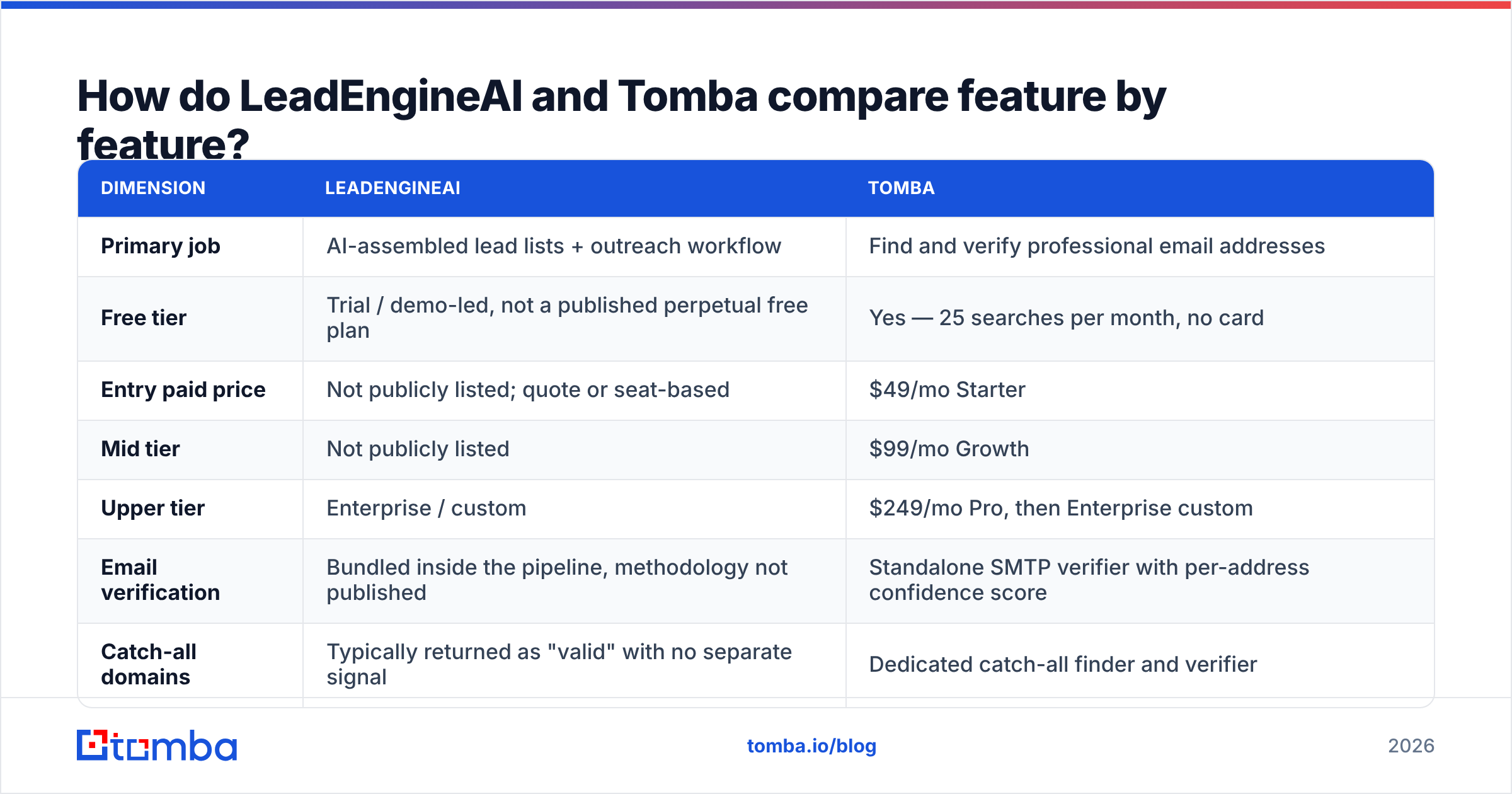
Run the LeadEngineAI vs Tomba test yourself — 5 steps:
- Build a 100-row control list. Use people you can confirm: past customers, contacts you know, event attendee lists.
- Run the same list through both tools on one day. Both databases refresh all the time.
- Log coverage and accuracy apart. Two columns, no blending.
- Send a small, real campaign from a warmed domain. Count hard bounces per source.
- Divide cost by valid emails delivered. Not by credits spent. That is the only price that counts.
Do this before you sign a year-long deal. It takes an afternoon. It often flips the answer people walked in with.
How do the pricing models compare?#
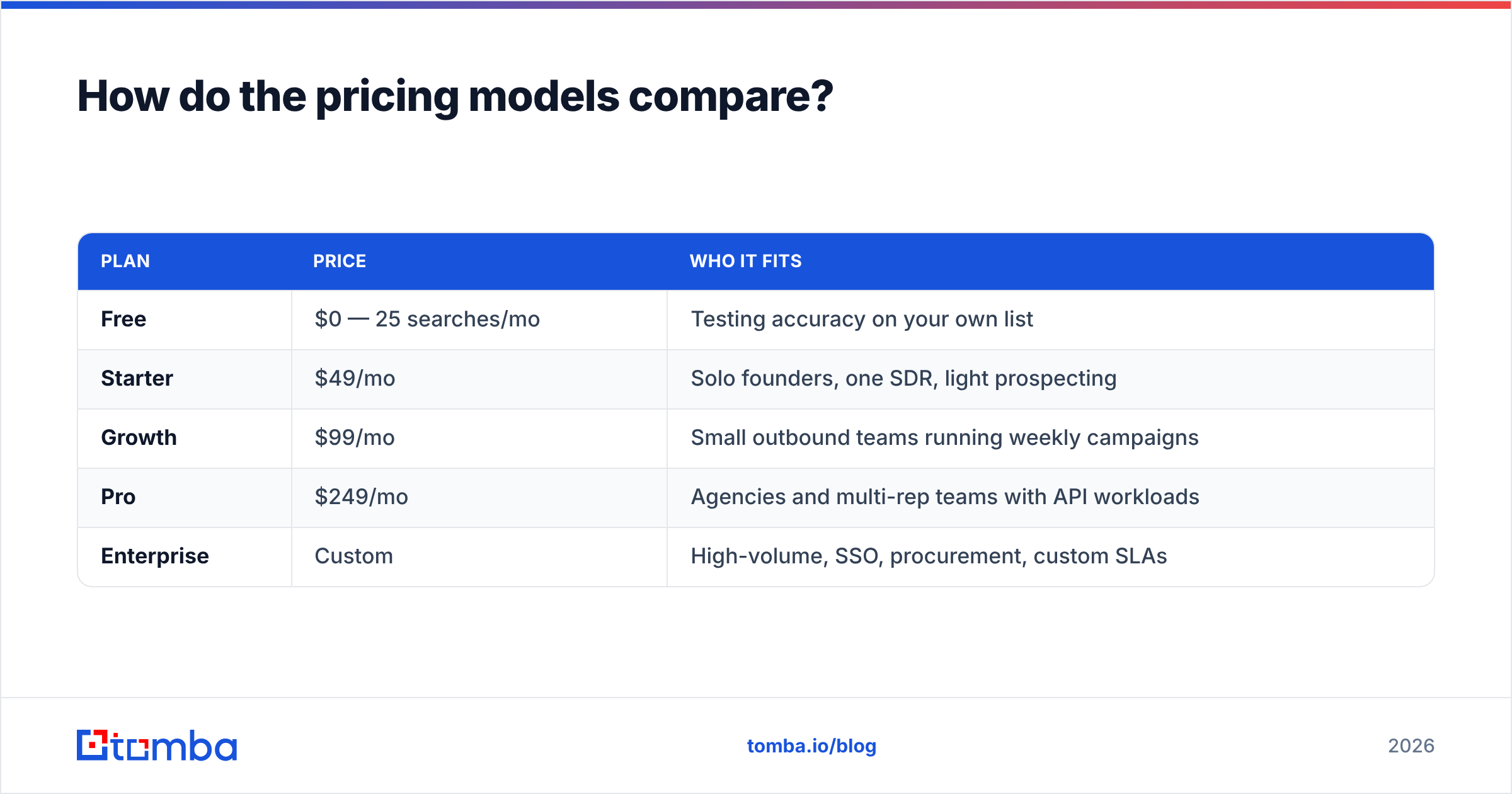
Pricing is where LeadEngineAI vs Tomba splits hardest. Tomba posts the full ladder, which makes the math boring in a good way:
| Plan | Price | Who it fits |
|---|---|---|
| Free | $0 — 25 searches/mo | Testing accuracy on your own list |
| Starter | $49/mo | Solo founders, one SDR, light prospecting |
| Growth | $99/mo | Small outbound teams running weekly campaigns |
| Pro | $249/mo | Agencies and multi-rep teams with API workloads |
| Enterprise | Custom | High-volume, SSO, procurement, custom SLAs |
You can see current credit limits on the Tomba pricing page.
AI lead platforms price by seat, by workflow run, or by "AI credits". Credits burn at different rates as each step fires. That model is not always worse. A team that uses the whole workflow may pay less than it would for four tools. It gets worse when your use is lumpy. You still pay for capacity in the months you do not prospect.
Ask any credit-based vendor two questions:
- Do failed lookups burn credits? Tomba charges for results, not attempts. Many AI platforms bill the run either way.
- Do credits roll over, and what happens if you downgrade? This is where annual deals get quietly pricey.

Which tool fits which team?#
Neither product is right for everyone. The LeadEngineAI vs Tomba answer depends on which of these you are.
- You do not know who to target yet. An AI engine earns its keep here. It can propose segments while your ICP is still fuzzy.
- You know who to target, and mail keeps bouncing. That is a data problem, not a discovery problem. A finder plus a verifier fixes it faster and for less.
- You are a developer or RevOps engineer. Tomba's API, CLI, and MCP server drop lookups into signup flows, jobs, or an agent. Most AI-first platforms lock the API behind the top plan.
Three more cases, same rule:
- You are an agency with many client domains. Per-client credits and a flat public price beat seat pricing past three or four accounts.
- You already like your sending tool. If Instantly, Smartlead, or Salesloft works, a second platform with its own sender means paying twice.
- Legal reviews your vendors. Named sources and per-record proof clear review faster than "our model built it".
For a wider view of where data tools sit in outbound, HubSpot's sales prospecting guide is a fair, vendor-neutral read.
What are the honest downsides of each?#
Where LeadEngineAI-style platforms fall short:
- You cannot trace a bad record, so bounce problems are hard to fix.
- Bundled checks run shallower than a standalone verifier, above all on catch-all domains.
- Quote-only pricing slows small teams down and makes month-to-month scaling awkward.
- You are locked into the platform's view of your ICP. Leaving means exporting it all again.
Where Tomba falls short:
- It will not tell you who to target. There is no AI segment builder and no intent score. You bring the list.
- There is no built-in email sender. You send from your own tool. That is a plus if you have one and a gap if you do not.
- Coverage on tiny or brand-new firms is limited by what is public. Every vendor faces that, whatever the marketing says.
- The free tier of 25 searches is enough to test accuracy, not to run a campaign.
To be blunt about the LeadEngineAI vs Tomba trade: if your bottleneck is strategy, Tomba is not the fix. If half your sends bounce, an AI engine is not the fix either.

Can you use both together?#
Yes. For many teams that is the real answer, not a polite one. The LeadEngineAI vs Tomba choice is not always either/or.
The clean setup splits the work. Let the AI layer do what models are good at: summing up accounts, drafting first-touch copy, and suggesting segments you had missed. Let the data layer do what models are bad at, which is proving that a mailbox exists.
In practice:
- Let the AI engine, or your own research, build the account and persona list.
- Push names and domains into Tomba's bulk finder or API.
- Verify the returned addresses. Route catch-all domains to a slower, separate segment.
- Load only verified addresses into your sender.
- Feed bounce data back, so you can see which source is going stale.
Almost nobody does that last step. It is also the one that tells you within a month which layer to replace.
What is the verdict on LeadEngineAI vs Tomba?#
Pick LeadEngineAI's category if your problem is "I don't know who to email." An AI GTM engine folds discovery, list-building, and copy into one screen. For a team with no clear ICP and no RevOps help, that is real value. Ask for a bounce-rate number during the trial. Get the price in writing.
Pick Tomba if your problem is "I know who to email and half of it bounces." Public pricing starts at $49/mo. The free tier lets you test first. You also get SMTP checks, clear catch-all handling, named sources, and API access on every paid plan. That is a data layer you can audit and defend.
The best outbound teams in 2026 do not treat LeadEngineAI vs Tomba as a winner-take-all pick. They run an AI layer on top of verified data. They measure each layer apart, so they know which one to replace when the numbers slip.
Start with the layer you can measure. Run 25 free searches through the Tomba Email Finder on contacts you can confirm yourself. Then compare the result with your current tool. No card, no sales call. Just the one number that decides whether your next campaign lands in an inbox or a bounce log.
Related guides#
// get started
Find, verify and enrich your first contacts today
Start on the free plan with 25 searches a month, then scale when your team is ready.
Free plan · No credit card required · GDPR & CCPA
// about the author