LeadGenius vs LFBBD Lead For Business: 2026 Data Showdown
LeadGenius sells managed, human-verified data at enterprise prices. LFBBD sells volume. Here's how the two compare on accuracy, cost, and fit — and when neither one is the right buy.
LeadGenius vs LFBBD Lead For Business is a choice between two business models, not two feature lists. One sells research. The other sells records. Here is how they compare on accuracy, cost, and fit.
TL;DR
- LeadGenius is a managed, human-in-the-loop data service. You brief a team. They build custom datasets and enrichment feeds. Pricing is quote-only and lands in enterprise territory.
- LFBBD (Lead For Business B2B Database) sits at the other end. It is a list product built on volume and low cost per record. There is no managed research layer.
- In LeadGenius vs LFBBD Lead For Business, the real question is simple. Are you buying research, or buying records? Those are different purchases with different failure modes.
- Neither vendor removes your duty to verify. A static list decays about 2–2.5% per month as people change jobs. So re-verify before every send.
- Need accurate work emails on demand instead of a managed data program? A self-serve finder and verifier stack (Tomba starts free, then $49/mo) covers the same job for far less.
LeadGenius vs LFBBD Lead For Business: what is each one?#
Both solve the same surface problem: "get me contact and company data." They solve it in completely different ways.
LeadGenius (leadgenius.com) is a managed data provider. It does not hand you a search box and wish you luck. It pairs automated collection with a human research team. That team builds datasets to a spec you define.
The spec can be a narrow ICP. It can also be a custom field, like "number of forklifts in the warehouse." Output lands in your CRM, your warehouse, or a scheduled file. Buyers are usually RevOps or demand-gen teams with a real data budget.
Reviews on G2 say the same two things. It is accurate on custom fields. It is slow and pricey next to self-serve tools. That is what a managed service looks like.
LFBBD — Lead For Business B2B Database — is a database product. The pitch is scale and price. You get large prebuilt B2B contact files, filtered by industry, geography, company size, and job title.
No research team is assigned to your account. There is no custom-field program. LFBBD also publishes far less pricing and technical detail than the older vendors. Treat any number on a third-party page, this one included, as a figure to confirm with the vendor.
That gap matters. LeadGenius has a long public record you can check. A volume vendor with thin docs makes you do the checking yourself, with a paid sample.
LeadGenius vs LFBBD Lead For Business: the head-to-head table#
| Attribute | LeadGenius | LFBBD (Lead For Business) | Tomba |
|---|---|---|---|
| Model | Managed service + human researchers | Prebuilt B2B database / list download | Self-serve finder, verifier & API |
| Pricing | Quote only, annual contracts | Volume/credit based, low per record | Free (25/mo), $49, $99, $249/mo |
| Custom fields on request | Yes — core differentiator | No | No (fixed enrichment schema) |
| Real-time lookup | Limited; batch/feed oriented | List export oriented | Yes, API + UI + bulk |
| Built-in verification | Human QA on delivered records | Verify independently before sending | Yes — SMTP + catch-all handling |
| Time to first record | Weeks (scoping + build) | Hours | Minutes |
| Best fit | Enterprise RevOps with a data spec | High-volume, low-ACV outbound | SDR teams & devs needing accurate emails |
| Main risk | Cost and lead time | Record freshness and provenance | Coverage on tiny/stealth companies |
The pattern is clear once you line it up. LeadGenius is tuned for precision on data nobody else sells. A volume database is tuned for cost per record. Those goals pull in opposite directions. No vendor wins both.

How do you evaluate a B2B data vendor?#
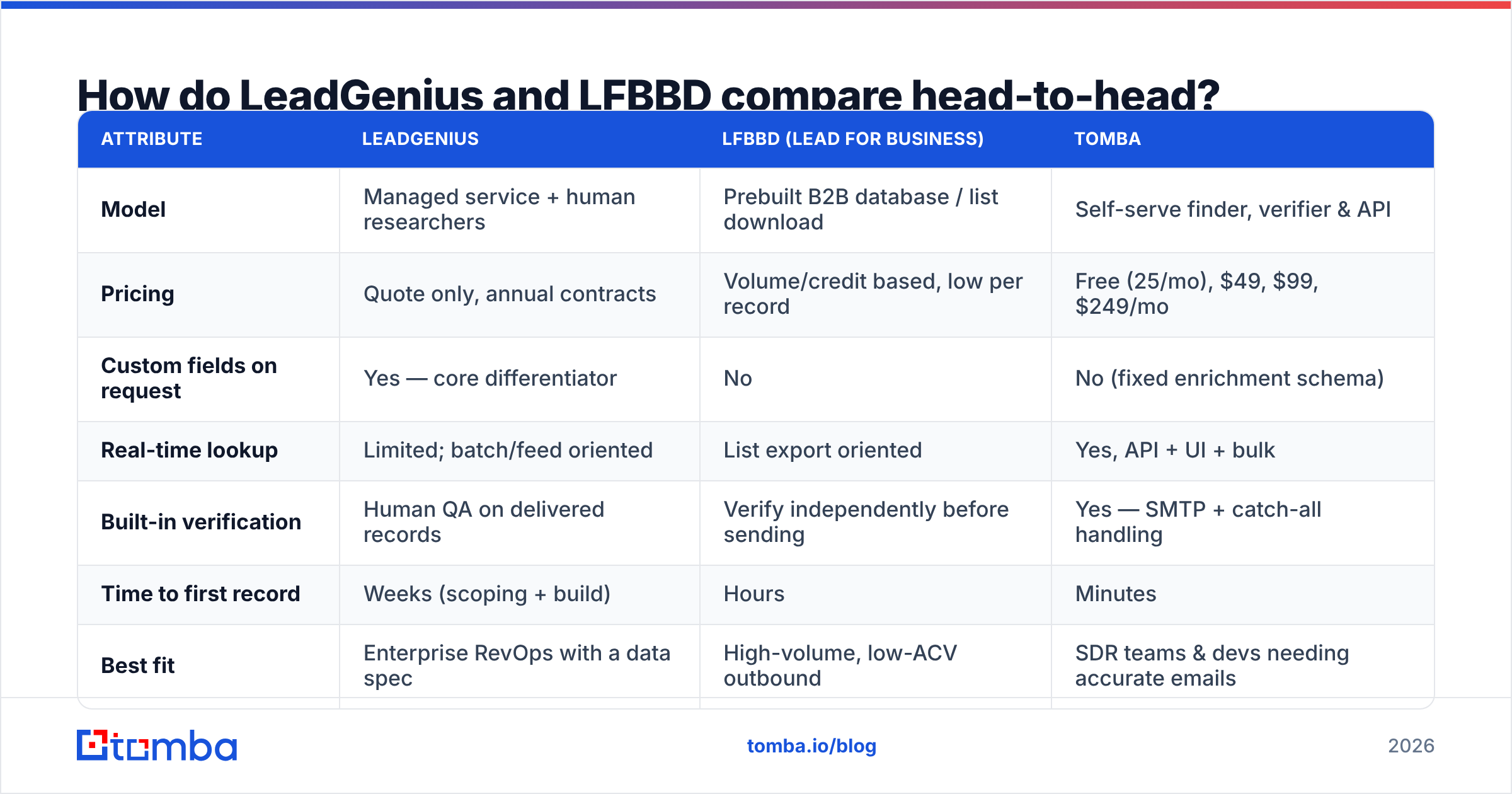
Run every vendor through the same six-point test before you read a feature grid. Most teams skip this step. It is why so many data contracts die quietly at renewal.
- Provenance — Where does each record come from? Opt-in, public web, a contributory network, or a bought third-party file? A vendor that will not answer in writing is a compliance risk. Tomba lists its data sources in public. Ask the rest to match that.
- Freshness — Ask how old the average record is, not how many there are. Get the median last-verified date on the exact slice you would buy.
- Accuracy on YOUR ICP — Vendor-wide accuracy claims are marketing. Pull a 500-row sample in your target titles, industries, and regions. Verify it yourself. Most databases are strong on US mid-market SaaS and weak elsewhere.
- Catch-all handling — About one in five corporate domains accepts every address at the SMTP layer. A "valid" flag there means nothing. Ask how the vendor scores those domains. A dedicated catch-all verifier exists for this reason.
- Delivery mechanics — CSV, API, CRM sync, or warehouse drop? A vendor that ships monthly files cannot feed a real-time routing workflow.
- Exit cost — What happens to the data when you leave? Some enterprise deals limit retention after you cancel. Read that clause first.
Score each vendor 1–5 on all six. The "which is better" debate usually settles itself in twenty minutes.
Which one has better data accuracy?#
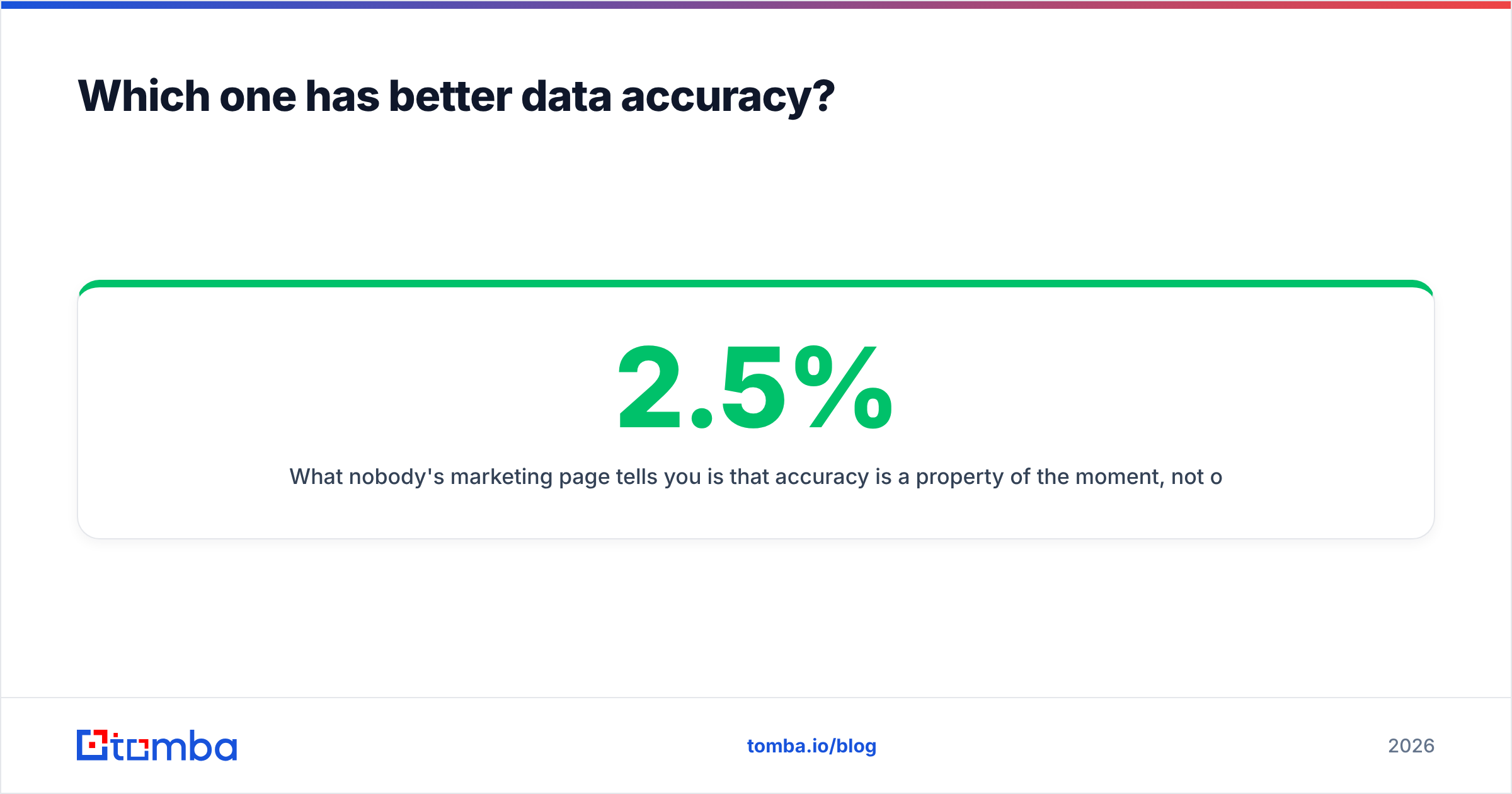
Short answer: it depends on the field. On custom, hard-to-find attributes, LeadGenius should win. That is what the human researchers are for. On standard firmographics and work emails at known companies, the gap narrows. Then price decides.
Here is what no marketing page says. Accuracy is a property of the moment, not of the vendor. B2B contact data decays about 2–2.5% per month, and faster during layoff cycles. A list that was 95% accurate on day one is near 72% a year later.
No purchase fixes that data quality problem for good. So verification belongs in your sending workflow, not in your procurement process. This is the part of LeadGenius vs LFBBD Lead For Business that no contract settles.

A practical rule: re-verify anything older than 30 days before it enters a sequence. Running a bought file through an independent email verifier usually costs under one percent of the list price. It protects your sending domain, which is the asset that matters.
What does each option cost in practice?#
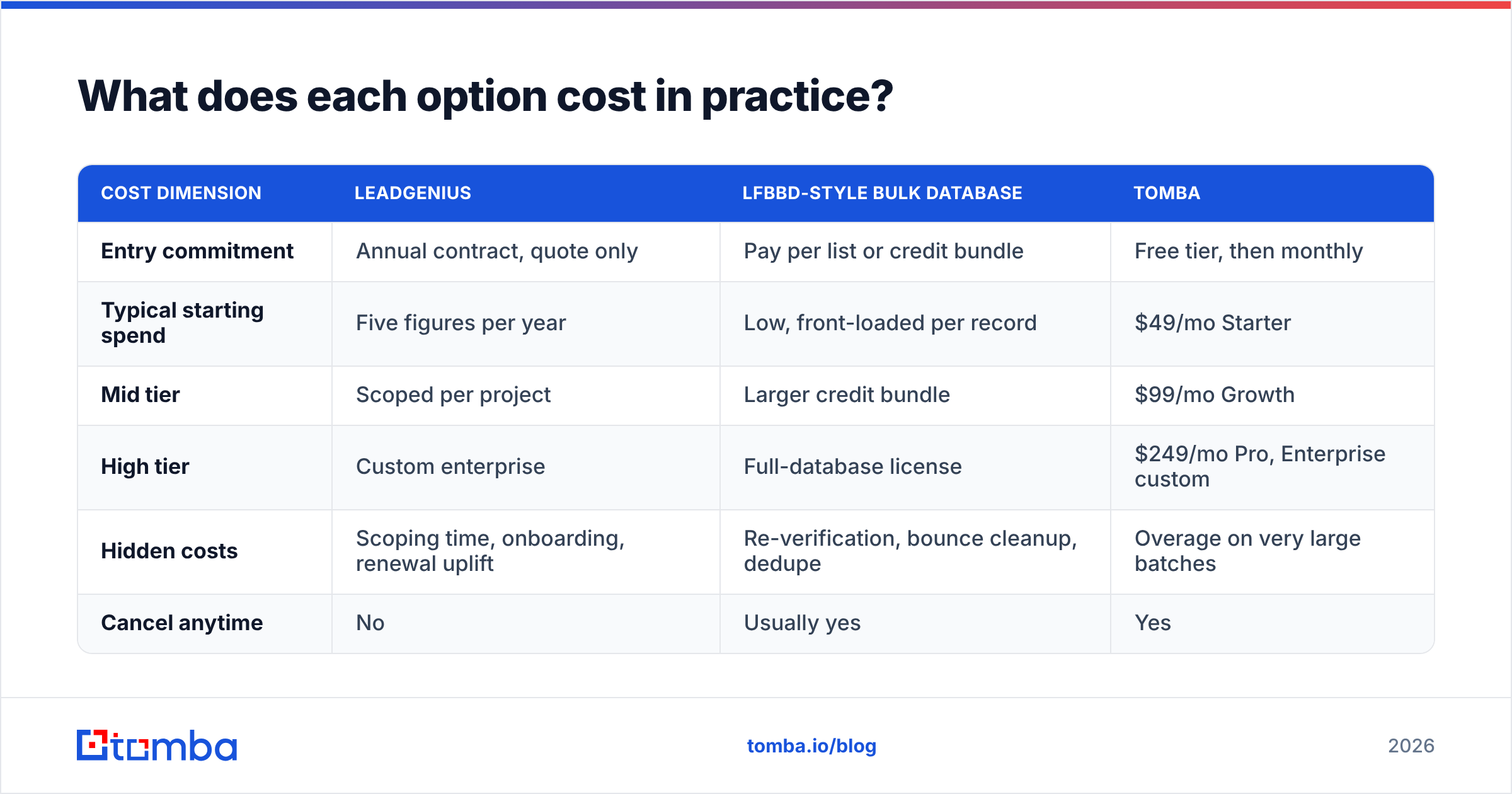
| Cost dimension | LeadGenius | LFBBD-style bulk database | Tomba |
|---|---|---|---|
| Entry commitment | Annual contract, quote only | Pay per list or credit bundle | Free tier, then monthly |
| Typical starting spend | Five figures per year | Low, front-loaded per record | $49/mo Starter |
| Mid tier | Scoped per project | Larger credit bundle | $99/mo Growth |
| High tier | Custom enterprise | Full-database license | $249/mo Pro, Enterprise custom |
| Hidden costs | Scoping time, onboarding, renewal uplift | Re-verification, bounce cleanup, dedupe | Overage on very large batches |
| Cancel anytime | No | Usually yes | Yes |
LeadGenius does not publish pricing, and I will not invent a number. Review sites agree on one thing. It is an enterprise buy with an annual commitment. If your data budget is under five figures a year, you are not the customer.
The bulk database has the opposite trap. The sticker price looks low. The real cost is price per usable record, not price per record. A file at $0.02 per record that is 60% accurate costs $0.033 per usable contact. Add cleanup labor. Add the damage bounces do to your domain. Run that math before you compare invoices.
Self-serve tooling sits in the middle. It is the honest pick for most teams reading a LeadGenius vs LFBBD Lead For Business comparison. Check the current Tomba pricing tiers above. The free tier exists so you can test accuracy on your own ICP before you spend.
LeadGenius vs LFBBD Lead For Business: who should pick which?#
Pick LeadGenius if you need custom data that no database sells. Think equipment counts, store-level attributes, or competitor-install signals. You also need the budget and the patience for a scoped build. You are buying research labor. Judge it on whether the custom fields are right, not on record volume.
Pick a bulk database like LFBBD if your motion is high volume and low ACV. Your ICP is broad. Your economics survive a mediocre hit rate. Buy a paid sample first. Verify it yourself. Scale the purchase only if measured accuracy on your slice clears your bar.
Pick neither if you really need one thing: the right email for one person at one company, right now. That is a lookup problem, not a database problem. A bulk email finder plus an API call at the moment of need beats a file you bought in March. It resolves the record when you use it.
What are the alternatives worth shortlisting?#
If you are running this comparison, these belong on the same sheet:
- BookYourData — a self-serve B2B database with pay-as-you-go pricing and an accuracy guarantee. A fair middle option when you want list-style buying with no annual commitment. It tends to be strong on international coverage.
- Apollo — database plus sequencing in one seat. Convenient, but the bundle means you may pay twice for an engagement tool you already own. See notes on Apollo alternatives.
- Clearbit and enrichment-first vendors — better when the job is enriching known records, not sourcing new ones.
- Tomba — finder, verifier, domain search, catch-all checks, and enrichment behind one API, with a free tier for testing.

The best setup for most teams is not one vendor. It is a cheap, broad source for discovery plus an independent verification layer you control. Split those two jobs on purpose. A vendor that grades its own data has an obvious incentive problem. An independent check costs little next to a burned domain.
How do you keep the workflow vendor-independent?#
Four habits make any of these choices survivable:
- Normalize on ingest. Map every vendor's schema to your own before data touches the CRM. Swapping providers then becomes a config change, not a migration.
- Verify at send time, not at buy time. Wire verification into the sequence trigger. Records that fail get parked, not sent.
- Track bounce rate by source. Tag every record with its origin vendor. In six weeks you will have your own benchmark. It beats every vendor claim you will read.
- Re-enrich on a schedule. Quarterly data enrichment passes catch job changes before your reps do.
Do that and the question shrinks. It drops from a strategic bet to a line item you can reverse next quarter.
The bottom line#
LeadGenius wins when the data exists nowhere else and you can fund a team to go get it. A volume database like LFBBD wins when cost per record drives your economics and you clean what you buy. Most teams sit between those poles. They need accurate work emails, on demand, with no annual contract and no cleanup project.
If that is you, start with the Tomba Email Finder. Run 25 free searches on the exact accounts you were about to buy a list for. Verify the results. Compare the hit rate to any quote on your desk. That one test tells you more about LeadGenius vs LFBBD Lead For Business than another week of vendor calls.
Related guides#
// get started
Find, verify and enrich your first contacts today
Start on the free plan with 25 searches a month, then scale when your team is ready.
Free plan · No credit card required · GDPR & CCPA
// about the author