LeadGenius vs ListKit (2026): Which B2B Data Tool Wins?
One sells custom-researched enterprise datasets with a sales cycle attached. The other sells self-serve cold email lists by the credit. Here's how LeadGenius and ListKit actually compare on data, pricing, and fit.
LeadGenius vs ListKit is a choice between two very different things. One is a custom data project. The other is a list you can buy and use today. Here is how they compare on data, price, speed, and fit.
TL;DR
- LeadGenius builds data to order. You describe the accounts and fields you want. Their team and software build the file. You pay a yearly contract price. There is no self-serve signup.
- ListKit is a self-serve B2B list tool for cold email agencies and founders. You filter, export verified contacts, and load them into a sequencer the same day.
- The two rarely compete on the same ground. LeadGenius wins on rare, custom fields. ListKit wins on speed, price, and time to first campaign.
- Both waste money if your list is stale. Budget for a verify step either way.
- Do you only need work emails for accounts you already picked? Then neither is the cheapest path. A finder and verifier at $49/mo covers that job.
LeadGenius vs ListKit: what is each one?#
The short version of LeadGenius vs ListKit: one is a data service, the other is a data product. Mixing up those two is the top reason teams buy the wrong thing.
LeadGenius has sold B2B data since 2011. It sells what the trade calls custom data. You do not browse a database. You send a spec instead: "every mid-market logistics firm in DACH that runs a given warehouse system, with the ops director's direct line." Software and human researchers then build that list. Why does the model exist? The stock fields in every off-the-shelf database are cheap and common. Title, headcount, industry code — everyone has them. The fields that predict a deal are the ones nobody sells.
ListKit came from the other end of the market. Agency operators built it, and the product shows it. You get filters, a credit balance, verified email exports, and native sending. The pitch is speed. You start with a buyer profile in your head. You end with 2,000 contacts in a sequence, and no purchase order in the way.
Here is how the two models differ:
- Sourcing — LeadGenius mixes crawlers, models, and a global research team that checks records by hand. ListKit pulls contact data from partner sources, cleans it, then verifies it before export.
- Buying motion — LeadGenius means demo, scope, quote, annual contract. ListKit means credit card, login, export.
- What you get — LeadGenius sells a dataset built to your spec. ListKit sells contacts from a shared pool.
- Refresh — LeadGenius re-runs research on the schedule you set. That matters for fields that move fast, like headcount or job posts. ListKit refreshes the pool for everyone. You re-export when you want fresh data.
- Who runs it — LeadGenius assumes you have a data owner to take the file and route it. ListKit assumes the rep or founder is the operator.

LeadGenius vs ListKit: a head-to-head comparison#
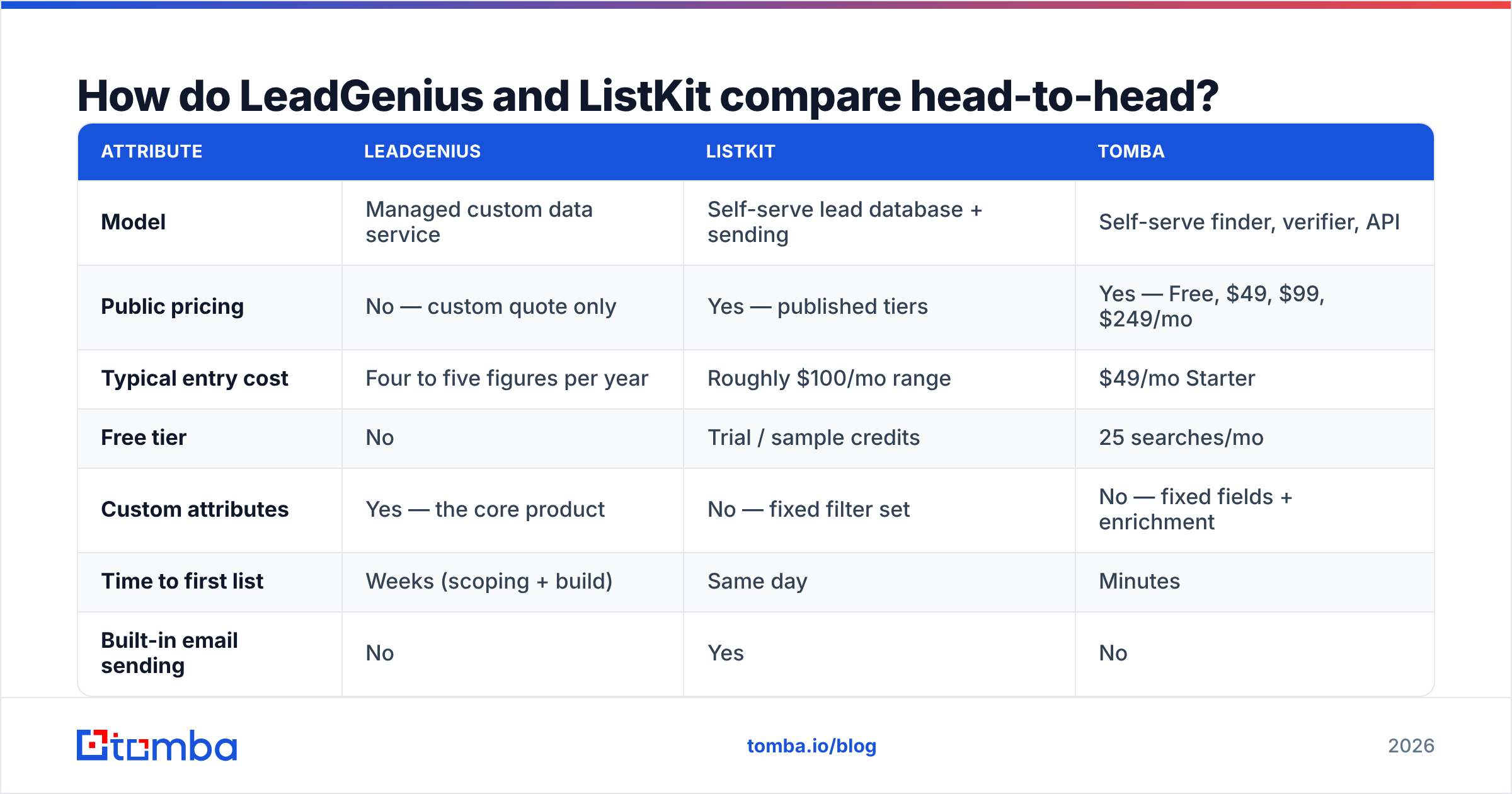
Prices below were public when we wrote this. LeadGenius quotes are custom, and ListKit changes plans now and then. Check both sites before you budget. Tomba is here as a reference point for the narrower job: find and verify work emails.
| Attribute | LeadGenius | ListKit | Tomba |
|---|---|---|---|
| Model | Managed custom data service | Self-serve lead database + sending | Self-serve finder, verifier, API |
| Public pricing | No — custom quote only | Yes — published tiers | Yes — Free, $49, $99, $249/mo |
| Typical entry cost | Four to five figures per year | Roughly $100/mo range | $49/mo Starter |
| Free tier | No | Trial / sample credits | 25 searches/mo |
| Custom attributes | Yes — the core product | No — fixed filter set | No — fixed fields + enrichment |
| Time to first list | Weeks (scoping + build) | Same day | Minutes |
| Built-in email sending | No | Yes | No |
| Verification included | Yes, human-in-the-loop | Yes, automated | Yes, dedicated verifier + catch-all |
| API access | Yes, enterprise integrations | Limited | Full REST API on all paid plans |
| Best fit | Enterprise RevOps, ABM, TAM mapping | Agencies, founders, cold email teams | Teams who already know their accounts |
| Worst fit | Anyone who needs a list this week | Anyone needing non-standard attributes | Anyone needing net-new account discovery |
Read the LeadGenius vs ListKit table as three jobs, not three rivals. Say a demand-gen lead at a 2,000-person software firm is mapping a new market. That is a real LeadGenius problem. A three-person agency needs 15 meetings this month. That is a ListKit problem. A sales team has 4,000 target domains in a CRM and no emails. That team has neither problem. It has an email finder problem.
Is LeadGenius worth the enterprise price?#
Yes, under two conditions.
One: the field you need is not in any database. Say your signal is "runs Shopify Plus, lists a warehouse manager job, and ships to Canada." No filter set will give you that. You either build a scraper in-house or pay someone to do the research. LeadGenius is the second option. Against the loaded cost of a data engineer, a five-figure year can pencil out.
Two: you have the volume to spread the cost. Custom data has a fixed setup cost: scoping, sample checks, QA loops. Spread over 200 accounts, that cost is absurd. Spread over 40,000 records in a long program, it is fair.
Where it breaks down is speed. Scoping a custom dataset is a project, not a purchase. Is your buyer profile still moving? For most firms under Series B, it is. You will re-scope three times before the first file lands, and each round costs weeks. That gap is the real trade-off in LeadGenius vs ListKit. Teams in that spot do better with cheap, fast lists they can throw away when a guess fails.
Check recent buyer reviews on G2 first. Managed data services live and die on the account team you get, and that varies more than the product.
Is ListKit good enough for serious outbound?#
ListKit is the quick half of the LeadGenius vs ListKit pair. For the job it was built for, it works. A few caveats are worth naming.
ListKit gets the loop right. Filter, export, verify, send, measure, adjust. That loop is the engine of cold email. Every hour of friction you cut pays you back again and again. Sending in the same tool removes a handoff. For a solo founder or a small agency, that is worth real money.
The caveats:
- You work from a shared pool. Every ListKit user filters the same data. Is your target "SaaS founders, 10-50 staff, US"? Then hundreds of other senders have worked that list already. Reply rates show it.
- Filter depth caps how different you can be. The levers are industry, headcount, title, and place. Your targeting is only as good as everyone else's. The message has to carry the difference.
- Verified is not the same as deliverable. A valid mailbox can still be a spam trap, a shared role address, or a catch-all that swallows mail. That is a separate problem, and it needs a separate tool.
- One vendor for data and sending is handy until it is not. Their reputation trouble becomes your reputation trouble. Plenty of mature teams keep those layers apart on purpose.

Why list quality matters more than the LeadGenius vs ListKit choice#
Bounce rate decides whether any of this works.
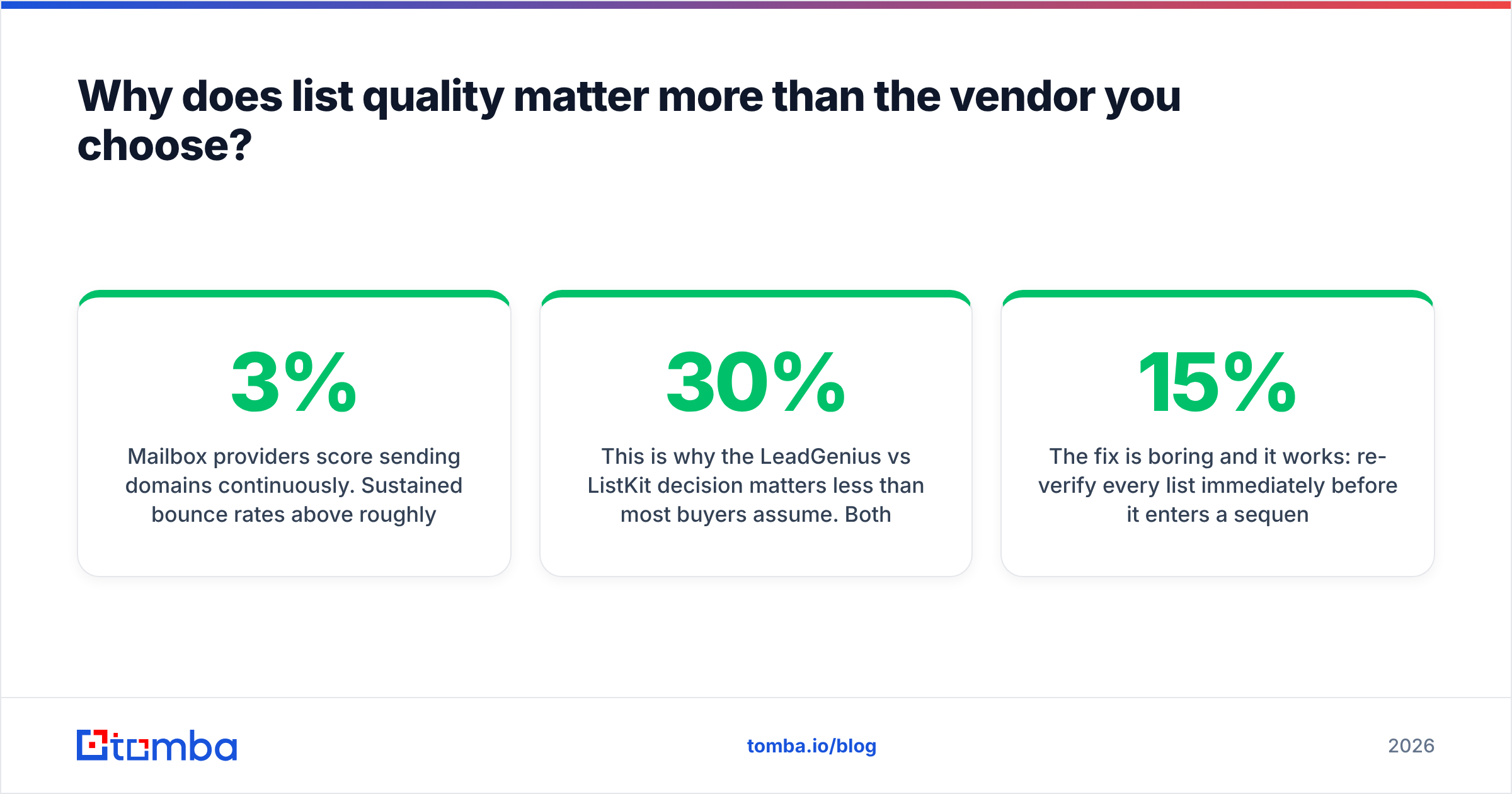
Mailbox providers score your sending domain all day. Bounce rates above 2-3% tell Google and Microsoft that you did not earn this list. The penalty is not a warning. Your mail quietly starts landing in spam, across every campaign from that domain. Open rates slide. You blame the subject lines, rewrite them, and nothing improves.
So the LeadGenius vs ListKit decision matters less than most buyers think. Both vendors verify. Neither is perfect. B2B contact data goes stale at 25-30% a year as people switch jobs and firms merge. A record checked in March is a weaker asset by September.
The fix is boring, and it works. Re-verify every list right before it enters a sequence, whatever the vendor promised. Run it through a dedicated email verifier. Split out catch-all domains with a catch-all verifier so you can choose whether to risk them. Drop anything unclear. On a 5,000-record list, this costs a few dollars. It usually strips 8-15% of records that a vendor marked valid months ago.
Do you handle lists at volume? Then work in batches, not one record at a time. A bulk email finder run or a script over the Tomba API clears tens of thousands of rows with no manual work.
What are the alternatives to both?#
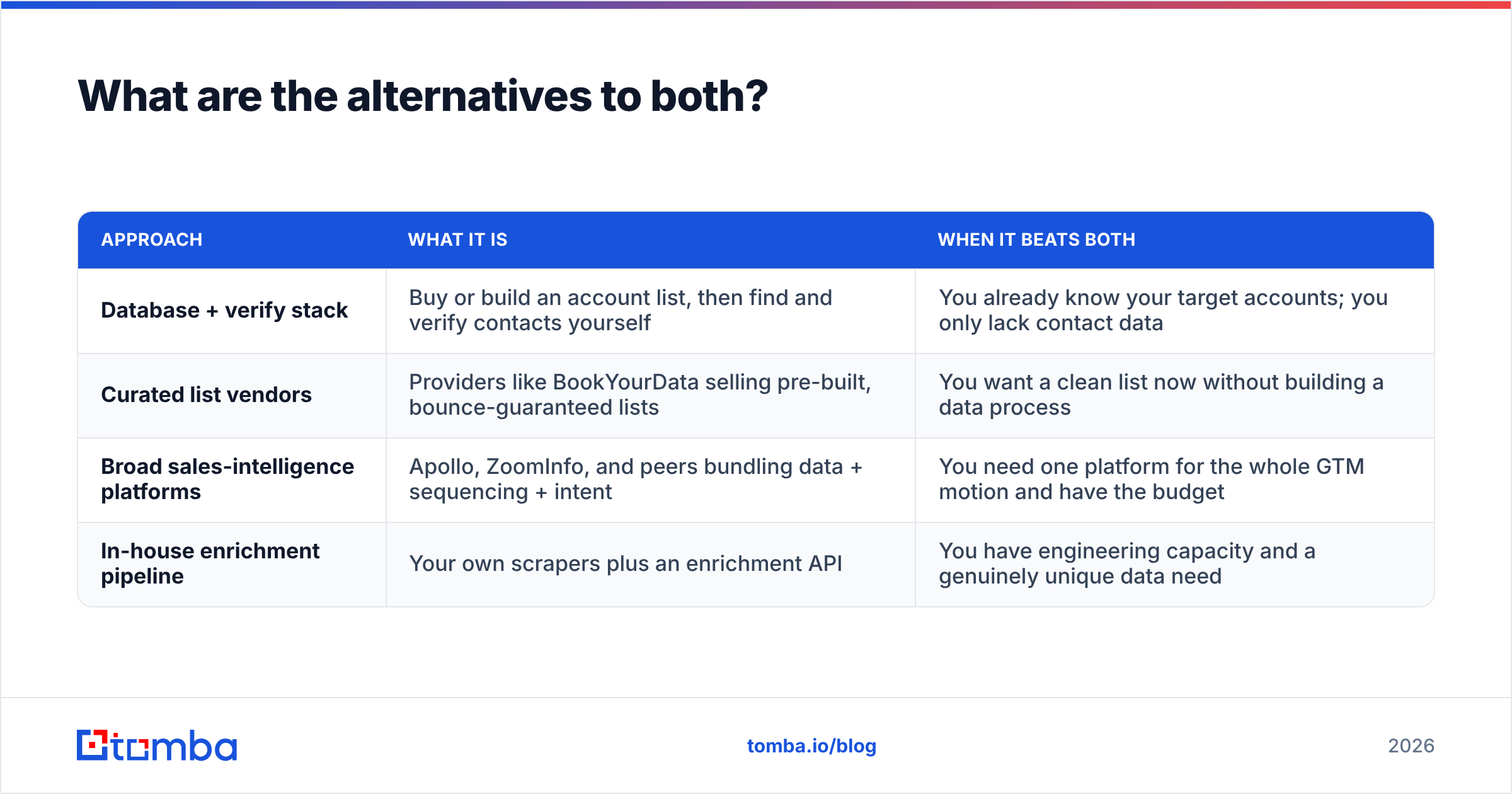
The LeadGenius vs ListKit framing is a false choice. Three other options solve much of the same problem:
| Approach | What it is | When it beats both |
|---|---|---|
| Database + verify stack | Buy or build an account list, then find and verify contacts yourself | You already know your target accounts; you only lack contact data |
| Curated list vendors | Providers like BookYourData selling pre-built, bounce-guaranteed lists | You want a clean list now without building a data process |
| Broad sales-intelligence platforms | Apollo, ZoomInfo, and peers bundling data + sequencing + intent | You need one platform for the whole GTM motion and have the budget |
| In-house enrichment pipeline | Your own scrapers plus an enrichment API | You have engineering capacity and a genuinely unique data need |
Row two deserves a note. Curated list vendors sit between ListKit's shared pool and LeadGenius's custom research. You get human-checked data with no scoping project.
Row one is where most teams under 50 people belong. It is also the cheapest of the four by a wide margin. Does your CRM already hold the firms you want to sell to? Then a domain search plus verification turns that account list into a contact list for the price of one seat. No annual contract. No shared pool.
LeadGenius vs ListKit: which should you choose in 2026?#
The LeadGenius vs ListKit call comes down to three cases.
Choose LeadGenius if you have a data owner, a budget line for data, and a target profile no filter set can match. You also need a program that can wait several weeks. Ask for a paid pilot on 500 records before you sign a year. Set clear pass marks too: accuracy per field, not "looks good."
Choose ListKit if you are sending now, your profile fits standard filters, and speed beats exclusivity. Plan to win on message, not on list. Plan to re-verify before every send.
Choose neither if your gap is contact data for accounts you already know. That job is narrower and cheaper. Paying a data service or a list tool to do it is overkill.
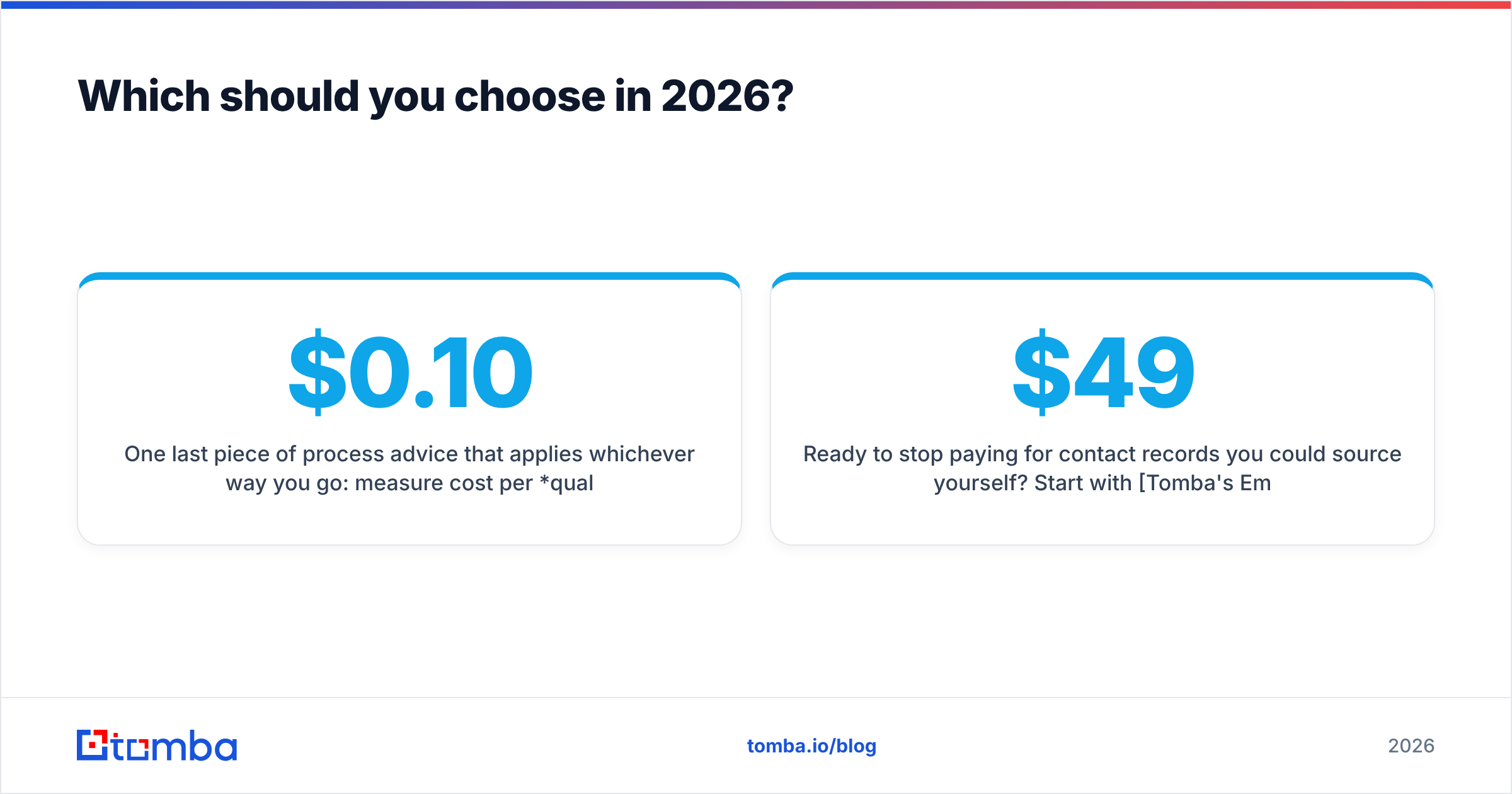
One more piece of advice, whichever way you go. Measure cost per qualified reply, not cost per record. A $0.10 record that bounces costs more than a $2 record that books a meeting, because the bounce also taxes your domain. Run both vendors on a 500-contact pilot, same offer, same sequence. Let that number decide.
Ready to stop paying for records you could find yourself? Start with Tomba's Email Finder. You get 25 free searches a month to test accuracy against contacts you already trust. After that, the $49/mo Starter plan adds verification, domain search, and full API access. Compare Tomba pricing with your current data bill before your next renewal.
Related guides#
// get started
Find, verify and enrich your first contacts today
Start on the free plan with 25 searches a month, then scale when your team is ready.
Free plan · No credit card required · GDPR & CCPA
// about the author