LeadGenius vs OneMoreLead: B2B Data Comparison for 2026
One sells researched, managed datasets built by humans. The other sells a large, cheap, self-serve contact list. Here is how LeadGenius and OneMoreLead actually differ on data quality, pricing, and fit — and when neither is the right buy.
TL;DR
- LeadGenius and OneMoreLead are not really competitors. LeadGenius is a managed, human-in-the-loop data research service sold on annual contracts. OneMoreLead is a self-serve B2B contact database you buy access to and export from.
- Budget decides most of this. LeadGenius is a quote-based enterprise purchase. OneMoreLead sits at the low end of the market and has historically been sold through lifetime and low-monthly deals.
- Neither is a verification layer. Both hand you records; neither guarantees an address is still deliverable on the day you send. You still need a verification step in front of your sequencer.
- Pick LeadGenius when your ICP needs custom attributes nobody else tracks (store counts, equipment installed, hiring signals) and you have a five-figure data budget.
- Pick OneMoreLead when you want volume, US SMB coverage, and predictable cost more than you want precision — then expect to clean it yourself.
What are LeadGenius and OneMoreLead, actually?#
They sell two different things that both get filed under "B2B data."
LeadGenius is a managed data provider. You describe the accounts and attributes you care about, and a combination of software and human researchers builds that dataset for you, then keeps refreshing it. The pitch is custom fields — the stuff that is not in any standard firmographic schema. Think "companies running Shopify Plus with more than 40 retail locations and a VP of Ecommerce hired in the last 9 months." A generic database cannot answer that. A research team can.
OneMoreLead is the opposite model: a large prebuilt B2B contact database, heavily weighted toward US small and mid-market companies, with filtering and list export in a self-serve UI. The value proposition is volume per dollar. You search, filter by industry, title, company size and location, and pull contacts out.
So the honest framing of LeadGenius vs OneMoreLead is not "which tool is better." It is "do you need a researcher or a list?"

The five axes that actually separate them#
- Sourcing method — LeadGenius blends automation with human verification passes on custom fields. OneMoreLead aggregates and licenses data into a static-ish searchable index.
- Customization — LeadGenius will build attributes that do not exist anywhere else. OneMoreLead gives you the filters it ships with, nothing more.
- Time to first list — OneMoreLead: minutes. LeadGenius: a scoping call, a pilot dataset, then weeks to a production feed.
- Commercial model — OneMoreLead is self-serve and cheap. LeadGenius is contracted, quote-based, and usually annual.
- Refresh cadence — LeadGenius re-researches on an agreed schedule as part of the contract. With a bulk database you are dependent on whenever the vendor last refreshed that segment, which is rarely disclosed per-record.
How do LeadGenius and OneMoreLead compare head-to-head?#
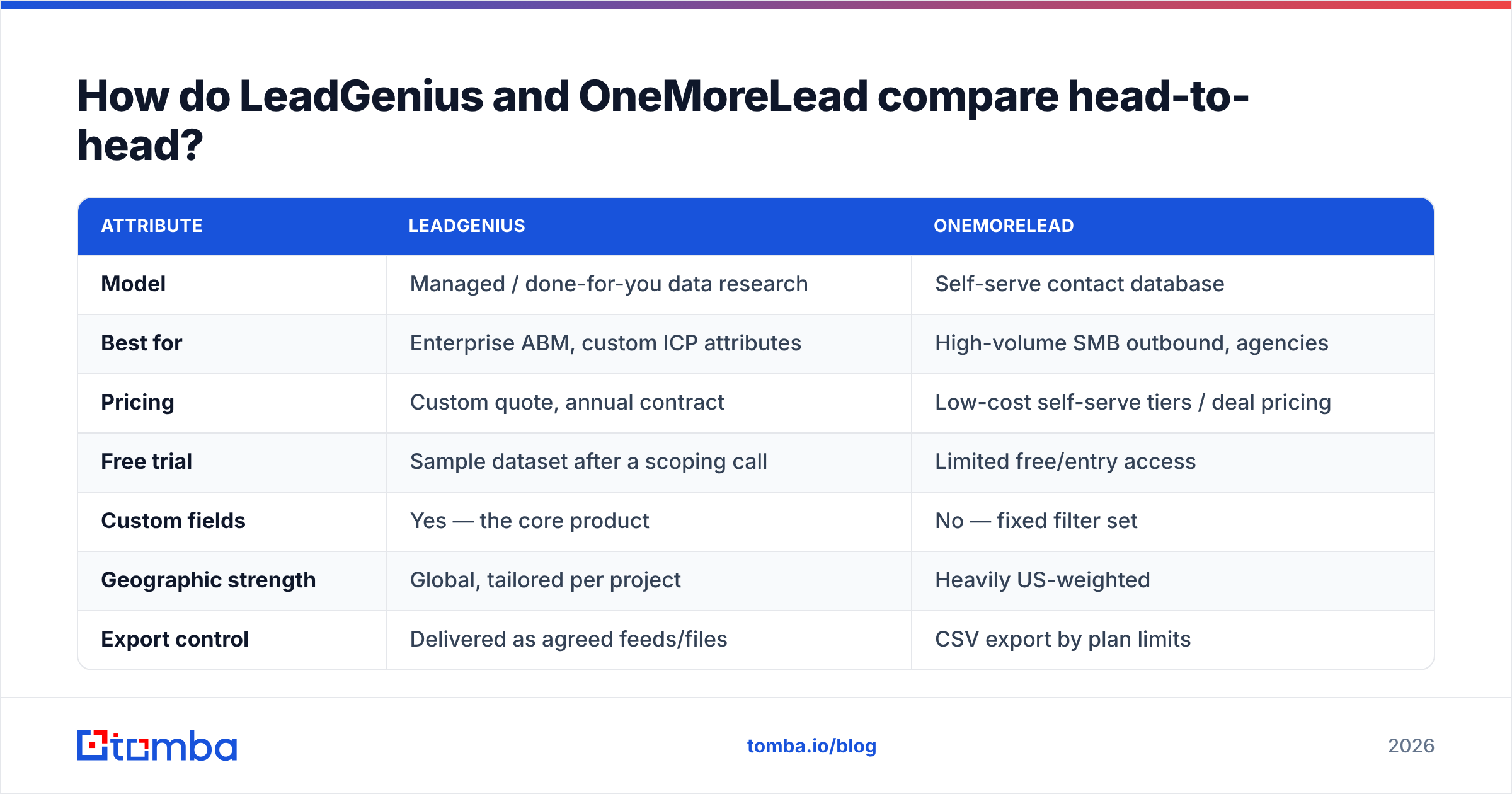
| Attribute | LeadGenius | OneMoreLead |
|---|---|---|
| Model | Managed / done-for-you data research | Self-serve contact database |
| Best for | Enterprise ABM, custom ICP attributes | High-volume SMB outbound, agencies |
| Pricing | Custom quote, annual contract | Low-cost self-serve tiers / deal pricing |
| Free trial | Sample dataset after a scoping call | Limited free/entry access |
| Custom fields | Yes — the core product | No — fixed filter set |
| Geographic strength | Global, tailored per project | Heavily US-weighted |
| Export control | Delivered as agreed feeds/files | CSV export by plan limits |
| Built-in email verification | Part of the research QA process | Minimal — verify externally |
| Time to value | Weeks | Same day |
| Typical buyer | RevOps / data lead at 200+ headcount | Founder, SDR lead, agency owner |
Read that table as a fork, not a scoreboard. If three of the rows on the left describe your situation, the other three probably do too. Teams rarely sit in the middle — and when they do, the middle is usually served better by an on-demand API than by either of these.
Which one has better data accuracy?#
LeadGenius wins on the attributes it was hired to research, and that is a narrower claim than it sounds like.
Here is the mechanic. Accuracy in B2B data is not one number — it splits into at least three:
- Existence accuracy — is this company/person real and currently in that role? Human-reviewed research beats a bulk index here, because a researcher can look at a LinkedIn profile updated last month. Bulk databases inherit the staleness of whatever they aggregated.
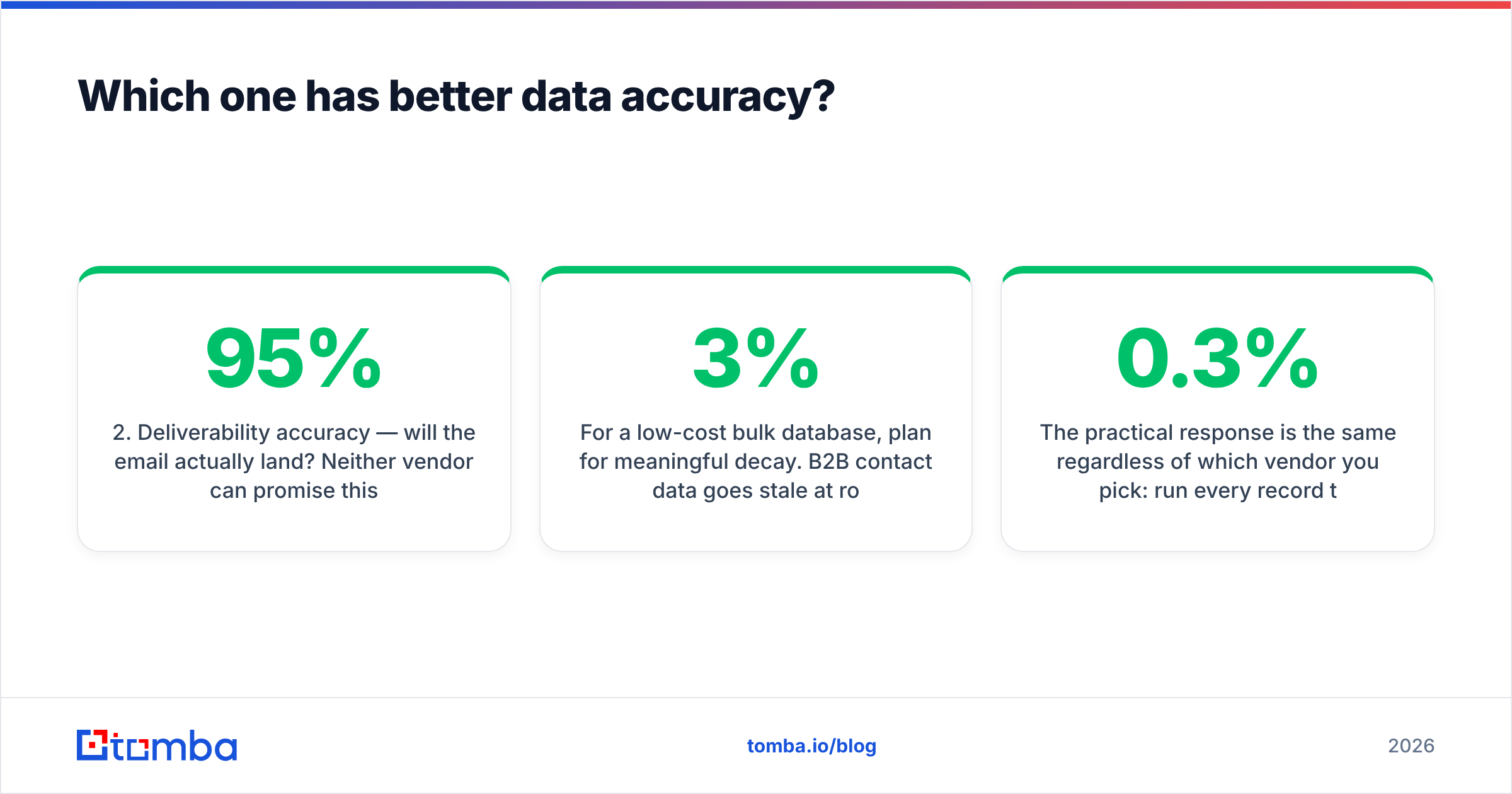
- Deliverability accuracy — will the email actually land? Neither vendor can promise this, because mailbox state changes daily. Anyone quoting a blanket "95% accurate" without telling you the measurement date is selling you a vibe.
- Attribute accuracy — is the "uses Salesforce" or "42 locations" tag true? This is where LeadGenius is genuinely differentiated and where generic databases quietly guess.
For a low-cost bulk database, plan for meaningful decay. B2B contact data goes stale at roughly 2–3% per month through job changes alone, so a list built 18 months ago can be a third wrong before anyone touches it. That is not a knock on any single vendor — it is physics of the category. It is also why teams that buy cheap lists and skip verification end up torching a sending domain in week two.
The practical response is the same regardless of which vendor you pick: run every record through an email verifier immediately before the first send, not at purchase time. Verification done at import is already out of date by the time your sequence starts. Google's own bulk sender guidance is blunt about this: keep spam complaint rates under 0.3% and avoid sending to addresses that bounce. A stale purchased list is the fastest way to fail both.
What does each one cost in 2026?#
Pricing is the cleanest dividing line in this comparison, and it is also where you should be most skeptical of any published number — including mine.
LeadGenius does not publish rates. It is a scoped services engagement: the cost depends on how many records, how many custom attributes per record, and how often you want them refreshed. Buyers report annual commitments well into five figures. That is normal for managed data and it is not a criticism — you are paying for labor, not for rows.
OneMoreLead publishes self-serve tiers and has historically leaned on aggressive lifetime and low-monthly offers. Check the current page before you quote anyone a figure, because deal-driven vendors change pricing pages often.
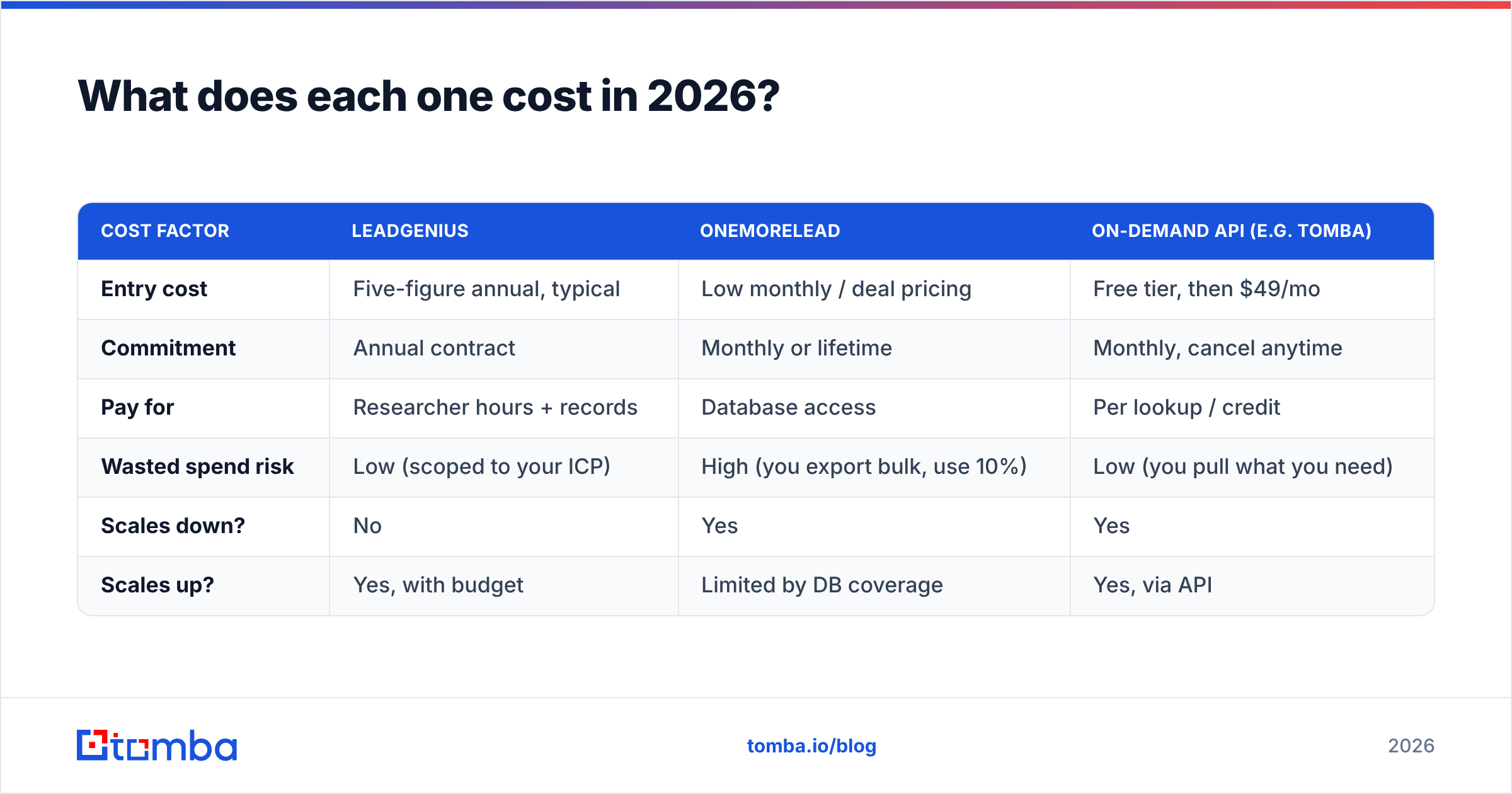
| Cost factor | LeadGenius | OneMoreLead | On-demand API (e.g. Tomba) |
|---|---|---|---|
| Entry cost | Five-figure annual, typical | Low monthly / deal pricing | Free tier, then $49/mo |
| Commitment | Annual contract | Monthly or lifetime | Monthly, cancel anytime |
| Pay for | Researcher hours + records | Database access | Per lookup / credit |
| Wasted spend risk | Low (scoped to your ICP) | High (you export bulk, use 10%) | Low (you pull what you need) |
| Scales down? | No | Yes | Yes |
| Scales up? | Yes, with budget | Limited by DB coverage | Yes, via API |
The third column is there for a reason. A lot of teams comparing LeadGenius vs OneMoreLead are actually asking "how do I stop paying for rows I never contact?" — and the answer to that is neither a services contract nor a bulk dump. It is pulling contacts at the moment you need them. Tomba pricing starts with a free tier at 25 searches per month, then $49/mo Starter, $99/mo Growth and $249/mo Pro, which is a different shape of spend entirely: you pay per lookup rather than per seat or per database.
Who should choose LeadGenius?#
Choose it when the data you need does not exist yet.
Concrete signals that you are the LeadGenius buyer:
- Your ICP is defined by an operational attribute, not a firmographic one — number of delivery vans, brands carried, SKUs listed, certifications held, square footage.
- You already tried three databases and none of them can filter the thing that predicts a deal for you.
- You have a data owner. Managed data needs someone internally who can write the spec, review the sample, and reject bad records. Without that person, you will pay enterprise rates for mediocre output.
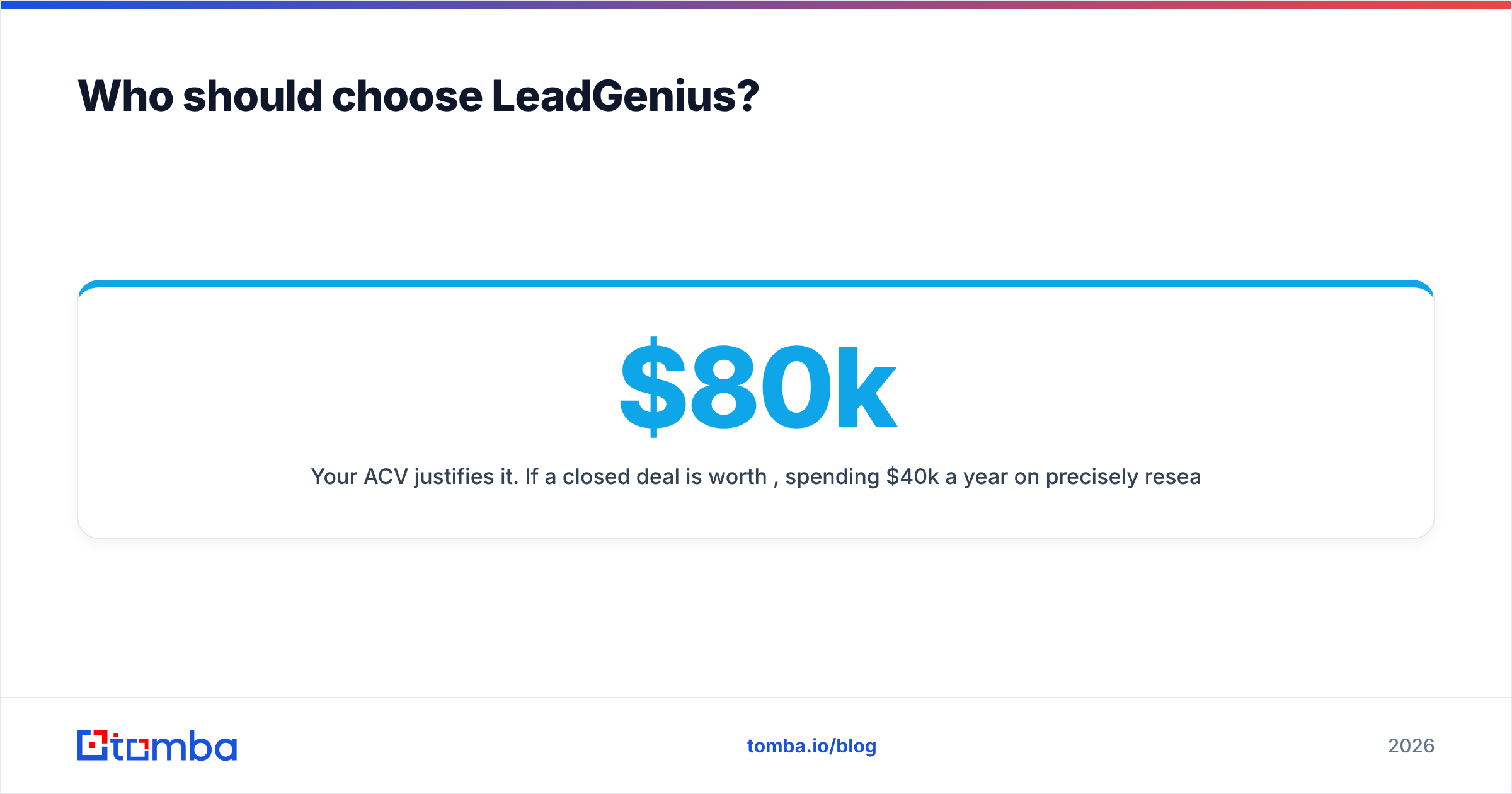
- Your ACV justifies it. If a closed deal is worth $80k, spending $40k a year on precisely researched accounts is rational. If your ACV is $400, it is not.
- You need international coverage with local nuance — non-Latin scripts, regional registries, local-language company names.
Where it disappoints: speed and flexibility. You cannot change your mind about ICP on a Tuesday. And if all you needed was "marketing directors at US SaaS companies with 50–200 employees," you are paying research rates for a commodity.
Who should choose OneMoreLead?#
Choose it when volume and cost predictability beat precision, and you have the discipline to clean what you get.
The fit profile:
- Agencies running outbound for many SMB clients, where each client needs a few thousand US contacts and no one is paying for custom research.
- Founders doing early market tests, where the goal is to learn which segment replies at all, not to perfect a target list.
- Teams with an existing cleanup pipeline — dedupe, suppression list, verification, then send. If those three steps exist, cheap data is a reasonable input.
- Highly horizontal offers — bookkeeping, insurance, staffing — where almost any US business of the right size is plausible.
Where it disappoints: coverage outside the US, seniority depth at enterprise accounts, and freshness. Expect to lose a chunk of any export to bounces and role changes. Budget for that in your math instead of being surprised by it. Reviews on G2 across the whole low-cost database category tell the same story — great value, uneven records.
Is there a middle ground between managed research and bulk lists?#
Yes, and it is where most mid-market teams actually land: build the account list yourself, then resolve contacts on demand.
The workflow looks like this:
- Define accounts, not contacts. Pull a target account list from whatever source you trust — your CRM, a funding database, a directory, a conference attendee list, LinkedIn Sales Navigator.
- Resolve the org chart per account. Use domain search to see who is publicly reachable at each domain and what email pattern the company uses, instead of buying 400 records to use 6.
- Find the specific people you want. Name plus domain resolves to a working address without buying a database subscription you will not use.
- Verify right before send. Run the batch through verification the morning you launch, not the month you sourced it. Catch-all domains need their own handling.
- Enrich only what converts. Add firmographics and phone numbers to the accounts that reply, not to the 50,000 that never will. Data enrichment applied late is dramatically cheaper than enrichment applied to everything up front.
- Batch what repeats. Once the motion works, run it through a bulk email finder or the API on a schedule.
This is not a knock on either vendor. It is a recognition that the "buy a big list" and "hire a research firm" models both assume you know your ICP with confidence. Most teams under $10M ARR do not — and paying either vendor to be certain on your behalf is expensive tuition.
What should you test before signing with either?#
Run the same three-step evaluation on both, with your own data, before any contract:
Step one — the known-answer test. Take 50 contacts you already know are correct (current customers, people you emailed last week). Ask the vendor to return those records. Count how many they get right, how many they miss entirely, and how many they return with wrong titles. Missing is better than wrong; wrong is what kills sequences.
Step two — the bounce test. Take 200 fresh records from each vendor, verify them with an independent tool, and send a small, warmed batch. Track hard bounce rate. Under 2% is workable. Over 5% means you are buying a deliverability problem, not a lead list.
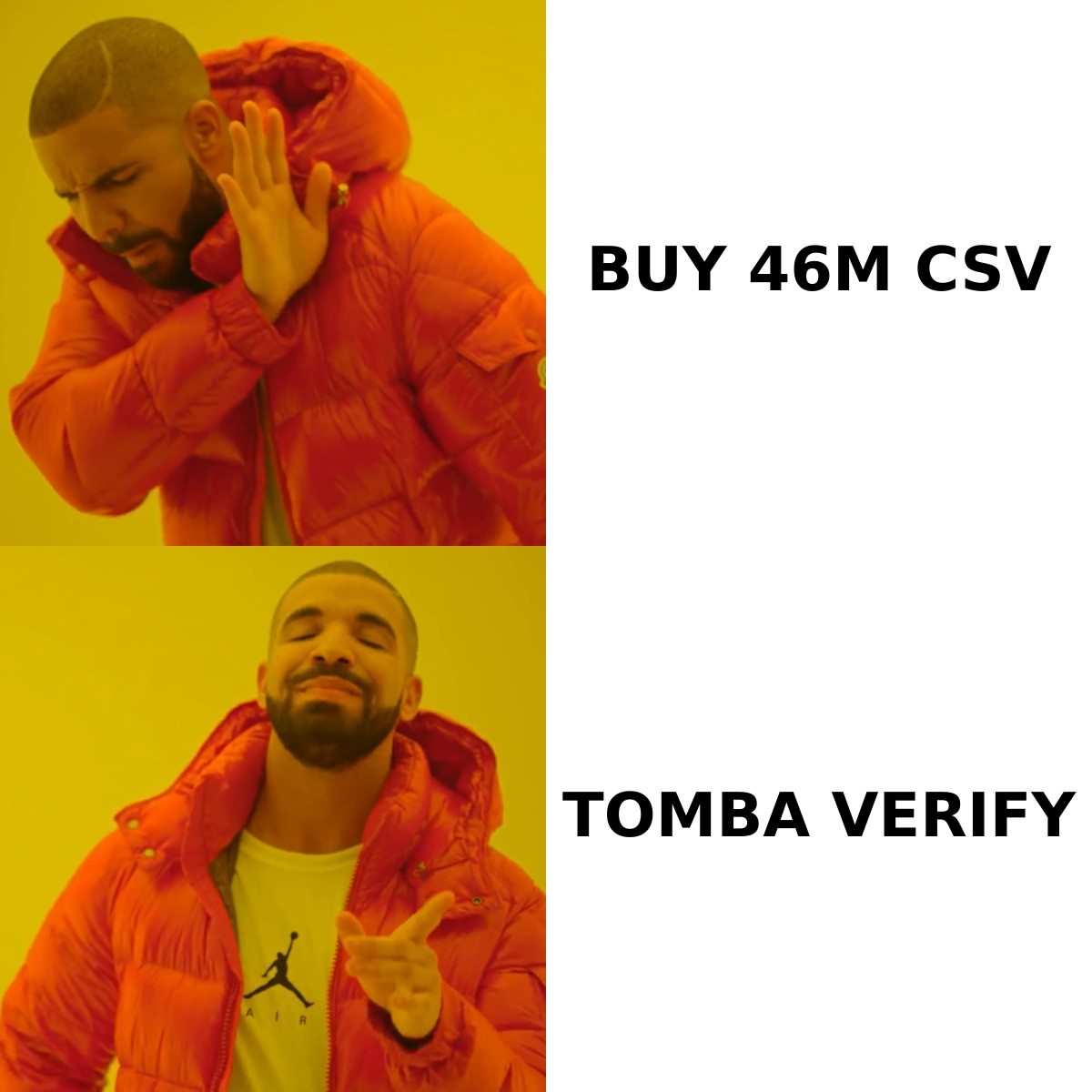
Step three — the coverage test. Take 20 of your actual dream accounts and see how many the vendor covers at the seniority you sell to. A database with 46 million records that has zero VPs at your 20 target accounts is worth nothing to you.
Do this with a written scorecard before you get on a pricing call. Vendors in this category are good at reframing a failed pilot as a configuration issue.
Verdict: LeadGenius or OneMoreLead?#
LeadGenius if your ICP needs attributes nobody sells off the shelf and you have budget for a services contract. OneMoreLead if you need US SMB volume cheaply and you already have a cleaning pipeline. If neither sentence describes you, you are probably looking at the wrong shelf entirely.
The most common mistake in this comparison is treating record count as the deciding variable. It almost never is. What decides outcomes is whether the records are (a) the right people and (b) deliverable on the day you press send. A 46-million-row database and a boutique research firm can both fail those two tests, in opposite directions and at very different prices.
If you would rather not buy a database at all, start at the other end: pick your accounts, then resolve the exact people you need. The Tomba Email Finder does that on demand — name and domain in, verified professional address out — with a free tier of 25 searches a month so you can run the known-answer test above before you spend anything. Paid plans start at $49/mo, and the same lookups are available through the API if you would rather build the motion into your own stack than manage another vendor relationship.
Related guides#
// get started
Find, verify and enrich your first contacts today
Start on the free plan with 25 searches a month, then scale when your team is ready.
Free plan · No credit card required · GDPR & CCPA
// about the author