LeadGenius vs QuickEnrich: B2B Data Enrichment Compared
LeadGenius sells managed, human-verified B2B data. QuickEnrich sells fast self-serve enrichment. Here is how the two models differ on coverage, cost, and speed — and which one actually fits your outbound motion.
LeadGenius vs QuickEnrich is a choice between two models. One sells you a research team, the other sells you an API. This guide walks through cost, coverage, speed, and data quality, so you can pick the right one.
TL;DR
- LeadGenius is a managed data service. You brief a team, they build custom research on your accounts, and you pay a yearly contract. It is strong on niche data nobody else sells.
- QuickEnrich is self-serve. You send a list or an API call, and company and contact fields come back in seconds. It is strong on speed.
- LeadGenius vs QuickEnrich is rarely a close call. One is a research partner, the other is a utility. Pick wrong and you lose six months.
- Neither is cheap per verified email. If you just need work emails at scale, a finder plus a verifier costs far less.
- Check each address right before you send. No vendor can promise a mailbox is still live today.
What is LeadGenius?#
LeadGenius is a B2B data firm with a hybrid model. Software gathers records, then human researchers check them and fill the gaps. You do not buy a fixed set of columns. You brief the team on the fields you need, and they go and find them.
Those fields can be odd ones: staff count by team, store counts, gear used on site, or hiring signals in one job family. They then refresh the data on a pace you agree on.
That custom angle is the whole product. Say you sell to commercial kitchens. You may need to know which sites run gas ranges, not electric. No off-the-shelf database has that column. A research team can build it. You can see the current pitch on leadgenius.com. Buyer reviews on G2 show how it stacks up against the big data vendors.
The trade-offs are the usual ones for a managed service. Onboarding is a project, not a signup. New fields take weeks. Prices are quoted, yearly, and often start in the five figures. You are also buying a relationship. A good account team means great data, and when that team churns, quality can slip.
What is QuickEnrich?#
QuickEnrich sits at the other end. It is a self-serve tool you can wire up in an afternoon. Send a domain, a name, a LinkedIn URL, or a raw email. You get back a clean record with company and contact fields. There are credits, a dashboard, an API key, and a CSV uploader.
One caveat: QuickEnrich is a newer name in a crowded market. Its plans change more often than those of older vendors. Treat any price you read in a blog post as a rough guide. That includes this one. Check the vendor's own page before you set a budget.
The shape of the tool is stable, though. It queries several data sources in turn. Billing runs per credit. Coverage leans to tech, SaaS, and English-speaking markets.
That shape has real upsides. You can test 500 rows on a Tuesday and know by Wednesday if it fits your buyers. You cannot do that with a managed vendor.

LeadGenius vs QuickEnrich: how do they compare head-to-head?#
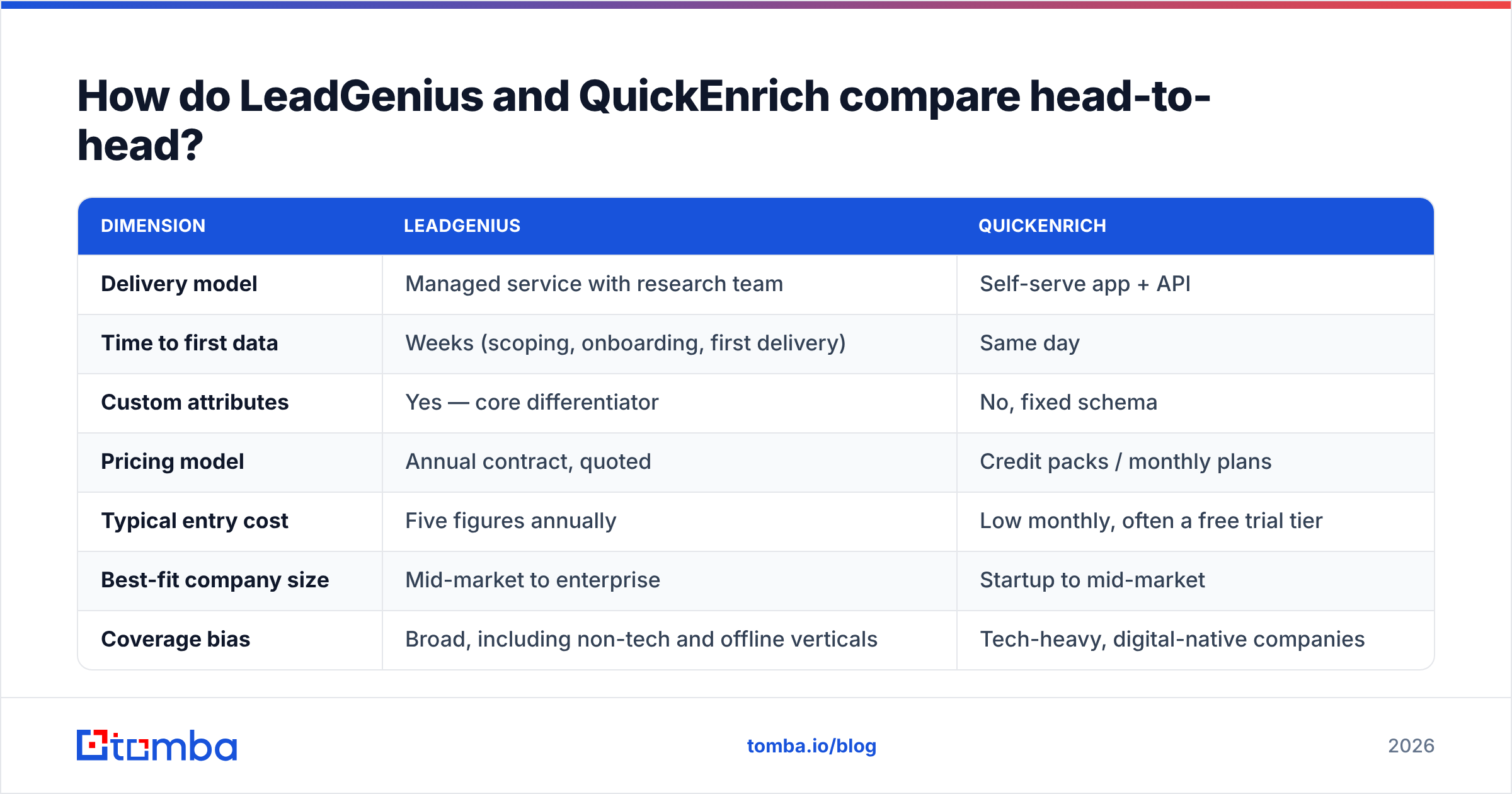
| Dimension | LeadGenius | QuickEnrich |
|---|---|---|
| Delivery model | Managed service with research team | Self-serve app + API |
| Time to first data | Weeks (scoping, onboarding, first delivery) | Same day |
| Custom attributes | Yes — core differentiator | No, fixed schema |
| Pricing model | Annual contract, quoted | Credit packs / monthly plans |
| Typical entry cost | Five figures annually | Low monthly, often a free trial tier |
| Best-fit company size | Mid-market to enterprise | Startup to mid-market |
| Coverage bias | Broad, including non-tech and offline verticals | Tech-heavy, digital-native companies |
| Contract flexibility | Low — negotiated term | High — cancel anytime on most plans |
| Email verification included | Part of the delivery QA | Usually a basic syntax/MX check |
| Who operates it | Their team, with your brief | Your RevOps or growth engineer |
Read that table as two different buys, not two rivals. LeadGenius takes the place of a research hire. QuickEnrich takes the place of a spreadsheet macro. Price per record misses the point. You are weighing a day rate against an API call.
So ask one blunt question. Do you have a data problem nobody can solve, or one that plenty of tools solve? Most teams that ask about managed data have the second kind.
How do the pricing models actually differ?#
Cost is where LeadGenius vs QuickEnrich look furthest apart. The structure matters more than any single number, because the numbers move.
- LeadGenius prices the project, not the row. You agree on scope: accounts, fields, and refresh pace. Then you pay a yearly fee. The first record costs a lot, but later records are cheap once the program runs.
- QuickEnrich prices the row. Credits burn on each match, and some plans charge for each try. Read the fine print. On a weak list, that detail can double your real cost.
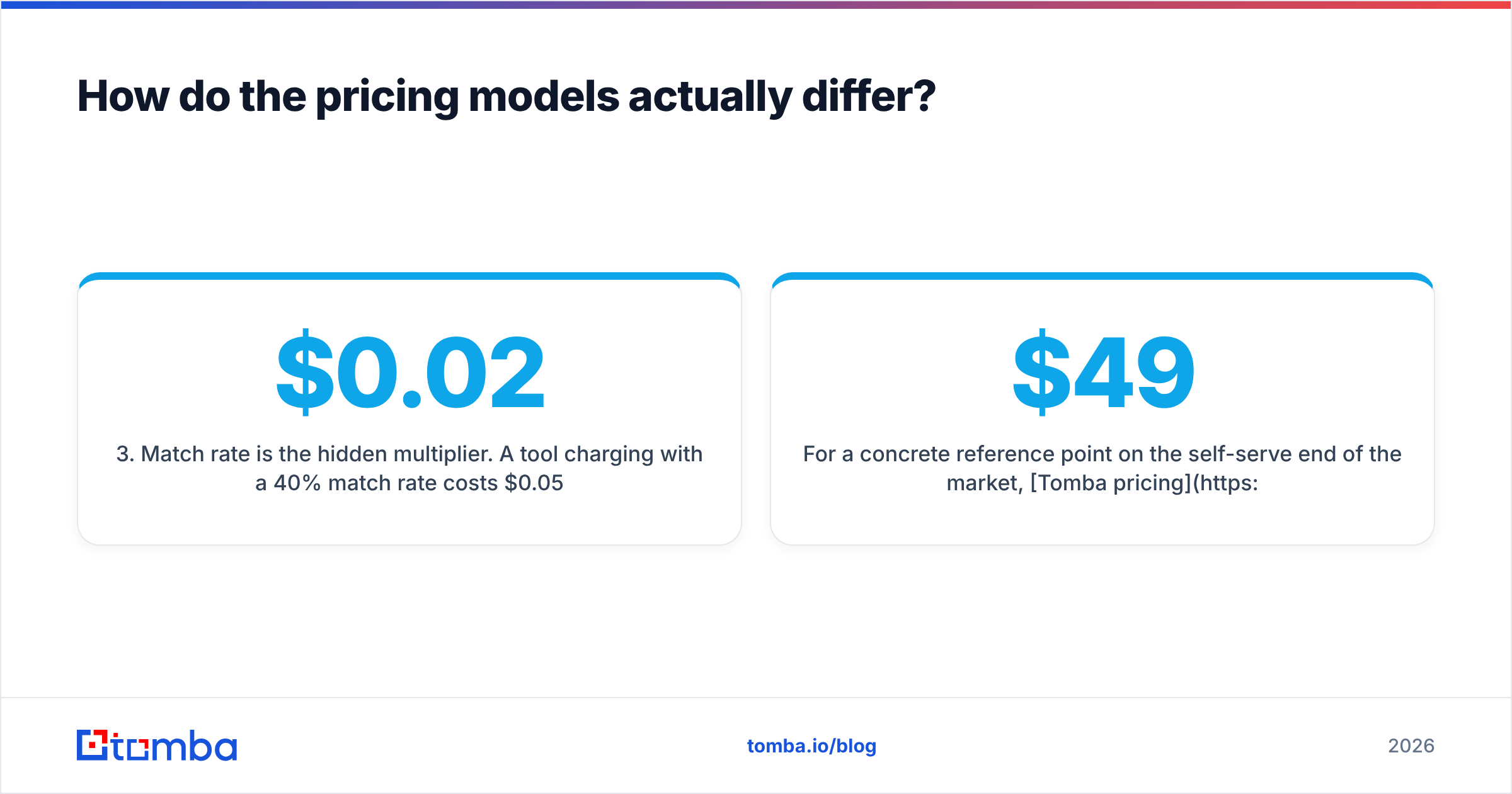
- Match rate is the hidden multiplier. A $0.02 credit at a 40% match rate costs $0.05 per usable record. A $0.04 credit at 85% costs $0.047. Headline prices mean little until you test your own list.
Two more line items tend to catch teams out.
- Checks on each email are often billed on their own. An email that comes back is not an email that lands. Budget for a verify pass, or budget for bounces.
- Seats and API caps bite later. Managed deals bundle internal users. Self-serve plans often cap seats, throttle the API, or gate bulk uploads. Check the rate limit before you commit.
Here is one price point at the self-serve end. Tomba pricing starts free with 25 searches a month. Starter is $49/mo, Growth is $99/mo, and Pro is $249/mo. There is no yearly lock-in. Any credit-based tool has to beat that band on cost per verified contact.
Which one is more accurate for B2B email data?#
They are accurate in different ways. Most posts wave at this, so let's be exact.
LeadGenius wins on field accuracy. A person can check if a firm runs 14 stores in the Southeast. No model guesses that well. Odd, hard-to-scrape fields are the best case for a research team.
Self-serve tools win on fresh data. An API checks the record the moment you ask. A quarterly refresh cannot catch last week's job change. In outbound, fresh beats deep. A perfect record for someone who left in March is worth zero.
On the work email itself, LeadGenius vs QuickEnrich is close to a tie. Both draw on the same pools of data and guess patterns on top. Two tools can hand you the same address with different scores. Both can be wrong, because the mailbox is gone. The only fix is an SMTP check right before you send. That is the job of a standalone email verifier. Run it on the output of the vendor you pick.
Run two tests before you sign:
- The known-truth test. Take 200 contacts you already trust, such as closed-won accounts. Strip the fields and run them through. Ground truth beats any vendor benchmark.
- The catch-all test. Pull 50 domains you know are catch-all. See what each tool returns. A tool that calls those "valid" is guessing, and your bounce rate will show it. A catch-all verifier exists for this exact case.

What about workflow and integrations?#
How data reaches your reps counts as much as where it came from. A record stuck in a vendor portal is not a record. Day to day, this is where LeadGenius vs QuickEnrich feel least alike.
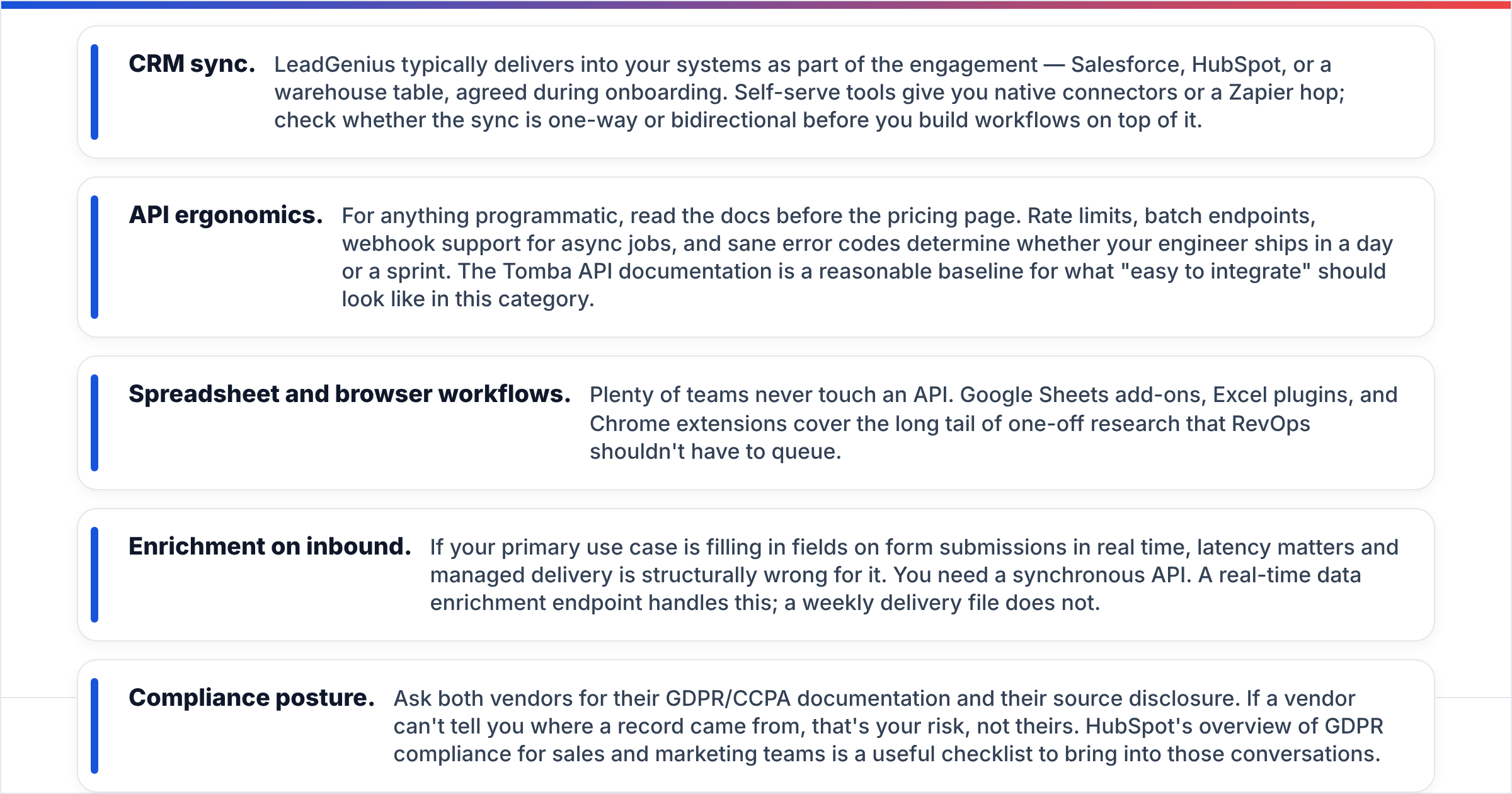
- CRM sync. LeadGenius ships data into your systems as part of the deal. That means Salesforce, HubSpot, or a warehouse table. Self-serve tools give you native connectors or a Zapier hop. Check if the sync runs one way or both.
- API ergonomics. For code, read the docs before the price page. Rate limits, batch calls, webhooks, and clear error codes set the build time — a day, or a sprint. The Tomba API docs are a fair baseline.
- Sheets and browser work. Plenty of teams never touch an API. Sheets add-ons, Excel plugins, and Chrome extensions cover one-off research.
Two more points shape the build.
- Inbound forms. Filling fields in real time needs low latency. A weekly file cannot do it. You need a live data enrichment endpoint.
- Compliance. Ask both vendors for GDPR and CCPA docs. Ask where each record came from. If a vendor cannot say, the risk is yours. HubSpot's guide to GDPR compliance for sales and marketing teams is a good checklist for those calls.
Who should pick LeadGenius, and who should pick QuickEnrich?#
The LeadGenius vs QuickEnrich call comes down to three things: your market, your budget, and your timeline.
Pick LeadGenius if you sell into a market the big databases skip. You need fields that exist in no column anywhere. You have a yearly data budget signed off. Someone on your side can own the vendor and write clear briefs. Industry, freight, health, retail sites, and franchise markets fit this model.
Pick QuickEnrich, or any self-serve tool like it, if your buyers sit in well-covered ground. You need data this month, not next quarter. Your volume moves up and down. You would rather test three tools for $200 than run one buying cycle. Most SaaS, agency, and startup teams live here.
Pick neither if you just need work emails for 4,000 people. That is not a research problem. It is a find-and-check problem. Paying research rates for it burns budget. A domain search plus a verify pass solves it for far less. You can test that against either vendor in an afternoon.
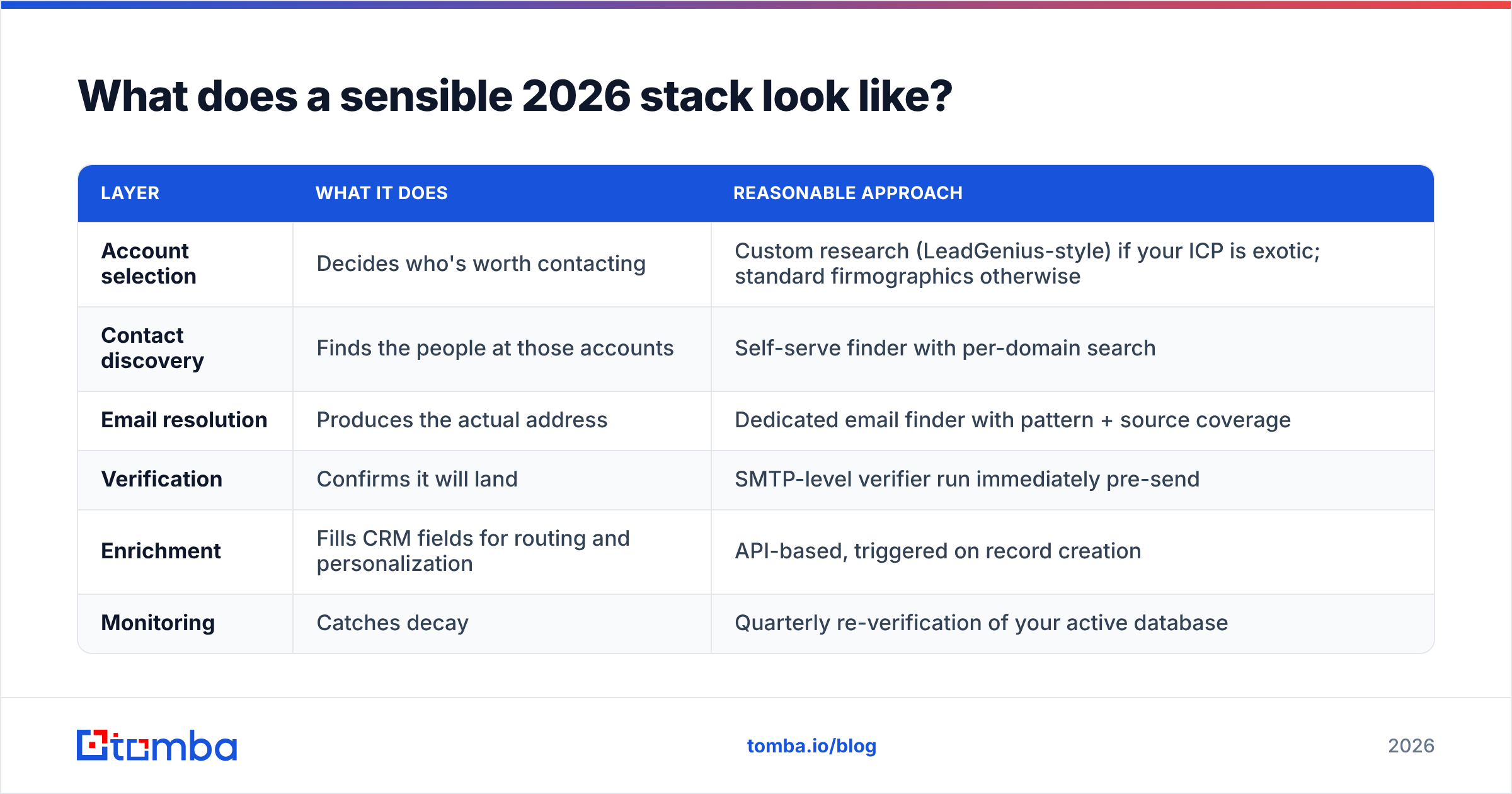
What does a sensible 2026 stack look like?#
LeadGenius vs QuickEnrich is only one layer of the stack, so here is the whole thing.
| Layer | What it does | Reasonable approach |
|---|---|---|
| Account selection | Decides who's worth contacting | Custom research (LeadGenius-style) if your ICP is exotic; standard firmographics otherwise |
| Contact discovery | Finds the people at those accounts | Self-serve finder with per-domain search |
| Email resolution | Produces the actual address | Dedicated email finder with pattern + source coverage |
| Verification | Confirms it will land | SMTP-level verifier run immediately pre-send |
| Enrichment | Fills CRM fields for routing and personalization | API-based, triggered on record creation |
| Monitoring | Catches decay | Quarterly re-verification of your active database |
Most teams spend too much on layer one and too little on layers three and four. A clean account list with a 12% bounce rate still burns your domain. Get the dull layers right first. Then decide if you need custom research on top.
Ready to fix the layer that actually bounces?#
If your real gap is work emails that land, start there. Tomba Email Finder finds work emails by domain, name, or company, with checks built into the same flow. The free tier gives 25 searches a month. No contract, and no sales call. Run it on your last 500 prospects and compare the bounce rates. That is the fastest way to settle LeadGenius vs QuickEnrich with your own data.
Related guides#
// get started
Find, verify and enrich your first contacts today
Start on the free plan with 25 searches a month, then scale when your team is ready.
Free plan · No credit card required · GDPR & CCPA
// about the author