LeadGibbon vs LimeLeads: Which B2B Lead Database Wins in 2026?
LeadGibbon and LimeLeads both sell verified B2B contact lists with credit-based pricing. We compare data accuracy, export limits, real costs, and where a live email finder beats both.
TL;DR
- LeadGibbon is a LinkedIn-adjacent list builder: you filter a database, reveal contacts, and export a CSV. Strongest when you want a quick, small, targeted list without learning a new platform.
- LimeLeads is a pure B2B list-building database with a search-first UI and per-record credit pricing. Strongest when you want volume in a narrow US-centric niche.
- Both sell snapshots of a database. Neither re-verifies the record at the moment you export it, which is where bounce rates come from.
- If your bottleneck is accuracy per contact rather than quantity of rows, a live finder-plus-verifier stack (Tomba, starting at $49/mo) usually costs less per usable email than either list vendor.
- Realistic decision rule: LimeLeads for bulk US lists, LeadGibbon for small LinkedIn-sourced batches, a live email finder for anything you plan to actually send cold email to.
What are LeadGibbon and LimeLeads?#
Both tools solve the same first problem — "I have an ideal customer profile, I need contact rows" — and they solve it in almost the same way: a pre-built database of company and people records, filters on top, credits to unlock the contact details, CSV out.
LeadGibbon positions itself around LinkedIn-sourced prospecting. You define a target (title, industry, company size, geography), it surfaces matching people, and revealing a record consumes credit. The pitch is speed: from filter to downloadable list in a few minutes, with an emphasis on decision-maker titles.
LimeLeads is a more traditional B2B list-building platform. It leans heavily on a US-first company database with firmographic filters — SIC/industry, revenue band, employee count, location, technology in some cases — and prices by record unlocked. Its differentiator historically has been a fairly generous trial and a straightforward "search, select, export" loop without a sales call.
The important thing both share: the record you export was verified at some point in the past, not at the moment you exported it. B2B contact data decays fast. HubSpot's own research has long pegged database decay at roughly 22–30% per year, driven by job changes, rebrands, and domain migrations. A record captured 14 months ago and sold to you today has already rolled that dice.

How do LeadGibbon and LimeLeads compare on features and price?#
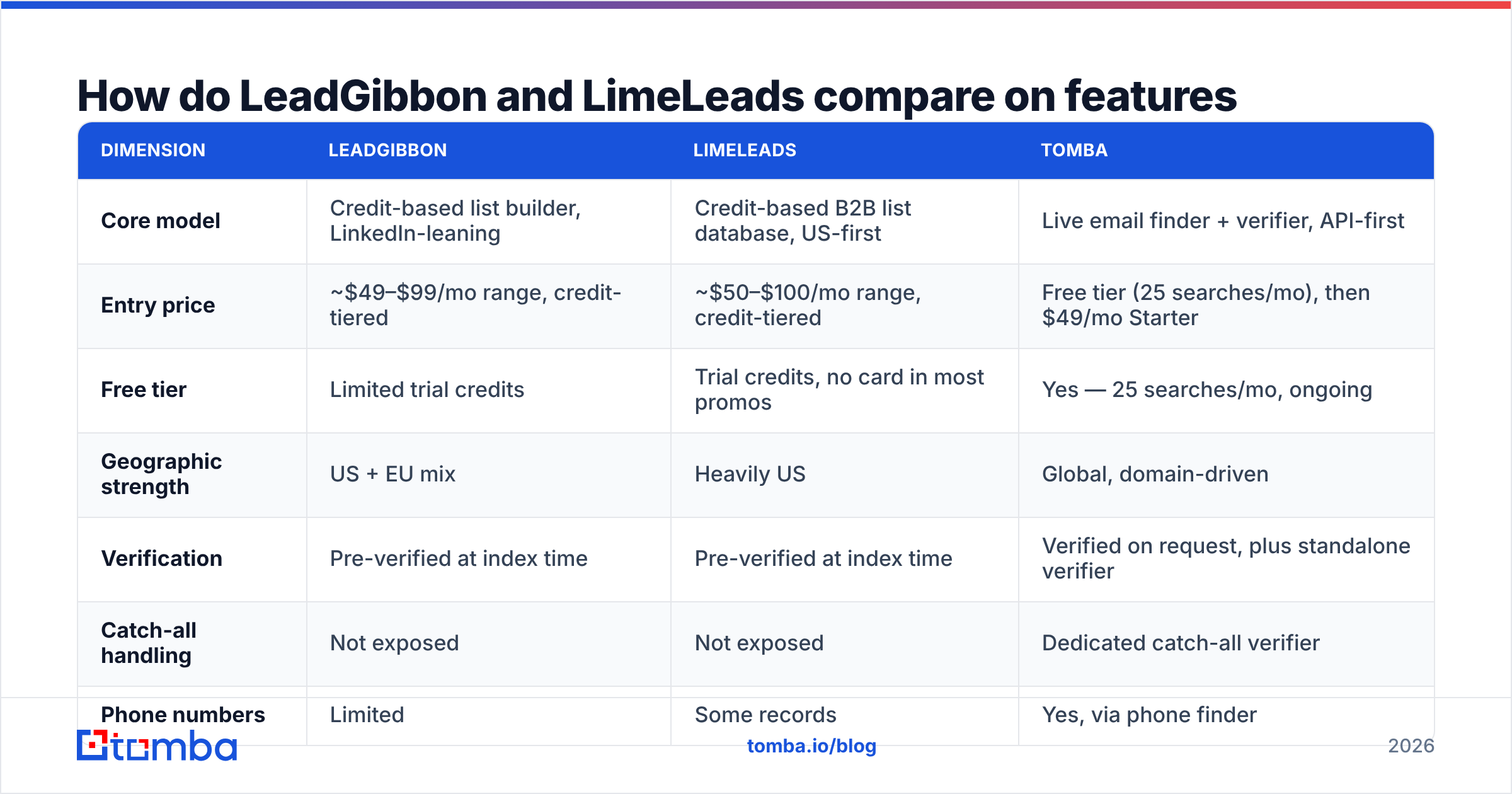
Here is the head-to-head. Pricing for both vendors changes and is partly quote-driven, so treat the dollar figures as the published/typical range rather than a locked quote — check LeadGibbon and LimeLeads directly before you buy.
| Dimension | LeadGibbon | LimeLeads | Tomba |
|---|---|---|---|
| Core model | Credit-based list builder, LinkedIn-leaning | Credit-based B2B list database, US-first | Live email finder + verifier, API-first |
| Entry price | ~$49–$99/mo range, credit-tiered | ~$50–$100/mo range, credit-tiered | Free tier (25 searches/mo), then $49/mo Starter |
| Free tier | Limited trial credits | Trial credits, no card in most promos | Yes — 25 searches/mo, ongoing |
| Geographic strength | US + EU mix | Heavily US | Global, domain-driven |
| Verification | Pre-verified at index time | Pre-verified at index time | Verified on request, plus standalone verifier |
| Catch-all handling | Not exposed | Not exposed | Dedicated catch-all verifier |
| Phone numbers | Limited | Some records | Yes, via phone finder |
| API access | Minimal | Minimal | Full REST API, CLI, MCP server |
| Export format | CSV | CSV / integrations | CSV, API, Sheets, Excel, Airtable |
| Best for | Small targeted LinkedIn batches | Bulk US firmographic lists | Per-contact accuracy at send time |
The table hides one thing worth stating plainly: list vendors and email finders are not competitors in the way the search query implies. A list vendor answers "who should I contact?" An email finder answers "what is this specific person's working address right now?" Most teams that get burned bought the first and assumed it included the second.
Which one has better data accuracy?#
This is where the comparison actually gets decided, and where you should be most skeptical of every vendor's marketing number — including ours.
Three things drive real-world accuracy:
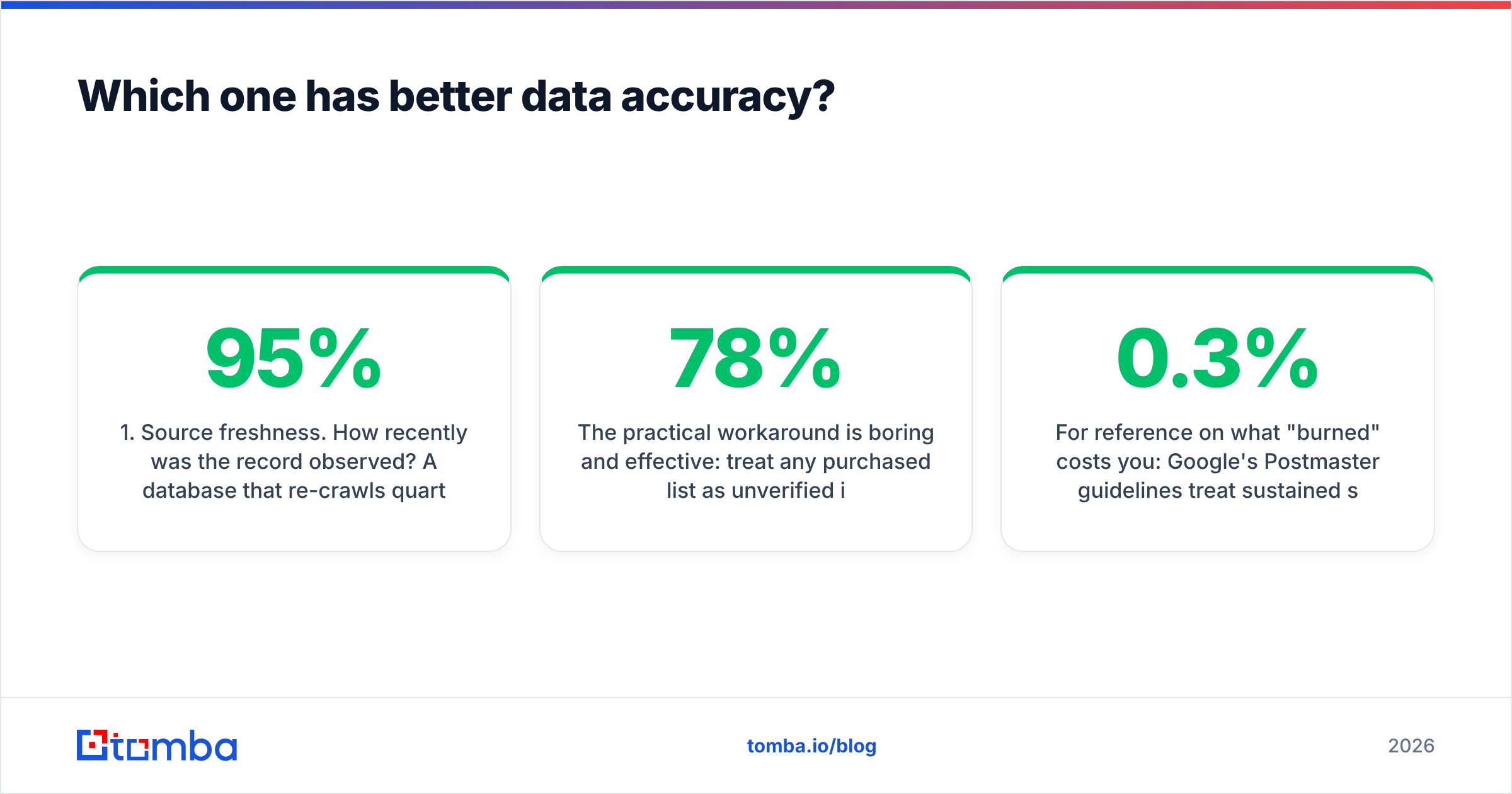
- Source freshness. How recently was the record observed? A database that re-crawls quarterly will be materially worse than one re-crawling weekly, regardless of the headline "95% accurate" claim.
- Verification method. Syntax and MX checks are cheap and near-useless on their own. SMTP-level verification is the meaningful test, and it is the one most static list vendors skip at export time because it costs them money per record.
- Catch-all exposure. Roughly a fifth of business domains accept all mail at the SMTP layer, so a "valid" result on a catch-all domain tells you nothing. If a vendor does not surface catch-all status at all, its accuracy number is quietly inflated by every catch-all record it counts as good.

Neither LeadGibbon nor LimeLeads exposes catch-all status as a first-class field in its export, which means both are reporting on the optimistic side by construction. That is not dishonesty — it is a structural property of selling snapshots.
The practical workaround is boring and effective: treat any purchased list as unverified input. Run the export through an email verifier before it touches your sending domain, and push ambiguous domains through a catch-all verifier rather than guessing. A 5,000-row list that arrives at 78% deliverable and leaves your verification step at 94% deliverable is worth far more than the raw file, and the verification cost is a rounding error next to a burned sending domain.
For reference on what "burned" costs you: Google's Postmaster guidelines treat sustained spam-complaint rates above 0.3% as a deliverability cliff, and bounce spikes are one of the fastest ways to trip filtering on a new domain. Your sender reputation does not care that a vendor sold you the bad addresses.
What does each tool actually cost per usable contact?#
Sticker price per credit is the wrong metric. The number that matters is cost per contact that both exists and replies-capable, which means dividing by your real deliverability rate.
Work a concrete example. Say you need 2,000 usable contacts:
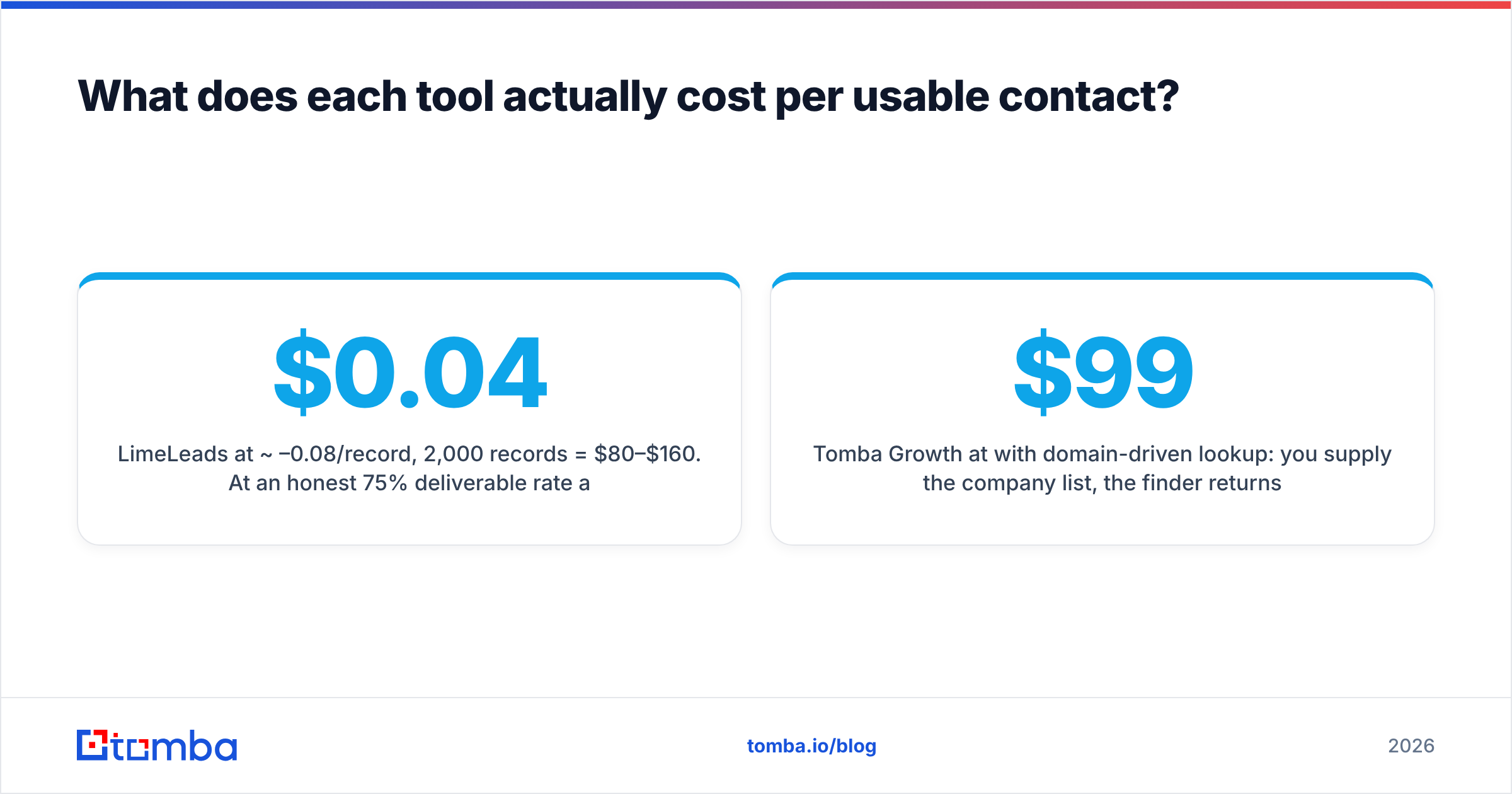
- LimeLeads at ~$0.04–0.08/record, 2,000 records = $80–$160. At an honest 75% deliverable rate after bounce, you have 1,500 usable — so you actually need ~2,650 records, or $106–$212, plus verification cost on top.
- LeadGibbon at a similar credit rate lands in the same band, with the variance coming from how narrow your title filters are (tight filters burn credits on near-misses).
- Tomba Growth at $99/mo with domain-driven lookup: you supply the company list, the finder returns verified patterns per domain, and the verification is already included in the lookup rather than billed separately.
The list vendors win on breadth discovery — you don't know which companies to target yet, and you want the database to tell you. The finder wins on depth execution — you already know the 400 accounts that matter and you need the right person's real address at each one.
Most teams need both, sequenced. Build the account list cheaply (even from a purchased firmographic file, or from scraping your own criteria), then resolve contacts at send time with a live email finder and a domain search per account. That sequence gets you the list vendor's coverage without inheriting its staleness.

When should you pick LeadGibbon?#
Pick LeadGibbon when these are true:
- Your targeting is title-driven, not firmographic. You know you want "VP of Engineering at Series B SaaS," and you'd rather filter on the person than on the company.
- Your batches are small. Under a few thousand records, the credit math is forgiving and the speed-to-CSV genuinely matters.
- You're already living in LinkedIn. The mental model maps cleanly onto Sales Navigator-style filtering, so ramp time is near zero.
- You don't need an API. If your workflow ends at "download CSV, upload to sequencer," the lack of deep API surface never bites you.
Where it disappoints: large-volume exports, non-US/EU coverage, and any workflow that needs programmatic enrichment inside your own product.
When should you pick LimeLeads?#
Pick LimeLeads when:
- You're targeting the US mid-market by firmographics. Revenue band, employee count, industry code — this is the platform's home turf.
- You want volume without a sales call. Self-serve, transparent-ish credits, no forced demo. That's a real advantage over enterprise data vendors that gate everything behind a 45-minute call.
- You need company-level rows more than person-level precision. If your play is account-based and your SDRs will do their own contact discovery, a solid firmographic file is exactly the right input.
- Your budget is fixed and your tolerance for bounce is moderate. You'll verify before sending anyway.
Where it disappoints: international coverage, seniority precision on very senior titles, and records in fast-churning industries (agencies, early-stage startups) where decay outpaces the refresh cycle.
It's worth noting that this whole category is crowded and several vendors serve it well. BookYourData, for instance, takes a pay-as-you-go approach with a strong verification guarantee, and is a reasonable third quote to pull if you're already comparing these two. G2's lead intelligence category is a decent place to sanity-check current user sentiment before you commit to an annual term.

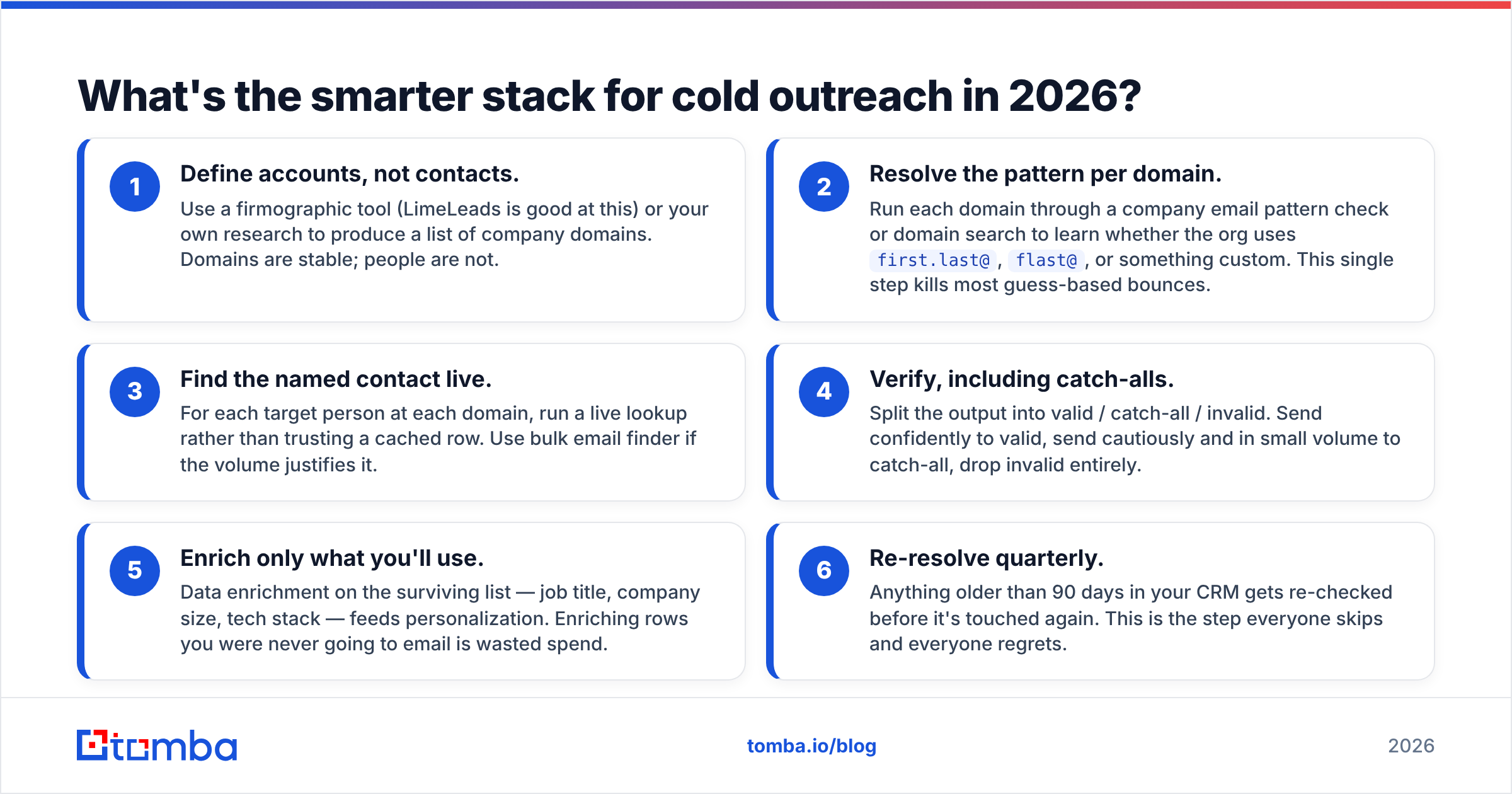
What's the smarter stack for cold outreach in 2026?#
Conclusion first: buy lists for discovery, resolve contacts live at send time. Here's the sequence that consistently outperforms "export CSV, blast sequence":
- Define accounts, not contacts. Use a firmographic tool (LimeLeads is good at this) or your own research to produce a list of company domains. Domains are stable; people are not.
- Resolve the pattern per domain. Run each domain through a company email pattern check or domain search to learn whether the org uses
first.last@,flast@, or something custom. This single step kills most guess-based bounces. - Find the named contact live. For each target person at each domain, run a live lookup rather than trusting a cached row. Use bulk email finder if the volume justifies it.
- Verify, including catch-alls. Split the output into valid / catch-all / invalid. Send confidently to valid, send cautiously and in small volume to catch-all, drop invalid entirely.
- Enrich only what you'll use. Data enrichment on the surviving list — job title, company size, tech stack — feeds personalization. Enriching rows you were never going to email is wasted spend.
- Re-resolve quarterly. Anything older than 90 days in your CRM gets re-checked before it's touched again. This is the step everyone skips and everyone regrets.
Step 2 alone typically moves deliverability more than switching list vendors does. That's the uncomfortable truth behind the LeadGibbon vs LimeLeads question: the vendor choice matters less than what you do to the data after it lands.
Frequently asked questions#
Is LeadGibbon or LimeLeads cheaper? They land in a similar band at entry tiers — roughly $50–$100/month for comparable credit volumes. LimeLeads tends to be cheaper per record at higher volumes; LeadGibbon tends to be more efficient on small, tightly-filtered batches. Calculate cost per deliverable contact, not per credit, and the gap usually narrows to noise.
Do either of them verify emails at export time? Not in the SMTP-at-request sense. Both verify during indexing and serve you the stored result. That's why running a separate verification pass before sending is not optional.
Can I use purchased lists for cold email legally? In the US, CAN-SPAM permits it with clear identification, a valid physical address, and a working opt-out. In the EU and UK, GDPR and PECR make purchased-list outreach substantially riskier — legitimate interest is a defensible basis for B2B in some member states, but it is not a blanket permission. Get real legal advice before emailing EU consumers or small sole traders.
What about deliverability on a fresh domain? Warm up first, regardless of list quality. Start at 10–20 sends/day per mailbox and ramp over 4–6 weeks. A perfect list on a cold domain still lands in spam.
Is a database or an email finder better? Different jobs. A database answers "who exists in my market." A finder answers "what is this person's address right now." Teams that run both, in that order, bounce less and book more.
Where should you start?#
If you're buying primarily for volume of rows in the US mid-market, LimeLeads is the more natural fit. If you're buying for small, title-precise batches and you think in LinkedIn filters, LeadGibbon fits better. Both are legitimate tools with real users, and neither is a mistake for the job it's built for.
But if what you actually need is the right email address for a specific person at a specific company — verified at the moment you send, not at the moment someone crawled a page — start with the Tomba Email Finder. The free tier gives you 25 searches a month to test it against a list you already have, so you can measure the bounce difference yourself before spending anything. Paid plans start at $49/mo on Starter and $99/mo on Growth, with full API access if you want the lookup inside your own workflow. Compare the numbers on Tomba pricing against whatever quote your list vendor gives you — but run the test first. The bounce report is the only benchmark that matters.
Related guides#
// get started
Find, verify and enrich your first contacts today
Start on the free plan with 25 searches a month, then scale when your team is ready.
Free plan · No credit card required · GDPR & CCPA
// about the author