LeadGibbon vs SalesQL (2026): Which Email Finder Wins?
Both scrape LinkedIn for contact data, but they charge differently, verify differently, and break in different places. Here is the honest 2026 breakdown — plus the alternative most teams end up on.
LeadGibbon vs SalesQL is a choice between two shapes of the same job. One tool builds lists. The other works one profile at a time and adds phone numbers. Pick the wrong shape and you end up paying for both. Here is the short version first.
TL;DR
- LeadGibbon is a list-building tool. It is strongest when you are working Sales Navigator search pages and want the whole result set dumped into a spreadsheet with emails attached.
- SalesQL is a contact-enrichment extension. It is strongest when you are working one profile at a time and you also want phone numbers, not just emails.
- Neither tool is an API-first data platform. If you need programmatic lookups, bulk verification, or CRM enrichment at scale, both will feel like a ceiling within a quarter.
- Pricing on both is credit-metered, and a "credit" does not mean "a valid email." Budget for a 10–25% shrink between credits spent and contacts you can actually mail.
- Want one vendor for finding, verification, catch-all handling, and an API? Look at a platform like Tomba. The free tier (25 searches/month) is enough to run a side-by-side test before you commit.
What are LeadGibbon and SalesQL?#
Both tools solve the same first-mile problem: you can see a prospect on LinkedIn, but LinkedIn will not give you their work email. Both live mostly as Chrome extensions that sit on top of LinkedIn and Sales Navigator and turn profiles into rows of contact data.
Where they diverge is the unit of work.
LeadGibbon is built around the list. You run a search and open the extension. It works through the result pages, pulling names, titles, companies, and emails into an exportable file. The mental model is closer to a scraper with an enrichment step bolted on. Teams that live inside Sales Navigator and want to hand a marketing ops person a clean CSV tend to like it.
SalesQL is built around the contact. You open a profile and the extension surfaces personal and work emails, plus mobile and direct-dial numbers where it has them. You then save the contact into a list. It also does bulk extraction. But its identity — and its pricing page — leans on being a multi-channel contact finder, not just an email finder.
That distinction drives almost everything else: how credits burn, what your bounce rate looks like, and which one frustrates you first.
LeadGibbon vs SalesQL: how do they compare head-to-head?#
Here is the practical comparison, feature by feature. Pricing figures reflect what each vendor published at the time of writing. Both change tiers periodically, so confirm on the official pages before you buy.
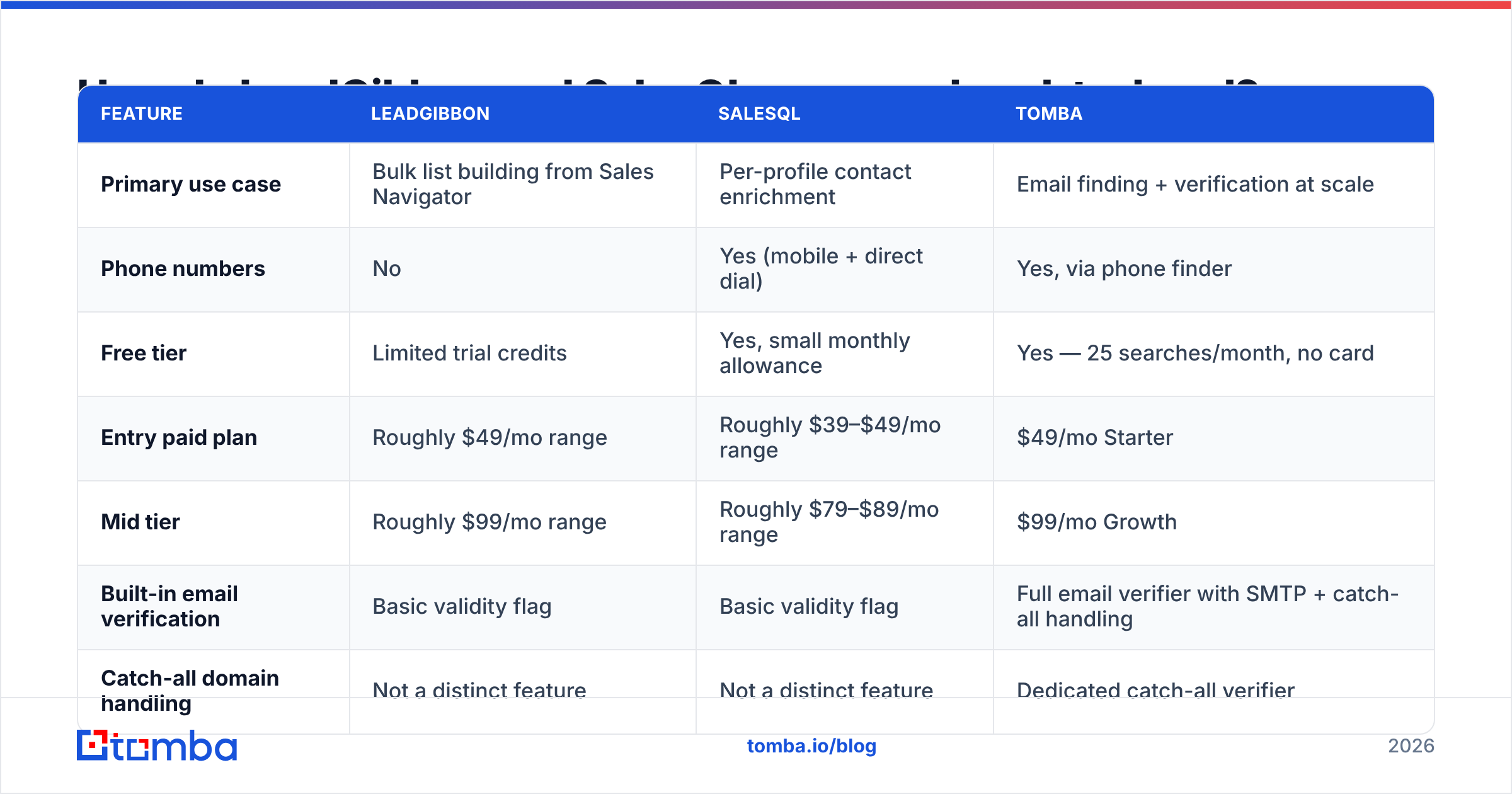
| Feature | LeadGibbon | SalesQL | Tomba |
|---|---|---|---|
| Primary use case | Bulk list building from Sales Navigator | Per-profile contact enrichment | Email finding + verification at scale |
| Phone numbers | No | Yes (mobile + direct dial) | Yes, via phone finder |
| Free tier | Limited trial credits | Yes, small monthly allowance | Yes — 25 searches/month, no card |
| Entry paid plan | Roughly $49/mo range | Roughly $39–$49/mo range | $49/mo Starter |
| Mid tier | Roughly $99/mo range | Roughly $79–$89/mo range | $99/mo Growth |
| Built-in email verification | Basic validity flag | Basic validity flag | Full email verifier with SMTP + catch-all handling |
| Catch-all domain handling | Not a distinct feature | Not a distinct feature | Dedicated catch-all verifier |
| Public API | Limited / not the focus | Available on higher tiers | Full email finder API, CLI, and MCP server |
| Works without LinkedIn | Minimal | Minimal | Yes — domain, name, or company input |
| Bulk CSV upload | Yes | Yes | Yes, via bulk email finder |
| Best for | SDRs running Sales Nav lists | AEs doing multi-channel outreach | RevOps and teams needing an API + verification |
Read that table twice before you pick. Most "wrong tool" regret here is not about accuracy. It is about buying a per-profile enrichment tool when you needed a list engine. Or buying a list engine when what you actually needed was a phone number.
Which one finds more valid emails?#
Neither vendor publishes an independently audited hit rate. So treat every "95% accurate" claim on any pricing page — theirs, ours, anyone's — as marketing until you test it on your own list. In a LeadGibbon vs SalesQL test, the winner is simply the one that bounces less on your data.
What you can reason about is method, because method predicts where a tool fails.

Three mechanics matter:
- Pattern inference. Most tools guess
first.last@company.comfrom a known company pattern. This works well for mid-size companies with consistent formats. It works poorly for companies that use IDs, nicknames, or multiple domains. - Database lookup. The tool has seen this person before, in a scraped signature, a public repo, a press release, or a partner data feed. Highest confidence, but coverage skews toward tech and toward people who publish.
- SMTP validation. The tool asks the receiving mail server whether the mailbox exists. This is what separates a guess from a verified address. It is also where catch-all domains break the chain, because a catch-all server says "yes" to every address, valid or not.
LeadGibbon and SalesQL both do (1) and (2) competently. Where both get thin is (3) at the catch-all layer. Roughly 20–30% of B2B domains accept all mail. A tool that returns "valid" on a catch-all without further scoring is handing you a number you cannot trust. That gap is the single biggest driver of the bounce rates that get sender domains throttled.
If you are already fighting inbox placement, know that bad data is upstream of everything else. No amount of warmup rescues a list where a fifth of the addresses do not exist. Bounces damage sender reputation directly, and that damage takes weeks to undo.
Here is a fair way to test it yourself. Take 200 contacts whose emails you have already confirmed — closed-won accounts, webinar attendees, anyone who has replied. Strip the emails and run the names back through each tool. Score on three columns: found, correct, and bounced. That takes an afternoon and beats any vendor comparison chart, including this one.
How do pricing and credits actually work?#
Credit systems are where these tools get expensive in ways the pricing page does not advertise. The pattern to watch for:
- A credit is charged per lookup, not per result. Some vendors refund misses; some do not. Ask directly, in writing, before you buy.
- Email and phone credits are often separate pools. SalesQL's multi-channel positioning means you can exhaust phone credits long before email credits, or vice versa. The pools rarely transfer.
- Unused credits usually do not roll over. A monthly reset means a slow month is money burned. Annual plans sometimes fix this; monthly plans almost never do.
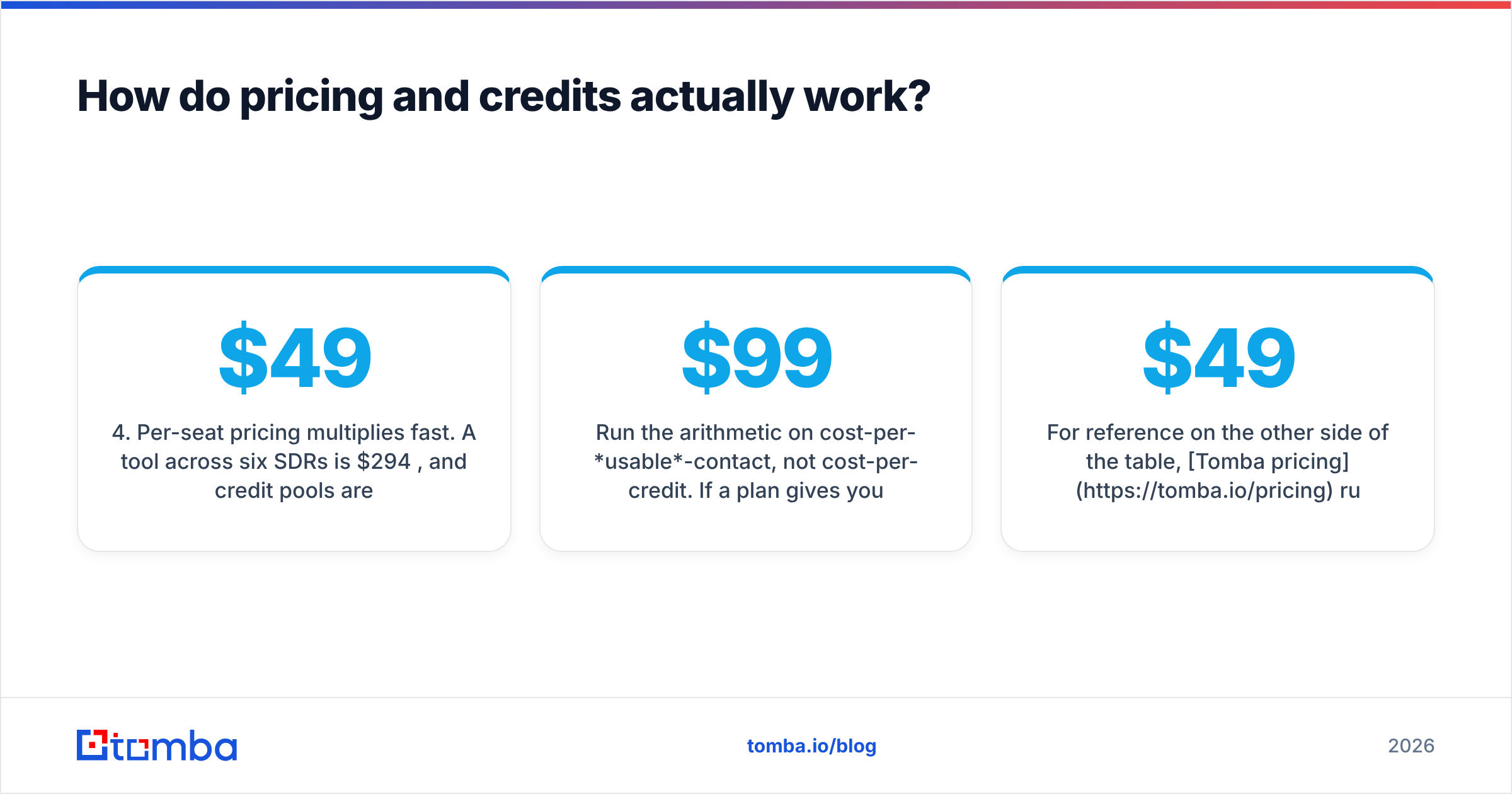
- Per-seat pricing multiplies fast. A $49/mo tool across six SDRs is $294/mo. Credit pools are often per-seat rather than shared, so your heavy user runs dry while your light user wastes allowance.
- Verification is sometimes billed separately. If you export to a third-party verifier to clean the list, that is a second line item — and a second vendor relationship.
Run the arithmetic on cost-per-usable-contact, not cost-per-credit. Say a $99/mo plan gives you 5,000 credits, a 70% hit rate, and a 10% bounce rate on what it returns. You paid for 5,000 and got roughly 3,150 mailable contacts — about $0.031 each. A pricier plan with an 85% hit rate and a 2% bounce rate can easily come out cheaper per usable contact. That is the only number your CFO cares about.
For reference on the other side of the table, Tomba pricing runs Free (25 searches/mo), Starter $49/mo, Growth $99/mo, Pro $249/mo, and Enterprise custom. Verification is included rather than billed as a bolt-on.
Where does each tool actually break down?#
Every tool in this category has a failure mode. In a LeadGibbon vs SalesQL bake-off, the failure modes decide it more often than the feature lists do.
LeadGibbon breaks when:
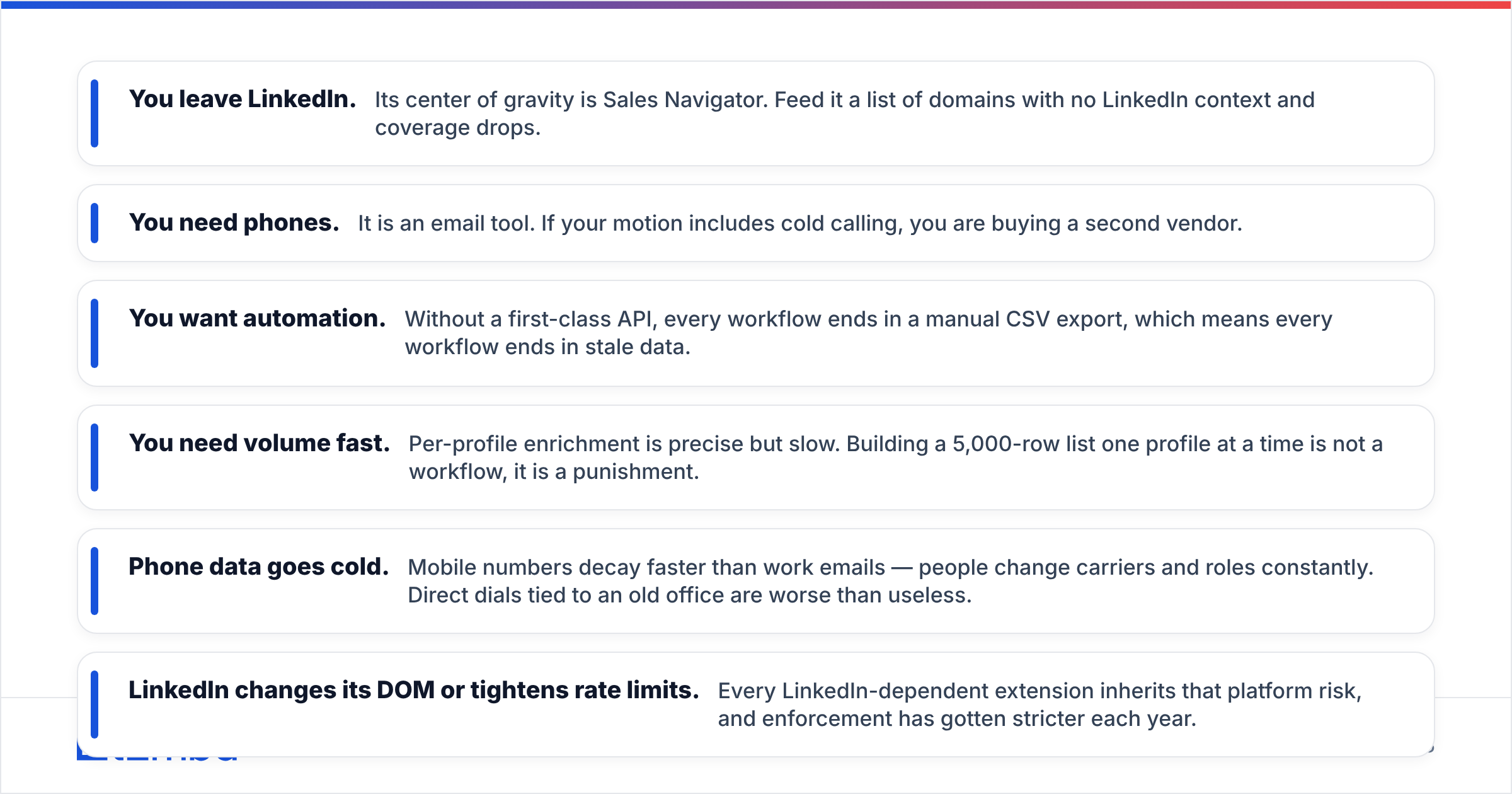
- You leave LinkedIn. Its center of gravity is Sales Navigator. Feed it a list of domains with no LinkedIn context and coverage drops.
- You need phones. It is an email tool. If your motion includes cold calling, you are buying a second vendor.
- You want automation. Without a first-class API, every workflow ends in a manual CSV export. Every manual export ends in stale data.
SalesQL breaks when:
- You need volume fast. Per-profile enrichment is precise but slow. Building a 5,000-row list one profile at a time is not a workflow, it is a punishment.
- Phone data goes cold. Mobile numbers decay faster than work emails, because people change carriers and roles constantly. Direct dials tied to an old office are worse than useless.
- LinkedIn changes its DOM or tightens rate limits. Every LinkedIn-dependent extension inherits that platform risk, and enforcement has gotten stricter each year.
Both break when:
- Your ICP is outside tech. Coverage for manufacturing, logistics, healthcare, and non-US SMBs is meaningfully thinner than for SaaS.
- You need GDPR paperwork. If you sell into the EU, ask both vendors for their lawful-basis documentation and data-subject-request process before your legal team does.
- You treat "found" as "verified." It is not the same thing, and your bounce rate will teach you that lesson expensively.

Is there a better alternative in 2026?#
Depends on what is actually blocking you. If your bottleneck is "I need LinkedIn profiles turned into a CSV this afternoon," LeadGibbon does that, and switching costs you time for no gain. If your bottleneck is "I need a mobile number for this one VP," SalesQL does that.
But if your bottleneck is any of these, you have outgrown both:
- Emails need to land in your CRM automatically, not through a CSV import someone forgets to run
- You need verification and finding from the same vendor so there is one accuracy standard, not two
- You need to enrich at scale — thousands of rows, on a schedule, without a human clicking
- Your team is being told to reduce tool count and consolidate spend

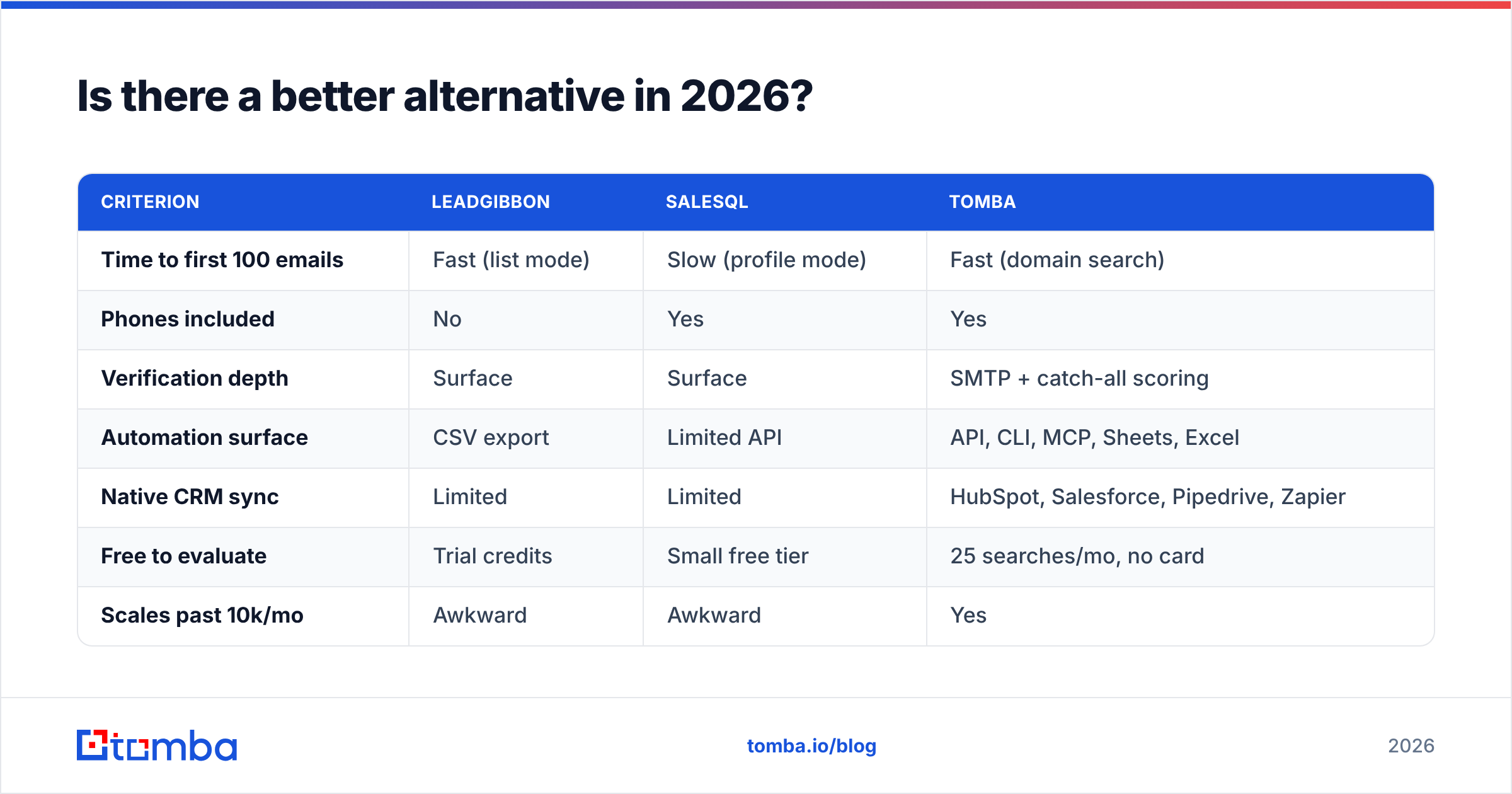
| Criterion | LeadGibbon | SalesQL | Tomba |
|---|---|---|---|
| Time to first 100 emails | Fast (list mode) | Slow (profile mode) | Fast (domain search) |
| Phones included | No | Yes | Yes |
| Verification depth | Surface | Surface | SMTP + catch-all scoring |
| Automation surface | CSV export | Limited API | API, CLI, MCP, Sheets, Excel |
| Native CRM sync | Limited | Limited | HubSpot, Salesforce, Pipedrive, Zapier |
| Free to evaluate | Trial credits | Small free tier | 25 searches/mo, no card |
| Scales past 10k/mo | Awkward | Awkward | Yes |
The honest framing: LeadGibbon and SalesQL are good extensions. Tomba is a data layer. The LinkedIn finder covers the same browser use case, but the same credits also work through the API, the bulk uploader, and the CRM integrations. You are not re-buying coverage every time your workflow changes shape.
Cross-check all three against real user reviews on G2 before deciding. Pay attention to review dates. This category changes fast, and a 2023 review describes a product that no longer exists.
Which should you pick?#
Answer three questions in order, and LeadGibbon vs SalesQL stops being a coin flip.
1. Do you need phone numbers? If yes, LeadGibbon is out on its own — you would need it plus something else. So: SalesQL or Tomba.
2. Do you need volume or precision? Volume — lists of hundreds or thousands — favors LeadGibbon's list mode or Tomba's domain search and bulk tools. Precision on a small named-account list favors SalesQL's per-profile depth.
3. Will this data need to reach another system automatically? If yes, an API matters more than any browser feature, and that narrows the field to one. A CSV export is fine at 50 contacts a week and a liability at 500.
One more thing: whatever you choose, verify before you send. Run the export through a verifier. Drop everything that is not deliverable, and score the catch-alls separately rather than sending to them blind. That one step does more for your reply rate than any subject line test, because it protects the deliverability every other tactic depends on.
Ready to test all three against your own list?#
Pick 200 contacts you can score. Run them through LeadGibbon, SalesQL, and the Tomba Email Finder, then compare found rate, correct rate, and bounce rate. That is how you settle LeadGibbon vs SalesQL for your market instead of ours. Tomba's free tier gives you 25 searches a month with no card, and Starter is $49/mo with verification built in rather than billed separately.
Related guides#
// get started
Find, verify and enrich your first contacts today
Start on the free plan with 25 searches a month, then scale when your team is ready.
Free plan · No credit card required · GDPR & CCPA
// about the author