LeadGibbon vs Zintlr: Which B2B Data Tool Wins in 2026?
LeadGibbon sells simple list building. Zintlr sells personality-led intelligence. We compare pricing, data accuracy, verification and API depth to show which one actually fits your outbound motion in 2026.
LeadGibbon vs Zintlr comes down to one trade-off: cheap, clean lists or deeper prospect research. Here is how the two compare in 2026 — and where both fall short.
TL;DR
- LeadGibbon is a lightweight list-building tool: search a database, pull verified business emails, push to a spreadsheet. It is cheap, fast, and deliberately shallow.
- Zintlr is a broader B2B intelligence platform. Its headline feature is "Zintellect" personality profiling on top of contact and company data. Good for personalization, heavier to run.
- Pricing does not compare head-to-head. LeadGibbon sells credit packs in the $49–$99/mo range. Zintlr sells seats with bundled credits and pushes annual contracts.
- Neither leads on accuracy. Both rely on stored database records. Those records decay fast. Plan to re-verify before any send.
- Our pick: LeadGibbon if you just need clean lists cheaply. Zintlr if research is your bottleneck. A dedicated email finder with real-time verification if delivery is what costs you money.
LeadGibbon vs Zintlr: what each tool actually does#
Here is the honest framing. These two tools compete only because both sell B2B contact data. Their designs barely overlap.
LeadGibbon grew out of the LinkedIn-scraper era. It is a searchable B2B database plus a browser tool. You give it a company or a person. It gives you a verified business email and a spreadsheet row. That is the whole job. No sequencer, no dialer, no intent graph. Reviewers on G2 say much the same thing: simple, quick, and thin outside North America and tech.
Zintlr is newer, India-founded, and aims wider. It ships a contact database, a Chrome extension, and "Zintellect". Zintellect reads a prospect's public footprint and guesses their communication style (DISC-like traits). Then it suggests how to pitch them. That is the real differentiator, and it is unusual. Zintlr also bundles company search, intent signals, and light outreach. It behaves like a small sales-intelligence suite.
So the real question is not "which has better data." It is which failure you can live with. LeadGibbon covers less. Zintlr covers more, but thinner, and wraps it in features you may never use.
LeadGibbon vs Zintlr pricing and features compared#
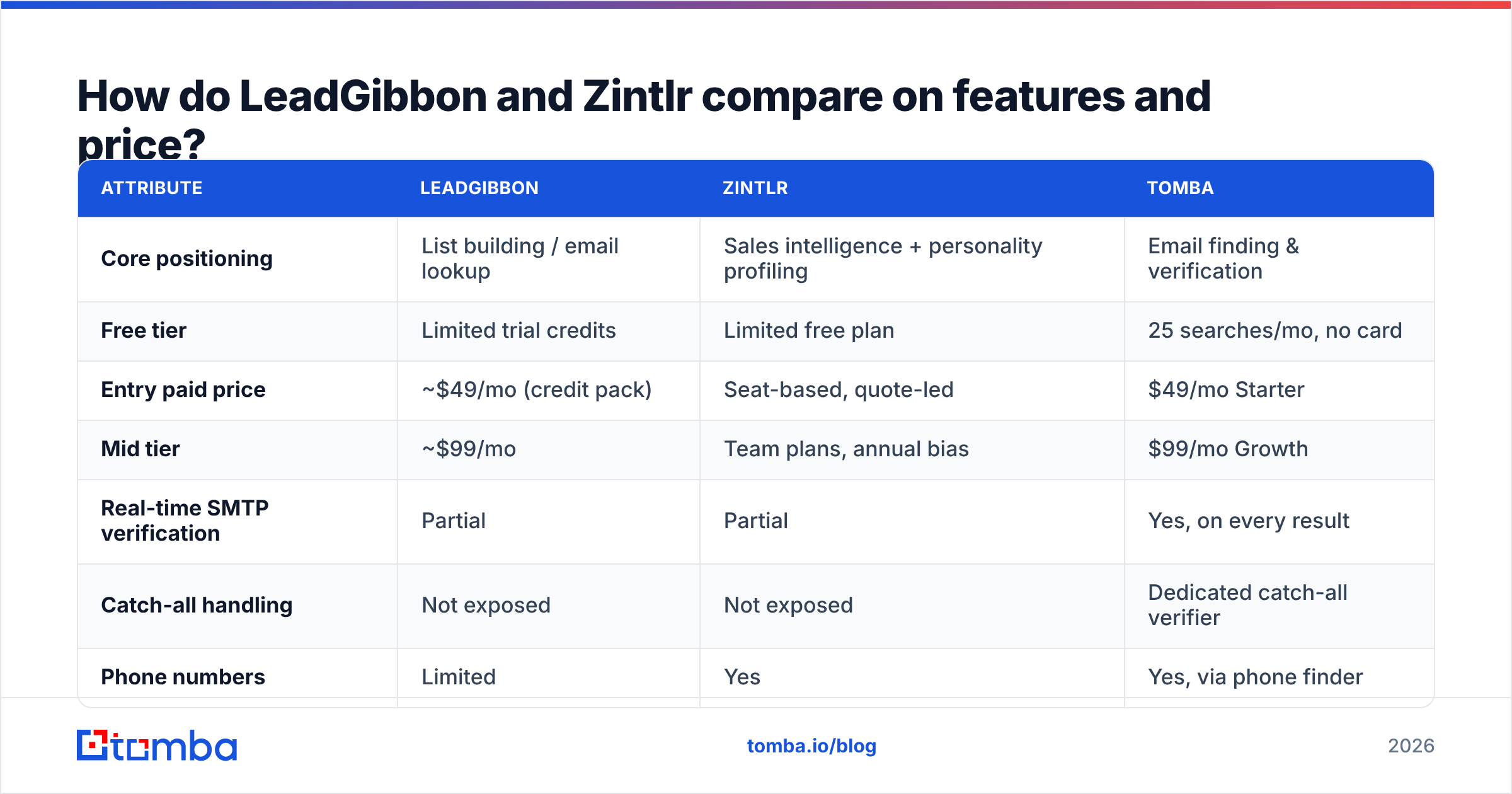
Prices move on both sides. Both vendors hide real numbers behind a demo or a signup. So read the table below as the shape of the market, not as a quote. Check the vendors' own pages before you buy.
| Attribute | LeadGibbon | Zintlr | Tomba |
|---|---|---|---|
| Core positioning | List building / email lookup | Sales intelligence + personality profiling | Email finding & verification |
| Free tier | Limited trial credits | Limited free plan | 25 searches/mo, no card |
| Entry paid price | ~$49/mo (credit pack) | Seat-based, quote-led | $49/mo Starter |
| Mid tier | ~$99/mo | Team plans, annual bias | $99/mo Growth |
| Real-time SMTP verification | Partial | Partial | Yes, on every result |
| Catch-all handling | Not exposed | Not exposed | Dedicated catch-all verifier |
| Phone numbers | Limited | Yes | Yes, via phone finder |
| Personality / persona insight | No | Yes (Zintellect) | No |
| Public REST API | Limited | Yes | Yes, documented |
| Bulk processing | CSV upload | CSV upload | Bulk finder + verifier |
| Best for | Cheap clean lists | Personalized 1:1 outbound | Accuracy-critical sending |
Two things jump out of that grid.
First, breadth is Zintlr's pitch and LeadGibbon's deliberate omission. Do you already own a sequencer (Instantly, Smartlead, Outreach) and a CRM? Then half of Zintlr is a repeat buy. Own nothing yet? Zintlr bundles more in one place.
Second, neither one shows you the verification layer. That layer decides whether your emails land. It matters more than any feature list, and most versus posts skip it.
Which one has better data accuracy?#
Neither vendor publishes an audited accuracy number. So doubt any blog that quotes a precise figure for both. What you can judge is how each tool works. That predicts accuracy well.
There are three ways a tool produces an email address:
- Database lookup — someone scraped or added the contact once, and the tool stored it. It is fast and cheap to serve. It also rots by roughly 22–30% a year as people change jobs.
- Pattern inference — the tool knows
acme.comusesfirst.last@, so it builds the address. Cheap. Wrong whenever a company mixes formats. - Live verification — the tool asks the receiving mail server, right then, whether the mailbox exists.
Both tools lean hard on (1) and (2). That is not a scandal. Most database-first platforms do the same. But the address you export today may have been correct eighteen months ago. Gartner has said the same thing about B2B data for years. Contact records rot all the time. And the cost of acting on stale records shows up later, in bounce rate and sender reputation.
So here is the rule. Treat every export as a list of candidates, not as a send-ready list. Run it through an email verifier before it touches your sending domain. A 6% bounce rate on 2,000 contacts is not a small waste. It tells mailbox providers you do not know who you are emailing.
Where each tool's data is strongest#
- LeadGibbon — strongest on US and Canada mid-market, SaaS, and agency contacts. Thinner in EMEA and APAC. Thinner again for non-executive roles.
- Zintlr — broader international coverage, especially India and Southeast Asia, with solid company firmographics. Person-level email confidence varies more.
- Both — weak on catch-all domains. A large share of enterprise mail now sits behind them. Neither tool gives you a confidence tier you can filter on.
- Both — no clear word on where the data came from. Under GDPR, ask each vendor where the records originate. Ask what the lawful basis is. Do that before anything lands in your CRM.
Is Zintlr's personality profiling actually useful?#
Honest answer: sometimes, and the "sometimes" is narrower than the marketing suggests.
Zintellect reads public writing and profile signals. Then it suggests a tone — direct or relational, detail-led or vision-led. Say a rep runs 15 researched conversations a week into $80k deals. For them, that saves real time. It turns twenty minutes of profile reading into a summary you can skim.
For volume outbound, it is decoration. Think 300 sends a day on templated sequences. Nobody hand-tunes tone across 1,500 prospects. And if you did, delivery would still decide the result. Good copy cannot rescue a message sitting in spam.
So the buying rule is simple. Zintellect pays off only when your deal size justifies research on each contact. Below that line, you pay a platform premium for a feature your motion cannot use.

What does each tool cost you in practice?#
Sticker price is the smallest part of the bill. Three hidden costs dominate.
1. Credit burn on failed lookups. Some tools charge a credit even when they return nothing usable. Ask the vendor straight out: "Am I charged for a null result?" If yes, your real cost per usable email can run 1.5–2× the listed rate.
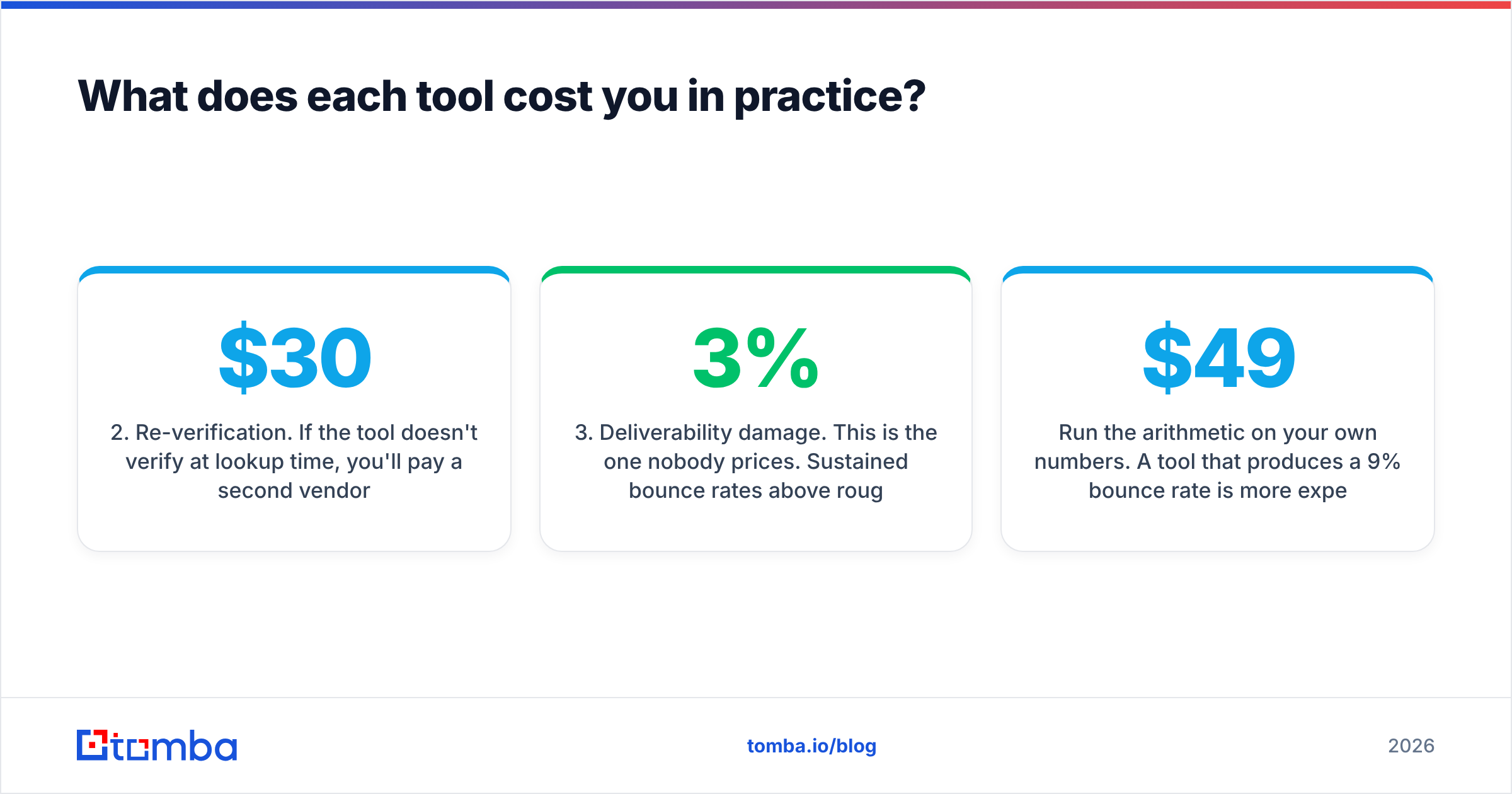
2. Re-verification. If the tool does not verify at lookup time, you will pay a second vendor to verify. Budget for it. At typical pricing, a 10,000-record list costs another $30–$70 to clean. That is the cheap option.
3. Deliverability damage. Nobody prices this one. Bounce rates above roughly 3% hurt your sender reputation. That damage does not stay in one campaign. It drags down inbox placement for everything you send from that domain, for weeks. The real cost is not the wasted credits. It is the pipeline the next campaigns never produced.
Run the math on your own numbers. A $49/mo tool with a 9% bounce rate costs more than a $99/mo tool with a 2% rate. Every time. And it is not close.
Which should you choose — and is there a third option?#
Match the tool to the constraint that actually binds you.
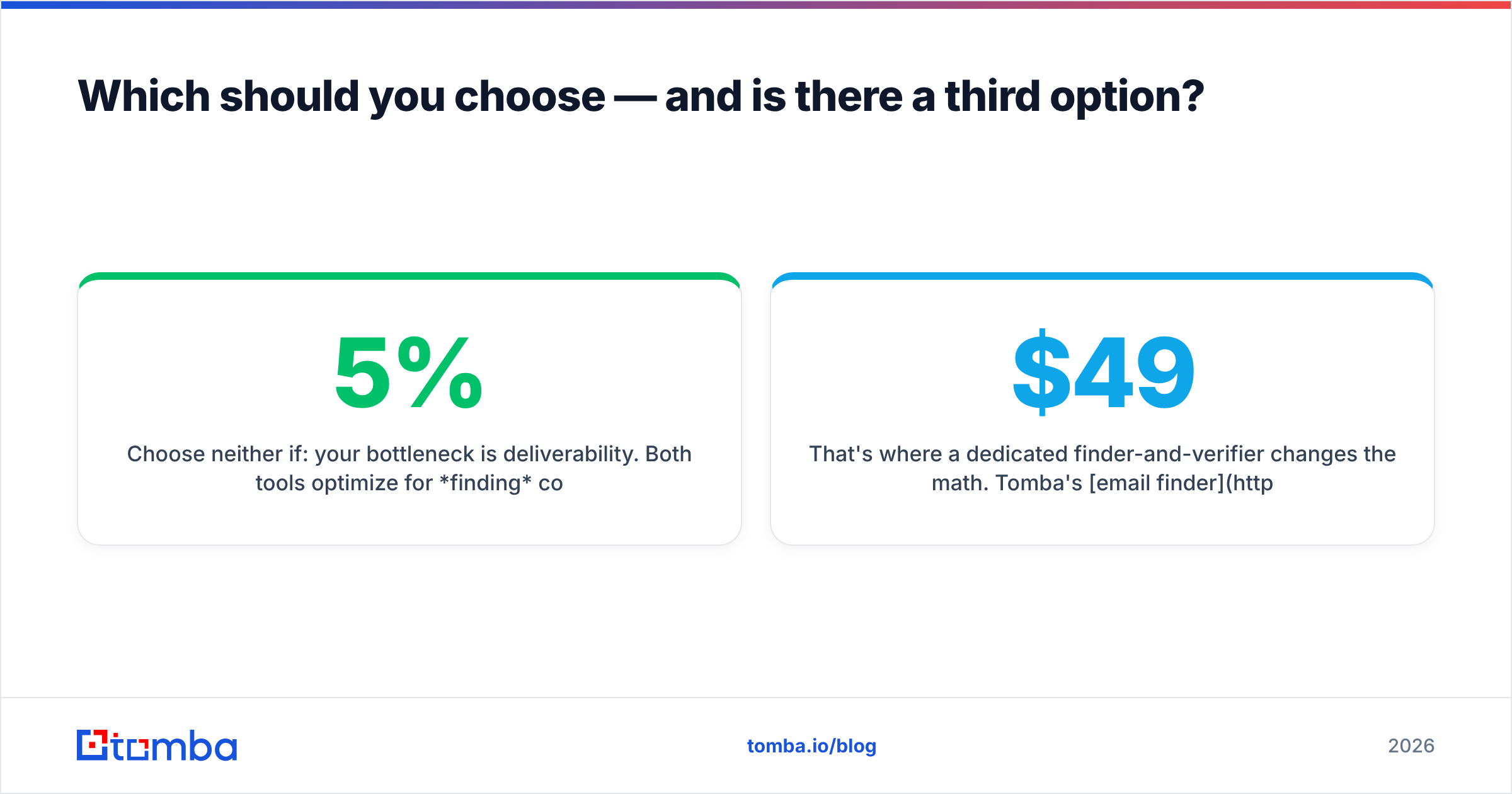
Choose LeadGibbon if: you want plain lists, your buyers sit in North American tech or services, your budget is tight, and you verify somewhere else already. It is an honest, narrow product. It does not pretend to be more.
Choose Zintlr if: you sell few, large deals, and your reps really do research tone and angle. You also want company, contact, and persona in one login. It is worth a look if you sell into India or APAC, where its coverage holds up.
Choose neither if: delivery is your real bottleneck. Both tools are built to find contacts. Neither is built to confirm them. Did your last campaign bounce above 5%? More firmographic data will not fix that. Verification at the point of lookup will.
That is where a dedicated finder-and-verifier changes the math. Tomba's email finder verifies as it searches, not in a later cleanup pass. It also shows what database platforms hide: catch-all detection, a confidence score, and the source of each record. Pricing is public. Free at 25 searches a month, Starter at $49/mo, Growth at $99/mo, Pro at $249/mo, and Enterprise on quote. There is no seat tax on the lower plans. Building lists in code? The Tomba API does the same work at volume, with no CSV round-trip.
The "one platform for everything" pitch has also aged badly. A modern stack looks like four parts: a data source, a verification layer, a sequencer, and a CRM. Each does one thing well, and they wire together. HubSpot's own research on sales tooling shows the same pattern. Bundling saves buying time. It rarely moves the number you care about.
How do you evaluate either tool in under an hour?#
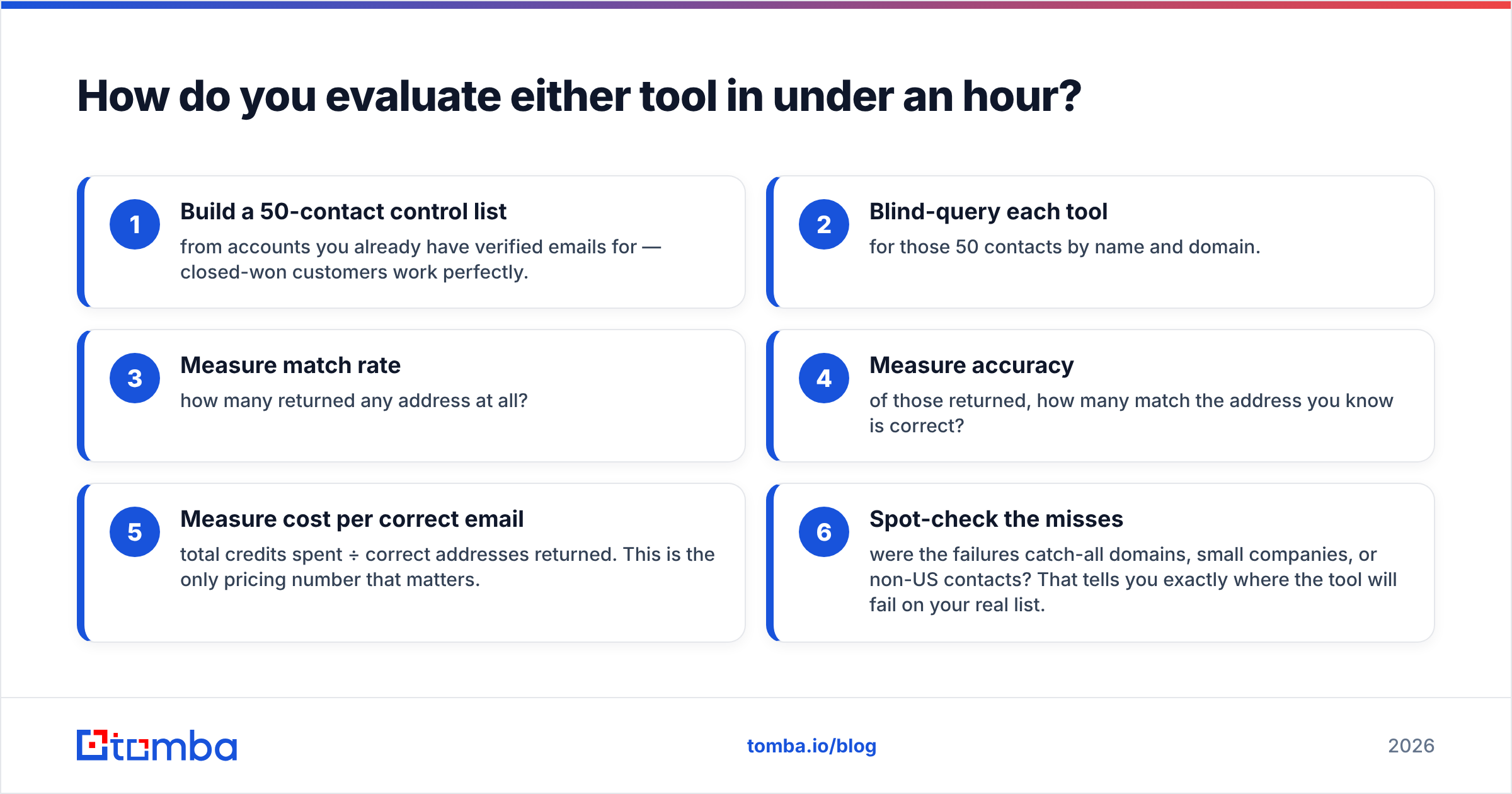
Do not trust the demo. Run this test on both, with your own data.
- Build a 50-contact control list from accounts you already have verified emails for. Closed-won customers work well.
- Blind-query each tool for those 50 contacts by name and domain.
- Measure match rate. How many returned any address at all?
- Measure accuracy. Of those, how many match the address you know is correct?
- Measure cost per correct email. Credits spent ÷ correct addresses returned. This is the only pricing number that matters.
- Spot-check the misses. Were the failures catch-all domains, small companies, or non-US contacts? That tells you where the tool will fail on your real list.
Say one tool returns 45 of 50 addresses at 70% accuracy. Another returns 30 at 95%. The second one wins. The first quietly poisons your domain while the dashboard looks generous. Run the same test on a third option, like Tomba's free tier. You will have a defensible answer in an afternoon, not a quarter.
One more check: can you filter by confidence before export? If you cannot drop low-confidence rows, you either send to everything or clean by hand. A domain search that scores each result makes that filter easy. Tools without one push the work onto you.
Final verdict#
LeadGibbon wins on simplicity and price. Zintlr wins on breadth and personalization depth. Neither wins on verification, and verification decides whether your campaign works.
Choosing only between these two? Pick on deal size. Low-ticket volume outbound favors LeadGibbon's cheap lists. High-ticket consultative selling favors Zintlr's research layer. Either way, budget separately to clean what you get.
Building the stack from scratch? Flip the order. Fix accuracy first. Add intelligence on top. A verified list of 400 contacts beats an unverified list of 4,000 on every metric that reaches a revenue dashboard: reply rate, meeting rate, and the domain reputation that lets next month's send land at all.
Want to test the accuracy claim yourself? Start with the Tomba Email Finder free tier — 25 searches a month, no card required. Run the 50-contact control test above against the tool you pay for today. If Tomba does not win on cost per correct email, you lost an afternoon. If it does, you found the leak in your outbound before it cost you another quarter. Compare full Tomba pricing when you are ready to scale.
Related guides#
// get started
Find, verify and enrich your first contacts today
Start on the free plan with 25 searches a month, then scale when your team is ready.
Free plan · No credit card required · GDPR & CCPA
// about the author