LeadIQ Pricing in 2026: Real Costs, Credits & Limits
LeadIQ's public pricing looks simple until you hit the per-seat minimums, credit resets, and export caps. Here's what each plan actually costs, who it fits, and where cheaper tools win.
TL;DR
- LeadIQ sells prospecting data on a per-seat + credit model. The published entry point is a free tier, then a self-serve paid tier, then quote-only Pro and Enterprise plans — which is where most real deals land.
- The number that bites teams is not the sticker price, it's the seat minimum on higher tiers plus annual-only billing on the plans that unlock the good stuff (verified mobiles, Salesforce/Outreach writeback, API access).
- Credits are per user per period and generally don't pool or roll over on lower tiers, so a 5-rep team with one heavy prospector wastes most of its allotment.
- LeadIQ is genuinely strong at one thing: LinkedIn-to-CRM capture with clean field mapping. If that workflow is your bottleneck, it's worth the money.
- If you mostly need accurate work emails at volume via API or bulk upload, a focused email-finder like Tomba starts at $49/mo with pooled credits and no seat minimum — a fraction of a LeadIQ Pro contract.
What is LeadIQ and who actually buys it?#
LeadIQ is a B2B contact data and prospecting platform built around a browser extension. The core loop: a rep opens a LinkedIn profile or Sales Navigator list, clicks the LeadIQ extension, and pushes the contact — email, mobile, title, company — straight into Salesforce, HubSpot, Outreach, or Salesloft with field mapping already configured. It also ships "Scribe," an AI writer that drafts personalized openers from the prospect's profile and recent activity.
Think of it like a barcode scanner at a warehouse. The value isn't the database sitting in the back — everyone has a database. The value is that a rep scans one item and it lands in the right bin, in the right format, without anyone retyping it.
That framing matters for pricing, because it tells you who LeadIQ is priced for: seat-based SDR teams doing high-volume manual prospecting inside a CRM, where every minute of copy-paste is a measurable cost. It is not priced for a solo founder enriching a CSV once a month, and it is not priced for an engineer who wants 50,000 emails through an API.
The official product and plan details live at leadiq.com, and LeadIQ carries strong user reviews on G2 — mostly praising the Chrome extension's speed and complaining about mobile-number coverage outside North America.

How does LeadIQ pricing actually work in 2026?#
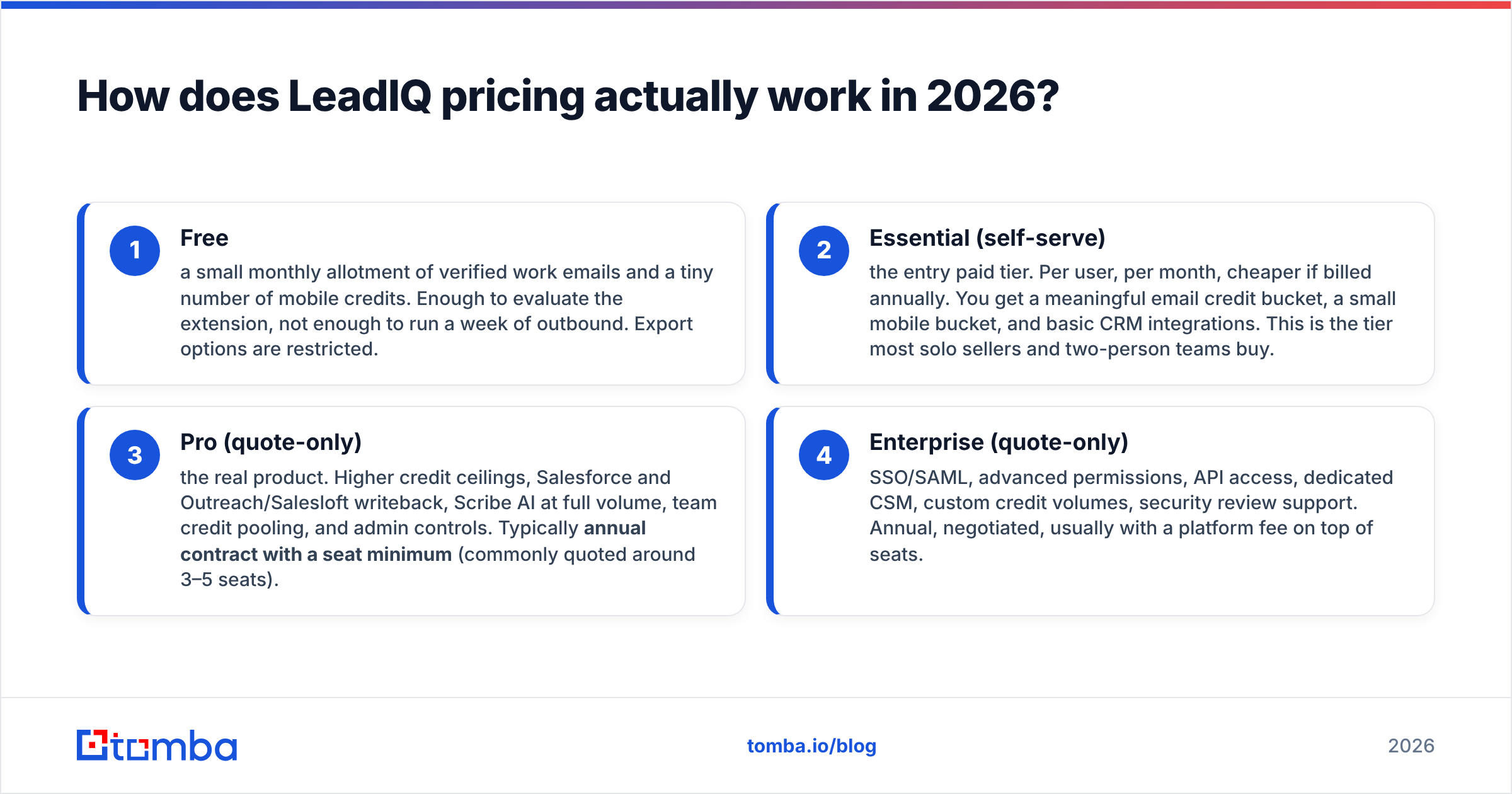
LeadIQ's pricing has four layers. Only the first two have public numbers; the top two are quote-only, which is standard for seat-based data vendors but makes budgeting harder.
- Free — a small monthly allotment of verified work emails and a tiny number of mobile credits. Enough to evaluate the extension, not enough to run a week of outbound. Export options are restricted.
- Essential (self-serve) — the entry paid tier. Per user, per month, cheaper if billed annually. You get a meaningful email credit bucket, a small mobile bucket, and basic CRM integrations. This is the tier most solo sellers and two-person teams buy.
- Pro (quote-only) — the real product. Higher credit ceilings, Salesforce and Outreach/Salesloft writeback, Scribe AI at full volume, team credit pooling, and admin controls. Typically annual contract with a seat minimum (commonly quoted around 3–5 seats).
- Enterprise (quote-only) — SSO/SAML, advanced permissions, API access, dedicated CSM, custom credit volumes, security review support. Annual, negotiated, usually with a platform fee on top of seats.
Two structural details drive your real bill more than the per-seat rate:
- Credits are per user, per period. If one rep prospects 400 accounts a month and four reps prospect 40, you're paying for 5 seats' worth of credits and burning maybe 35% of them. Credit pooling exists on higher tiers — ask for it explicitly in the quote.
- Mobile numbers are a separate, much scarcer credit type. Email credits are plentiful; verified mobile credits are the constrained resource. Teams that bought LeadIQ for phone data are the ones who most often report running dry mid-quarter.
What does each LeadIQ plan cost compared to alternatives?#
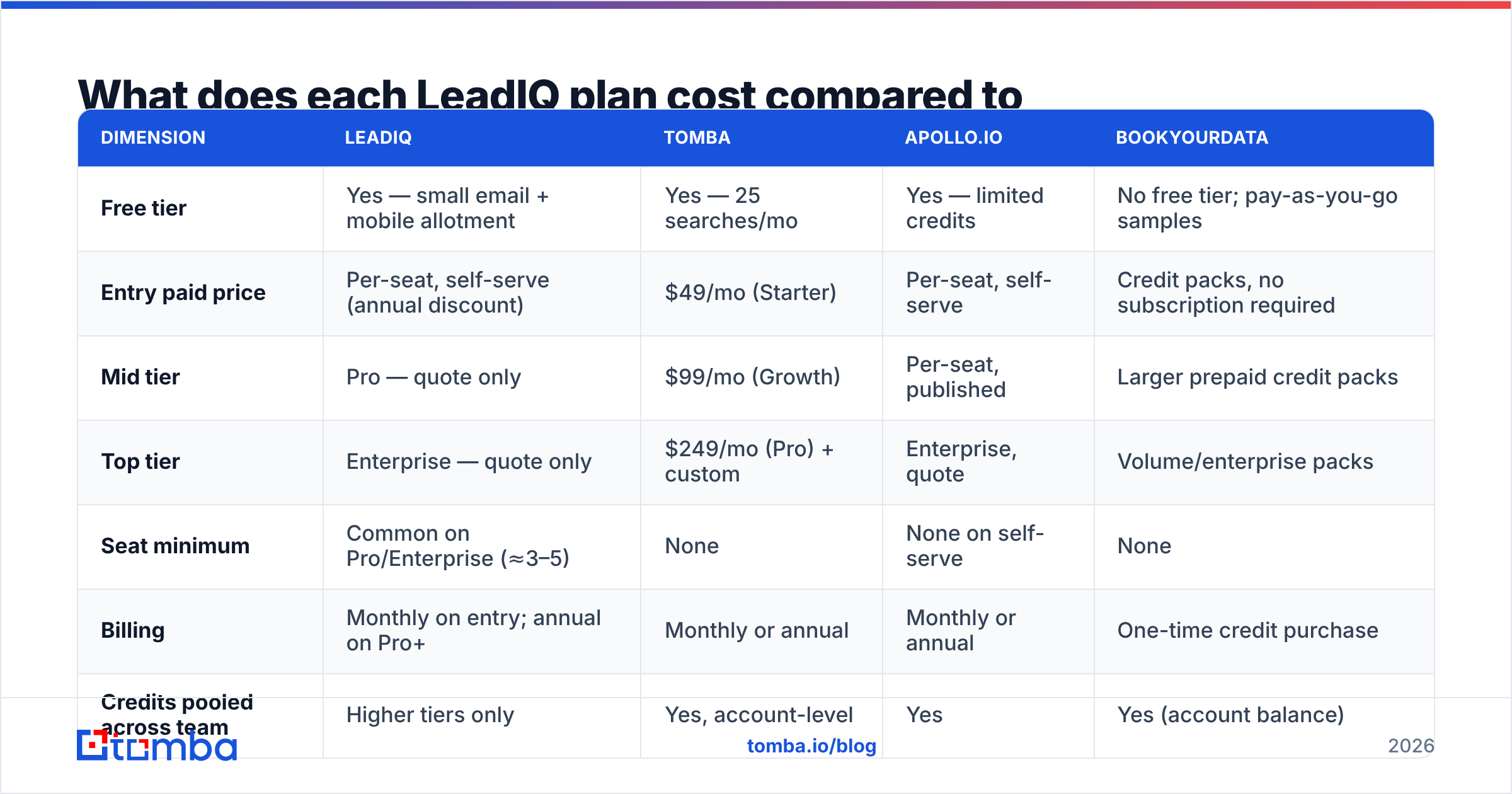
Below is how LeadIQ's structure lines up against three common alternatives teams evaluate in the same cycle. Prices are the publicly listed starting points as of 2026; quote-only tiers are marked as such because any specific number would be a guess.
| Dimension | LeadIQ | Tomba | Apollo.io | BookYourData |
|---|---|---|---|---|
| Free tier | Yes — small email + mobile allotment | Yes — 25 searches/mo | Yes — limited credits | No free tier; pay-as-you-go samples |
| Entry paid price | Per-seat, self-serve (annual discount) | $49/mo (Starter) | Per-seat, self-serve | Credit packs, no subscription required |
| Mid tier | Pro — quote only | $99/mo (Growth) | Per-seat, published | Larger prepaid credit packs |
| Top tier | Enterprise — quote only | $249/mo (Pro) + custom | Enterprise, quote | Volume/enterprise packs |
| Seat minimum | Common on Pro/Enterprise (≈3–5) | None | None on self-serve | None |
| Billing | Monthly on entry; annual on Pro+ | Monthly or annual | Monthly or annual | One-time credit purchase |
| Credits pooled across team | Higher tiers only | Yes, account-level | Yes | Yes (account balance) |
| API access | Enterprise tier | All paid plans | Paid plans | Available |
| Core strength | LinkedIn-to-CRM capture + field mapping | Email finding, verification, enrichment | All-in-one data + sequencing | Prepaid, no-subscription B2B lists |
| Best for | Seat-based SDR teams in Salesforce/Outreach | Email accuracy at volume, API/ops workflows | Teams wanting data + outbound in one tool | Buyers who hate subscriptions |
The table exposes the real decision. LeadIQ, Apollo, and Tomba are not the same category of purchase even though they overlap on "find me an email." LeadIQ sells workflow per rep. Apollo sells platform. Tomba sells data accuracy and programmatic access. BookYourData sells no subscription at all — a genuinely different commercial model that suits buyers with lumpy, project-based list needs.
Where are the hidden costs in LeadIQ pricing?#
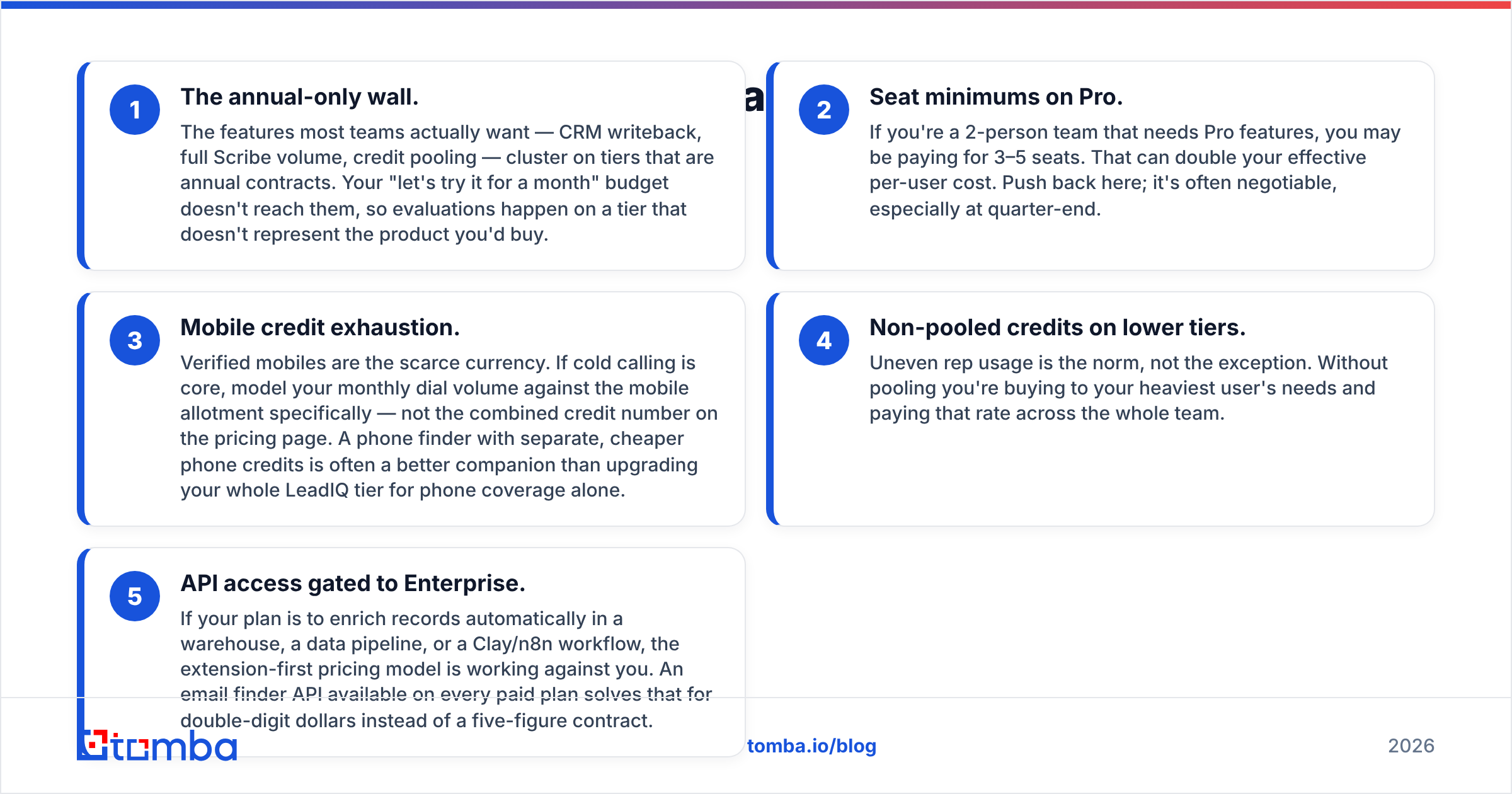
Five things reliably surprise buyers after signature. None are dishonest — they're just how seat-based data contracts work, and you should price them in before you sign.
- The annual-only wall. The features most teams actually want — CRM writeback, full Scribe volume, credit pooling — cluster on tiers that are annual contracts. Your "let's try it for a month" budget doesn't reach them, so evaluations happen on a tier that doesn't represent the product you'd buy.
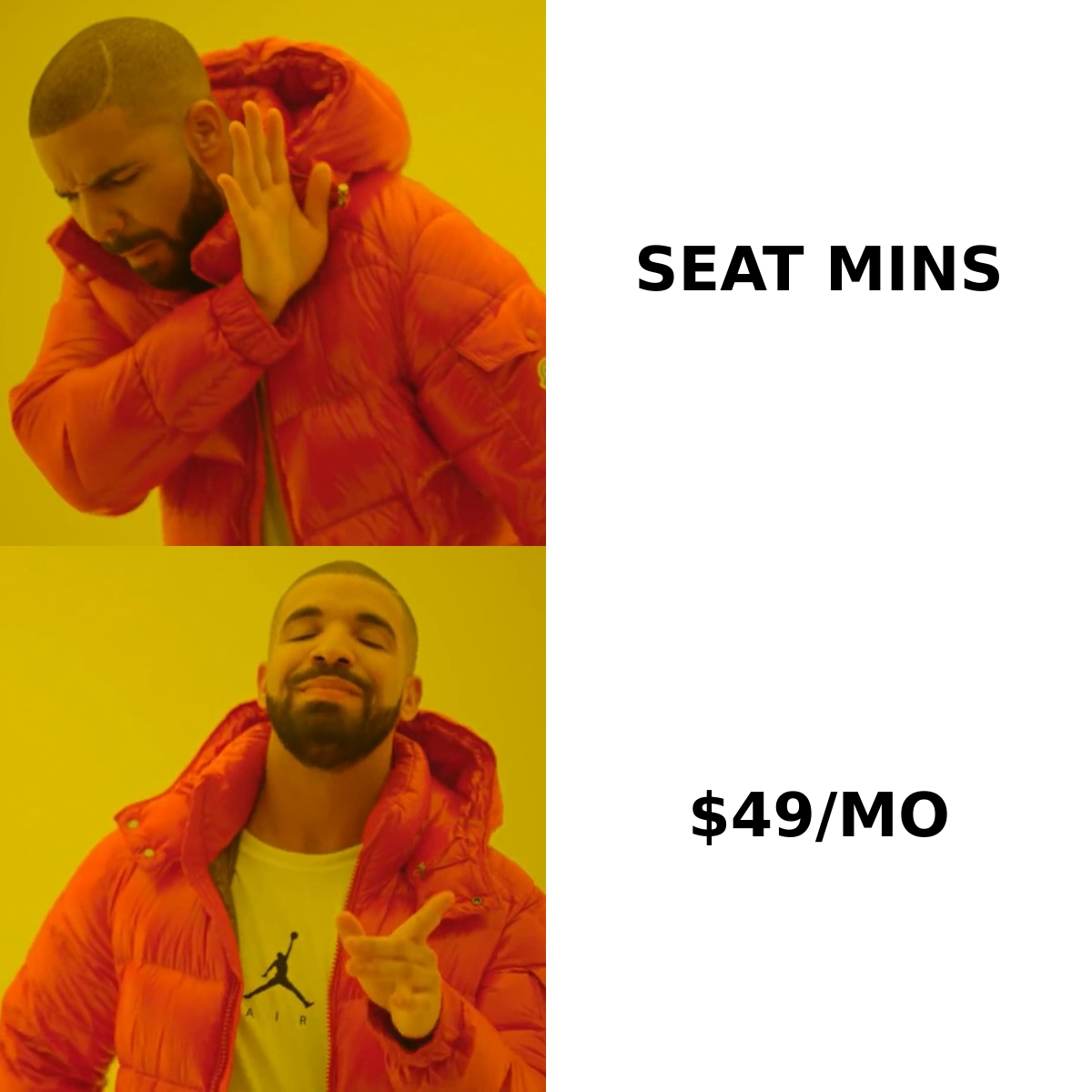
- Seat minimums on Pro. If you're a 2-person team that needs Pro features, you may be paying for 3–5 seats. That can double your effective per-user cost. Push back here; it's often negotiable, especially at quarter-end.
- Mobile credit exhaustion. Verified mobiles are the scarce currency. If cold calling is core, model your monthly dial volume against the mobile allotment specifically — not the combined credit number on the pricing page. A phone finder with separate, cheaper phone credits is often a better companion than upgrading your whole LeadIQ tier for phone coverage alone.
- Non-pooled credits on lower tiers. Uneven rep usage is the norm, not the exception. Without pooling you're buying to your heaviest user's needs and paying that rate across the whole team.
- API access gated to Enterprise. If your plan is to enrich records automatically in a warehouse, a data pipeline, or a Clay/n8n workflow, the extension-first pricing model is working against you. An email finder API available on every paid plan solves that for double-digit dollars instead of a five-figure contract.
Is LeadIQ worth it, or should you buy something cheaper?#
Conclusion first: buy LeadIQ if your bottleneck is rep workflow inside a CRM. Buy something cheaper if your bottleneck is data volume, accuracy, or automation.
Here's the honest split by use case.
LeadIQ is worth the money when:
- You run 3+ SDRs who live in LinkedIn Sales Navigator all day and push into Salesforce or Outreach.
- Dirty CRM data from manual entry is costing you real reporting accuracy.
- You want AI-drafted openers inline, in the same click as the capture.
- North American mobile numbers are a priority and you'll actually use the mobile credits.
LeadIQ is the wrong purchase when:
- You're one or two people. The seat math never works in your favor, and the self-serve tier is missing what you'd want.
- You need thousands of emails per month via bulk upload or API. That's a data-volume problem; you'll pay a workflow premium for it.
- Your market is heavily EMEA or APAC, where LeadIQ's mobile coverage thins out and email verification quality matters more than capture speed.
- You already own a sequencer and a CRM and just need the missing contact field filled in.
For that last group, the cheaper path is usually a dedicated email finder plus a verification step. Run your target company list through domain search to get every published contact pattern, then push the results through an email verifier before they touch your sequencer. That two-step pipeline costs a fraction of a per-seat data contract and it's the part that actually protects your sender reputation.
How do you negotiate a better LeadIQ quote?#
Data vendors expect negotiation. A few levers that work:
- Ask for credit pooling in writing on whatever tier you land on. This is the single highest-value concession.
- Ask for the seat minimum to be waived for a first-year contract. Vendors trade minimums for logo acquisition constantly.
- Get mobile credits broken out as a separate line item with a defined monthly number, not a bundled "credits" figure.
- Time it to quarter-end. Standard advice, still true — Gartner research on software buying cycles consistently shows end-of-period discounting in SaaS sales motions.
- Bring a real alternative to the table. A quote from a competing vendor is the only leverage that reliably moves per-seat rates.
- Ask what happens to unused credits at renewal. The answer is usually "they expire." Knowing that lets you right-size instead of over-buying.
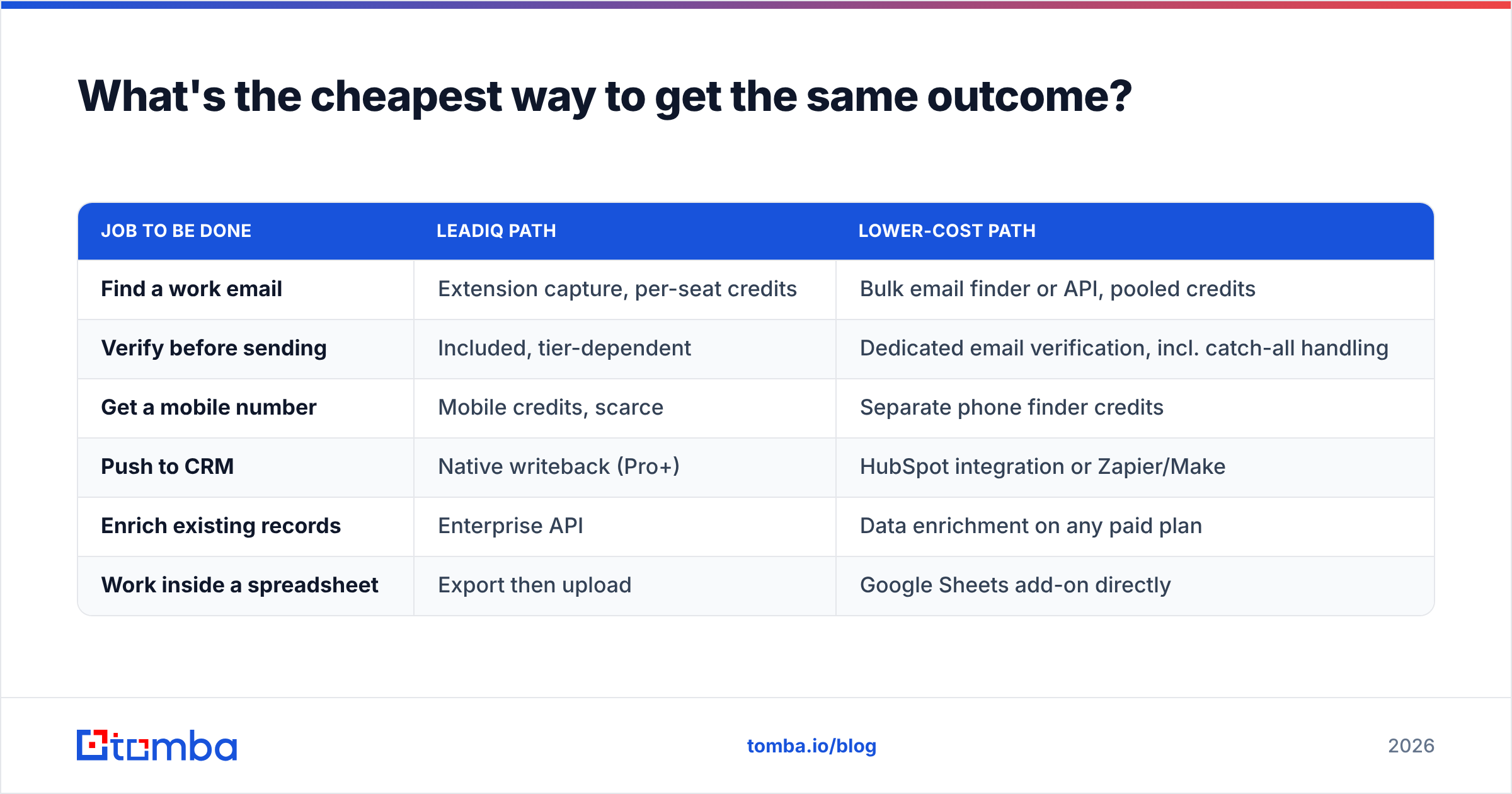
What's the cheapest way to get the same outcome?#
If you strip the LeadIQ purchase down to outcomes, most teams want three things: a correct email, a correct phone number, and the record in their CRM. You can assemble that for far less if you're willing to give up the single-click extension experience.
| Job to be done | LeadIQ path | Lower-cost path |
|---|---|---|
| Find a work email | Extension capture, per-seat credits | Bulk email finder or API, pooled credits |
| Verify before sending | Included, tier-dependent | Dedicated email verification, incl. catch-all handling |
| Get a mobile number | Mobile credits, scarce | Separate phone finder credits |
| Push to CRM | Native writeback (Pro+) | HubSpot integration or Zapier/Make |
| Enrich existing records | Enterprise API | Data enrichment on any paid plan |
| Work inside a spreadsheet | Export then upload | Google Sheets add-on directly |
The tradeoff is real: you lose the one-click-per-prospect ergonomics that LeadIQ's best reviews are built on. For a 12-person SDR floor, that ergonomics gap is worth paying for. For a 3-person team or a RevOps person running batch enrichment jobs, it isn't close — the batch approach wins on cost by an order of magnitude.
One more thing worth checking before you sign anything: ask any vendor where the data comes from and how often it's re-verified. Coverage claims are easy; freshness is what determines your bounce rate. Tomba publishes its data sources for exactly this reason, and you should expect the same transparency from whoever you buy from. HubSpot's research on email bounce benchmarks is a useful sanity check on what "good" looks like before you accept a vendor's accuracy number at face value.
Verdict: what should you do next?#
LeadIQ is a well-built tool with a pricing model that rewards exactly one shape of team — multi-seat SDR orgs doing manual LinkedIn prospecting into Salesforce or Outreach. If that's you, get a Pro quote, fight for credit pooling and a waived seat minimum, and you'll likely be happy.
If that's not you — if you're small, API-driven, running batch enrichment, or selling outside North America — the per-seat model is charging you for a workflow you won't use. Start with accurate email data and add the rest only when you feel the pain.
Test the data before you commit to a contract. Run 25 of your hardest target accounts through the Tomba Email Finder on the free tier, then compare hit rate and bounce rate against whatever LeadIQ returns in its trial. Paid plans start at $49/mo with pooled credits, API access on every tier, and no seat minimums — see full Tomba pricing to compare against your quote. Whichever way you go, decide on measured accuracy, not on a pricing page.
Related guides#
// get started
Find, verify and enrich your first contacts today
Start on the free plan with 25 searches a month, then scale when your team is ready.
Free plan · No credit card required · GDPR & CCPA
// about the author