LeadIQ vs LimeLeads: Features, Pricing and Best Fit in 2026
LeadIQ captures contacts while you browse LinkedIn. LimeLeads lets you filter a B2B database and export verified lists. This guide compares their data, workflows and cost per contact, and shows which one suits your team.
TL;DR
- LeadIQ is a prospecting workflow tool. You capture contacts while browsing LinkedIn or Sales Navigator and push them straight into your CRM or sequencer. It's built for SDR teams on Salesforce, HubSpot, Outreach or Salesloft.
- LimeLeads is a filterable B2B lead database. You set filters for industry, location, headcount and job title, then export a list with emails verified at the moment you export. It's built for founders, agencies and small teams who want lists, not workflows.
- LeadIQ charges per seat. LimeLeads charges by credit volume. If one person builds lists for a whole team, LimeLeads is usually cheaper per contact. If each rep prospects on their own, LeadIQ's per-seat model makes more sense.
- Neither tool is the best choice if you mostly need to find emails for a known company or person, like a domain lookup, a name plus company, or a bulk CSV. A dedicated email finder is usually cheaper and more accurate for that job.
What is the real difference between LeadIQ and LimeLeads?#
LeadIQ and LimeLeads both hand you a B2B contact with an email address. They start from opposite ends of the prospecting process, though.
Think of it like groceries. LeadIQ is a shopping basket. You walk the aisles (LinkedIn profiles, company pages, Sales Navigator searches) and add the people you want as you go. LimeLeads is a catalogue order. You tick the boxes (SaaS, 50–200 employees, US, VP of Sales) and the whole list arrives at once.
That difference affects nearly everything else:
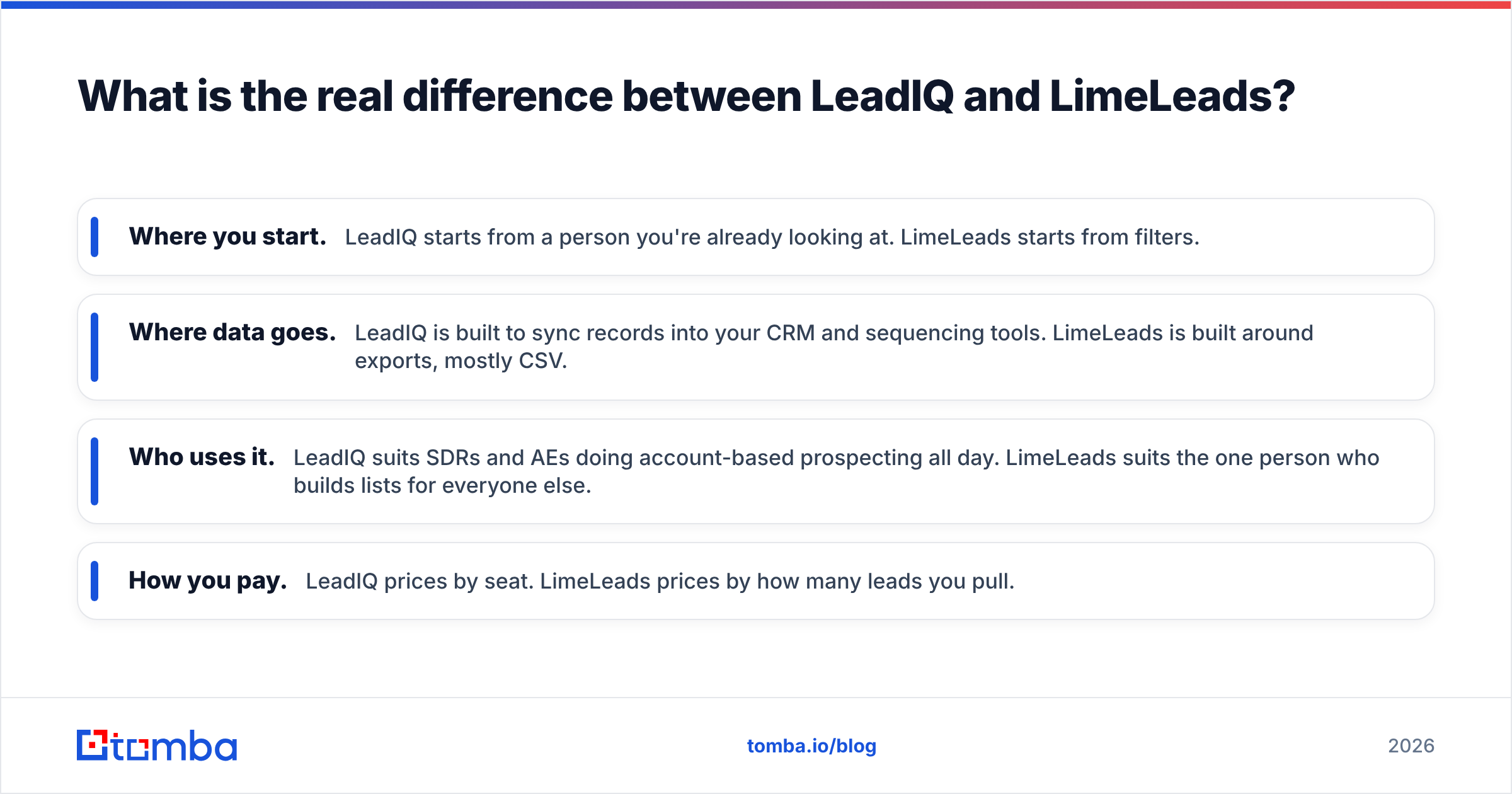
- Where you start. LeadIQ starts from a person you're already looking at. LimeLeads starts from filters.
- Where data goes. LeadIQ is built to sync records into your CRM and sequencing tools. LimeLeads is built around exports, mostly CSV.
- Who uses it. LeadIQ suits SDRs and AEs doing account-based prospecting all day. LimeLeads suits the one person who builds lists for everyone else.
- How you pay. LeadIQ prices by seat. LimeLeads prices by how many leads you pull.
You can check the current product scope on each vendor's site: LeadIQ and LimeLeads.
How do LeadIQ and LimeLeads compare feature by feature?#
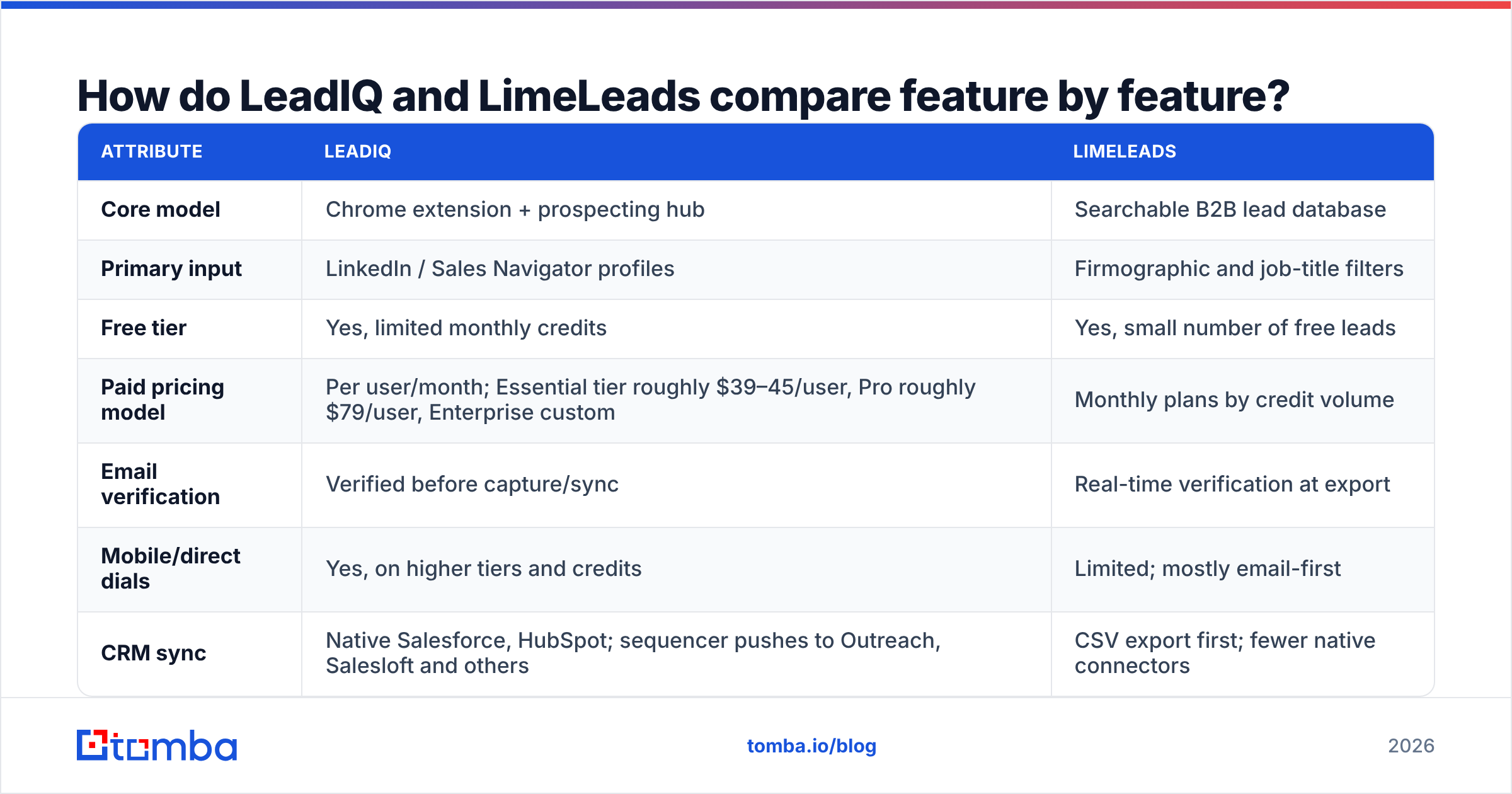
Here's the side-by-side. Pricing changes often in this category, so confirm current numbers on each vendor's pricing page before you commit.
| Attribute | LeadIQ | LimeLeads |
|---|---|---|
| Core model | Chrome extension + prospecting hub | Searchable B2B lead database |
| Primary input | LinkedIn / Sales Navigator profiles | Firmographic and job-title filters |
| Free tier | Yes, limited monthly credits | Yes, small number of free leads |
| Paid pricing model | Per user/month; Essential tier roughly $39–45/user, Pro roughly $79/user, Enterprise custom | Monthly plans by credit volume |
| Email verification | Verified before capture/sync | Real-time verification at export |
| Mobile/direct dials | Yes, on higher tiers and credits | Limited; mostly email-first |
| CRM sync | Native Salesforce, HubSpot; sequencer pushes to Outreach, Salesloft and others | CSV export first; fewer native connectors |
| AI features | Scribe (AI email writer), job-change tracking | Minimal; focused on data |
| Best for | SDR teams doing account-based outbound | Founders, agencies, list builders |
| Main drawback | Per-seat cost adds up fast | Limited workflow and CRM automation |

Which tool has more accurate contact data?#
Data quality is the question every buyer asks, and the honest answer depends on the segment.
LeadIQ's accuracy comes from its capture flow. You're looking at a live LinkedIn profile, so the person's current title and company are usually fresh. LeadIQ then finds and verifies the email before it goes into your CRM. It also tracks job changes, which catches contacts who left their company after you captured them. That matters because B2B data decays quickly: people change roles, companies rebrand, and domains move.
LimeLeads' accuracy comes from verifying at export. When you pull a list, LimeLeads checks each email in real time instead of serving whatever was stored months ago. That's a real advantage over static database dumps. The weak spot is the underlying record, not the email check. If the database says someone is "VP Marketing at X" and they left last quarter, you get a valid email for someone who may not be the right person any more.

In practice:
- High-value accounts (enterprise, ABM): LeadIQ's live-profile capture gives better contact relevance.
- Broad SMB lists: LimeLeads' export-time verification keeps bounce rates in check at volume.
- Catch-all domains: Both tools struggle here, as every email tool does. Plan for a second check with a dedicated email verifier before a big send, especially if a lot of your list is on accept-all domains.
For reviews from real users, check the product pages on G2, where both vendors are listed. Filter reviews by company size close to yours, because an enterprise SDR's experience of LeadIQ won't match a solo founder's.

How does the day-to-day workflow feel in each tool?#
LeadIQ workflow#
A typical LeadIQ day looks like this:
- Open a Sales Navigator search or a target account's LinkedIn people page.
- Click the LeadIQ extension and capture the contacts you want, individually or in bulk.
- LeadIQ looks up the email (and phone, if your plan and credits allow) and checks it.
- The record syncs to Salesforce or HubSpot, and can go straight into an Outreach or Salesloft sequence.
- Optionally, Scribe drafts a personalised first-touch email from the prospect's profile.
The whole point is that reps never touch a spreadsheet. For a team of 10 SDRs, removing copy-paste work saves real hours every week, and the CRM stays clean because duplicates are checked on sync.
LimeLeads workflow#
A typical LimeLeads session looks like this:
- Set filters: industry, country or state, employee count, job title or seniority.
- Preview the number of matching records.
- Select the leads you want and export. Emails are verified during export.
- Download a CSV and import it into your CRM, cold email tool or ad audience.
It's quicker for bulk list building: one filter set can produce hundreds of contacts in minutes. The trade-off is that everything after the export is up to you, including deduplication, CRM mapping and sequence enrolment.
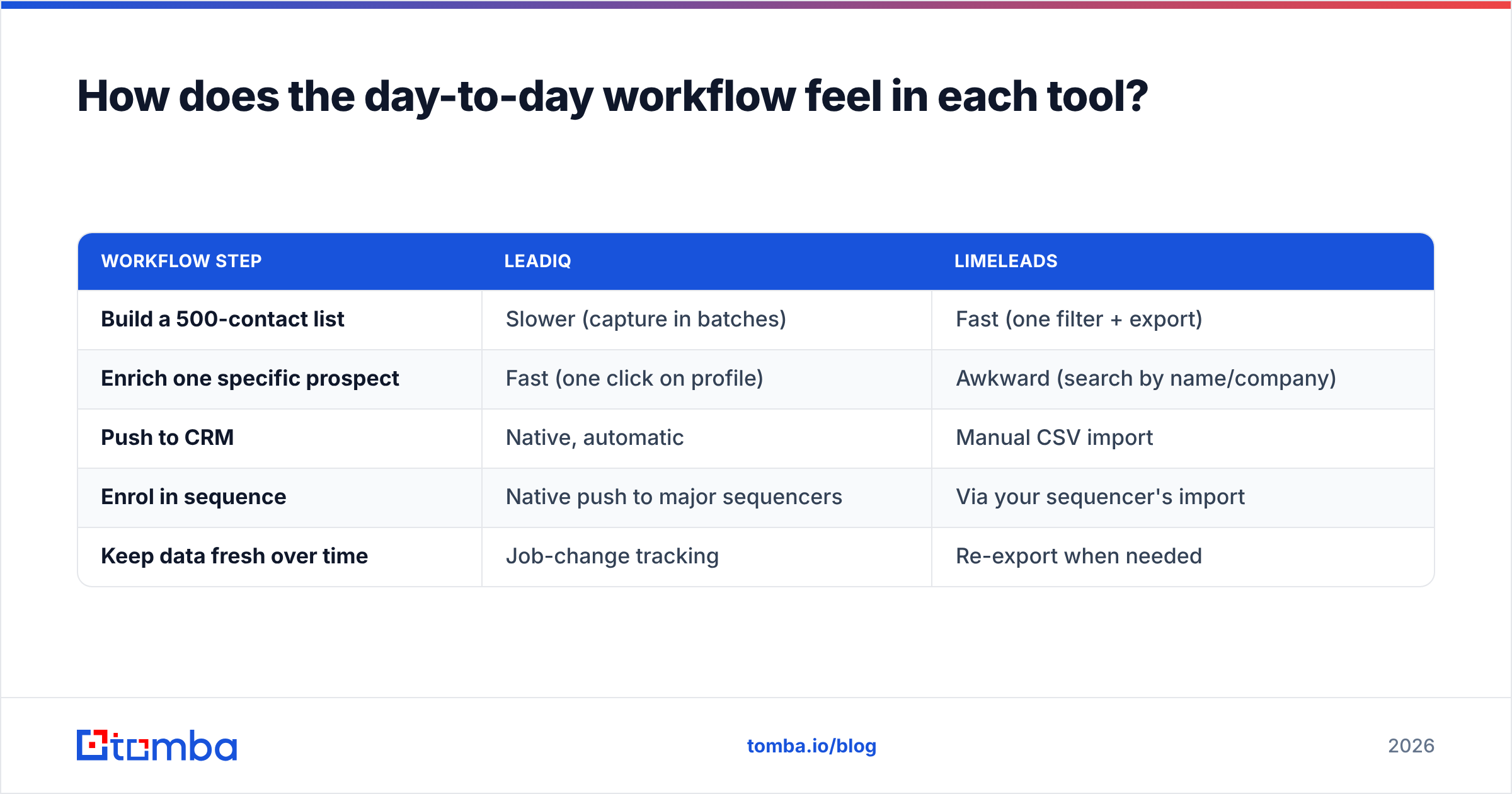
| Workflow step | LeadIQ | LimeLeads |
|---|---|---|
| Build a 500-contact list | Slower (capture in batches) | Fast (one filter + export) |
| Enrich one specific prospect | Fast (one click on profile) | Awkward (search by name/company) |
| Push to CRM | Native, automatic | Manual CSV import |
| Enrol in sequence | Native push to major sequencers | Via your sequencer's import |
| Keep data fresh over time | Job-change tracking | Re-export when needed |
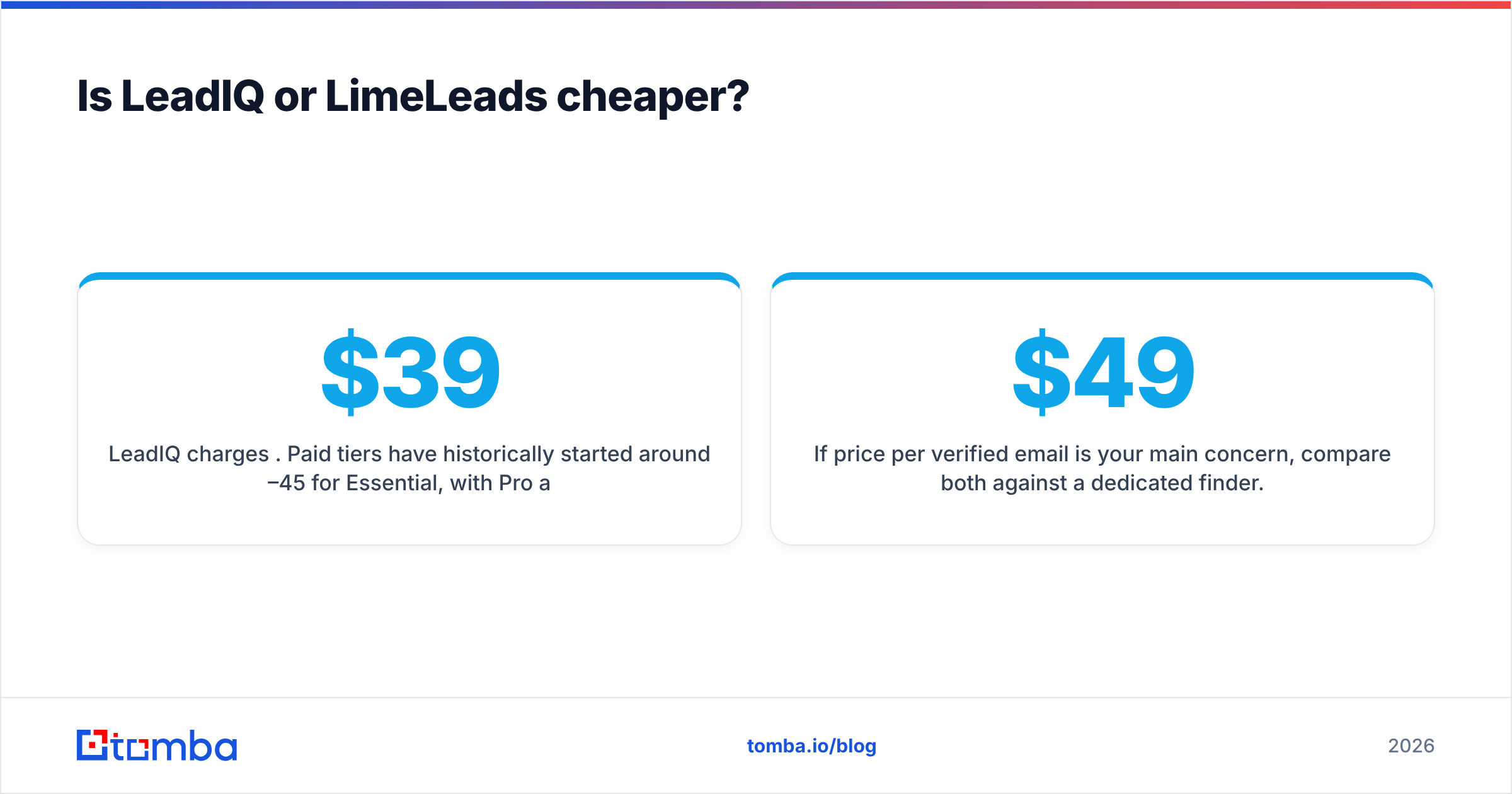
Is LeadIQ or LimeLeads cheaper?#
It depends on how you count. Per-seat and per-credit pricing reward different team shapes.
LeadIQ charges per user. Paid tiers have historically started around $39–45 per user per month for Essential, with Pro around $79 per user per month and Enterprise quoted on request. Each seat comes with a monthly credit allowance for emails and phone numbers. For a 5-rep team on Pro, that's roughly $395/month before add-ons. You're paying for the workflow as much as for the data.
LimeLeads charges by credit volume. Plans scale with how many leads you export each month, and there's no per-seat multiplier for the headline cost. One person can build lists for the whole company on a single plan.
A rough way to decide:
- One list builder, many senders: LimeLeads usually wins on cost per contact.
- Many reps who each prospect their own accounts: LeadIQ's per-seat price buys time savings that a CSV tool can't offer.
- Irregular or seasonal volume: check whether unused credits roll over on each vendor's plan. This is where "cheap" plans often turn out expensive.
If price per verified email is your main concern, compare both against a dedicated finder. For reference, Tomba pricing starts with a free tier of 25 searches a month, then Starter at $49/mo, Growth at $99/mo and Pro at $249/mo, with Enterprise quoted on request. That's pooled usage, not per seat.
What are the pros and cons of each tool?#
LeadIQ pros
- Captures prospects without leaving LinkedIn, the best capture UX in its class for Sales Navigator users.
- Strong native CRM and sequencer sync, so it fits cleanly into Salesforce- or HubSpot-centred sales teams.
- Job-change tracking turns churned champions into new pipeline.
- Scribe AI speeds up first-touch personalisation.
LeadIQ cons
- Per-seat pricing grows fast as the team grows.
- Less suited to bulk list building from pure firmographic filters.
- Phone data depends on credits and tier, so heavy callers can run out quickly.
LimeLeads pros
- Fast, filter-based list building with no LinkedIn dependency.
- Real-time email verification at export reduces bounces on fresh lists.
- Credit-based pricing is simple for one-person or small teams.
- Low learning curve, usable within minutes.
LimeLeads cons
- CSV-first, with limited native CRM or sequencer automation.
- Title and role freshness depends on the database refresh cycle.
- Fewer workflow features (no AI writer, no job-change alerts).
Which one should you choose?#
Use this decision list:
- Pick LeadIQ if your SDRs live in Sales Navigator, your CRM is Salesforce or HubSpot, and you run sequences in Outreach or Salesloft. The per-seat cost pays for itself in time saved and CRM hygiene.
- Pick LimeLeads if you're a founder, agency or small team that needs targeted lists by industry and geography, and you're comfortable importing CSVs into your own tools.
- Pick neither (or add something) if you already know which companies and people you want and just need their emails. In that case a domain- or name-based finder is cheaper and more precise than either a capture tool or a database.
That third case is more common than most teams expect. Many outbound motions start from a target account list that sales leadership already agreed on, not from a filter. For those, a domain search that returns every public professional email at a company, plus a name-and-domain lookup for specific people, covers most of the need with no per-seat licence.
If you're already evaluating other options for LeadIQ's use case, our LeadIQ alternative breakdown compares the capture-plus-sync approach with pure email-finding tools.

Can you use LeadIQ and LimeLeads together?#
Yes, and some teams do. A common split:
- LimeLeads for top-of-funnel list building. Marketing or a RevOps lead pulls a broad ICP list each month for cold email and paid audiences.
- LeadIQ for account-based work. AEs and senior SDRs capture decision-makers at named accounts and sync them to the CRM with full context.
The catch is data overlap and double-paying. If the same contact comes from both sources, you've paid twice and may have two conflicting records in your CRM. Before you stack tools, set a clear rule for which source "owns" which segment. Deduplicate on email and LinkedIn URL before import, and run a final verification pass on anything older than 30–60 days.
What do most comparisons miss?#
Three things are rarely covered in LeadIQ vs LimeLeads write-ups:
- Catch-all domains skew your "verified" numbers. Both tools can return an email that's technically deliverable to the server but not confirmed for the mailbox. If 20–30% of your target accounts use accept-all mail servers, your real bounce rate can be well above what the dashboard suggests.
- Seat count is a policy decision, not a tooling one. If only two people on a 10-person team actually prospect, LeadIQ's cost looks very different. Audit who uses the tool before renewal.
- Exports aren't the end of data work. LimeLeads makes list building quick, but mapping fields, handling duplicates and enrolling contacts still take time. Count that labour in your cost comparison.
The bottom line#
LeadIQ and LimeLeads aren't really direct substitutes. LeadIQ is a prospecting workflow tool that happens to supply contact data. LimeLeads is a contact database that happens to verify emails. Choose LeadIQ if your team prospects one profile at a time inside LinkedIn and needs clean CRM sync. Choose LimeLeads if you need filtered lists quickly and don't mind working from a CSV.
If your real job is "we know the company, we need the right person's email," you may not need either. Tomba Email Finder finds professional email addresses from a domain, a name, or a company. It verifies results and works through a Chrome extension, bulk uploads and an API, with no per-seat pricing. Start on the free tier with 25 searches a month, test it against your own target accounts, and compare the bounce rate with whatever you use now before you commit to another seat licence.
Related guides#
// get started
Find, verify and enrich your first contacts today
Start on the free plan with 25 searches a month, then scale when your team is ready.
Free plan · No credit card required · GDPR & CCPA
// about the author