LeadIQ vs Mailshunt: Which Email Finder Fits Your Team in 2026?
LeadIQ is a full prospecting platform. Mailshunt is a small, lightweight email finder. We compare their data, pricing, verification, and fit so you can pick the right one before you spend a credit.
TL;DR
- LeadIQ is a full prospecting platform. It captures contacts from LinkedIn and pushes them into your CRM, with AI message writing, job-change tracking, and team credit management. It suits SDR teams already running Salesforce or HubSpot.
- Mailshunt (styled "MailsHunt") is a small, newer email finder with a browser extension. It suits individuals who need a quick lookup, not a whole workflow.
- LeadIQ has a free plan with a limited number of credits, and its paid tiers are priced by credit volume. Mailshunt publishes very little verifiable information, so treat any price you see as provisional until you check its own page.
- If you want mature data and a low price, and don't need LeadIQ's sales-workflow features, a dedicated email finder with built-in verification (Tomba starts at $49/mo) sits between the two.
- Our pick: LeadIQ for funded SDR teams, Mailshunt only for light, low-stakes lookups, and a verification-first finder for everyone in between.
What are LeadIQ and Mailshunt, really?#
These two tools come up in the same search, but they aren't the same kind of product. That difference should drive your choice more than any feature checklist.
LeadIQ is a sales prospecting platform. Its Chrome extension sits on top of LinkedIn and Sales Navigator. You click a profile, LeadIQ finds the work email and often a phone number, and it sends the record straight into Salesforce, HubSpot, or an outreach sequencer. Around that core it adds job-change alerts (it calls them "Champion Tracking"), CRM enrichment, and Scribe, an AI assistant that drafts personalized emails. Everything runs on one pool of "universal credits" that you spend when you reveal data.
Mailshunt is much smaller. It sells itself as a way to find anyone's email address and connect with the people who matter to your business, and it offers a browser extension for finding emails on the web. Third-party listings describe it as a relatively new, low-profile tool. We couldn't find independent accuracy benchmarks, a large body of reviews, or detailed public documentation of its data sources.
That isn't a knock on the product. It just means Mailshunt gives you much less evidence to base a decision on. LeadIQ has hundreds of reviews on G2 and years of enterprise customers. Mailshunt has neither yet.
How do LeadIQ and Mailshunt compare feature by feature?#
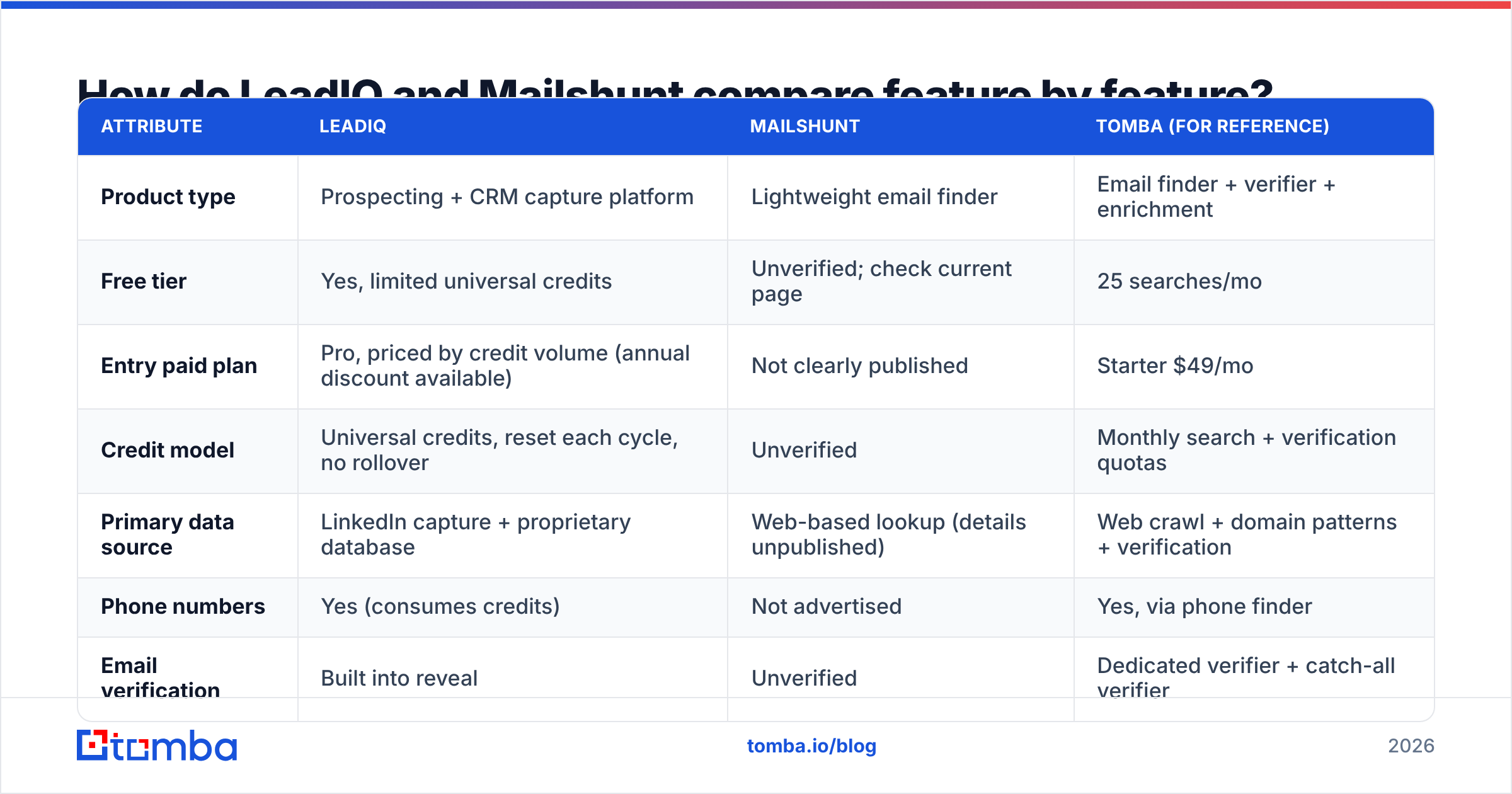
Here is the side-by-side comparison. We've marked Mailshunt entries "unverified" wherever we couldn't confirm a claim from public sources.
| Attribute | LeadIQ | Mailshunt | Tomba (for reference) |
|---|---|---|---|
| Product type | Prospecting + CRM capture platform | Lightweight email finder | Email finder + verifier + enrichment |
| Free tier | Yes, limited universal credits | Unverified; check current page | 25 searches/mo |
| Entry paid plan | Pro, priced by credit volume (annual discount available) | Not clearly published | Starter $49/mo |
| Credit model | Universal credits, reset each cycle, no rollover | Unverified | Monthly search + verification quotas |
| Primary data source | LinkedIn capture + proprietary database | Web-based lookup (details unpublished) | Web crawl + domain patterns + verification |
| Phone numbers | Yes (consumes credits) | Not advertised | Yes, via phone finder |
| Email verification | Built into reveal | Unverified | Dedicated verifier + catch-all verifier |
| CRM integrations | Salesforce, HubSpot, Outreach, Salesloft and more | None documented | HubSpot, Salesforce, Pipedrive, Zapier, more |
| AI writing | Scribe (AI emails) | No | No (finder-focused) |
| Job-change tracking | Yes | No | No |
| API | Enterprise-oriented | Not documented | Public API on paid plans |
| Best for | SDR teams working from LinkedIn | Occasional solo lookups | Teams that want verified emails at scale |

The table makes one thing clear: LeadIQ competes on workflow, and Mailshunt competes on simplicity. Neither is built mainly around verification depth. If bounce rates are your main problem, that's the gap to close.
Which one finds more accurate emails?#
This is where your decision gets expensive or cheap. A wrong email costs you twice: once for the credit, and again in sender reputation when it bounces.

LeadIQ's accuracy is generally solid for North American mid-market and enterprise contacts, especially people with active LinkedIn profiles. That's where its capture model is strongest. You see a name, title, and company on screen, and LeadIQ matches them against its database and verification layer. Reviewers most often complain about coverage outside the US, sparse data for small companies, and mobile numbers that cost credits even when they turn out to be stale.
Mailshunt's accuracy is an open question. We found no public benchmark, no documented verification method, and no statement about how it handles catch-all domains. That doesn't mean its results are bad. It means you have to run your own test before trusting it with a campaign.
How to run a fair test in under an hour:
- Build a 50-contact control list of people whose emails you already know are valid (customers, partners, past replies).
- Strip the emails and keep only name + company domain.
- Run the list through each tool and record found / not found / wrong.
- Verify every returned address with an independent email verifier so no tool grades its own homework.
- Split catch-all domains out into their own bucket. Most "accuracy" gaps between tools hide there.
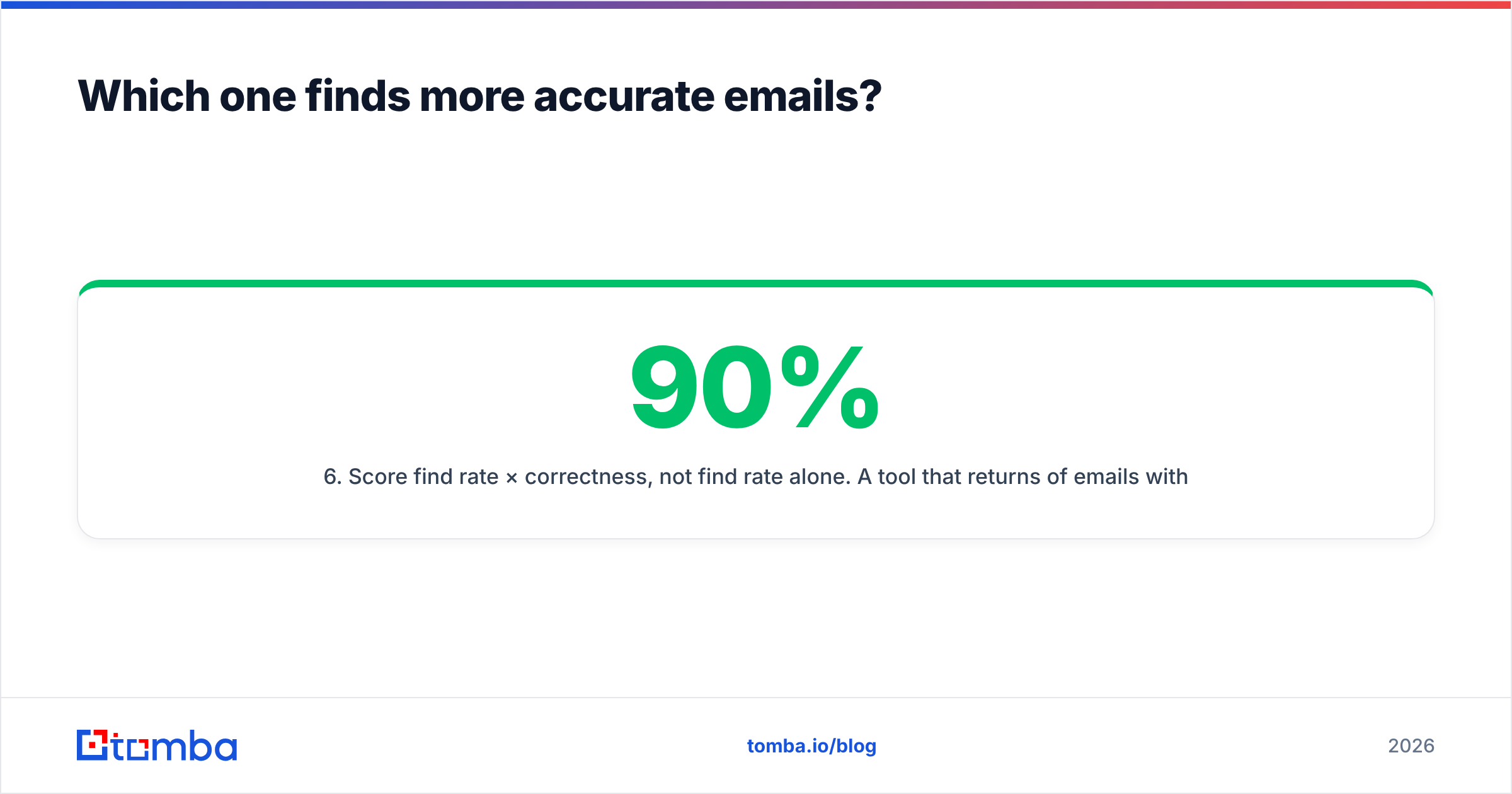
- Score find rate × correctness, not find rate alone. A tool that returns 90% of emails with 20% wrong loses to one that returns 75% with 3% wrong.
When we've run this kind of test on small, newer finders, the pattern repeats. Find rates look great on famous domains and fall off quickly on SMBs and catch-alls. Expect the same until Mailshunt proves otherwise.

How much do LeadIQ and Mailshunt cost?#
LeadIQ pricing is credit-based. As of 2026 it has:
- Free: one user, a small allowance of universal credits, the Chrome extension, and Scribe. No card required.
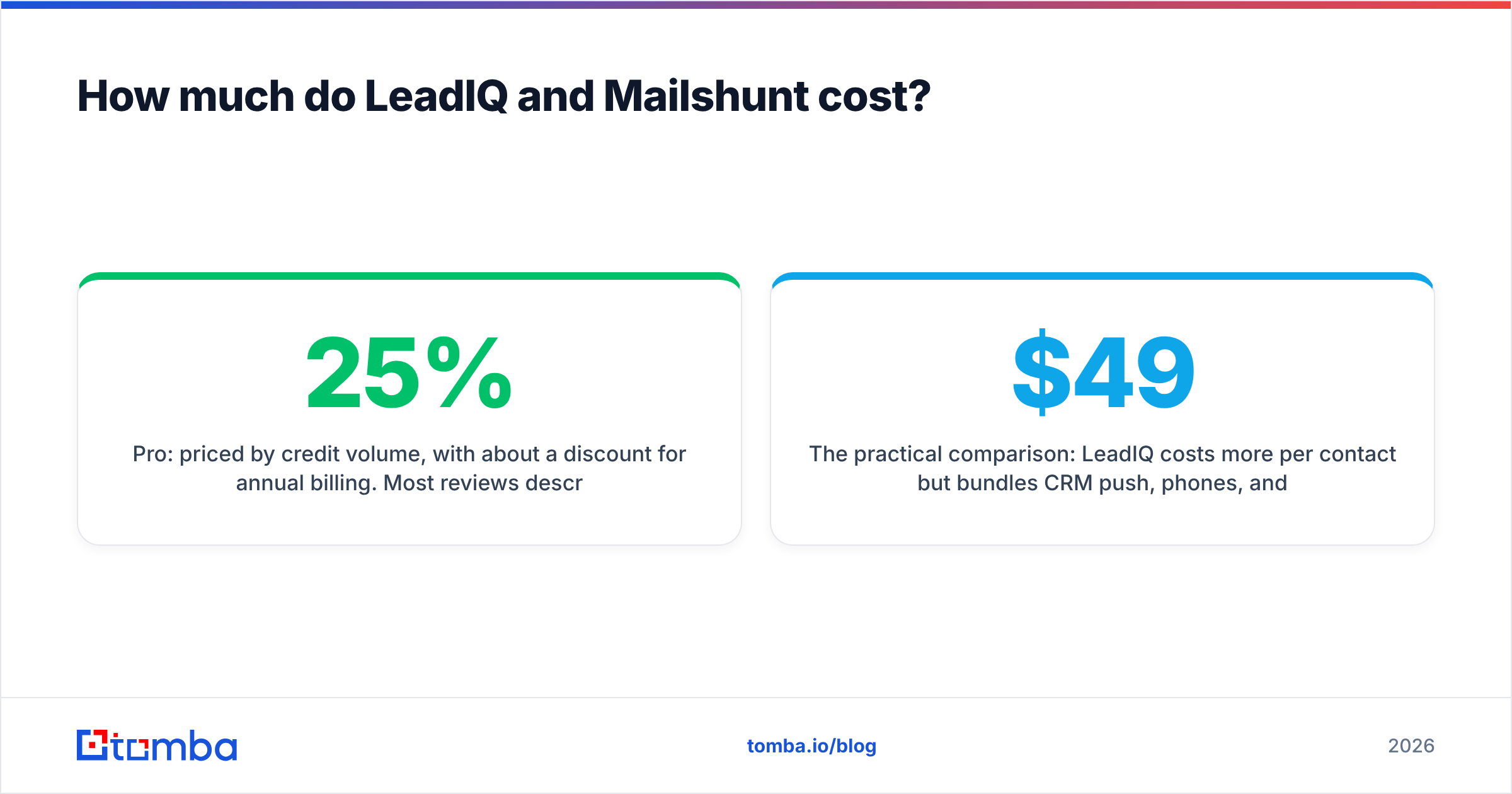
- Pro: priced by credit volume, with about a 25% discount for annual billing. Most reviews describe volume-based packages, not flat seat prices.
- Enterprise: custom credit volumes, seats, and admin controls, sold through a sales conversation.
Two details catch teams off guard. First, credits reset each billing cycle and don't roll over, so a slow month is money lost. Second, universal credits are shared across emails, phones, enrichment, and Champion Tracking. A rep who reveals mobile numbers freely can use up the team's email budget. Check the current terms on LeadIQ's own pricing page before you sign, because the tiers have changed several times.
Mailshunt pricing is harder to pin down. It has a pricing page, but we couldn't find detailed tiers confirmed in independent sources. Small tools like this often run cheap monthly plans or lifetime deals. Those can be good value, but you're taking on vendor risk. If the tool shuts down or changes its data provider, your "lifetime" access goes with it.
The practical comparison: LeadIQ costs more per contact but bundles CRM push, phones, and AI writing. Mailshunt probably costs less per lookup, but it bundles almost nothing and gives you less to verify its quality against. If you're comparing both against a mid-market option, Tomba pricing runs from a free 25-search tier to Starter at $49/mo, Growth at $99/mo, and Pro at $249/mo, with verification included instead of charged separately.
Is LeadIQ better than Mailshunt for SDR teams?#
Yes, if your team really prospects from LinkedIn and lives in a CRM.
Here's what LeadIQ gives a four-to-ten-person SDR pod that Mailshunt can't:
- One-click capture into Salesforce or HubSpot with duplicate detection, so reps aren't pasting emails into spreadsheets.
- Sequencer sync with Outreach and Salesloft, so a captured lead can go into a cadence in the same motion.
- Champion Tracking, which tells you when a past buyer moves to a new company. That's one of the highest-converting outbound triggers there is.
- Team credit controls, so a manager can cap spending per rep.
- Scribe for first-draft personalization. It's useful for volume, though you'll still want a human pass on it.
The trade-off is cost and lock-in. LeadIQ makes the most sense when you use the workflow features. If your reps only need email addresses, you're paying for a platform to do a lookup. That's the most common reason teams start looking for a LeadIQ alternative.
When does Mailshunt make sense?#
Mailshunt makes sense in a narrower set of situations:
- You're a founder or freelancer doing ad-hoc outreach, maybe 20 to 50 lookups a month.
- You need a browser-based lookup while reading a company website, not a LinkedIn workflow.
- You're not integrating with a CRM and are happy to copy results by hand.
- You're willing to verify every result separately before sending.
It isn't a good fit for regulated outreach, for teams that need an audit trail of data sources, or for any campaign where a bounce spike would hurt your primary domain. Without published verification details, you can't tell how it handles risky addresses. And risky addresses are what damage sender reputation.
What are the pros and cons of each tool?#
LeadIQ pros
- Mature, well-reviewed product with a long enterprise track record
- Best-in-class LinkedIn capture flow
- Deep CRM and sequencer integrations
- Job-change tracking and AI writing in one place
LeadIQ cons
- Credits expire and don't roll over
- Shared credit pool makes phone reveals expensive
- Weaker coverage outside North America and among small businesses
- More platform than you need if you only want emails
Mailshunt pros
- Simple, low-friction email lookups
- Likely a lower cost per search than enterprise platforms
- Browser extension works outside LinkedIn
Mailshunt cons
- Little public evidence on accuracy or data sources
- No documented CRM integrations or API
- Unclear handling of catch-all domains
- Vendor risk that comes with a small, new tool

What should you use if neither fits?#
Many teams that compare LeadIQ and Mailshunt end up somewhere in between. They want more data depth and verification than a small finder offers, without paying platform prices for workflow features they won't use.
Here's what to look for in a middle-ground tool:
- Built-in verification on every result, including a separate catch-all check, so your bounce rate stays under 2%.
- Multiple entry points: name + domain lookup, full domain search to see everyone at a company, LinkedIn lookup, and bulk CSV upload.
- Transparent monthly quotas that match how you actually use the tool, not a shared pool that phone reveals drain.
- Native CRM integrations or an API, so you're not stuck copying and pasting as you grow.
- Published data-source and compliance information so legal can sign off.
Tomba is built around that model. The email finder is the core product, and email verification, catch-all verification, phone finding, and enrichment come with it. It won't replace LeadIQ's Champion Tracking or AI writing, and it isn't trying to. But if your real requirement is "correct email addresses in my CRM at a predictable price," a focused finder usually beats both a platform and a mystery box.
So, LeadIQ vs Mailshunt: which should you pick?#
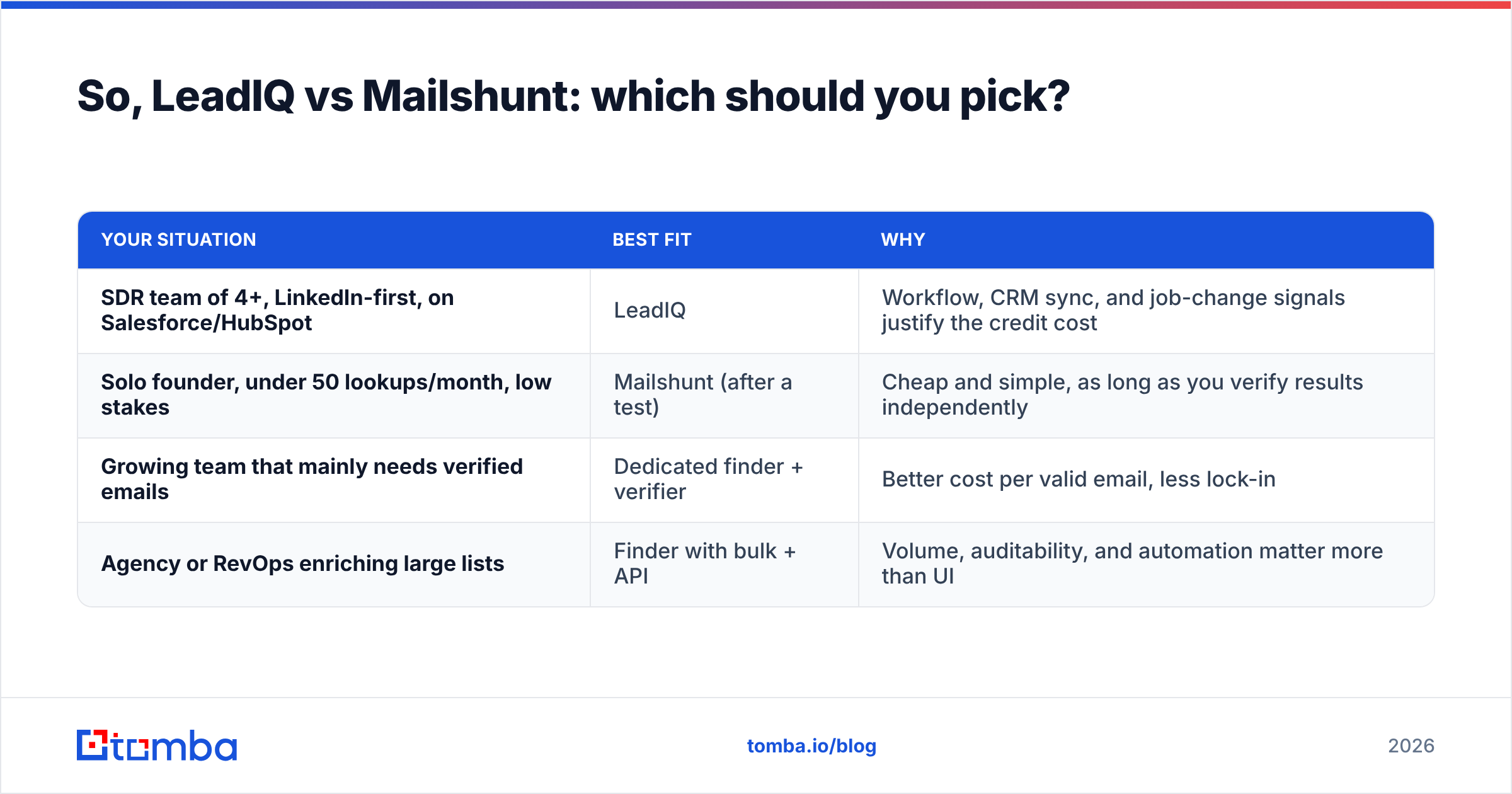
Pick by team shape, not by feature count:
| Your situation | Best fit | Why |
|---|---|---|
| SDR team of 4+, LinkedIn-first, on Salesforce/HubSpot | LeadIQ | Workflow, CRM sync, and job-change signals justify the credit cost |
| Solo founder, under 50 lookups/month, low stakes | Mailshunt (after a test) | Cheap and simple, as long as you verify results independently |
| Growing team that mainly needs verified emails | Dedicated finder + verifier | Better cost per valid email, less lock-in |
| Agency or RevOps enriching large lists | Finder with bulk + API | Volume, auditability, and automation matter more than UI |
Whatever you choose, run the 50-contact control test before you commit budget. It takes an hour, and it will tell you more than any vendor page, including this one.
If your shortlist comes down to "I just need accurate work emails without paying for a whole platform," try the Tomba Email Finder. Search by name and domain, company, or LinkedIn profile. Every result comes with a verification status, the free tier gives you 25 searches to run your own accuracy test, and paid plans start at $49/mo when you're ready to scale.
Related guides#
// get started
Find, verify and enrich your first contacts today
Start on the free plan with 25 searches a month, then scale when your team is ready.
Free plan · No credit card required · GDPR & CCPA
// about the author