LeadIQ vs SafetyMails: Prospecting Tool or Email Verifier in 2026?
LeadIQ captures contacts from LinkedIn. SafetyMails checks whether email addresses will bounce. Here is how they differ, when to pay for each, and when one tool that does both makes more sense.
TL;DR
- LeadIQ and SafetyMails do different jobs. LeadIQ is a prospecting tool that finds and captures contact data, mostly from LinkedIn. SafetyMails is an email verification service that checks whether addresses you already have will bounce.
- Pick LeadIQ if your SDRs build lists from LinkedIn and need to push contacts straight into Salesforce, HubSpot, or a sequencer.
- Pick SafetyMails if you already have lists from sign-up forms, events, or old CRM exports and need to clean them before sending.
- Many teams end up paying for both, because finding a contact and confirming the address is deliverable are two separate steps.
- A single tool that handles finding and verifying, such as Tomba, can replace the two-vendor setup if you mostly need emails and not LinkedIn workflow features.
If you searched "LeadIQ vs SafetyMails," you're probably deciding where to spend a limited data budget. The honest answer is that these tools barely compete. One finds people. The other checks whether the addresses you have are safe to send to. This guide covers what each one does, how they're priced, where each one falls short, and how to decide whether you need one, both, or neither.
What is LeadIQ?#
LeadIQ is a B2B prospecting platform built for sales development teams. Most people use it through its Chrome extension. A rep opens a LinkedIn profile or a Sales Navigator search, clicks capture, and LeadIQ returns a work email and often a phone number. The contact can then go straight to a CRM or a sales engagement tool.
Its main strengths are:
- LinkedIn-native capture. The extension sits on top of LinkedIn and Sales Navigator, so reps don't have to copy and paste between tabs.
- CRM and sequencer sync. Captured contacts can be sent to Salesforce, HubSpot, Outreach, Salesloft, and similar tools, with duplicate checks against existing records.
- Job-change tracking. LeadIQ can flag when a past champion or customer moves to a new company, which gives reps a warm reason to reach out.
- AI-assisted messaging. Newer versions include features that help draft personalized first lines from profile data.
LeadIQ is priced per seat, with a limited free plan and paid tiers that add more email and phone credits, CRM integrations, and team features. Enterprise pricing is custom. Plans change often, so check LeadIQ's pricing page before you budget.
The limitation to know about is that LeadIQ's main job is finding and moving contacts. It does validate emails before returning them, but it isn't designed to take a 40,000-row CSV from a trade show and tell you which addresses will bounce.
What is SafetyMails?#
SafetyMails is an email verification service that started in Brazil and now serves customers internationally. You upload a list, or call its API, and it sorts each address into categories such as valid, invalid, risky, disposable, catch-all, or unknown. You can then remove or hold back the addresses that would hurt your sender reputation.
Its main strengths are:
- Bulk list cleaning. Upload a file, get back a segmented result, and suppress the bad rows before a campaign goes out.
- Real-time API and form validation. You can check an address the moment someone types it into a sign-up or lead form, so bad data doesn't enter your CRM in the first place.
- Deliverability focus. It is built to protect bounce rates and domain reputation, not to generate pipeline.
- Privacy positioning. SafetyMails puts a lot of emphasis on data-protection compliance, which is relevant for teams handling data covered by LGPD or GDPR.
SafetyMails is priced by verification credits, with one-off credit packs and recurring plans. You pay per address checked, not per seat.
The limitation is simple: SafetyMails does not find anyone. If you have a name and a company but no email address, it can't help.

Is LeadIQ better than SafetyMails?#
Neither tool is better overall because they work at different stages of the pipeline. A useful comparison is a fishing net and a scale at the fish market. The net brings fish in, and the scale tells you which ones are worth selling. Asking which one is better only makes sense once you know which step is costing you money.
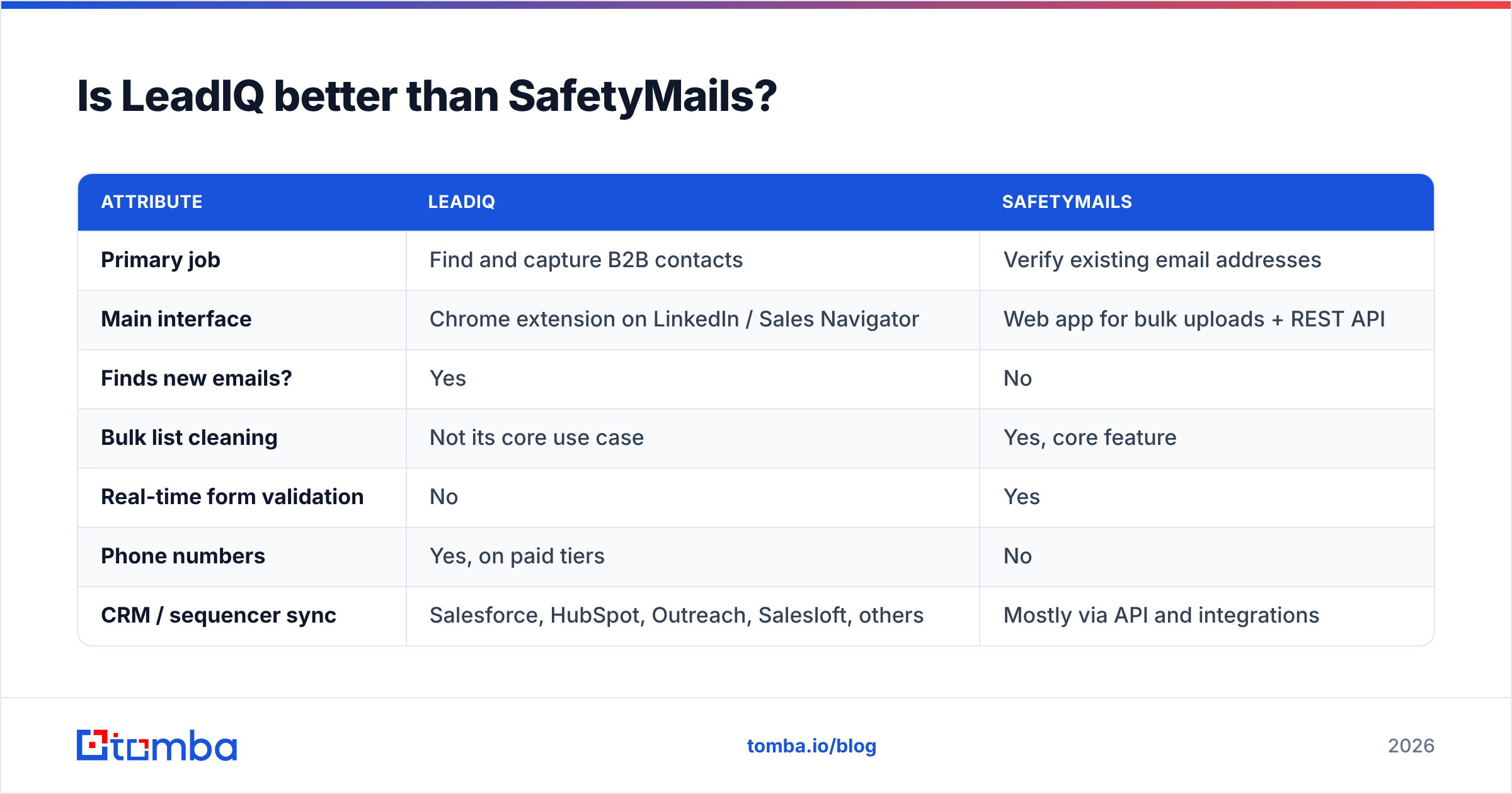
Here's how the two compare on the attributes buyers usually care about:
| Attribute | LeadIQ | SafetyMails |
|---|---|---|
| Primary job | Find and capture B2B contacts | Verify existing email addresses |
| Main interface | Chrome extension on LinkedIn / Sales Navigator | Web app for bulk uploads + REST API |
| Finds new emails? | Yes | No |
| Bulk list cleaning | Not its core use case | Yes, core feature |
| Real-time form validation | No | Yes |
| Phone numbers | Yes, on paid tiers | No |
| CRM / sequencer sync | Salesforce, HubSpot, Outreach, Salesloft, others | Mostly via API and integrations |
| Pricing model | Per seat, monthly or annual | Per verification credit |
| Free option | Limited free plan | Trial credits |
| Best buyer | SDR / BDR teams doing outbound | Marketing ops, RevOps, list owners |
| Biggest gap | Not built for cleaning large legacy lists | Cannot source new contacts |
The last row matters most. Each tool's gap is the other tool's main feature, which is why so many teams end up paying for both.
How do the pricing models actually compare?#
The pricing models differ as much as the products, and that affects cost more than the headline price does.
LeadIQ charges per seat. Each rep who needs the extension needs a license, and each tier includes a fixed number of email and phone credits. A 10-person SDR team costs roughly ten times more than one rep, whether or not every rep uses all of their credits. That's a good deal when reps capture contacts every day. It's a bad deal when half the team only prospects occasionally.
SafetyMails charges per address verified. Cost depends on list size, not headcount. One marketing ops person can clean 200,000 addresses and pay only for those 200,000 checks. The per-address price usually drops as volume goes up.
To estimate your real cost, answer three questions:
- How many people need to find contacts each week? That number sets your LeadIQ seat count.
- How many addresses do you send to each month that did not come from a verified source? That number sets your SafetyMails credit usage.
- How often do you re-verify? B2B data decays as people change jobs, so a list that was clean in January will be less clean by July. Re-verification before each large send adds to your credit usage.
If the answer to the first question is zero, because nobody on your team builds lists from LinkedIn, LeadIQ is probably unnecessary. If the answer to the second question is close to zero, because every address comes from a source that already verifies, SafetyMails will get little use.
Which workflow does each tool fit?#
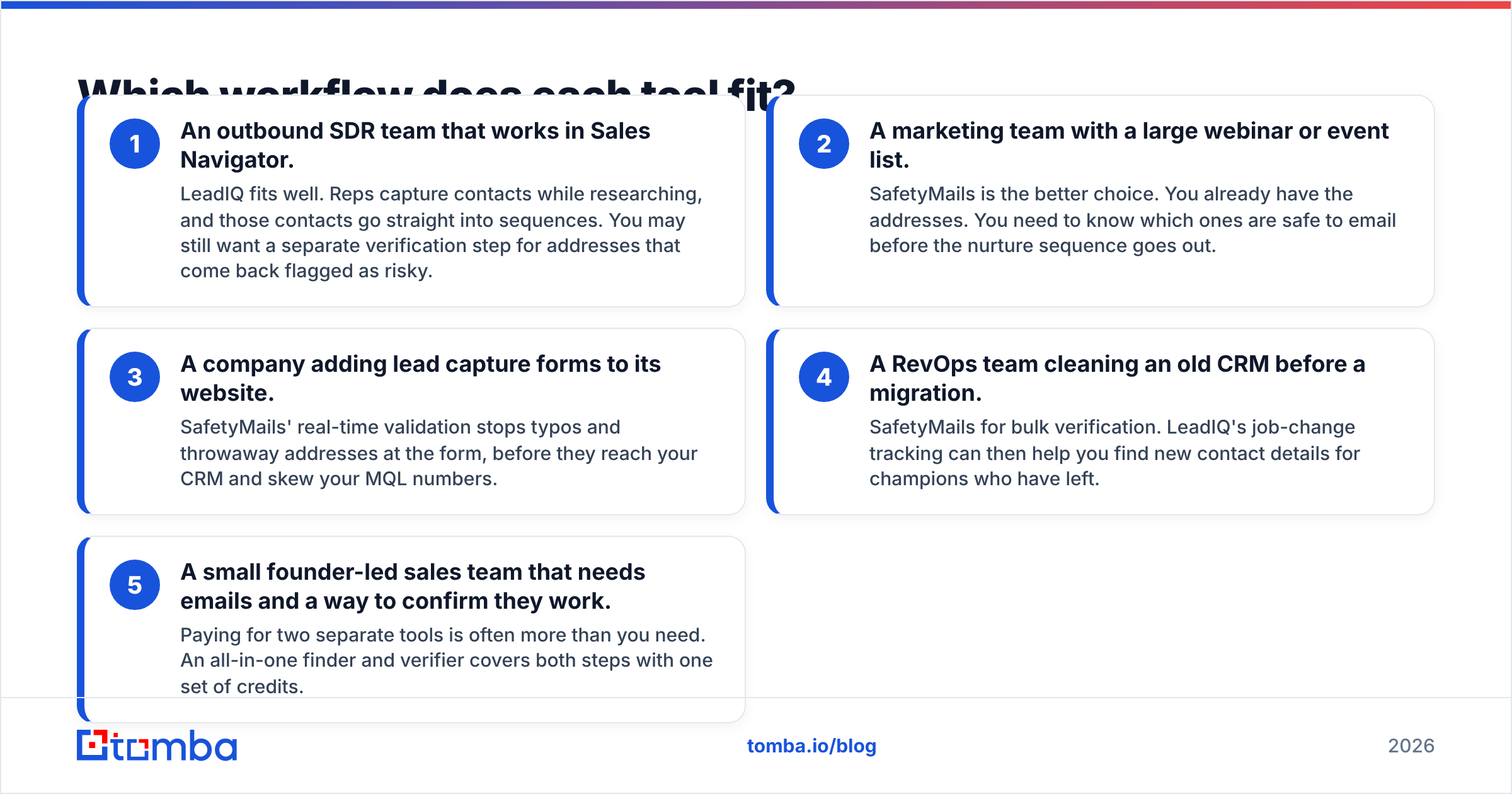
Use cases are easier to judge than feature lists. Here are the five situations that come up most often:
- An outbound SDR team that works in Sales Navigator. LeadIQ fits well. Reps capture contacts while researching, and those contacts go straight into sequences. You may still want a separate verification step for addresses that come back flagged as risky.
- A marketing team with a large webinar or event list. SafetyMails is the better choice. You already have the addresses. You need to know which ones are safe to email before the nurture sequence goes out.
- A company adding lead capture forms to its website. SafetyMails' real-time validation stops typos and throwaway addresses at the form, before they reach your CRM and skew your MQL numbers.
- A RevOps team cleaning an old CRM before a migration. SafetyMails for bulk verification. LeadIQ's job-change tracking can then help you find new contact details for champions who have left.
- A small founder-led sales team that needs emails and a way to confirm they work. Paying for two separate tools is often more than you need. An all-in-one finder and verifier covers both steps with one set of credits.
The fifth case is the most common one we see, and the one where "LeadIQ vs SafetyMails" is the wrong question to ask.
Where does each tool fall short?#
Every tool has trade-offs. Here are the ones you're likely to hit.
LeadIQ weaknesses
- Depends on LinkedIn. Most of its value comes through the extension. If LinkedIn changes how its pages render or tightens rules on automation, your workflow can break until LeadIQ adapts.
- Per-seat costs grow quickly. Seat pricing becomes expensive as a team grows, especially when usage varies from rep to rep.
- Coverage varies by region. As with most contact databases, coverage is strongest for North American tech companies and weaker for SMBs and some non-English-speaking markets. Test it on your own ICP before committing.
- Not a list-hygiene tool. It won't audit the contacts already in your CRM.
SafetyMails weaknesses
- No prospecting. It can't create pipeline on its own.
- Catch-all domains stay uncertain. Like every SMTP-based verifier, it can't fully confirm addresses on domains set to accept all mail. Those come back as risky, and you have to decide what to do with them.
- Less visible in some markets. Its brand and review footprint are strongest in Latin America. Teams in other regions may find fewer peer reviews on sites like G2 to compare against.
- Another vendor to manage. If you already have a finder, adding a separate verifier means one more contract, one more API key, and one more CSV round trip.
Do you really need two tools?#
Probably not, unless your team works at scale with specialized roles. A typical two-tool setup looks like this: a rep captures a contact in LeadIQ, the contact syncs to the CRM, and before a large campaign someone exports the list, uploads it to SafetyMails, downloads the results, and re-imports the suppressions. Every handoff costs time and can introduce mistakes.

Consolidating makes sense when:
- You mainly need emails, not LinkedIn workflow features. If job-change alerts and Sales Navigator overlays aren't central to your process, a finder plus built-in verifier covers most of the value.
- Your team is small. Two or three people who prospect part-time don't need per-seat licenses and a separate credit plan.
- You want one bill and one API. Engineering and ops teams usually prefer a single integration over two.
Keeping two specialized tools makes sense when:
- You have a dedicated SDR team that lives in Sales Navigator and uses LeadIQ's sequencer sync and job-change signals every day.
- You run high-volume inbound forms that need real-time validation at the point of capture.
- Compliance or procurement already approved both vendors, and switching costs outweigh the savings.
Where does Tomba fit in the LeadIQ vs SafetyMails decision?#
Tomba covers most of both jobs in one account. That doesn't make it a perfect replacement for either tool, so here's where it fits and where it doesn't.
On the finding side, the Tomba Email Finder returns professional email addresses from a name and company or domain. Domain search, a LinkedIn finder, and a Chrome extension provide similar capture workflows. If LeadIQ's main appeal for you is the LinkedIn overlay and deep sequencer sync, compare that part carefully. Our LeadIQ alternative page lays out the differences.
On the verification side, the Tomba email verifier checks addresses individually or in bulk, and a separate catch-all verifier helps with accept-all domains where standard SMTP checks come back inconclusive. For teams whose main need is bulk cleaning before sends, this covers the same core job as SafetyMails. If real-time form validation at scale is your main requirement, test both tools on your own traffic before switching.
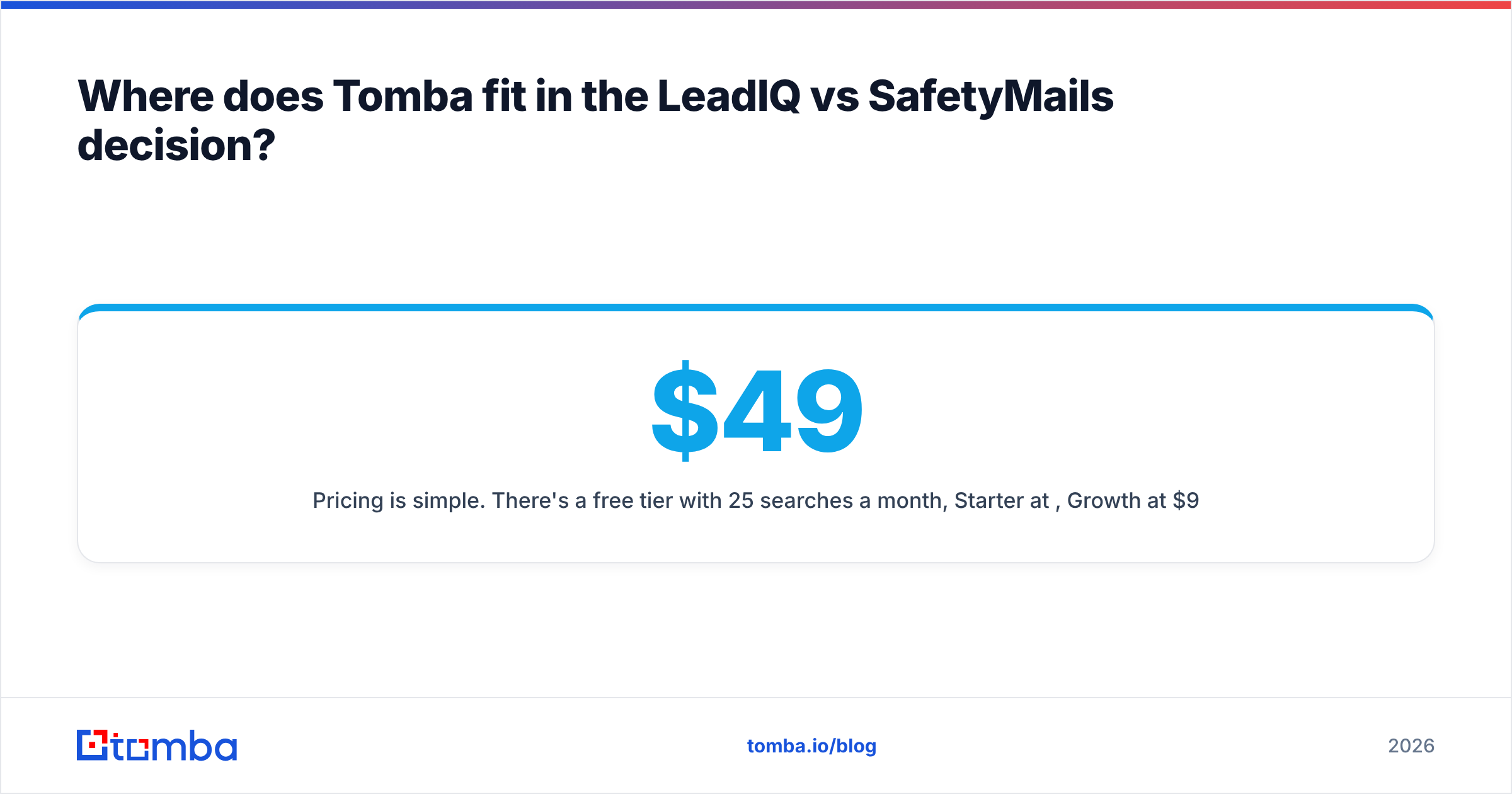
Pricing is simple. There's a free tier with 25 searches a month, Starter at $49/mo, Growth at $99/mo, Pro at $249/mo, and custom Enterprise plans. See Tomba pricing for credit allowances by tier. Because pricing isn't per seat, a small team can share one plan instead of buying a license for each rep.
Here's a rough fit guide:
| Your situation | Best fit |
|---|---|
| 10+ SDRs working in Sales Navigator, heavy CRM sync | LeadIQ (+ a verifier for list hygiene) |
| Marketing team cleaning large existing lists | SafetyMails or Tomba Email Verifier |
| Real-time validation on high-traffic signup forms | SafetyMails (test Tomba API as well) |
| Small team that needs to find and verify emails | Tomba (one plan covers both) |
| Developers building enrichment into an app | Tomba API or SafetyMails API, depending on whether you need finding |
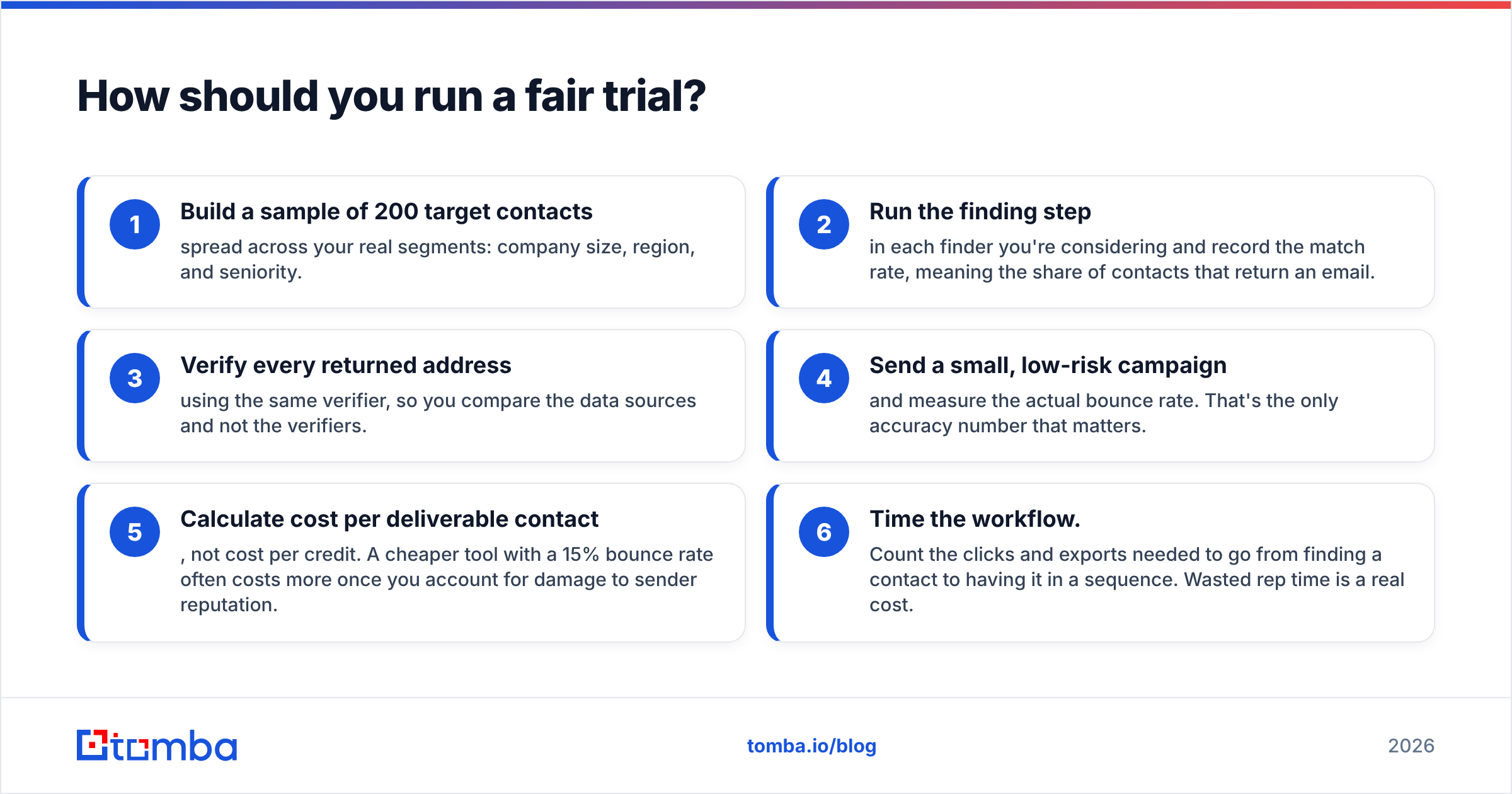
How should you run a fair trial?#
Don't choose a data tool based on its marketing page. Run a two-week test using your own ICP:
- Build a sample of 200 target contacts spread across your real segments: company size, region, and seniority.
- Run the finding step in each finder you're considering and record the match rate, meaning the share of contacts that return an email.
- Verify every returned address using the same verifier, so you compare the data sources and not the verifiers.
- Send a small, low-risk campaign and measure the actual bounce rate. That's the only accuracy number that matters.
- Calculate cost per deliverable contact, not cost per credit. A cheaper tool with a 15% bounce rate often costs more once you account for damage to sender reputation.
- Time the workflow. Count the clicks and exports needed to go from finding a contact to having it in a sequence. Wasted rep time is a real cost.
For background on why bounce rates affect every later email you send, read up on email deliverability before you set your acceptance threshold.
Final verdict: LeadIQ or SafetyMails?#
Choose LeadIQ if you run an outbound SDR team that works in LinkedIn and needs captured contacts to flow straight into your CRM and sequencer. Choose SafetyMails if you already have the addresses and need to clean them in bulk or validate them at the form. Choose both only if you have the volume and specialized roles to justify two vendors.
For most small and mid-sized teams, the better question isn't LeadIQ vs SafetyMails. It's whether you need two tools at all. If your goal is to find accurate business emails and confirm they'll land before you hit send, try the Tomba Email Finder. Start on the free tier, run the 200-contact test above against your current stack, and compare cost per deliverable contact before you renew anything.
Related guides#
// get started
Find, verify and enrich your first contacts today
Start on the free plan with 25 searches a month, then scale when your team is ready.
Free plan · No credit card required · GDPR & CCPA
// about the author