Leadleaper Pros and Cons: An Honest 2026 Review for B2B Teams
Leadleaper is a light, cheap way to pull emails from LinkedIn. It also has clear limits on verification, scale, and integrations. Here's where it helps, where it doesn't, and what to pair it with.
TL;DR
- Leadleaper is a Chrome extension that finds business emails while you browse LinkedIn, Sales Navigator, and company websites. It's simple, fast to set up, and has a usable free tier.
- Its biggest strengths: very little learning curve, it captures leads right on the profile page, and it's cheap for solo reps and small teams.
- Its biggest weaknesses: it only works in the browser, has almost no enrichment beyond email, offers few native CRM integrations, and gives you less control over verification than dedicated tools.
- Use Leadleaper if you prospect one person at a time on LinkedIn. Look elsewhere if you need bulk lookups, API access, domain search, or catch-all handling.
- Whatever finder you use, verify the list before you send. That habit matters more for your bounce rate than which tool you picked.
What is Leadleaper?#
Leadleaper is a browser-based lead capture tool. You install the Chrome extension, open a LinkedIn profile, a Sales Navigator search, or a company website, and the extension tries to return a business email for the person or company in front of you. Leads go into a list in Leadleaper's web app, and you can export them from there.
Think of it as a clipboard that fills itself in while you browse LinkedIn. It won't replace a full sales intelligence platform, and it isn't trying to. It's built for the rep who researches prospects by hand and wants the email without copying names into a separate tool.
The product has been around for years, and its pitch hasn't really changed: capture leads where you already work, keep the workflow light, and don't make people learn a new platform. That focus is why some users love it and why others outgrow it fast.
You can check the current feature set and plans on the official Leadleaper site. Plans and credit limits change, so confirm them there before you commit.
How does Leadleaper work in practice?#
A typical session goes like this:
- Open a prospect's page. This can be a LinkedIn profile, a Sales Navigator results page, or a company's own website.
- Click the extension. Leadleaper reads the name, title, and company from the page.
- Get an email result. The tool looks for or predicts the professional email address and shows a result with a status.
- Save to a list. The lead goes into a named list in your Leadleaper account.
- Export or act on it. You download a CSV for your sequencer or CRM, or use whatever outreach features your plan includes.
This works well when you're building a hand-picked list of 20 to 50 accounts. It gets slow when you need 2,000 contacts from a defined set of companies, because every lookup starts in the browser.
What are the main Leadleaper pros?#
Here's what Leadleaper does well, judged against what small B2B teams actually need.
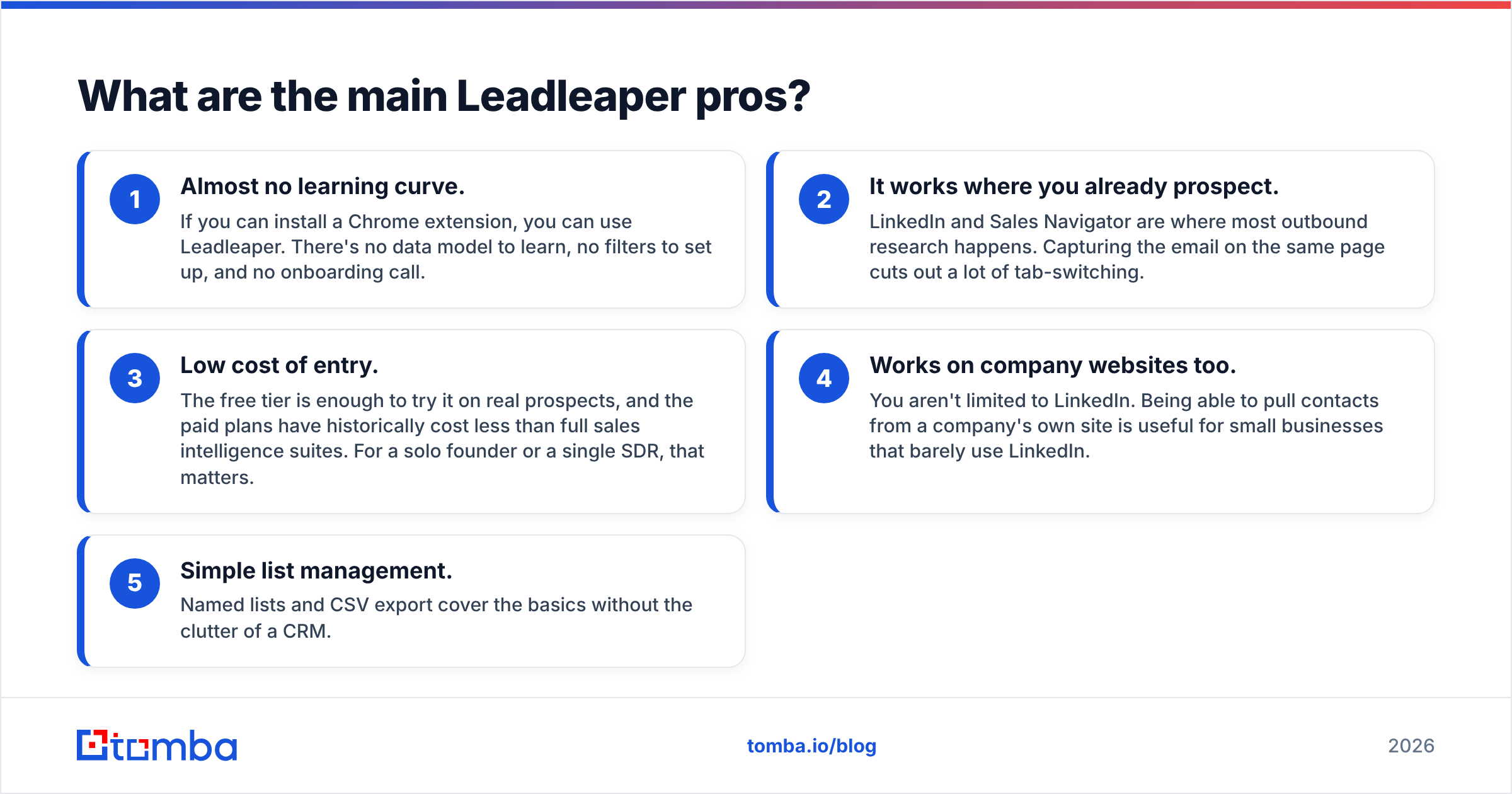
- Almost no learning curve. If you can install a Chrome extension, you can use Leadleaper. There's no data model to learn, no filters to set up, and no onboarding call.
- It works where you already prospect. LinkedIn and Sales Navigator are where most outbound research happens. Capturing the email on the same page cuts out a lot of tab-switching.
- Low cost of entry. The free tier is enough to try it on real prospects, and the paid plans have historically cost less than full sales intelligence suites. For a solo founder or a single SDR, that matters.
- Works on company websites too. You aren't limited to LinkedIn. Being able to pull contacts from a company's own site is useful for small businesses that barely use LinkedIn.
- Simple list management. Named lists and CSV export cover the basics without the clutter of a CRM.
If you're in that small-team group, those five points could be all you need.

What are the main Leadleaper cons?#
The weaknesses come from the same design choices as the strengths. A browser-first, lightweight tool will run out of room at some point.
- Browser-only workflow. Most of the value sits in the Chrome extension. If you want to enrich a spreadsheet of 5,000 names, run lookups from your own app, or automate enrichment in a pipeline, you'll run into limits quickly.
- Thin data beyond email. You get names, titles, companies, and emails. Direct dials, technographics, firmographic filters, and intent signals are either limited or missing. If your targeting depends on company size or tech stack, you'll need a second tool.
- Verification depth is limited. Leadleaper shows a status for each result, but it doesn't give you a dedicated verification layer with detailed catch-all handling. Catch-all domains accept mail for any address, so a "found" email on one of those domains can still bounce or quietly fail.
- Few native integrations. CSV export works, but it's manual. Teams running HubSpot, Salesforce, or Pipedrive usually want a native sync, not a weekly import.
- Coverage varies by region and company size. Like every finder, Leadleaper does better on well-known, mid-size and larger companies than on tiny firms or companies outside North America and Western Europe. Test it on your actual ICP before you trust it.
- Relies on LinkedIn staying stable. Extensions that read LinkedIn pages depend on LinkedIn's layout and policies. When LinkedIn changes something, extension-based tools can break until they ship a fix.
None of these is a dealbreaker for a solo prospector. Each one becomes a real cost once a team is trying to run outbound at volume.
How accurate is Leadleaper compared with other email finders?#
Treat accuracy claims from any vendor, Leadleaper included, as a starting point, not a guarantee. Results depend heavily on your ICP: industry, region, company size, and how many target domains are catch-all.

The practical way to judge accuracy:
- Pull 100 prospects that match your real target list.
- Run them through Leadleaper and one or two alternatives.
- Run every result through an independent email verifier.
- Compare three numbers: find rate (how many came back with an email), valid rate (how many passed verification), and catch-all share (how many you can't confirm).
That test takes about an hour and tells you more than any review score. Third-party review sites like G2 and Capterra are useful for gauging usability and support quality. They're less reliable for accuracy on your particular segment.
One pattern holds across most tools: browser-first finders often report a good find rate on well-known companies but leave you with a lot of unresolved catch-all results. If your list is heavy on SMBs or companies running their own mail servers, give that bucket the most attention.
How does Leadleaper compare with alternatives?#
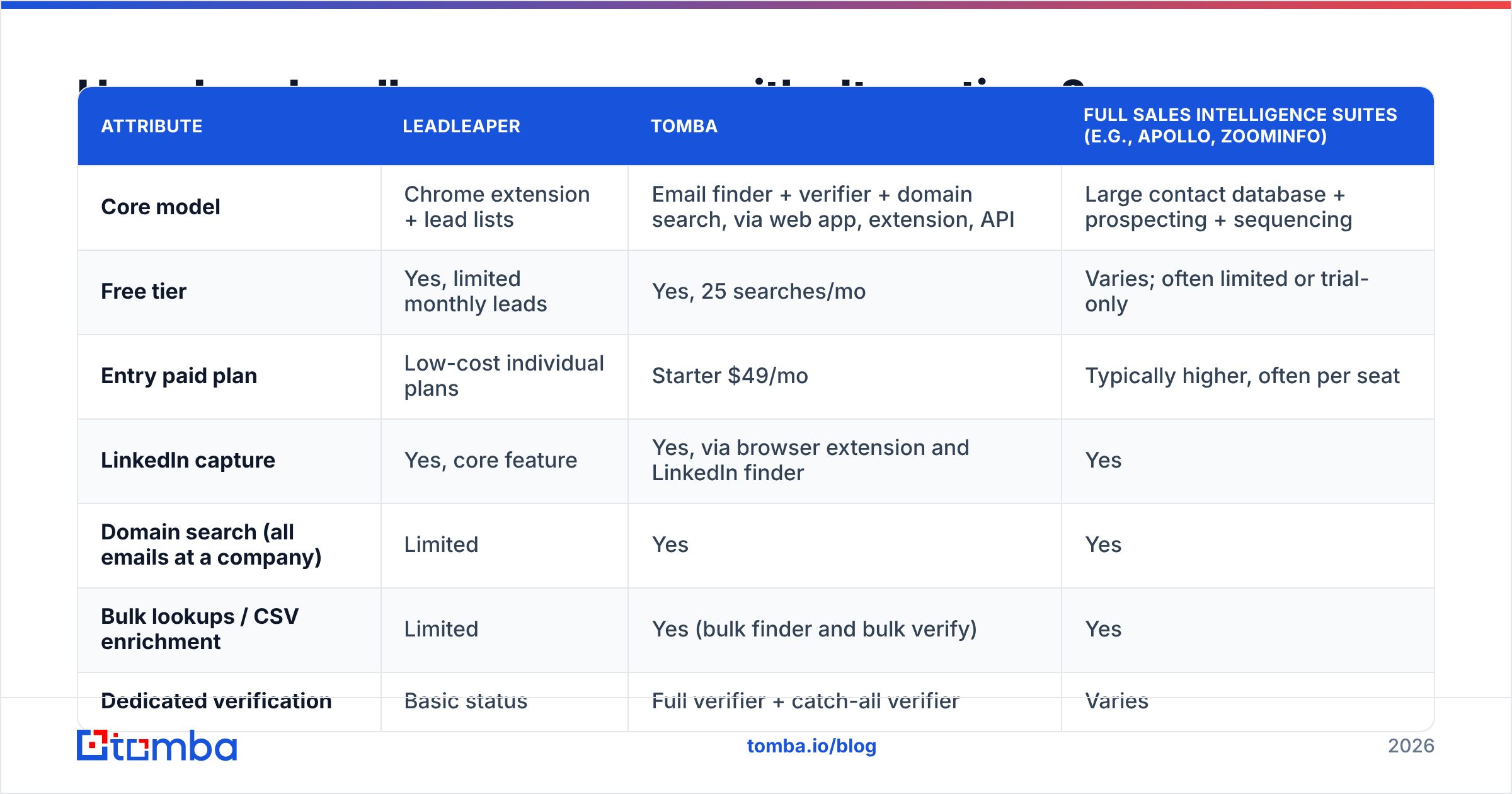
Here's how Leadleaper stacks up against the kinds of tools teams usually compare it with. Competitor pricing changes often, so the table describes tiers and approach rather than exact prices. Tomba's prices are current.

| Attribute | Leadleaper | Tomba | Full sales intelligence suites (e.g., Apollo, ZoomInfo) |
|---|---|---|---|
| Core model | Chrome extension + lead lists | Email finder + verifier + domain search, via web app, extension, API | Large contact database + prospecting + sequencing |
| Free tier | Yes, limited monthly leads | Yes, 25 searches/mo | Varies; often limited or trial-only |
| Entry paid plan | Low-cost individual plans | Starter $49/mo | Typically higher, often per seat |
| LinkedIn capture | Yes, core feature | Yes, via browser extension and LinkedIn finder | Yes |
| Domain search (all emails at a company) | Limited | Yes | Yes |
| Bulk lookups / CSV enrichment | Limited | Yes (bulk finder and bulk verify) | Yes |
| Dedicated verification | Basic status | Full verifier + catch-all verifier | Varies |
| API access | Limited / not the focus | Yes, REST API | Usually on higher tiers |
| Phone numbers | Minimal | Phone finder available | Yes, often a core feature |
| Native CRM integrations | Few; CSV export | HubSpot, Salesforce, Pipedrive, Zapier, Make, more | Extensive |
| Best for | Solo reps doing manual LinkedIn research | Small to mid teams needing finding + verification at scale | Larger teams wanting an all-in-one platform |
What the table shows: Leadleaper wins on simplicity and price for one-at-a-time prospecting. It loses once your workflow needs bulk enrichment, API calls, or deeper verification.
Who should use Leadleaper, and who should skip it?#
Leadleaper fits you if:
- You're a founder, freelancer, or single SDR researching fewer than a few hundred prospects a month.
- Almost all of your prospecting happens on LinkedIn or Sales Navigator.
- You're fine exporting CSVs into your sequencer by hand.
- You care more about budget and simplicity than about extra data fields.
Skip it, or add a second tool, if:
- You need to enrich existing lists in bulk, from spreadsheets or a CRM.
- Your engineers want to call an email finder API from your own product or data pipeline.
- A large share of your targets are on catch-all domains and you need a clear answer before sending.
- Your team uses HubSpot or Salesforce and expects contacts to sync on their own.
- You need phone numbers, technographics, or firmographic filters to build your list.
Many teams end up with a stack: a LinkedIn capture tool for manual research, plus a finder-and-verifier that handles bulk work and hygiene.
What does Leadleaper cost compared with Tomba?#
Leadleaper has historically offered a free plan with a monthly lead cap, plus a few low-cost paid tiers that raise the number of leads per month. Check the Leadleaper pricing page for current numbers. We're not quoting exact figures here because they've changed over time and we'd rather you get them from the source.
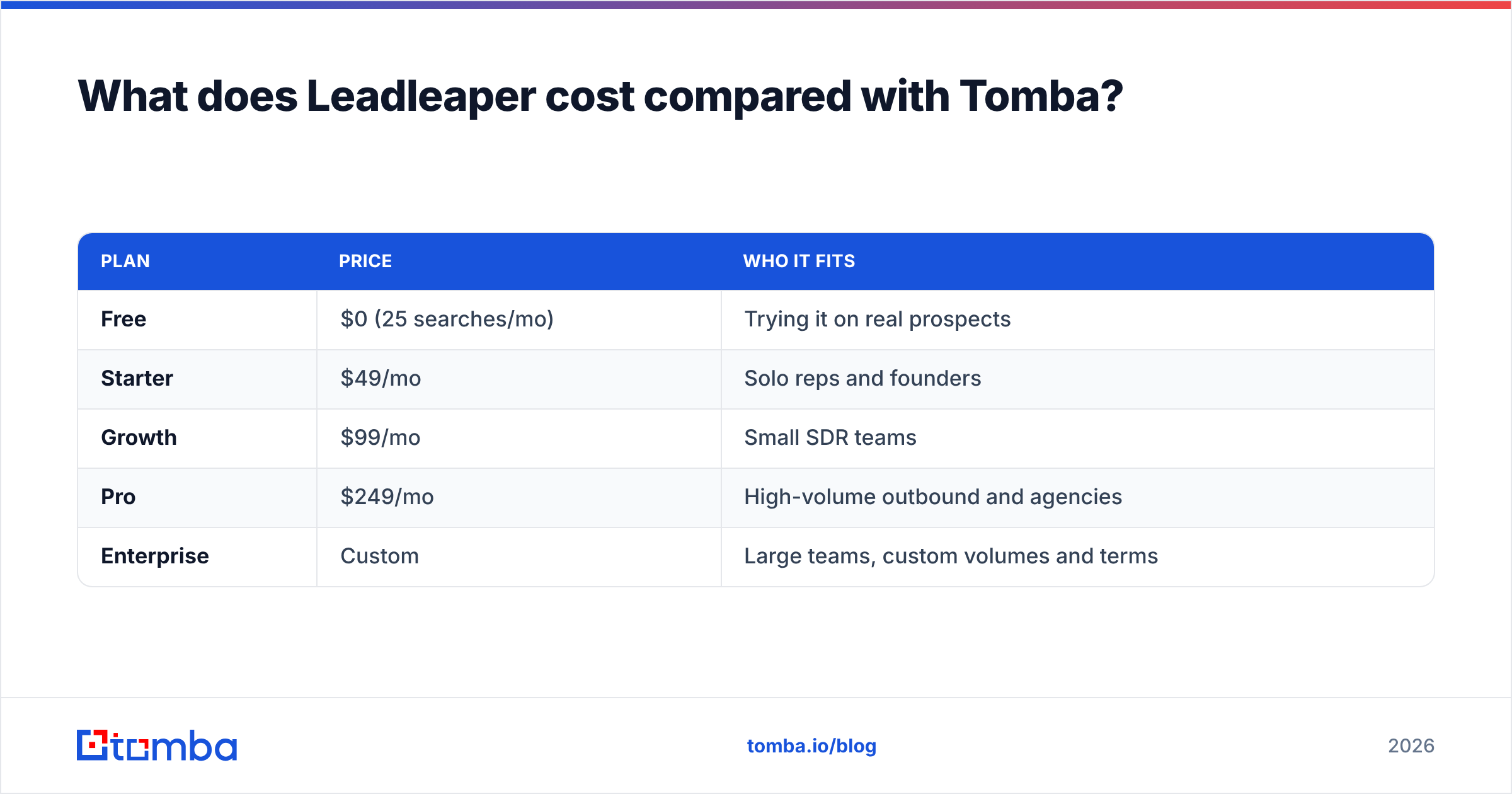
For comparison, here are Tomba's current tiers:
| Plan | Price | Who it fits |
|---|---|---|
| Free | $0 (25 searches/mo) | Trying it on real prospects |
| Starter | $49/mo | Solo reps and founders |
| Growth | $99/mo | Small SDR teams |
| Pro | $249/mo | High-volume outbound and agencies |
| Enterprise | Custom | Large teams, custom volumes and terms |
See Tomba pricing for credit amounts per plan.
The better comparison is cost per verified, sendable email, not sticker price. A cheap finder that leaves 25% of results as unverified catch-alls can cost more once you count bounces, sender reputation damage, and time spent cleaning the list.
How do you get the most out of Leadleaper if you use it?#
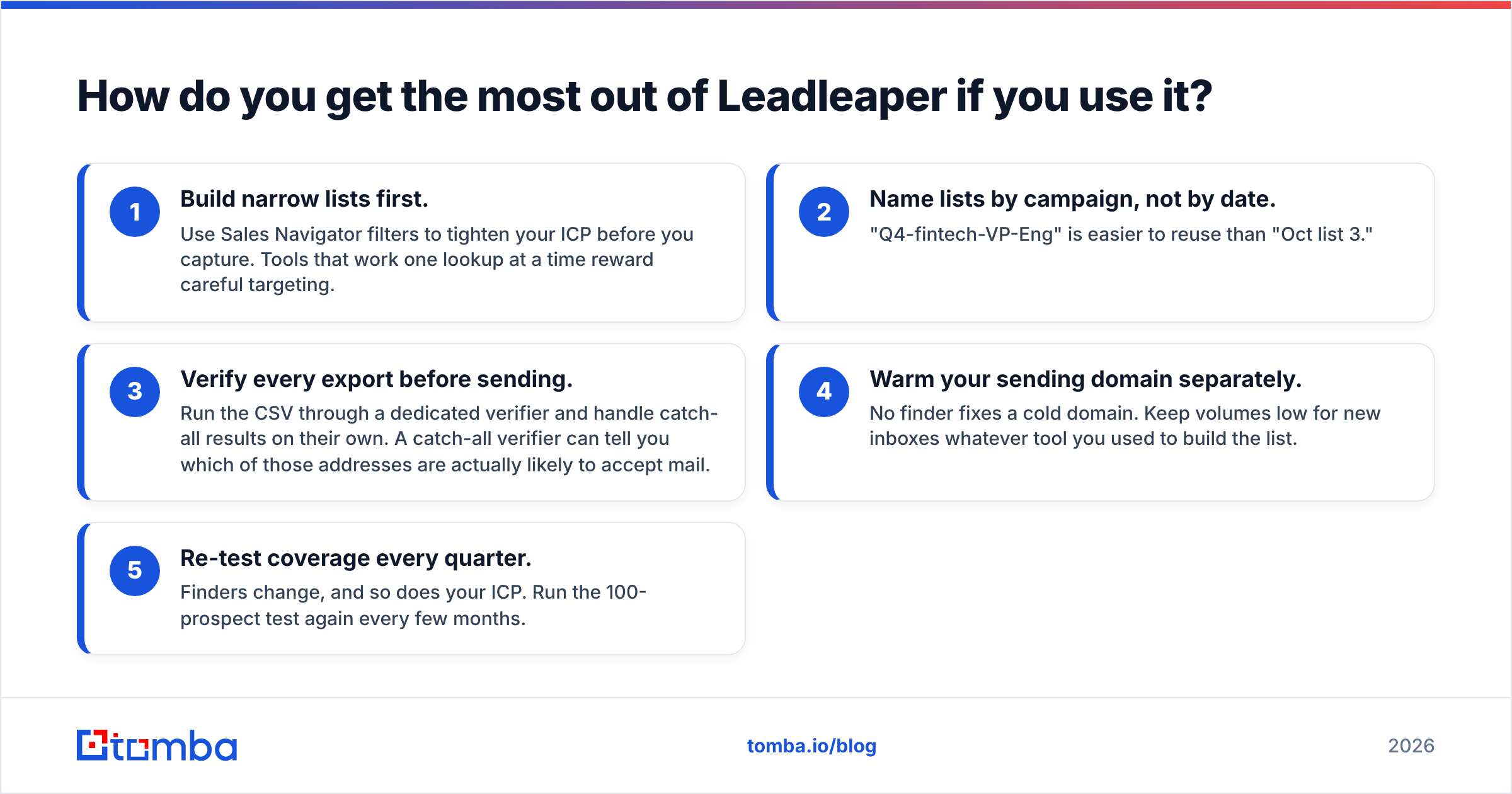
If Leadleaper fits your workflow, these habits will get more out of it:
- Build narrow lists first. Use Sales Navigator filters to tighten your ICP before you capture. Tools that work one lookup at a time reward careful targeting.
- Name lists by campaign, not by date. "Q4-fintech-VP-Eng" is easier to reuse than "Oct list 3."
- Verify every export before sending. Run the CSV through a dedicated verifier and handle catch-all results on their own. A catch-all verifier can tell you which of those addresses are actually likely to accept mail.
- Warm your sending domain separately. No finder fixes a cold domain. Keep volumes low for new inboxes whatever tool you used to build the list.
- Re-test coverage every quarter. Finders change, and so does your ICP. Run the 100-prospect test again every few months.
Is Leadleaper worth it in 2026?#
For a narrow use case, yes. If you prospect by hand on LinkedIn, want a tool your whole team can learn in five minutes, and are on a tight budget, Leadleaper is still a sensible choice. It's honest about what it is.
For teams that have moved past manual research, it's usually not enough by itself. Once you need bulk enrichment, domain-wide search, API access, native CRM sync, or confident verification on catch-all domains, you'll spend more time working around Leadleaper than it saves you.
Here's the short version of the Leadleaper pros and cons:
- Pros: simple, LinkedIn-native, cheap to start, works on company websites, easy list export.
- Cons: browser-bound, thin enrichment, basic verification, few integrations, coverage varies by segment.
What's the best next step?#
If Leadleaper's limits look like the ones you're already hitting, try a tool that covers both capture and scale. Tomba Email Finder finds professional emails by name, company, or domain. It works as a browser extension on LinkedIn, runs bulk lookups on your spreadsheets, and exposes the same engine through an API, with built-in verification and catch-all checks. Start on the free plan with 25 searches a month, run the same 100 prospects you tested in Leadleaper, and compare the verified results.
Related guides#
// get started
Find, verify and enrich your first contacts today
Start on the free plan with 25 searches a month, then scale when your team is ready.
Free plan · No credit card required · GDPR & CCPA
// about the author