LeadLeaper Reviews 2026: Features, Pricing, Pros & Cons
LeadLeaper is a light Chrome extension that pulls leads and emails from LinkedIn and websites. Here's what LeadLeaper reviews agree on, where it falls short, and when a fuller email finder is the better buy.
TL;DR
- LeadLeaper is a lightweight Chrome extension. It captures leads from LinkedIn, Sales Navigator, and company websites, then looks up their business emails.
- Reviewers like it for its simplicity, its free plan, and the fact that it doesn't make you leave the browser. It suits solo sellers and small teams who prospect one profile at a time.
- The common complaints are a shallow data layer, hit-or-miss results on small companies, and limited bulk and API workflows.
- If you need domain-wide search, bulk verification, or an API, look at a dedicated email-finder platform. Use LeadLeaper as a capture tool rather than your whole data stack.
- Before you enrich any list, check that it holds up. Unverified emails hurt deliverability faster than any tool saves you time.
What is LeadLeaper?#
LeadLeaper is a browser-based lead capture and email lookup tool. You install the Chrome extension and open a LinkedIn profile, a Sales Navigator search, or a company "About" page. LeadLeaper then pulls the person's name, title, and company into a lead list and tries to find their business email address.
Think of it as a clipboard with a search engine attached. It works best when you already know who you want to reach and just need their contact details without switching tabs. It doesn't try to be a 200-million-contact database, an intent-data platform, or a full sales engagement suite.
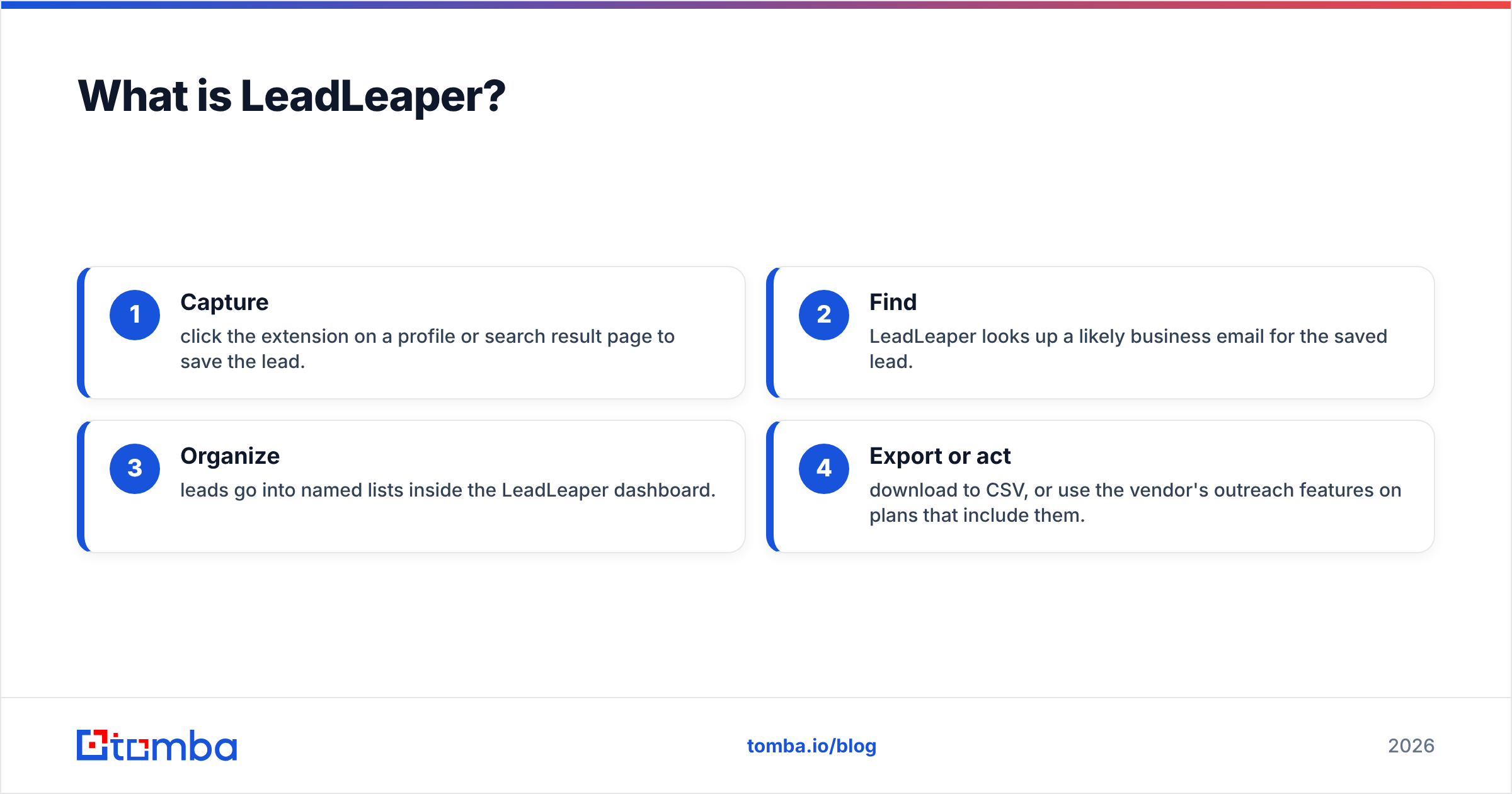
LeadLeaper's core workflow has four steps:
- Capture: click the extension on a profile or search result page to save the lead.
- Find: LeadLeaper looks up a likely business email for the saved lead.
- Organize: leads go into named lists inside the LeadLeaper dashboard.
- Export or act: download to CSV, or use the vendor's outreach features on plans that include them.
That narrow scope explains most of what you'll read in LeadLeaper reviews. People like how simple it is, and they run into its limits when they try to scale.
What do LeadLeaper reviews actually say?#
Across Chrome Web Store feedback, G2 listings, and discussions among sales practitioners, the feedback falls into a few consistent groups.
What users praise:
- Low friction. Install, log in, click. Most users say they got their first email within minutes.
- A usable free plan. You can test it on real prospects before paying anything.
- LinkedIn-native capture. It works directly on LinkedIn and Sales Navigator pages, which is where most B2B prospecting starts.
- Website capture. It can pull contacts from company team and "About" pages, not only from LinkedIn.
- Responsive support. Several reviewers mention getting quick, human answers from a small team.
What users complain about:
- Coverage gaps. Results drop off for small companies, non-US firms, and people with generic titles.
- Limited bulk tooling. It's built for one profile at a time. Enriching a 5,000-row CSV isn't really what it's for.
- Verification depth. Some users report emails that looked valid and still bounced, especially on catch-all domains.
- Dated interface. The dashboard works but feels older than newer competitors.
- LinkedIn dependency. Any tool that reads LinkedIn pages can be affected when LinkedIn changes its layout or enforces its terms.
None of these problems is unusual for a browser-first finder. They do tell you which kind of buyer LeadLeaper fits.

How accurate is LeadLeaper's email finder?#
The honest answer is that accuracy depends on the segment, and LeadLeaper doesn't publish a methodology detailed enough to benchmark independently. Browser-first finders usually combine three techniques:
- Pattern inference: working out the company's email format (for example
first.last@company.com) from known addresses. - Public-source matching: finding the address where it appears openly on the web.
- SMTP checks: asking the mail server whether the mailbox exists, without sending an email.
Pattern inference gets you most of the way at mid-size and large companies with consistent formats. It breaks down in three situations:
- Catch-all domains, where the server accepts any address, so an SMTP check can't confirm the specific mailbox.
- Small companies, where there aren't enough known addresses to infer a pattern.
- Recent hires, name changes, and nicknames, where the inferred address doesn't match the real one.
The accuracy complaints in LeadLeaper reviews mostly fall into those three groups. The practical fix doesn't depend on which tool you use: run every found address through a dedicated email verifier before it goes into a sequence. Every hard bounce is a signal that inbox providers use against your domain. A bounce message doesn't just cost you one contact. It chips away at sender reputation for the whole campaign.

A reasonable target for any finder, LeadLeaper included, is a hard-bounce rate under 2% after verification. If your first test batch comes back well above that, the tool isn't a good fit for your market, whatever its reviews say.
How much does LeadLeaper cost?#
LeadLeaper offers a free plan with a monthly lead and email allowance, plus paid tiers that raise the limits and unlock more features. The vendor has changed plan names and quotas over time, so check the current numbers on LeadLeaper's site rather than trusting a third-party price quoted months ago. That includes the one in this article.
When you compare pricing, ignore the headline monthly fee and look at these four things:
- Cost per verified email, not cost per lookup. A cheap lookup that bounces isn't cheap.
- Whether verification is included or billed as a separate credit.
- Whether unused credits roll over.
- Seat pricing, if more than one rep will use it.
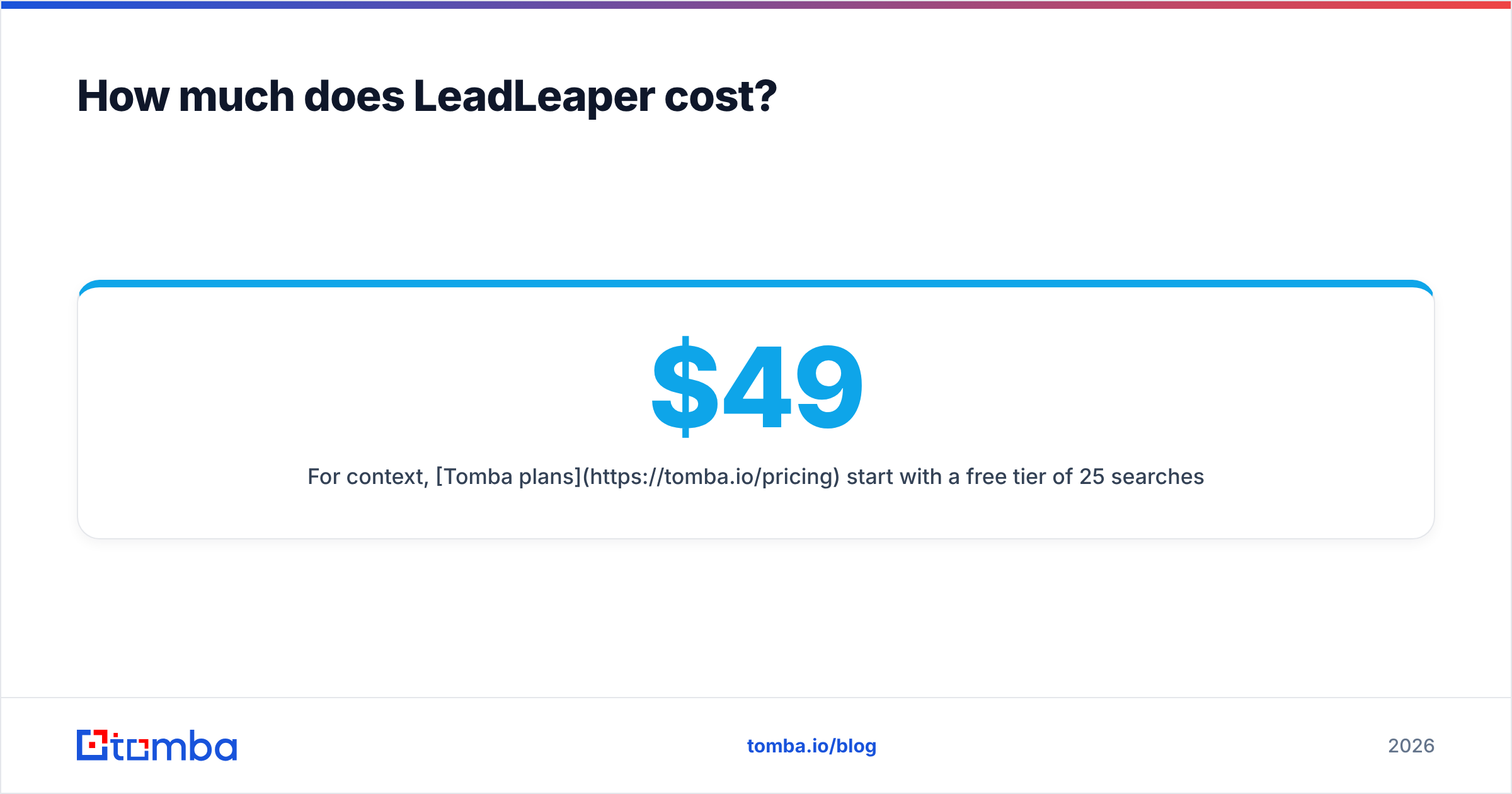
For context, Tomba plans start with a free tier of 25 searches a month, then Starter at $49/mo, Growth at $99/mo, Pro at $249/mo, and custom Enterprise pricing. Tomba's paid plans bundle finding with verification, domain search, and bulk tools. That changes the per-email math once you're past a few hundred contacts a month.
How does LeadLeaper compare to other email finders?#
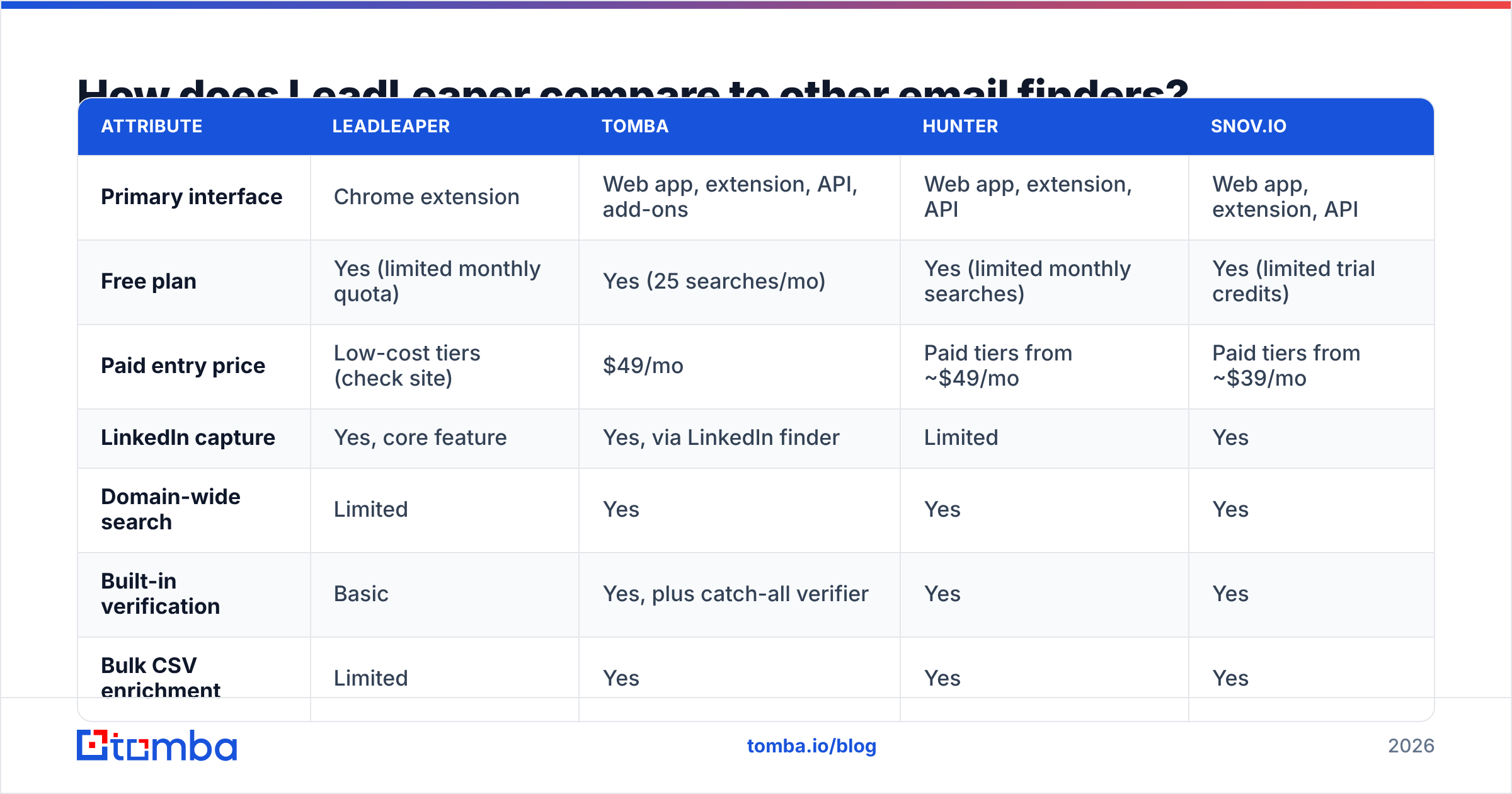
The table below compares LeadLeaper with three common alternatives on the attributes buyers ask about most. Competitor prices change often, so treat the entries as a starting point and confirm them on each vendor's site.
| Attribute | LeadLeaper | Tomba | Hunter | Snov.io |
|---|---|---|---|---|
| Primary interface | Chrome extension | Web app, extension, API, add-ons | Web app, extension, API | Web app, extension, API |
| Free plan | Yes (limited monthly quota) | Yes (25 searches/mo) | Yes (limited monthly searches) | Yes (limited trial credits) |
| Paid entry price | Low-cost tiers (check site) | $49/mo | Paid tiers from ~$49/mo | Paid tiers from ~$39/mo |
| LinkedIn capture | Yes, core feature | Yes, via LinkedIn finder | Limited | Yes |
| Domain-wide search | Limited | Yes | Yes | Yes |
| Built-in verification | Basic | Yes, plus catch-all verifier | Yes | Yes |
| Bulk CSV enrichment | Limited | Yes | Yes | Yes |
| Public API | Not a core offering | Yes | Yes | Yes |
| Phone numbers | No | Yes (phone finder) | No | Limited |
| Best for | Solo reps prospecting on LinkedIn | Teams scaling find + verify | Domain-first research | Find + send in one tool |

The pattern is clear. LeadLeaper does well on capture and is thinner on data infrastructure. The platforms next to it trade some simplicity for domain search, bulk jobs, APIs, and deeper verification.
Who should use LeadLeaper?#
LeadLeaper fits a specific profile. You'll probably be happy with it if most of these apply to you:
- You prospect manually on LinkedIn and want to save leads as you browse.
- You work fewer than a few hundred contacts a month. Its per-profile workflow doesn't slow you down at that volume.
- You're a founder, freelancer, or solo SDR who doesn't need admin controls, seat management, or CRM sync at scale.
- You want to start free and upgrade only if the results hold up in your market.
Who should skip LeadLeaper?#
LeadLeaper probably isn't the right primary tool if any of these describe you:
- You enrich lists in bulk. If you're importing event attendee lists, CRM exports, or scraped company lists, you need a real bulk pipeline.
- You need an API. RevOps teams wiring enrichment into HubSpot, Salesforce, or a data warehouse need programmatic access.
- You sell into SMB or non-US markets, where pattern inference is weakest and coverage gaps show up first.
- Deliverability is already fragile. If your domain is recovering from a bounce spike, you need deeper verification, including catch-all handling, before anything gets sent.
- You need phone numbers. LeadLeaper is email-focused.
What are the best LeadLeaper alternatives?#
The alternative that makes sense depends on the limit you're hitting. Match the tool to the constraint.
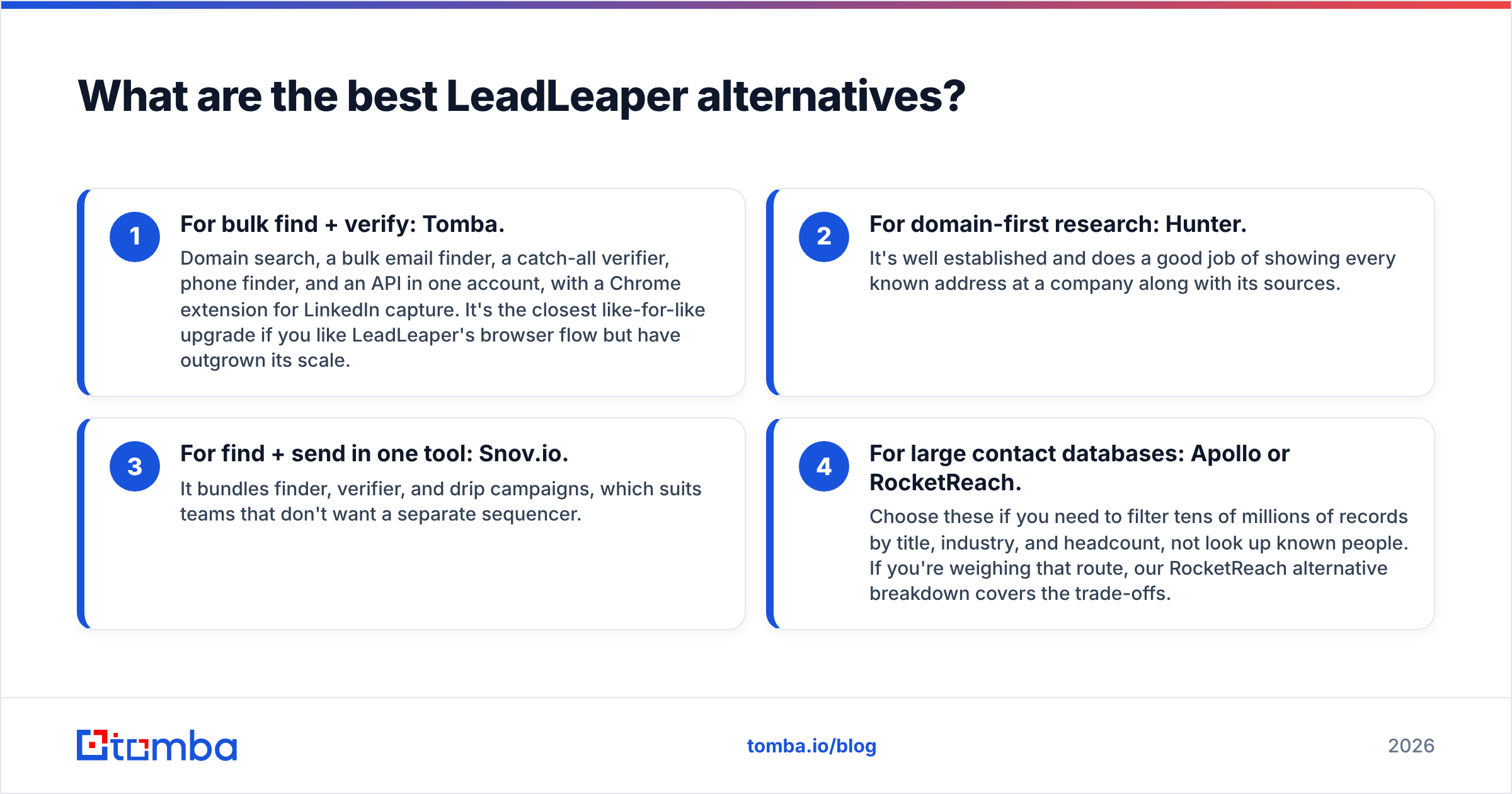
- For bulk find + verify: Tomba. Domain search, a bulk email finder, a catch-all verifier, phone finder, and an API in one account, with a Chrome extension for LinkedIn capture. It's the closest like-for-like upgrade if you like LeadLeaper's browser flow but have outgrown its scale.
- For domain-first research: Hunter. It's well established and does a good job of showing every known address at a company along with its sources.
- For find + send in one tool: Snov.io. It bundles finder, verifier, and drip campaigns, which suits teams that don't want a separate sequencer.
- For large contact databases: Apollo or RocketReach. Choose these if you need to filter tens of millions of records by title, industry, and headcount, not look up known people. If you're weighing that route, our RocketReach alternative breakdown covers the trade-offs.
A common setup, and a sensible one, is to keep LeadLeaper as a capture layer and send its CSV exports through a platform with stronger verification. You get the one-click LinkedIn workflow without trusting a single lookup source for deliverability.

How should you test LeadLeaper before paying?#
Don't decide based on reviews alone, this one included. Run a controlled test that takes about an hour:
- Build a 50-person sample that matches your real ICP: same regions, company sizes, and seniority you actually sell to.
- Run the same 50 through LeadLeaper and one alternative on their free plans.
- Record the find rate: how many contacts returned any email at all.
- Verify every result with an independent verifier, and note which addresses are valid, invalid, or catch-all.
- Compute cost per verified email at the paid tier you'd actually buy.
- Send a small warm batch (10 to 20 emails) only to verified addresses, and watch bounces for 48 hours.
Whichever tool gives you the most verified emails per dollar on your ICP is the right one. Aggregate star ratings can't tell you that, because they average together users who sell into completely different markets.
Is LeadLeaper worth it in 2026?#
For solo sellers who live on LinkedIn, yes, at least on the free plan and the lower tiers. It's quick to learn and cheap to try, and it does its core job of turning a profile you're viewing into a saved lead with a likely email.
For teams that need scale, it usually isn't enough as a primary tool. Limited bulk workflows, no core API, and basic verification mean you'll end up adding a second tool anyway. At that point it's often simpler to consolidate on a platform that handles capture, finding, verification, and enrichment in one place.
The reviews reflect that split. Positive LeadLeaper reviews come mostly from people using it as a personal prospecting assistant. The negative ones come mostly from people who expected it to act as a data platform.
Frequently asked questions#
Is LeadLeaper free? Yes. LeadLeaper has a free plan with a monthly quota, and paid tiers raise the limits. Check the vendor's site for current quotas.
Does LeadLeaper work with Sales Navigator? Yes. Capturing from LinkedIn and Sales Navigator pages is one of its core features.
Is LeadLeaper safe to use with LinkedIn? Any extension that reads LinkedIn pages depends on LinkedIn's terms and interface. Keep your activity at a human pace and avoid automated mass actions from your account.
Does LeadLeaper verify emails? It does some checks, but for cold outreach at volume, reviewers recommend a separate verification pass, especially for catch-all domains.
Ready to go past one-profile-at-a-time?#
If LeadLeaper got you started but you now need domain-wide search, bulk enrichment, catch-all verification, or an API, try Tomba Email Finder. Find professional emails by name, domain, or company, verify them in the same account, and keep the browser workflow through the Chrome extension. Start on the free tier with 25 searches a month, run the same 50-contact test described above, and compare the cost per verified email yourself.
Related guides#
// get started
Find, verify and enrich your first contacts today
Start on the free plan with 25 searches a month, then scale when your team is ready.
Free plan · No credit card required · GDPR & CCPA
// about the author