Leadleaper vs Leadsforge: Which Lead Tool Wins in 2026?
Leadleaper pulls contacts off LinkedIn while you browse. Leadsforge builds lists from a plain-English ICP prompt. We compare pricing, credits, data quality and workflow fit so you can pick the right one.
TL;DR
- Leadleaper is a Chrome extension plus a light web app. It captures names and business emails from LinkedIn and Sales Navigator while you browse, and adds a basic CRM and email sequencing. It suits reps who already prospect by hand on LinkedIn.
- Leadsforge is an AI search engine for leads. You describe your ICP in plain English and it returns a list with verified contact data, ready to push into Salesforge or export as CSV. It suits teams that want finished lists without building filters.
- Pricing: Leadleaper has a free plan and low-cost paid tiers (roughly $29–$69/mo, depending on the tier and the source). Leadsforge's Essential plan starts at $49/mo for 2,000 credits that roll over. An email costs 1 credit and a phone number costs 10.
- Our pick: Choose Leadleaper if LinkedIn is your main prospecting channel and your budget is tight. Choose Leadsforge if you need to build net-new lists quickly and you already use, or plan to use, the Salesforge outreach stack.
- Whichever you choose, verify emails before you send. Neither tool removes the need for a separate verification pass on catch-all domains.
What is Leadleaper?#
Leadleaper is one of the older tools in the "LinkedIn email finder" category. The core product is a Chrome extension. When you open a LinkedIn profile, a LinkedIn search results page or a Sales Navigator list, Leadleaper reads the visible names and companies, guesses and checks the business email, and saves the lead to your Leadleaper account.
Over time it has added more on top of that:
- A lightweight sales CRM for tracking captured leads
- Lead scoring and duplicate detection
- Email sequencing with open, click and reply tracking
- Sender reputation and warmup tools on the top plan
- Unlimited free exports on every plan, which is uncommon in this category, since many finders charge credits for CSV export
The workflow is browse-first. You or the extension's bot go through LinkedIn results, Leadleaper collects contacts as you go, and you export or sequence them afterwards. If you already spend hours in Sales Navigator, you won't need to change how you work.
The trade-off is that your list can only be as good as the LinkedIn search that produced it. You get no database to query, no ICP builder and no firmographic filters outside what LinkedIn shows. Leadleaper is a capture tool, not a data provider.
What is Leadsforge?#
Leadsforge comes from the Forge family of products that also includes Salesforge, an AI multichannel outreach platform. It works the other way round from Leadleaper. You don't browse LinkedIn. You type something like:
"Heads of RevOps at US B2B SaaS companies with 50–500 employees that recently raised a Series B"
Leadsforge turns that prompt into a search against its B2B database, applies filters and intent signals, and gives you a list of contacts with verified emails. You can refine the list in the chat, look up phone numbers, and send the list straight into a Salesforge sequence or export it as CSV.
Main traits:
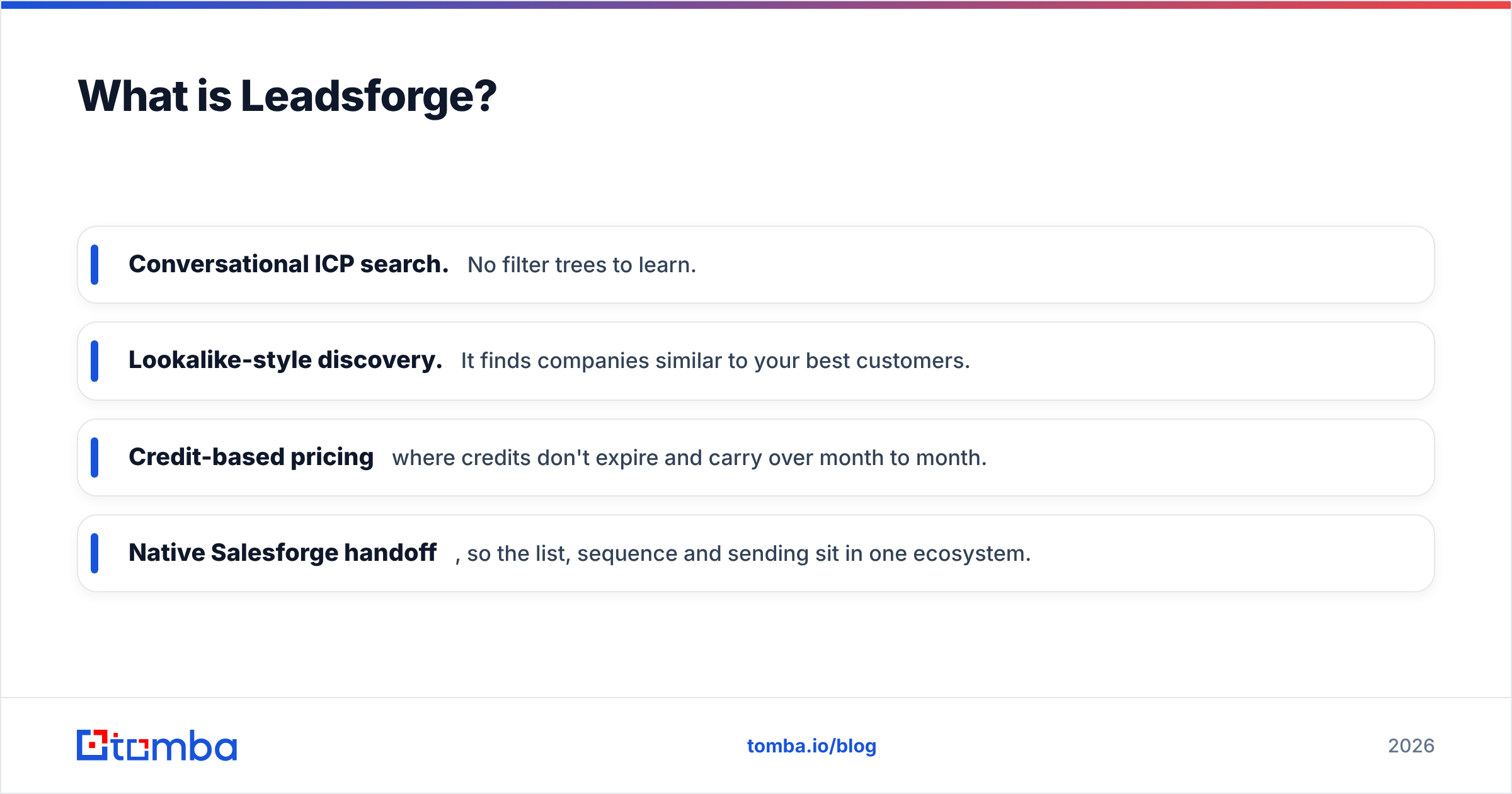
- Conversational ICP search. No filter trees to learn.
- Lookalike-style discovery. It finds companies similar to your best customers.
- Credit-based pricing where credits don't expire and carry over month to month.
- Native Salesforge handoff, so the list, sequence and sending sit in one ecosystem.
The trade-off is control and transparency. You depend on how well the AI reads your prompt and on the coverage of the underlying database. Niche verticals, small European markets and very small companies are where prompt-to-list tools tend to come back thin.
How do Leadleaper and Leadsforge compare side by side?#
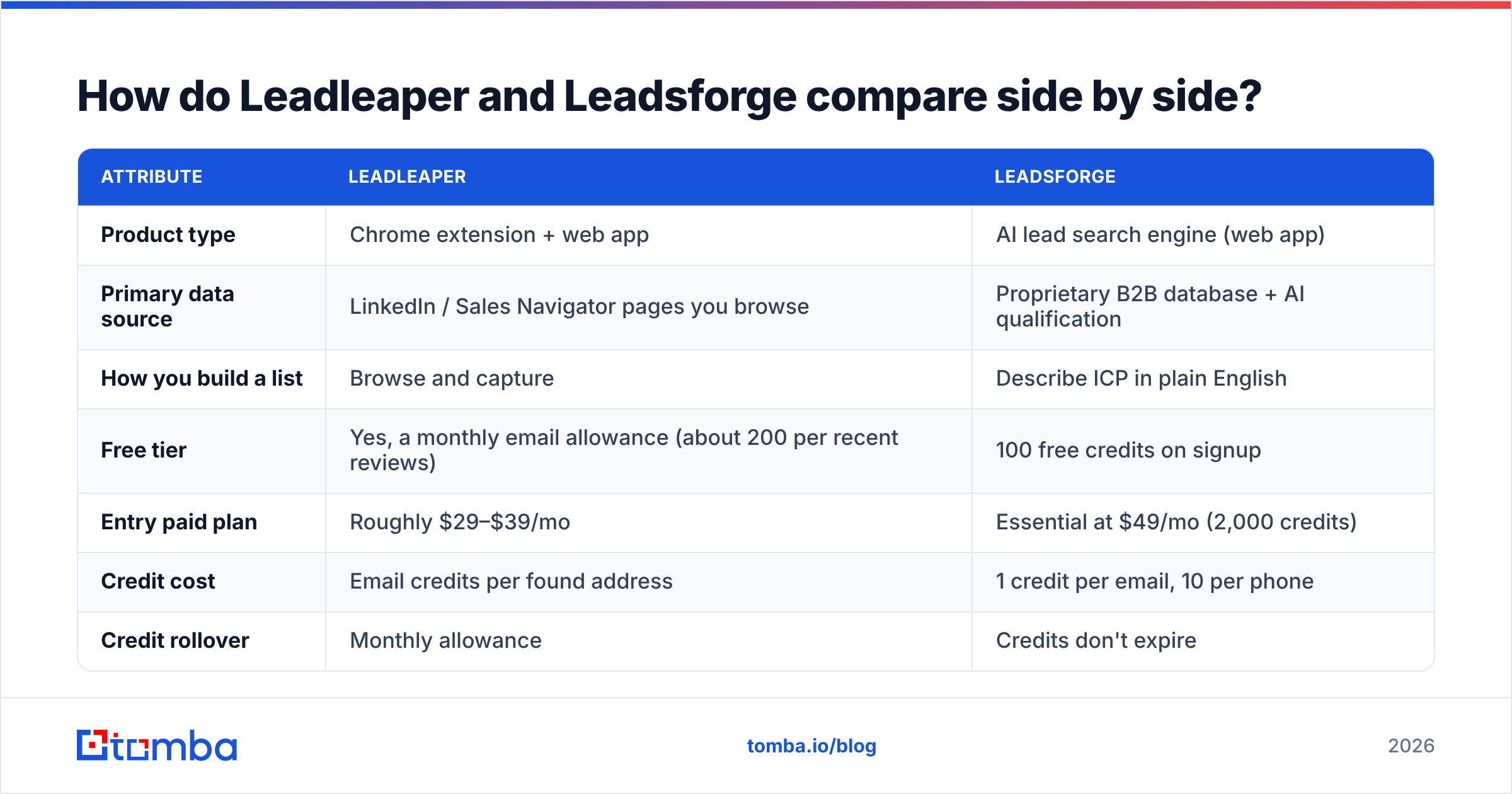
This is the head-to-head. Pricing reflects publicly listed plans at the time of writing. Both vendors change tiers often, so check the Leadsforge pricing page and Leadleaper's site before you buy.
| Attribute | Leadleaper | Leadsforge |
|---|---|---|
| Product type | Chrome extension + web app | AI lead search engine (web app) |
| Primary data source | LinkedIn / Sales Navigator pages you browse | Proprietary B2B database + AI qualification |
| How you build a list | Browse and capture | Describe ICP in plain English |
| Free tier | Yes, a monthly email allowance (about 200 per recent reviews) | 100 free credits on signup |
| Entry paid plan | Roughly $29–$39/mo | Essential at $49/mo (2,000 credits) |
| Credit cost | Email credits per found address | 1 credit per email, 10 per phone |
| Credit rollover | Monthly allowance | Credits don't expire |
| Phone numbers | Limited | Yes (10 credits each) |
| Built-in outreach | Basic sequencing + tracking | Via Salesforge (separate product) |
| CRM | Basic built-in CRM | None built in; pushes to Salesforge/CSV |
| Export | Unlimited, free on all plans | CSV or Salesforge |
| Best fit | Solo reps, LinkedIn-heavy prospecting | Teams that need net-new lists fast |
The short version: Leadleaper helps you process leads you have already found, and Leadsforge finds leads for you.
Which tool gives you better data quality?#
Neither vendor publishes an independent accuracy audit, so be wary of any review that claims a precise hit rate. What you can reason about is where each tool's data comes from.
Leadleaper's accuracy depends on email pattern guessing and verification. It knows the person's name and company from LinkedIn and works out the most likely address format. On companies with clean, predictable formats (first.last@company.com), this works well. On catch-all domains, where the mail server accepts every address, any pattern-based finder can only return "probably valid". Those addresses are where bounces pile up.
Leadsforge's accuracy depends on database freshness. Its contacts are pre-indexed and verified, which helps. But people change jobs all the time, and any static database decays between refreshes. Industry estimates put B2B contact decay in the range of 20–30% per year, and HubSpot's research on database decay is often cited for that figure. A prompt that returns 500 contacts will include some who have already moved on.
In practice:
- Run every list through an email verifier before it goes into a sequence, whichever tool it came from.
- Treat catch-all results as a separate segment. Send to them at lower volume, or use a dedicated catch-all check.
- Spot-check 20 contacts by hand on LinkedIn before you trust a new list source at scale.
How do the pricing models actually work out?#
The two pricing models reward different behaviour.
Leadleaper is cheap to start. The free plan is enough for a rep who captures a few dozen leads a week, and the paid tiers stay well under $100/mo. Because exports are free and unlimited, you don't pay twice to get your data out. This is one of Leadleaper's strongest points against LinkedIn-focused competitors.
Leadsforge costs more at entry but is more flexible. $49/mo for 2,000 credits works out to about $0.025 per email. Credits roll over, so a quiet month doesn't waste your budget. The catch is phone data: at 10 credits per number, pulling mobiles for 200 contacts uses the same credits as 2,000 emails. Teams that plan to call as well as email should budget for that.

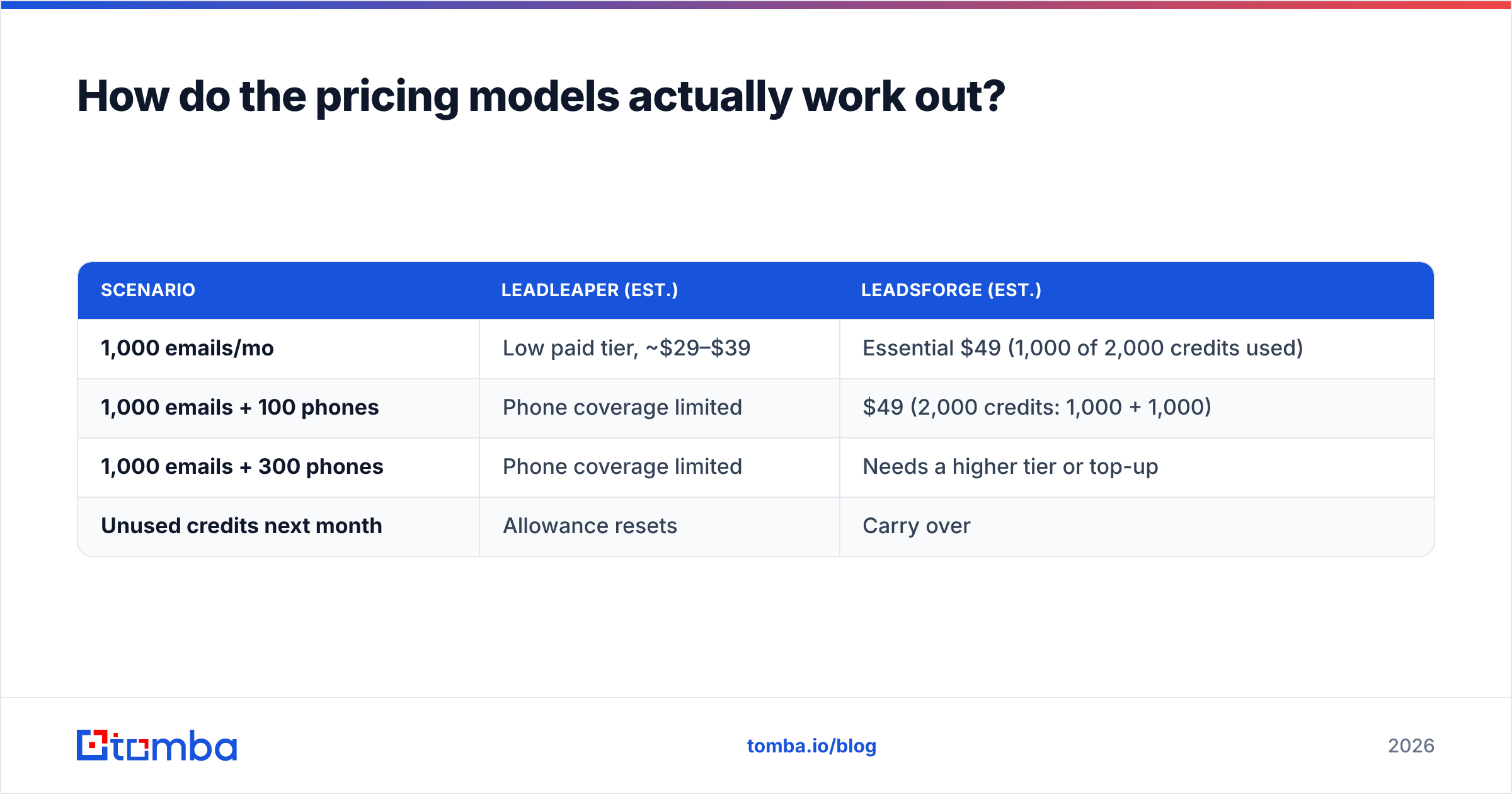
Here's a rough cost comparison for a rep working 1,000 new contacts a month:
| Scenario | Leadleaper (est.) | Leadsforge (est.) |
|---|---|---|
| 1,000 emails/mo | Low paid tier, ~$29–$39 | Essential $49 (1,000 of 2,000 credits used) |
| 1,000 emails + 100 phones | Phone coverage limited | $49 (2,000 credits: 1,000 + 1,000) |
| 1,000 emails + 300 phones | Phone coverage limited | Needs a higher tier or top-up |
| Unused credits next month | Allowance resets | Carry over |
Leadleaper is cheaper for email-only LinkedIn workflows. Leadsforge gives better value for mixed email and phone prospecting, as long as you watch the phone credit burn.
Which workflow fits your team?#
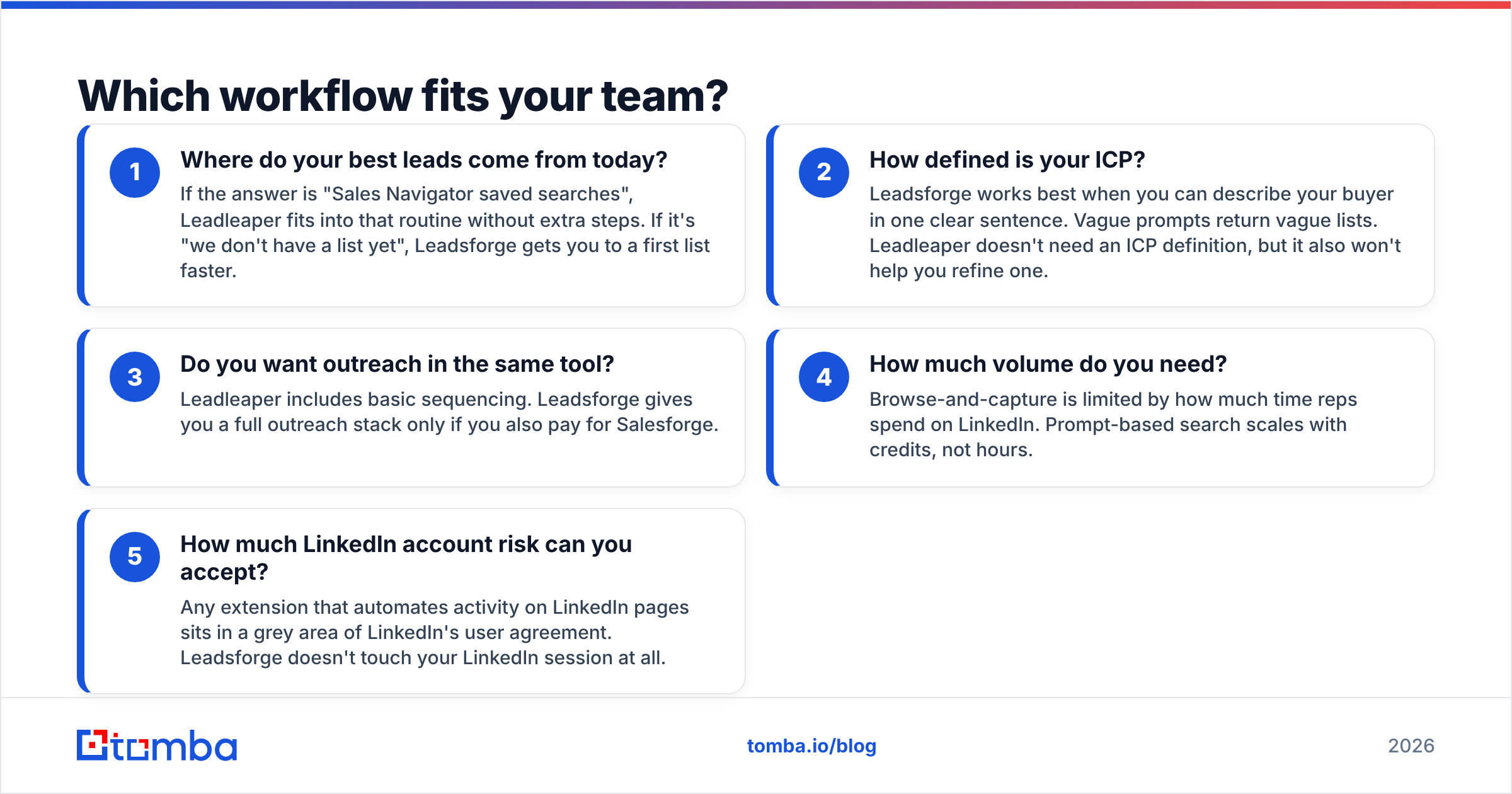
The better tool here depends on how your team already prospects, more than on which one has the most features. Use these five questions to decide:
- Where do your best leads come from today? If the answer is "Sales Navigator saved searches", Leadleaper fits into that routine without extra steps. If it's "we don't have a list yet", Leadsforge gets you to a first list faster.
- How defined is your ICP? Leadsforge works best when you can describe your buyer in one clear sentence. Vague prompts return vague lists. Leadleaper doesn't need an ICP definition, but it also won't help you refine one.
- Do you want outreach in the same tool? Leadleaper includes basic sequencing. Leadsforge gives you a full outreach stack only if you also pay for Salesforge.
- How much volume do you need? Browse-and-capture is limited by how much time reps spend on LinkedIn. Prompt-based search scales with credits, not hours.
- How much LinkedIn account risk can you accept? Any extension that automates activity on LinkedIn pages sits in a grey area of LinkedIn's user agreement. Leadsforge doesn't touch your LinkedIn session at all.
If you're still unsure after those questions, independent user reviews on G2 are a reasonable next step. Filter for reviews from teams your size, because a solo founder's needs differ a lot from a 20-rep SDR floor's.
What are the pros and cons of each?#
Leadleaper pros
- Generous free plan and low paid pricing
- Unlimited free exports
- Fits naturally into LinkedIn and Sales Navigator workflows
- Built-in CRM and sequencing, so you avoid extra subscriptions at small scale
Leadleaper cons
- Only as good as the LinkedIn search you run
- Pattern-based finding struggles on catch-all domains
- Limited phone data
- The interface feels older than newer AI-native tools
Leadsforge pros
- A plain-English ICP prompt replaces complex filter setups
- Credits roll over and don't expire
- Verified emails and phone numbers from one source
- Tight handoff into Salesforge for multichannel outreach
Leadsforge cons
- Phone lookups use credits quickly (10 per number)
- Output quality depends on how clear your prompt is
- Thinner coverage in niche or non-US markets
- Most useful inside the Forge ecosystem, less so as a standalone tool
Is there a middle ground between the two?#
Many teams end up needing both capabilities. They want to capture specific people they have already found on LinkedIn, and they want to build broader lists from company domains. A domain-first tool covers the gap between the two.
With a domain search, you start from a target account list, for example a CSV of 300 companies from your CRM, and pull every public professional email at each one. You get the account coverage of a database tool while keeping control over which companies make the list. For the specific people you find on LinkedIn, a LinkedIn finder does the same job as Leadleaper's capture without asking you to change your stack.
The verification step still applies. A finder that also flags catch-all domains and verifies before export will save you more bounces than any amount of prompt tuning.
So, Leadleaper vs Leadsforge: which should you pick?#
Pick Leadleaper if:
- You're a solo rep, founder or small team prospecting mainly on LinkedIn
- You want a working free plan and paid tiers under $70/mo
- You value unlimited exports and basic built-in sequencing
- Your ICP is already captured in saved Sales Navigator searches
Pick Leadsforge if:
- You need net-new lists fast and don't want to learn filter logic
- You already use Salesforge or plan to
- You need emails and phone numbers from one source
- You want credits that carry over between months
Skip both if your main motion is account-based: you already know the 200 companies you want, and you need everyone relevant at each one. A domain-first finder with built-in verification is the more direct route in that case.
Neither tool is a bad choice. They solve different problems. Leadleaper speeds up a prospecting habit you already have, and Leadsforge replaces the list-building step altogether. Pick the one that matches how your reps spend their day.
Where does Tomba fit in?#
If you want accurate business emails without committing to a browse-only workflow or a prompt-only database, try the Tomba Email Finder. Enter a name and company, or a whole domain, and Tomba returns professional email addresses with a confidence score and source data. Verification and catch-all detection are part of the same workflow, so bounce risk is flagged before anything reaches your sequencer. You can start on the free tier with 25 searches a month and move to Starter at $49/mo when you scale. Compare the tiers on the Tomba pricing page.
Related guides#
// get started
Find, verify and enrich your first contacts today
Start on the free plan with 25 searches a month, then scale when your team is ready.
Free plan · No credit card required · GDPR & CCPA
// about the author