Leadmine Pros and Cons (2026): An Honest Review for B2B Teams
Leadmine is cheap, simple, and quick to learn. It also has a single-source database, credits that don't roll over, and no clear API. Here's who it suits and who will outgrow it.
TL;DR
- Leadmine is a lightweight B2B lead finder and email lookup tool. Its biggest strengths are a low entry price and an interface you can learn in five minutes.
- Its main weaknesses are coverage and flexibility. It relies on one database, reviewers mention a thin free allowance, unused credits reportedly don't roll over, and third-party reviews say it has no public API.
- It works well for solo founders, freelancers, and small teams sending a few hundred emails a month.
- Teams that need bulk workflows, CRM syncing, or API access will usually outgrow it quickly.
- Test it on 50 contacts you already have verified emails for before you commit. The hit rate on your own ICP matters more than any figure on a vendor's website.
What is Leadmine?#
Leadmine is a lead generation and sales prospecting platform. It does two main jobs:
- Lead Finder. You search for B2B contacts by job title, company, location, and industry.
- Email Lookup. You enter a full name and a company domain, and it returns a likely professional email address, with verification done during the lookup.
Leadmine says it has more than 200 million business contacts collected from public web sources and more than 1,000 customer companies. Its listings on Capterra and G2 show a small but mostly positive review base. The praise is mostly about ease of use.
Leadmine competes on simplicity. It is not trying to be Apollo or ZoomInfo. There are no sequencing tools, no intent data, and no dialer. It's a search box that returns emails, and that is both its main selling point and its main limitation.
How does Leadmine actually work?#
You need to know how the tool gets its data before you can judge its pros and cons, because nearly every weakness comes from how that data is built.
- Public web crawling. Leadmine collects business contact information from publicly available pages such as company websites, directories, and published documents.
- Pattern inference. If it can't find an email directly, it infers the company's email format (for example
first.last@company.com) and builds a likely address. - Server-side validation. It checks the generated address against the mail server to see whether the mailbox exists.
- Credit deduction. Each successful lookup or exported lead uses a credit from your monthly allowance.
- Export. You download results as a file and bring them into your CRM or sending tool yourself.
Most email finders follow this same flow. The quality differences come from three places: how many sources feed step 1, how well step 3 handles catch-all domains, and whether step 5 is automated or manual. Leadmine does steps 1 to 4 reasonably well for a tool at its price. Step 5 is where it falls behind.
What are Leadmine's pros?#
1. The entry price is low#
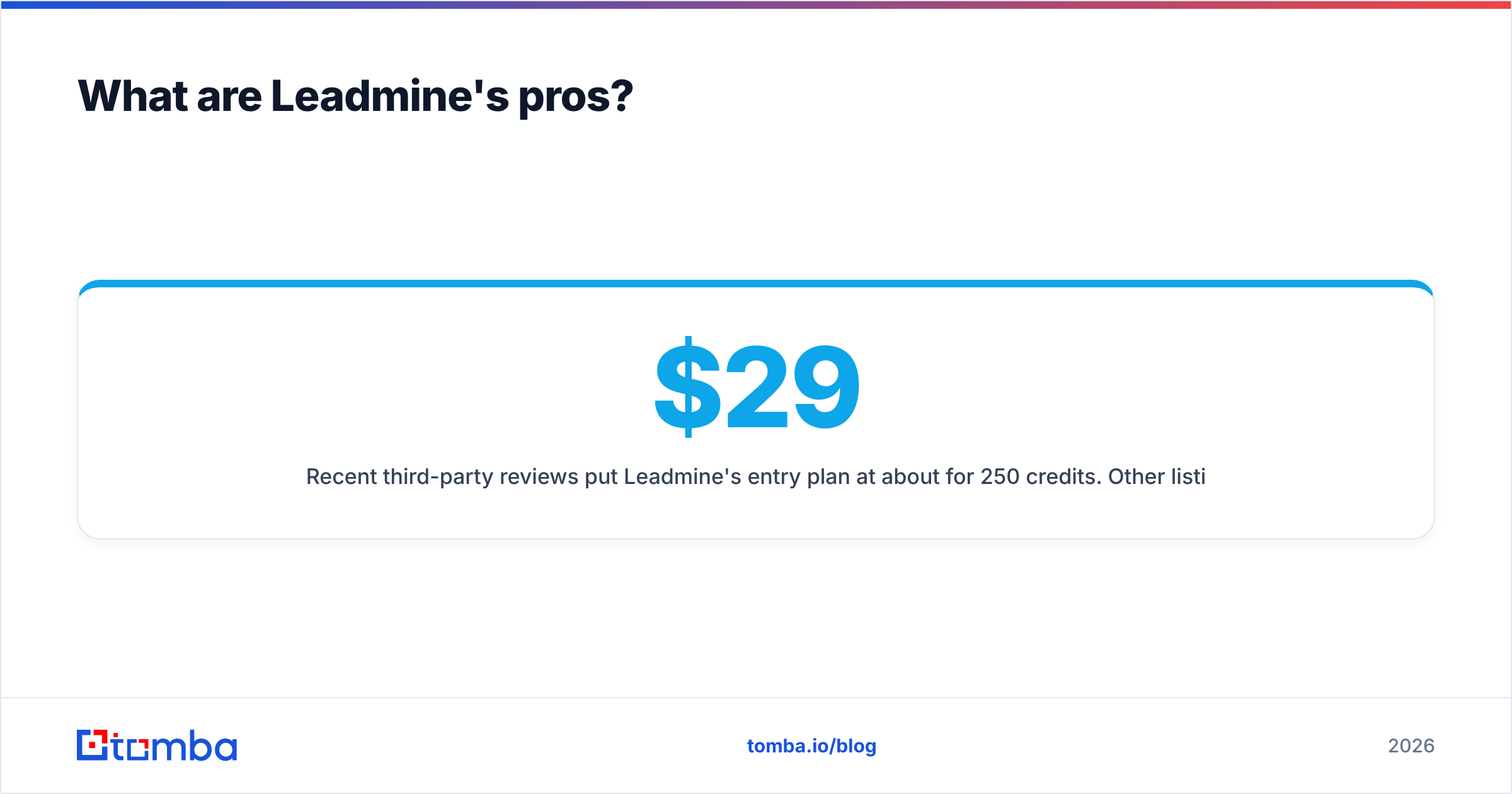
Recent third-party reviews put Leadmine's entry plan at about $29/month for 250 credits. Other listings show tiers from roughly $49 to $149 per month for larger credit bundles. Pricing pages change, so check the live Leadmine site before you budget. Either way, it is one of the cheaper paid ways to start finding B2B emails.
If you're a solo founder testing whether outbound works for your product at all, a low monthly cost keeps the experiment cheap.
2. You can learn it almost immediately#
This is the most common compliment in reviews. There are no workflow builders, no seat management, and no 40-field filter panel. You type a name and a domain and get an email back. For non-technical users such as recruiters, agency account managers, and founders who hate sales software, that low friction has real value.
3. Verification happens during the lookup#
Leadmine validates addresses as part of the lookup, so you aren't forced to buy a separate verification credit for every result. Emails that come back marked as found have already passed a server check.
4. It does two jobs in one tool#
Lead Finder handles discovery, meaning who to contact. Email Lookup handles contact data, meaning how to reach them. For small teams, keeping both in one inexpensive tool means one less subscription.
5. Industry-specific positioning#
Leadmine publishes industry pages, including one for B2B, that explain how different verticals use the tool. That's useful context if you're unsure whether it covers your market.

What are Leadmine's cons?#
1. Coverage is capped by one database#
Leadmine uses its own crawled database. That's normal, but it means your hit rate depends on how thoroughly that crawler has covered your particular market. Reviewers who target niche verticals, non-US regions, or small private companies report more empty results than people prospecting into mid-market SaaS.
Waterfall enrichment tools query several providers one after another and fill the gaps. A single-source tool can't do that.
2. The 95% deliverability figure is self-reported#
Leadmine advertises high deliverability. Every vendor in this category does. No independent audit of that number is publicly available, so treat it as a claim to test yourself.
3. Credits reportedly don't roll over#
If you use 150 of 250 credits in a slow month, the other 100 are gone. Outbound volume is rarely steady, since it rises around campaigns and drops during holidays, so use-it-or-lose-it credits increase your real cost per contact.
4. No public API#
Third-party reviews say Leadmine does not offer a public API. If you want to enrich leads automatically when they enter HubSpot, run lookups from a Python script, or connect email finding to Clay or n8n, you'll hit a wall. Everything goes through the web app and manual exports.
5. The free allowance is small#
Reports put the free plan at around 10 credits per month. That's enough to see the interface but not enough to judge accuracy on your own ICP. You'll probably need to pay before you can properly evaluate the tool.
6. Few integrations#
There are no native CRM pushes and no browser-based workflow built for LinkedIn prospecting. You export a file and import it somewhere else. At 50 leads a week that's fine. At 500 it gets tedious.
How does Leadmine compare to Tomba?#
Tomba is the benchmark here because it's the tool we know best. The table notes where each tool is the better fit, not only where Tomba comes out ahead.

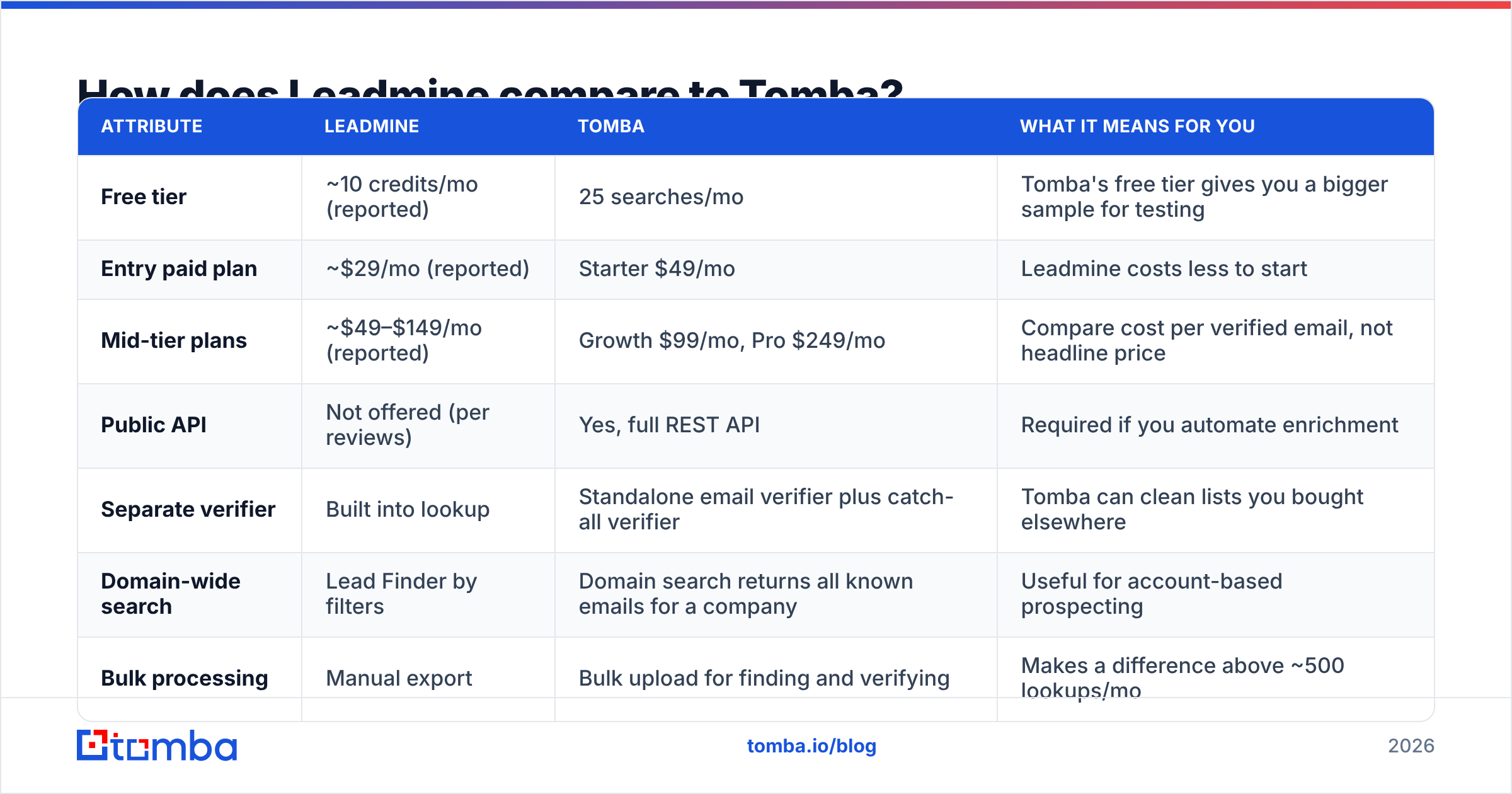
| Attribute | Leadmine | Tomba | What it means for you |
|---|---|---|---|
| Free tier | ~10 credits/mo (reported) | 25 searches/mo | Tomba's free tier gives you a bigger sample for testing |
| Entry paid plan | ~$29/mo (reported) | Starter $49/mo | Leadmine costs less to start |
| Mid-tier plans | ~$49–$149/mo (reported) | Growth $99/mo, Pro $249/mo | Compare cost per verified email, not headline price |
| Public API | Not offered (per reviews) | Yes, full REST API | Required if you automate enrichment |
| Separate verifier | Built into lookup | Standalone email verifier plus catch-all verifier | Tomba can clean lists you bought elsewhere |
| Domain-wide search | Lead Finder by filters | Domain search returns all known emails for a company | Useful for account-based prospecting |
| Bulk processing | Manual export | Bulk upload for finding and verifying | Makes a difference above ~500 lookups/mo |
| Extras | Lead search | Phone finder, enrichment, Sheets/Excel add-ins, CRM integrations | Wider toolset in one account |
| Learning curve | Very low | Low | Leadmine is slightly easier on day one |

In short, Leadmine wins on price and simplicity. Tomba wins on automation, breadth, and handling tricky domains. If you never plan to connect your email finder to anything, Leadmine's lower entry price is a real advantage. If you do, the lack of an API rules it out.
Who should use Leadmine?#
Leadmine is a good fit if all of the following apply:
- You send fewer than about 300 cold emails a month.
- You prospect into markets that are well represented on the public web, such as US and UK tech, agencies, and professional services.
- You don't need CRM automation and don't mind CSV exports.
- Budget is your main constraint and you want the lowest monthly cost.
Freelancers, early-stage founders, small recruiting agencies, and marketers doing occasional link-building outreach fit this profile.
Who should skip Leadmine?#
Look elsewhere if any of these apply:
- You run outbound at volume. Once you're past about 1,000 lookups a month, bulk tooling and cost per verified contact matter more than the entry price.
- You need an API. RevOps teams enriching inbound leads, developers building internal tools, and anyone using Clay, Make, or Zapier-style workflows need programmatic access.
- You prospect into catch-all-heavy markets. Enterprise and financial-services domains often accept every address, which makes basic server validation unreliable. You need dedicated catch-all handling.
- You target regions or niches with thin public data. Coverage from a single source drops quickly outside mainstream markets.
How do you evaluate Leadmine (or any email finder) before paying?#
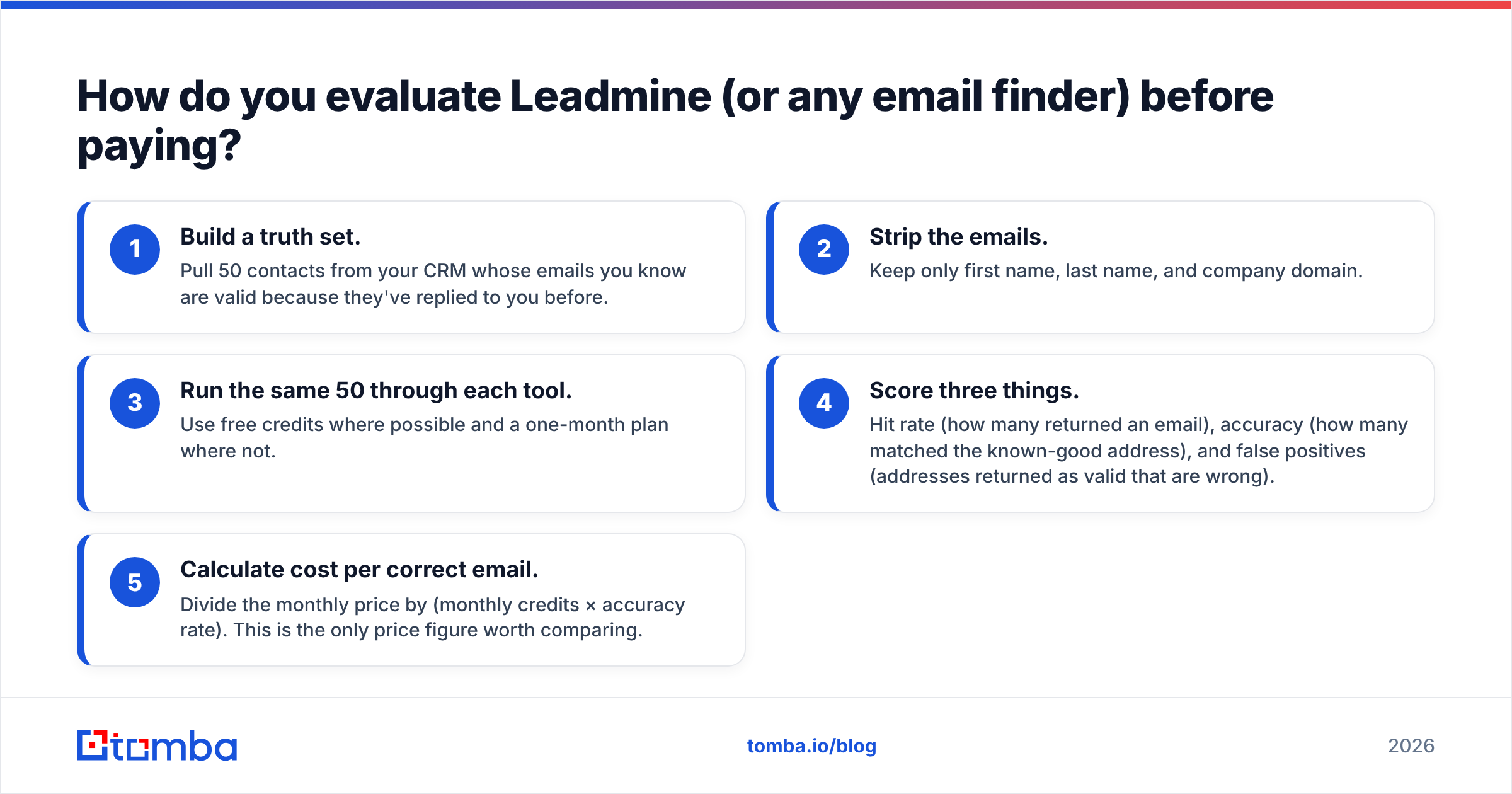
Vendor accuracy claims don't tell you much. The number that matters is the hit rate on your list. Here's a test that takes about an hour:
- Build a truth set. Pull 50 contacts from your CRM whose emails you know are valid because they've replied to you before.
- Strip the emails. Keep only first name, last name, and company domain.
- Run the same 50 through each tool. Use free credits where possible and a one-month plan where not.
- Score three things. Hit rate (how many returned an email), accuracy (how many matched the known-good address), and false positives (addresses returned as valid that are wrong).
- Calculate cost per correct email. Divide the monthly price by (monthly credits × accuracy rate). This is the only price figure worth comparing.
False positives matter most. A tool that returns 45 of 50 emails with 5 wrong is worse than one that returns 40 with none wrong, because those 5 bounces hurt your sender reputation on every campaign that follows.
If you run every candidate through the same independent email verifier as a final check, you're measuring the finders on equal terms rather than trusting each vendor's own validation.
What do real users say about Leadmine?#
Across the public reviews on Capterra, GetApp, and G2, feedback falls into two groups:
Positive themes
- "Easy to use" comes up in nearly every review.
- Fast results for straightforward lookups.
- Good value for the price at low volume.
Negative themes
- Too few free credits to test properly.
- Occasional misses on smaller or non-US companies.
- Wanting more integrations and export options.
The review count is small compared with category leaders, so read these as directional signals, not statistically meaningful results. A handful of five-star reviews from happy freelancers says little about how the tool performs for a 10-person SDR team.

Is Leadmine worth it in 2026?#
For a narrow group of users, yes. If you're one person doing light, manual prospecting in well-covered markets and want the cheapest reasonable paid option, Leadmine delivers what it promises. It's simple, affordable, and good enough for that job.
For almost anyone else, the limitations add up. No API, one data source, expiring credits, and manual exports are minor problems at 100 lookups a month. At 2,000 they become real operational costs. Your time spent moving CSV files around counts too, even though it isn't on the invoice.
A practical approach is to use a free plan to check that the workflow suits you, then run the 50-contact truth-set test against one or two alternatives before committing to annual billing. Compare cost per correct email, not cost per credit.
What are the best alternatives if Leadmine isn't enough?#
If you've outgrown Leadmine, what you need next usually tells you where to look:
- Need automation: choose a tool with a documented REST API and native CRM integrations. The Tomba API covers finding, verification, and enrichment with one key.
- Need volume: look for bulk upload plus a separate verification step, so you can clean lists from any source.
- Need catch-all handling: pick a tool that labels catch-all results explicitly instead of marking them as valid.
- Need phone numbers too: use a platform that combines email and phone lookup so you aren't paying for two subscriptions.
You can compare plan tiers on the Tomba pricing page, which lists what each plan includes.
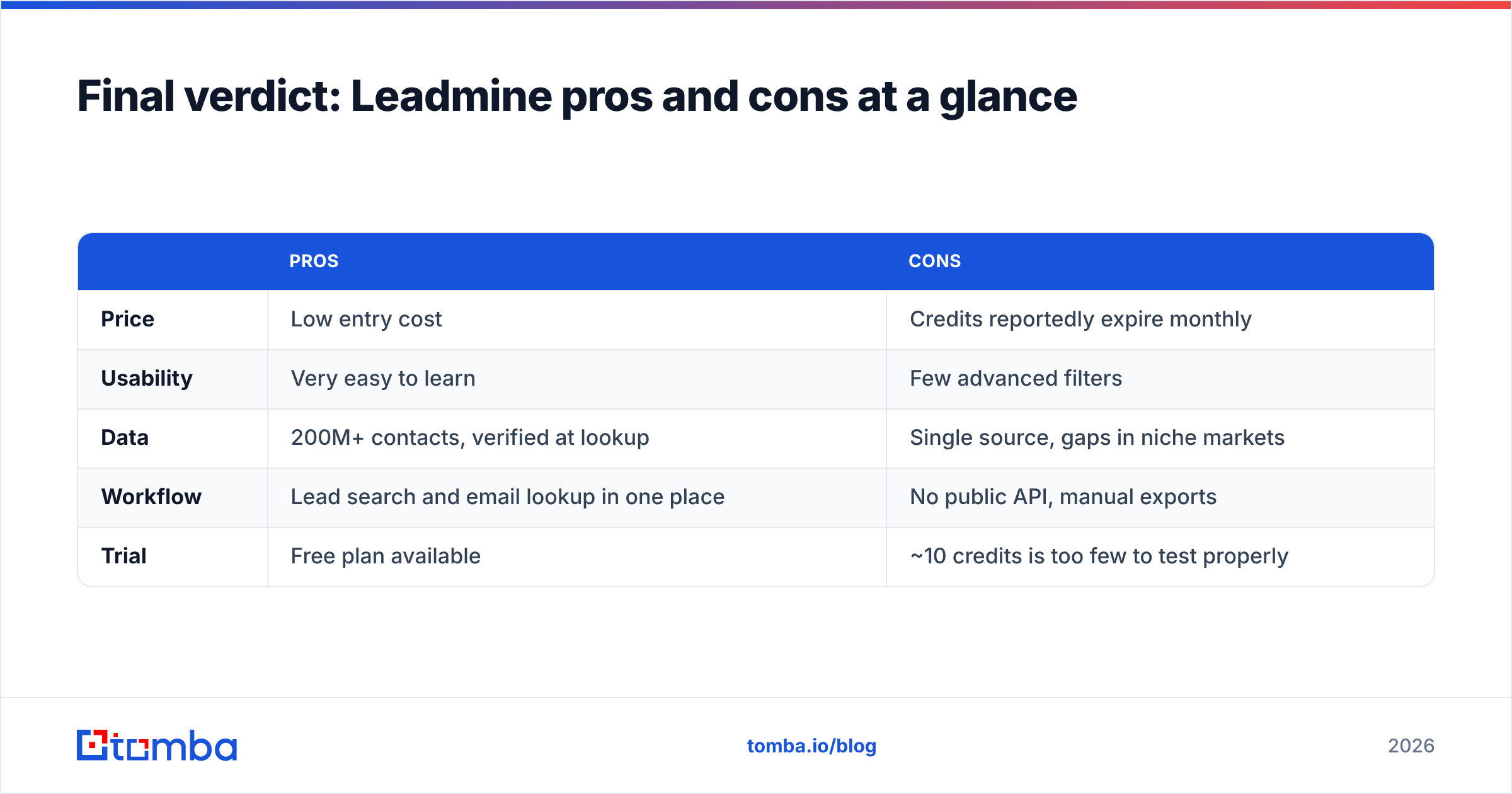
Final verdict: Leadmine pros and cons at a glance#
| Pros | Cons | |
|---|---|---|
| Price | Low entry cost | Credits reportedly expire monthly |
| Usability | Very easy to learn | Few advanced filters |
| Data | 200M+ contacts, verified at lookup | Single source, gaps in niche markets |
| Workflow | Lead search and email lookup in one place | No public API, manual exports |
| Trial | Free plan available | ~10 credits is too few to test properly |
Leadmine is an honest, budget-friendly tool with a clear ceiling. Know where that ceiling is before you depend on it.
If you want an email finder with a larger free tier, a full API, bulk processing, and dedicated catch-all verification for when your outbound grows, try the Tomba Email Finder. Start with the 25 free monthly searches, run the same 50-contact test described above, and compare the results yourself before you pay anything.
Related guides#
// get started
Find, verify and enrich your first contacts today
Start on the free plan with 25 searches a month, then scale when your team is ready.
Free plan · No credit card required · GDPR & CCPA
// about the author