Leadmine vs Leadsforge: Pricing, Data, and Which to Pick in 2026
Leadmine finds emails for leads you already know. Leadsforge builds the lead list for you from a plain-English prompt. Here is how they compare on pricing, credits, data quality, and fit.
TL;DR
- Leadmine is a classic email finder and B2B contact database. You bring a name, a domain, or a filter set, and it returns emails and phone numbers. It suits reps who already know who they want to reach.
- Leadsforge is an AI list builder from the Forge ecosystem (Salesforge, Mailforge, Infraforge). You describe your ICP in plain English and it builds and enriches the list. It suits founders and agencies who need to start from nothing.
- Pricing models differ more than the sticker prices. Leadmine's credits reset every month. Leadsforge credits never expire, but phone numbers cost 10 credits each.
- Neither one replaces verification. Whichever tool you choose, verify the emails before a sequence goes out. Mixed-quality lists damage sender reputation faster than any copy mistake.
- Our pick: choose Leadsforge if you need someone to build the list for you and you already use Salesforge. Choose Leadmine if you need cheap, targeted lookups. If you mainly need accurate emails for domains you already have, a dedicated finder plus verifier covers more for the money.
What is Leadmine?#
Leadmine (leadmine.net) is a lead generation and prospecting platform built around an email finder. It has four main parts:
- Email Finder. Enter a first name, last name, and company domain, and it returns the most likely professional address.
- Domain search. Enter a company website and it lists the public emails it knows for that domain.
- Lead database. Search a B2B contact index by industry, job title, location, and company attributes. Leadmine says it has 200M+ business contacts collected from the public web.
- Chrome extension. Pull names, emails, positions, and social links from pages such as Crunchbase profiles and Google results.
You can export results to CSV or push them to a CRM. The free plan gives 10 credits per month. Paid plans are small monthly credit bundles. At the time of writing, the entry tier is listed around $29/mo for a few hundred credits. Third-party listings quote different tier structures, so check Leadmine's pricing page before you budget.
In practice, Leadmine is a lookup tool. It works best when you already have a target account list, or a LinkedIn search you trust, and you just need contact details.
What is Leadsforge?#
Leadsforge (leadsforge.ai) comes at the problem from the opposite direction. You don't search by filters. You describe your ideal customer in a chat box, for example: "Heads of RevOps at Series A–C SaaS companies in the US with 50–500 employees using HubSpot." Leadsforge turns that into a list, shows how many credits the export will cost, and enriches each record with email and, if you ask, phone.
It belongs to the Forge product family. The Essential plan starts at $49/mo with 2,000 export credits. An email costs 1 credit and a phone number costs 10. You get 100 free credits at signup with no card required, and unused credits carry over from month to month.
The main draw is speed from idea to list. You don't have to learn a filter UI or a boolean syntax, and the list moves straight into Salesforge sequences without spreadsheet work in between. The cost of that convenience is control. You're trusting the AI to interpret your ICP correctly, so plan to review what it returns.
How do Leadmine and Leadsforge compare feature by feature?#
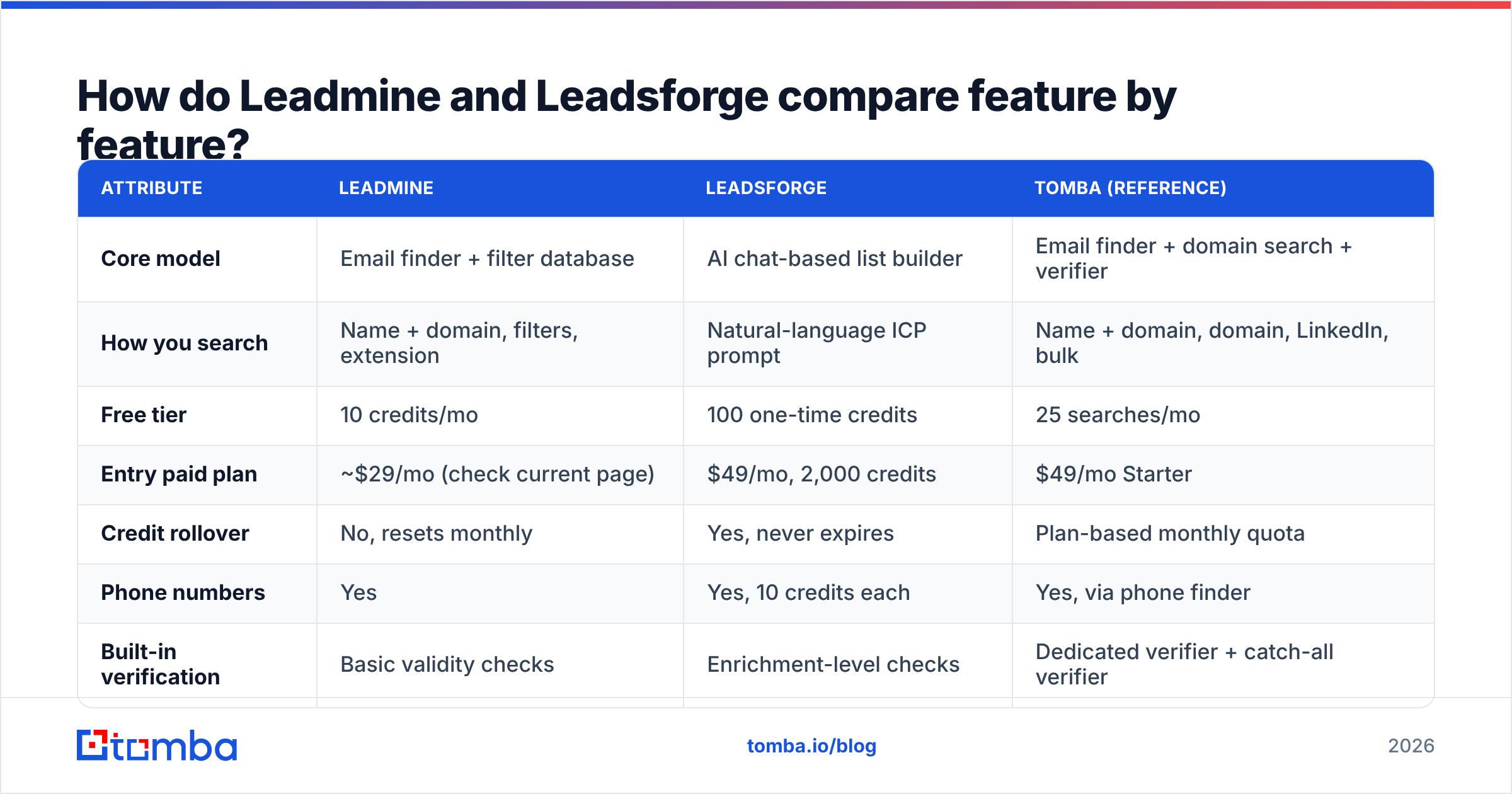
Here's how the two tools compare on the attributes that affect cost and results. Tomba is included as a reference point for the lookup-and-verify use case.
| Attribute | Leadmine | Leadsforge | Tomba (reference) |
|---|---|---|---|
| Core model | Email finder + filter database | AI chat-based list builder | Email finder + domain search + verifier |
| How you search | Name + domain, filters, extension | Natural-language ICP prompt | Name + domain, domain, LinkedIn, bulk |
| Free tier | 10 credits/mo | 100 one-time credits | 25 searches/mo |
| Entry paid plan | ~$29/mo (check current page) | $49/mo, 2,000 credits | $49/mo Starter |
| Credit rollover | No, resets monthly | Yes, never expires | Plan-based monthly quota |
| Phone numbers | Yes | Yes, 10 credits each | Yes, via phone finder |
| Built-in verification | Basic validity checks | Enrichment-level checks | Dedicated verifier + catch-all verifier |
| Best native pairing | Any CRM via CSV/integrations | Salesforge sequencer | CRMs, Sheets, API, Zapier |
| Best for | Targeted lookups on known accounts | Building lists from scratch fast | Finding and verifying at scale |
The table shows the split clearly. Leadmine answers "what's this person's email?" Leadsforge answers "who should I be emailing?" They overlap in the middle, since both export contacts with emails, but they're designed for different moments in your workflow.
Which tool has better data accuracy?#
There's no independent, current head-to-head accuracy test for Leadmine versus Leadsforge. Any vendor number you see is self-reported, so treat it that way. Here's what you can predict from how each tool is built.
Leadmine's accuracy depends on pattern matching and public-web sources. For a small-to-mid company with a standard format like first.last@, a name-plus-domain lookup is usually reliable. Accuracy falls on catch-all domains, where the mail server accepts every address, and at companies with inconsistent formats. Many finders return "risky" or "accept-all" results in those cases, and you need to treat those differently from verified hits.
Leadsforge's accuracy has two layers. The first is whether the AI picked the right people. A vague prompt returns a vague list. The second is whether the enriched emails are deliverable. The first layer is where most users lose value. A list of 2,000 contacts is pointless if 30% of them are outside your ICP.
For email finders in general, the market spread is wider than most buyers assume:

In practice: whichever tool you pick, run a 100–200 contact pilot on accounts you know well. Check the titles by hand, then run every email through an independent email verifier before judging deliverability. That costs about an afternoon and a handful of credits, and it's far more reliable than any review-site score.
How much do Leadmine and Leadsforge really cost?#
Sticker prices hide the real difference, which is what a usable contact costs you.
Leadmine is cheap to start, but credits reset monthly. If your outbound volume varies, with heavy weeks followed by quiet ones, you'll pay for credits you never use. The low entry tier fits an individual rep doing a few hundred lookups a month. At higher volumes, compare the per-credit cost on upper tiers against alternatives.
Leadsforge costs more per month at entry, but 2,000 non-expiring credits at $49 is good value for email-only exports. The numbers change once you add phones. At 10 credits per phone number, a list of 200 contacts with email and phone uses about 2,200 credits. That's more than a full Essential month for one campaign's worth of dials.
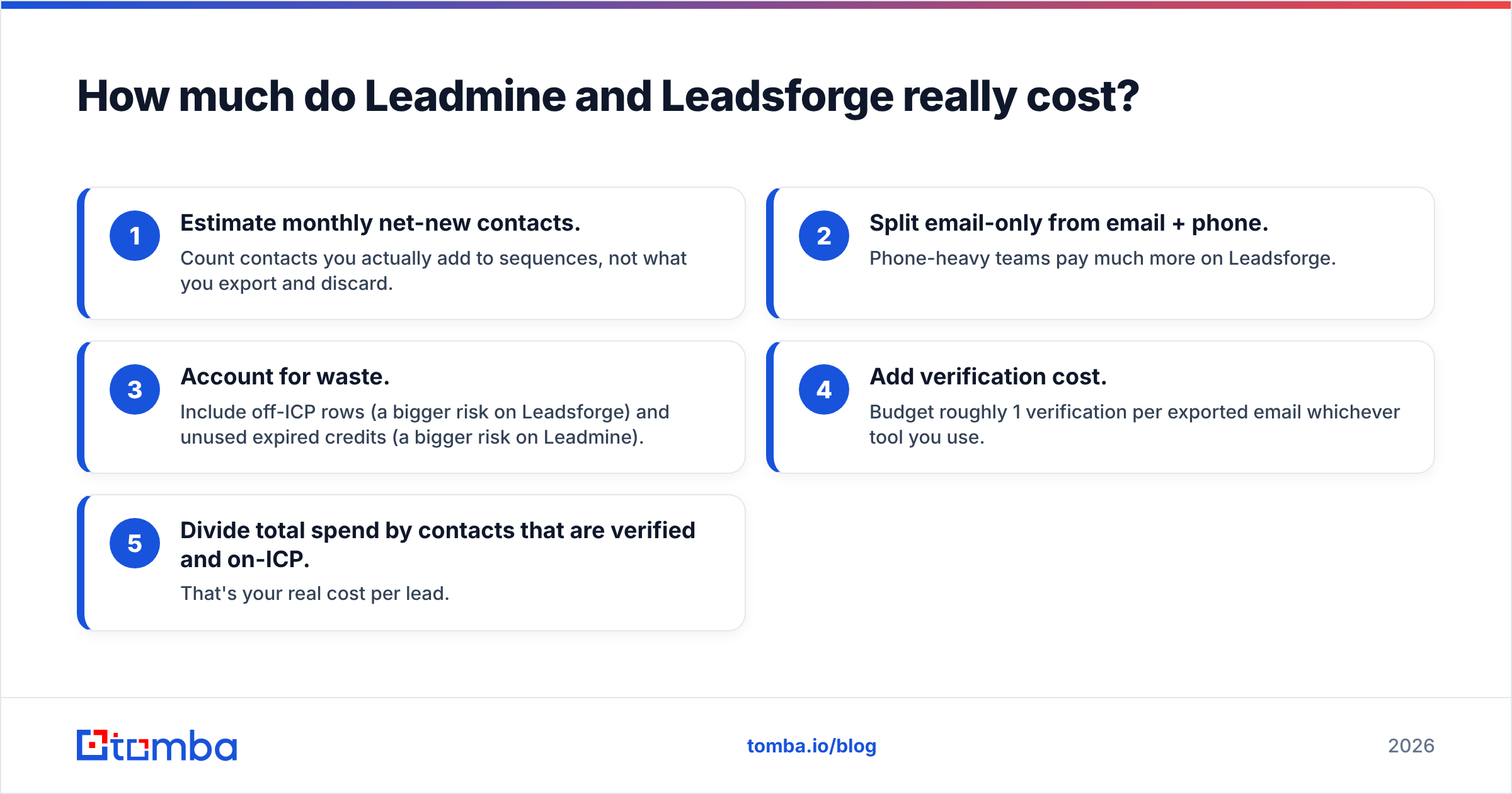
A rough way to compare them:
- Estimate monthly net-new contacts. Count contacts you actually add to sequences, not what you export and discard.
- Split email-only from email + phone. Phone-heavy teams pay much more on Leadsforge.
- Account for waste. Include off-ICP rows (a bigger risk on Leadsforge) and unused expired credits (a bigger risk on Leadmine).
- Add verification cost. Budget roughly 1 verification per exported email whichever tool you use.
- Divide total spend by contacts that are verified and on-ICP. That's your real cost per lead.
When teams do this exercise, the "cheaper" tool often turns out to be the one that produces fewer discarded rows, not the one with the lower monthly price. User reviews on G2 mention credit consumption and list relevance as the main issues on both sides, so pay attention to both.
Is Leadsforge better than Leadmine for cold email?#
It depends on where your bottleneck is.
Leadsforge is better if your bottleneck is list building. Founders doing their own outbound, agencies running campaigns for many clients, and anyone testing new ICPs will get more from describing a segment than from clicking through filters. If you already send from Salesforge on Mailforge or Infraforge mailboxes, the integration removes a lot of CSV handling.
Leadmine is better if your bottleneck is contact data for accounts you already chose. ABM teams, SDRs working a fixed territory, and reps who prospect from LinkedIn or Crunchbase and need an email quickly will prefer a lookup tool with a browser extension. You keep full control over who ends up on the list.
Neither tool fixes deliverability on its own. Cold email performance depends on list quality, domain setup, and volume discipline. A tool that exports 2,000 contacts in ten minutes also makes it easy to burn a domain in ten minutes.
How do they fit into a real outbound stack?#
Most teams don't use one tool for everything. Here's how each one tends to fit into a real stack:
- Leadsforge-led stack. Leadsforge builds the list, an independent verifier cleans it, then Salesforge (or your sequencer) sends. This is the fastest route from ICP idea to live campaign. Add a manual title check for the first batch of every new prompt.
- Leadmine-led stack. Target accounts come from your CRM or LinkedIn, Leadmine or another finder fills in emails, you verify, and the contacts go to your sequencer. This is slower to set up but gives tighter targeting, and it suits account-based motions.
- Hybrid stack. Use Leadsforge to discover new segments. Once a segment proves it converts, move to account-level prospecting with a lookup-focused email finder and grow coverage within the winning accounts.
Salesforce's own guide to lead generation makes the same point: the source of a lead matters less than whether it matches your ICP and is routed quickly. Choose the tool that removes your slowest step.
Where does Tomba fit compared with both?#
Tomba sits nearer to Leadmine than to Leadsforge. It's built around finding and verifying professional emails, not generating lists with AI. If you're comparing Leadmine vs Leadsforge because you need accurate emails for companies you already know, it belongs on your shortlist.
What it covers that the two tools above handle only partly:
- Verification in the same account. You get a dedicated verifier plus a catch-all verifier, so "accept-all" results aren't left for you to guess.
- Several ways to look up. Search by name and domain, domain search, LinkedIn finder, Chrome extension, Google Sheets add-on, or bulk email finder for CSVs.
- Developer access. An API, a CLI, and an MCP server if you want enrichment inside your own tools.
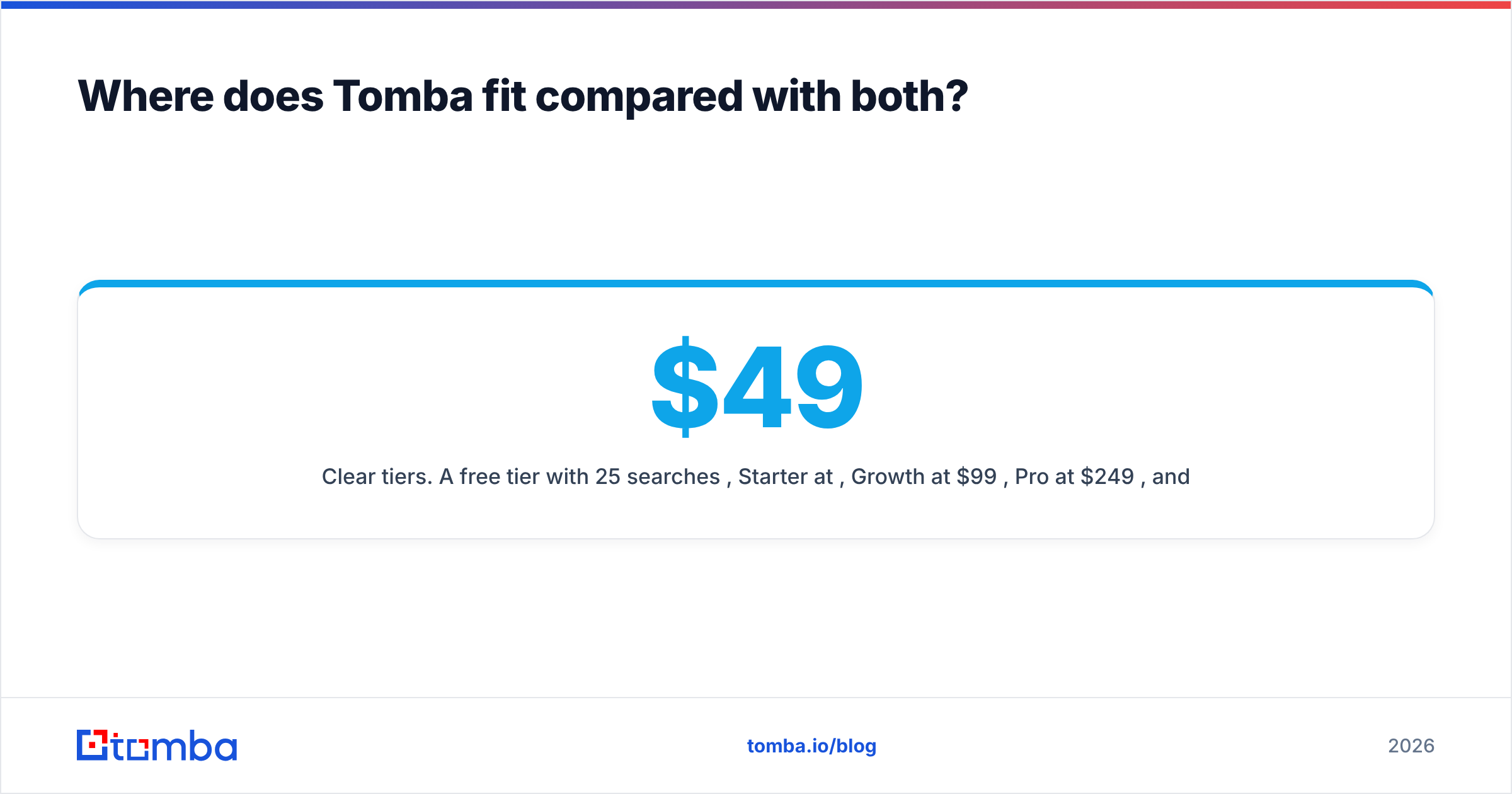
- Clear tiers. A free tier with 25 searches/mo, Starter at $49/mo, Growth at $99/mo, Pro at $249/mo, and custom Enterprise. See Tomba pricing for current quotas.
Here's how the wider email-finder market compares on coverage and pricing:

To be clear about the limits: if you want an AI to decide who belongs on your list, Tomba isn't trying to be Leadsforge. It works best when you know your targets and need their emails to be correct.
Which should you choose: Leadmine or Leadsforge?#
Use these rules to decide:
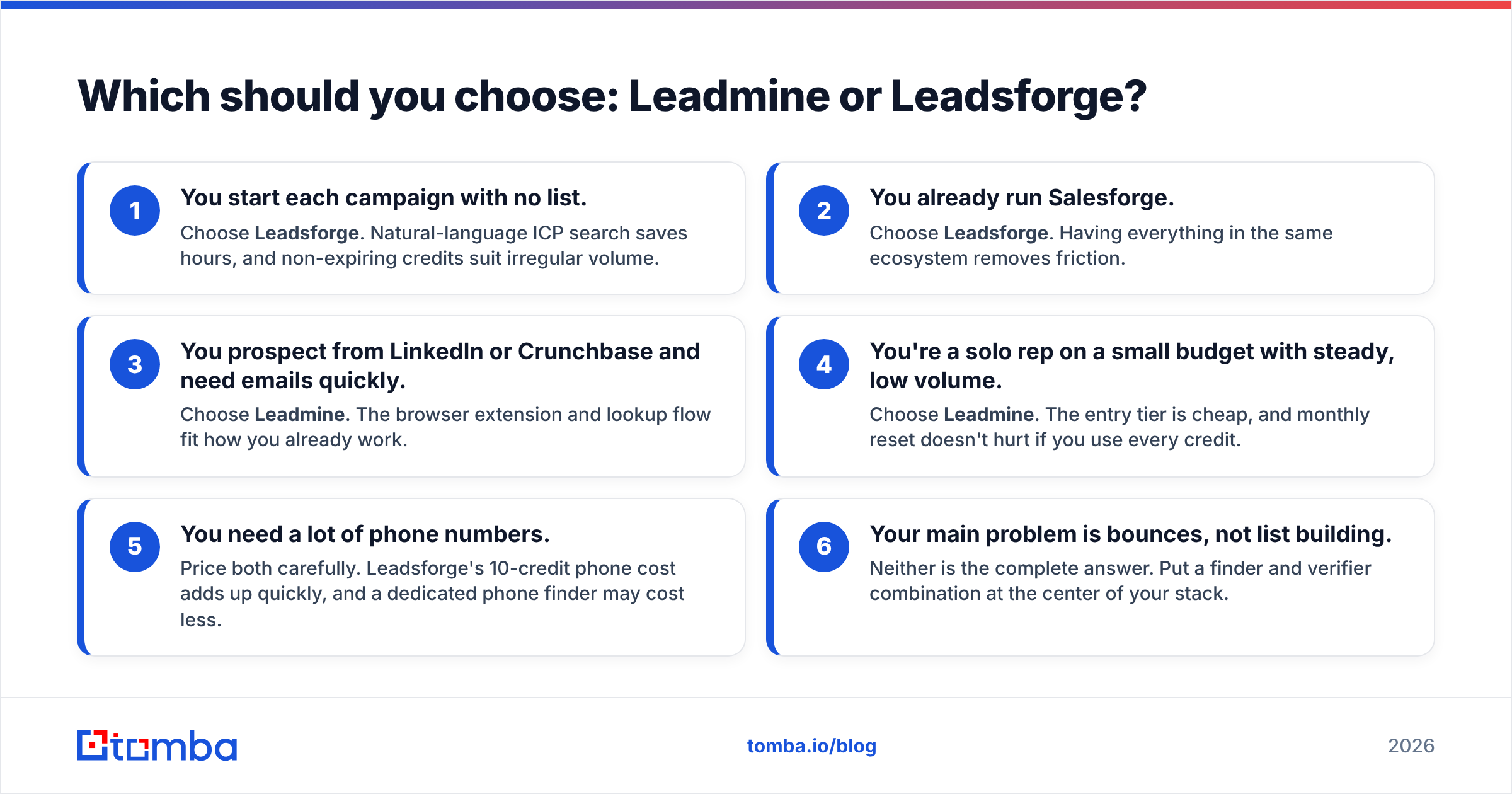
- You start each campaign with no list. Choose Leadsforge. Natural-language ICP search saves hours, and non-expiring credits suit irregular volume.
- You already run Salesforge. Choose Leadsforge. Having everything in the same ecosystem removes friction.
- You prospect from LinkedIn or Crunchbase and need emails quickly. Choose Leadmine. The browser extension and lookup flow fit how you already work.
- You're a solo rep on a small budget with steady, low volume. Choose Leadmine. The entry tier is cheap, and monthly reset doesn't hurt if you use every credit.
- You need a lot of phone numbers. Price both carefully. Leadsforge's 10-credit phone cost adds up quickly, and a dedicated phone finder may cost less.
- Your main problem is bounces, not list building. Neither is the complete answer. Put a finder and verifier combination at the center of your stack.
Whichever you choose, run a pilot, verify everything, and measure cost per verified on-ICP contact, not cost per credit.
Frequently asked questions#
Is Leadsforge free? It includes 100 free credits at signup with no credit card. Paid plans start at $49/mo for 2,000 non-expiring credits.
Does Leadmine have a free plan? Yes. The free plan includes 10 credits per month. Paid tiers add more monthly credits, and those don't roll over.
Can I use Leadmine and Leadsforge together? Yes. Some teams use Leadsforge to discover segments and a lookup tool to fill gaps in specific accounts. Remove duplicates before you import into your sequencer.
Do I still need an email verifier? Yes. Neither tool's built-in checks replace a dedicated verification pass, especially for catch-all domains.
If you want to go beyond comparing list builders and just need correct professional emails for the companies you're targeting, try the Tomba Email Finder. Search by name and domain, get a confidence score and sources for each result, and verify in the same workspace. It's free for 25 searches a month, and you can upgrade to Starter at $49/mo when your pilot proves the numbers.
Related guides#
// get started
Find, verify and enrich your first contacts today
Start on the free plan with 25 searches a month, then scale when your team is ready.
Free plan · No credit card required · GDPR & CCPA
// about the author