8 Best LeadRocks Alternatives in 2026: Tested for B2B Prospecting
LeadRocks is a quick way to pull B2B contacts from LinkedIn, but credit limits, data freshness and weak workflow integration push many teams to look elsewhere. Here are eight alternatives and who each one suits.
TL;DR
- LeadRocks is a B2B contact database with a LinkedIn Chrome extension. It suits solo prospectors, but teams tend to outgrow its verification depth, integrations and credit model.
- Tomba is the best all-round alternative if you want domain search, a built-in verifier and an API under one $49/mo Starter plan.
- Apollo.io fits teams that want the database and the sequencer in one tool. Hunter fits domain-first prospecting. Lusha and Kaspr fit phone-heavy outreach.
- BookYourData works well if you'd rather buy a pre-verified, filtered list than look contacts up one by one.
- Before you commit, run the same 50 known contacts through each tool you're considering. Bounce rate on your own ICP tells you more than any vendor's accuracy claim.
What is LeadRocks, and why are people looking for alternatives?#
LeadRocks is a B2B lead database. You search it by job title, industry, location and company size, then export contacts with email addresses. Its Chrome extension also pulls contact details from LinkedIn profiles as you browse. For a solo founder or freelance SDR building a first list, that's a reasonable starting point.
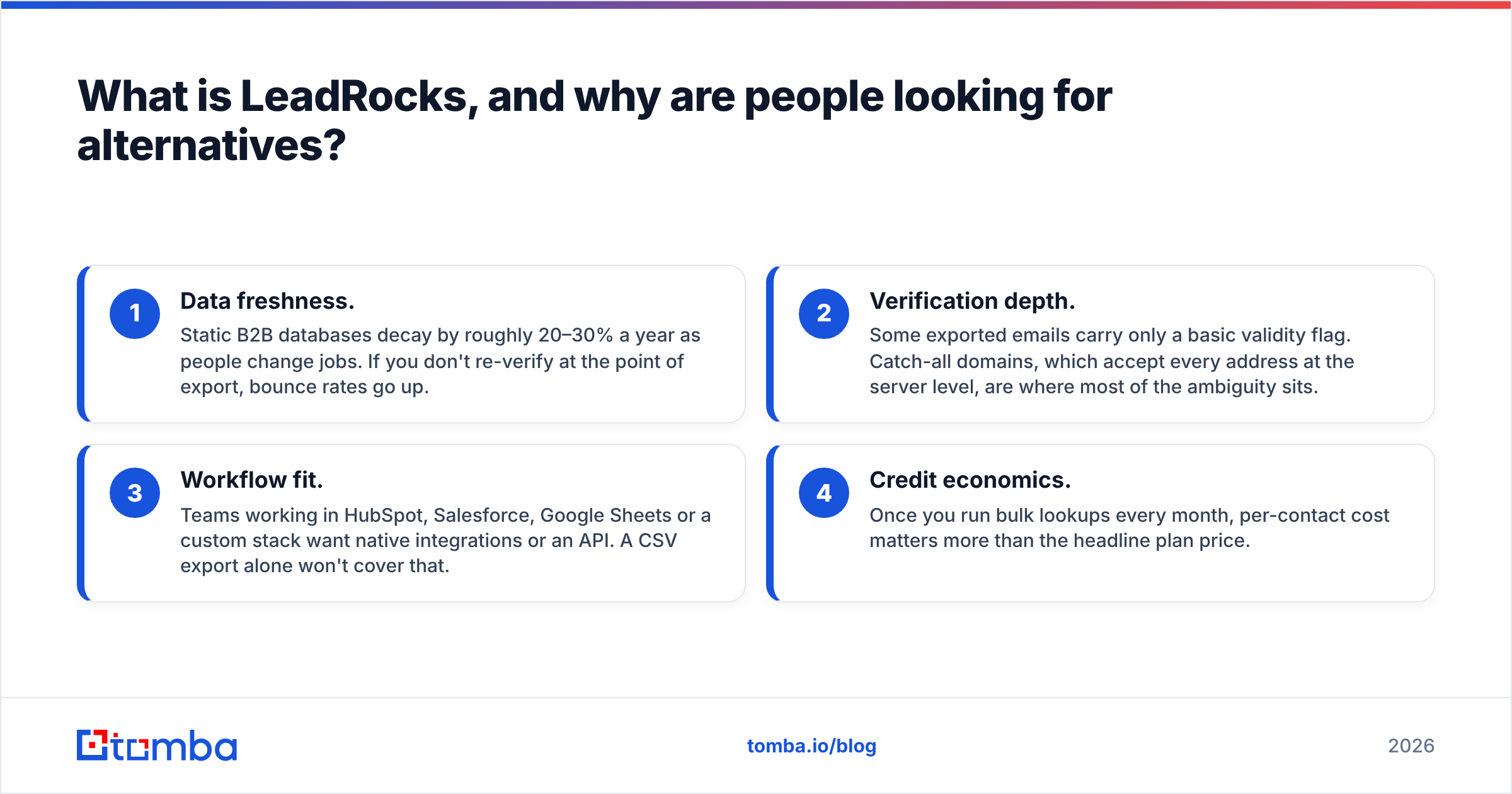
People usually start searching for LeadRocks alternatives for one of these reasons:
- Data freshness. Static B2B databases decay by roughly 20–30% a year as people change jobs. If you don't re-verify at the point of export, bounce rates go up.
- Verification depth. Some exported emails carry only a basic validity flag. Catch-all domains, which accept every address at the server level, are where most of the ambiguity sits.
- Workflow fit. Teams working in HubSpot, Salesforce, Google Sheets or a custom stack want native integrations or an API. A CSV export alone won't cover that.
- Credit economics. Once you run bulk lookups every month, per-contact cost matters more than the headline plan price.
None of this makes LeadRocks a bad tool. It means you should match the tool to where your outbound motion is today. The rest of this guide does that matching.
How should you evaluate LeadRocks alternatives?#
Feature grids get long fast. These five criteria are what actually decide whether a tool pays for itself:
- Find rate on your ICP. What percentage of your target contacts does it return an email for? A tool that's great for US SaaS can be thin for DACH manufacturing.
- Verified accuracy. Of the emails it returns, how many bounce? Anything below roughly 95% deliverable will start to hurt your sender reputation.
- Catch-all handling. Does the tool mark catch-all addresses separately, or does it call them "valid" and let you find out later?
- Workflow surface. Chrome extension, bulk upload, CRM sync, Sheets add-on, API. Pick the tool that sits where your reps already work.
- Cost per verified contact. Divide monthly price by the number of verified emails you'll actually use. Don't divide by the headline credit count.

Independent review aggregators like G2 help you gauge user sentiment on support and UI. Treat their accuracy anecdotes as directional only. Your own 50-contact test is the tiebreaker.
Which LeadRocks alternatives are worth considering in 2026?#
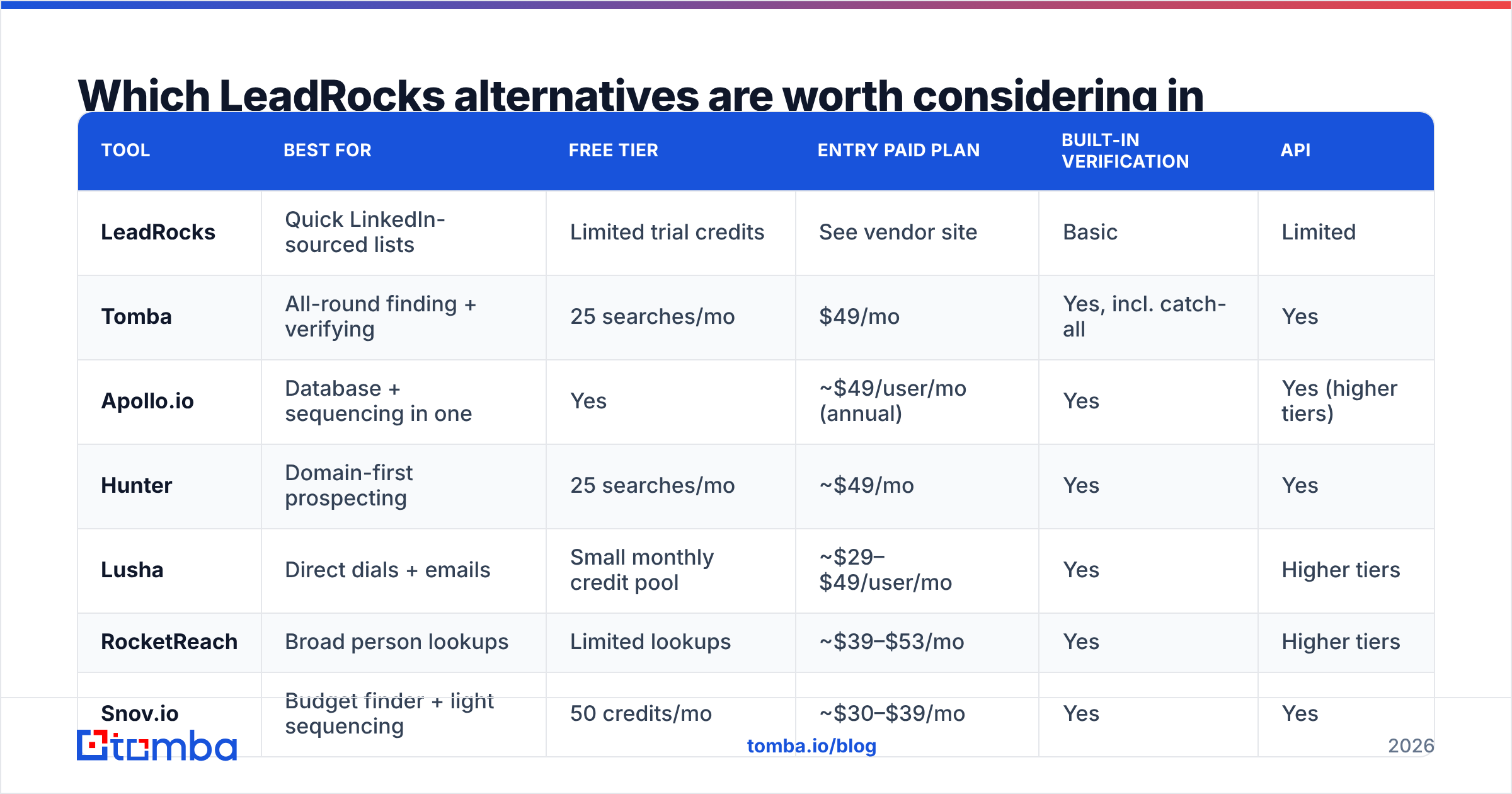
Here's a side-by-side summary before the detailed breakdowns. Pricing is the published entry point at time of writing. Vendors change plans often, so check each pricing page before you buy.
| Tool | Best for | Free tier | Entry paid plan | Built-in verification | API |
|---|---|---|---|---|---|
| LeadRocks | Quick LinkedIn-sourced lists | Limited trial credits | See vendor site | Basic | Limited |
| Tomba | All-round finding + verifying | 25 searches/mo | $49/mo | Yes, incl. catch-all | Yes |
| Apollo.io | Database + sequencing in one | Yes | ~$49/user/mo (annual) | Yes | Yes (higher tiers) |
| Hunter | Domain-first prospecting | 25 searches/mo | ~$49/mo | Yes | Yes |
| Lusha | Direct dials + emails | Small monthly credit pool | ~$29–$49/user/mo | Yes | Higher tiers |
| RocketReach | Broad person lookups | Limited lookups | ~$39–$53/mo | Yes | Higher tiers |
| Snov.io | Budget finder + light sequencing | 50 credits/mo | ~$30–$39/mo | Yes | Yes |
| Kaspr | LinkedIn phone numbers (EU) | Limited credits | ~€45/user/mo | Partial | Higher tiers |
| BookYourData | Pre-built verified lists | Trial credits | Pay-as-you-go packs | Yes, pre-verified | Yes |

1. Tomba: best all-round LeadRocks alternative#
Tomba is built around an email finder that works three ways: search by name plus company, by domain, or from a LinkedIn profile through the Chrome extension. Each result comes with a confidence score and the public sources the address was found in, so you can see why Tomba believes an email is right.
What sets it apart from database-first tools like LeadRocks is that verification is part of the same platform. You can run results through the email verifier, and catch-all domains get their own verification step instead of a generic "accept-all" flag. That matters most in enterprise and mid-market accounts, where catch-all mail servers are common.
- Pricing: Free (25 searches/mo), Starter $49/mo, Growth $99/mo, Pro $249/mo, Enterprise custom. Full breakdown on Tomba pricing.
- Workflow: Chrome extension, bulk upload, Google Sheets, Excel, HubSpot/Salesforce/Pipedrive integrations, Zapier/Make, REST API, CLI and an MCP server.
- Pros: Finding and verification in one place, transparent sources, strong API for RevOps teams.
- Cons: It's a data and enrichment layer, not a sequencer. You'll still pair it with a sending tool.
Choose Tomba if you want to replace LeadRocks with something that finds and verifies in one pass and plugs into whatever stack you already run.
2. Apollo.io: best if you also want a sequencer#

Apollo.io combines a large contact database with email sequences, a dialer and basic intent signals. For a team that doesn't have a sending tool yet, that consolidation is attractive: one login, one bill.
- Pricing: Generous free plan. Paid tiers start around $49/user/mo billed annually.
- Pros: All-in-one, large database, good filters.
- Cons: Data quality varies by region and seniority. Credits and export limits can get confusing, and per-seat pricing adds up for larger teams.
Choose Apollo if you want the database and outreach engine in one tool and accept some variance in data accuracy. If Apollo's seat model doesn't work for you, see our Apollo alternatives breakdown.
3. Hunter: best for domain-first prospecting#
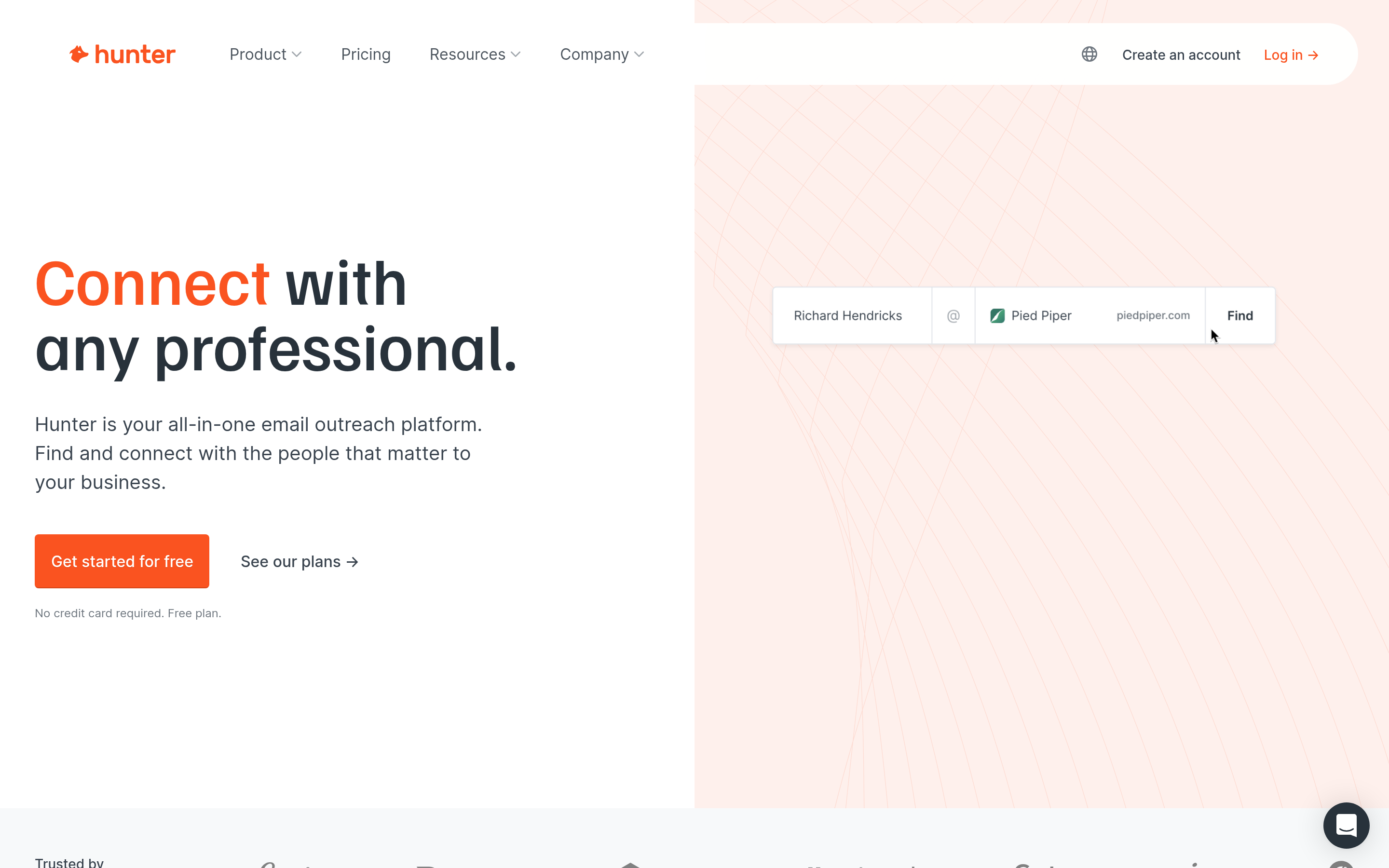
Hunter popularised the "type a domain, see every public email" workflow. It's clean, fast and well documented, and its email pattern detection is dependable for small and mid-sized companies.
- Pricing: Free tier with 25 searches/mo. Paid plans start around $49/mo (lower when billed annually).
- Pros: Simple UI, solid verifier, good API docs.
- Cons: Coverage thins out for companies with small web footprints. Fewer filtering options than a full database like LeadRocks.
Choose Hunter if you already know your target accounts and just need the right people at each domain.
4. Lusha: best for direct dials#
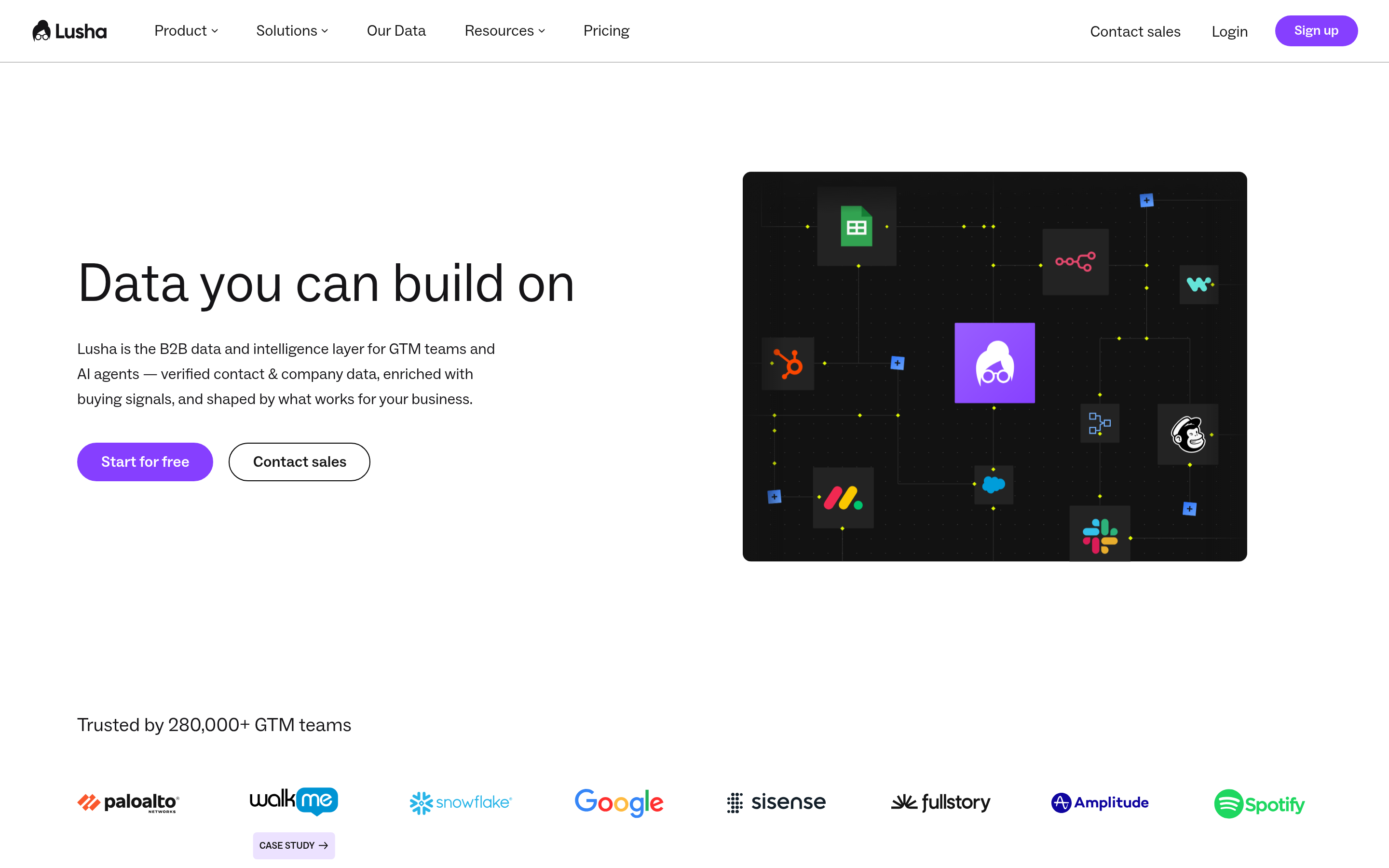
Lusha's strength is phone data, especially mobile numbers for North American contacts. It works mostly through a Chrome extension on LinkedIn and CRM pages, much like LeadRocks.
- Pricing: Small free credit pool. Paid plans start in the ~$29–$49/user/mo range. Phone reveals cost more credits than emails.
- Pros: Strong phone coverage, fast extension workflow.
- Cons: Email-only prospectors pay for phone data they won't use. Coverage outside North America is patchier.
Choose Lusha if cold calling is a core channel for your team.
5. RocketReach: best for broad person lookups#
RocketReach indexes a very large set of professional profiles and returns emails, phones and social links. It's a good fit for recruiters, PR teams and sales teams who look people up one at a time more often than they build lists in bulk.
- Pricing: Limited free lookups. Paid plans start around $39–$53/mo depending on billing cycle.
- Pros: Broad coverage, useful for non-sales use cases too.
- Cons: Lookup-based pricing gets expensive at volume, and API access sits on higher tiers.
Choose RocketReach if you look up individuals across many industries, not just your core ICP.
6. Snov.io: best budget pick with light automation#
Snov.io bundles an email finder, a verifier and a simple drip-campaign builder at a lower price point than most. For bootstrapped teams moving off LeadRocks, it covers finding, verifying and sending without much configuration.
- Pricing: 50 free credits/mo. Paid plans start around $30–$39/mo.
- Pros: Affordable, all-in-one for small teams.
- Cons: The sequencer is basic compared to dedicated sending platforms, and data depth trails the larger databases.
Choose Snov.io if budget is the deciding factor and your volume is modest.
7. Kaspr: best for European LinkedIn prospecting#
Kaspr is a LinkedIn-centric extension with good phone and email coverage in Europe, particularly France and the wider EU. It's designed around GDPR-conscious workflows.
- Pricing: Limited free credits. Paid plans start around €45/user/mo.
- Pros: Strong EU coverage, simple extension UX.
- Cons: Less useful outside LinkedIn. Weaker for domain-level searches.
Choose Kaspr if most of your prospects sit in European markets and you live inside LinkedIn.
8. BookYourData: best for buying pre-verified lists#
BookYourData takes a different approach from lookup tools. You build a filtered B2B list (industry, title, geography, company size) and buy it as a pre-verified download, typically on pay-as-you-go credits. For teams that want a clean list delivered rather than assembled contact by contact, it's a strong option and a natural step up from LeadRocks-style exports.
- Pricing: Pay-as-you-go credit packs with trial credits to test.
- Pros: Verified data at export, flexible no-subscription buying, fast turnaround for large lists.
- Cons: Built for list building, not real-time lookups while you browse LinkedIn.
Choose BookYourData if you run campaign-style outbound and want verified lists without a monthly commitment.
Is Tomba better than LeadRocks?#
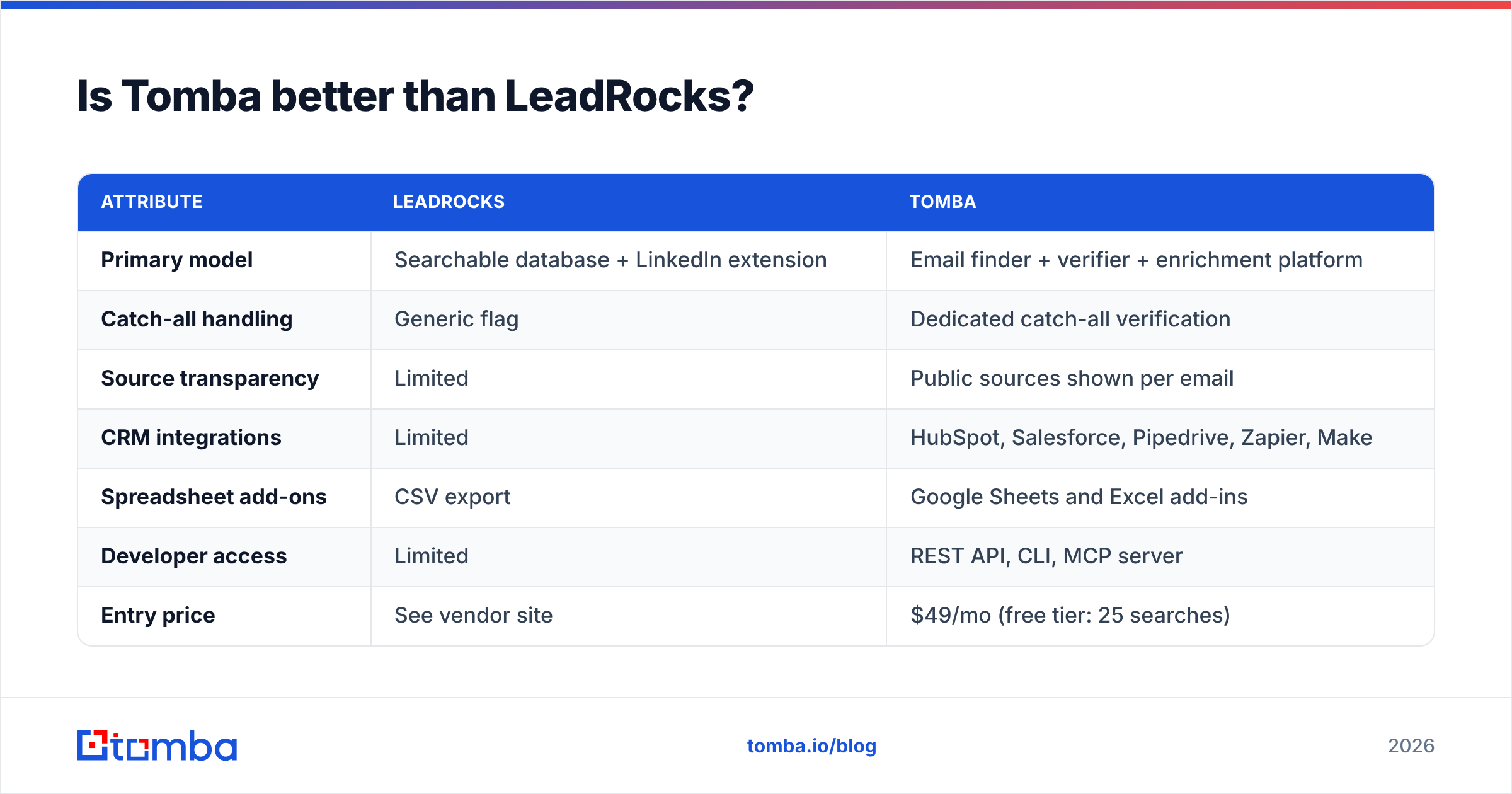
For most teams past the first-list stage, yes. The honest reason is structural rather than a claim about who has "more data." LeadRocks is mainly a database you export from. Tomba is a finding and verification layer you can call from anywhere: extension, spreadsheet, CRM or API. Here's how that plays out:
| Attribute | LeadRocks | Tomba |
|---|---|---|
| Primary model | Searchable database + LinkedIn extension | Email finder + verifier + enrichment platform |
| Catch-all handling | Generic flag | Dedicated catch-all verification |
| Source transparency | Limited | Public sources shown per email |
| CRM integrations | Limited | HubSpot, Salesforce, Pipedrive, Zapier, Make |
| Spreadsheet add-ons | CSV export | Google Sheets and Excel add-ins |
| Developer access | Limited | REST API, CLI, MCP server |
| Entry price | See vendor site | $49/mo (free tier: 25 searches) |
LeadRocks still makes sense if you want a quick, filter-driven list for a one-off campaign and don't need deep integrations. Once outbound becomes a repeatable motion with CRM hygiene, bounce budgets and ops ownership, you need a verification-first tool.
How do you run a fair head-to-head test?#
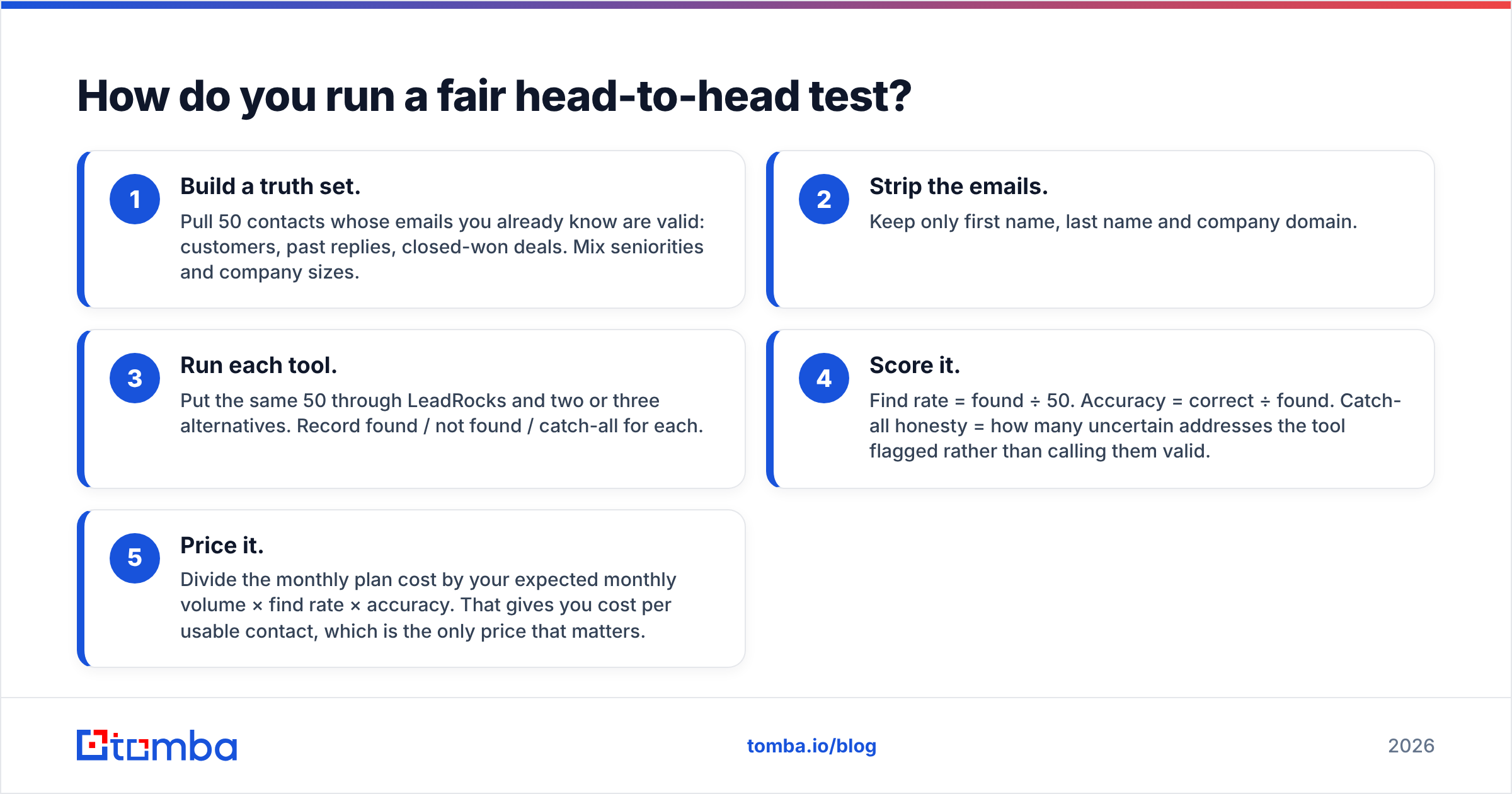
Vendor accuracy numbers are measured on vendor-chosen samples. This test takes about an hour and gives you numbers that apply to your own market:
- Build a truth set. Pull 50 contacts whose emails you already know are valid: customers, past replies, closed-won deals. Mix seniorities and company sizes.
- Strip the emails. Keep only first name, last name and company domain.
- Run each tool. Put the same 50 through LeadRocks and two or three alternatives. Record found / not found / catch-all for each.
- Score it. Find rate = found ÷ 50. Accuracy = correct ÷ found. Catch-all honesty = how many uncertain addresses the tool flagged rather than calling them valid.
- Price it. Divide the monthly plan cost by your expected monthly volume × find rate × accuracy. That gives you cost per usable contact, which is the only price that matters.
Run the test on your hardest segment, not your easiest. Most tools look fine on US tech startups. The differences show up in regulated industries, non-English markets and large enterprises with catch-all servers.
Which LeadRocks alternative should you pick?#
Short version by team type:
- Solo founder or freelancer on a budget: Snov.io or Tomba's free tier. Upgrade when you pass about 25 lookups a month.
- SDR team that needs a sequencer too: Apollo.io, with a separate verifier pass before you send.
- Account-based team with a known target list: Tomba or Hunter for domain search plus verification.
- Phone-first team: Lusha (North America) or Kaspr (Europe).
- Campaign-style bulk outbound: BookYourData for pre-verified lists, or Tomba bulk finder and verifier on lists you already have.
- RevOps or engineering-led GTM: Tomba for the API, CLI and MCP access that lets you enrich leads inside your own pipelines.
Whichever you choose, verify before you send. A 5% bounce rate on a 2,000-email campaign means 100 hard bounces, enough to put a new sending domain on a mailbox provider's watch list. For how bounces feed into inbox placement, HubSpot's email deliverability guide is a solid primer.
Ready to replace LeadRocks?#
If you want finding, verification and catch-all handling in one tool, with a free tier to run the 50-contact test above, start with the Tomba Email Finder. Search by name, domain or LinkedIn profile, check each result's confidence score and sources, and push verified contacts straight into your CRM or spreadsheet. The free plan includes 25 searches a month, and paid plans start at $49/mo when you're ready to scale.
Related guides#
// get started
Find, verify and enrich your first contacts today
Start on the free plan with 25 searches a month, then scale when your team is ready.
Free plan · No credit card required · GDPR & CCPA
// about the author