Leadrocks vs Leadsforge (2026): Database vs AI Lead Builder
Leadrocks sells cheap LinkedIn-sourced contacts. Leadsforge builds lists from a chat prompt. Here is how they compare on data, cost per credit, and workflow fit, plus which one to pick for your team.
TL;DR
- Leadrocks is a LinkedIn-sourced B2B contact database with a Chrome extension. It works best when you already know who you want and need their email cheaply.
- Leadsforge is an AI list builder from the Salesforge team. You describe your ICP in plain English and it builds the list. It works best when you don't know exactly who to target yet.
- On price per contact they are close: roughly $0.029 per credit on every Leadrocks tier, and $0.021–$0.0245 per credit on Leadsforge. The difference is in how credits behave. Leadsforge credits roll over, and third-party reviews say Leadrocks charges a credit even when a lookup comes back empty.
- Neither tool replaces a separate verification pass. Whichever you choose, check the emails before you load them into a sequencer.
- Our pick: Leadsforge if you run cold email through Salesforge and want AI prospecting. Leadrocks if you work from LinkedIn and need a low monthly bill.
What are Leadrocks and Leadsforge?#
At first glance these two look alike. Both have credit-based pricing and both return B2B contact data. Underneath, they are built for different parts of prospecting.
Leadrocks (leadrocks.io) is a database play. It indexes professional profiles, mostly from public LinkedIn data, and adds work emails and firmographics. You search with filters like title, industry, company size, and location, or you browse LinkedIn and pull contacts through the Chrome extension. The workflow is "I know the persona, give me the email."
Leadsforge (leadsforge.ai) is part of the Forge stack, next to Salesforge (sequencing), Mailforge, and Infraforge (sending infrastructure). Its main feature is a chat interface. You type something like "Heads of RevOps at Series B SaaS companies in Germany using HubSpot," and it returns a filtered list you can refine in conversation. It also offers lookalike search: you give it a company you like and it finds similar ones.
One way to picture it: Leadrocks is a well-stocked warehouse where you walk the aisles yourself. Leadsforge is a personal shopper who takes your description and brings items back. The shopper saves time, but if your description is vague, you get a vague list.
How do Leadrocks and Leadsforge differ in approach?#
Here are the five differences that matter most when you're choosing:
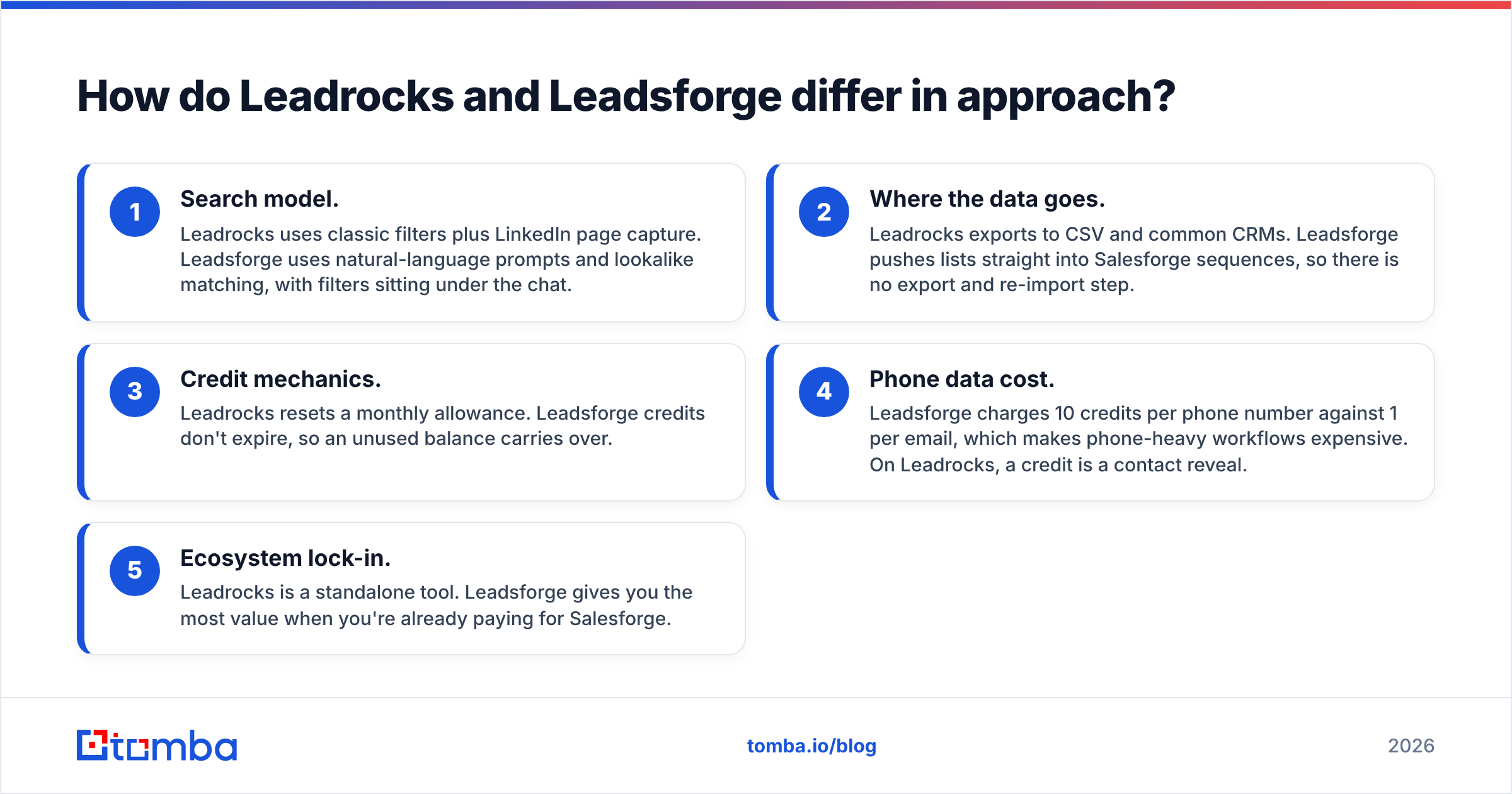
- Search model. Leadrocks uses classic filters plus LinkedIn page capture. Leadsforge uses natural-language prompts and lookalike matching, with filters sitting under the chat.
- Where the data goes. Leadrocks exports to CSV and common CRMs. Leadsforge pushes lists straight into Salesforge sequences, so there is no export and re-import step.
- Credit mechanics. Leadrocks resets a monthly allowance. Leadsforge credits don't expire, so an unused balance carries over.
- Phone data cost. Leadsforge charges 10 credits per phone number against 1 per email, which makes phone-heavy workflows expensive. On Leadrocks, a credit is a contact reveal.
- Ecosystem lock-in. Leadrocks is a standalone tool. Leadsforge gives you the most value when you're already paying for Salesforge.

How does Leadrocks pricing compare to Leadsforge pricing?#
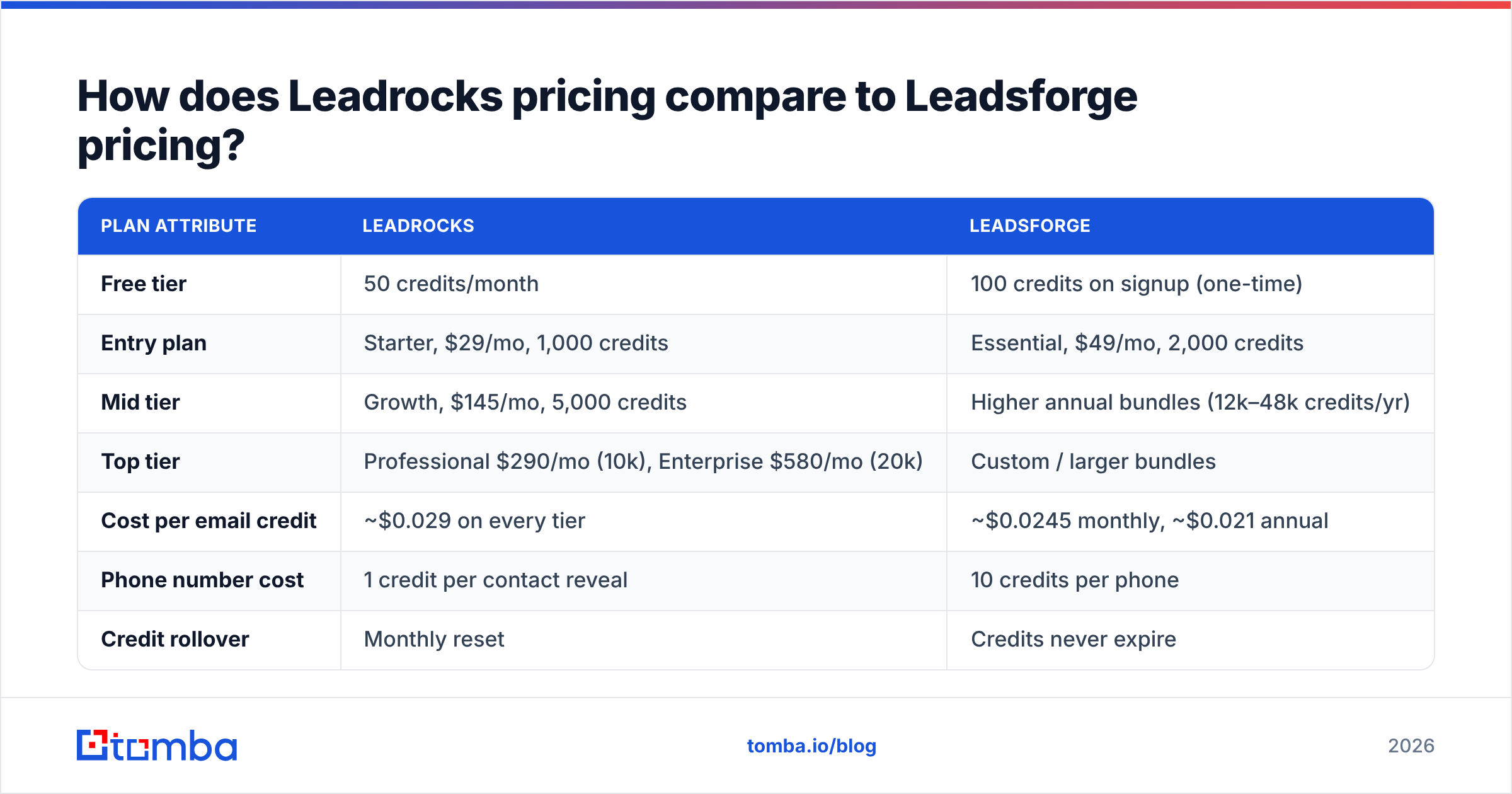
Leadrocks publishes a straight tiered ladder. Leadsforge has a smaller set of plans built around credit bundles. The figures below come from vendor pages and third-party listings at the time of writing. Check the Leadsforge pricing page and Leadrocks' site before you buy, because both vendors change plans often.
| Plan attribute | Leadrocks | Leadsforge |
|---|---|---|
| Free tier | 50 credits/month | 100 credits on signup (one-time) |
| Entry plan | Starter, $29/mo, 1,000 credits | Essential, $49/mo, 2,000 credits |
| Mid tier | Growth, $145/mo, 5,000 credits | Higher annual bundles (12k–48k credits/yr) |
| Top tier | Professional $290/mo (10k), Enterprise $580/mo (20k) | Custom / larger bundles |
| Cost per email credit | ~$0.029 on every tier | ~$0.0245 monthly, ~$0.021 annual |
| Phone number cost | 1 credit per contact reveal | 10 credits per phone |
| Credit rollover | Monthly reset | Credits never expire |
| Lifetime deal | AppSumo deal (from $79) has run historically | Not typical |
What does that mean in real money?#
Say you need 1,500 verified-looking emails a month.
- Leadrocks: Starter gives you 1,000 credits, so you'd have to move up to Growth at $145. You'd leave 3,500 credits unused, and they won't carry over. If you stay on Starter, you're short by 500 contacts.
- Leadsforge: Essential gives you 2,000 credits for $49. You use 1,500, and the remaining 500 roll into next month.
At this volume, Leadsforge is clearly cheaper. The picture changes if you need exactly 1,000 contacts a month and nothing more. In that case Leadrocks Starter at $29 is the lowest bill of any option here.
Also think about empty lookups. According to SyncGTM's Leadrocks review, Leadrocks uses a credit on every lookup, including ones that return invalid or blank contacts. If your hit rate on a niche vertical is 60%, your real cost per usable email is about $0.048, not $0.029. Run a small test on your own ICP before you commit to a higher tier.
Which one has better data quality?#
This question matters most, and neither vendor publishes an independent accuracy audit. So here's how to reason about it instead of trusting marketing claims.
Where Leadrocks is strong: it's built on professional-profile data, so title and company fields tend to be current for people who keep their LinkedIn up to date. That covers most of tech, SaaS, agencies, and professional services. For those people, name + company + title matching works well.
Where Leadrocks is weak: industries where people don't maintain LinkedIn profiles, such as manufacturing floor management, healthcare operations, and many SMB owners. Coverage drops fast there. Email accuracy then depends on whether Leadrocks verified the address or inferred it from a pattern.
Where Leadsforge is strong: list construction. The AI layer is good at turning a fuzzy ICP into a structured query, and the lookalike search surfaces companies you wouldn't have thought to filter for. Salesforge also offers mailbox warmup and deliverability tooling, so the Forge stack is designed to keep bounces low once lists hit a sequence.
Where Leadsforge is weak: the AI decides who matches your prompt. You need to spot-check the first 50 rows of every list. A prompt like "marketing leaders" can return both a CMO and a marketing coordinator, depending on how the model reads it.
How should you test either tool?#
Treat both vendors' accuracy claims as marketing until you've tested them yourself:
- Pull 200 contacts from each tool for the same ICP.
- Run every address through an independent email verifier. Don't use the vendor's own "verified" badge.
- Count valid, invalid, catch-all, and unknown results.
- Send a small sequence to the valid ones and track the hard bounce rate.
Anything above a 3% hard bounce rate on "verified" data is a warning sign. It will hurt your sender reputation whichever tool it came from.
What does the feature comparison look like side by side?#
| Feature | Leadrocks | Leadsforge |
|---|---|---|
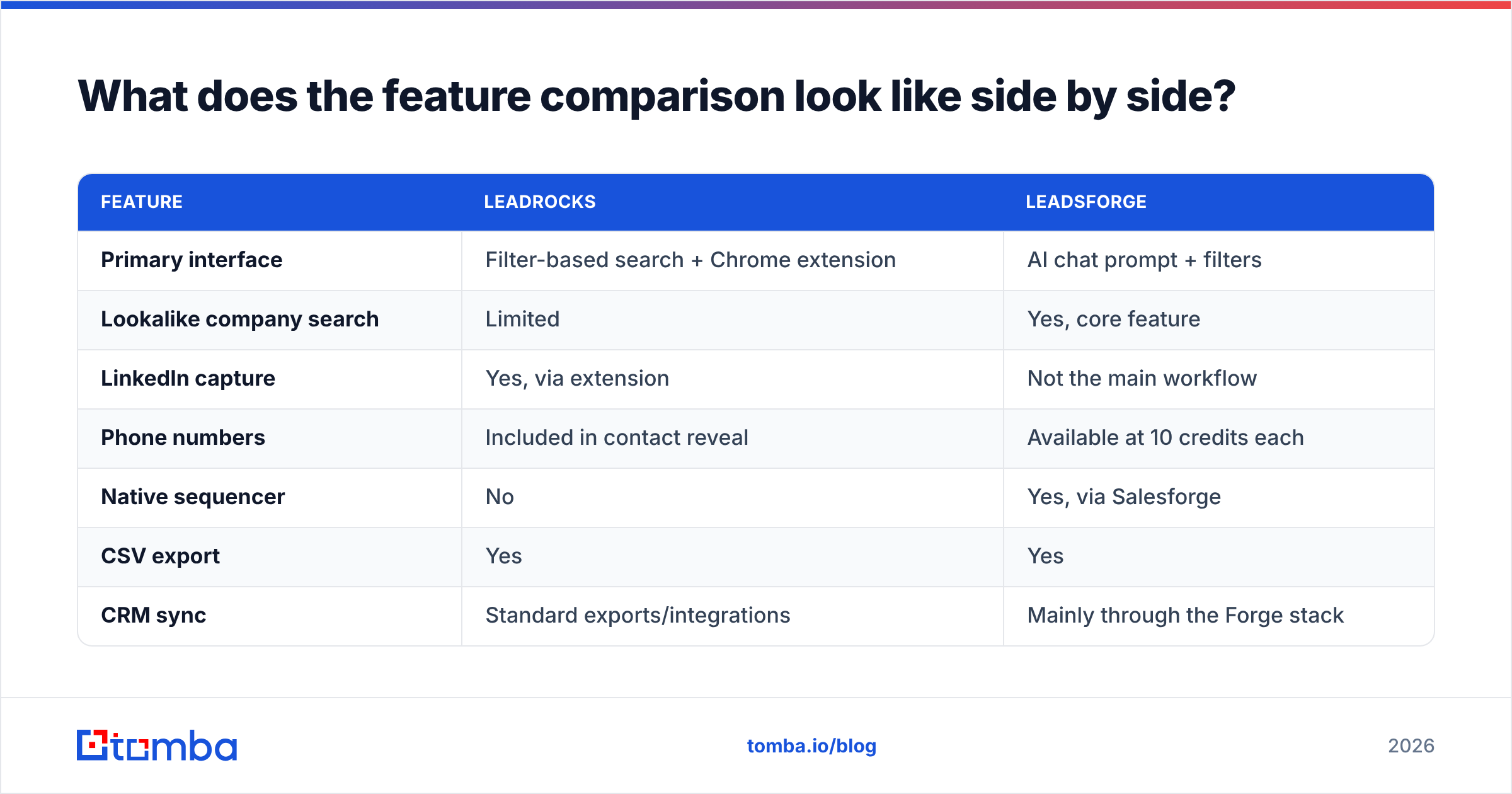
| Primary interface | Filter-based search + Chrome extension | AI chat prompt + filters |
| Lookalike company search | Limited | Yes, core feature |
| LinkedIn capture | Yes, via extension | Not the main workflow |
| Phone numbers | Included in contact reveal | Available at 10 credits each |
| Native sequencer | No | Yes, via Salesforge |
| CSV export | Yes | Yes |
| CRM sync | Standard exports/integrations | Mainly through the Forge stack |
| Credit rollover | No | Yes |
| Best fit | LinkedIn-first SDRs, freelancers, agencies on a budget | Cold email teams on Salesforge, founders doing ICP discovery |
| Main drawback | Credits burn on empty lookups | Value drops outside the Forge ecosystem |
Aggregated user reviews on G2 roughly match this split. Leadrocks reviewers mention price and LinkedIn convenience. Leadsforge reviewers mention the speed of building lists and the tight connection to Salesforge.
Which workflow fits your team?#
Choose based on how your team actually prospects, not on feature lists.
Pick Leadrocks if:
- Your SDRs already spend their day on LinkedIn and Sales Navigator, and just need emails for profiles they've already qualified.
- You're a solo founder or small agency and your monthly bill matters more than extra features.
- Your volume is steady and predictable, around 1,000 or 5,000 contacts a month, so monthly resets don't waste much.
- You use a sequencer other than Salesforge (Instantly, Smartlead, Lemlist, HubSpot sequences) and want a tool that doesn't tie you to a specific stack.
Pick Leadsforge if:
- You're still refining your ICP and want to explore segments quickly with prompts and lookalikes.
- You already run outbound on Salesforge, or plan to. Removing the CSV shuffle saves real time every week.
- Your volume changes from month to month (for example, campaign bursts), so rollover credits keep you from losing what you paid for.
- Your team is mostly email-only. If you need a lot of phone numbers, the 10-credit cost adds up quickly.
Skip both if:
- You mainly need to find email addresses for specific named people at known domains, such as account-based lists, event attendees, or inbound leads missing contact data. A dedicated email finder with domain search and verification built in fits that job better than a prospecting database.
What do both tools leave out?#
Both tools are built to generate lists. Neither is built to clean up lists you already have. That gap matters in three common situations:
- CRM decay. B2B contact data goes stale as people change jobs, so a list that was clean last year is partly wrong now. Neither tool is designed to bulk re-verify your existing CRM records.
- Catch-all domains. Many mid-market and enterprise companies accept mail for any address. A database may call these addresses "valid" when the domain just accepts everything. You need a dedicated catch-all check to know whether a real inbox exists.
- Known-account enrichment. If marketing hands you 400 target accounts and three named champions at each, you don't need a prospecting database. You need domain-level lookup with pattern detection and verification.
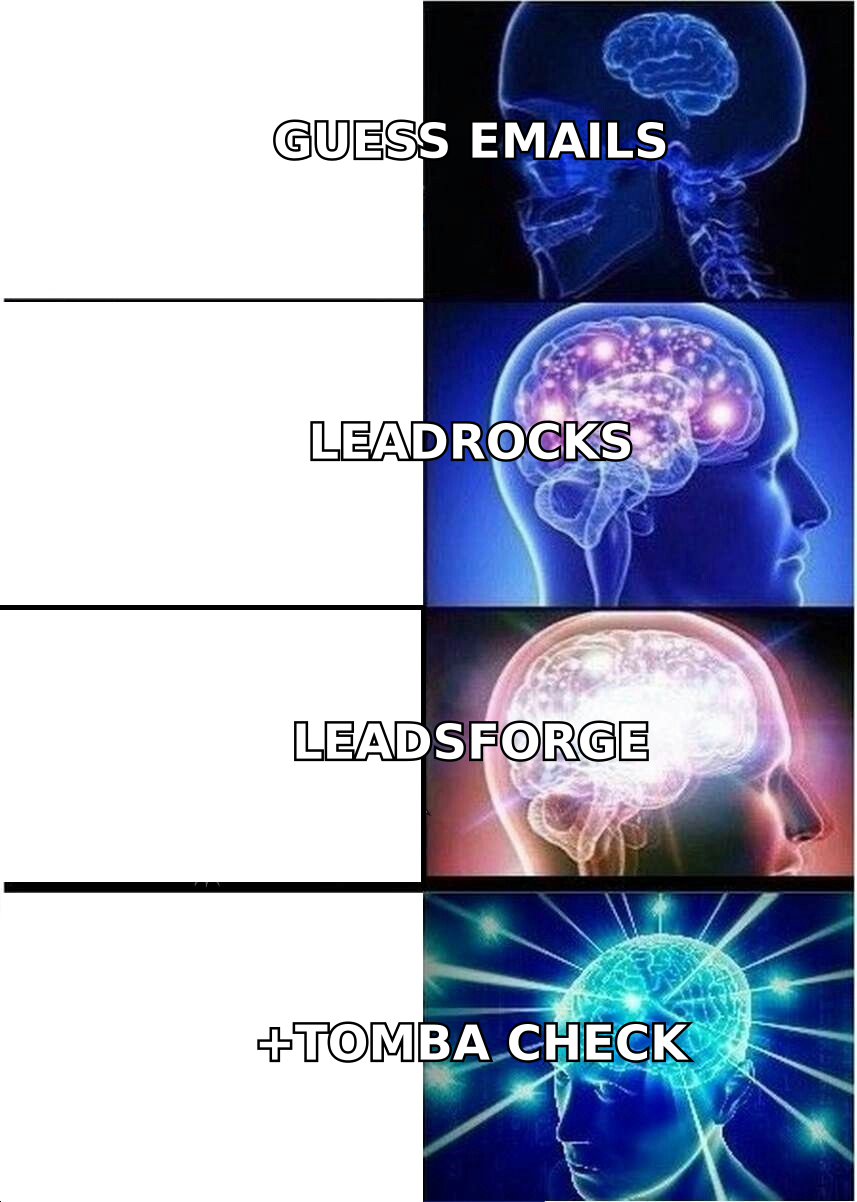
This is where a verification and enrichment layer fits, whichever prospecting tool you choose. Many teams run Leadrocks or Leadsforge for discovery, then send every export through a separate verifier before it reaches a sequence. The extra cost is usually small next to the cost of a burned sending domain.
Is Leadrocks better than Leadsforge?#
Neither is better across the board. They win in different situations.
Leadsforge is the stronger product overall in 2026. AI list building, lookalike search, rollover credits, and native sequencing make it more useful for a team doing outbound at scale. Its cost per email credit is also a little lower, and you never lose credits you paid for.
Leadrocks is the better value for a narrow but common profile: LinkedIn-first prospectors with steady volume and a small budget. A $29 Starter plan with a Chrome extension is hard to beat on price for that workflow.
In short:
- Running Salesforge, or planning to? Leadsforge.
- Prospecting from LinkedIn on a tight budget? Leadrocks.
- Enriching known accounts or cleaning an existing list? Neither. Use a dedicated email finder and verifier.
Frequently asked questions#
Is Leadrocks free?#
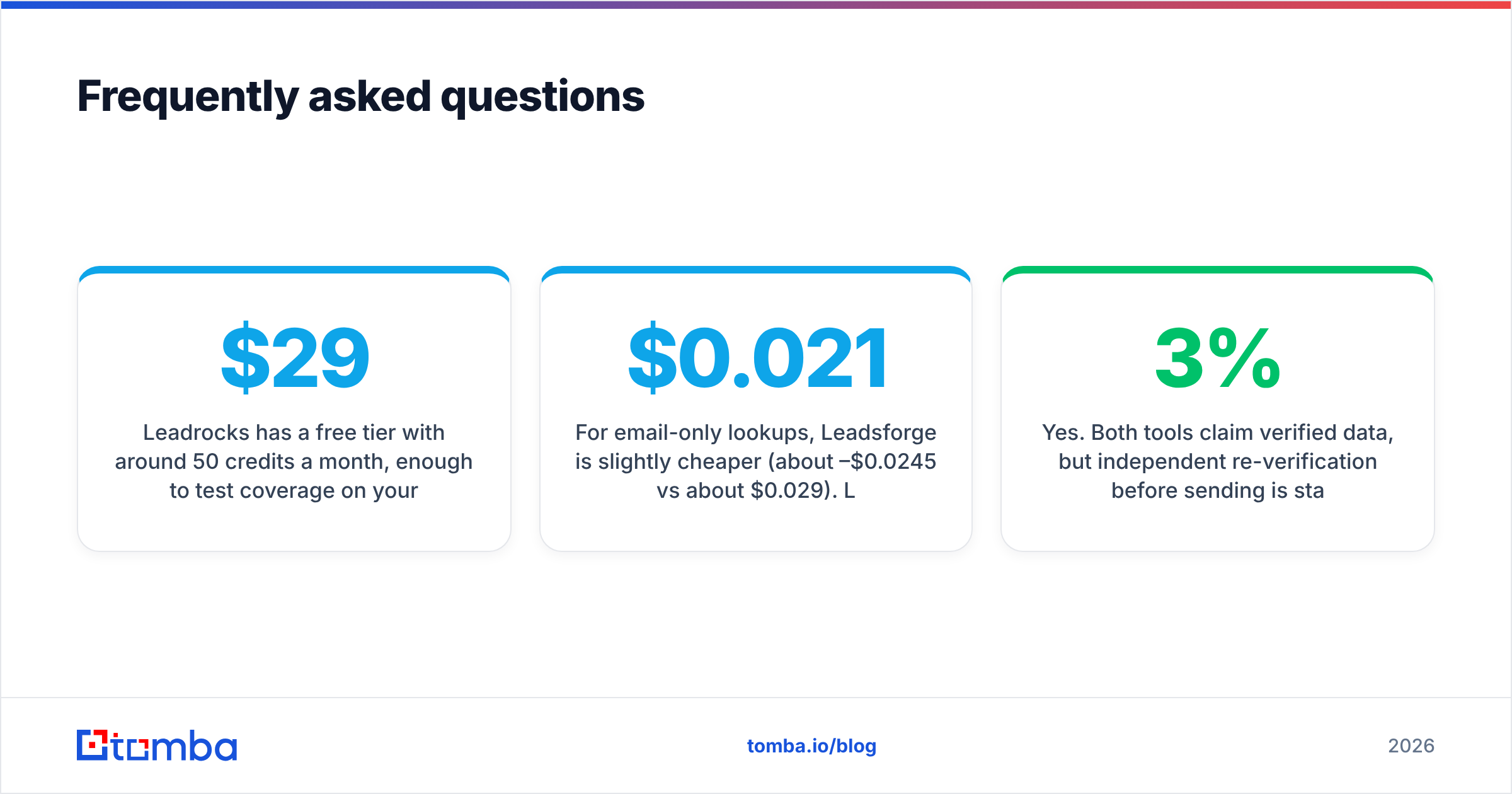
Leadrocks has a free tier with around 50 credits a month, enough to test coverage on your ICP but not enough to run campaigns. Paid plans start at about $29/month for 1,000 credits.
Does Leadsforge work without Salesforge?#
Yes. You can export Leadsforge lists to CSV and load them into any sequencer. The main advantage, pushing lists directly into sequences, only applies inside the Forge stack.
Which tool is cheaper per contact?#
For email-only lookups, Leadsforge is slightly cheaper per credit (about $0.021–$0.0245 vs about $0.029). Leadsforge phone lookups cost 10 credits each, so for phone-heavy use Leadrocks may come out cheaper.
Do I still need an email verifier with these tools?#
Yes. Both tools claim verified data, but independent re-verification before sending is standard practice. It is the most reliable way to keep your hard bounce rate under 2–3% and protect your domain.
What is a good alternative to both?#
If your work is mostly finding emails for known people and companies, not building lists from scratch, an email finder with built-in domain search and verification is a better fit. Compare options on the Tomba pricing page against your expected monthly volume.
Where does Tomba fit in your stack?#
If this comparison showed that your real bottleneck is getting accurate emails for people and companies you've already chosen, not discovering new segments, use Tomba Email Finder. You can search by name + domain, pull every public address at a company, and verify results in the same workflow, so the list you export is ready to send. The free plan includes 25 searches a month for testing on your own ICP, and paid plans start at $49/month. Teams already using Leadrocks or Leadsforge often add Tomba as the enrichment and verification step, so every contact is checked before it enters a sequence.
Related guides#
// get started
Find, verify and enrich your first contacts today
Start on the free plan with 25 searches a month, then scale when your team is ready.
Free plan · No credit card required · GDPR & CCPA
// about the author