Leads On Demand: How to Get Qualified B2B Leads When You Need Them
Leads on demand can mean an agency, a bought list, a scraper, or a self-serve data tool. Here is what each model costs, how fresh the data is, and which one fits your pipeline.
TL;DR
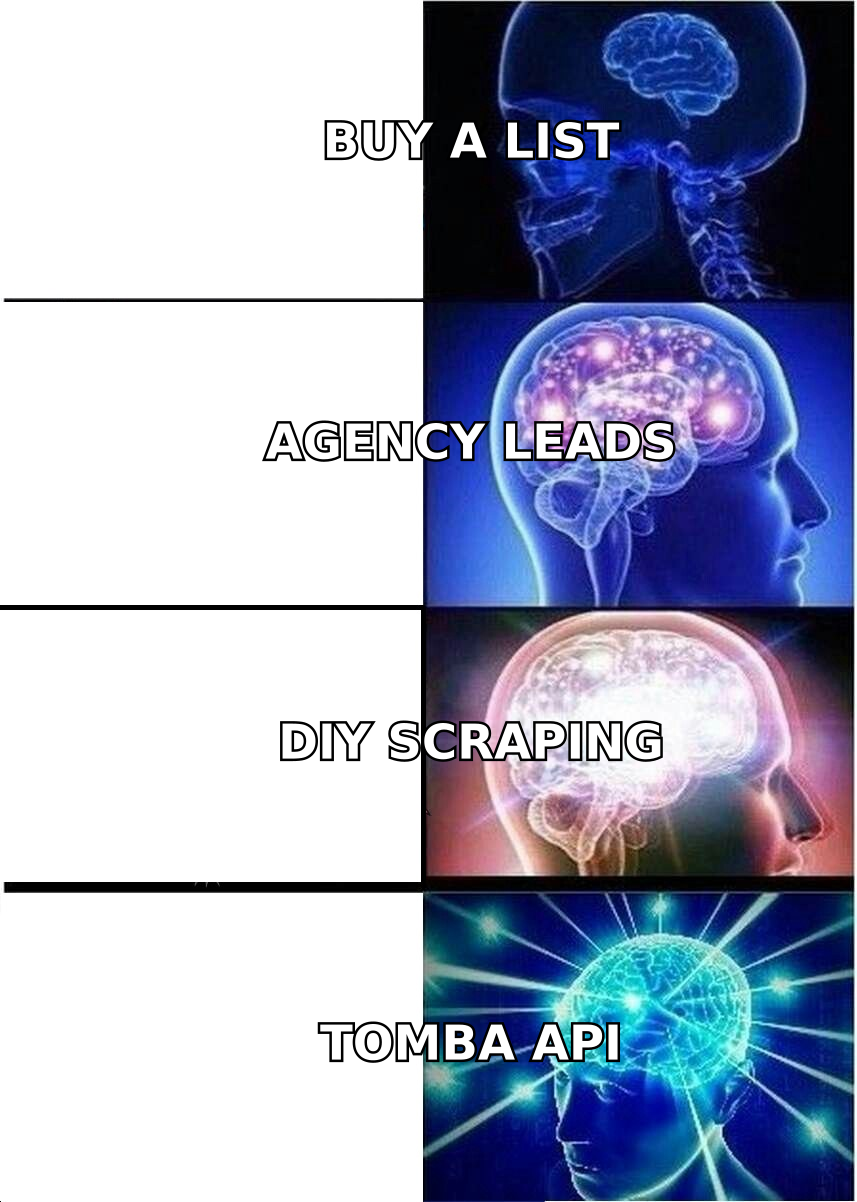
- "Leads on demand" covers four different models: pay-per-lead agencies, pre-built lists, DIY scraping, and self-serve data tools. They differ a lot on cost, freshness, and control.
- Agencies are the fastest way to fill a calendar. You pay the most per lead, and you get the least control over who counts as a lead.
- Pre-built lists work for broad segments. Verify them before you send anything, because contact data decays every month.
- Self-serve email finders and domain search tools give you leads when you need them, at a cost you can predict, and the criteria stay yours.
- Whatever model you pick, add a verification step between sourcing and sending. That one step decides whether the leads turn into pipeline or bounces.
What does "leads on demand" actually mean?#
"Leads on demand" means getting contactable prospects when you need them, not waiting weeks for inbound to show up. The phrase gets stretched in marketing copy, so pin it down before you spend money.
In practice it covers any setup where you describe the buyer you want (industry, company size, role, geography) and get back names with working contact details, usually a business email and sometimes a direct phone number. The "on demand" part means the supply matches your sales capacity. When you hire two SDRs, you need more leads next week, not next quarter.
Compare that to traditional lead generation, which usually means content, ads, and events that pull prospects toward you over months. Inbound compounds, but you can't turn it up on Monday because the quarter is behind. On-demand sourcing is how you close that gap.
The catch is that "a lead" means different things to different vendors. For one it's a name and an email in a spreadsheet. For another it's a booked meeting with a qualified buyer. Before you compare prices, make sure you're comparing the same unit.
What are the main ways to get leads on demand?#
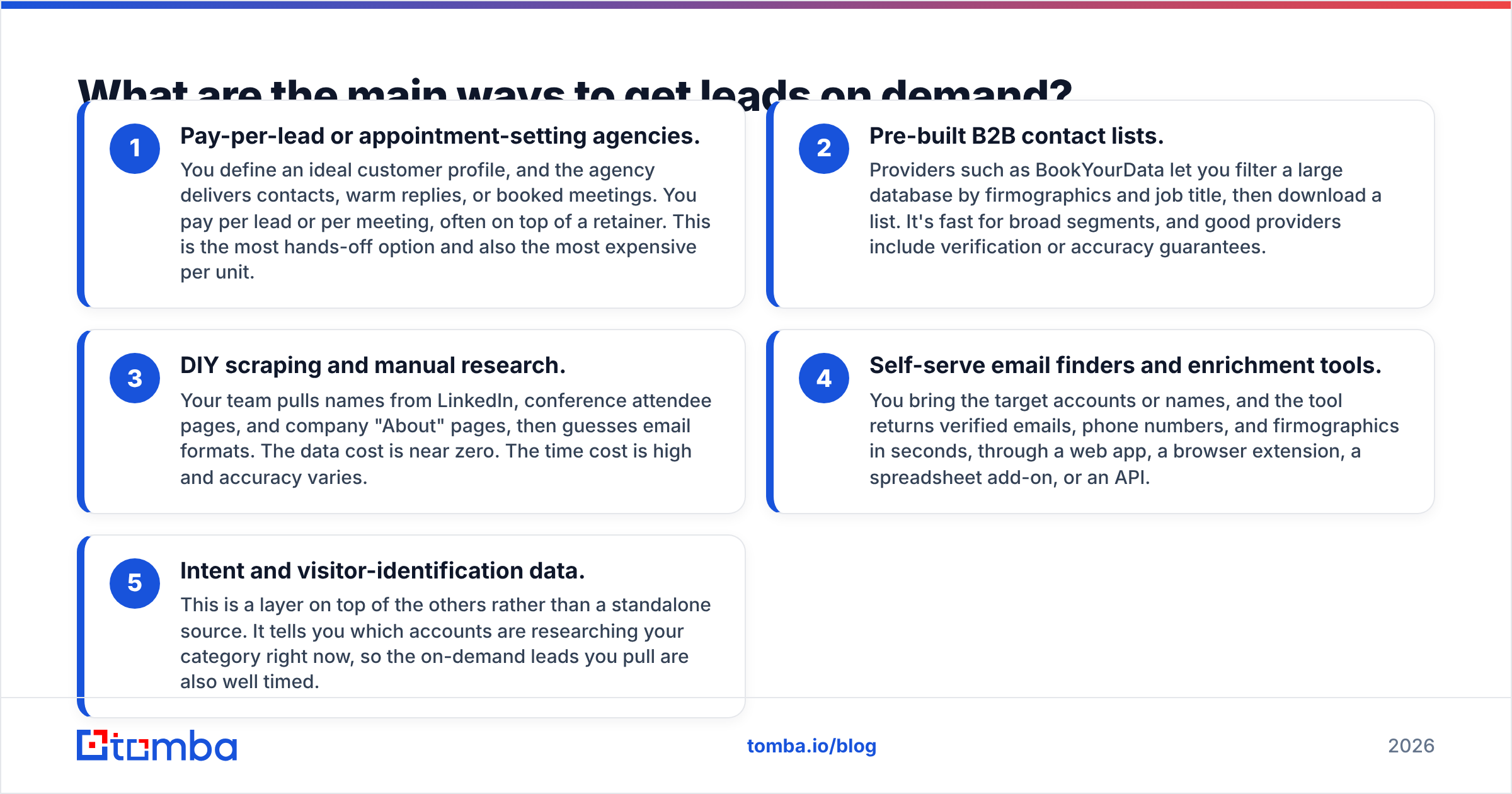
There are four sourcing models. Most mature outbound teams mix two of them.
- Pay-per-lead or appointment-setting agencies. You define an ideal customer profile, and the agency delivers contacts, warm replies, or booked meetings. You pay per lead or per meeting, often on top of a retainer. This is the most hands-off option and also the most expensive per unit.
- Pre-built B2B contact lists. Providers such as BookYourData let you filter a large database by firmographics and job title, then download a list. It's fast for broad segments, and good providers include verification or accuracy guarantees.
- DIY scraping and manual research. Your team pulls names from LinkedIn, conference attendee pages, and company "About" pages, then guesses email formats. The data cost is near zero. The time cost is high and accuracy varies.
- Self-serve email finders and enrichment tools. You bring the target accounts or names, and the tool returns verified emails, phone numbers, and firmographics in seconds, through a web app, a browser extension, a spreadsheet add-on, or an API.
- Intent and visitor-identification data. This is a layer on top of the others rather than a standalone source. It tells you which accounts are researching your category right now, so the on-demand leads you pull are also well timed.
If you've read vendor pages, you've seen each of these sold as "the" answer. None of them is. Each one suits a different stage and budget.
How do the lead sourcing models compare?#
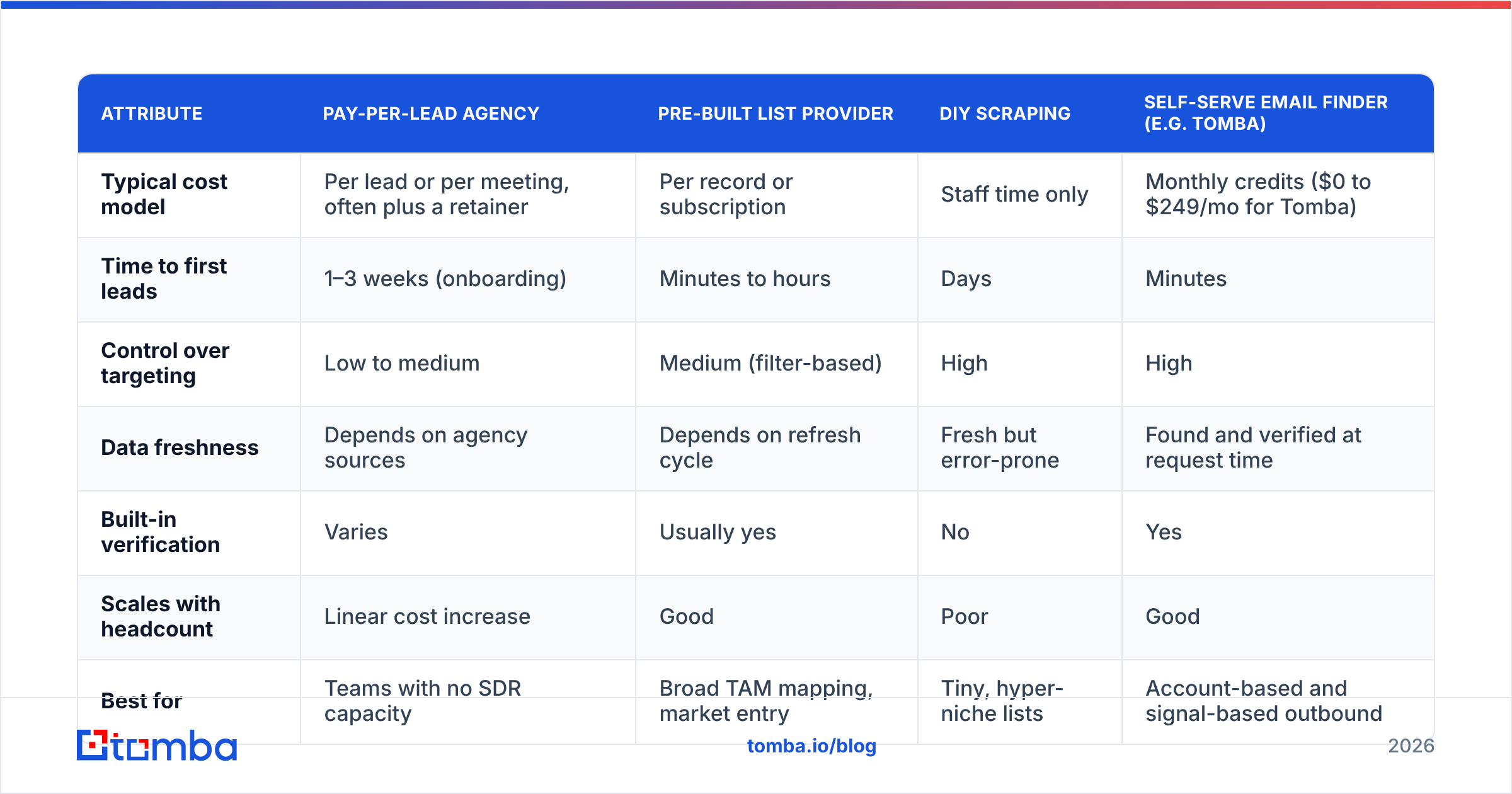
This is the side-by-side most buyers want. Prices are typical ranges reported across the market. Actual quotes depend on geography, seniority, and how tight your ICP is.
| Attribute | Pay-per-lead agency | Pre-built list provider | DIY scraping | Self-serve email finder (e.g. Tomba) |
|---|---|---|---|---|
| Typical cost model | Per lead or per meeting, often plus a retainer | Per record or subscription | Staff time only | Monthly credits ($0 to $249/mo for Tomba) |
| Time to first leads | 1–3 weeks (onboarding) | Minutes to hours | Days | Minutes |
| Control over targeting | Low to medium | Medium (filter-based) | High | High |
| Data freshness | Depends on agency sources | Depends on refresh cycle | Fresh but error-prone | Found and verified at request time |
| Built-in verification | Varies | Usually yes | No | Yes |
| Scales with headcount | Linear cost increase | Good | Poor | Good |
| Best for | Teams with no SDR capacity | Broad TAM mapping, market entry | Tiny, hyper-niche lists | Account-based and signal-based outbound |
| Main risk | Paying for leads you wouldn't have picked | Stale records in fast-moving segments | Wasted rep hours, bounces | Needs you to know your target accounts |
The pattern is simple. The more of the work you outsource, the more you pay per lead and the less say you have over what qualifies. The more you do in-house, the cheaper each lead is, but you need a clear ICP and some process.
How much should leads on demand cost?#
Price per lead is the wrong metric. Cost per qualified conversation is the right one, and it depends on three numbers:
- Cost per contact (what you pay to get a name and email)
- Deliverable rate (the share of those emails that actually reach an inbox)
- Reply-to-meeting rate (driven by targeting and copy, not by the data vendor)
Here's a worked example. Say you need 1,000 contacts a month.
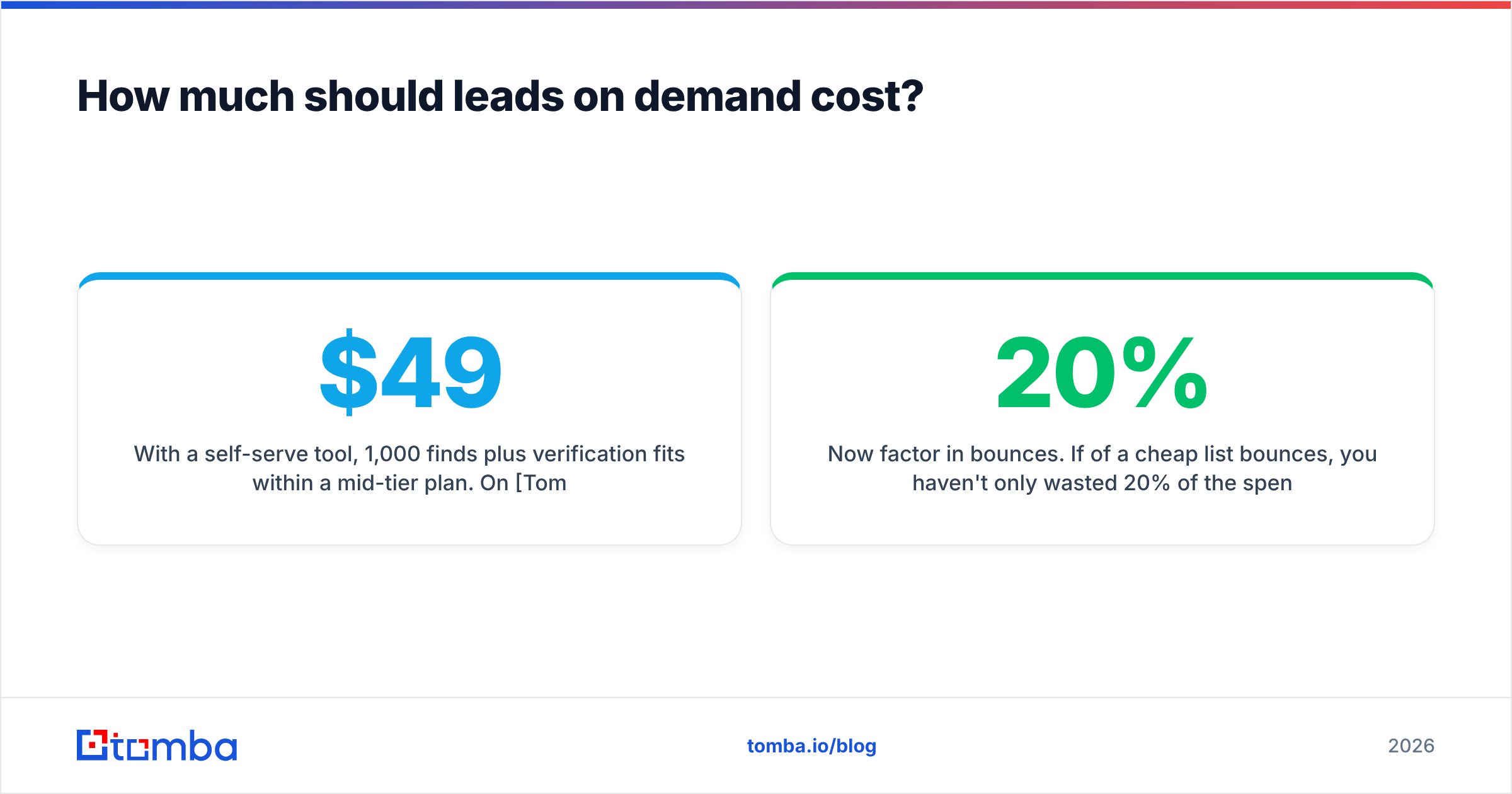
- With a self-serve tool, 1,000 finds plus verification fits within a mid-tier plan. On Tomba pricing, for example, that's Starter at $49/mo or Growth at $99/mo, depending on volume. Your effective cost per contact is well under $0.20.
- With an agency charging per lead, the same 1,000 contacts could cost many times that, although some of the qualification work is done for you.
- With DIY scraping, the tool cost is zero. At even 3 minutes per contact, though, 1,000 leads take 50 hours of rep time, more than a full work week that isn't spent selling.
Now factor in bounces. If 20% of a cheap list bounces, you haven't only wasted 20% of the spend. Hard bounces hurt your sender reputation, and that lowers inbox placement for the 80% that were good. So a bad list costs more than its sticker price.
How do you build a self-serve leads-on-demand engine?#
If you want leads when you need them without a retainer, this is the workflow most lean outbound teams use.
Step 1: Write down your ICP as filters, not adjectives. "Mid-market SaaS" isn't a filter. "B2B software, 50–500 employees, US/UK, uses HubSpot, hiring SDRs" is. Filters are what you can type into a tool.
Step 2: Build the account list first. Start with companies, not people. Pull them from your CRM's closed-lost list, from G2 category pages (G2's lead generation category is a good example of a public market map), from funding announcements, or from technographic lookups.
Step 3: Find the right people at each account. Run each domain through a domain search to see every public professional email at that company, grouped by department. Then choose the two or three roles that actually own your problem.
Step 4: Fill the gaps with a name-based lookup. When you already know the person (from LinkedIn, a podcast, or a webinar attendee list), an email finder takes first name, last name, and domain and returns the most likely address with a confidence score.
Step 5: Verify before you import. Run the whole list through an email verifier. Remove invalid addresses, flag catch-all domains for a smaller test send, and only push "valid" contacts into your sequencer.
Step 6: Sync to your CRM and sequence. Push clean records into HubSpot, Salesforce, or Pipedrive so that ownership, deduplication, and reporting stay in one place. HubSpot's CRM documentation covers how contact records and lifecycle stages should be set up if you're starting fresh.
Step 7: Repeat on a trigger, not a calendar. The "on demand" part really lives here. Pull new leads when something happens, such as a new rep ramping, a new vertical launching, or a spike in intent data, instead of refreshing a giant list every quarter.
Once this is running, one rep can source, verify, and load a week of prospects in about an hour. That's the practical meaning of on demand.
Is buying a lead list still worth it in 2026?#
Yes, in the right situations. Pre-built lists are worth it when you:
- Are entering a new market and need to size the total addressable market fast
- Run broad top-of-funnel campaigns where volume matters more than precision
- Have no in-house research capacity and need something to work with this week
Reputable list providers put real effort into accuracy, and many run verification on export. The question isn't whether lists are good or bad. The question is how quickly your segment's data goes stale. Contact data decays as people change jobs, companies rebrand domains, and inboxes get shut down. In fast-moving segments like startups, sales roles, and tech, a list that was accurate at purchase can drift noticeably within a few months.
So a list is a starting point. Re-verify any list older than about 90 days before you send, and enrich the records you actually plan to contact rather than the whole file.
When does a pay-per-lead agency make sense?#
Agencies make sense when you're short on people, not on data. If you have no SDRs, no one who writes outbound copy, and a board asking for pipeline next quarter, a good agency buys you time.
Watch for these contract terms:
- Definition of a lead. Get it in writing. "Contact with email" and "meeting held with a VP at a 200+ employee company" are very different purchases.
- Replacement policy. Good agencies replace leads that bounce or don't match the ICP.
- Data ownership. Make sure you keep the contacts and the reply history if you leave.
- Domain usage. Find out whether they send from your domain or theirs. If it's yours, your email deliverability is now in their hands.
Analyst firms such as Gartner have long observed that B2B buyers do much of their research before talking to sales. That's a reason to prefer timing and relevance over raw volume, whoever does the sourcing.
What mistakes kill on-demand lead quality?#
The same five mistakes come up again and again:
- Skipping verification because the vendor "already verified." Verification is a point-in-time check. Re-run it before every campaign if the data is more than a few weeks old.
- Treating catch-all domains as valid. A catch-all server accepts every address at the SMTP check, so a "valid" result doesn't tell you much. Send to these in small batches and watch bounce rates.
- Sourcing people before accounts. You end up with 5,000 contacts at companies that could never buy.
- Pulling too many leads at once. Data you don't use this month goes stale. Source in batches that match your send capacity.
- Measuring vendors by cost per lead. Measure cost per meeting instead. A lead that costs $0.05 and bounces is worth less than one that costs $2 and replies.

Which leads-on-demand model should you choose?#
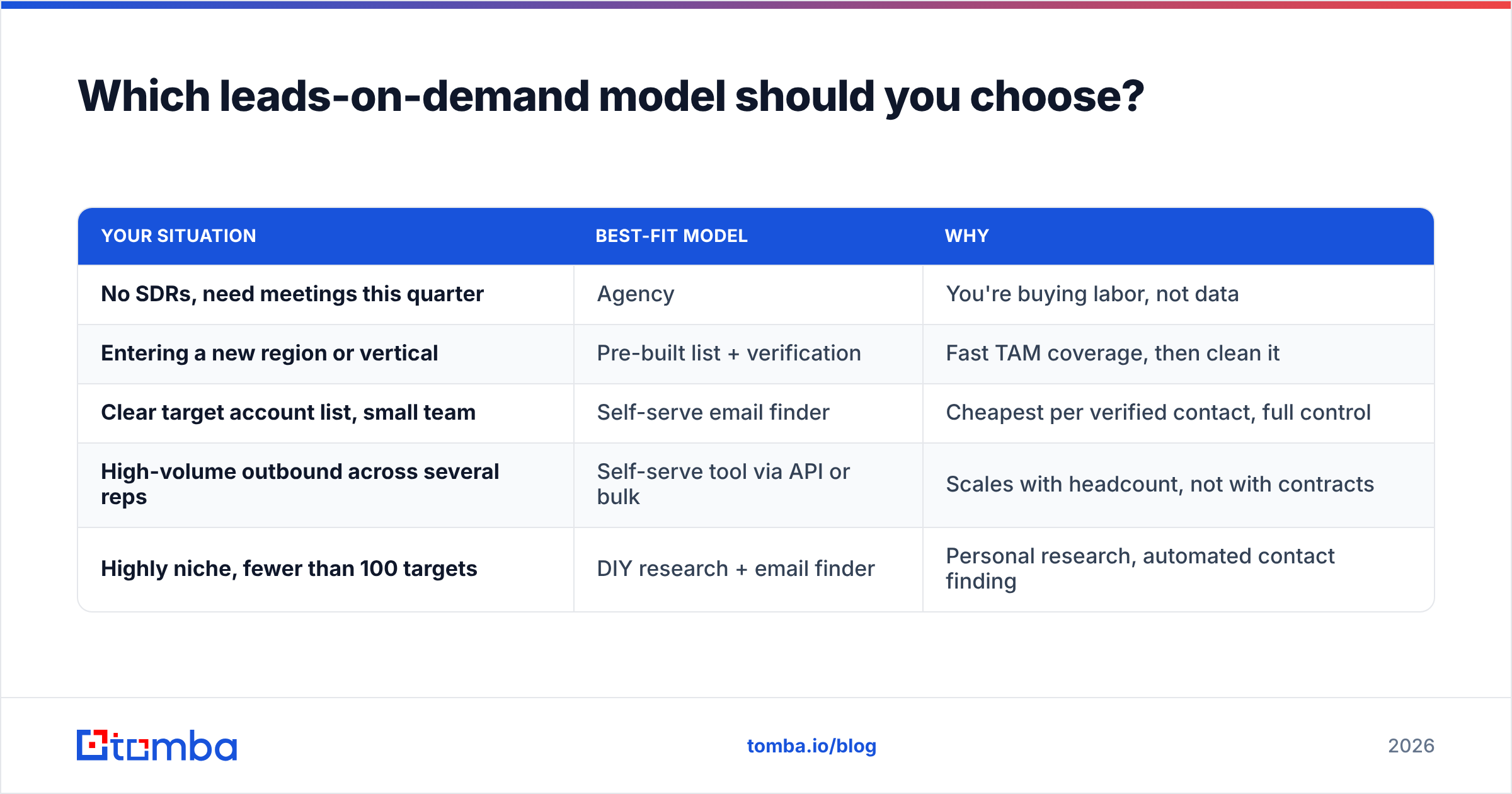
Use this quick decision guide:
| Your situation | Best-fit model | Why |
|---|---|---|
| No SDRs, need meetings this quarter | Agency | You're buying labor, not data |
| Entering a new region or vertical | Pre-built list + verification | Fast TAM coverage, then clean it |
| Clear target account list, small team | Self-serve email finder | Cheapest per verified contact, full control |
| High-volume outbound across several reps | Self-serve tool via API or bulk | Scales with headcount, not with contracts |
| Highly niche, fewer than 100 targets | DIY research + email finder | Personal research, automated contact finding |
Most teams end up with a hybrid. They use a list or database to map the market, a self-serve finder to pull contacts account by account, and a verifier as the gate in front of the sequencer.
FAQ: Leads on demand#
Are leads on demand legal under GDPR? Emailing business contacts is generally allowed under legitimate interest in many jurisdictions, as long as the message is relevant to their role, you identify yourself, and you offer an easy opt-out. Rules vary by country, so check with counsel for your target regions.
How many leads does one SDR need per month? It depends on sequence length and channel mix. Many teams plan for a few hundred new contacts per rep per month. Size your on-demand sourcing to what your reps can actually work, not to what a plan allows you to download.
What's the difference between leads on demand and demand generation? Demand generation builds awareness and interest over time through content, ads, and events. Leads on demand is about sourcing contactable prospects right now. The two work best together, because demand gen warms the market that your on-demand outbound then reaches.
Can I get phone numbers on demand too? Yes. Many enrichment tools return direct dials and mobile numbers alongside email, though coverage is lower than for email and varies by region.
Ready to generate leads on demand without a retainer?#
If you already know which accounts you want, you don't need an agency or a six-figure list. You need a fast way to turn a company name or a person's name into a verified business email. Tomba Email Finder does that from the web app, the Chrome extension, Google Sheets, or the API. It includes built-in verification and a free tier of 25 searches a month so you can test it on your own ICP. Paid plans start at $49/mo when you're ready to scale. Pull the leads you need this week and verify them before they reach your sequencer.
Related guides#
// get started
Find, verify and enrich your first contacts today
Start on the free plan with 25 searches a month, then scale when your team is ready.
Free plan · No credit card required · GDPR & CCPA
// about the author