LeadsBridge vs Zapier (2026): Which Lead Sync Tool Should You Use?
LeadsBridge is built to move ad-platform leads into your CRM. Zapier connects almost anything. This guide covers where each one wins, what each costs, and when you should run both.
- LeadsBridge is a specialist. It moves leads from ad platforms like Facebook Lead Ads, LinkedIn Lead Gen Forms, TikTok and Google Ads lead forms into your CRM. It also pushes CRM data back to those platforms as custom audiences and conversion events.
- Zapier is a generalist. It can connect thousands of apps with multi-step logic, but the ad-platform features beyond a basic "new lead" trigger are shallow.
- Pick LeadsBridge if paid social or search lead gen is your main pipeline and you need audience sync or Conversions API feedback loops.
- Pick Zapier if lead capture is only one of many workflows you want to automate across sales, ops and marketing.
- Either way, sync is not enrichment. Both tools deliver whatever the form collected, which is often a personal Gmail address and a first name. Plan an enrichment and verification step before those leads reach your reps.
What is the real difference between LeadsBridge and Zapier?#
The short version: LeadsBridge is a pipe built for one job, and Zapier is a toolbox that can build nearly any pipe.
Think of it like plumbing. LeadsBridge is a pre-fitted connector for one valve type: ad-platform lead forms and audiences. It comes with the gaskets, the pressure rating, and a warranty from the valve manufacturer. Zapier is a full hardware store. You can build almost anything, but you choose the parts and you carry the risk if the joint leaks.
In practice, LeadsBridge sells itself on marketing-data integrations. It is an official Meta Business Partner, and its catalog focuses on ad sources (Meta, LinkedIn, TikTok, Google, Snapchat) connected to CRMs, email platforms and webhooks. The part most buyers underrate is the reverse direction. LeadsBridge can push CRM segments back to ad platforms as custom audiences, and it can send offline conversion events so the ad algorithms optimise for leads that actually close.
Zapier is a general automation platform with a catalog of several thousand apps. A "Zap" runs a trigger, then one or more actions, with optional filters, paths, formatters, delays and code steps. Facebook Lead Ads is one of its most popular triggers, but Zapier treats it as one app among thousands, not as the core product.
The difference comes down to depth versus breadth. LeadsBridge goes deep on ad-to-CRM data flows. Zapier covers a wide range of apps and lets you chain nearly any logic you can describe.
How do LeadsBridge and Zapier compare feature by feature?#
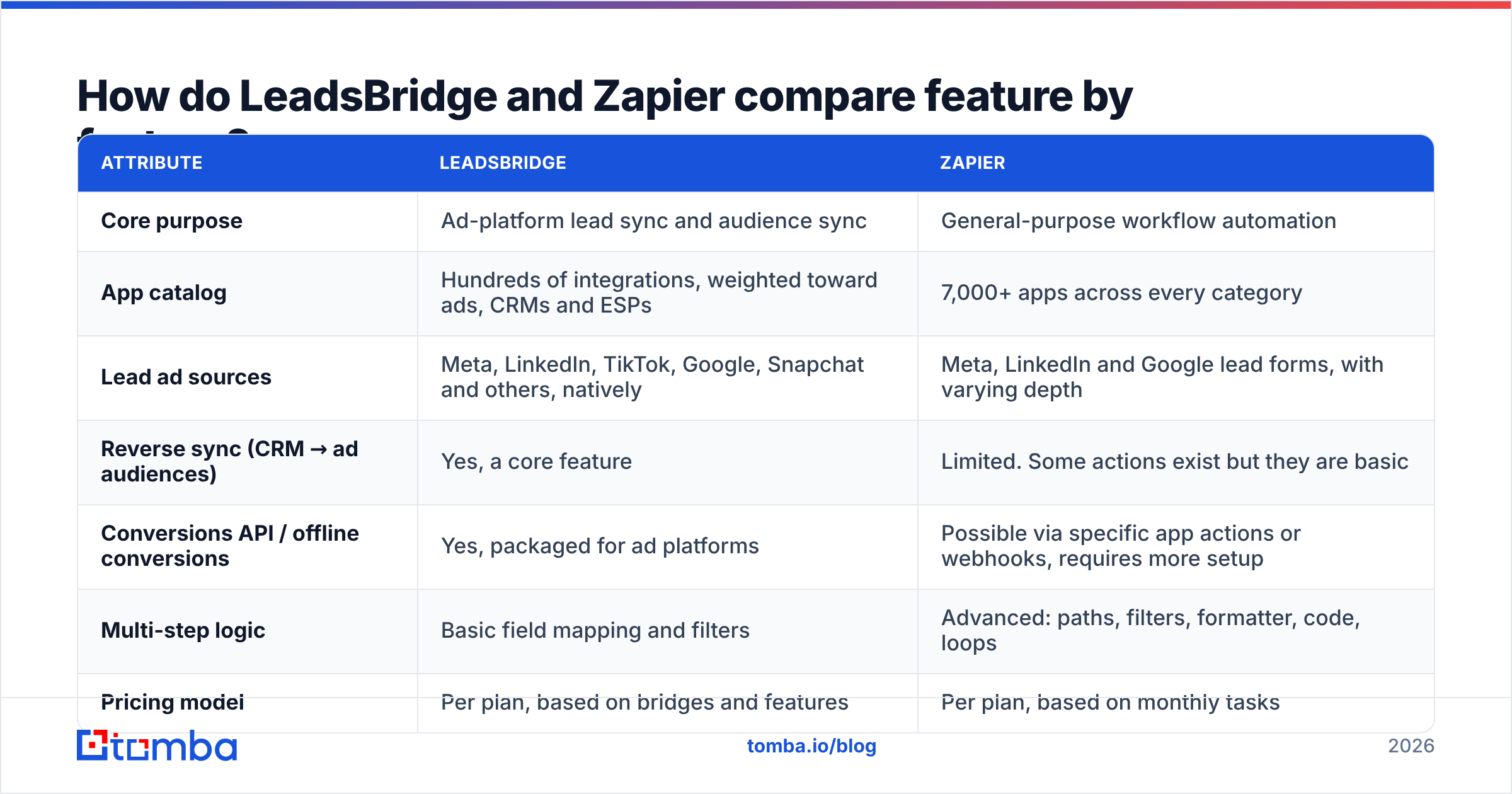
The table below reflects each vendor's public positioning and documentation at the time of writing. Plan names and task limits change often, so confirm current numbers on each vendor's pricing page before you buy.
| Attribute | LeadsBridge | Zapier |
|---|---|---|
| Core purpose | Ad-platform lead sync and audience sync | General-purpose workflow automation |
| App catalog | Hundreds of integrations, weighted toward ads, CRMs and ESPs | 7,000+ apps across every category |
| Lead ad sources | Meta, LinkedIn, TikTok, Google, Snapchat and others, natively | Meta, LinkedIn and Google lead forms, with varying depth |
| Reverse sync (CRM → ad audiences) | Yes, a core feature | Limited. Some actions exist but they are basic |
| Conversions API / offline conversions | Yes, packaged for ad platforms | Possible via specific app actions or webhooks, requires more setup |
| Multi-step logic | Basic field mapping and filters | Advanced: paths, filters, formatter, code, loops |
| Pricing model | Per plan, based on bridges and features | Per plan, based on monthly tasks |
| Free option | Limited free tier or trial, depending on current offer | Free plan with a small monthly task allowance |
| Setup effort | Low for supported ad-to-CRM pairs | Low for simple Zaps, higher for complex ones |
| Support angle | Onboarding help focused on marketing data | Large docs library and community, support by tier |
| Best for | Performance marketers running paid lead gen | RevOps and ops teams automating across many tools |
The rows that decide most purchases are reverse sync and multi-step logic. If you need the first, LeadsBridge is the stronger choice. If you need the second, Zapier is.
Which tool handles Facebook and LinkedIn lead ads better?#
For pure ad-lead delivery, LeadsBridge has the edge. Zapier is good enough for many teams.
Both tools will catch a new Facebook Lead Ads submission and create a contact in HubSpot, Salesforce or Pipedrive within seconds to minutes. For a small account running a couple of forms, you will not notice much difference in the basic flow.
The gaps show up at scale and at the edges:
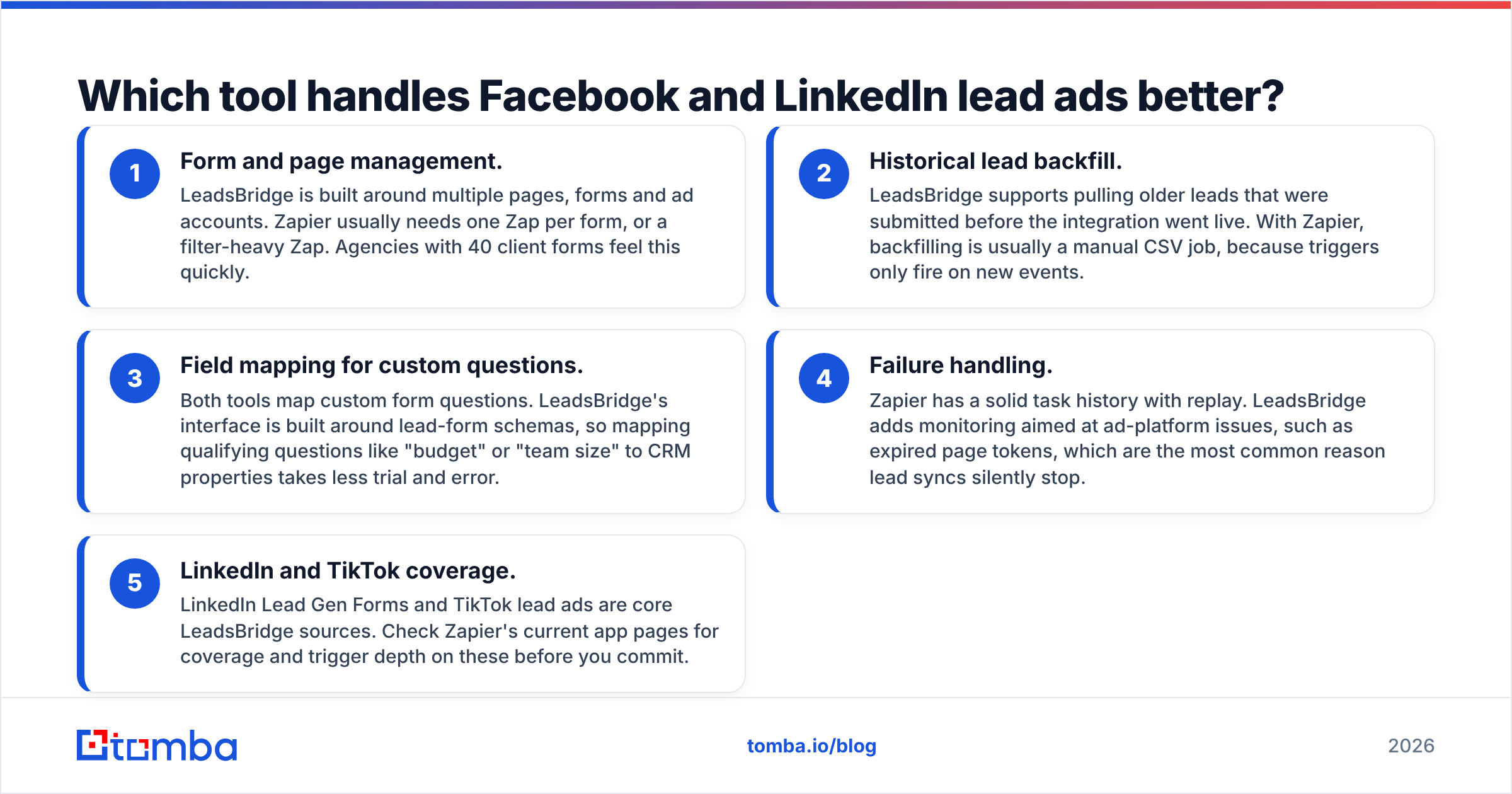
- Form and page management. LeadsBridge is built around multiple pages, forms and ad accounts. Zapier usually needs one Zap per form, or a filter-heavy Zap. Agencies with 40 client forms feel this quickly.
- Historical lead backfill. LeadsBridge supports pulling older leads that were submitted before the integration went live. With Zapier, backfilling is usually a manual CSV job, because triggers only fire on new events.
- Field mapping for custom questions. Both tools map custom form questions. LeadsBridge's interface is built around lead-form schemas, so mapping qualifying questions like "budget" or "team size" to CRM properties takes less trial and error.
- Failure handling. Zapier has a solid task history with replay. LeadsBridge adds monitoring aimed at ad-platform issues, such as expired page tokens, which are the most common reason lead syncs silently stop.
- LinkedIn and TikTok coverage. LinkedIn Lead Gen Forms and TikTok lead ads are core LeadsBridge sources. Check Zapier's current app pages for coverage and trigger depth on these before you commit.
If a missed lead costs you real money, for example a $150 cost-per-lead on LinkedIn, the more specialised tool usually pays for itself.
Where does Zapier clearly beat LeadsBridge?#
Zapier wins as soon as your workflow reaches beyond "ad lead → CRM."
A realistic B2B lead flow usually has more steps than a single sync:
- Catch the lead from a form, an ad, a webinar tool or a chatbot.
- Check for duplicates against the CRM.
- Enrich the contact with company, title and a verified work email.
- Score it and route it to the right rep by territory.
- Post an alert in Slack and create a task.
- Add it to a sequence if it fits your ICP.
Zapier can run all of that inside one Zap using Paths, Filters and Formatter, plus a code step if needed. You can call an enrichment API, branch on the result, and write the output back to your CRM. Tomba, for example, has a native Zapier integration, so you can add an email-finding or verification step between capture and routing without writing code.
LeadsBridge is not built as a general logic engine. It moves marketing data reliably between known endpoints. When you need branching logic, custom API calls or steps involving non-marketing apps like your billing system, you end up adding Zapier or Make next to it.
Zapier also wins on breadth of non-lead use cases. Tasks like onboarding new hires, syncing invoices or logging calls are outside LeadsBridge's scope.
How much do LeadsBridge and Zapier cost?#
Both vendors change pricing regularly, so treat this as a framework rather than a quote.
Zapier charges by tasks. A task is each successful action step. The free plan includes a small monthly allowance and supports two-step Zaps. Paid Professional plans start at roughly $20/month billed annually for a few hundred to 750 tasks, and costs rise quickly with volume. Team plans add shared workspaces and SSO. The catch is that a five-step Zap uses up to five tasks per lead. At 3,000 leads a month through a five-step workflow, you are paying for 15,000 tasks. That is a very different price bracket from what the entry plan suggests.
LeadsBridge charges by plan, and the tiers are defined by the number of bridges (integrations), the features you get, and the lead or audience volume. Entry plans are priced to compete with Zapier's lower tiers. Audience sync, Conversions API and advanced features usually sit in the higher tiers. Check the LeadsBridge pricing page for current numbers, because tier names and limits have changed several times.
Rules of thumb for comparing cost:
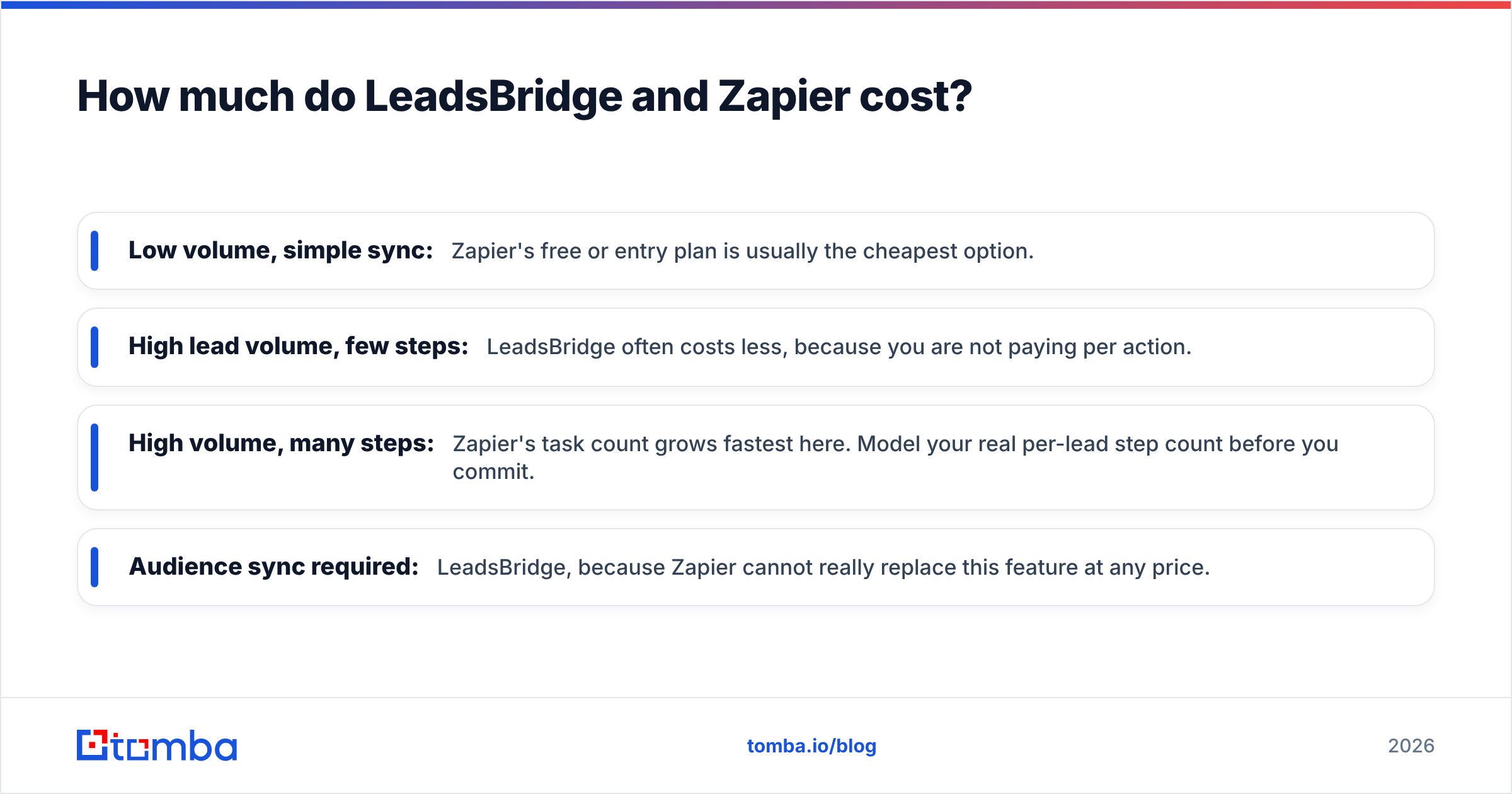
- Low volume, simple sync: Zapier's free or entry plan is usually the cheapest option.
- High lead volume, few steps: LeadsBridge often costs less, because you are not paying per action.
- High volume, many steps: Zapier's task count grows fastest here. Model your real per-lead step count before you commit.
- Audience sync required: LeadsBridge, because Zapier cannot really replace this feature at any price.
User reviews on G2 are worth reading for both tools. Filter by company size. Agency and SMB reviewers describe very different experiences with each product's pricing.
Can LeadsBridge and Zapier work together?#
Yes, and for many performance-marketing teams, running both is the best setup.
A common stack looks like this:
- LeadsBridge handles ad-platform intake (Meta, LinkedIn, TikTok) and the reverse flow. CRM segments go back to the ad platforms as custom audiences, and closed-won events go back as conversions.
- Zapier runs everything after the lead lands in the CRM: enrichment, verification, scoring, routing, Slack alerts and sequence enrollment.
- The CRM is the single source of truth that both tools read from and write to.
This split keeps the ad-platform integration in the hands of a specialist that tracks API changes from Meta and LinkedIn. Your business logic stays in a flexible tool that your ops team already knows. It also limits the damage when something breaks. A Meta token expiry won't take down your routing logic, and a broken Zap won't stop leads from arriving.
The trade-off is that you pay for two subscriptions and have two places to debug. For teams spending under a few thousand dollars a month on lead ads, one tool is usually enough.
Why doesn't syncing leads fix lead quality?#
Neither tool can turn a weak form submission into a lead your sales team can work. They only move data.
This is the most common blind spot in both LeadsBridge and Zapier evaluations. Lead ad forms are designed for low friction, so Meta pre-fills the email on the user's Facebook account. In B2B, that is very often a personal Gmail or Yahoo address, not the work email your sales team needs. Syncing it in 3 seconds instead of 15 minutes doesn't change what it is.
What happens next is predictable:
- Reps send cold emails to personal inboxes and get low engagement.
- Sequences bounce on typos and dead addresses, which damages sender reputation.
- Lead scoring can't match the contact to an account because there is no company domain.
- Marketing reports look strong on lead volume while sales complains about lead quality.
The fix is to add an enrichment layer between sync and outreach. Take the name plus the company field (or the domain, if the form asks for it), look up the professional address, verify it, and write it back to the CRM record. Tomba's data enrichment and email verifier cover both steps, and both work through Zapier or the API. If you use LeadsBridge alone, add a webhook destination or a CRM-side workflow that triggers enrichment when a contact is created.
It helps to ask the right question on the form itself. A required "Company website" field adds a little friction, but it gives your enrichment step a domain to work from. That usually raises the share of leads with a usable work email by a wide margin.

Which should you choose: LeadsBridge or Zapier?#
Choose based on where your pipeline comes from and how much logic sits after capture.
Choose LeadsBridge if:
- Paid lead ads on Meta, LinkedIn or TikTok are your main source of pipeline.
- You run many forms, pages or ad accounts, for example as an agency.
- You want CRM segments synced back as custom audiences for retargeting or exclusion.
- You want offline conversion data going back to the ad platforms so bidding optimises for revenue, not form fills.
- Your team is marketing-led and wants a specialist vendor that handles ad API changes.
Choose Zapier if:
- Lead ads are one of several lead sources, alongside web forms, webinars, chat and events.
- You need branching logic, enrichment calls, scoring and routing in the same workflow.
- You also want to automate non-marketing processes on the same platform.
- Your lead volume is modest, so task-based pricing stays affordable.
- Your RevOps team is comfortable building and maintaining multi-step workflows.
Run both if:
- You spend enough on paid lead gen that audience sync and conversion feedback matter, and your post-capture process is complex enough to need real workflow logic.
If you're still unsure, run a two-week test. Connect one high-volume form through each tool, then compare delivery latency, failure alerts, field-mapping accuracy and the time your team spent on setup. The tool that caused fewer "where did that lead go?" messages in Slack is usually the right pick.
What are the most common mistakes when setting up either tool?#
Most lead-sync failures come from setup and maintenance, not from the tool. Watch for these:
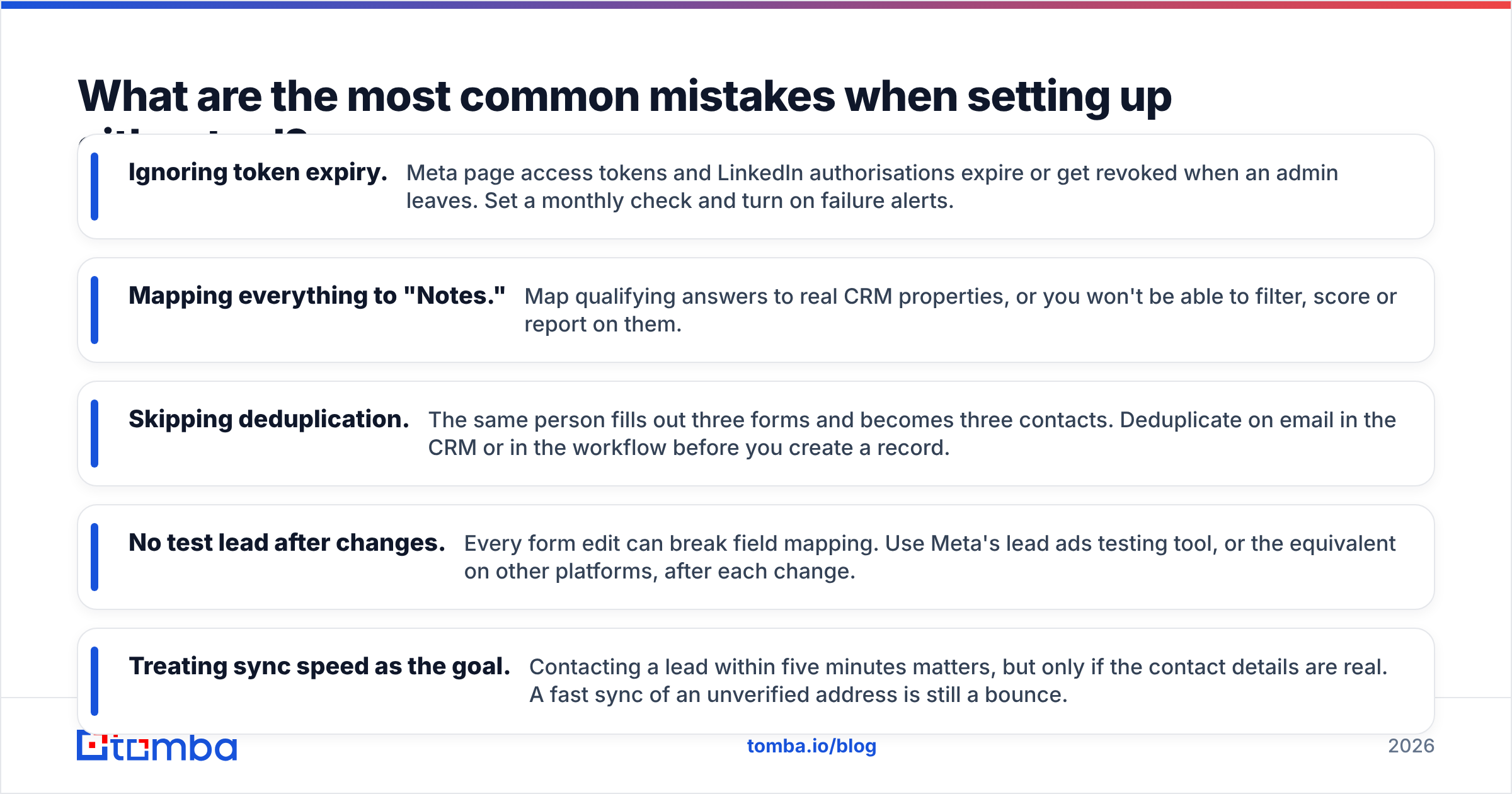
- Ignoring token expiry. Meta page access tokens and LinkedIn authorisations expire or get revoked when an admin leaves. Set a monthly check and turn on failure alerts.
- Mapping everything to "Notes." Map qualifying answers to real CRM properties, or you won't be able to filter, score or report on them.
- Skipping deduplication. The same person fills out three forms and becomes three contacts. Deduplicate on email in the CRM or in the workflow before you create a record.
- No test lead after changes. Every form edit can break field mapping. Use Meta's lead ads testing tool, or the equivalent on other platforms, after each change.
- Treating sync speed as the goal. Contacting a lead within five minutes matters, but only if the contact details are real. A fast sync of an unverified address is still a bounce.
These issues cost more pipeline than any feature difference between the two platforms.
Final thoughts#
LeadsBridge and Zapier solve related but different problems. Neither one improves the data it carries. Whichever you choose for sync, put a verification and enrichment step between the ad form and your reps' inbox. Tomba Email Finder turns a name and company from a lead form into a verified professional email address. It plugs into Zapier, HubSpot, Salesforce and the API, so it fits after either tool. The free tier includes 25 searches a month so you can test it on real leads, and paid plans start at $49/month when you scale. Check Tomba pricing to match a plan to your monthly lead volume.
Related guides#
// get started
Find, verify and enrich your first contacts today
Start on the free plan with 25 searches a month, then scale when your team is ready.
Free plan · No credit card required · GDPR & CCPA
// about the author