Leadsforge vs Leadsrush: Which Lead Tool Fits Your Team in 2026?
Leadsforge gives you AI prompt search across a 500M+ contact database. Leadsrush is a low-cost domain search and email finder with a free tier. Here is which one fits your workflow, what each costs, and where each falls short.
TL;DR
- Leadsforge is an AI lead search engine. You describe your ideal customer in plain English and it builds a list from a database of 500M+ contacts. It is the better fit when you are starting from "who should we target?" rather than "which company do I already have in mind?"
- Leadsrush is a classic email finder. It does domain search, single-contact lookups, email verification and local business search. It is the better fit when you already know the companies and just need the right addresses, and it costs less.
- Pricing is set up differently. Leadsforge starts at about $49/mo for 2,000 credits, and those credits carry over. Leadsrush has a free plan and paid tiers from about $29/mo, but its credits reset every month.
- Neither tool removes the need for verification before you send. Bounce rates decide whether your domain survives the campaign, whichever list builder you use.
- If you mostly look up known domains and want verification and enrichment in one place, a dedicated email finder like Tomba belongs on your shortlist too.
What are Leadsforge and Leadsrush, in one sentence each?#
Leadsforge is an AI search engine for leads, built by the team behind Salesforge. It turns a natural-language prompt like "Series A fintech companies in Germany with a Head of Sales hired in the last six months" into an exportable contact list.
Leadsrush is an all-in-one email finding tool from Reganam Ltd. It covers domain search, email lookup, email verification and local B2B business discovery, and it pushes data into your CRM through native integrations.
Both land in the "lead generation" category, but they start from opposite ends of the prospecting process:
- Leadsforge starts from the market. You don't know the names yet. You know the profile of a good customer, and the tool finds people who match it.
- Leadsrush starts from the account. You already have a company domain or a local business category, and the tool finds the people and addresses behind it.
If you pick the wrong starting point, you end up fighting the tool every day. Most of the comparison below follows from that difference.
How does each tool actually find leads?#
Here is how the core workflows compare in practice.
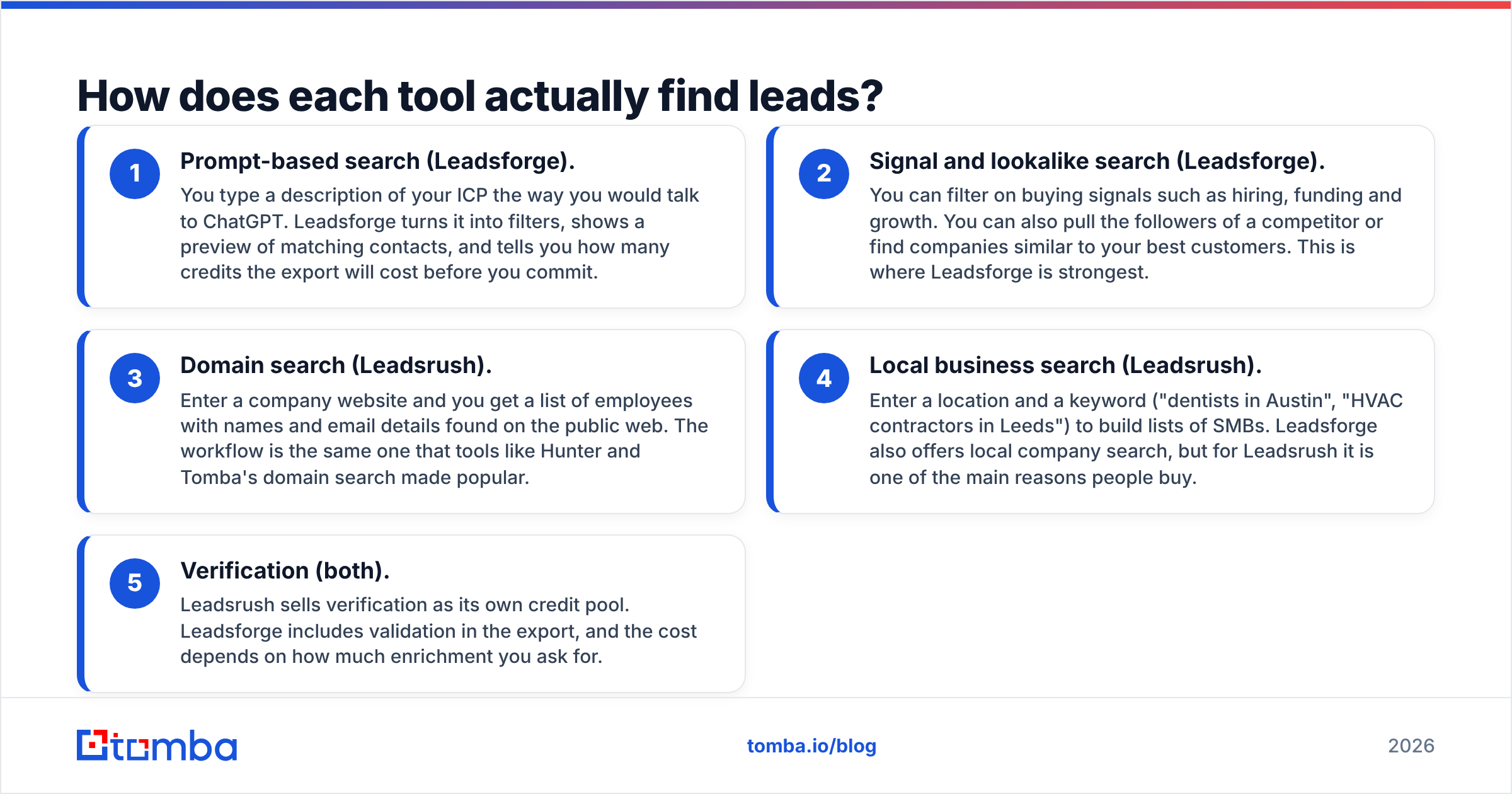
- Prompt-based search (Leadsforge). You type a description of your ICP the way you would talk to ChatGPT. Leadsforge turns it into filters, shows a preview of matching contacts, and tells you how many credits the export will cost before you commit.
- Signal and lookalike search (Leadsforge). You can filter on buying signals such as hiring, funding and growth. You can also pull the followers of a competitor or find companies similar to your best customers. This is where Leadsforge is strongest.
- Domain search (Leadsrush). Enter a company website and you get a list of employees with names and email details found on the public web. The workflow is the same one that tools like Hunter and Tomba's domain search made popular.
- Local business search (Leadsrush). Enter a location and a keyword ("dentists in Austin", "HVAC contractors in Leeds") to build lists of SMBs. Leadsforge also offers local company search, but for Leadsrush it is one of the main reasons people buy.
- Verification (both). Leadsrush sells verification as its own credit pool. Leadsforge includes validation in the export, and the cost depends on how much enrichment you ask for.

The practical takeaway is that Leadsforge replaces the hour you would spend building Boolean filters in a database UI. Leadsrush replaces the hour you would spend guessing email patterns for a company you already found.
Leadsforge vs Leadsrush: how do the features and pricing compare?#
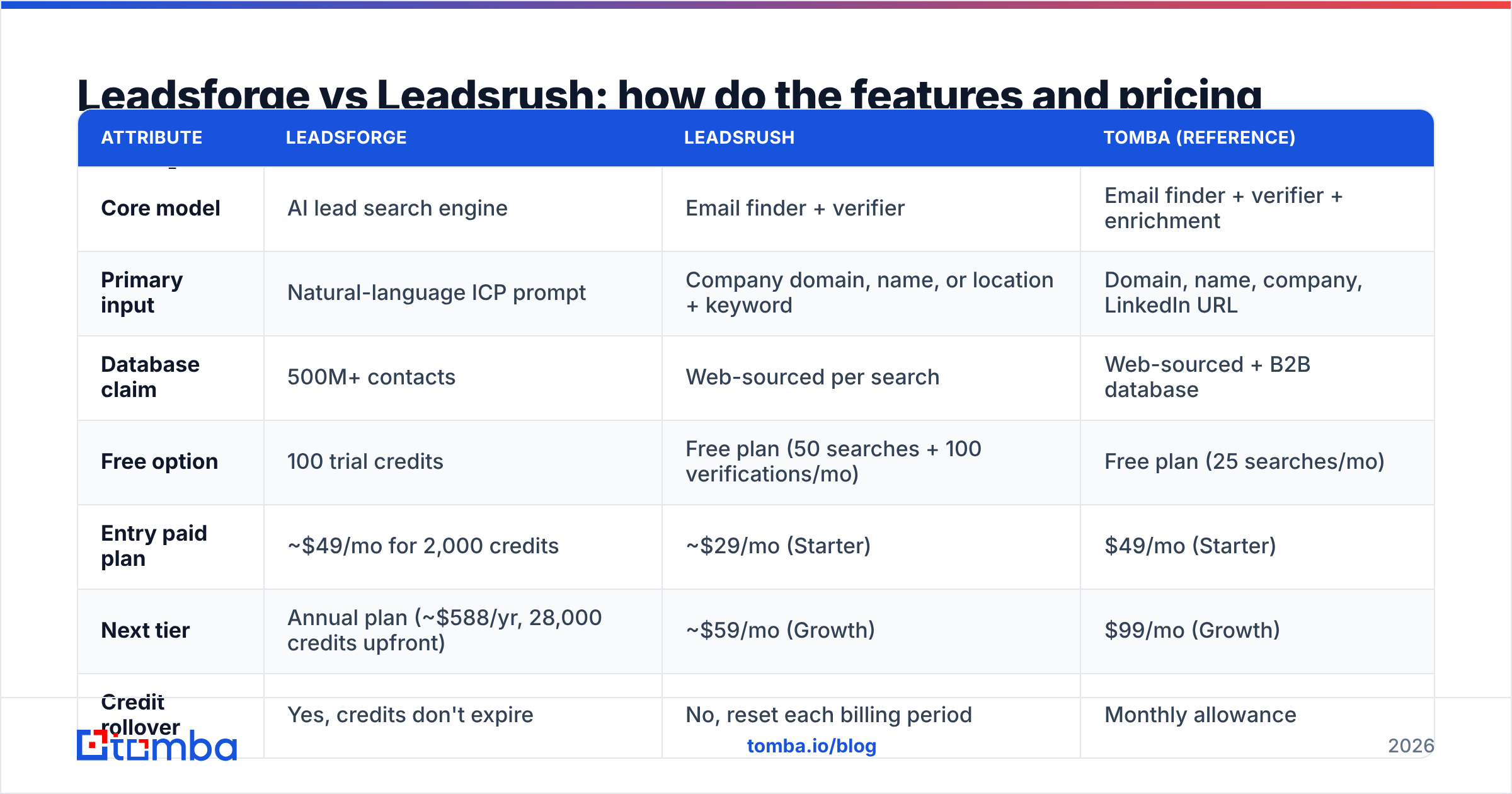
The table below uses publicly listed pricing and features at the time of writing. Both vendors change plans often, so check the Leadsforge pricing page and the Leadsrush pricing page before you buy. Tomba is included as a reference point for a dedicated email finder.
| Attribute | Leadsforge | Leadsrush | Tomba (reference) |
|---|---|---|---|
| Core model | AI lead search engine | Email finder + verifier | Email finder + verifier + enrichment |
| Primary input | Natural-language ICP prompt | Company domain, name, or location + keyword | Domain, name, company, LinkedIn URL |
| Database claim | 500M+ contacts | Web-sourced per search | Web-sourced + B2B database |
| Free option | 100 trial credits | Free plan (50 searches + 100 verifications/mo) | Free plan (25 searches/mo) |
| Entry paid plan | ~$49/mo for 2,000 credits | ~$29/mo (Starter) | $49/mo (Starter) |
| Next tier | Annual plan (~$588/yr, 28,000 credits upfront) | ~$59/mo (Growth) | $99/mo (Growth) |
| Credit rollover | Yes, credits don't expire | No, reset each billing period | Monthly allowance |
| Credit cost logic | 1 credit per email, 10 per phone | 1 search credit returns up to 10 results; separate verification credits | Per search / per verification |
| Buying signals | Yes (hiring, funding, growth, etc.) | No | Limited (technology, company data) |
| Local business search | Yes | Yes, a core feature | Via domain / company search |
| Seats | No seat charge | Unlimited users, shared credit pool | Plan-based |
| Integrations | Salesforge-native, CSV, CRM exports | 18 native integrations (CRM, ESPs) | HubSpot, Salesforce, Zapier, Sheets, API |
| Best for | Building net-new ICP lists fast | Cheap domain lookups and local SMB lists | Known-account prospecting with verification |
A few details in that table matter more than they look.
Credit rollover. Leadsforge credits don't expire, which makes it more forgiving if your outbound is seasonal or tied to campaigns. Leadsrush credits reset monthly. If you're on Leadsrush and skip a month, you lose that month's allowance.
Phone data costs 10x. On Leadsforge, a phone number costs 10 credits compared with 1 for an email. If you pull phones for every contact, your 2,000 credits cover about 180 fully enriched leads, not 2,000.
"Up to 10 results" per search. A single Leadsrush search credit can return up to ten contacts. For domain search that makes the cost per contact very low. For single-person lookups, you pay the same credit for one result.
Which one has better data quality?#
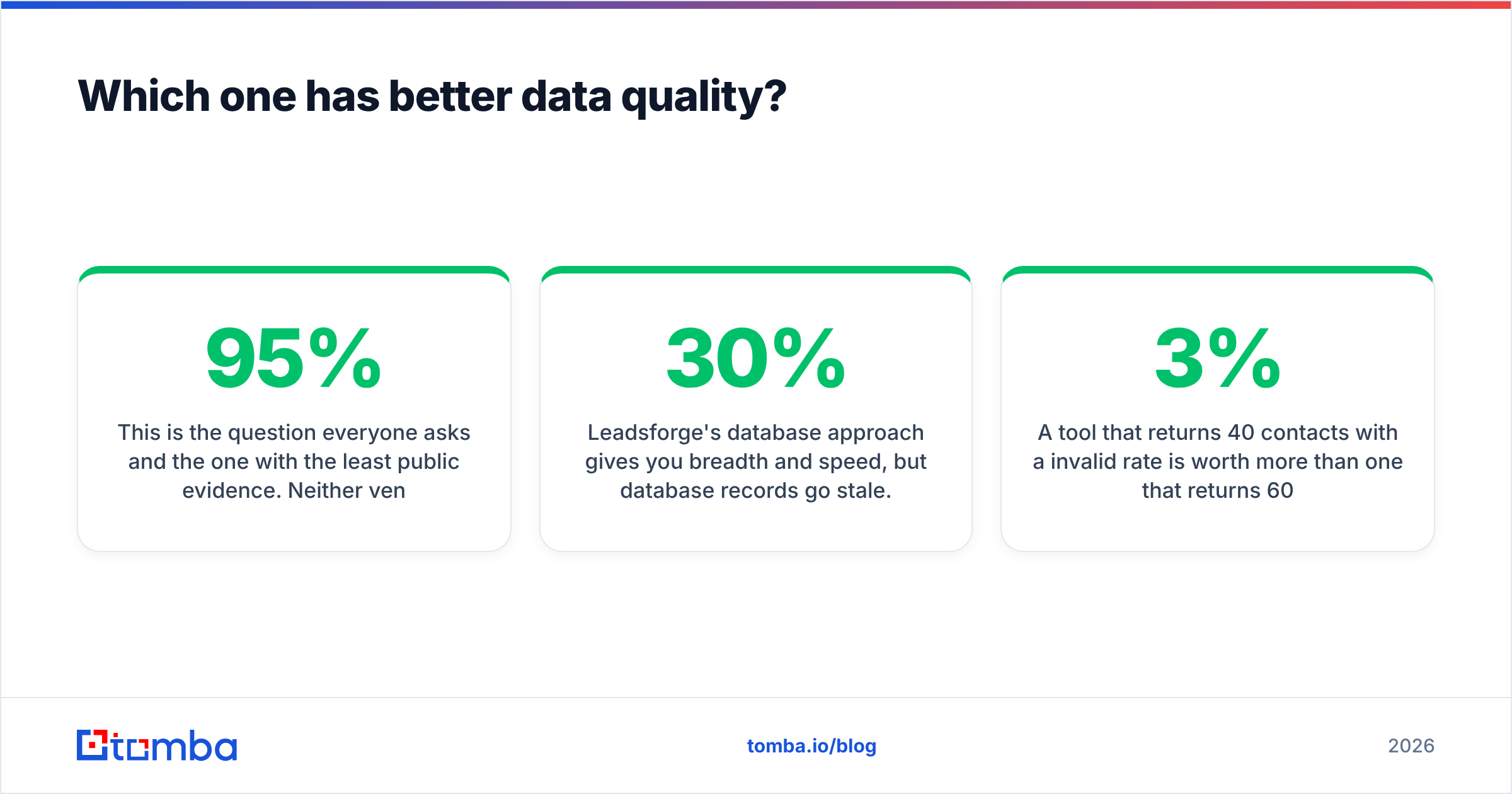
This is the question everyone asks and the one with the least public evidence. Neither vendor publishes an independent, third-party accuracy benchmark, so you should treat any "95%+ accuracy" marketing claim as a starting hypothesis.
Here is what you can reason about from how each tool works:
- Leadsforge's database approach gives you breadth and speed, but database records go stale. People change jobs, and B2B contact data is widely estimated to decay by 20-30% a year. How recently each record was verified matters more than how many records there are.
- Leadsrush's web-sourced domain search finds addresses that have appeared publicly, which tends to mean higher confidence for the people it returns. It returns fewer people, and coverage drops for small companies with little web presence.
The only reliable way to judge accuracy is to run your own test:
- Pick 50 companies you know well, with a mix of enterprise, mid-market and SMB.
- Pull the same roles from both tools.
- Run every result through the same independent email verifier.
- Compare valid, risky/catch-all, and invalid rates, not just hit counts.
A tool that returns 40 contacts with a 3% invalid rate is worth more than one that returns 60 with a 15% invalid rate. The second list will damage your sender reputation faster than it books meetings.
Is Leadsforge better than Leadsrush for cold email?#
It depends on what's holding your cold email program back.
Choose Leadsforge if your bottleneck is targeting. If your SDRs spend more time deciding who to email than writing emails, Leadsforge's prompt search and buying signals save the most time. It also fits naturally if you already send through Salesforge, because the list-to-sequence handoff is built in. Credits that don't expire suit teams that run campaigns in bursts.
Choose Leadsrush if your bottleneck is budget or you sell locally. If you already have a target account list from your CRM, a trade show or an intent tool, you don't need an AI to invent a market for you. You need addresses. At around $29/mo, Leadsrush gets you domain search plus a separate verification pool for less than most competitors, and unlimited users on a shared pool helps small agencies. Its local business search is useful for agencies that sell to SMBs such as restaurants, clinics and trades.
Choose neither alone if deliverability is fragile. If you are on a new domain, still warming mailboxes, or have been burned by bounces before, you should verify every list regardless of source. See the deliverability section below.
What are the pros and cons of each tool?#
Leadsforge: pros
- Natural-language search removes most of the work of building filters
- Buying signals and competitor-follower search help you reach the right people at the right time
- Credits don't expire, and there's no seat charge
- You see the credit cost before you export, so there are no surprise bills
- Works natively with the rest of the Forge stack (Salesforge, Mailforge, Warmforge)
Leadsforge: cons
- Phone numbers cost 10 credits each, so phone-heavy workflows get expensive
- Database records carry the usual decay risk, so you still need to verify
- It's less useful when you already know exactly which accounts you want
Leadsrush: pros
- Low entry price plus a free plan you can actually use (50 searches, 100 verifications a month)
- Domain search returns up to ten contacts per credit
- Local business search is a real differentiator for SMB-focused sellers
- Unlimited users on every plan
- 18 native integrations for pushing leads into CRMs and ESPs
Leadsrush: cons
- Credits reset monthly, so unused allowance is lost
- No buying-signal or lookalike targeting
- Coverage depends on public web footprint, so it's thinner for stealth or very small companies

Why does verification matter more than the list builder?#
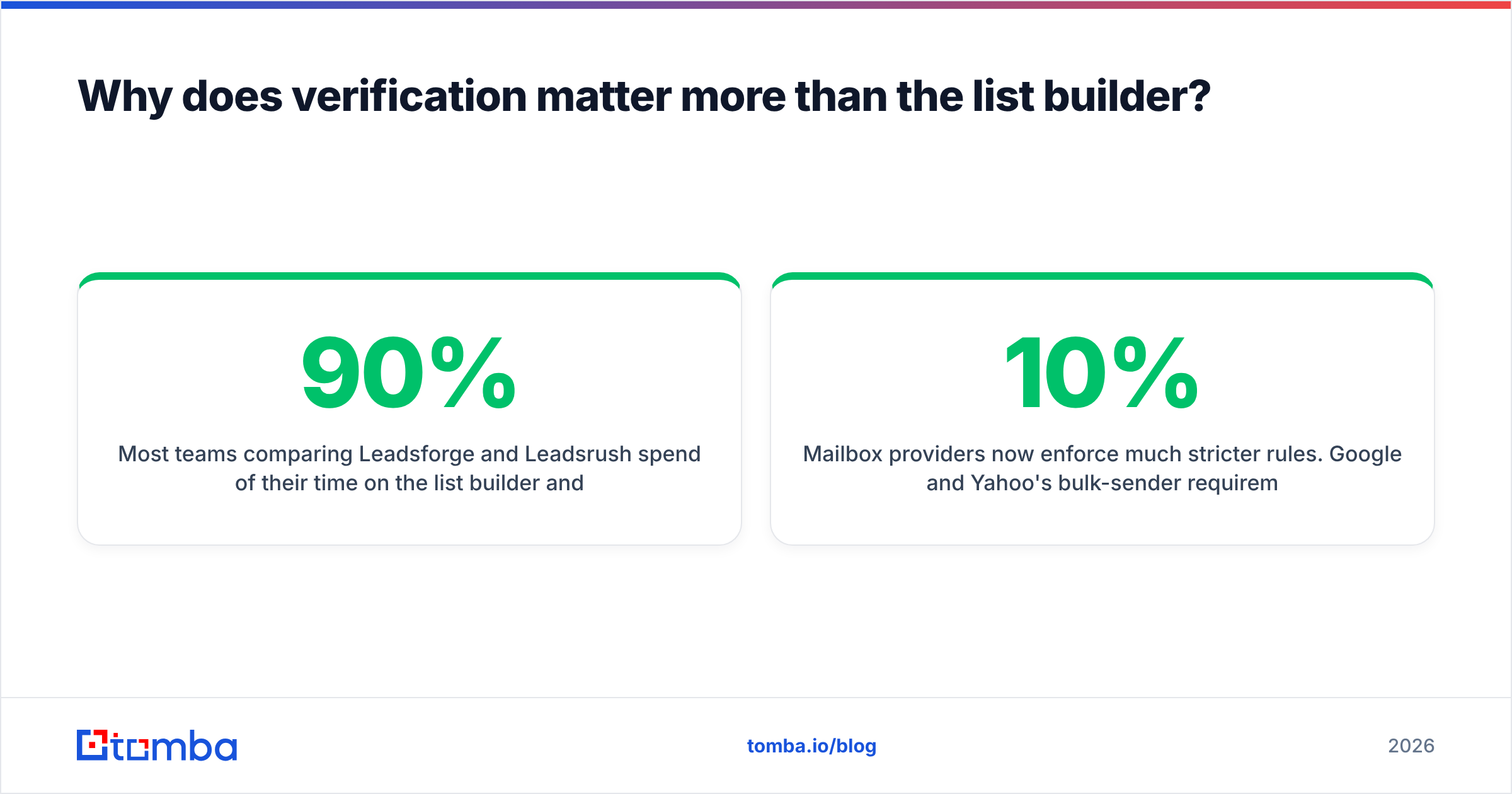
Most teams comparing Leadsforge and Leadsrush spend 90% of their time on the list builder and 10% on what happens after export. It should be closer to even.
Mailbox providers now enforce much stricter rules. Google and Yahoo's bulk-sender requirements tightened authentication and complaint thresholds, and bounce rates feed directly into your sender reputation. A list with a 10% hard-bounce rate can undo weeks of mailbox warming in a single send.
A sound post-export routine, whichever tool you choose, looks like this:
- Verify every address, even ones the vendor marked "valid". Validation at export and validation on send day are different events.
- Split out catch-all domains. These accept every address at the SMTP level, so a "valid" result tells you nothing. Send to them at a lower volume or skip them.
- Deduplicate against your CRM so you don't email existing customers or open opportunities cold.
- Re-verify lists older than 30 days before reusing them.
HubSpot's email deliverability guidance covers the sending side in more detail. The short version is that list hygiene is the cheapest deliverability insurance you can buy.
How do the costs work out on a real 1,000-lead campaign?#
Here's a rough example. Say you want 1,000 net-new contacts with emails in one month.
On Leadsforge: 1,000 emails at 1 credit each is 1,000 credits, which fits inside the ~$49/mo plan with 1,000 credits left over for next month. Add phone numbers for 200 of them and you spend another 2,000 credits, which means buying more credits or moving to annual.
On Leadsrush: If most leads come from domain search at up to 10 results per credit, 1,000 contacts could take as few as ~100 search credits, plus 1,000 verification credits. That often fits a lower tier. The catch is that you have to supply the domains, so the targeting work is on you.
Hidden cost on both: your time. Leadsforge moves the work away from list-building and toward reviewing what the AI returned. Leadsrush moves it toward building the account list yourself before you search. Price your SDR hours, not just the subscription.
Where does Tomba fit in this comparison?#
Tomba is not an AI prompt-search engine like Leadsforge, and it doesn't lead with local SMB discovery the way Leadsrush does. It sits closest to Leadsrush's domain-search workflow, with a heavier focus on verification and enrichment:
- Find an address from a name and company, or pull every public contact on a domain
- Verify, including dedicated catch-all checks, before anything reaches your sequencer
- Enrich contacts with company and role data, and push them to HubSpot, Salesforce, Sheets or the API
Where it fits best: you already know your target accounts, from Leadsforge, your CRM, or an intent tool, and you want one place to find the right address and confirm it will land. Many teams use a discovery tool like Leadsforge for net-new markets and a dedicated finder-plus-verifier for the known-account half of the pipeline. Plans start with a free tier of 25 searches a month; see Tomba pricing for the paid tiers.
So which should you choose: Leadsforge or Leadsrush?#
Here is the short answer:
- You know your ICP but not the names → Leadsforge
- You know the companies and need addresses on a budget → Leadsrush
- You sell to local SMBs → Leadsrush, with Leadsforge's local search as a second option
- You run seasonal or campaign-based outbound → Leadsforge, because credits roll over
- You already send through Salesforge → Leadsforge, because the stack integration saves real setup time
- You need verified, enriched contacts for accounts you already have → a dedicated email finder with built-in verification
Both are legitimate tools with honest use cases. Neither is better across the board. The right one depends on where your prospecting actually gets stuck. Run the 50-company test above on both free tiers before you commit to a paid plan.
If your pipeline starts from known accounts and you want accurate addresses without juggling separate tools for finding and verification, try Tomba Email Finder. Enter a name and a domain and get a verified professional address, or pull every contact on a domain in one search. The free plan includes 25 searches a month, so you can check it against your own list before you pay anything.
Related guides#
// get started
Find, verify and enrich your first contacts today
Start on the free plan with 25 searches a month, then scale when your team is ready.
Free plan · No credit card required · GDPR & CCPA
// about the author